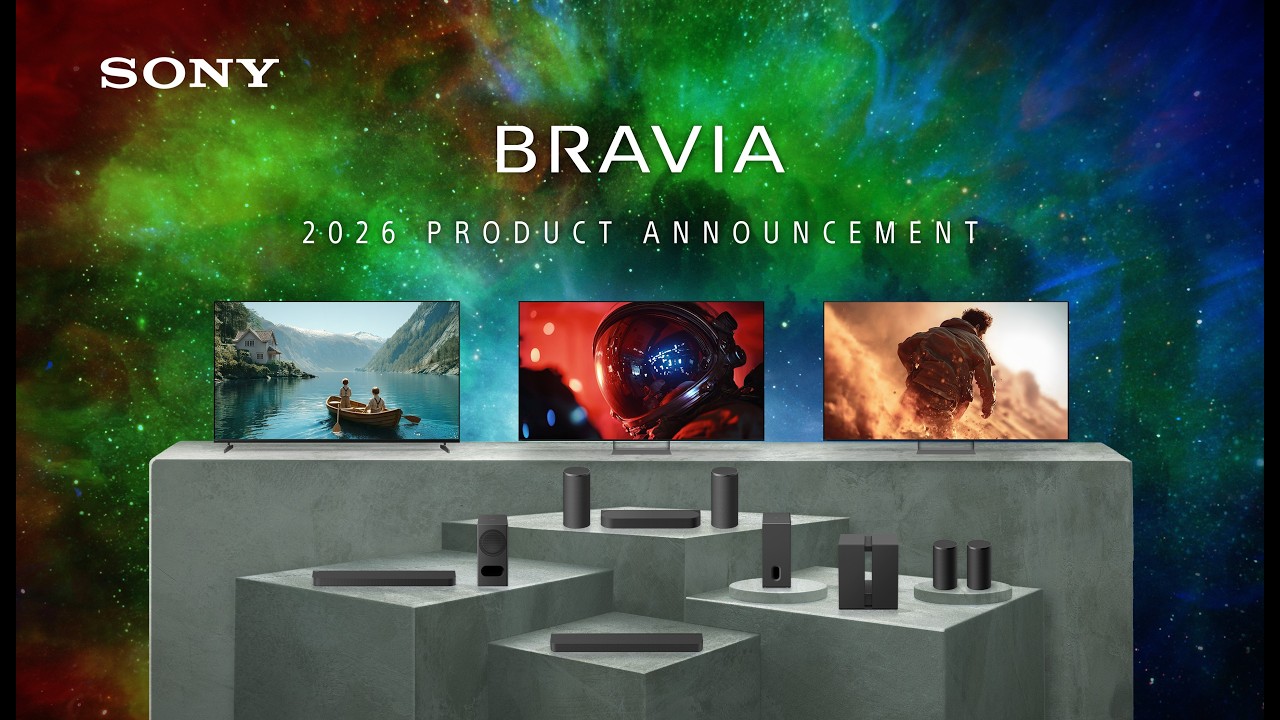

A television can look impressive in a showroom and still disappoint in a living room. Glare, uneven motion, weak upscaling and a sluggish interface become much more obvious when you watch older shows, live sports or a dark movie at home. The Best sony tv options below cover those differences instead of treating every BRAVIA model as interchangeable.
The range includes compact 43-inch sets, large 75-inch LED screens, gaming-focused models with HDMI 2.1, and OLED televisions built for cinematic contrast. Our top pick is the Sony 65-inch BRAVIA 3, while the BRAVIA 8 II is the premium choice for viewers who want OLED's pure blacks. The rest fill in sensible alternatives for smaller rooms, brighter spaces and different screen sizes.
Comparison table
| # | Product | Award | Size | Panel | Processing | Best for |
|---|---|---|---|---|---|---|
| 1 | Sony BRAVIA 3 65-inch | Best overall | 65 inches | LED | 4K HDR Processor X1 | Most living rooms |
| 2 | Sony BRAVIA 2 II 43-inch | Best compact pick | 43 inches | LED | 4K Processor X1 | Bedrooms and smaller spaces |
| 3 | Sony BRAVIA 3 75-inch | Best large LED | 75 inches | LED | 4K HDR Processor X1 | Big-screen viewing |
| 4 | Sony BRAVIA 3 II 43-inch | Best small gaming TV | 43 inches | LED | XR Processor | Console gaming |
| 5 | Sony BRAVIA 3 II 55-inch | Best mid-size gaming TV | 55 inches | LED | XR Processor | Mixed entertainment |
| 6 | Sony BRAVIA 2 II 55-inch | Best straightforward 55-inch | 55 inches | LED | 4K Processor X1 | Everyday streaming |
| 7 | Sony BRAVIA 3 II 65-inch | Best glare-resistant LED | 65 inches | LED | XR Processor | Bright living rooms |
| 8 | Sony BRAVIA 8 II 65-inch | Best premium OLED | 65 inches | QD OLED | XR Processor with AI | Home cinema |
| 9 | Sony BRAVIA 3 50-inch | Best 50-inch option | 50 inches | LED | 4K HDR Processor X1 | Medium rooms |
| 10 | Sony BRAVIA XR8B 65-inch | Best OLED alternative | 65 inches | OLED | XR Processor | Movie and sports fans |
1. Sony BRAVIA 3 65-inch: Best Overall

Pros
- 65-inch screen suits a wide range of living rooms
- Triluminos Pro produces vivid, natural color
- Dolby Vision and Dolby Atmos support
- Strong upscaling for HD and older content
- AirPlay 2 and Chromecast are built in
Cons
- LED panel cannot match OLED black levels
- No HDMI 2.1 gaming features are listed
- Its 47.8-pound body needs careful installation
Best for: viewers who want a balanced Sony television for streaming, movies, sports and general viewing.
The Sony BRAVIA 3 65-inch is the easiest model in this group to recommend because it gets the big decisions right without narrowing itself to one type of viewer. The 65-inch screen is large enough to make movies and sports feel involving, but it is not as physically imposing as the 75-inch BRAVIA 3. Google TV keeps streaming services in one place, and Google Assistant lets you search by voice rather than typing through an on-screen keyboard.
Sony uses its 4K HDR Processor X1 here, along with Triluminos Pro. That combination matters most when the source is mixed. Native 4K content can look crisp and colorful, while 4K X-Reality PRO works to restore detail in lower-resolution shows. The television supports 4K HDR, Dolby Vision and Dolby Atmos, giving compatible films more contrast information and a broader sound format, though the built-in speakers cannot create the same impact as a separate soundbar.
Motionflow XR is included for sports and action scenes. The feature is intended to keep movement clear, but buyers should not confuse it with the 120Hz and HDMI 2.1 capabilities found on the BRAVIA 3 II models. That makes the Sony BRAVIA 3 II 65-inch more compelling for a PlayStation 5 owner who wants 4K/120, VRR and ALLM. For regular streaming and console play, though, the BRAVIA 3 65-inch offers the calmer, simpler choice.
The weakness is the ordinary LED panel. It can produce a vivid picture and support Dolby Vision, but it will not show the deep, self-lit blacks of the BRAVIA 8 II or XR8B OLED. Its 57.17-inch width and 47.8-pound weight also deserve attention before mounting. Choose it when you want a flexible 65-inch screen with Sony's processing and Google TV, and skip it if dark-room movie contrast or high-refresh gaming is the main priority.
2. Sony BRAVIA 2 II 43-inch: Best Compact Pick

Pros
- Compact 43-inch footprint
- 4K Processor X1 handles streaming content
- AirPlay 2 and Google Cast support
- Dedicated PlayStation 5 picture features
- Motionflow XR helps with fast action
Cons
- LED contrast is below the OLED models
- No listed HDMI 2.1 gaming support
- Smaller screen is less immersive from a distance
Best for: bedrooms, offices, apartments and anyone who needs a capable Sony TV without a large wall footprint.
The Sony BRAVIA 2 II 43-inch is the practical small-screen choice. Its 37.75-inch width makes it easier to place on a narrow cabinet or desk-side stand than the 55-inch and 65-inch models. At 17.2 pounds, it is also less awkward to position, although its 10.1-inch depth includes the stand area and should still be measured against the furniture.
Sony's 4K Processor X1 gives this set a stronger foundation than a generic small television. The processor is designed to improve color and detail, while 4K X-Reality PRO upscales older or lower-resolution programming toward 4K. Motionflow XR targets blur in sports and action movies. Those features will not turn a soft broadcast into native 4K, but they are useful when the viewing mix includes streaming video, cable content and older shows.
Google TV organizes apps in one interface, and this model supports both Apple AirPlay 2 and Google Cast. That makes it convenient in a household split between Apple and Android devices. PlayStation 5 owners also get Auto HDR Tone Mapping, Auto Genre Picture Mode and the Game Menu. The Sony BRAVIA 3 II 43-inch is the better fit for demanding gaming because it adds HDMI 2.1 features for 4K/120, VRR and ALLM.
The compromise is scale as much as picture quality. A 43-inch screen is sensible for close seating, but it will not create the same cinematic presence as the 65-inch BRAVIA 3. This set also lacks the AI-focused XR Processor and the more advanced gaming connection listed on the newer BRAVIA 3 II range. Pick it for a smaller room or a second viewing space, especially if easy casting and PS5 picture tools matter more than maximum immersion.
3. Sony BRAVIA 3 75-inch: Best Large LED

Pros
- Large 75-inch screen for home cinema viewing
- Triluminos Pro color processing
- Dolby Vision and Dolby Atmos support
- X-Balanced Speaker system
- PS5 picture features included
Cons
- 71.9-pound body requires careful handling
- LED blacks are not OLED blacks
- Large stand depth needs planning
Best for: viewers who want the biggest screen in the LED part of this lineup for movies, sports and group viewing.
The Sony BRAVIA 3 75-inch changes the experience more through scale than through a different picture system. Its 66-inch width and 41-inch height make it a genuine room centerpiece, and the 75-inch image is especially useful when several people are watching from different seats. It is also much heavier than the 65-inch version, at 71.9 pounds, so wall mounting or cabinet placement should be planned before delivery.
The 4K HDR Processor X1, Triluminos Pro and 4K X-Reality PRO are the same core technologies that make the 65-inch BRAVIA 3 a strong general-purpose set. Colors are intended to look vivid without losing natural shades, while upscaling helps older material appear cleaner on a large canvas. Large screens expose poor source quality more readily, so Sony's processing is particularly relevant here.
This model supports 4K HDR, Dolby Vision and Dolby Atmos, and its X-Balanced Speaker system is designed to produce clearer, more natural television sound. That is helpful for everyday watching, but a 75-inch display still benefits from a soundbar if you want the full cinematic effect. Google TV, Google Assistant, AirPlay 2 and Chromecast built in cover the major streaming and casting habits.
The Sony BRAVIA 3 II 65-inch is the more advanced choice for gaming and bright-room viewing because it lists 4K/120, VRR, ALLM and anti-glare screen technology. The 75-inch BRAVIA 3 instead makes sense when size is the priority. It does not have OLED's contrast, and the large chassis is demanding to install, but for a family room where the screen needs to be visible from the back of the seating area, this is the LED model to choose.
For more help judging how a large screen will fit a room, consider how much viewing distance a large television really needs. The answer depends on seating, source quality and how immersive you want the picture to feel.
4. Sony BRAVIA 3 II 43-inch: Best Small Gaming TV

Pros
- HDMI 2.1 supports 4K/120, VRR and ALLM
- XR Processor uses AI scene recognition
- Compact size works well for gaming desks
- Dolby Vision, Dolby Atmos and DTS:X
- Flush Surface design with a slim-looking bezel
Cons
- 43-inch screen can feel small for a distant sofa
- LED panel lacks OLED's self-lit contrast
- The feature set is more than casual viewers may need
Best for: console players who want advanced gaming connections in a compact television.
The Sony BRAVIA 3 II 43-inch is the most interesting small television here because it is not simply a smaller everyday set. Its 37.75-inch width is easy to accommodate, and the 20.2-pound weight is manageable for a gaming room or apartment. The almost invisible bezel and Flush Surface design keep attention on the picture rather than the frame.
Its XR Processor uses AI scene recognition to adjust color, contrast and clarity, while XR Clear Image is designed to restore detail and reduce noise. The set also uses XR Triluminos Pro for vivid, natural color. These features give it a more ambitious picture system than the BRAVIA 2 II 43-inch, especially when the source varies between games, streaming movies and broadcast content.
Gaming is the reason to choose this model. HDMI 2.1 supports 4K/120, VRR and ALLM, which can make compatible console games more responsive and smoother than they are on the BRAVIA 2 II models. Sony's Auto HDR Tone Mapping and Auto Genre Picture Mode are aimed at PlayStation 5 users, and the Game Menu gathers picture controls and gaming assistance in one place. Enhanced 120Hz clearness is also listed for fast-moving action.
The catch is that 43 inches is not a universal living-room size. From a sofa several feet away, the display may not feel as absorbing as the 55-inch version. It is also still an LED set, so the BRAVIA 8 II remains the superior dark-room movie television. Choose this one when gaming responsiveness and compact placement matter more than a large image.
5. Sony BRAVIA 3 II 55-inch: Best Mid-Size Gaming TV

Pros
- 55-inch size suits many living rooms
- HDMI 2.1 with 4K/120, VRR and ALLM
- XR Processor and XR Clear Image
- Gemini integration on Google TV
- Dolby Vision, Dolby Atmos and DTS:X
Cons
- LED contrast falls short of the OLED models
- No anti-glare feature is listed for this size
- Built-in speakers cannot replace a full cinema setup
Best for: mixed-use rooms where console gaming, sports and streaming all matter.
The Sony BRAVIA 3 II 55-inch is the balanced choice within the newer BRAVIA 3 II family. Its 48.25-inch width is substantial without dominating the room, and the 29.4-pound body is less demanding to handle than a 65-inch or 75-inch screen. It has the modern Flush Surface design, so the frame does not distract from the image.
The XR Processor analyzes scenes in real time, and XR Clear Image is intended to recover detail while reducing noise. XR Triluminos Pro adds a broad range of vivid, natural colors. Sony also includes Dolby Vision, Dolby Atmos and DTS:X support, giving compatible movies and shows a fuller format range than the simpler BRAVIA 2 II models.
The key distinction is gaming. HDMI 2.1 brings 4K/120, VRR and ALLM, while the Game Menu, Auto HDR Tone Mapping and Auto Genre Picture Mode give PlayStation 5 owners useful picture controls. The Sony BRAVIA 3 II 43-inch offers the same general gaming advantages in a smaller package, but the 55-inch screen is more comfortable for sofa gaming and split-screen play.
Google TV now includes Gemini features on this model, with conversational help for finding something to watch, answering questions and controlling compatible smart-home devices. That may be useful, though it is not a reason by itself to replace a television. The real weakness is the LED panel's contrast compared with OLED. Choose this set for a medium room where gaming and all-around entertainment are equally important.
6. Sony BRAVIA 2 II 55-inch: Best Straightforward 55-inch
Pros
- Familiar 55-inch living-room size
- 4K Processor X1 improves color and detail
- Google TV with AirPlay 2 and Google Cast
- Motionflow XR for sports and action
- Dedicated PS5 picture settings
Cons
- No listed HDMI 2.1 features
- LED panel cannot produce OLED-level black
- Less advanced processing than BRAVIA 3 II
Best for: straightforward streaming and television viewing on a medium-size screen.
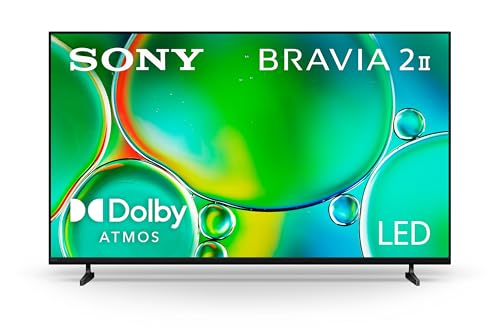
The Sony BRAVIA 2 II 55-inch is a sensible choice for a viewer who wants a familiar 55-inch format without chasing every advanced feature. At 48.6 inches wide and 29.1 pounds, it has a similar physical presence to the BRAVIA 3 II 55-inch. The difference is inside the set, where Sony uses the 4K Processor X1 rather than the newer XR Processor.
That processor is still useful for ordinary viewing. Sony says it improves color and sharp detail, and 4K X-Reality PRO upscales content toward 4K. Motionflow XR is designed to keep fast sports and action scenes clearer. The result should suit households that watch a mix of streaming services, television broadcasts and older films, particularly when simple operation matters more than advanced calibration.
Google TV gathers apps in one interface, with Apple AirPlay 2 and Google Cast for sending content from phones and tablets. The set also includes Sony Pictures Core access and PlayStation 5 features such as Auto HDR Tone Mapping, Auto Genre Picture Mode and the Game Menu. It is a good set of everyday tools, but the absence of listed HDMI 2.1 support makes it less suitable for a player who specifically wants 4K/120 and VRR.
The Sony BRAVIA 3 II 55-inch is the better technical choice for gaming, motion and AI-assisted picture processing. The BRAVIA 2 II 55-inch makes more sense when those distinctions are not central to your viewing. It is still an LED television with weaker black depth than either OLED option, so movie enthusiasts should look higher in the list. For regular streaming in a medium room, its simpler approach is its appeal.
If your priority is an interface that keeps streaming services together, it is useful to compare the features that make a smart television easy to live with, including voice search, casting and app organization.
7. Sony BRAVIA 3 II 65-inch: Best Glare-Resistant LED

Pros
- Anti-glare screen is designed for bright rooms
- 65-inch display creates a strong cinema feel
- HDMI 2.1 supports 4K/120, VRR and ALLM
- XR Processor with AI scene recognition
- Dolby Vision, Dolby Atmos and DTS:X
Cons
- Large 45.9-pound body needs careful installation
- LED black levels trail both OLED models
- Anti-glare does not eliminate every reflection
Best for: living rooms with windows or ambient light, especially when gaming is also important.
The Sony BRAVIA 3 II 65-inch is the LED model to consider when room lighting is a persistent problem. Sony specifically lists Anti-Glare Screen technology on the 65-inch size, designed to minimize glare from windows and ambient lighting. That does not make reflections disappear, but it addresses a real weakness of large glossy screens placed opposite a window.
Its 57-inch width and 35.56-inch height give it a substantial presence, while the 45.9-pound weight is manageable with help but not something to ignore during installation. The large screen is well suited to movies, sports and gaming from a sofa. The Flush Surface design and nearly invisible bezel keep the appearance clean when the television is off.
Picture processing is a major step above the BRAVIA 2 II range. The XR Processor uses AI scene recognition to adjust color, contrast and clarity, and XR Clear Image aims to reduce noise while restoring detail. XR Triluminos Pro handles color, while support for Dolby Vision, Dolby Atmos and DTS:X covers the formats used by many modern films and streaming shows.
This set also has the gaming hardware that the smaller BRAVIA 2 II and original BRAVIA 3 models lack. HDMI 2.1 supports 4K/120, VRR and ALLM, and PlayStation 5 owners get the Game Menu, Auto HDR Tone Mapping and Auto Genre Picture Mode. The Sony BRAVIA 8 II 65-inch still wins for black depth and cinematic contrast, but this model is the stronger choice for a bright room where OLED reflections would be distracting.
8. Sony BRAVIA 8 II 65-inch: Best Premium OLED

Pros
- QD OLED panel produces pure black
- Quantum Dot color system supports vivid, accurate shades
- Studio calibrated modes for major streaming services
- Dolby Vision, Dolby Atmos, IMAX Enhanced and DTS:X
- XR Clear Image with AI upscaling
Cons
- OLED is less suited to careless long-term static content
- Heavy installation should be planned carefully
- Bright rooms may favor an anti-glare LED model
Best for: film enthusiasts who want the most advanced picture system in this group.
The Sony BRAVIA 8 II 65-inch is the obvious choice for a dedicated movie room. Its QD OLED panel uses more than 8 million self-lit pixels, allowing each pixel to be controlled independently. That is what creates pure black instead of the grayish dark areas that can appear when an LED backlight remains active behind a scene.
Sony combines the panel with XR Triluminos Max, which uses Quantum Dot technology to produce a wide range of real-world colors. The XR Processor with AI adjusts color, contrast and clarity, and XR Clear Image works to upscale HD and digital content while restoring lost detail. These tools matter because a television is rarely fed perfect native 4K material all the time.
The studio calibrated picture modes are designed for Netflix, Prime Video and Sony Pictures Core. They give film-focused viewers a more direct path to a creator-intended presentation without requiring extensive adjustment. Dolby Vision and Atmos, IMAX Enhanced and DTS:X support add the appropriate formats for compatible movies. Google TV, Google Assistant, AirPlay 2 and Google Cast make the smart side complete.
The Sony BRAVIA XR8B 65-inch is the more affordable OLED alternative in the lineup, and it still offers pure black contrast, studio calibrated modes and XR OLED Motion. The BRAVIA 8 II goes further with Quantum Dot color and the listed XR Triluminos Max system. Neither is my first choice for a sunlit room with strong window reflections, and OLED owners should be mindful of leaving static images on screen for extended periods. For evening films and carefully chosen home cinema viewing, this is the premium pick.
Readers comparing panel types can also look at the picture differences between OLED and other television panels before deciding whether self-lit pixels fit their room and viewing habits.
9. Sony BRAVIA 3 50-inch: Best 50-inch Option

Pros
- Useful middle ground between compact and large screens
- 4K HDR Processor X1 and Triluminos Pro
- Dolby Vision and Dolby Atmos support
- Google TV with AirPlay 2 and Chromecast
- PS5 picture features included
Cons
- No listed HDMI 2.1 gaming support
- LED contrast is below OLED
- Smaller than the 55-inch alternatives
Best for: medium rooms where a 55-inch television feels too large and a 43-inch screen feels too small.
The Sony BRAVIA 3 50-inch occupies a useful middle position. Its 44.13-inch width is easier to accommodate than the 55-inch models, while the screen still feels more substantial than the 43-inch BRAVIA 2 II. At 27.1 pounds, it is also reasonably manageable for a cabinet or wall installation.
The same 4K HDR Processor X1 and Triluminos Pro found in the larger BRAVIA 3 models handle picture refinement. Sony includes 4K X-Reality PRO for upscaling, and Motionflow XR is intended to reduce blur in sports and action. The 50-inch format can be forgiving in a smaller room because viewers are less likely to sit so close that source flaws become distracting.
Google TV provides access to major streaming services, with Google Assistant for voice search and AirPlay 2 and Chromecast built in for casting. Sony Pictures Core access is included, and Dolby Vision and Dolby Atmos support give compatible films a more cinematic presentation. PS5 owners get Auto HDR Tone Mapping, Auto Genre Picture Mode and the Game Menu, although this is not the gaming-focused model in the group.
The Sony BRAVIA 3 II 55-inch has more advanced processing and HDMI 2.1 features, so it is the better choice when a slightly larger screen will fit. The BRAVIA 3 50-inch is more convincing when room dimensions dictate the choice. It remains an LED set with less convincing black depth than either OLED, but it is a clean, well-rounded option for a medium room.
10. Sony BRAVIA XR8B 65-inch: Best OLED Alternative

Pros
- Self-lit OLED pixels create pure black contrast
- XR OLED Motion targets blur in action
- Studio calibrated Netflix and Prime Video modes
- Dolby Vision, Dolby Atmos, IMAX Enhanced and DTS:X
- Strong upscaling through XR Clear Image
Cons
- No Quantum Dot color system is listed
- Bright rooms can expose reflections
- OLED owners should vary static on-screen content
Best for: viewers who want OLED movie quality in a slightly simpler Sony package.
The Sony BRAVIA XR8B 65-inch brings the most important OLED advantage to a broad entertainment setup: each pixel is self-lit, so dark scenes can turn genuinely black. Sony says the panel contains more than 8 million self-lit pixels and combines high brightness with pure black contrast. That makes a visible difference in night scenes, letterbox bars and films that rely on small highlights against a dark background.
The XR Processor enhances color, contrast and clarity in real time, while XR Clear Image upscales HD and digital content. XR OLED Motion is aimed at keeping sports and action clear. The result is a more film-focused picture system than the LED BRAVIA 3 models, with better contrast and motion handling for viewers who notice judder or blur.
Sony includes studio calibrated picture modes for Netflix and Prime Video, as well as support for Dolby Vision, Dolby Atmos, IMAX Enhanced and DTS:X. Google TV provides the streaming interface, and AirPlay 2 and Google Cast make it straightforward to move content from compatible devices. PlayStation 5 owners also get Auto HDR Tone Mapping and Auto Genre Picture Mode.
Compared with the Sony BRAVIA 8 II 65-inch, the XR8B does not list Quantum Dot technology or XR Triluminos Max. That makes the BRAVIA 8 II the stronger premium cinema option for viewers who want the broadest color system. The XR8B remains a compelling OLED alternative, but it is not the best fit for a room with strong direct reflections or for someone who leaves a static news channel on screen for long periods.
How to choose best sony tv
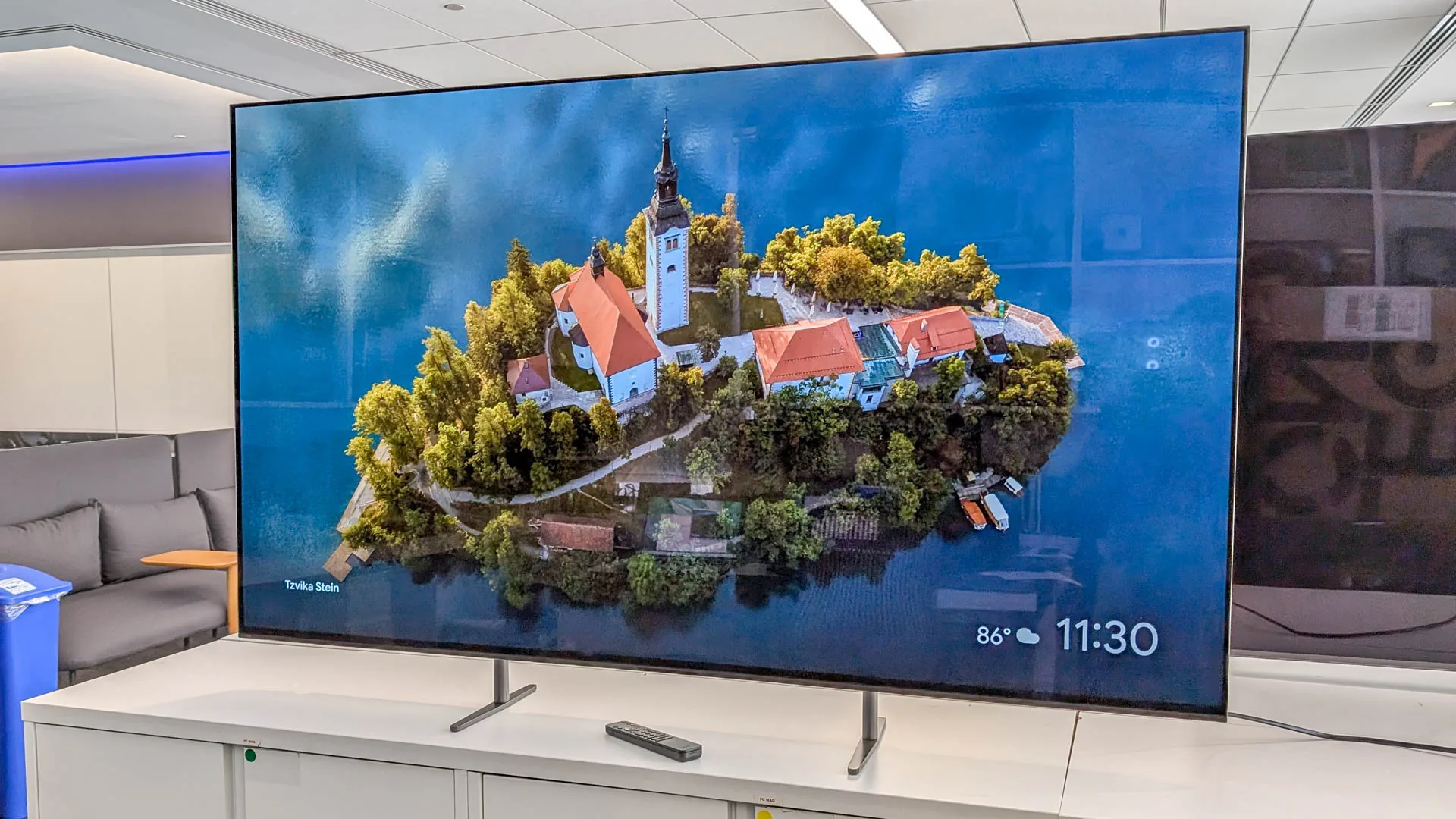
The right Sony television depends on the room, the type of content you watch and whether gaming features matter more than cinematic contrast.
Screen size and viewing distance
Screen size changes how involving a picture feels and how forgiving it is of lower-resolution sources. A 43-inch television works well in a bedroom, office or close gaming setup, while 50 and 55 inches suit many medium rooms. A 65-inch set is the most versatile large-room size here, and 75 inches makes sense when the seating is farther away or several people need a clear view.
Measure the wall or cabinet width, not just the advertised diagonal. The BRAVIA 3 75-inch is 66 inches wide, while the BRAVIA 3 II 65-inch is 57 inches wide. Include stand depth and clearance for cables.
LED and OLED panels
LED models use a backlight behind the LCD panel. They can look vivid in bright rooms and are available across more screen sizes, but their black areas will not be as pure as those on an OLED. OLED models such as the BRAVIA 8 II and XR8B control each pixel independently, giving dark-room movies much stronger contrast.
Choose OLED for controlled evening viewing, and choose an anti-glare LED model when windows are the problem you face every day.
Picture processing
Sony's 4K Processor X1 appears in the BRAVIA 2 II and original BRAVIA 3 models. The newer BRAVIA 3 II models use an XR Processor with AI scene recognition, while the OLED models add XR-based processing and upscaling features. Processing matters most when you watch broadcast television, older films or compressed streams rather than only pristine 4K content.
Look for features that explain what processing does. 4K X-Reality PRO and XR Clear Image target lost detail and noise, while Triluminos systems affect color reproduction. A model name alone does not tell you how it will handle your particular content mix.
Gaming connections
Casual console players may be satisfied with the PS5 picture features on several models, including Auto HDR Tone Mapping, Auto Genre Picture Mode and the Game Menu. Serious console players should look for HDMI 2.1 support, 4K/120, VRR and ALLM. Those features appear on the BRAVIA 3 II models in this selection.
The BRAVIA 2 II and original BRAVIA 3 televisions list PS5 picture tools but do not list the same HDMI 2.1 gaming capabilities. If your console supports high-frame-rate output, the connection standard matters more than a general gaming label.
Smart platform and audio
Google TV organizes streaming apps and supports voice search through Google Assistant. AirPlay 2 and Google Cast are useful when phones and tablets are part of your viewing routine. Newer BRAVIA 3 II models add Gemini features that can help with recommendations, questions and compatible smart-home controls.
Dolby Atmos support appears across much of the range, but the television's built-in speakers still have limited physical scale. The 75-inch BRAVIA 3 includes X-Balanced Speakers, while the BRAVIA 3 II range lists X-Balanced Speakers with deeper bass and improved sound resolution. Add a soundbar when dialogue clarity and cinematic impact matter as much as the screen.
Frequently asked questions
Which Sony television is the best choice for most people?
The Sony BRAVIA 3 65-inch is the most balanced pick for general living-room use. It combines a flexible screen size with Google TV, strong Sony processing, Dolby Vision and useful upscaling. Choose a BRAVIA 3 II model instead if HDMI 2.1 gaming or anti-glare performance is important.
Is an OLED Sony television better for movies?
The BRAVIA 8 II and BRAVIA XR8B use self-lit OLED pixels, which produce pure black contrast. That is especially useful for films watched in a dim room. An LED model may be a better fit when the television faces strong daylight or when you prefer a more conventional panel.
Which models support 4K/120 gaming?
The BRAVIA 3 II 43-inch, BRAVIA 3 II 55-inch and BRAVIA 3 II 65-inch list HDMI 2.1 features including 4K/120, VRR and ALLM. The other models include various PlayStation 5 picture tools, but their listed features do not include that same combination of high-refresh gaming connections.
Is a 43-inch Sony television large enough for a living room?
It can be, especially when seating is close or the room is small. The BRAVIA 3 II 43-inch is also a strong compact gaming option because of its HDMI 2.1 features. For a sofa several feet away, a 50-inch, 55-inch or 65-inch model will feel more immersive.
Do Sony TVs support AirPlay and casting?
The models in this selection list either AirPlay 2 and Chromecast built in or AirPlay 2 and Google Cast. That lets compatible Apple and Android devices send video or photos to the television. Google TV also provides direct access to streaming apps without requiring a phone.
Which Sony model is best for a bright room?
The BRAVIA 3 II 65-inch is the clearest choice because Sony specifically lists Anti-Glare Screen technology on that size. It is designed to reduce reflections from windows and ambient light. No anti-glare coating eliminates every reflection, so room placement still matters.
Should I use a soundbar with a Sony television?
A soundbar is useful when you want stronger bass, clearer dialogue or a wider sound field. The BRAVIA 3 75-inch includes X-Balanced Speakers, and several newer models list improved X-Balanced Speaker performance, but built-in television speakers remain limited compared with a dedicated audio system.

The bottom line
The Sony BRAVIA 3 65-inch is the Best sony tv for most living rooms because it balances screen size, Sony's picture processing, streaming convenience and broad format support. The Sony BRAVIA 3 II 65-inch is the better alternative for bright rooms and high-refresh console gaming, while the Sony BRAVIA 8 II 65-inch is the premium choice for movie fans who want OLED contrast and Quantum Dot color.
If you are still undecided, choose the BRAVIA 3 65-inch for general viewing, the BRAVIA 3 II 43-inch for compact gaming, or the BRAVIA 8 II when dark-room film quality matters most. Start with the room and the content you watch, then choose the screen technology that solves your biggest problem.
As an Amazon Associate we earn from qualifying purchases.