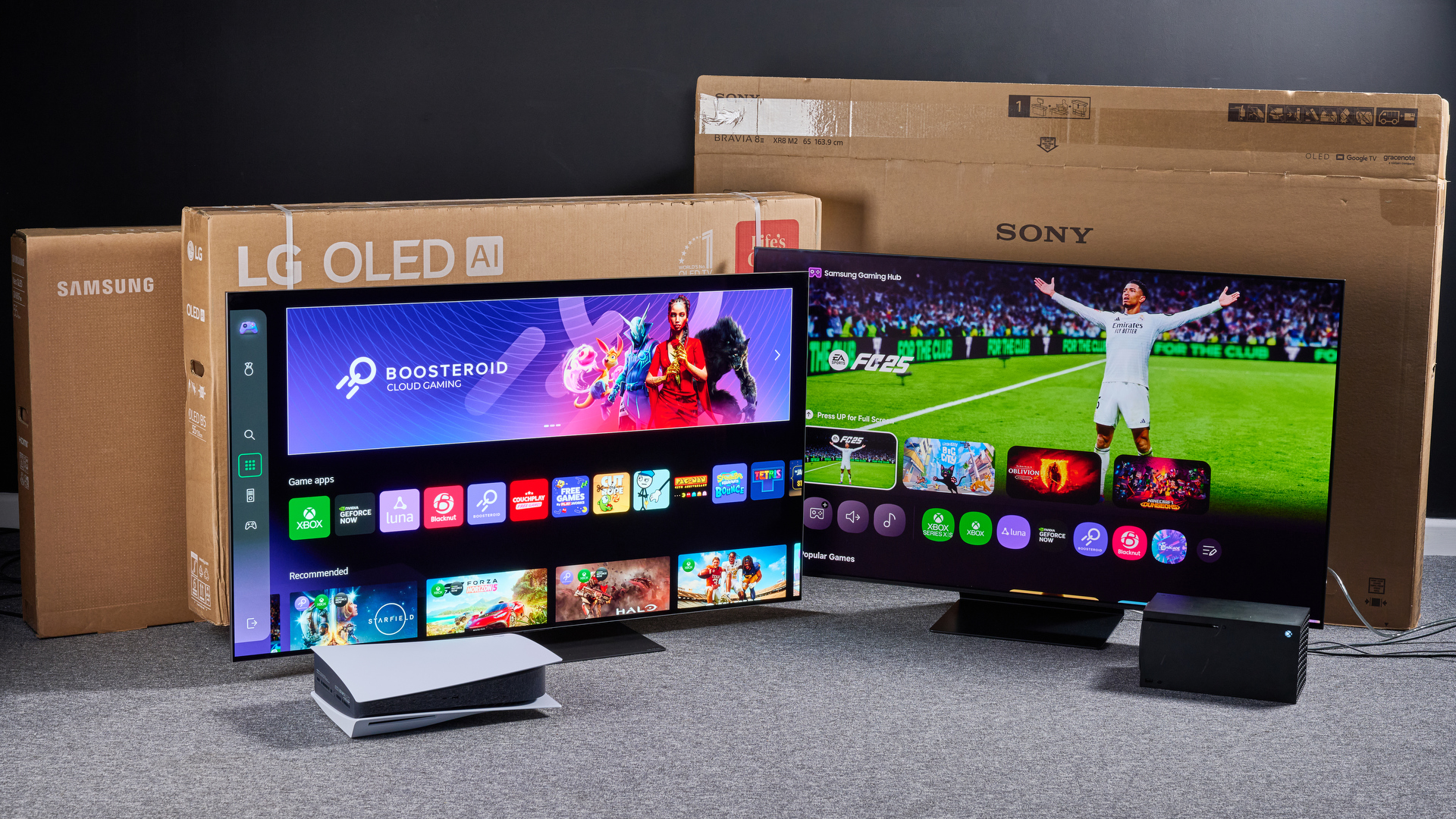

Choosing a smart TV is rarely just about screen size. The interface determines how quickly you find something to watch, while the panel and motion handling decide whether sports look crisp or smeared. Ports, voice control, and headphone support matter once the TV becomes the center of the room.
Our Best best smart tv picks range from compact 32-inch and 40-inch sets to large 65-inch models, with Roku, Fire TV, and Samsung platforms represented. Samsung 65-inch U8000H is our top pick, while the rest cover simpler rooms, stronger HDR, gaming, and easier streaming.
Comparison
| # | Product | Award | Screen | Resolution | Smart platform | Best for |
|---|---|---|---|---|---|---|
| 1 | Samsung 65-inch U8000H | Best overall | 65 inches | 4K | Samsung TV Plus | Large living rooms |
| 2 | Insignia F50 55-inch | Best Fire TV setup | 55 inches | 4K UHD | Fire TV | Alexa households |
| 3 | Roku Select QLED 55-inch | Best Roku picture | 55 inches | 4K QLED | Roku TV | Simple streaming |
| 4 | Roku Select 40-inch | Best compact Roku | 40 inches | 1080p Full HD | Roku TV | Bedrooms and kitchens |
| 5 | Roku Select QLED 65-inch | Best large Roku | 65 inches | 4K QLED | Roku TV | Big-screen streaming |
| 6 | Insignia F20 32-inch | Best small Fire TV | 32 inches | 720p HD | Fire TV | Small rooms |
| 7 | Samsung 50-inch U8000H | Best mid-size Samsung | 50 inches | 4K | Samsung TV Plus | Apartments |
| 8 | Amazon Ember 4-Series | Best Fire TV features | 55 inches | 4K UHD | Fire TV | Alexa and gaming |
| 9 | Hisense E6 QLED 65-inch | Best HDR support | 65 inches | 4K UHD | Fire TV | Movies and sports |
| 10 | Samsung M70H Mini LED | Best motion handling | 55 inches | 4K | Samsung TV Plus | Gaming and sports |
1. Samsung 65-inch U8000H: Best Overall

Pros
- Large 65-inch 4K screen
- Strong upscaling for older content
- Motion Xcelerator for sports and games
- Samsung TV Plus includes free channels
Cons
- Motion performance tops out at 4K 60Hz
- No QLED or Mini LED panel
- Large footprint needs careful placement
Best for: viewers who want a straightforward large-screen Samsung TV for mixed streaming, sports, and everyday viewing.
The Samsung 65-inch U8000H is the easiest recommendation when the TV needs to do nearly everything without making the interface feel complicated. Its 65-inch screen gives movies and live sports room to breathe, and the Crystal Processor 4K is designed to sharpen lower-resolution material rather than simply display it as received. That matters if the household still watches broadcast television, older shows, or compressed streams alongside newer 4K content.
Color Booster is the panel's more visible personality trait. Samsung says it intensifies color, while the processor handles 4K upscaling and detail enhancement. Motion Xcelerator estimates frame transitions and supports performance up to 4K 60Hz, which is appropriate for most streaming and console use. It is not the specialist choice for high-refresh gaming, but it should keep ordinary sports and action scenes more composed than a basic small-room set.
Samsung TV Plus brings more than 2, 700 free streaming options, including more than 750 subscription-free channels, according to the product listing. That gives the home screen something useful to offer before separate apps are installed. The TV also includes Alexa built in, which makes voice control practical for people already using Alexa devices. For a sense of how room placement affects a big screen, the viewing distance that suits a 65-inch display is worth settling before delivery.
The weakness is the conventional LED panel. The Samsung M70H Mini LED has a stronger claim for contrast and fast motion, and the Hisense E6 QLED offers broader HDR support. The U8000H is the better all-rounder for a household that values a polished, familiar interface and dependable upscaling over enthusiast picture features. Skip it if you specifically want 120Hz-class gaming or the deepest possible blacks.
2. Insignia F50 55-inch: Best Fire TV Setup

Pros
- 4K UHD resolution with HDR10
- Fire TV brings major apps together
- Three HDMI ports plus eARC
- DTS Virtual:X and optical audio output
Cons
- Standard LED panel
- Fire TV content availability varies by service
- No stated high-refresh gaming feature
Best for: Alexa users who want a 55-inch 4K TV with broad connections and an integrated Fire TV interface.
The Insignia F50 55-inch takes a practical approach. It is a 4K UHD LED television with HDR10, so compatible movies and shows can retain more highlight and shadow detail than standard dynamic-range material. The key attraction is less about visual experimentation and more about getting a familiar Fire TV layout, Alexa voice search, and a wide set of streaming apps in one place.
Its connection selection is unusually useful for a basic living-room TV. Three HDMI ports leave space for a streaming accessory, console, and soundbar, while HDMI eARC can pass a full-resolution audio signal to compatible equipment. Composite AV, optical output, USB, headphone, coaxial, Ethernet, and Wi-Fi connections cover older hardware as well as newer devices. DTS Virtual:X attempts to give the built-in speakers a broader presentation, although a soundbar remains the sensible route for cinematic audio.
Fire TV combines Prime Video, Netflix, Disney+, Hulu, HBO Max, Fire TV Channels, Pluto TV, and Tubi in one environment. The built-in smart-home features can also show compatible camera feeds and control lighting or thermostats. That makes this a more useful central screen than the Roku Select 40-inch, though the Roku interface is cleaner for people who want a simple app-first home screen.
The F50's limitations are clear when placed beside the Hisense E6 QLED. Hisense supports Dolby Vision, HDR10+ Adaptive, and Dolby Atmos, while this Insignia lists HDR10 and DTS Virtual:X. The F50 is the better fit for someone who wants Fire TV, Alexa, and plenty of physical inputs without moving into a more specialized model. Choose another set if film contrast and expanded HDR formats are your main priorities.
3. Roku Select QLED 55-inch: Best Roku Picture

Pros
- 4K QLED panel with HDR10
- Clean Roku home screen
- Voice remote includes shortcuts and finder
- Bluetooth Headphone Mode
Cons
- No Dolby Vision listed
- No dedicated high-refresh gaming specification
- Built-in audio remains modest
Best for: streamers who want Roku's simple interface with a more colorful 55-inch QLED display.
The Roku Select QLED 55-inch gets the balance right for people who would rather browse than configure. Roku's home screen lets users move apps around, and the platform receives automatic software updates. The QLED screen is the important hardware step beyond the smaller Roku Select 40-inch, adding 4K detail and HDR10 support in a size that suits a main room.
Roku Smart Picture cleans up incoming signals, optimizes them, and chooses a picture mode. That automation is useful for mixed sources because the TV does not ask the owner to understand every image setting before watching. The QLED panel is intended to produce bright, accurate color, while 4K gives fine detail more room to show itself in films, sports graphics, and modern games.
The voice remote searches across thousands of apps and can set personal shortcuts. A lost remote finder is a small but genuinely useful touch, especially in a busy living room. Roku Voice also works alongside Siri, Alexa, and Google Assistant, and AirPlay supports sharing compatible photos, music, and video from Apple devices. Bluetooth Headphone Mode is the feature to notice for late-night viewing because it avoids waking the rest of the house.
The Roku Select QLED 65-inch gives the same broad platform and QLED approach with more screen area, while the Insignia F50 offers more physical connection detail and Fire TV integration. This 55-inch Roku is the more balanced choice for a viewer who cares about a clean interface and wants better panel technology than a basic LED set. Its weakness is the absence of listed Dolby Vision or a dedicated 120Hz gaming mode, so serious console players should look toward the Samsung M70H Mini LED.
4. Roku Select 40-inch: Best Compact Roku

Pros
- Compact 40-inch size
- 1080p Full HD picture
- Roku voice search
- Bluetooth Headphone Mode
Cons
- Not 4K
- Standard LED panel
- Only suited to smaller viewing distances
Best for: bedrooms, kitchens, guest rooms, and other spaces where a 40-inch screen fits better than a large living-room TV.
The Roku Select 40-inch is refreshingly focused. It does not try to turn a compact TV into a home theater centerpiece. Instead, it offers a 1080p Full HD LED screen, fast access to Roku apps, a voice remote, and a footprint that makes sense in a bedroom or kitchen.
At 40 inches, 1080p is a sensible resolution for many secondary-room viewing distances. Roku Smart Picture adjusts incoming signals and chooses a suitable picture mode, which helps when the source changes between live television and streaming apps. The screen is smaller than every 4K set here except the 32-inch Insignia, but it has more horizontal space and more detail than that HD-only alternative.
The Roku software is the real reason to choose it. Apps can be rearranged on the home screen, updates arrive automatically, and Roku offers access to free channels, local news, sports, movies, and Roku Originals. The voice remote searches across apps rather than limiting the user to one service. Bluetooth Headphone Mode also makes this a strong bedroom companion.
The compromise is resolution. The Roku Select QLED 55-inch has 4K and HDR10, and the Insignia F50 adds 4K plus three HDMI ports and eARC. Those sets make more sense for a primary viewing position. The 40-inch Roku is the right answer when a smaller screen's fit in a tight room matters more than cinema-style detail.
5. Roku Select QLED 65-inch: Best Large Roku

Pros
- Large 65-inch 4K QLED screen
- HDR10 color support
- Easy Roku interface
- Voice remote and Bluetooth Headphone Mode
Cons
- No Dolby Vision listed
- No stated 120Hz gaming support
- Requires substantial wall or stand space
Best for: viewers who want a large Roku television with 4K QLED color and a simple home screen.
The Roku Select QLED 65-inch is the big-screen version of the Roku experience, and its appeal is immediate. The 65-inch panel gives movies, sports, and live television a more involving scale, while QLED and HDR10 are intended to improve color and highlight detail over a plain LED display.
Roku Smart Picture processes incoming signals and chooses the picture mode automatically. That makes the television approachable for family rooms where several people use different apps and inputs. The screen is 56.9 inches wide and weighs 30.9 pounds according to the listed product information, so it is substantial without being an unusually heavy large-screen set. Wall placement still needs planning.
The software experience is identical in spirit to the smaller QLED Roku. Users can arrange the home screen, use voice search, share compatible content through AirPlay, and listen through Bluetooth headphones. Roku says the speakers are designed for clear speech and louder sound, which suits news and dialogue-heavy programming. For a larger screen, though, a dedicated audio system will still create a fuller experience.
The Samsung 65-inch U8000H is the stronger all-round alternative for viewers who want Samsung's processor and TV Plus ecosystem. The Hisense E6 QLED is more ambitious for HDR because it lists Dolby Vision and HDR10+ Adaptive. This Roku wins for uncomplicated streaming and broad voice-assistant compatibility. Skip it if you need advanced gaming features or more explicit cinema-focused HDR support.
6. Insignia F20 32-inch: Best Small Fire TV

Pros
- Compact 32-inch design
- Alexa voice remote
- Fire TV app library
- HDMI ARC and optical audio
Cons
- 720p resolution
- Only two HDMI ports
- No 4K or HDR listed
Best for: small bedrooms, dorm rooms, kitchens, and secondary spaces that need Fire TV in a compact format.
The Insignia F20 32-inch is built for rooms where a larger television would dominate the furniture. Its 720p HD screen is appropriate for a compact display viewed from a short distance, though it does not have the fine detail of the Roku Select 40-inch's 1080p panel.
Alexa Voice Remote is the main convenience feature. Press and hold the voice button to search across apps, switch inputs, launch content, and control playback. Fire TV provides access to Prime Video, Netflix, Hulu, HBO Max, YouTube, Apple TV+, Disney+, ESPN+, and other services, with availability depending on the service and subscription.
The connection panel includes two HDMI ports, composite AV, optical output, USB, headphone, coaxial, and Wi-Fi. HDMI ARC can send audio to a compatible soundbar or AV receiver without needing a separate audio cable. DTS Virtual:X attempts to expand the sound from the built-in speakers, while parental controls let families block content or channels with a PIN.
This is not the set for detailed 4K films or a console that benefits from high resolution. The Roku Select 40-inch is a better pick when the room can accommodate a slightly larger screen and Full HD matters. Choose the F20 when its 32-inch footprint is the deciding factor, especially for a room where Fire TV and Alexa are already familiar. A compact-room comparison such as the screen sizes that work in smaller spaces can help avoid overfitting the room.
7. Samsung 50-inch U8000H: Best Mid-Size Samsung
Pros
- 4K Crystal Processor
- Compact 50-inch 4K format
- Color Booster and upscaling
- Samsung TV Plus content
Cons
- Motion performance is up to 4K 60Hz
- Conventional LED panel
- Fewer stated gaming features than the M70H
Best for: apartment living rooms and viewers who want Samsung's interface without a 65-inch footprint.
The Samsung 50-inch U8000H offers the same core idea as the larger U8000H in a more manageable size. Its 50-inch 4K screen is a comfortable middle ground for a modest living room, apartment, or bedroom where 65 inches would feel excessive. The listed dimensions are 43.7 inches wide and 27.4 inches high, before accounting for the stand.
The Crystal Processor 4K works on both native 4K and lower-resolution material. Samsung's 4K upscaling is useful for older shows, broadcast feeds, and sources that do not arrive in full UHD quality. Color Booster intensifies the presentation, while Motion Xcelerator estimates frame transitions and supports up to 4K 60Hz for regular sports, shows, and console play.
Samsung TV Plus gives this model a ready supply of free streaming options, including more than 750 subscription-free channels within the larger catalog Samsung advertises. The platform is a good fit for homes that prefer one manufacturer's interface across several televisions. It also makes the set less dependent on an external streaming stick for casual viewing.
The 65-inch U8000H is the better pick when seating distance and room scale support a larger image. The Samsung M70H Mini LED is more capable for fast games and contrast, while the Roku Select QLED 55-inch has a particularly approachable app layout. The 50-inch U8000H makes most sense for matching a mid-size screen to a living room without giving up 4K processing or Samsung TV Plus.
8. Amazon Ember 4-Series: Best Fire TV Features

Pros
- 4K UHD with HDR10+
- Wi-Fi 6 and quad-core processor
- Four HDMI inputs
- Alexa+ recommendations and smart-home control
Cons
- Fire TV interface can feel content-heavy
- No Dolby Vision listed
- Ambient sensor features may not suit everyone
Best for: Alexa-centered homes that want fast Fire TV navigation, several HDMI inputs, and cloud gaming access.
The Amazon Ember 4-Series is the most feature-forward Fire TV here. It combines a 55-inch 4K Ultra HD screen with HDR10+, a new quad-core processor, Wi-Fi 6, and Dolby Audio. The result is a television designed to feel quick as well as look sharper than a Full HD set.
HDR10+ is intended to improve contrast and preserve detail in bright and dark scenes. Wi-Fi 6 can help in a crowded home network, while the processor is aimed at quicker app loading and a smoother interface. Four HDMI inputs are a useful advantage over models with fewer ports, leaving room for consoles, a soundbar, and other devices without constant cable swapping.
Alexa+ is integrated into the updated Fire TV experience, with natural voice searches, personalized recommendations, and smart-home control. Omnisense sensors can wake the display when someone enters, show artwork, or bring the viewer into content quickly. The TV also supports AirPlay and includes access to Amazon Luna and Xbox Game Pass cloud gaming without a dedicated console.
The Insignia F50 has a simpler Fire TV proposition and includes a broad physical connection set, but the Ember has the newer processor, Wi-Fi 6, four HDMI inputs, and HDR10+. The Samsung M70H is the more compelling choice for listed 120Hz motion handling, while the Ember is better for Alexa-centered households that use their TV as a smart-home screen. Some viewers may find its recommendations-heavy interface busier than Roku's.
9. Hisense E6 QLED 65-inch: Best HDR Support

Pros
- 4K QLED display
- Dolby Vision and HDR10+ Adaptive
- Dolby Atmos support
- AI light sensor and Wi-Fi 6
Cons
- Large and wide chassis
- Fire TV may feel busy to some users
- Motion features are described broadly rather than as a high refresh rate
Best for: movie fans and sports viewers who want broad HDR format support on a large screen.
The Hisense E6 QLED 65-inch has the most ambitious cinema feature set in this group. Its Hi-QLED color system is paired with 4K UHD resolution and support for Dolby Vision, HDR10+ Adaptive, HDR10, and HLG. That broad format coverage matters when streaming services and discs do not agree on one HDR standard.
Dolby Vision is designed to shape brightness and color scene by scene, while HDR10+ Adaptive adjusts HDR presentation for the room. The AI light sensor can change screen brightness in response to ambient light, making the picture easier to live with as daylight changes. Hisense also lists an AI 4K upscaler for lower-resolution content and Filmmaker Mode for preserving original aspect ratio, frame rate, color, and audio choices.
Dolby Atmos support adds an object-based audio format to the television's feature list, and Fire TV puts live channels and apps on the home screen. Wi-Fi 6 is useful in households with many connected devices because it is designed for more capacity and lower latency than older Wi-Fi standards. AI Smooth Motion uses MEMC and noise reduction to make rapid movement clearer, which should appeal to sports viewers.
The Roku Select QLED 65-inch is simpler and easier to navigate, while the Samsung 65-inch U8000H has a more restrained picture feature set and strong upscaling. The Hisense is the pick for someone who will actually watch HDR films and wants format flexibility. Skip it if a very simple interface matters more than cinema controls, or if the room cannot comfortably handle a TV that is 57.2 inches wide.
10. Samsung M70H Mini LED: Best Motion Handling

Pros
- Mini LED backlighting
- 4K processor with Pure Spectrum Color
- Motion Xcelerator plus DLG 120Hz
- Gaming Hub and Soccer Mode
Cons
- Advanced features may be unnecessary for casual viewing
- No Dolby Vision listed
- Smaller than the large-screen alternatives
Best for: gamers and sports fans who want Samsung's most motion-focused display in this selection.
The Samsung M70H Mini LED is the specialist of the group. Its Mini LED processor is designed to create brighter highlights and deeper blacks than a traditional LED set, while Supreme Mini LED Dimming aims to control contrast more precisely. That gives this 55-inch television a stronger picture argument than the standard Samsung U8000H models.
Pure Spectrum Color is designed to produce up to one billion colors, according to the listing. The more important feature for fast content is Motion Xcelerator plus DLG 120Hz. Samsung positions it for smoother games and sports, with the display analyzing and optimizing refresh behavior. That makes the M70H the obvious Samsung choice for a console owner or someone who watches a lot of fast-moving sport.
Gaming Hub gathers console, cloud, and gaming apps in one place. Soccer Mode adds settings for clearer motion and more vibrant greens, while Samsung TV Plus supplies free channels for casual viewing. The TV remains a conventional Samsung smart TV in day-to-day use, but its picture tools are more targeted than those on the U8000H.
The Amazon Ember 4-Series has four HDMI inputs and cloud gaming access, but the M70H has the stronger stated motion specification. The Hisense E6 QLED counters with Dolby Vision, Dolby Atmos, and HDR10+ Adaptive, making it more appealing for movie-format flexibility. Choose the M70H when action clarity and gaming features come first. Casual viewers should consider the Samsung 50-inch or 65-inch U8000H instead, since the specialized motion tools may not change their daily experience.

How to choose best smart tv
The right TV depends on the room, the sources you watch, and how much control you want over the picture and interface.
Screen size and viewing distance
A 32-inch or 40-inch model works well in bedrooms, kitchens, and guest rooms where the seating position is close. A 50-inch or 55-inch TV is a flexible choice for apartments and medium-size living rooms. A 65-inch screen needs enough wall or stand width to avoid making the room feel crowded, and the seating should be far enough away that the image feels detailed rather than overwhelming.
Resolution and panel type
4K is the sensible target for a main-room TV because it preserves fine detail in modern streaming, games, and films. Full HD remains reasonable for a 40-inch secondary TV, while 720p is most defensible on a compact 32-inch model. QLED can bring stronger color intensity, and Mini LED is aimed at improved brightness and contrast, but those labels do not replace the importance of processing and HDR support.
HDR formats
HDR10 is common and useful, but Dolby Vision, HDR10+ Adaptive, and HLG can expand compatibility with different films, broadcasts, and streaming services. The Hisense E6 QLED has the broadest stated HDR list here. Samsung's M70H emphasizes Mini LED contrast, while the Roku QLED models focus on QLED color and HDR10.
A large screen cannot rescue a TV that makes your favorite apps slow or your main input hard to reach.
Smart TV platform
Roku is the simplest choice for app browsing, home-screen organization, automatic updates, and voice search across services. Fire TV is more natural for Alexa households and offers smart-home controls, while Samsung TV Plus gives Samsung owners a large set of free channels within the television's own ecosystem. The interface should match the people who will use the TV most often, not just the person who installs it.
Motion and gaming features
The Samsung M70H lists Motion Xcelerator plus DLG 120Hz, making it the clearest choice for fast games and sports. The U8000H models support up to 4K 60Hz, which is adequate for ordinary viewing and many consoles. Hisense adds AI Smooth Motion and MEMC, but the listing does not frame it as a dedicated 120Hz gaming display.
Ports and audio
Count the devices before choosing. The Insignia F50 has three HDMI ports and eARC, while the Amazon Ember 4-Series has four HDMI inputs. HDMI ARC or eARC helps connect a soundbar, and optical output remains useful for older audio equipment. Bluetooth Headphone Mode on the Roku models is particularly helpful when quiet viewing matters.
Frequently asked questions
Which smart TV is easiest to use?
The Roku Select QLED 55-inch is the simplest option for most streaming households. Its home screen can be arranged around the apps you use, and its voice remote searches across services. Samsung and Fire TV are also approachable, but they place more emphasis on their own content ecosystems.
Is 4K necessary for a smart TV?
4K is worthwhile for a main-room TV, particularly at 50 inches or larger. It gives films, games, and modern streaming content more visible detail. The Roku Select 40-inch uses 1080p, which is reasonable for a secondary room, while the Insignia F20 uses 720p on its smaller 32-inch screen.
Which model is strongest for gaming?
The Samsung M70H Mini LED is the strongest gaming-oriented pick in this group because it lists Motion Xcelerator plus DLG 120Hz and includes Gaming Hub. The Amazon Ember 4-Series is also interesting for cloud gaming through Amazon Luna and Xbox Game Pass. The other sets are better suited to casual console play.
Which TV has the broadest HDR support?
The Hisense E6 QLED 65-inch lists Dolby Vision, HDR10+ Adaptive, HDR10, and HLG. That makes it the most flexible option for viewers who watch content from several sources. The Amazon Ember supports HDR10+, while the Roku QLED models list HDR10.
Can these TVs connect to a soundbar?
Yes, but the available connection differs. The Insignia F50 supports HDMI eARC, and the Insignia F20 supports HDMI ARC. The Hisense E6 QLED also supports Dolby Atmos, while optical output is available on the Insignia models for compatible older audio equipment.
Is a 65-inch TV too large for a small room?
It can be. The Roku Select QLED 65-inch is 56.9 inches wide, and the Hisense E6 QLED is 57.2 inches wide, so the wall and stand need real clearance. A 50-inch or 55-inch model is usually easier to place when furniture and seating are close together.
Which smart TV is best for Alexa households?
The Insignia F50, Insignia F20, Amazon Ember 4-Series, and Hisense E6 QLED all have strong Alexa ties. The Ember goes furthest with Alexa+ recommendations and smart-home control. The Insignia models are more straightforward choices when Alexa voice search is the main requirement.
The bottom line
The Best best smart tv choice for most living rooms is the Samsung 65-inch U8000H. It combines a large 4K screen, useful upscaling, Samsung TV Plus, Color Booster, and sensible 4K 60Hz motion handling without making the experience feel specialized. For fast gaming and sports, the Samsung M70H Mini LED is the stronger pick because of its Mini LED design and stated DLG 120Hz support.
The Hisense E6 QLED 65-inch deserves attention from film fans who want Dolby Vision, HDR10+ Adaptive, Dolby Atmos, and Filmmaker Mode. For smaller rooms, choose the Roku Select 40-inch or Insignia F20 32-inch according to whether Full HD or Fire TV matters more.
If you are undecided, choose the largest screen that fits your room without sacrificing the interface you will use every day.
As an Amazon Associate we earn from qualifying purchases.