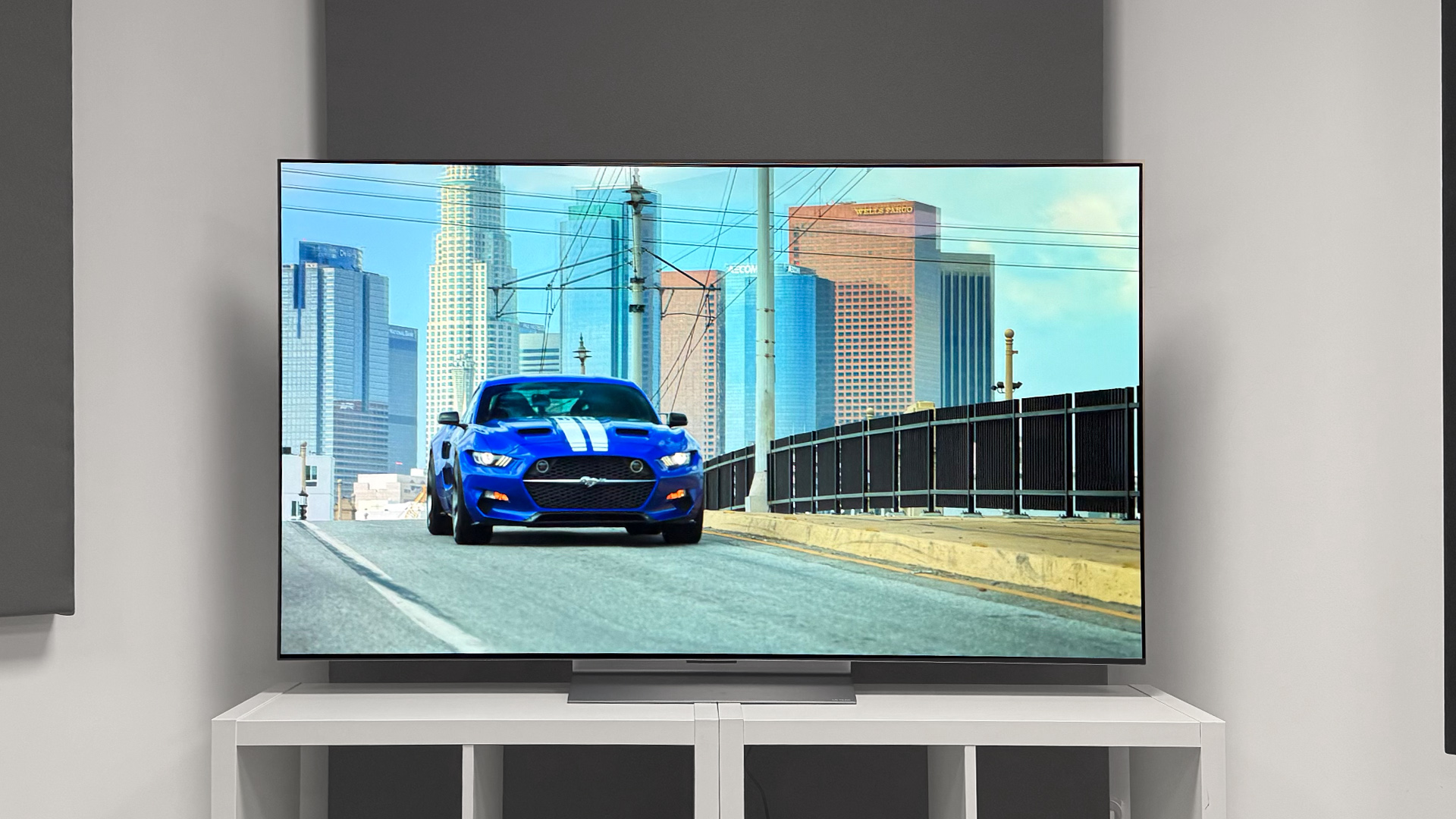

An OLED television has one job that ordinary screens struggle to match: make a dark movie scene look genuinely dark without losing the bright details around it. The hard part is choosing among panels that now share the same headline features while differing in brightness, gaming support, sound, processing, and screen size.
Our Best oled tv picks include LG's polished C5 range, Samsung's bright S90F and S90H models, a large Panasonic with unusually complete HDR support, and a few televisions aimed at specific room sizes or viewing habits. We ranked them by the combination of picture capability, useful features, and how easy each is to recommend.
The LG C5 65-inch is our single best pick, with the 77-inch version close behind for a cinematic room and smaller models for more compact spaces.
Comparison table
| # | Product | Award | Screen size | Refresh rate | HDR and picture features | Best for |
|---|---|---|---|---|---|---|
| 1 | LG C5 65-inch | Best overall | 65 inches | Up to 144Hz | Brightness Booster, Dolby Vision, HDR10 | Most living rooms |
| 2 | LG C5 77-inch | Best large LG | 77 inches | Up to 144Hz | Brightness Booster, Dolby Vision, HDR10 | Large movie rooms |
| 3 | LG C5 55-inch | Best compact LG | 55 inches | Up to 144Hz | Brightness Booster, Dolby Vision, HDR10 | Smaller rooms and gaming |
| 4 | Samsung S90F 65-inch | Best Samsung all-rounder | 65 inches | Up to 144Hz | HDR+, AI upscaling, deep contrast | Sports and gaming |
| 5 | Samsung S85F 77-inch | Best large-screen design | 77 inches | Not stated | Color Booster Pro, Dolby Atmos | Style-conscious large rooms |
| 6 | LG C6 65-inch | Best next-generation LG | 65 inches | Up to 165Hz | Brightness Booster, Dolby Vision, OLED Care | PC gaming and new features |
| 7 | Samsung S90H 65-inch | Best glare-resistant Samsung | 65 inches | Up to 165Hz | OLED HDR+, Glare Free, AI processing | Bright rooms |
| 8 | Samsung S90H 55-inch | Best compact Samsung | 55 inches | Up to 165Hz | OLED HDR+, Glare Free, AI processing | Smaller bright rooms |
| 9 | Panasonic Z8 77-inch | Best built-in sound | 77 inches | 144Hz | Dolby Vision IQ, HDR10+ Adaptive | Home theater fans |
| 10 | Samsung S90F 77-inch | Best large Samsung | 77 inches | Up to 144Hz | HDR+, AI upscaling, motion processing | Large-screen sports and games |
1. LG C5 65-inch: Best Overall

Pros
- Brightness Booster helps highlights stand out
- Dolby Vision and Filmmaker Mode suit movie watching
- Four HDMI 2.1 inputs support a full gaming setup
- Up to 144Hz refresh rate and 0.1ms response time
- G-Sync, FreeSync Premium, and VRR support
Cons
- Built-in audio cannot replace a serious surround system
- The 65-inch panel still needs careful placement in a bright room
- Some buyers may prefer Samsung's glare-resistant approach
Best for: someone who wants one OLED that handles films, shows, sports, and gaming with few compromises.
The LG C5 65-inch is the easiest television here to recommend because it does not force a narrow choice. It has the black-level precision people expect from OLED, but the Brightness Booster system gives bright objects more presence than a basic OLED panel. That matters during daytime viewing, where a good black level alone does not prevent the picture from looking subdued.
LG uses its Alpha 9 AI Processor Gen8 to handle upscaling and picture adjustments. Lower-quality streams, older shows, and live broadcasts can benefit from that processing, while Dolby Vision provides a strong fit for compatible movies and series. Filmmaker Mode is the more restrained option when you want the source material to retain its intended motion and picture character. Dolby Atmos support is present too, although the television's own speakers remain a secondary consideration for a dedicated theater.
Gaming is where the C5 separates itself from many general-purpose televisions. Its 0.1ms response time is designed for quick on-screen reactions, and the panel can run at up to 144Hz. Four HDMI 2.1 inputs make it easier to connect several current consoles, a PC, and an audio system without constantly swapping cables. VRR, NVIDIA G-Sync, and AMD FreeSync Premium cover the major variable-refresh setups.
The Samsung S90F 65-inch is a serious alternative, especially for viewers who care about Samsung's motion processing and HDR presentation. The LG has the more explicit Dolby Vision advantage, while Samsung emphasizes HDR+ and AI processing. The weakness is that neither OLED is ideal for a room filled with uncontrolled reflections, and the C5's integrated sound is not especially cinematic on its own. Choose it if you want the most balanced feature set, dependable gaming connectivity, and a natural movie mode in a conventional living room.
2. LG C5 77-inch: Best Large LG

Pros
- Large 77-inch OLED canvas
- Brightness Booster and self-lit pixels
- Dolby Vision, Dolby Atmos, and Filmmaker Mode
- Four HDMI 2.1 inputs
- 144Hz gaming support with VRR
Cons
- Requires substantially more wall or furniture space
- The 59.7-pound set needs a careful installation
- Built-in sound is less convincing than a separate system
Best for: viewers who want the C5's broad abilities at a genuinely cinematic size.
The LG C5 77-inch keeps the 65-inch C5's character but changes the way a room feels. A 77-inch screen is not simply a little larger. It gives films, sports, and split-second game action a more involving scale, provided the seating position and wall can accommodate it. The panel measures 67.4 inches wide and 40.7 inches high before accounting for the rest of the installation, so measure the route into the room as carefully as the wall.
Its OLED design uses more than 8.3 million self-lit pixels, allowing each pixel to turn off for deep blacks. Brightness Booster works at the individual-pixel level to make luminous details more visible, while LG's bright-room certification is intended to reduce discomfort from glare. That does not make the screen reflection-proof, but it makes the set less demanding than a dim, entry-level OLED in a room with daytime viewing.
The Alpha 9 AI Processor Gen8 handles AI Super Upscaling for content that is not native 4K. Dolby Vision adds scene-by-scene HDR support for compatible material, and Filmmaker Mode is useful when the goal is a less processed movie image. The included Dolby Atmos support can create a wider impression from compatible audio, though a 77-inch screen makes it easier to notice the limits of built-in speakers.
Like the smaller C5 models, this television is unusually accommodating for gaming. Four HDMI 2.1 connections, a 0.1ms response time, up to 144Hz, VRR, G-Sync, and FreeSync Premium give both console and PC players useful flexibility. Samsung's S90F 77-inch offers a comparable large-screen gaming direction, but the LG is the more obvious pick for people who specifically want Dolby Vision and LG's picture controls.
The drawback is physical rather than subtle. At 59.7 pounds and nearly 68 inches wide, this is not a casual solo installation. It is also not the right pick for a small seating area, where the oversized image can make lower-quality content look harsher. For a large room where movies are the priority, this is the C5 to keep.
3. LG C5 55-inch: Best Compact LG

Pros
- Strong OLED contrast in a smaller footprint
- Brightness Booster and Dolby Vision
- 0.1ms response time
- Up to 144Hz with VRR
- Four HDMI 2.1 inputs
Cons
- Smaller image is less immersive from a distance
- Built-in speakers are not a substitute for a soundbar
- Brightness still depends on room lighting and content
Best for: gamers and movie fans who want C5 features without moving to a larger screen.
The LG C5 55-inch is the sensible size for bedrooms, apartments, offices, and smaller seating distances. Its 48.1-inch width and 29.8-inch height make it easier to place than the larger C5 versions, yet the picture technology is not stripped down. You still get self-lit OLED pixels, Brightness Booster, and the same emphasis on deep blacks and vivid color.
This is also a particularly easy screen for a gaming desk or compact console setup. The panel's stated 0.1ms response time keeps the display side of fast games responsive, while up to 144Hz gives compatible PC games room to look fluid. VRR, NVIDIA G-Sync, and AMD FreeSync Premium help match the panel's refresh behavior to the graphics source. Four HDMI 2.1 inputs are generous for a small television, especially if you have several devices.
For films, Dolby Vision and Filmmaker Mode provide two useful paths. Dolby Vision can make supported HDR material more dynamic, while Filmmaker Mode avoids some of the artificial smoothing that can make movies look like live video. LG's Alpha 9 AI Processor Gen8 also applies AI Super Upscaling to lower-resolution material. That cannot create missing detail, but it can make ordinary streaming and broadcast sources look cleaner.
The 55-inch size gives the C5 a different strength than the 65-inch model. It is easier to sit close enough to appreciate 4K detail, and it is less visually dominant in a mixed-use room. The Samsung S90H 55-inch has a stronger glare-control story, while the LG has a clearer Dolby Vision and four-HDMI-2.1 story. Skip the C5 if reflections are your main problem or if you want a very large cinematic picture.
For everyone else, this is the most compact way to get the C5 experience. If you are comparing screen sizes, the room dimensions that suit a 55-inch panel can help prevent choosing a screen that overwhelms your seating distance.
4. Samsung S90F 65-inch: Best Samsung All-Rounder

Pros
- NQ4 AI Gen3 processing
- AI upscaling using 128 neural networks
- Up to 4K 144Hz for gaming
- Motion processing designed for sports
- HDR-like treatment for SDR content
Cons
- The listed features do not include Dolby Vision
- Built-in audio is not a full home theater
- Picture processing may need adjustment for purists
Best for: sports viewers and gamers who want fast motion and aggressive image enhancement.
The Samsung S90F 65-inch approaches OLED from a slightly different angle than the LG C5. Samsung puts its NQ4 AI Gen3 processor at the center, using 128 neural networks to upscale content and refine the picture. The practical appeal is clear for households that watch a mix of high-quality streaming, live sports, older television, and games rather than only pristine 4K films.
Motion is the main reason to consider it. Samsung says its processing smooths fast-moving balls and text to reduce blur and flicker, while Motion Xcelerator supports up to 4K at 144Hz for compatible gaming sources. That combination suits sports fans who are sensitive to trails behind fast action and PC players who want a high-refresh OLED. The panel also has deeper contrast and brightness enhancement that can help small highlights remain visible in a busy scene.
The S90F can transform standard dynamic range material toward an HDR-like presentation. Some viewers will enjoy the extra punch, especially with older shows or ordinary broadcasts. Others will prefer a more faithful image, so the processing modes deserve attention during setup. Samsung's HDR+ emphasis is strong, but the product information does not list Dolby Vision, giving the LG C5 an advantage for libraries built around that format.
The 65-inch size works well as a central living-room screen without requiring the wall space of a 77-inch model. Its width is 56.9 inches, and the set weighs 49.6 pounds. Compared with the Samsung S85F 77-inch, it offers a more advanced Gen3 processor and a clearer high-refresh gaming claim. Compared with the LG C5 65-inch, it is the better fit for Samsung's motion and HDR processing ecosystem.
The weakness is format flexibility. If Dolby Vision is important to your streaming collection, the LG is the safer match. The S90F is the stronger choice for someone whose priorities are sports, gaming, and a vivid image that makes everyday content look more energetic.
5. Samsung S85F 77-inch: Best Large-Screen Design

Pros
- Large 77-inch OLED screen
- NQ4 AI Gen2 processing
- Color Booster Pro
- Pantone-validated color and skin tones
- Dolby Atmos with Object Tracking Sound Lite
Cons
- Processing is less advanced than the S90F models
- Gaming refresh specifications are not stated in the listing
- Large footprint and 63.5-pound weight complicate installation
Best for: buyers who want a large, elegant OLED with strong color presentation and integrated Dolby Atmos support.
The Samsung S85F 77-inch is about scale and presentation rather than chasing the most ambitious specification sheet. Its 77-inch panel makes a room feel more like a screening space, while the contour design gives the television a softer visual presence than a plain rectangular slab. At 67.8 inches wide and 41.7 inches high, it remains a substantial piece of furniture even before adding a stand or sound system.
Samsung uses the NQ4 AI Gen2 processor with 20 neural networks to upscale content to 4K and optimize sound. That is less processing power than the S90F models claim, but the important point is that the S85F still targets the everyday problem of mixed-quality sources. Its Dynamic Brightness and Contrast processing is intended to reveal detail in bright and dark areas, while Color Booster Pro and Pantone-validated color focus on believable hues and skin tones.
Sound is one of this set's more interesting features. Object Tracking Sound Lite and Dolby Atmos are designed to make effects feel more connected to the action on screen. They cannot equal a well-positioned surround system, but they give the S85F a stronger built-in audio identity than a television that treats its speakers as an afterthought. That can be useful in a clean setup where a separate soundbar would interrupt the room's look.
The S85F makes more sense beside the Samsung S90F 77-inch than the LG C5 77-inch. The S90F has the more explicit 144Hz gaming capability and Gen3 processor, while the LG offers Dolby Vision and four HDMI 2.1 inputs. The S85F's product details do not state a gaming refresh rate, so serious PC players should not assume it matches those televisions.
Its weakness is therefore a lack of clarity for high-end gaming buyers. It is also a large, 63.5-pound installation. Choose it for a stylish big-screen room, accurate-looking color, and built-in sound features. Skip it if every gaming specification must be clearly documented before purchase.
6. LG C6 65-inch: Best Next-Generation LG

Pros
- Alpha 11 AI Processor Gen3
- Up to 165Hz refresh rate
- 0.1ms response time
- Dolby Vision, Dolby Atmos, and Filmmaker Mode
- OLED Care and newer webOS features
Cons
- The listing does not specify every connection detail
- The more advanced features may matter most to PC gamers
- Built-in speakers remain limited for theater use
Best for: PC gamers and early adopters who want LG's newer processing and 165Hz capability.
The LG C6 65-inch is the forward-looking pick in this group. It keeps LG's familiar OLED strengths, including over 8.3 million self-lit pixels and Brightness Booster, then moves to the Alpha 11 AI Processor Gen3. The result is a television aimed at buyers who want newer processing and gaming features rather than a proven, balanced model from the previous generation.
The most meaningful change for gamers is the stated 165Hz refresh rate. That goes beyond the 144Hz ceiling listed for the C5 models, though the benefit depends on having a source capable of driving those frames. The C6 also lists a 0.1ms response time, NVIDIA G-Sync, AMD FreeSync Premium, and VRR. For a compatible gaming PC, this is the most ambitious LG in the roundup.
Movie support remains substantial. Dolby Vision handles compatible HDR content, Dolby Atmos supports immersive sound formats, and Filmmaker Mode is designed to keep films closer to the director's intended presentation. LG's OLED Care is another useful ownership feature, since it shows the set is designed with long-term OLED maintenance in mind. The newer webOS 2026 platform adds an AI Hub powered by Google Gemini and Microsoft Copilot, along with LG Channels offering more than 400 free channels and more than 10, 000 on-demand movies and shows.
The C6 is a different recommendation from the LG C5 65-inch. The C5 is the safer all-purpose choice because its balance is already clear and its four HDMI 2.1 inputs are explicitly listed. The C6 is more appealing if 165Hz matters, if you want the newer webOS experience, or if you are buying into LG's newest processing platform. Samsung's S90H 65-inch also reaches 165Hz, but it takes a different route with Glare Free technology and Samsung's AI features.
Do not choose the C6 just because its model number is newer. Many movie watchers will not see a meaningful benefit from the extra refresh headroom, and the product information does not spell out every connection detail. For PC gaming and buyers who want the newest LG feature set, it is the strongest match here.
7. Samsung S90H 65-inch: Best Glare-Resistant Samsung
Pros
- Glare Free screen technology
- NQ4 AI Gen3 processor
- Up to 165Hz Motion Xcelerator
- 4K AI Upscaling Pro
- G-Sync and FreeSync Premium Pro support
Cons
- The listing does not mention Dolby Vision
- Glare reduction cannot eliminate every reflection
- AI processing may not suit viewers seeking a strictly neutral image
Best for: OLED buyers with bright rooms, sports viewing, and compatible high-refresh gaming hardware.
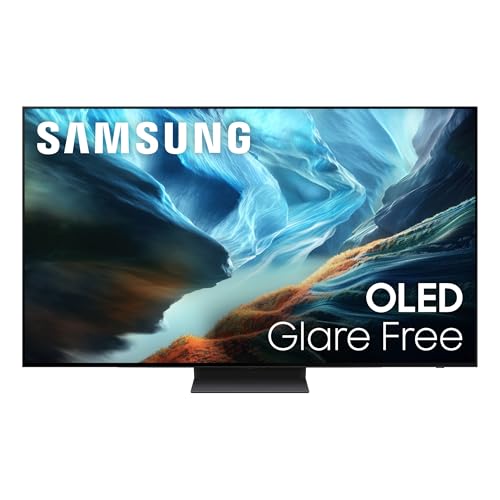
The Samsung S90H 65-inch addresses the most common OLED complaint: reflections. Its OLED HDR+ picture system is paired with Glare Free technology, which is intended to reduce distracting reflections from windows and lamps. That does not turn a television into a matte computer monitor, but it can make a meaningful difference when the sofa faces a bright room rather than a dark theater.
Samsung pairs that screen treatment with the NQ4 AI Gen3 processor and 128 neural networks. 4K AI Upscaling Pro works on lower-resolution content, while AI Motion Enhancer Pro targets fast-moving balls and scrolling text. Sports watchers should find those features more relevant than a long list of cinematic formats, particularly when much of the viewing is live broadcast material.
Gaming is another clear strength. Motion Xcelerator reaches up to 165Hz, and Samsung lists NVIDIA G-SYNC and AMD FreeSync Premium Pro for tear-free variable refresh operation. Auto HDR Remastering can give older or non-HDR content a more pronounced HDR-like appearance. The S90H is therefore more than a bright-room television. It is also the most technically aggressive Samsung here for high-refresh gaming.
The LG C6 65-inch matches the 165Hz figure and includes Dolby Vision, while the S90H's advantage is its explicit Glare Free treatment. The LG C5 65-inch remains easier to recommend for a mixed movie and gaming collection because its format support and HDMI 2.1 connections are clearly stated. The S90H wins when reflections are the issue that keeps you from enjoying an OLED in the first place.
There are limits. Glare Free does not remove the need to position the screen thoughtfully, and Samsung's listed features do not include Dolby Vision. Buyers who watch mostly Dolby Vision films should look at LG first. For a bright family room where sports, games, and regular streaming share the screen, this Samsung has a compelling reason to exist.
8. Samsung S90H 55-inch: Best Compact Samsung
Pros
- Compact 55-inch size
- Glare Free technology
- Up to 165Hz gaming support
- AI upscaling and motion enhancement
- G-Sync and FreeSync Premium Pro
Cons
- No Dolby Vision listed
- Smaller screen is less cinematic
- The benefits of 165Hz depend on compatible content
Best for: smaller rooms that need reflection control and a fast gaming display.
The Samsung S90H 55-inch brings the larger S90H's main idea into a more manageable footprint. It is 48.2 inches wide and 30.5 inches high, making it a natural fit for a bedroom, apartment living room, or gaming space where a 65-inch screen would dominate the furniture. The panel still uses OLED HDR+ and Glare Free technology, so the smaller size does not mean giving up the model's central bright-room advantage.
The NQ4 AI Gen3 processor handles 4K AI Upscaling Pro and picture adjustments using 128 neural networks. That is useful when a 55-inch screen is used for a mixture of streaming apps, broadcast channels, and older content. AI Motion Enhancer Pro is designed to improve the appearance of fast balls and text, while Auto HDR Remastering adds more visual impact to non-HDR material.
At up to 165Hz, this is a strong compact gaming screen on paper. NVIDIA G-SYNC and AMD FreeSync Premium Pro support can help keep the image synchronized with a compatible graphics source. The main caveat is that consoles and most video content will not use the full refresh ceiling, so the advantage is more obvious with a capable PC.
The LG C5 55-inch is the better choice for Dolby Vision libraries and explicitly offers four HDMI 2.1 inputs, while the Samsung counters with Glare Free and the higher stated refresh rate. The Samsung S90H 65-inch gives the same feature direction with a more immersive picture, but this 55-inch model is easier to fit and easier to view at a closer distance. Readers comparing compact televisions may also want to consider how screen size affects a smaller viewing space.
Its biggest weakness is the missing Dolby Vision listing. That matters if your preferred streaming services and discs use the format heavily. Pick this model when room reflections and PC gaming matter more than Dolby Vision, and when 55 inches is the right physical size.
9. Panasonic Z8 77-inch: Best Built-In Sound

Pros
- Master OLED PRO panel
- Dolby Vision IQ and HDR10+ Adaptive
- Supports HDR10, HDR10+, Dolby Vision, and HLG
- 144Hz gaming with VRR
- Front, upward, and side-firing speakers
Cons
- Heavy 67.3-pound installation
- Large screen needs a suitably deep room
- Integrated sound still has limits compared with separate speakers
Best for: movie fans who want a large OLED with unusually ambitious built-in audio.
The Panasonic Z8 77-inch is the specialist pick for a one-box home theater. Its Master OLED PRO panel is designed around enhanced brightness and cinematic contrast, while Panasonic's HCX Pro AI Processor MKII targets color accuracy and picture refinement. The set measures 67.9 inches wide and weighs 67.3 pounds, so it is every bit as substantial as its 77-inch size suggests.
Panasonic's HDR coverage is unusually complete. The Z8 supports HDR10, HDR10+, Dolby Vision, and HLG, with Dolby Vision IQ and HDR10+ Adaptive adjusting the presentation based on room brightness. That is useful in a living room that changes from daytime viewing to evening movie sessions. It does not mean every source will look identical, but it reduces the need to choose a television around one preferred HDR format.
The audio system is the headline feature. Panasonic describes 360 Soundscape Pro, tuned by Technics, with front-array, upward-firing, and side-firing speakers. Dolby Atmos support is built in, giving compatible soundtracks more room to spread beyond the screen. A separate audio system will still offer better control and impact, but the Z8 is more convincing as a standalone setup than most televisions here.
Gaming has not been ignored. Game Mode Extreme includes HDMI 2.1, a 144Hz refresh rate, VRR, AMD FreeSync Premium, and NVIDIA G-SYNC. The Game Control Board puts gaming status and settings in one place. The LG C5 77-inch remains the more balanced choice for broad gaming connectivity and LG's picture controls, while the Samsung S90F 77-inch brings a strong AI and motion-processing alternative. The Panasonic's advantage is its HDR format coverage and integrated sound.
The weak point is straightforward: this is a large, heavy television that needs proper furniture or wall support. It also cannot create true surround placement from its built-in speakers alone. Choose it if you want the most complete cinematic package without immediately adding a soundbar, and if the room can accommodate its size.
10. Samsung S90F 77-inch: Best Large Samsung
Pros
- Large 77-inch OLED screen
- NQ4 Gen3 processor with 128 neural networks
- Up to 4K 144Hz gaming
- AI-enhanced motion for sports
- HDR-like treatment for SDR material
Cons
- Very heavy 80.7-pound installation
- Dolby Vision is not listed
- Built-in audio is secondary to a separate theater system
Best for: viewers who want a large Samsung screen for sports, games, and vivid everyday viewing.
The Samsung S90F 77-inch gives Samsung's S90F processing a much more immersive canvas. At 67.7 inches wide and 41.7 inches high, it turns sports and games into the center of the room. The 80.7-pound weight also makes clear that installation is a two-person job, especially if the screen is going onto a wall.
Its NQ4 Gen3 processor uses 128 neural networks to upscale content and optimize sound. Samsung's processing targets the material people actually watch every day, including live broadcasts, ordinary streaming, and older video. Motion processing is designed to keep balls and text clearer during fast action, while the panel's brightness and contrast system aims to preserve small highlights in complicated scenes.
The S90F supports up to 4K at 144Hz for compatible gaming sources. That is enough for a high-refresh PC setup, and the motion emphasis suits sports as well as games. Samsung also says the television can transform SDR content toward HDR-like quality, which gives older films and shows a more vivid presentation. Viewers who prefer the source to remain untouched may want to reduce those enhancements.
This model is most directly compared with the LG C5 77-inch and Panasonic Z8 77-inch. The LG adds Dolby Vision and a clearer four-HDMI-2.1 connection story. The Panasonic supports every major HDR format listed in its product details and has the more ambitious integrated speaker layout. Samsung counters with AI processing that is particularly focused on sports, motion, and everyday upscaling.
The S90F's weaknesses are its sheer physical demands and its lack of a listed Dolby Vision feature. It is not the television to choose for a compact room or a Dolby Vision-first collection. For a large open room where sports and gaming matter more than format completeness, it is Samsung's most convincing big-screen option in this group.
How to choose best oled tv
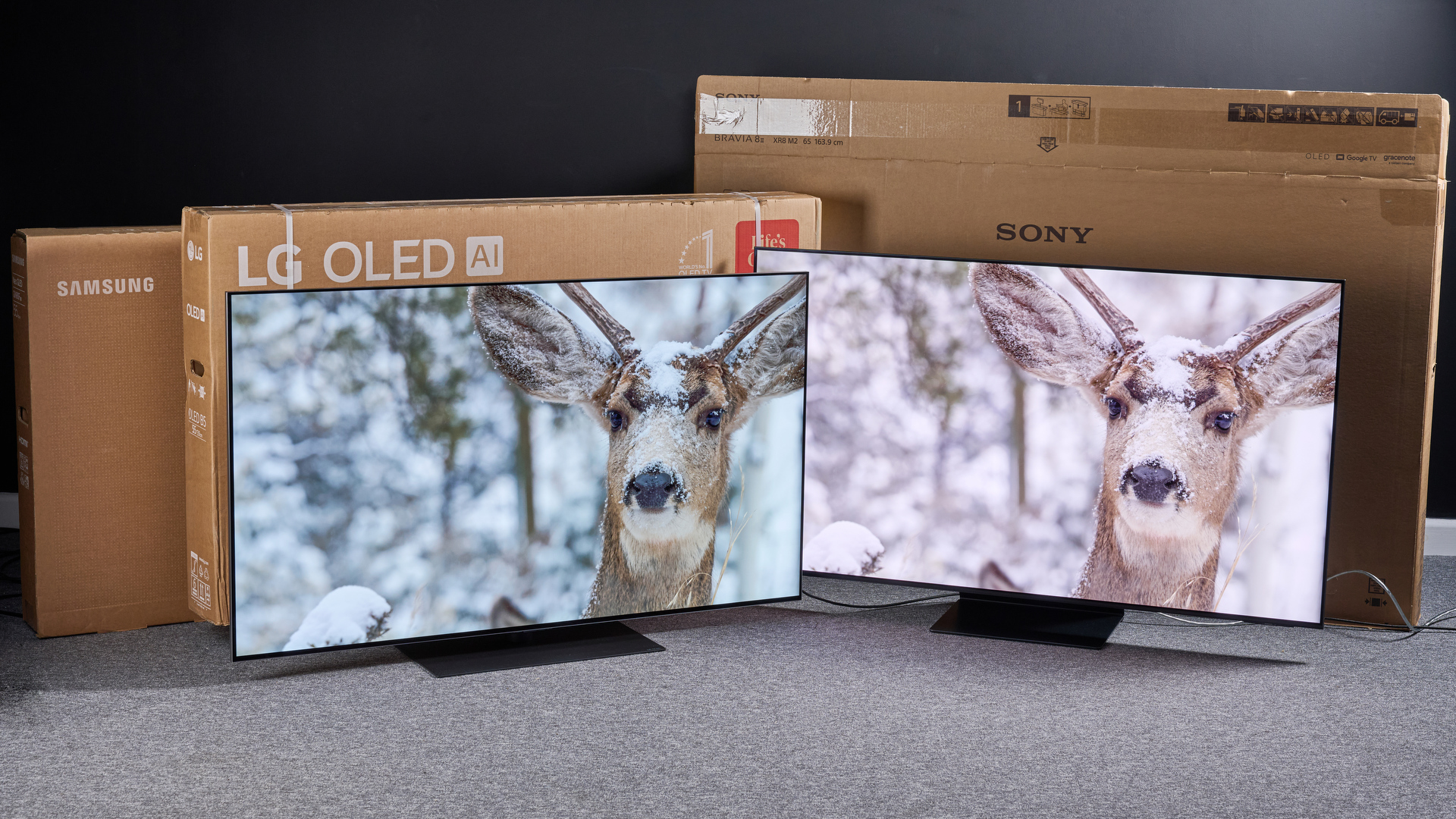
The right OLED is less about a single headline feature than about matching the panel, processing, connections, and size to the room and the sources you actually use.
Screen size and viewing distance
A 55-inch television is easier to place and often makes sense for a bedroom, office, or smaller living room. A 65-inch model is the most adaptable size in this roundup, while 77-inch sets such as the LG C5 77-inch and Panasonic Z8 77-inch need a room that can support both their width and their visual impact.
Measure the wall, stand, doorway, and route into the room. Do not judge size from the diagonal alone. A large television can look spectacular at a suitable distance but tiring when viewed too close.
Brightness and reflection control
OLED's self-lit pixels create excellent dark-scene contrast, but room lighting still matters. Brightness Booster on the LG C5 and C6 is intended to make highlights more luminous. Samsung's S90H models add Glare Free technology, which is the more direct response to lamps and windows.
No screen handles every reflection equally well from every position. If your room has strong daytime light, prioritize glare handling and placement before chasing the most advanced processing.
A perfect black level cannot rescue a screen positioned opposite a sunny window.
HDR format support
HDR formats determine how compatible content communicates brightness, color, and contrast information to the television. LG's C5 and C6 list Dolby Vision, Dolby Atmos, and HDR10. Panasonic's Z8 supports HDR10, HDR10+, Dolby Vision, and HLG, with adaptive versions of Dolby Vision and HDR10+.
Samsung's models emphasize HDR+ and HDR-like processing for standard dynamic range material, but Dolby Vision is not listed for the S90F or S90H televisions here. Check the formats used by your streaming services and disc collection rather than assuming every OLED handles them identically.
Refresh rate and gaming response
Refresh rate affects how smoothly the television can display fast motion, especially from a gaming PC. The LG C5 models list up to 144Hz and a 0.1ms response time. The LG C6 and Samsung S90H models list up to 165Hz, while the Samsung S90F and Panasonic Z8 list 144Hz.
VRR is important because it helps the display synchronize with a changing game frame rate. G-Sync and FreeSync support matter when pairing the television with a compatible PC graphics setup. Console players should also check the available HDMI features, since high refresh rates are only useful when the source and connection can provide them.
Processing and smart features
AI upscaling is most useful when your viewing is not entirely native 4K. LG's Alpha processors and Samsung's NQ4 processors target streaming, broadcast, sports, and older content. The Samsung S90F and S90H models also focus on smoothing balls and text during fast motion.
Smart platforms influence daily use just as much as image processing. LG's C6 lists webOS 2026, an AI Hub, and LG Channels. Panasonic uses Fire TV with hands-free Alexa, while Alexa is built into several LG and Samsung models. Choose the interface that fits your streaming habits and voice-control preferences.

Frequently asked questions
Is OLED good for bright rooms?
OLED can work well in a bright room, but placement and reflection control are important. LG's Brightness Booster models are designed to improve luminous detail, while Samsung's S90H models add Glare Free technology. Neither approach removes the need to avoid direct window reflections.
Which OLED size is best for most living rooms?
A 65-inch television is the most flexible size in this selection. It offers a larger movie image than a 55-inch set without the installation demands of a 77-inch television. The correct choice still depends on seating distance, wall width, and the quality of the sources you watch.
Which model is strongest for gaming?
The LG C6 65-inch and Samsung S90H models list refresh rates up to 165Hz. The LG C5 models list up to 144Hz along with a 0.1ms response time, four HDMI 2.1 inputs, VRR, G-Sync, and FreeSync Premium. Pick based on the ports, HDR format, and graphics technology that match your equipment.
Does every OLED television support Dolby Vision?
No. The LG C5, LG C6, and Panasonic Z8 list Dolby Vision support. The Samsung S90F and S90H features supplied here emphasize HDR+ and HDR-like processing instead, and Dolby Vision is not listed.
Can built-in television speakers replace a soundbar?
They can be sufficient for ordinary viewing, but they rarely match a dedicated audio system for bass, dialogue control, and surround placement. The Panasonic Z8 has the most ambitious built-in design in this group, with front, upward, and side-firing speakers plus Dolby Atmos.
Is a 77-inch OLED difficult to install?
It can be. The LG C5 77-inch weighs 59.7 pounds, the Samsung S85F 77-inch weighs 63.5 pounds, the Panasonic Z8 weighs 67.3 pounds, and the Samsung S90F 77-inch weighs 80.7 pounds. Use two people and confirm that the wall or furniture can safely support the television.

The bottom line
The Best oled tv for most people is the LG C5 65-inch. It combines Dolby Vision, Brightness Booster, Filmmaker Mode, four HDMI 2.1 inputs, and strong gaming support in the size that fits the widest range of rooms. The LG C5 77-inch is the better choice when a large movie image matters more than easy installation.
For bright rooms and fast sports or gaming, the Samsung S90H 65-inch deserves serious attention because of its Glare Free screen and 165Hz support. The Panasonic Z8 77-inch is the specialist pick for buyers who want broad HDR compatibility and the strongest built-in sound design.
If you are undecided, choose the LG C5 65-inch unless your room demands glare control or your seating clearly calls for a 77-inch screen.
As an Amazon Associate we earn from qualifying purchases.