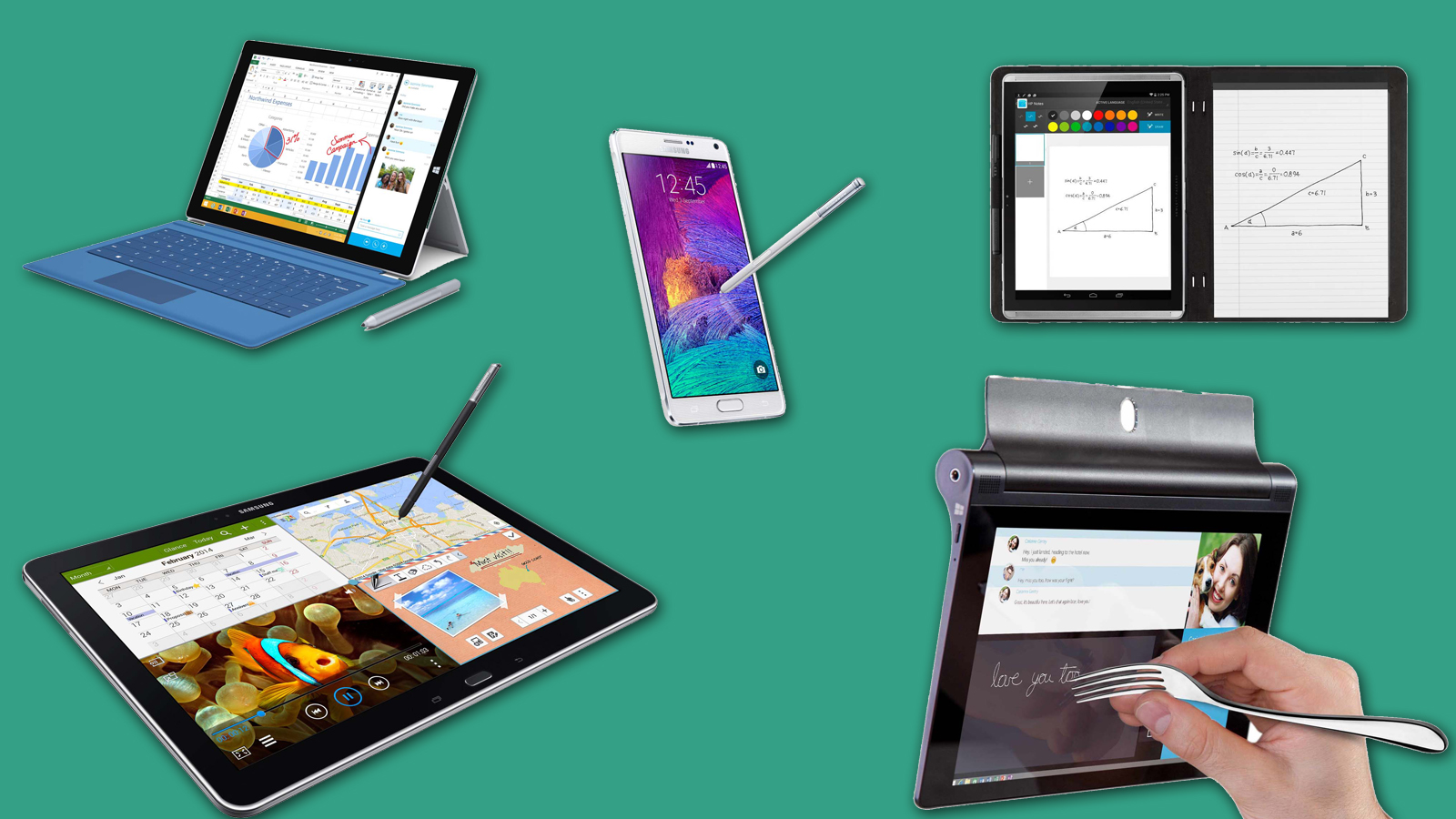

Taking notes on a glass screen can feel like writing on a pane of ice. The pen slips, glare gets in the way, and a page of handwritten ideas becomes difficult to search later. The Best note taking tablet should make writing feel natural while still giving you useful digital tools.
This list includes conventional Android tablets, paper-like LCD models, and dedicated E Ink notebooks. Some are better for lectures and multitasking, while others are purpose-built for reading, annotating PDFs, and keeping distractions away.
Our top pick is the Lenovo Idea Tab 8GB, with the TCL Note A1, Samsung Galaxy Tab S10 Lite, and dedicated E Ink options covering the rest of the field.
| # | Product | Award | Display | Pen or writing feature | Best for |
|---|---|---|---|---|---|
| 1 | Lenovo Idea Tab 8GB | Best overall | 11-inch 2.5K IPS, 90Hz | Tab Pen included | Students who want a complete everyday tablet |
| 2 | TCL Note A1 | Best paper-like Android tablet | 11.5-inch 2.2K, 120Hz | T-Pen Pro, 8192 pressure levels | Handwriting, meetings, and document work |
| 3 | Samsung Galaxy Tab S10 Lite | Best for Galaxy users | 10.9-inch LCD | S Pen included | Notes that need strong Android integration |
| 4 | Lenovo Idea Tab Pro | Best large-screen tablet | 12.7-inch 3K LCD | Tab Pen Plus included | Split-screen study and wide documents |
| 5 | XP-Pen Magic Note Pad | Best LCD paper feel | 10.95-inch LCD, 90Hz | X3 Pro Pencil 2, 16, 384 pressure levels | Digital notes with Android app support |
| 6 | BOOX Note Air 5 C | Best color E Ink notebook | 10.3-inch Kaleido 3 | Stylus, 4, 096 pressure levels | Reading and annotating with minimal glare |
| 7 | TCL NXTPAPER 14 | Best big paper-like display | 14.3-inch 2.4K | T-PEN, 4, 096 pressure levels | Large documents, sheet music, and presentations |
| 8 | Penstar eNote2 | Best dedicated E Ink writing set | 10.3-inch E Ink | 8, 192 pressure levels | Focused reading and handwritten notebooks |
| 9 | Lenovo Idea Tab 4GB | Best compact student bundle | 11-inch 2.5K IPS, 90Hz | Tab Pen included | Straightforward class notes and media |
1. Lenovo Idea Tab 8GB: Best Overall

Pros
- Sharp 11-inch 2.5K display
- Smooth 90Hz scrolling and handwriting
- Pen and folio case included
- Four useful learning apps
- Up to 12 hours of YouTube playback
Cons
- LCD screen is not as paper-like as E Ink
- 4G connectivity is not listed
- AI features may need checking before relying on them
Best for: students who want one tablet for handwriting, research, streaming, and everyday Android use.
The Lenovo Idea Tab 8GB is the easiest recommendation because it avoids the usual compromise between a digital notebook and a general-purpose tablet. It has the responsive feel of a modern Android device, but the included Tab Pen and folio case mean you can start taking handwritten notes without assembling a separate accessory kit. The 11-inch size is large enough for lecture slides and split-screen research without becoming awkward to carry.
Its 2.5K IPS touchscreen gives text and diagrams plenty of definition, and the 90Hz refresh rate should make page movement and pen strokes appear smoother than on a basic 60Hz panel. Lenovo also specifies 72% NTSC color coverage, which matters when the tablet doubles as a screen for charts, illustrations, or video. TÜV Rheinland Low Blue Light hardware support is another sensible touch for long study sessions, though it does not change the fact that this is a bright LCD rather than reflective paper.
The MediaTek Dimensity 6300 and 8GB of memory give this version more breathing room than the Lenovo Idea Tab 4GB. Its 256GB storage is also better suited to downloaded textbooks, PDFs, recordings, and classroom apps. Lenovo includes Lenovo AI Note, Squid, Nebo, and MyScript Calculator, so the tablet is prepared for handwriting, organization, and mathematical work rather than relying only on a generic notes app. Circle to Search adds a quick way to investigate something in a note or document.
Battery life is rated at up to 12 hours of YouTube playback, with a 20W charger for top-ups. Quad Dolby Atmos-tuned speakers make recorded lectures and video calls easier to hear, while Smart Connect can help move tasks across compatible devices. Compared with the Lenovo Idea Tab 4GB, this model is the clear choice for heavier multitasking. The TCL Note A1 has more specialized writing tools and a more convincing paper-like surface, but this Lenovo is the more balanced tablet for people who also want conventional apps and entertainment.
The weakness is familiar: an IPS display can still reflect overhead lights, and the standard Android tablet experience brings more distractions than an E Ink notebook. The tablet is also not the lightest option in this group at 1.05 pounds, although that remains manageable in a backpack. Skip it if your priority is a paper substitute above all else. For a student who wants handwriting, research, media, and enough storage in one package, this is the Best note taking tablet to keep.
2. TCL Note A1: Best Paper-Like Android Tablet

Pros
- Paper-like NXTPAPER PURE display
- T-Pen Pro has 8192 pressure levels
- Less than 5ms pen latency
- Built-in AI transcription and summaries
- Eight-microphone array
Cons
- Software update is needed after setup
- Paper-like display is not E Ink
- Charger is not listed as included
Best for: people who write in meetings, classes, and documents but still need a full Android tablet.
The TCL Note A1 is aimed at people who want their tablet to behave more like a writing surface without surrendering color, apps, or fast scrolling. Its NXTPAPER PURE screen reduces glare and fingerprints, and TCL gives you multiple display modes for different jobs. Ink Paper Mode is the obvious setting for notes and reading, while Standard Mode and Color Paper Mode make the tablet more flexible for web pages, charts, and creative work.
The 11.5-inch display uses a document-friendly 3:2 ratio, which gives pages more vertical room than a widescreen panel. Its 2.2K resolution keeps small text defined, and 120Hz refresh makes scrolling through notes or turning digital pages feel fluid. TCL also lists 16.7 million colors and 83% sRGB coverage. Those details make the Note A1 more versatile than the BOOX Note Air 5 C for colorful documents, even though BOOX remains the more convincing choice for an E Ink reading experience.
Writing hardware is the star. The included T-Pen Pro supports 8, 192 pressure levels, less than 5ms latency, realistic friction, and a dual-tip design for writing, sketching, and erasing. TCL says its built-in tools can turn handwriting and recordings into editable text, then provide summaries, rewrites, and translations. The eight-microphone array is unusually useful for meetings and lectures because it is designed for 360-degree audio capture with noise reduction and directional pickup.
The tablet runs with 8GB of memory and 256GB of storage, while the 8, 000mAh battery and 33W charging target a full day of study and work. Its 0.22-inch metal body is slim, and the magnetic flip case supports auto wake and stable positioning. Compared with the Lenovo Idea Tab 8GB, the TCL has a more deliberate writing interface and better meeting hardware. The Lenovo remains the stronger all-rounder for people who care about the broad Android experience and bundled learning apps.
TCL asks you to update both the tablet and stylus after setup, which is a step worth completing before judging the writing experience. The display also cannot completely recreate the muted, reflective quality of E Ink, and its large feature set may be excessive for someone who only wants blank digital pages. Choose it when handwriting conversion, audio capture, color documents, and eye comfort all matter in the same device.
3. Samsung Galaxy Tab S10 Lite: Best for Galaxy Users

Pros
- S Pen support with intelligent writing tools
- Familiar Galaxy ecosystem
- Up to 16 hours of battery life
- Vision Booster adjusts brightness
- microSD expansion up to 2TB
Cons
- LCD panel lacks a dedicated paper mode
- Included storage is limited to 128GB
- Galaxy features are most useful with other Samsung devices
Best for: Galaxy phone owners who want notes, files, and connected devices to work together.
The Samsung Galaxy Tab S10 Lite feels less like a dedicated digital notebook and more like a polished Android tablet that happens to be excellent for handwriting. That distinction matters. It is a good fit for someone who takes notes between browsing, messaging, reading, and streaming, rather than someone seeking the quietest possible paper replacement.
Its 10.9-inch LCD is a practical size for carrying between rooms or classes. Samsung's Vision Booster adjusts brightness to the surrounding environment, which can help when moving from a desk to a brighter room. The S Pen is the real reason to choose this model. Samsung says it supports jotting, drawing, and math, while intelligent features can clean up notes, solve trigonometric equations, and support Circle to Search.
The Exynos 1380 processor is intended for streaming, searching, note-taking, and multitasking. The model listed here has 6GB of RAM and 128GB of storage, with microSD expansion up to 2TB. That expansion is useful for a large collection of PDFs, photos, and downloaded media, although it does not replace the faster feel of having more internal storage for active apps. The Lenovo Idea Tab 8GB offers more memory in this comparison, while the Samsung counters with a deeper set of Galaxy-specific features.
Samsung rates battery life at up to 16 hours, and Super Fast Charging can fill the battery in about two hours under the stated conditions. Galaxy device integration lets you continue notes across a compatible phone or laptop, answer calls on the tablet, and use SmartThings for connected-home controls. Readers who are already invested in that ecosystem will get more from this tablet than someone starting from a mixed collection of devices. For a broader comparison of Android options, how Android tablets handle notes across different apps is a useful question to settle before buying.
The limitation is the conventional LCD. It is bright and versatile, but it does not provide the low-distraction, paper-like view of the BOOX Note Air 5 C or the TCL Note A1. The 6GB memory configuration is also less generous than the two Lenovo Idea Tab versions. Pick the Samsung when ecosystem continuity and S Pen features matter more than a specialized writing surface.
4. Lenovo Idea Tab Pro: Best Large-Screen Tablet

Pros
- Spacious 12.7-inch 3K display
- Strong Dimensity 8300 processor
- Pen and folio case included
- 360Hz touch sampling
- Quad JBL Dolby Atmos speakers
Cons
- Heavier than the smaller Lenovo tablet
- Large footprint is less convenient for handheld notes
- 128GB storage is modest for a study library
Best for: students who keep a lecture, browser, and notes visible at the same time.
The Lenovo Idea Tab Pro is the tablet to choose when your notes are only one part of the screen. The 12.7-inch display gives handwritten pages, lecture slides, and reference material more room to coexist. It feels closer to a small desk workspace than a pocketable notebook, which is helpful for long documents but less appealing if you write while standing or walk between classes.
The 3K LCD should keep text and diagrams crisp at this size. Lenovo pairs it with quad JBL Dolby Atmos speakers, so recorded lectures and streamed classes have a better chance of sounding clear without headphones. The display also supports mono and chromatic visual modes and carries Low Blue Light certification. Those settings are useful for long reading sessions, but the LCD still has the reflective behavior of a regular tablet.
Performance is a strong point. The MediaTek Dimensity 8300 and 8GB of memory are well suited to split-screen work, large PDFs, browser tabs, and creative applications. Lenovo includes a Tab Pen Plus and folio case, and Circle to Search can be triggered with the pen or a finger. The tablet also advertises a 360Hz touch sampling rate and up to 90 frames per second for gaming, which is more than a note-taking device strictly needs but suggests a responsive touch layer.
Lenovo cites 11 hours of video streaming and 45W quick charging. The body weighs 1.364 pounds and measures 11.49 by 7.44 inches, so its size is noticeable in a bag and on a small lap desk. It is more powerful and spacious than the Lenovo Idea Tab 8GB, but that smaller model is easier to carry and has twice the storage in the configuration reviewed here. The TCL NXTPAPER 14 is even larger, though its Helio G99 processor is less ambitious.
The biggest drawback is the physical bulk. A big screen improves annotation and split-screen use, yet it can make quick one-handed note capture awkward. The 128GB storage also leaves less room for a large offline library. Choose this Lenovo for an organized study station, not for someone who wants the lightest possible notebook replacement.
5. XP-Pen Magic Note Pad: Best LCD Paper Feel

Pros
- X3 Pro Pencil 2 with 16, 384 pressure levels
- Three display modes
- Anti-glare etched glass
- Handwriting-to-text support
- Android 14 and Google Play access
Cons
- Narrow viewing angle is intentional
- It is an LCD, not E Ink
- The product advises against running many apps at once
Best for: writers and students who want a textured LCD with serious pen sensitivity.
The XP-Pen Magic Note Pad takes an unusual middle path. It is not an E Ink tablet, a distinction XP-Pen makes clearly, but its etched glass surface is designed to reduce reflections and create a more paper-like feel. The result should suit people who find glossy tablets distracting but still want color, Android apps, and a smooth interface.
The 10.95-inch LCD runs at 90Hz, supports 16.7 million colors, and reaches 400 nits. Its three display modes switch between monochrome, light color, and natural color with a press of the X-key. The AG nano-etched surface uses TCL NXTPAPER 3.0 technology and is described as reducing up to 95% of ambient light interference. XP-Pen also lists TÜV SÜD Low Blue Light and Paper-like Display certifications.
The X3 Pro Pencil 2 is more advanced on paper than the pens bundled with several conventional tablets. Its 16, 384 pressure levels and soft nib give pressure changes more room to affect stroke weight and color depth. The magnetic attachment and shortcut key are practical details for frequent use. XPPen Notes supports handwriting conversion, audio recording, PDF import and editing, automatic saving, and cloud uploads to OneDrive or Google Drive.
The tablet uses Android 14 with Google Play and has 128GB of storage. Its 8, 000mAh battery and 20W charger are intended for regular work, while a 13-megapixel front camera, two speakers, and two microphones support remote meetings. At 495 grams and 7mm thick, it is lighter than the Lenovo Idea Tab Pro and easier to carry. Compared with the TCL Note A1, it offers much finer stated pressure sensitivity, but TCL has stronger meeting capture and a more purpose-built AI workflow.
There is a catch to the etched display. Its narrow viewing angle is intentional because viewing from the front minimizes diffuse reflection and scattering. That makes shared viewing less convenient, especially when two people are looking at the screen. XP-Pen also advises avoiding many simultaneous software programs for a better experience. It is a strong choice for front-facing writing and drawing, but not the ideal shared presentation tablet.
6. BOOX Note Air 5 C: Best Color E Ink Notebook

Pros
- Color Kaleido 3 E Ink display
- Android 15 with third-party app support
- Warm and cool front lighting
- microSD card slot
- Fingerprint recognition
Cons
- Color resolution is lower than black and white
- E Ink refresh is slow for animated apps
- 64GB storage is the smallest here
Best for: readers who want a reflective display for books, PDFs, and handwritten annotations.
The BOOX Note Air 5 C is the most specialized tablet in this group. Its color E Ink display is designed for long reading and writing sessions, not for fast animation or video. That makes it appealing for anyone whose notes begin with books, research papers, and PDFs rather than web browsing or streaming.
The 10.3-inch Kaleido 3 screen shows 4, 096 colors. Black and white content is rendered at 2, 480 by 1, 860 with 300 pixels per inch, while color content uses 1, 240 by 930 with 150 pixels per inch. The difference is visible in the way color material looks softer than monochrome text. A front light with warm and cool adjustment helps in changing rooms, and the auto-rotation sensor makes portrait and landscape reading easier.
Writing uses a BOOX stylus with 4, 096 pressure levels and capacitive touch. The device runs Android 15 and supports third-party apps, which gives it more flexibility than a closed digital notebook. It can handle a long list of document formats, including PDF, EPUB, DOC, DOCX, PPT, and common comic and image files. A microSD slot helps offset the built-in 64GB storage, and dual speakers, a microphone, and USB-C add practical versatility.
The 3, 700mAh battery, 5.8mm thickness, and approximate 430-gram weight make it reasonably portable. A fingerprint power button and Bluetooth 5.1 are useful everyday touches. Compared with the Penstar eNote2, BOOX has a more explicitly documented Android app ecosystem and color display. Penstar offers higher stated pen sensitivity, more storage, and a larger battery, but its dedicated notebook focus is less flexible.
E Ink has limits that should not be mistaken for faults. BOOX itself explains that the screen can look darker or grayer than an LCD, and app interfaces designed around high refresh rates and animation will feel slower. It is not the pick for video, rapid scrolling, or color-critical work. It is the better choice when your priority is a calm reading surface that can also hold handwritten notes.
7. TCL NXTPAPER 14: Best Big Paper-Like Display

Pros
- Huge 14.3-inch 2.4K display
- Three viewing modes
- 10, 000mAh battery
- Quad stereo speakers
- Included adjustable flip case
Cons
- Charger is not included
- No microSD support
- Large 1.67-pound body
Best for: people who annotate large documents, display sheet music, or use a tablet as a small presentation screen.
The TCL NXTPAPER 14 is built around screen area. Its 14.3-inch panel is much closer to a portable document board than a conventional small tablet, which gives handwritten pages and music sheets plenty of space. It can also serve as a drawing pad, digital notebook, and media device, making it a useful option for visual work where a compact display feels cramped.
The 2.4K paper-like screen offers Standard, Color Paper, and Ink Paper modes through a dedicated NXTPAPER Key. NXTPAPER 3.0 reduces glare, filters blue light, and supports DC dimming, while the Eye Care Assistant can adjust brightness and color temperature and remind you to take breaks. The large panel is especially helpful for split-screen work, though the product does not specify a refresh rate for this model.
Underneath is a MediaTek Helio G99 with 8GB of RAM and 256GB of storage. TCL says another 8GB of memory can be expanded virtually, but built-in storage is fixed because microSD is not supported. The tablet supports floating windows, split-screen, screen mirroring, and extended display modes. Those features make the wide screen more useful for research and note comparison than its size alone would suggest.
The 10, 000mAh battery supports 33W fast charging and reverse charging for a phone or earbuds. TCL lists dual front cameras, an 8MP rear autofocus camera, 1080p video, and quad stereo speakers with Smart PA. At 0.27 inches thick and 1.67 pounds, it is slim for the screen area, but it still takes up considerable desk and bag space. The adjustable flip case doubles as a stand, which is almost essential for comfortable long sessions.
The main omission is the charger, which is not listed as included. The lack of microSD also makes the 256GB internal capacity more consequential over time. Compared with the Lenovo Idea Tab Pro, the TCL provides a wider and more eye-focused surface, while Lenovo has the stronger listed processor and a bundled pen designed for more demanding touch response. Choose TCL when the largest comfortable document view matters more than compact portability.
8. Penstar eNote2: Best Dedicated E Ink Writing Set

Pros
- 8192 pressure levels
- 128GB storage
- 6500mAh battery
- Handwriting and voice-to-text tools
- Leather folio and spare tips included
Cons
- Dedicated notebook experience is less flexible than Android tablets
- E Ink is not suited to fast animated interfaces
- Listed weight is higher than several compact competitors
Best for: readers and writers who want a focused E Ink notebook with generous storage.
The Penstar eNote2 is for the person who wants to replace stacks of paper and a separate e-reader with one quiet device. Its E Ink screen is described as having no capacitive touch layer, which is intended to reduce haze and refraction. The result should make black text look cleaner in bright surroundings, closer to a printed page than the illuminated view of an LCD tablet.
The included stylus supports 8, 192 pressure levels, and Penstar says it reduces eye-invisible lag while keeping the pen aligned closely with the stroke. You can write on books and PDF files, split books across two screens, and take notes beside the source material. That side-by-side workflow is a better match for academic reading than a basic note app that forces you to switch back and forth.
Penstar adds real-time AI voice-to-text, handwriting conversion, note summaries, and folders and tags for organizing documents. Those tools make the eNote2 more than a blank notebook, although the product provides less detail about the underlying software ecosystem than BOOX or the Android models. The 128GB storage is generous for an e-reader and document library. A 6, 500mAh battery should also reduce the need for frequent charging.
The bundle includes a digital stylus, 10 spare marker tips, a magnetic folio cover, a charging cable, and a quick start guide. Penstar lists a 5.5mm thickness and 409-gram weight, though the supplied product dimensions also show a listed weight of about 2.14 pounds, so buyers should treat the physical specification with some caution. Compared with the BOOX Note Air 5 C, Penstar gives up documented Android 15 and color E Ink but offers more storage and higher stated pen sensitivity.
This is not a general entertainment tablet. E Ink is naturally slower with animation, and a dedicated notebook interface will not provide the same breadth of apps as the Lenovo or Samsung options. It is a strong fit for reading, annotation, and handwritten organization, particularly if you want fewer distractions. Readers comparing dedicated devices can also consider how a focused digital notebook handles reading and handwriting before choosing.
9. Lenovo Idea Tab 4GB: Best Compact Student Bundle

Pros
- 11-inch 2.5K IPS display
- Smooth 90Hz refresh rate
- Tab Pen and folio case included
- Four learning apps
- Up to 12 hours of YouTube playback
Cons
- 4GB memory limits heavier multitasking
- 128GB storage is less generous
- LCD is more reflective than paper-like alternatives
Best for: students who need a simple pen tablet for notes, assignments, and media.
The Lenovo Idea Tab 4GB shares the same basic design as the higher-ranked Lenovo Idea Tab 8GB, and that makes it a sensible entry point for straightforward schoolwork. It includes the Tab Pen and folio case, so it is ready for handwritten notes, diagrams, and annotations instead of requiring an extra purchase before the first class.
The 11-inch 2.5K IPS screen is sharp enough for textbooks and lecture slides, while its 90Hz refresh rate should keep scrolling and pen movement feeling smooth. Lenovo lists 72% NTSC color coverage and TÜV Rheinland Low Blue Light hardware support. Quad Dolby Atmos-tuned speakers give it a useful role beyond notes, especially for recorded lectures and casual streaming.
The MediaTek Dimensity 6300 processor powers the tablet, while 4GB of memory and 128GB of storage define its limits. Lenovo includes Lenovo AI Note, Squid, Nebo, and MyScript Calculator, along with Circle to Search for quick lookups. The software selection is unusually helpful for schoolwork, but the smaller memory configuration is less comfortable when a browser, PDF, video call, and notes app all need to stay active.
Battery life is rated at up to 12 hours of YouTube playback, and the 20W charger is designed to restore power quickly. Smart Connect can move tasks across compatible devices. The tablet measures 10.02 by 6.54 inches and weighs 1.05 pounds, matching the physical size of the Lenovo Idea Tab 8GB. That model is the better long-term multitasker because it doubles the memory and storage, but this version retains the same screen, pen support, and core learning tools.
The central weakness is headroom. If your notes are mostly one app at a time, 4GB may be sufficient, but people who switch constantly between research, documents, and calls should choose the 8GB version. It is also a conventional LCD, so the BOOX, Penstar, and TCL paper-focused models remain more comfortable for readers who dislike glare. Pick it for uncomplicated classroom notes and everyday tablet use.
How to choose best note taking tablet
The right tablet depends on how closely you want it to imitate paper and how much conventional tablet work you expect it to handle.
Display surface
LCD tablets are brighter, faster, and better for color, video, and ordinary Android apps. Paper-like LCD screens from TCL and XP-Pen reduce reflections and add specialized viewing modes, but they still behave like LCD panels. E Ink is calmer for reading and can be easier on the eyes in bright rooms, though it is slower and less vivid.
Pen response
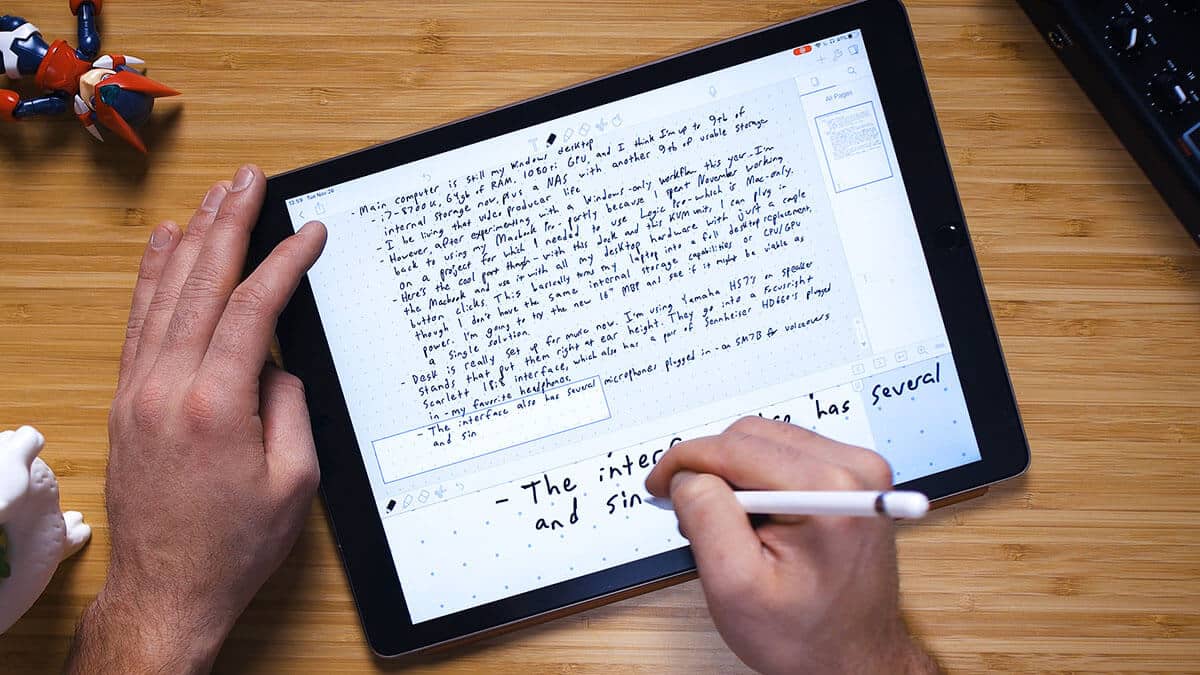
Pressure sensitivity controls how much the pen can vary line weight and shading. A higher figure is useful for drawing and expressive handwriting, but latency, nib friction, palm rejection, and software support matter just as much. The TCL Note A1 lists less than 5ms latency, while the XP-Pen Magic Note Pad lists 16, 384 pressure levels.
A convincing note-taking tablet is defined by the surface under the pen, not the processor name on the box.
Screen size and ratio
An 11-inch tablet is a practical balance for carrying and writing. Larger models such as the Lenovo Idea Tab Pro and TCL NXTPAPER 14 give split-screen apps and large documents more room, but they occupy more desk space and feel less natural in one hand. A 3:2 display, such as the TCL Note A1's, is particularly useful for pages and documents because it gives them more vertical space.
Storage and memory
Storage holds apps, PDFs, recordings, textbooks, and exported notes. Memory affects how comfortably you can keep several apps open. The Lenovo Idea Tab 8GB has 8GB of memory and 256GB of storage, while the smaller Lenovo configuration has 4GB and 128GB. The Samsung Galaxy Tab S10 Lite supports microSD expansion up to 2TB, while the TCL NXTPAPER 14 does not support microSD.
Software and note conversion
Look for handwriting-to-text, PDF annotation, audio recording, search, and cloud synchronization if your notes need to become useful documents. Dedicated E Ink devices can reduce distractions, while Android tablets offer a much wider app selection. If your workflow depends on Microsoft's note system, how handwriting tablets work with cloud note libraries deserves attention before you commit.
Frequently asked questions
Is an E Ink tablet better for handwritten notes?
E Ink is often better for readers who want a reflective, low-distraction surface and long sessions with books or PDFs. It is not as responsive with animation, video, or fast app interfaces as an LCD tablet. The BOOX Note Air 5 C and Penstar eNote2 are the dedicated E Ink choices here.
Which tablet is easiest to use for college notes?
The Lenovo Idea Tab 8GB is the strongest fit for most students because it includes a pen and folio case, has four learning apps, and offers enough memory for multitasking. The Lenovo Idea Tab 4GB handles simpler note-taking well, but it has less room for several active apps.
Do these tablets include a stylus?
The Lenovo Idea Tab models include a Tab Pen, the Lenovo Idea Tab Pro includes a Tab Pen Plus, and the Samsung model includes an S Pen. The XP-Pen, BOOX, TCL, and Penstar products also list a compatible pen in their supplied bundle or product features.
Can these tablets convert handwriting to typed text?
Several can. XP-Pen Notes supports handwriting conversion, TCL Note A1 can turn handwritten notes into editable text, Samsung lists intelligent note tools, and Penstar supports handwriting-to-text conversion. The exact results depend on the app, handwriting style, and language.
Is a paper-like LCD the same as E Ink?
No. A paper-like LCD uses a conventional illuminated display with surface treatments, color modes, and glare reduction. E Ink forms its image in a reflective display, which generally looks more like printed paper but refreshes more slowly and shows less vibrant color.
What screen size works best for note-taking?
An 11-inch screen is the most flexible size for carrying, writing, and reading. A 12.7-inch or 14.3-inch model is better for split-screen work and large documents, while a 10.3-inch E Ink model can feel more natural for focused reading and annotation.
The bottom line
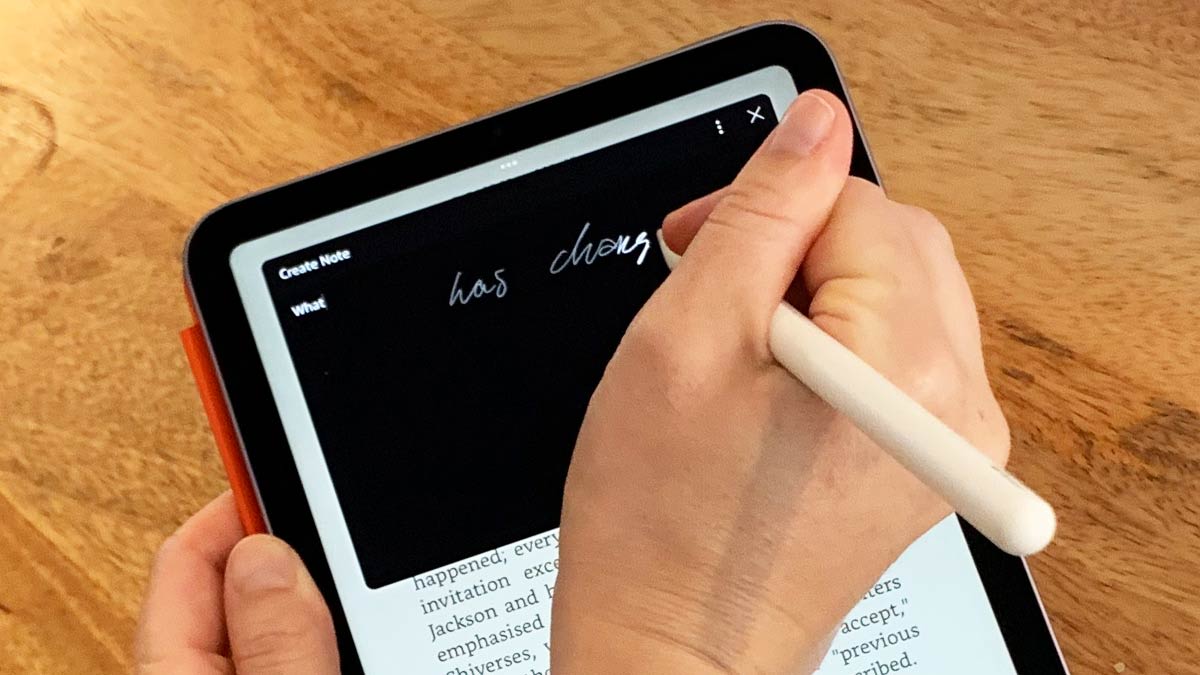
The Best note taking tablet for most people is the Lenovo Idea Tab 8GB. It combines a sharp 11-inch 2.5K screen, 90Hz response, included pen, useful learning apps, 8GB of memory, and 256GB of storage in a conventional Android tablet that can handle far more than notes.
Choose the TCL Note A1 if writing feel, handwriting conversion, recorded meetings, and a paper-like display matter more than a broad student bundle. For a true reflective reading surface, the BOOX Note Air 5 C and Penstar eNote2 are the more focused alternatives, while the Samsung is the natural pick for people already using Galaxy devices.
If you are undecided, choose the Lenovo Idea Tab 8GB unless glare is your main complaint, then move to the TCL Note A1 or BOOX Note Air 5 C.
As an Amazon Associate we earn from qualifying purchases.