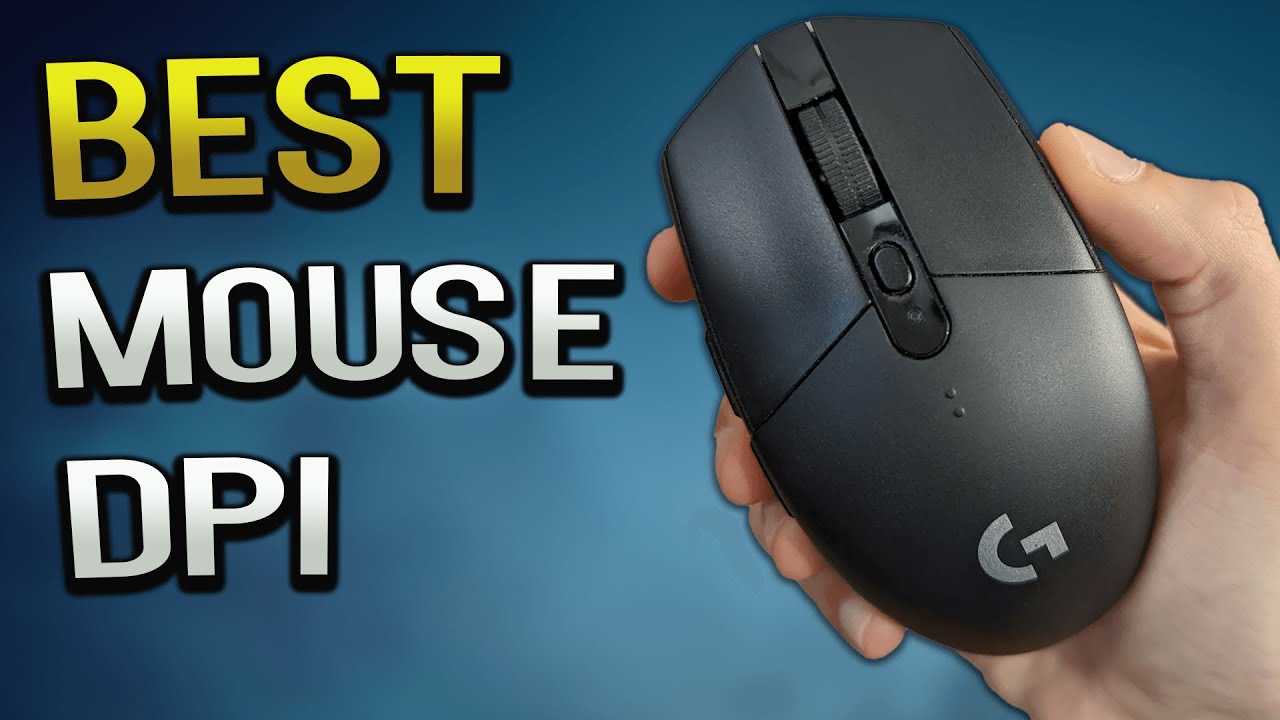

Finding the best dpi for gaming is less about chasing the biggest number and more about matching sensitivity to your game, desk space, and aim style. A mouse that reaches 24, 000 DPI can still be a poor fit if its shape, buttons, or software get in the way.
The ten mice below cover precise FPS control, wireless freedom, ergonomic comfort, and MMO-ready button layouts. We ranked them by the strength of their sensor, controls, shape, and useful gaming features.
The Razer Basilisk V3 is our top pick, while the Logitech G502 Hero, Logitech G305 Lightspeed, and Corsair Scimitar RGB Elite each suit a distinctly different kind of player.
Comparison table
| # | Product | Award | DPI range | Programmable buttons | Best for |
|---|---|---|---|---|---|
| 1 | Razer Basilisk V3 | Best overall | Up to 26, 000 | 11 | Competitive play and mixed genres |
| 2 | Logitech G502 Hero | Best adjustable weight | Up to 25, 600 | 11 | Players who want a heavier, tunable mouse |
| 3 | Redragon M612 | Best claw grip controls | 500 to 8, 000 | 11 | Claw grip and versatile keybinds |
| 4 | Logitech G305 Lightspeed | Best wireless precision | Up to 12, 000 | Not specified | Cable-free FPS play |
| 5 | Redragon M908 12400 | Best MMO controls | Up to 12, 400 | 18 | MMO hotbars and macros |
| 6 | Redragon M810 Pro Wireless | Best wireless flexibility | Up to 10, 000 | 8 | Wireless gaming and everyday use |
| 7 | Acer 12800 DPI Mouse | Best mid-hand shape | Up to 12, 800 | 8 | Larger hands and mixed use |
| 8 | Redragon M908 24000 | Best high-DPI range | Up to 24, 000 | 18 | Fine sensitivity adjustment |
| 9 | Corsair Scimitar RGB Elite | Best MMO side panel | 18, 000 | 17 | Serious MMO and MOBA players |
| 10 | Redragon M602 | Best classic design | Up to 7, 200 | 9 | Basic wired gaming setups |
1. Razer Basilisk V3: Best Overall

Pros
- Ergonomic shape includes a thumb rest
- 11 programmable buttons cover most genres
- Hyperscroll wheel switches between free-spin and tactile modes
- 26, 000 DPI Focus Plus sensor supports fine control
- Optical switches are rated for up to 70 million clicks
Cons
- Wired design limits desk flexibility
- Large feature set needs software setup
- Shape favors right-handed use
Best for: players who want one programmable mouse for FPS, action, strategy, and everyday work.
The Basilisk V3 is the easiest mouse here to recommend to most PC gamers. Its shape gives the palm a clear place to rest, the thumb rest reduces the feeling of hanging off the side, and the button placement makes extra commands accessible without turning the mouse into an MMO keypad. It feels more deliberate than the small Logitech G305 Lightspeed and less specialized than the Redragon M908 12400.
Razer gives it a Focus Plus optical sensor with sensitivity up to 26, 000 DPI and tracking without smoothing. That upper limit is far beyond what most people need, but the useful part is the control below it. You can settle on a sensitivity that lets you make small aim corrections while retaining enough speed for broad movements. The sensor's intelligent functions and the advice to disable Windows pointer acceleration also make it easier to keep the mouse response consistent.
The 11 programmable buttons are more useful than a bare DPI figure. You can put push-to-talk, ping, reload, or secondary abilities close to your hand, then use the Hyperscroll wheel when browsing or moving through long menus. Tactile mode gives weapon and skill cycling a defined click, while free-spin is better for documents. Its Gen 2 optical switches are specified with a 0.2 millisecond actuation speed and a rating of up to 70 million clicks, though those numbers matter less than the crisp, direct feel promised by the switch design.
The real compromise is the cable and the software dependency. The Basilisk V3 is not a light, stripped-down FPS mouse, and its broad ergonomic shell will not suit players who prefer fingertip control or very low weight. The 11 Chroma RGB lighting zones are fun for a coordinated setup, but they add complexity rather than aim quality.
Choose it if you want the most complete balance of sensor range, comfort, buttons, and scroll-wheel control. For a closer look at shape and grip differences, our guide to how different mouse shapes affect gaming comfort is useful before you commit.
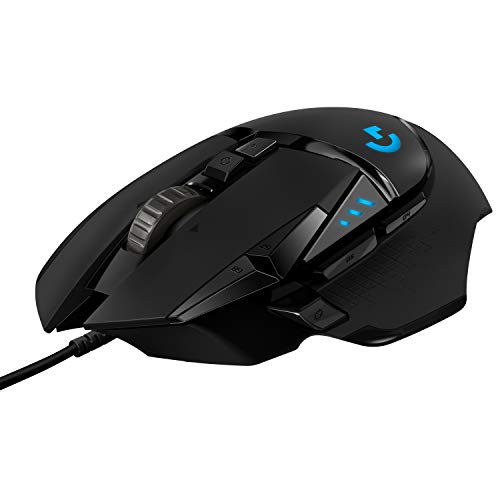
2. Logitech G502 Hero: Best Adjustable Weight
Pros
- HERO sensor tracks up to 25, 600 DPI
- 11 programmable buttons
- Five removable 3.6 gram weights
- Dual-mode scroll wheel
- Mechanical button tensioning supports a crisp click
Cons
- Wired connection is less tidy
- Adjustable weights make it heavier than minimalist mice
- Older design is less streamlined than the Basilisk V3
Best for: players who want to tune mouse balance and keep many commands under their fingers.
The G502 Hero is the mouse to pick when a lightweight shell feels too insubstantial. It has a familiar, substantial shape with a thumb rest and a pronounced set of controls. The headline feature is not just its DPI ceiling. It is the ability to add up to five 3.6 gram weights and arrange them to change the mouse's balance.
That flexibility can make a difference for players who anchor their palm and prefer controlled arm movements. A heavier configuration feels planted during careful aiming, while removing weights makes the mouse less demanding during long sessions. The Logitech G305 Lightspeed is much easier to lift and reposition, but it cannot offer this kind of tuning. The Basilisk V3 is a cleaner modern alternative, yet the G502 Hero remains the better fit for someone who likes a weighty, customized feel.
Its HERO sensor reaches 25, 600 DPI and is designed to track without smoothing, filtering, or acceleration. The sub-micron tracking claim speaks to sensor precision, but sensible settings remain the important part. Most players will benefit more from consistent low or medium sensitivity than from setting the mouse near its maximum. The G502's 11 programmable buttons make it equally capable in shooters, simulations, productivity apps, and games with several abilities.
The dual-mode scroll wheel is one of its best everyday details. It can move quickly through long pages or switch to a notched mode for deliberate weapon and menu selection. Logitech also builds mechanical switch button tensioning into the left and right buttons, using a metal spring system and metal pivot hinges for a crisp click. LIGHTSYNC RGB is customizable through Logitech software and can synchronize with supported games.
Skip it if you want a simple, lightweight mouse or dislike cables. The body and weight system are the opposite of a minimalist design. Keep it in mind if you want a stable mouse that can be reshaped around your hand and play style, especially for games that reward many mapped actions.
3. Redragon M612: Best Claw Grip Controls

Pros
- 11 programmable buttons
- Five built-in DPI levels
- Software can configure sensitivity from 500 to 8, 000 DPI
- Frosted coating resists fingerprints
- Claw-grip shape includes textured side support
Cons
- Default DPI steps are fairly limited
- Wired design restricts movement
- Not the lightest option for fast flicks
Best for: claw-grip players who want many remappable buttons without a complicated layout.
The M612 takes a practical approach to gaming controls. Its streamlined claw-grip shape gives the fingers a defined position, while the frosted surface avoids the slick feel that some glossy mice develop during long sessions. The textured left side adds friction where the thumb rests, which helps when making quick lifts or directional corrections.
Five DPI levels are available directly, with defaults of 500, 1, 000, 2, 000, 3, 000, and 4, 000 DPI. Software can configure demand for settings between 500 and 8, 000 DPI, so the mouse is more adjustable than its default button suggests. That makes it suitable for switching between precise aiming and quicker desktop movement, though the high-end sensor control is not as extensive as what you get from the Basilisk V3 or G502 Hero.
The M612 stands out through its 11 programmable buttons. A rapid-fire control and two side macro buttons are included among the remappable controls, giving players room for game commands and work shortcuts. It is a useful middle ground between a basic two-side-button mouse and the 18-button Redragon M908 models. The five backlit modes add visual customization without changing how the mouse tracks.
The weakness is the lack of a documented polling rate or sensor model in the supplied details. That does not make the M612 unusable, but it leaves less certainty for players who care about a complete sensor specification. Its listed weight is about 0.278 pounds, so it feels more substantial than a compact competitive mouse.
This is the Redragon to choose when grip comfort and button access matter more than an extreme DPI ceiling. Players seeking the trade-off between a cable and wireless movement may prefer the Logitech G305 Lightspeed, while claw-grip users who want wired reliability and extensive remapping should look closely at the M612.
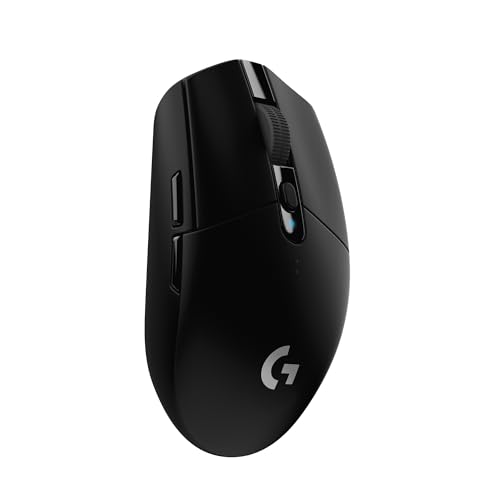
4. Logitech G305 Lightspeed: Best Wireless Precision
Pros
- LIGHTSPEED wireless connection reports at 1 millisecond
- HERO sensor tracks up to 12, 000 DPI
- Up to 250 hours of continuous gameplay from one AA battery
- Weighs 3.4 ounces
- Receiver storage makes it practical for travel
Cons
- Uses a replaceable AA battery
- Compact shape may not suit larger hands
- Fewer programmable controls than MMO mice
Best for: players who want a light wireless mouse with dependable FPS response.
The G305 Lightspeed is the cleanest choice for anyone tired of dragging a cable across a large mousepad. It is compact, easy to carry, and weighs 3.4 ounces with its efficient mechanical design. That low weight helps with fast repositioning and broad arm movements, while the built-in receiver storage makes it a sensible laptop companion.
Logitech uses a HERO optical sensor with sensitivity up to 12, 000 DPI and tracking precision rated at 400 IPS. The number is lower than the Basilisk V3's ceiling, but that is not a practical disadvantage for most aim settings. The key strength is consistency. The sensor and wireless system are designed to keep cursor movement responsive without adding the distractions that can come from a cable.
LIGHTSPEED wireless runs at a 1 millisecond report rate, which is the specification competitive players will care about most. It is intended to provide a lag-free response, and the mouse does not need a cable attached during play. A single AA battery supports up to 250 hours of continuous gameplay, while Logitech's Endurance mode can extend battery life up to nine months. Those figures make the battery system much less demanding than frequent charging.
The simple design is also its limitation. The supplied details do not specify a programmable-button count, and the compact body does not provide the broad command access found on the G502 Hero, M612, or MMO models. Its small dimensions can also feel cramped for a large hand or a palm grip that needs a lot of support.
Choose the G305 Lightspeed when wireless freedom, low weight, and straightforward precision matter more than RGB lighting or a large macro bank. It is the most convincing pick here for a tidy competitive setup and a strong answer for anyone deciding what the best dpi for gaming should look like in a light wireless mouse.
5. Redragon M908 12400: Best MMO Controls

Pros
- 18 programmable buttons
- 12 side buttons for MMO commands
- DPI can be adjusted from 200 to 12, 400 in software
- Five memory profiles
- Includes eight 2.4 gram tuning weights
Cons
- MMO layout is excessive for simple shooters
- Heavy design is less nimble than the G305
- Requires software for its full feature set
Best for: MMO players who need a full hotbar on the mouse.
The M908 12400 is built around the MMO player who wants to stop reaching for the keyboard. Its 12 programmable side buttons sit beside the thumb, while six additional buttons complete an 18-button control scheme. That is a considerable advantage for games with multiple abilities, item slots, mounts, and macros, but it is more mouse than an FPS player usually needs.
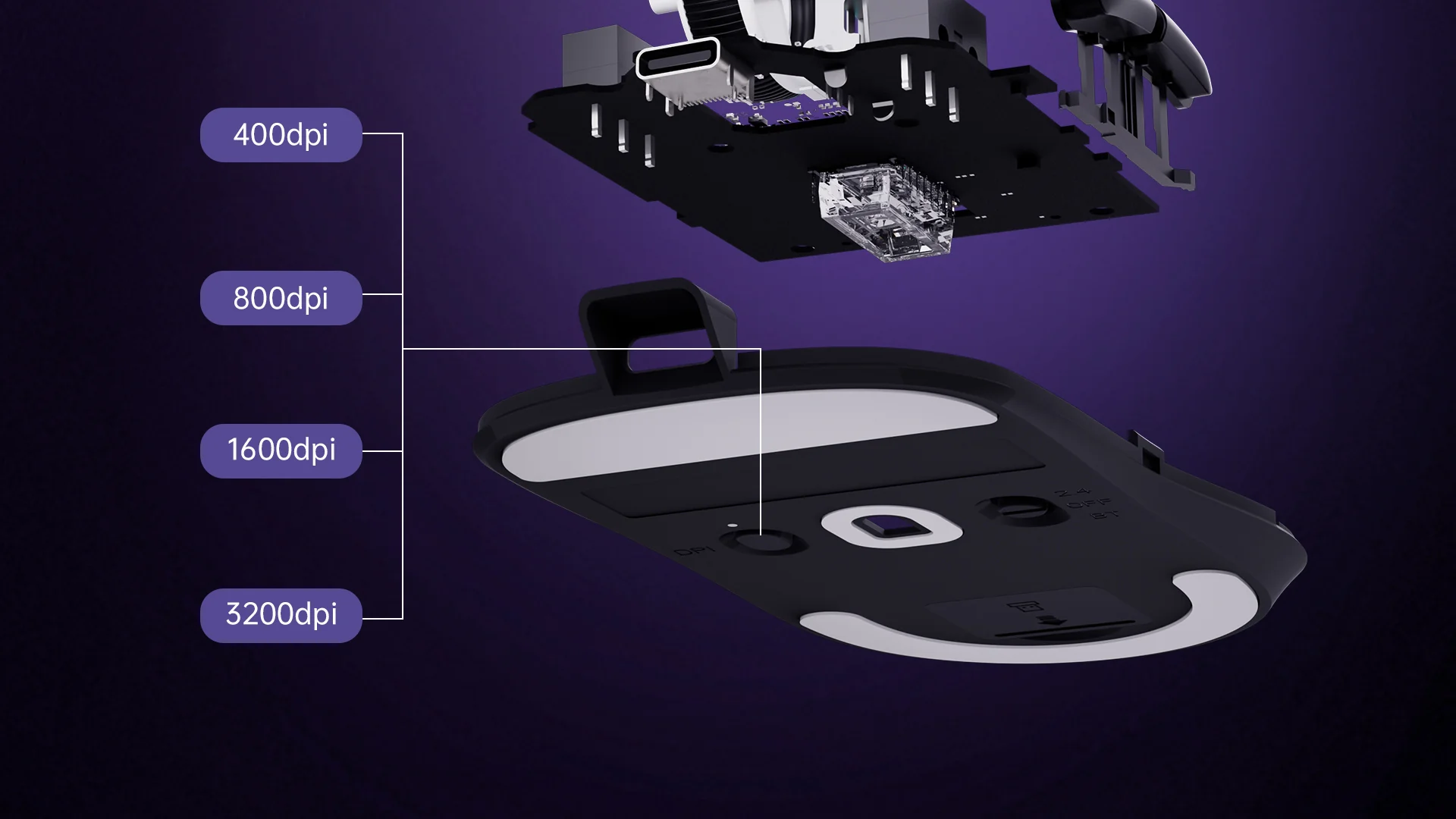
The Pixart PAW3327 sensor supports a 1000 Hz polling rate, 30G acceleration, and sensitivity up to 12, 400 DPI. Five direct DPI levels are set at 500, 1, 000, 2, 000, 3, 000, and 6, 200 DPI, with software allowing adjustments in 100 DPI increments from 200 to 12, 400. This makes it possible to create a deliberate sensitivity profile instead of jumping between broad preset steps.
Redragon includes five memory profiles, each with a dedicated light color, which is helpful when switching among characters or games. The eight-piece weight set uses 2.4 gram weights, allowing the mouse to be tuned around a preferred balance. Smooth Teflon feet are intended to keep the large shell moving cleanly, and the six-foot braided cable with gold-plated USB connector is built for a fixed desktop setup.
The M908's main weakness is specialization. Its listed weight is about 0.386 pounds before any tuning, so it does not have the quick, effortless feel of the G305 Lightspeed. The 12-button side panel also takes time to learn, and players with smaller hands may find the layout harder to navigate without shifting their grip.
Pick it for MMO and strategy games where command density matters. The newer Redragon M908 24000 offers a wider sensitivity range, but this version has a clearer documented sensor model and remains the more sensible choice for someone who values predictable MMO control over a headline DPI number.
6. Redragon M810 Pro Wireless: Best Wireless Flexibility

Pros
- 2.4 GHz wireless connection
- Five onboard DPI levels
- Eight programmable buttons
- 1000 Hz polling rate in dual mode
- Rechargeable battery lasts up to 45 hours in eco mode
Cons
- Battery life is shorter than the G305's stated figure
- Eight-button layout is less versatile than MMO mice
- Software is needed for full customization
Best for: players who want wireless play, onboard profiles, and more buttons than a basic mouse.
The M810 Pro Wireless is a flexible middle option. It removes the cable without reducing the mouse to a minimalist shape, and its eight programmable buttons give it enough room for ability binds, push-to-talk, or productivity shortcuts. The 2.4 GHz nano receiver is intended for a direct wireless connection, while dual-mode operation keeps the mouse useful at a desk or away from one.
Its PAW3325 optical Pixart sensor offers five onboard DPI levels: 500, 1, 000, 2, 000, 3, 000, and 10, 000 DPI. Those levels can be changed through software, so players can create a set of stages that match their games. A 1000 Hz polling rate in dual mode is a useful specification for responsive movement, though the stated sensor range remains below the G305 Lightspeed and the high-ceiling Redragon models.
The rechargeable battery is designed to last up to 45 hours in eco mode. That is enough for regular sessions, but it creates more charging responsibility than the Logitech G305 Lightspeed, which uses one AA battery and lists up to 250 hours of continuous gameplay. Redragon adds customizable RGB effects through its Pro driver, including streaming, breathing, and waving patterns.
The M810 Pro Wireless is not the obvious pick for ultra-light competitive play or MMO command overload. Its eight buttons are useful, but they cannot match the M908's 18-button layout, and its documented battery figure is modest. The supplied dimensions also appear unusually large, so buyers should check their grip preference carefully rather than assume the shape will suit every hand.
Choose it when you want rechargeable wireless play, a 1000 Hz polling rate, and a moderate number of programmable controls. It is a more feature-rich wireless alternative to the G305, but the Logitech remains the safer choice for lighter, simpler FPS use.
7. Acer 12800 DPI Mouse: Best Mid-Hand Shape

Pros
- Larger ergonomic shape supports a mid-hand grip
- Up to 12, 800 DPI through software
- Eight programmable buttons
- 1000 Hz polling and 20G acceleration
- Works with Windows, macOS, and Linux
Cons
- Four default DPI levels are limited
- Listed weight is heavier than the G305
- Driver setup is required for advanced options
Best for: players who prefer a larger wired shell with moderate button access.
Acer's gaming mouse takes a comfort-first approach. The larger ergonomic shape is designed to let the hand rest naturally, and the balanced weight aims to provide stability without feeling unwieldy. That makes it a plausible choice for a mid-hand grip, especially if compact mice like the G305 Lightspeed leave the palm unsupported.
The mouse provides four direct DPI levels at 1, 200, 2, 400, 3, 200, and 6, 400 DPI. Software unlocks sensitivity up to 12, 800 DPI, allowing more room for custom settings. The practical advantage is the ability to move between careful aim and fast desktop navigation, although the limited default stages are less convenient than the M612's five onboard levels.
Acer lists a 1000 Hz polling rate, 20G acceleration, and 7, 000 FPS scanning. These details point to a mouse designed for smooth, responsive movement rather than a stripped-down office sensor. Eight programmable buttons can be remapped for FPS actions, MOBA abilities, or everyday shortcuts, and onboard memory saves settings after customization.
The shape and weight are not ideal for every player. Its listed weight is about 0.419 pounds, which is considerably more than the G305 Lightspeed and likely to feel deliberate rather than nimble. The manual also directs users to a product-page PDF for driver installation, so setup is not quite as immediate as plugging in a basic mouse.
This Acer is a sensible pick for a larger hand, a mid-hand grip, or a mixed gaming and work desk. It falls behind the Basilisk V3 in software polish and behind the G305 in agility, but it offers a stable wired platform with broad operating-system compatibility.
8. Redragon M908 24000: Best High-DPI Range

Pros
- Sensitivity can be adjusted from 100 to 24, 000 DPI
- 18 programmable buttons
- 1000 Hz polling rate
- Eight removable 2.4 gram weights
- Five memory profiles
Cons
- High DPI ceiling is unnecessary for most players
- Large button layout takes practice
- Wired design and tuning weights add bulk
Best for: players who want unusually fine sensitivity adjustment and MMO-level controls.
The M908 24000 is the specialist choice for players who want maximum software range. Its sensitivity can be adjusted from 100 to 24, 000 DPI, which gives more fine-grained control than the older M908 12400. That does not mean 24, 000 DPI is automatically better for aiming. It means the mouse can accommodate a wide range of preferences and unusual high-sensitivity setups.
The supplied details list a 1000 Hz polling rate and 80G acceleration, along with a high-precision sensor. Five direct levels are set at 400, 800, 1, 600, 2, 400, and 3, 200 DPI, with software providing the larger range. Players who want to tune sensitivity in small increments will appreciate that flexibility, while someone who changes DPI only occasionally may never use it.
Like the other M908, this version has 18 programmable buttons, including 12 side buttons, five memory profiles, RGB lighting with 16.8 million color options, and eight 2.4 gram weights. Its six-foot braided cable and Teflon feet suit a permanent gaming desk. The weight set lets the user shift the balance, but the mouse is still fundamentally a button-heavy MMO design rather than a lightweight FPS tool.
The key drawback is that the larger number can distract from more important factors. A 24, 000 DPI ceiling will not fix poor sensitivity calibration, inconsistent grip, or a shape that does not fit. The supplied information also does not name the sensor, which gives the M908 12400 an advantage in documented hardware transparency.
Buy it when software range and MMO controls are the priority. For most shooters, the Basilisk V3 provides a more balanced shell and better-defined sensor information. For players who want to understand how sensitivity changes affect precise mouse control, the buying guide matters more than the maximum DPI printed on the box.
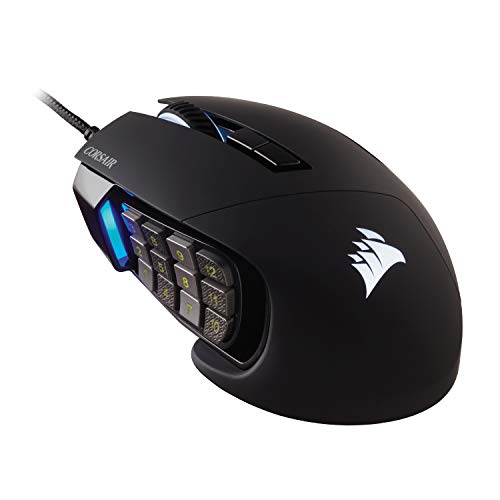
9. Corsair Scimitar RGB Elite: Best MMO Side Panel
Pros
- 17 programmable buttons
- Twelve side buttons slide to fit the grip
- PMW3391 sensor adjusts in single-DPI steps
- Contoured shape includes a right-side finger rest
- Switches are rated for 50 million clicks
Cons
- Side-panel layout is excessive for simple games
- Wired connection limits desk placement
- Requires comfort with a highly specialized shape
Best for: MMO and MOBA players who want a repositionable side-button grid.
The Scimitar RGB Elite is the most purpose-built MMO mouse in this group. Its defining feature is not merely the 17-button count. The patented Key Slider Control System lets the 12 side buttons move so the cluster can sit where the thumb naturally lands. That is a meaningful ergonomic advantage over a fixed grid, especially when different hand sizes need different reach.
Corsair uses a custom PixArt PMW3391 optical sensor with a native 18, 000 DPI limit. It can be adjusted in single-DPI steps, which is far more precise than choosing among a handful of broad presets. That level of control is useful when tuning a sensitivity to a particular game or display, though most players will settle on a much smaller range.
The contoured shape is designed around the palm and includes a right-side finger rest. Corsair says the form suits different hand sizes and grip styles, but the large side-panel concept still makes this a specialized mouse. Its 50 million click-rated Omron switches, sturdy scroll wheel, and braided cable are reassuring details for long sessions. It supports PC, Mac, PS5, PS4, and Xbox according to the supplied title.
The Scimitar's weakness is its lack of versatility outside button-heavy games. The 17 controls can complicate simple aiming, and the wired cable is less convenient than the wireless G305 or M810 Pro. Its listed dimensions also suggest a broad, elongated body, so players who favor a small shell should skip it.
Choose the Scimitar when your game asks for frequent macros and abilities and the side buttons need to fit your hand precisely. It is a more refined MMO tool than either Redragon M908, while the Basilisk V3 remains the better all-rounder for players who move between genres.
10. Redragon M602: Best Classic Design

Pros
- Adjustable DPI up to 7, 200
- Nine programmable buttons
- Ergonomic shape supports several grip styles
- Seven RGB modes and effects
- Software supports remapping and macros
Cons
- Heavier than the other mainstream-shaped picks
- Older design has a lower DPI ceiling
- Wired cable limits movement
Best for: players who want a familiar ergonomic wired mouse with macro support.
The M602 is a straightforward gaming mouse with a conventional ergonomic shape. Its dedicated finger positions are intended to support different grip styles, and the body feels made for players who want their hand supported rather than perched on a small shell. It is a sensible office and gaming crossover, especially for someone who does not need an MMO keypad.
Sensitivity reaches 7, 200 DPI, giving the M602 enough range for everyday desktop work and gaming adjustments. The supplied details do not list the individual preset steps, but the DPI is adjustable through the mouse software. That is sufficient for finding a comfortable setting, even though the range is below the M612, G305 Lightspeed, and all three higher-end sensor options.
Nine programmable buttons add useful flexibility. The software can remap buttons, adjust speed, edit macros, and change lighting, while seven RGB modes and effects can be selected directly or through the driver. The M602 supports PC, Windows, laptops, and Mac according to the supplied features, though advanced customization depends on the software.
Its main weakness is age and heft. The model launched in 2015, and its listed weight is about 0.6 pounds, making it the heaviest mouse in this selection by a wide margin. That can help a player who likes a planted feel, but it makes rapid lifts and long low-sensitivity sweeps more tiring than they are with the G305 Lightspeed.
Choose the M602 if you want a familiar, button-rich wired shape and do not care about a very high DPI ceiling. It is not the choice for competitive minimalism, but it remains a reasonable fit for general gaming, work, and players who prefer a substantial mouse.
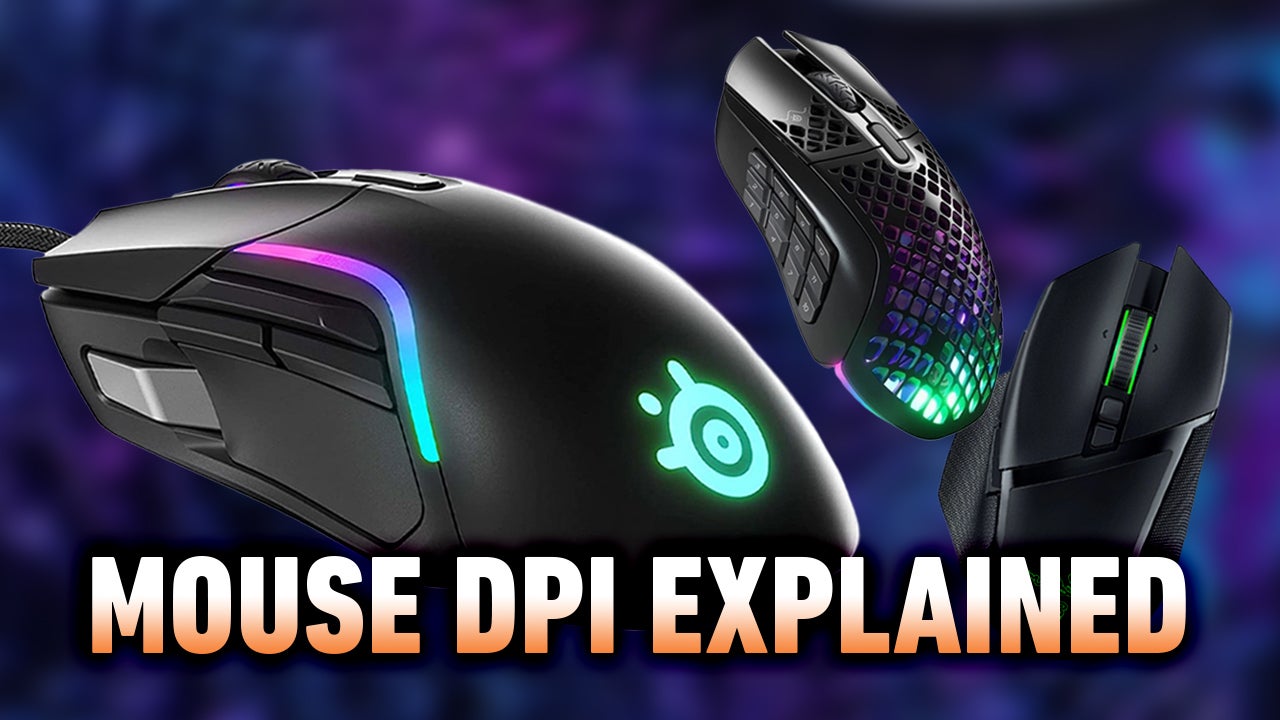
How to choose best dpi for gaming
DPI is only one part of mouse control. Shape, sensor behavior, polling, buttons, weight, and software determine whether a sensitivity setting feels useful in a real game.
DPI range and adjustment
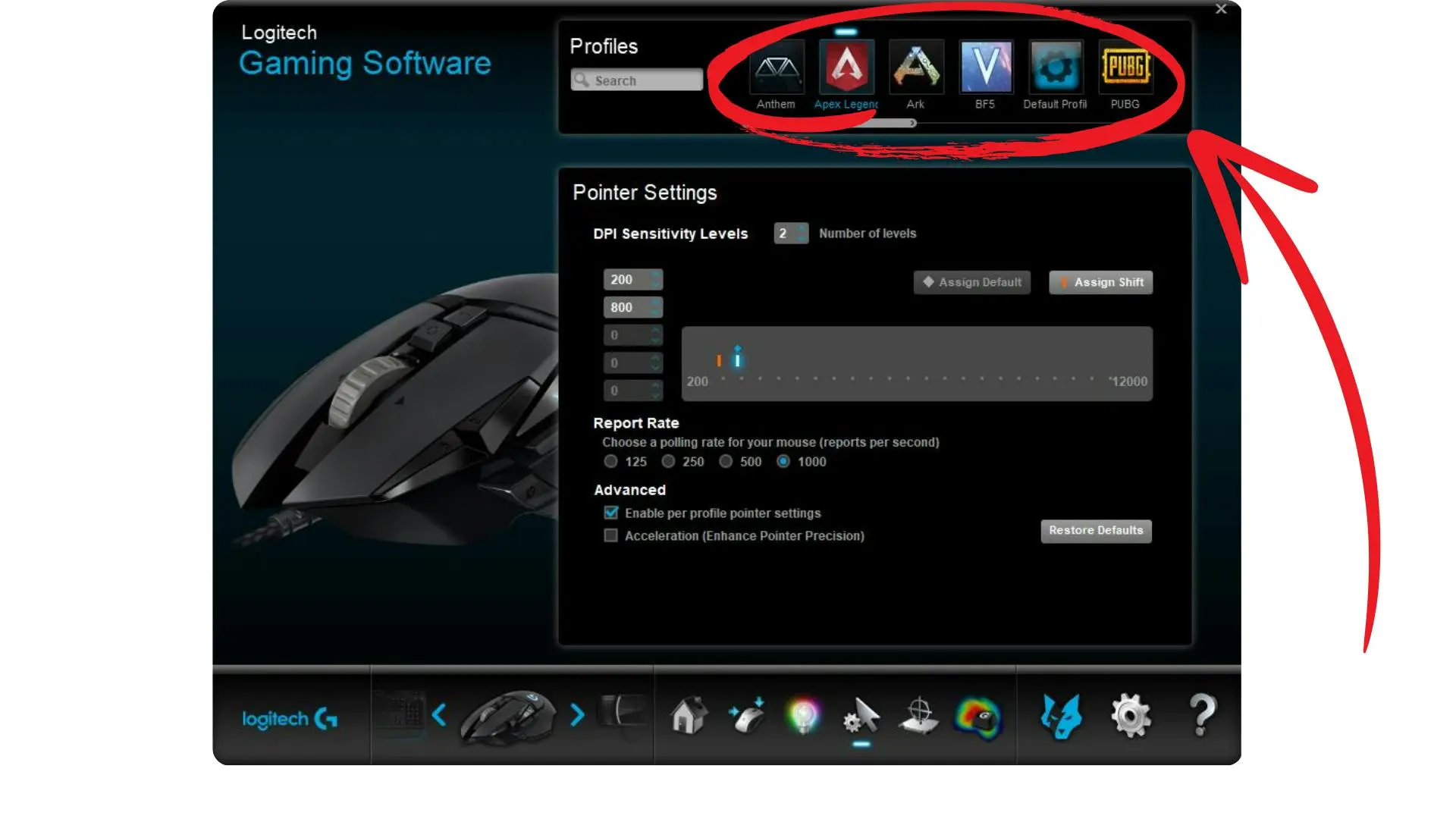
DPI describes how far the pointer moves for a given physical movement of the mouse. Higher DPI moves the pointer farther with less hand movement, while lower DPI gives more room for small, deliberate corrections. A useful mouse lets you choose a setting that fits your game and desk instead of forcing a few widely spaced presets.
The Basilisk V3 and G502 Hero offer very high ceilings, while the Acer, M612, and M602 provide ranges that are already broad enough for most users. Single-step adjustment, as found on the Scimitar RGB Elite, is helpful when you want to fine-tune sensitivity, but it does not guarantee better aim.
A higher DPI ceiling gives you more options, not more accuracy by itself.
Sensor consistency
A sensor should track predictably without unwanted smoothing, acceleration, or skipped movement. The G502 Hero and Basilisk V3 explicitly emphasize tracking without smoothing, filtering, or acceleration. The G305 also pairs a high-performance HERO sensor with a 1 millisecond wireless report rate.
Look for a named sensor, a clear polling specification, and software that lets you create sensible stages. The Redragon M908 12400 documents its PAW3327 sensor and 1000 Hz polling, while the M908 24000 gives a wider range but less sensor detail in the supplied information.
Polling rate
Polling rate is how often the mouse reports its position to the computer. A 1000 Hz rate means the mouse reports frequently enough for responsive gaming, though it does not replace a consistent sensor or a comfortable shape.
The M908 12400, M908 24000, Acer, and M810 Pro list 1000 Hz polling. The G305 specifies a 1 millisecond report rate through LIGHTSPEED. When comparing mice, treat polling as part of the response system rather than the only measure of performance.
Shape and grip
Shape affects control more than a large DPI number. A thumb rest can stabilize a palm grip, a claw-oriented shell can keep the fingers ready for clicks, and a compact body can make quick lifts easier. The Basilisk V3 and G502 Hero support the hand with thumb rests, while the M612 emphasizes a streamlined claw grip.
The Acer is built around a larger mid-hand shape, and the G305 favors a compact design. MMO mice such as the Scimitar RGB Elite and M908 models need enough room for the thumb to navigate their side panels. If your grip changes during long sessions, a highly specialized shape may become tiring.
Buttons and software
Programmable buttons matter most in games with abilities, macros, or frequent commands. Eleven buttons on the Basilisk V3 and G502 Hero offer useful flexibility without turning the mouse into a keypad. The M908 models provide 18 buttons, while the Scimitar RGB Elite has 17 and can reposition its 12-button side panel.
Software should let you assign buttons, adjust DPI, save profiles, and control lighting without making basic use difficult. Onboard memory is particularly useful when moving between computers, as offered by the Acer and the M908 models.
Weight and connection
A light mouse is easier to lift and sweep across a large pad. A heavier mouse can feel more stable, and adjustable weights let the G502 Hero and M908 12400 or 24000 move between those preferences. Wireless models remove cable drag, but they bring either battery replacement or charging into the routine.
The G305 is the lightest clearly specified option here at 3.4 ounces, while the M602 is listed at about 0.6 pounds. Choose based on how you move the mouse, not on a general assumption that lighter or heavier is always better.
Frequently asked questions
What DPI is good for gaming?
There is no single setting that suits every game or player. A useful starting point is a moderate DPI that allows controlled corrections without requiring constant lifting, then adjust in small steps while keeping the rest of the sensitivity settings consistent.
Is higher DPI better for gaming?
Higher DPI is not automatically better. It gives the pointer more movement from less physical travel, but a very high setting can make small corrections difficult unless the game sensitivity is reduced to match.
Does a high DPI mouse improve aim?
A high DPI mouse can provide more adjustment range, but aim depends more on consistent tracking, a comfortable shape, stable polling, and practiced sensitivity. The Basilisk V3 and G502 Hero have very high ceilings, yet most players will not need to use their maximum settings.
Is wireless DPI good for competitive gaming?
Wireless DPI can be suitable for competitive gaming when the wireless system is responsive and consistent. The Logitech G305 Lightspeed lists a 1 millisecond report rate, while the Redragon M810 Pro Wireless lists 1000 Hz polling in dual mode.
How many programmable buttons do I need?
Two side buttons are enough for many FPS players. Eight to 11 buttons suit players who want shortcuts for abilities or productivity, while 17 or 18 buttons are most useful for MMO and MOBA command-heavy layouts.
Should I choose a wired or wireless mouse?
Choose wired if you want a constant connection without charging or batteries. Choose wireless if cable drag and desk freedom matter more, then decide whether the G305's replaceable AA battery or the M810 Pro's rechargeable design better suits your routine.
Does mouse weight affect gaming?
Weight affects how easily the mouse starts, stops, and lifts from the pad. The G305 is designed around a light 3.4 ounce build, while the G502 Hero and M908 models let players create a more substantial feel through their weight systems.
The bottom line
The Razer Basilisk V3 is the strongest all-round answer for the best dpi for gaming because it combines a precise 26, 000 DPI sensor with an ergonomic thumb rest, 11 programmable buttons, optical switches, and a genuinely useful scroll wheel. The Logitech G502 Hero is the better pick for players who want adjustable weight and a more substantial feel.
The Logitech G305 Lightspeed is the one to keep for lightweight wireless FPS play, while the Corsair Scimitar RGB Elite is the specialist choice for MMO and MOBA players who need a movable 12-button side panel. The Redragon M908 12400 is a capable alternative when 18 buttons and adjustable weights matter more than a refined all-round shape.
If you are undecided, choose the Basilisk V3 for mixed gaming, the G305 for light wireless control, or the Scimitar RGB Elite for a full MMO command layout.
As an Amazon Associate we earn from qualifying purchases.