
A giant private screen sounds simple until you try to choose between display glasses that need a USB-C video connection, standalone headsets with their own processors, and phone holders that depend entirely on your handset. The right format changes everything, from setup and comfort to the kind of games you can play.
Our Best VR Glasses picks cover that full spread. Some are lightweight cinema screens, some are true wireless VR systems, and one is a basic phone-powered viewer. RayNeo Air 4 Pro HDR is the best pick for most people who want a sharp private display, while the Meta Quest models are better for room-scale VR.
The lineup runs from simple mobile viewing to advanced spatial glasses with screen anchoring, 3D conversion, and multi-screen computer work.
| # | Product | Award | Display | Tracking or connection | Best for |
|---|---|---|---|---|---|
| 1 | RayNeo Air 4 Pro HDR | Best overall | 201-inch HDR10, 120Hz | USB-C, 3D | Movies and console gaming |
| 2 | Meta Quest 3S | Best standalone VR | Standalone VR display | Wireless, passthrough | First-time VR buyers |
| 3 | XREAL One Pro | Best screen anchoring | 171-inch FHD, 120Hz | Native 3DoF, USB-C | Work and gaming |
| 4 | Meta Quest 3 512GB | Best storage | 4K+ Infinite Display | Wireless, passthrough | Large VR libraries |
| 5 | RayNeo Air 3S | Best color-focused display | 201-inch FHD, 120Hz | Wired video connection | Movies and color |
| 6 | VITURE Luma Ultra | Best for spatial work | 152-inch 1200p, 120Hz | 6DoF, USB-C | Multi-screen computing |
| 7 | Meta Ray-Ban Gen 2 | Best smart glasses | Camera and open-ear audio | Bluetooth, phone app | Hands-free capture |
| 8 | RayNeo Air 4 Pro | Best open-ear cinema glasses | 201-inch HDR10, 120Hz | USB-C, 3D | Private entertainment |
| 9 | VITURE Beast | Best wide field of view | 174-inch 1200p, 120Hz | Built-in 3DoF | Immersive gaming |
| 10 | Mryzzsf Mobile VR Headset | Best phone-powered option | Phone-based VR | Phone controller | Simple mobile viewing |
1. RayNeo Air 4 Pro HDR: Best Overall

Pros
- HDR10 display with a 201-inch virtual screen
- 120Hz playback for smooth gaming
- Lightweight 0.18-pound design
- Works directly with many USB-C devices
- Bang & Olufsen audio and 3D support
Cons
- No internal battery
- Needs a compatible USB-C video source
- Optional Sound Tube accessory is separate
Best for: someone who wants a lightweight private screen for movies, games, and travel.
The RayNeo Air 4 Pro HDR is the easiest product here to understand. Put it on, connect a USB-C cable to a supported device, and you get a private virtual display without pairing an app or managing a headset operating system. The glasses weigh 0.18 pounds, so they feel much closer to wearing a pair of oversized sunglasses than wearing a conventional VR headset.
The display is the main attraction. Its 201-inch virtual screen uses HDR10, and RayNeo says the Vision 4000 chip can upscale SDR material toward HDR while improving color, sharpness, and motion clarity. The 120Hz refresh rate matters most for console and handheld gaming, where fast camera movement looks less smeared than it does on a slower display. Native 3D films and 2D-to-3D conversion add another reason to use it for cinema viewing.
Connection is refreshingly direct. The glasses work with USB-C devices including compatible iPhone models, Android phones, MacBook, iPad, Steam Deck, and PlayStation consoles. There is no battery inside, which helps keep the frame light, but it also means the connected device supplies the practical power for the viewing session. Check your source's video-output support before buying.
Audio comes from four speakers tuned by Bang & Olufsen, with a whisper mode intended to reduce sound leakage in public places. That open design keeps you aware of your surroundings, though it will not isolate you like closed headphones. The optional Sound Tube can increase volume and clarity, but its separate availability makes the built-in speakers the more important part of the decision.
Compared with the RayNeo Air 4 Pro listed later, this version has the same central screen concept and connection approach, but its feature listing emphasizes the Vision 4000 chip and AI SDR-to-HDR processing. The XREAL One Pro has stronger spatial-screen controls, while the RayNeo is simpler and lighter. Skip this model if you want fully wireless room-scale VR or a headset that runs games by itself. For private console play, handheld gaming, and films, it is the one we'd keep.
2. Meta Quest 3S: Best Standalone VR

Pros
- Wireless standalone VR
- Snapdragon XR2 Gen 2 processor
- Full-color passthrough with dual RGB cameras
- 8GB of RAM
- Three-month Meta Horizon+ trial included
Cons
- Battery life is listed at more than two hours
- Heavier than display-only glasses
- 128GB storage limits a large installed library
Best for: first-time buyers who want actual wireless VR games rather than a wearable monitor.
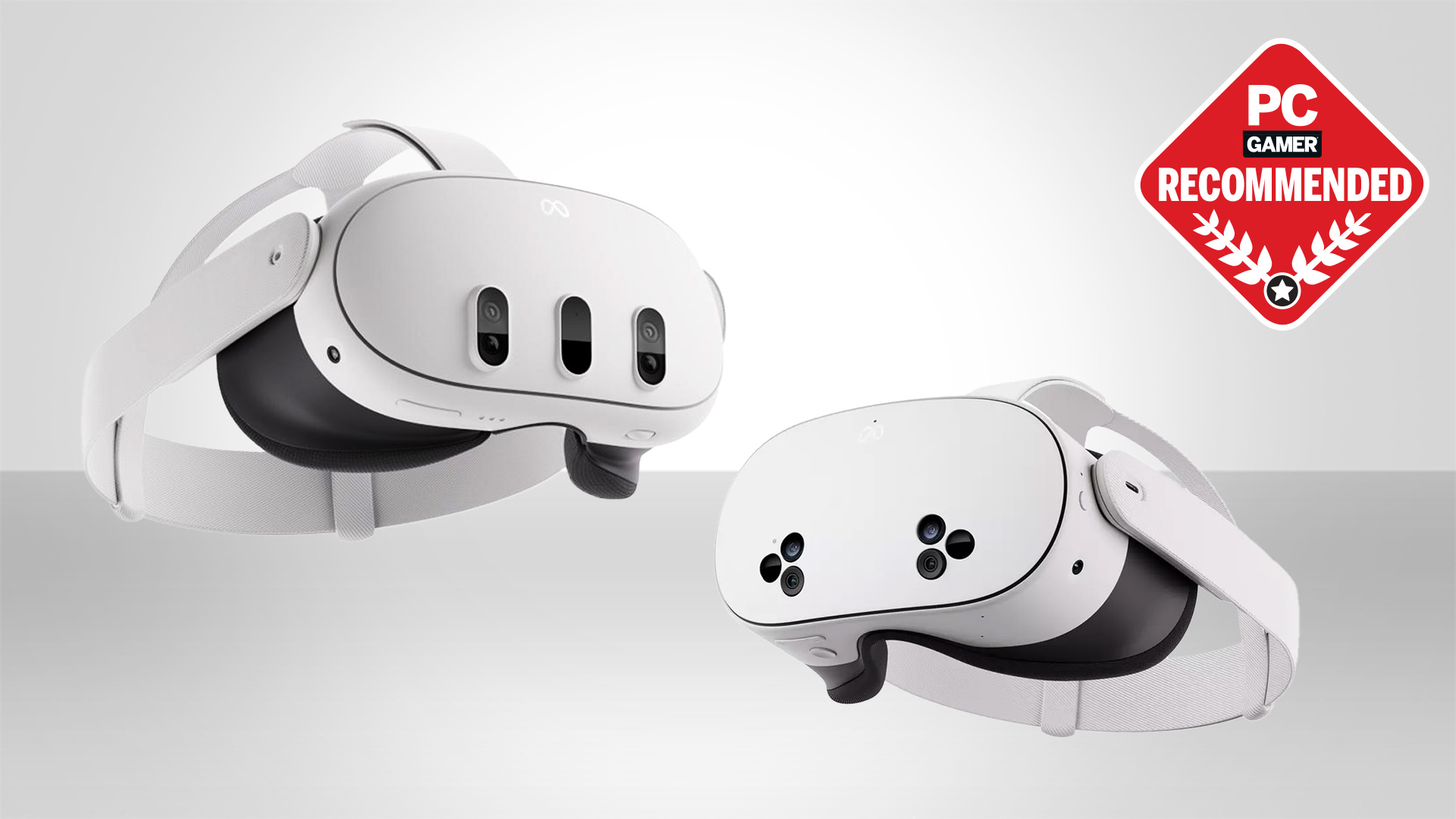
The Meta Quest 3S is not really a pair of video glasses, and that is precisely why it belongs in this comparison. It is a self-contained VR system with no display cable running to a phone or console. You can play, explore, and move around without being tethered to a computer, which makes it far more capable for room-scale games than the RayNeo and XREAL products.
Its Snapdragon XR2 Gen 2 processor provides the graphical foundation, while 8GB of RAM supports the headset's responsive interface and games. Dual RGB cameras provide full-color passthrough, allowing virtual objects and the physical room to appear together. That is a more convincing mixed-reality experience than a transparent display alone, although the headset's 1.135-pound weight is much more substantial than the 0.18-pound RayNeo Air 4 Pro HDR.
Battery life is listed at more than two hours. That is enough for a focused gaming session, but it is not an all-day wearable. The 128GB capacity also calls for some library management if you install several large games. The included three-month Meta Horizon+ trial and access to more than 100 games make the software side feel welcoming for a new owner, subject to the service's eligibility and renewal terms.
The Amazon-exclusive Gorilla Tag bundle adds themed digital and physical extras, including a Gorilla Space Program Suit and Helmet plus 2, 000 Shiny Rocks. Those extras matter mainly to Gorilla Tag fans, not to the headset's core performance. The important distinction is that this is a wireless game machine, while the XREAL One Pro is a connected display accessory.
Readers choosing between this headset and a PC-focused setup should first decide if untethered play matters more than a larger, sharper computer display. The difference between wired and wireless VR play becomes especially important when the headset is meant for demanding PC games. Choose the Quest 3S for accessible standalone VR and skip it if you only want to watch a film on a private screen.
3. XREAL One Pro: Best Screen Anchoring

Pros
- Native 3DoF spatial tracking
- 171-inch screen with 57-degree field of view
- 120Hz Sony Micro-OLED display
- Adjustable IPD and nose pads
- Bose-tuned audio
Cons
- Full 6DoF requires the optional XREAL Eye
- USB-C video output is required for many devices
- More complex than basic display glasses
Best for: users who want a large screen that can stay positioned while they work or play.
The XREAL One Pro feels more like a spatial computer accessory than a simple screen replacement. Its native 3DoF tracking lets the virtual display stay stable as you turn your head, rather than floating loosely with every movement. That difference is immediately useful when reading text, playing a game, or trying to keep a screen in one comfortable position on a flight.
The display combines a 171-inch virtual screen with a 57-degree field of view, a 120Hz refresh rate, and Sony's 0.55-inch Micro-OLED technology. The wider field of view is the defining trait here. It makes the screen feel less like a small rectangle suspended in front of your eyes and more like a broad cinema image. The X1 spatial computing chip claims 3ms motion-to-photon latency, which should help keep movement stable during quick turns.
The glasses include IPD software adjustment and two physical size options, with the listed medium fit covering 57 to 66mm. Three-stage adjustable arms and multiple nose-pad sizes give it more fit flexibility than many display glasses. Up to 700 nits of brightness and electrochromic dimming help in bright spaces, though a transparent display still has a different visual character from a fully enclosed VR headset.
The One Pro works with USB-C devices capable of video output, including supported iPhones, Android phones, Steam Deck, ROG Ally, MacBook, and Windows PCs. HDMI devices may need an adapter or Beam accessory. Pairing the glasses with the optional XREAL Eye adds 6DoF spatial anchoring, so the screen can remain fixed to a point in the room as you move around. Without that accessory, native 3DoF remains the built-in tracking mode.
XREAL's Bose-tuned sound is a strong companion for movies and calls, but the open design does not provide isolation. The RayNeo Air 4 Pro HDR is lighter and easier to operate, while the XREAL One Pro is the better fit for someone who will actually use anchored screens and quick display adjustments. Skip it if you want a standalone library of VR games. Choose it when a stable, large connected screen matters more.
4. Meta Quest 3 512GB: Best Storage

Pros
- Standalone wireless VR
- 512GB storage
- Snapdragon XR2 Gen 2 processor
- Full-color passthrough
- 4K+ Infinite Display
Cons
- Battery life is listed at more than two hours
- Heavier than AR display glasses
- Larger library capacity does not change battery limits
Best for: frequent VR players who want room for a substantial installed library.
The Meta Quest 3 512GB is the more comfortable long-term choice for someone who expects VR to become a regular hobby. Its 512GB capacity gives installed games and applications far more room than the Quest 3S 128GB. That matters because standalone VR is at its most convenient when the games you use often are already on the headset.
The Snapdragon XR2 Gen 2 processor supplies the same broad performance class described for the Quest 3S, while Meta lists a nearly 30 percent resolution improvement and a 4K+ Infinite Display. The result is a more detailed view for text, games, and mixed-reality content. Dual RGB cameras create full-color passthrough, allowing you to see your surroundings and virtual objects together.
Like the Quest 3S, the Quest 3 is wireless and lists more than two hours of battery life. It is a proper VR headset, not a screen you wear while connected to a phone. That makes it much better for games built around movement and spatial interaction, but it also brings more weight and a more noticeable face-mounted design. The product information lists a weight of about 0.88 pounds, still substantially above every display-only model here.
This bundle includes the Gorilla Tag-themed extras and a three-month Meta Horizon+ trial with access to more than 100 games. The subscription trial can help a new owner explore the platform, while the larger storage capacity reduces the need to delete games later. The bundled content is not the reason to choose the Quest 3, but it gives the headset an easier starting point.
The Quest 3S is the simpler introduction, and the RayNeo Air 4 Pro HDR is much better for private films without a full headset. The Quest 3 512GB wins when library capacity and sharper mixed reality matter more than lightness. If you want to compare this kind of device with other headsets made for room-scale gaming, focus on software access, passthrough quality, and comfort rather than display size alone.
5. RayNeo Air 3S: Best Color-Focused Display

Pros
- 201-inch virtual display
- 120Hz refresh rate
- 98 percent DCI-P3 coverage
- Listed DeltaE below 2
- Lightweight 0.18-pound frame
Cons
- Requires a connected video source
- Not a standalone VR headset
- Product guidance recommends regular viewing breaks
Best for: movie watchers who care about color and want a light wired display.
The RayNeo Air 3S is aimed at people who want a private cinema image without the extra spatial-computing layer. Its 0.18-pound frame is easy to carry, and the 201-inch virtual display gives films and games a sense of scale that a phone cannot match. It is a display accessory, so you connect a source rather than launching applications from the glasses.
Color is the reason to choose this model over a basic screen viewer. RayNeo lists 98 percent DCI-P3 coverage, DeltaE below 2, 145 percent of the sRGB color space, and a claimed 200, 000:1 contrast ratio. Those figures point toward saturated color and careful image reproduction, especially with films and visually rich games. The 120Hz refresh rate keeps motion fluid when content and the connected source support it.
The OptiCare system combines 3840Hz DC dimming and PWM dimming, along with stepless brightness control. The product is also described as TÜV SÜD certified for low blue light and flicker-free operation. Those features may make long sessions easier on some eyes, but the listing still recommends taking a 10-minute break after every 30 minutes of use. That advice is worth taking seriously with any near-eye display.
Audio uses a dual opposing acoustic chamber design, with the stated aim of giving bass, vocals, and high frequencies more room to breathe. It remains open audio, so nearby sounds are not blocked. The RayNeo Air 4 Pro HDR has stronger processing and HDR10 support, while the Air 3S makes a more direct case around color accuracy and eye-comfort features.
This is not the right pick for someone expecting wireless VR games, hand tracking, or a built-in battery. It is a better fit for a phone, handheld, or console owner who wants a large display in a small frame. Pick the Air 3S when color is the priority and skip it if you need the more advanced anchoring of the XREAL One Pro.
6. VITURE Luma Ultra: Best for Spatial Work

Pros
- 1200p display with 52-degree field of view
- 1500 nits peak brightness
- 6DoF tracking with camera system
- Built-in myopia adjustment up to -4.0D
- Up to three virtual screens through SpaceWalker
Cons
- Some spatial features require the VITURE Pro Neckband
- XR USB-C Adapter Pro is currently limited for this model
- Professional eye exam is recommended for IPD fit
Best for: laptop users who want multiple virtual screens in changing locations.
The VITURE Luma Ultra is the most work-oriented pair in this roundup. Its main advantage is not simply the size of the virtual display, but the way its spatial features can turn a laptop into a more flexible workstation. Through the SpaceWalker software, supported Mac and PC setups can use up to three virtual screens, with horizontal, vertical, and code-oriented layouts.
The display is listed at 1200p, 1500 nits, 120Hz, and a 52-degree field of view. That combination should make small text and fast-moving content more comfortable than on a narrow, low-refresh display. The claimed DeltaE below 2 points to strong color accuracy, while the 152-inch virtual screen gives a large canvas without requiring a physical monitor. Peak brightness is particularly useful in bright rooms and outdoor settings, although ambient light still affects a transparent display.
A front RGB camera and dual depth cameras provide 6DoF tracking and spatial awareness. The listing also describes hand-gesture support when paired with the VITURE Pro Neckband, while SpaceWalker supports 6DoF on macOS and Windows. Mobile compatibility for that specific feature is listed as coming soon, so phone users should not assume that every computer feature transfers directly to mobile.
Fit is unusually adaptable. The lenses include electrochromic film for quick darkening and built-in myopia adjustment up to -4.0D. The supported IPD range is 58 to 70mm, and the box includes three pairs of swappable nose pads. Those details make it more forgiving than glasses that require prescription inserts, though the listing recommends a professional eye exam for accurate IPD fitting.
The XREAL One Pro offers a simpler native 3DoF workflow, and the VITURE Beast has a wider 58-degree field of view plus built-in 3DoF controls. The Luma Ultra is the better choice for a person who will use multi-screen software and 6DoF features. Skip it if you only want a plug-in cinema display and do not need spatial work tools.
7. Meta Ray-Ban Gen 2: Best Smart Glasses

Pros
- 12MP camera with video up to 3K
- Open-ear speakers
- Up to eight hours of moderate use
- Charging case provides up to 48 hours
- Meta AI and hands-free calls
Cons
- Not a virtual reality display
- Requires a smartphone connection for Meta AI
- Video clips are limited to three minutes per session
Best for: people who want camera, audio, calls, and AI in ordinary-looking glasses.
The Meta Ray-Ban Gen 2 is the outlier here, but it answers a real interpretation of the search. These are smart glasses, not display glasses. There is no giant virtual screen and no VR game library. Instead, the frame adds a camera, open-ear audio, voice controls, calls, and Meta AI to a familiar Wayfarer-style design.
Its 12MP ultra-wide camera records up to 3K video, with clips up to three minutes per session. That makes the glasses useful for quick hands-free moments when reaching for a phone would interrupt what you are doing. The privacy controls and voice-command switch matter more here than display specifications, because the camera changes how the glasses interact with people around you.
Battery life is listed at up to eight hours with moderate use, and the charging case can provide up to 48 hours of charging on the go. Open-ear speakers let you hear music and calls while remaining aware of conversations and ambient sound. This is the opposite design philosophy from a closed VR headset, and it is better suited to walking, travel, and everyday use than to immersive gaming.
Meta AI can answer questions, identify objects, provide reminders, and support live translation between listed languages. The AI features require Bluetooth connection to a smartphone and the Meta AI app, with internet connectivity on the phone. That dependency is a meaningful limitation if you hoped for a completely independent wearable.
The RayNeo Air 4 Pro HDR is the obvious choice for a private movie screen, while this model is the right choice for hands-free capture and audio. Readers comparing camera-focused wearables can also consider how hands-free video changes the design of smart glasses. Choose the Meta Ray-Ban Gen 2 only if you want smart eyewear rather than VR or AR display hardware.
8. RayNeo Air 4 Pro: Best Open-Ear Cinema Glasses

Pros
- 201-inch HDR10 display
- Vision 4000 processing
- Bang & Olufsen audio
- 120Hz gaming support
- No Wi-Fi or app required for direct connection
Cons
- No internal battery
- Requires compatible USB-C video output
- Optional Sound Tube accessory is separate
Best for: viewers who want a large HDR screen with open-ear audio and simple setup.
The RayNeo Air 4 Pro is closely related to the first-place RayNeo, but its product description puts more emphasis on open-ear comfort and the Bang & Olufsen audio system. It weighs 0.17 pounds, making it fractionally lighter in the listed specifications, and its cable-first design avoids the battery management found in standalone headsets.
The 201-inch HDR10 virtual display is designed for movies, streaming, and games. The Vision 4000 chip, co-developed with Pixelworks, handles AI SDR-to-HDR upscaling and image processing. At 120Hz, compatible console and handheld content should look smooth, while the 2D-to-3D conversion feature gives supported content a more immersive presentation.
Four speakers create the audio output, with the open-ear frame preserving awareness of nearby sounds. That is useful on a flight or in a shared room, although it also means sound can be heard by people nearby. RayNeo lists a whisper mode for more private listening, and the optional Sound Tube can direct sound toward the ears and raise volume and clarity.
Compatibility covers supported iPhone, Android, MacBook, iPad, Steam Deck, and PlayStation devices through USB-C video output. There is no Wi-Fi or app requirement for the direct connection. As with the other wired glasses here, the important question is not only which device appears on the compatibility list, but whether that device can send video over its USB-C port.
The RayNeo Air 4 Pro HDR ranked above this model because its description gives the Vision 4000 processing and AI upscaling a more central role. The difference is not dramatic for someone who primarily wants a private cinema display. Skip this pair if you need wireless VR or spatial anchoring, and choose it when open audio and a straightforward USB-C setup are the priorities.
9. VITURE Beast: Best Wide Field of View

Pros
- 58-degree field of view
- 174-inch 1200p display
- Built-in VisionPair 3DoF
- 120Hz refresh rate
- Dynamic dimming and Harman audio
Cons
- Heavier than the lightest display glasses
- Some ecosystem features need additional hardware or software
- 3DoF is not the same as full 6DoF
Best for: gamers who want a broad, anchored virtual screen without adding an external tracking accessory.
The VITURE Beast is built around scale. Its 174-inch virtual screen and 58-degree field of view are the widest combination in this group, and the effect should be especially noticeable in games where a narrow image can make the display feel like a floating monitor. The 1200p resolution and 120Hz refresh rate keep the central display competitive with the smaller-screen alternatives.
VisionPair 3DoF is built into the glasses. It can anchor, resize, and lock the screen without software, while Smart Re-Centering returns the image to a comfortable position. Screen modes include Anchor, Smooth Follow, 32:9 UltraWide, and Side Mode. Those controls make the Beast more flexible than a basic plug-and-play pair, even though it does not offer the full 6DoF tracking described for the Luma Ultra.
Brightness is listed at 1250 nits, with nine or more electrochromic dimming levels and Auto Transparency. That combination is intended to make the screen easier to see in bright environments while allowing the wearer to switch toward awareness of the room. Harman AudioEFX supplies the sound, with the product description emphasizing bass, soundstage, and clear highs.
The frame weighs about 88 grams and uses an aluminum-magnesium alloy, flexible temples, and magnetic ergonomic nose pads. Regular and large sizes are listed, with the large option supporting IPD up to 74mm. The glasses are described as prescription-ready, which may simplify fitting for some users, although personal comfort will still depend on nose shape and lens alignment.
The Luma Ultra offers more advanced camera-based 6DoF and myopia adjustment, while the XREAL One Pro has a similarly strong anchored-screen idea with a 57-degree field of view. The Beast is the choice for a bigger-feeling image and built-in screen controls. Skip it if your main need is a light movie viewer or a standalone VR headset.
10. Mryzzsf Mobile VR Headset: Best Phone-Powered Option

Pros
- Works with 5.0 to 7.0-inch phones
- Includes a phone-connected controller
- Focus and pupil-distance adjustments
- Adjustable head strap
- Soft nose piece
Cons
- Uses the phone as its display and processor
- Not compatible with standalone VR software
- Phone fit and app support determine the experience
Best for: occasional mobile VR viewing with a compatible smartphone.
The Mryzzsf Mobile VR Headset is the simplest product here. It holds a smartphone horizontally in front of the lenses, using the phone's display and mobile VR content to create the image. There is no built-in processor, camera system, battery, or virtual screen of its own, so expectations should stay close to phone-based VR rather than Meta Quest or modern AR glasses.
Compatibility is listed for phones with screens from 5.0 to 7.0 inches, including many iPhone and Samsung Galaxy models. The headset includes focus and pupil-distance adjustments, which are essential when the phone display is split into two images. Correct alignment can reduce distortion, but the final clarity still depends on the phone's screen resolution, app, and how securely the handset sits inside the viewer.
A connected controller handles basic functions such as play, stop, and volume. The adjustable head strap and soft nose piece aim to reduce pressure, and the product describes an eyesight protection system. Those comfort details help during short sessions, but a phone-powered viewer remains more cumbersome and less capable than display glasses with their own optical engine.
The device makes sense for a child or adult who wants to sample phone-based VR movies and games without moving into a full standalone headset. It does not compete directly with the RayNeo Air 4 Pro HDR for console or streaming use, and it cannot match the Quest 3S for tracking or software. People building a PC-focused setup should first consider the hardware needed for a more demanding VR experience.
Choose this headset only when you already have a compatible phone and want basic mobile viewing. Skip it if you expect room-scale tracking, a large independent game library, or a crisp USB-C display.
How to choose best vr glasses
Start by deciding whether you want a wearable display, a standalone VR headset, smart glasses, or a phone holder. Those categories overlap in casual listings, but they behave very differently.
Display type and resolution
Display glasses such as the RayNeo, XREAL, and VITURE models create a private screen from a connected device. Look for resolution, refresh rate, field of view, and panel technology together. A 120Hz display can make games and scrolling look smoother, while a wider field of view makes a large virtual screen feel less like a floating rectangle.
Standalone headsets such as the Meta Quest 3S and Quest 3 include their own processor and cameras. Their display specifications matter, but tracking, passthrough, software, and battery life matter just as much. A phone holder has the least independent capability because the phone supplies nearly everything.
Connection and device support
USB-C does not automatically mean USB-C video. Your phone, handheld, computer, or console must support video output through the connection, and some HDMI devices need an adapter. Wired glasses are appealing because they avoid pairing and wireless network setup, but they cannot operate as independent VR systems.
Standalone headsets remove that cable but introduce charging and software considerations. Smart glasses use a phone connection for features such as AI, calls, and camera transfers. Confirm the exact device path before buying, especially if your main source is an older phone or a console.
A large virtual screen is only useful when your main device can actually send it a picture.
Tracking and screen stability
Basic display glasses show a screen relative to your head. Native 3DoF can stabilize, anchor, resize, or follow that screen as you move your head. Full 6DoF adds awareness of your movement through space, which is more useful for spatial work, virtual objects, and room-scale interaction.
The XREAL One Pro uses native 3DoF, the VITURE Beast includes built-in 3DoF, and the Luma Ultra describes camera-based 6DoF. The Quest headsets offer a different kind of tracking because they are designed for virtual and mixed-reality environments rather than simply positioning a connected display.
Brightness, dimming, and transparency
Transparent AR glasses have to compete with room light. High brightness helps, while electrochromic dimming can make the display more visible by darkening the lenses. Transparency is useful when you need to see a keyboard, aisle, or conversation, but it does not create the same isolation as a fully enclosed VR headset.
The VITURE Luma Ultra and Beast emphasize high brightness and lens dimming. The XREAL One Pro also includes electrochromic dimming. For nighttime viewing, moderate brightness and comfortable controls may matter more than the highest peak figure.
Comfort and fit
Weight, nose-pad design, adjustable arms, IPD range, and prescription support all affect whether you will keep using the glasses. The light RayNeo models are easier to wear for travel, while the Meta Quest headsets carry more hardware against the face. A large field of view can improve immersion, but only if the lenses stay aligned.
Myopia adjustment is built into the VITURE Luma Ultra up to the listed limit, while other models may require a different fit or prescription solution. Take breaks during long sessions, and pay attention to pressure around the nose and temples rather than judging comfort from weight alone.

Frequently asked questions
Are VR glasses the same as a VR headset?
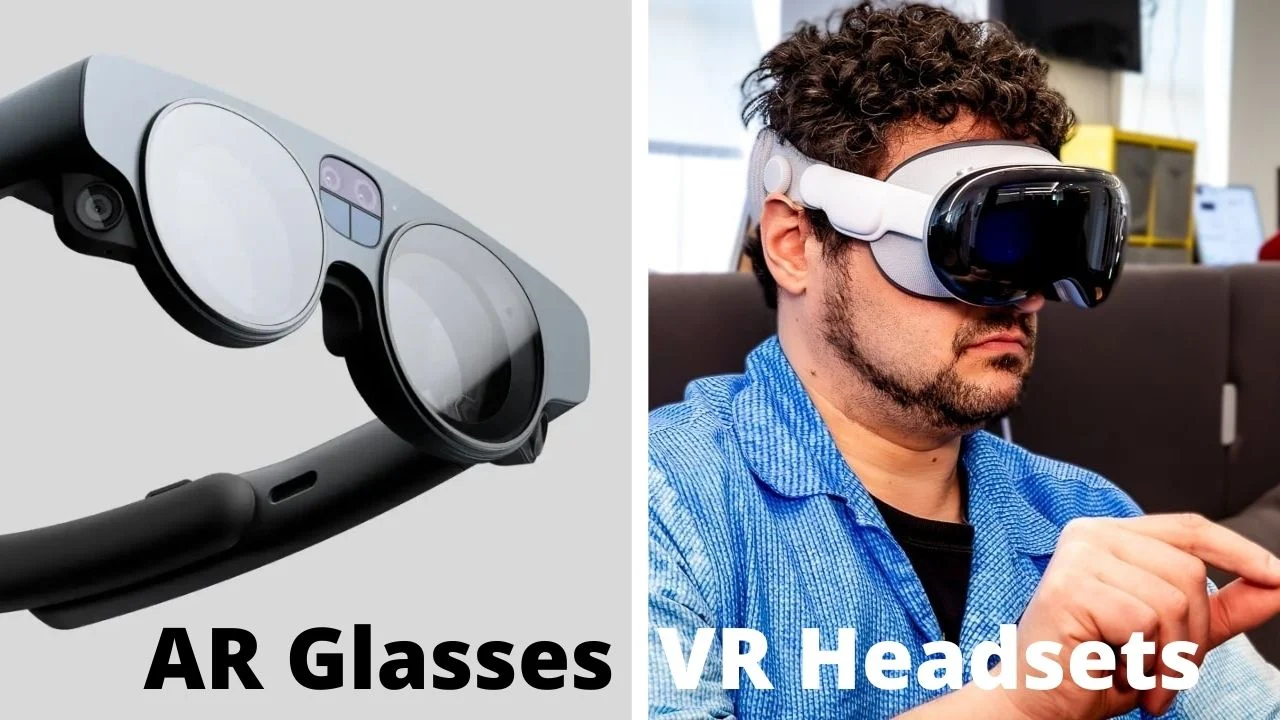
No. Display glasses usually show content from a connected phone, computer, handheld, or console. A standalone headset such as the Meta Quest 3S includes its own processor, cameras, battery, and VR software.
Do these glasses work with an iPhone?
Several models list support for USB-C iPhones, including the RayNeo and VITURE products. The phone must support video output through USB-C, and the exact connection can vary by model. Older iPhones may need an adapter or may not support the same features.
Can display glasses play VR games by themselves?
No. Display glasses generally need a connected device to provide the game and video signal. The Meta Quest 3S and Meta Quest 3 are the standalone choices in this lineup.
Which model is better for movies?
The RayNeo Air 4 Pro HDR is the strongest all-around movie choice because it combines a 201-inch HDR10 display, 120Hz support, 3D features, and open-ear audio in a lightweight frame. The RayNeo Air 3S is also compelling if color accuracy and eye-comfort features matter more than HDR processing.
Do AR glasses need Wi-Fi?
Not always. The RayNeo Air 4 Pro models list direct USB-C operation without Wi-Fi or apps. Standalone Meta Quest headsets use wireless connectivity for their platform and online features, while smart glasses such as the Meta Ray-Ban Gen 2 depend on a phone connection for several functions.
Is 3DoF enough for gaming?
3DoF is useful for keeping a virtual screen stable while your head turns, which works well for console and handheld gaming. It does not provide the same positional tracking as 6DoF, which is more important for moving around virtual objects or using room-scale applications.
Can someone who wears glasses use these products?
Fit varies. The VITURE Luma Ultra lists built-in myopia adjustment up to -4.0D, and the VITURE Beast is described as prescription-ready. Other models may need compatible inserts or careful fitting, so check the available IPD, nose-pad, and prescription options before ordering.
The bottom line
The Best VR Glasses choice for movies, handhelds, and console play is the RayNeo Air 4 Pro HDR. It has the right combination of a 201-inch HDR10 screen, 120Hz motion, 3D support, broad USB-C compatibility, and a very light frame. Its cable requirement is the trade-off, but that is easier to live with than the weight and battery limits of a standalone headset when your goal is simply a private display.
For actual wireless VR, choose the Meta Quest 3S for a straightforward entry point or the Meta Quest 3 512GB if you expect to keep a large game library installed. The XREAL One Pro, VITURE Luma Ultra, and VITURE Beast are better suited to spatial screens and computer work, while the Meta Ray-Ban model is a smart camera and audio wearable rather than a VR display.
If you are undecided, choose the RayNeo Air 4 Pro HDR for screen viewing, and choose the Meta Quest 3S when you want games that run without a cable.
As an Amazon Associate we earn from qualifying purchases.