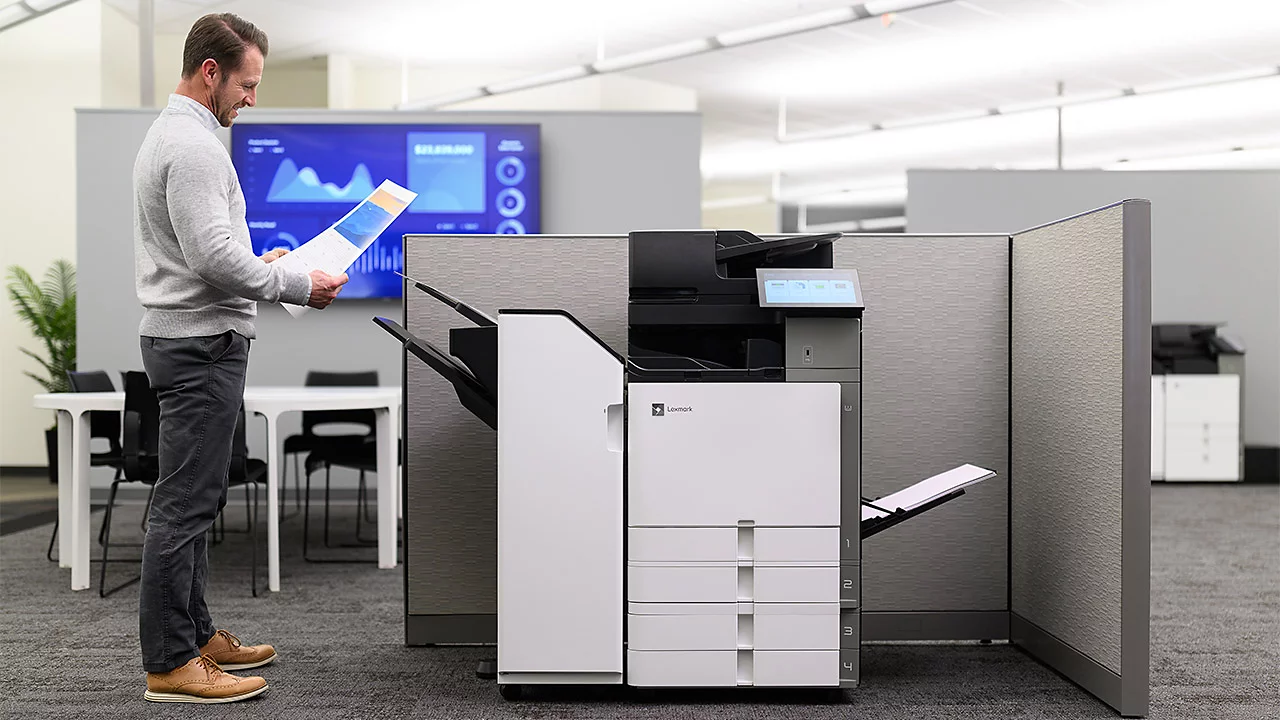

A printer becomes a daily frustration when every multi-page job turns into a paper shuffle, a cartridge warning, or a trip back to the computer. The Best office printers make the routine parts of office work less noticeable: duplex pages feed automatically, scans move through an ADF, and wireless printing does not require a cable hunt.
This list covers compact monochrome laser printers, color laser all-in-ones, cartridge inkjets, and tank-style models. The Brother DCP-L2640DW is our top pick for most offices, while the other nine cover higher-volume color work, lower-maintenance ink, and home-office setups.
Comparison table
| # | Product | Award | Technology | Print speed | Paper handling | Best for |
|---|---|---|---|---|---|---|
| 1 | Brother DCP-L2640DW | Best overall | Monochrome laser | Up to 36 ppm | 50-page ADF, duplex | Fast black-and-white office work |
| 2 | HP OfficeJet Pro 8139 | Best home-office color | Color inkjet | Up to 20 ppm black, 10 ppm color | 225-sheet tray, ADF | Home offices needing fax and color |
| 3 | HP Color LaserJet Pro 3301sdw | Best color laser | Color laser | Up to 26 ppm | 250-sheet tray, ADF | Small teams printing color reports |
| 4 | HP OfficeJet Pro 9125 | Best office inkjet | Color inkjet | Up to 22 ppm black, 18 ppm color | 250-sheet tray, ADF | Color-heavy office documents |
| 5 | HP OfficeJet Pro 8125 | Best simple all-in-one | Color inkjet | Up to 20 ppm black, 10 ppm color | 225-sheet tray, ADF | Straightforward home-office tasks |
| 6 | Brother MFC-L8930CDW | Best for busy teams | Color laser | Up to 33 ppm | 80-page ADF, two-sided scan | High-volume color workflows |
| 7 | HP OfficeJet Pro 8125e | Best compact HP | Color inkjet | Up to 20 ppm black, 10 ppm color | 225-sheet tray, ADF | Wireless home-office printing |
| 8 | HP OfficeJet Pro 9135 | Best premium inkjet | Color inkjet | Up to 25 ppm black, 20 ppm color | Two 250-sheet trays, ADF | Larger offices with mixed jobs |
| 9 | Epson EcoTank ET-2800 | Best cartridge-free design | Supertank inkjet | Up to 10 ISO ppm | Standard all-in-one design | Frequent color printing at home |
| 10 | Brother INKvestment 5010 | Best color ink workflow | Inkjet | Up to 28 ppm black, 26 ppm color | 250-sheet tray, 50-page duplex ADF | Small businesses needing fast color |
1. Brother DCP-L2640DW: Best Overall
Pros
- Fast black-and-white printing
- Compact laser all-in-one design
- 50-page automatic document feeder
- Wi-Fi, Ethernet, and USB connections
Cons
- Prints only in black and white
- No fax function
- Substantial 25-pound body for a compact model
Best for: small offices that mostly print, scan, and copy text documents.
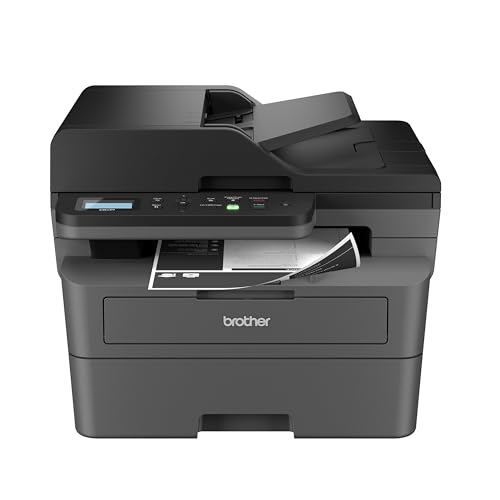
The Brother DCP-L2640DW is the printer we would put in front of most small teams. It concentrates on the work offices actually repeat all day: contracts, invoices, forms, meeting notes, and multi-page scans. The monochrome laser engine avoids the hesitation that can make an inkjet feel slow between jobs, and the compact footprint is easier to place than a larger business machine.
Its rated print speed reaches 36 pages per minute, which gives it a clear advantage over the HP OfficeJet Pro 8139 and HP OfficeJet Pro 8125 when a document pile needs to be cleared quickly. The 50-page ADF handles multi-page copying and scanning, while automatic duplex printing keeps two-sided documents from becoming a manual sorting exercise. Scanning reaches up to 23.6 images per minute in black and 7.9 in color, though this is primarily a black-and-white document machine.
Connection options are unusually flexible for a compact office printer. Dual-band wireless supports both 2.4GHz and 5GHz networks, and Ethernet provides a more fixed office connection. USB is available for a single computer, while the Brother Mobile Connect app handles printing, scanning, and toner tracking from a phone. The machine also works with Brother TN830 and TN830XL toner, and a Refresh subscription trial is included for offices that want automated supply management.
The limitation is fundamental: it cannot print color, and it does not include fax. Its 16.1-inch width, 15.7-inch depth, and 25-pound weight also make it more substantial than the word “compact” suggests. Choose the HP OfficeJet Pro 9125 instead if color presentations and fax matter. For everyone whose office output is mainly text, the DCP-L2640DW is the least distracting tool here.
2. HP OfficeJet Pro 8139: Best Home-Office Color

Pros
- Prints, scans, copies, and faxes
- Automatic duplex printing
- 225-sheet input tray
- Useful 2.7-inch touchscreen
Cons
- Slower color speed than the higher HP models
- Requires original HP cartridge circuitry
- Large footprint for a home office
Best for: home-office users who need dependable color documents and fax capability.
The HP OfficeJet Pro 8139 gets the home-office brief right by combining the functions people tend to add separately. It prints business documents, scans, copies, and faxes, so a signed form or occasional outgoing fax does not require another device. The 2.7-inch color touchscreen uses a phone-like interface that should make common settings easier to reach than a panel full of unlabeled buttons.
Black printing reaches 20 pages per minute, while color reaches 10 pages per minute. That is enough for routine reports, invoices, and flyers, but the Brother DCP-L2640DW is the better fit for a queue dominated by black text. The 225-sheet input tray reduces paper refills, and automatic two-sided printing handles longer documents without asking the user to turn pages over.
Wireless printing uses dual-band Wi-Fi, with HP describing automatic detection and resolution of connection issues. The HP app supports printing, scanning, copying, and faxing from a smartphone. HP AI features are aimed at cleaning up web pages and emails before printing, removing unwanted content and improving formatting. HP Wolf Essential Security adds network protection, and the body uses more than 45% recycled plastic.
The main compromise is speed. The HP OfficeJet Pro 9125 and HP OfficeJet Pro 9135 move color pages faster, and the latter offers more paper capacity. This model also measures 18.12 inches wide and weighs 17.6 pounds, so it needs a real surface rather than a narrow shelf. It is the better pick for a home office that wants color, scanning, copying, and faxing in one familiar package.
3. HP Color LaserJet Pro 3301sdw: Best Color Laser

Pros
- Color laser output
- Up to 26 ppm in black and color
- 250-sheet input tray
- Automatic duplex printing and ADF
Cons
- Heavy 37.7-pound design
- Uses HP cartridge circuitry
- Less suited to very tight desks
Best for: small teams that want consistent color documents from a laser printer.
The HP Color LaserJet Pro 3301sdw is the practical step up when an inkjet feels too slow or too dependent on cartridge behavior. It is built around color laser printing, so reports, charts, and office handouts have the sharper, more uniform appearance many teams expect from a laser machine. It also handles scanning and copying, making it a genuine all-in-one rather than a single-purpose printer.
Black and color printing are both rated up to 26 pages per minute. That consistency matters in a shared office because a color-heavy job does not slow as dramatically as it can on an inkjet. The 250-sheet tray is slightly roomier than the HP OfficeJet Pro 8139's tray, and automatic duplex printing reduces paper handling on longer reports. An ADF takes care of multi-page scan and copy jobs.
HP's TerraJet toner is intended to produce more vivid color, while the printer accepts Original HP 218A standard or 218X high-yield cartridges. The machine includes wireless connectivity and is designed for office printing, scanning, and copying. At 16.5 inches high, 16.46 inches deep, and 37.7 pounds, it is physically much closer to a small departmental printer than a casual home device.
That weight is the clearest reason to skip it if the printer will be moved or tucked into a cramped workspace. The Brother MFC-L8930CDW is faster and has more advanced scanning and security tools, while the HP OfficeJet Pro 9125 is easier to live with on a smaller desk. Pick this LaserJet when predictable color laser output and a 250-sheet tray matter more than portability.
4. HP OfficeJet Pro 9125: Best Office Inkjet
Pros
- Strong black and color print speeds
- Automatic duplex scanning
- 250-sheet tray
- Print, scan, copy, and fax functions
Cons
- Original HP cartridge restriction
- Smaller touchscreen than the HP 9135
- No second paper tray
Best for: offices that print a mix of color presentations, forms, and everyday documents.
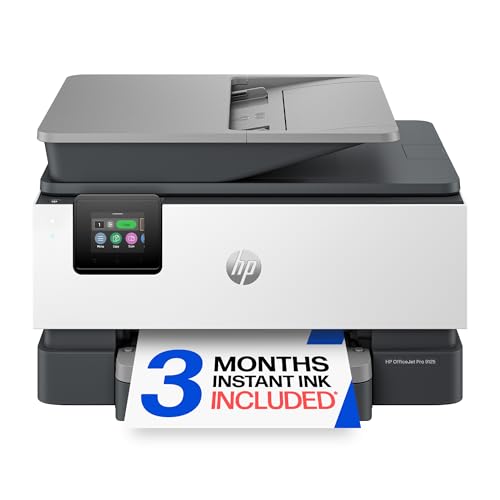
The HP OfficeJet Pro 9125 is a well-balanced office inkjet. It does not go as far as the 9135 in paper handling, but it has the core features that turn a home-office printer into a shared office tool: fax, automatic duplex printing and scanning, an ADF, and a 250-sheet input tray. It feels designed for offices where color pages are routine rather than occasional.
Its rated speed is up to 22 pages per minute in black and 18 in color. That makes it substantially more capable with color documents than the HP OfficeJet Pro 8139 and HP OfficeJet Pro 8125. Two-sided scanning is especially useful for signed forms and double-sided reports because the user does not need to feed the reverse side separately. The touchscreen is 2.7 inches, and the HP app extends the basic controls to phones.
Dual-band Wi-Fi is intended to keep wireless connections stable, and HP AI tools can remove unwanted content from web pages and emails before printing. HP Wolf Pro Security is aimed at protecting the office network. The printer measures 17.3 inches wide, 13.48 inches deep, and 10.94 inches high, with a 20.48-pound weight that is manageable for a permanent desk.
The HP Color LaserJet Pro 3301sdw remains the better choice for laser-style color consistency, and the HP OfficeJet Pro 9135 is better for a busier shared queue. This model also uses original HP cartridge circuitry, which limits cartridge flexibility. For an office that needs a capable color inkjet with fax and duplex scanning but does not need two paper trays, it is a sensible middle ground.
5. HP OfficeJet Pro 8125: Best Simple All-in-One

Pros
- Prints, scans, copies, and includes an ADF
- Automatic two-sided printing
- Dual-band wireless connectivity
- 2.7-inch color touchscreen
Cons
- No fax listed among its functions
- Slower color printing
- Original HP cartridge requirement
Best for: home-office users who need a basic color all-in-one without advanced office throughput.
The HP OfficeJet Pro 8125 is the uncomplicated choice in HP's home-office group. It covers printing, scanning, copying, and automatic document feeding without adding the more office-focused features of the 9125 or 9135. For a household business, school paperwork, or a small workspace, that straightforward approach can be more useful than a large touchscreen or multiple trays.
Print speed reaches 20 pages per minute in black and 10 in color. Those figures match the HP OfficeJet Pro 8139, so the choice between them comes down to the included functions and the specific workflow. The 225-sheet tray is enough to avoid constant refilling for ordinary office work, and automatic duplex printing handles two-sided documents. A 2.7-inch color touchscreen provides local control.
The HP app supports printing, scanning, copying, and faxing from mobile devices, although fax is not listed as a core printer function in the product description. Dual-band Wi-Fi is designed to maintain the connection across common office networks. HP AI formatting tools help clean up web pages and emails, while HP Wolf Essential Security adds protection for networked use. The printer weighs 17.6 pounds and is 18.11 inches wide.
The 8125 is slower than the HP OfficeJet Pro 9125 and does not have the Brother DCP-L2640DW's laser speed for black text. It also uses original HP cartridge chips or circuitry, a limitation for anyone who wants broad cartridge choice. If your work is mostly routine color printing and scanning, this is the quieter, simpler HP option. If fax or faster color work matters, move up to the 9125.
6. Brother MFC-L8930CDW: Best for Busy Teams

Pros
- Fast color laser printing
- 104 images-per-minute two-sided scanning
- 80-page ADF
- Advanced security and NFC authentication
Cons
- Very heavy 71.2-pound chassis
- Large footprint
- More printer than a small home office needs
Best for: busy teams that need fast color output, scanning, and managed office security.
The Brother MFC-L8930CDW is a serious shared-office machine. Its strengths are not subtle: fast color printing, a large automatic feeder, high-speed two-sided scanning, and security features intended for a managed business environment. This is the printer to consider when several people will send jobs to it throughout the day and scanning is as important as printing.
Print and copy speeds reach 33 pages per minute. The 80-page ADF supports two-sided scanning at up to 104 images per minute, which is dramatically more capable than the basic ADFs on the HP OfficeJet models. It can scan to cloud services, email, and SharePoint from the touchscreen, and it supports creating searchable and editable Microsoft Office documents. A legal-size glass expands its usefulness for office paperwork.
A 7-inch color touchscreen gives users room to preview scans and create as many as 64 customized shortcuts. Wireless networking operates on dual-band Wi-Fi, and Gigabit Ethernet is available for a wired office. The integrated NFC card reader supports badge authentication, while the printer's triple-layer security is designed to protect devices, documents, and networks. Included toner yields are listed at 3, 000 black pages and 1, 800 color pages, with higher-yield replacements listed at 7, 500 black and 6, 500 color pages.
The drawback is its physical presence. At 21.6 inches high, 20.7 inches deep, and 71.2 pounds, it needs a sturdy dedicated location. The HP Color LaserJet Pro 3301sdw is a much easier fit for a small team, and the Brother DCP-L2640DW is more sensible when color is unnecessary. Choose the MFC-L8930CDW when its scanning speed, security, and workflow shortcuts will actually be used.
7. HP OfficeJet Pro 8125e: Best Compact HP

Pros
- Compact all-in-one footprint
- Automatic duplex printing
- Wireless printing and mobile app
- 225-sheet input tray
Cons
- No fax function listed
- Basic 2.7-inch touchscreen
- HP+ and Instant Ink terms require attention
Best for: home offices that want wireless color printing, scanning, and copying in a compact body.
The HP OfficeJet Pro 8125e is closely related to the 8125, but it is presented as an HP+ model with a three-month Instant Ink trial. That makes the setup and supply program part of the ownership decision, not just an incidental bundle. The physical design remains easy to understand: a color inkjet all-in-one with an ADF, duplex printing, wireless connectivity, and a phone app.
Its print ratings are up to 20 pages per minute in black and 10 in color. Those speeds are adequate for home-office reports and ordinary paperwork, but they do not challenge the Brother DCP-L2640DW for black text or the HP OfficeJet Pro 9135 for color. The 225-sheet tray is useful for a printer of this class, and automatic two-sided printing prevents routine document jobs from becoming manual chores.
Dual-band Wi-Fi is designed to handle wireless connection issues, while the HP app supports print, scan, copy, and fax commands from a phone, PC, or tablet. The listing highlights HP AI formatting for web pages and email, which can remove unwanted material before it reaches the page. The body is 18.11 inches wide, 13.29 inches deep, and 9.17 inches high, with a listed weight of about 17.64 pounds.
The 8125e is not the pick for a team that needs fax as a core device function, high color speed, or advanced scanning. The HP OfficeJet Pro 8125 is the closer alternative if you do not need the HP+ presentation, while the HP OfficeJet Pro 8139 adds fax to the main feature list. Choose this one when its wireless home-office setup and HP+ arrangement fit your workflow.
8. HP OfficeJet Pro 9135: Best Premium Inkjet

Pros
- Fastest HP inkjet print speeds here
- Single-pass two-sided scanning
- Two 250-sheet paper trays
- Large 4.3-inch touchscreen
Cons
- Heavy 26.1-pound body
- Original HP cartridge restriction
- Larger than basic home-office models
Best for: offices with frequent color jobs, mixed paper needs, and demanding scan workflows.
The HP OfficeJet Pro 9135 is the most capable inkjet in this group. Its advantage is not just a faster print engine. It also has two paper trays, a larger touchscreen, and an ADF with single-pass two-sided scanning. Those details matter in an office where the printer handles different paper types and where scanning a stack of double-sided pages is a frequent task.
Black printing reaches 25 pages per minute and color reaches 20. That puts it ahead of the HP OfficeJet Pro 9125, rated at 22 black and 18 color, and well ahead of the smaller 8125 family. Two 250-sheet trays allow a team to keep different paper stocks ready without emptying the printer between jobs. The ADF's single-pass duplex scanning captures both sides in one pass, which is a meaningful workflow improvement rather than a decorative feature.
The 4.3-inch touchscreen is easier to use for previewing and navigating office functions than the 2.7-inch panels on the smaller HP machines. Dual-band Wi-Fi and the HP app support wireless and mobile work, while HP AI tools clean up web and email layouts. HP Wolf Pro Security is aimed at office network protection. The printer measures 17.2 inches wide, 15.6 inches deep, and 12.53 inches high, and weighs 26.1 pounds.
The Brother MFC-L8930CDW still wins for heavier scanning, faster laser-style shared-office work, and more extensive security controls. The 9135 also uses original HP cartridge circuitry, so it is not a good match for people who want cartridge flexibility. It earns its place for a color-focused office that wants the convenience of inkjet printing with more serious paper handling and scanning.
9. Epson EcoTank ET-2800: Best Cartridge-Free Design

Pros
- Refillable tank design
- Up to 4, 500 black and 7, 500 color pages listed
- Ink bottles replace many small cartridges
- Lightweight all-in-one body
Cons
- Slow 10 ISO pages-per-minute rating
- No ADF listed
- Epson recommends genuine ink
Best for: frequent color printers who prefer bottle refills over cartridge changes.
The Epson EcoTank ET-2800 takes a different approach from every HP cartridge model here. Its ink tanks are filled from bottles, so the day-to-day experience is less about replacing small cartridges and more about watching the reservoir levels. Epson says the included ink can print up to 4, 500 black pages and 7, 500 color pages, and that one bottle set is equivalent to about 90 individual cartridges.
That design is most attractive to people who print color regularly and dislike frequent cartridge changes. Epson also says the box can include up to two years of ink, though actual use will vary with coverage and job mix. Micro Piezo Heat-Free technology is used for color printing, and the rated speed is up to 10 ISO pages per minute. That is far below the Brother DCP-L2640DW and HP OfficeJet Pro 9135, so this is not the machine for a busy document queue.
The ET-2800 prints, scans, and copies, with wireless connectivity for everyday home and office use. Its 11.4-pound weight is much easier to manage than the laser models, and the body measures about 16 inches wide, 17 inches deep, and 9.3 inches high. It is a relatively approachable size for a home workspace, though the product information does not list an automatic document feeder.
That missing ADF is the reason it falls behind the HP OfficeJet models for office paperwork. Multi-page scans and copies require more hands-on handling, and Epson recommends genuine ink for print quality and performance. If your priority is a printer that can handle frequent home color work, the tank design is compelling. If speed and automatic document feeding matter more, choose the Brother INKvestment 5010 or an HP OfficeJet Pro.
10. Brother INKvestment 5010: Best Color Ink Workflow

Pros
- Fast black and color print ratings
- 50-page single-pass duplex ADF
- 250-sheet tray
- Ethernet, USB, Wi-Fi Direct, and cloud support
Cons
- Heavy 30.9-pound body
- Brother recommends genuine LC506 ink
- Larger than basic home-office printers
Best for: small businesses that need fast color printing and automatic two-sided scanning.
The Brother INKvestment 5010 is an inkjet with a distinctly business-minded layout. It has a 250-sheet tray, automatic two-sided printing, and a 50-page single-pass duplex ADF. That combination makes it more useful for a small business than a basic home printer, especially when paperwork arrives double-sided and needs to be scanned in batches.
Brother rates it at up to 28 pages per minute in black and 26 in color. Those numbers put it close to the HP Color LaserJet Pro 3301sdw for stated speed and ahead of the smaller HP OfficeJet models. The printer includes an 1, 800-page black cartridge and 750-page cartridges for each color, according to the product description. Brother's PerfectPrint Auto Detection System is designed to help maintain consistent print quality.
Wireless networking, Wi-Fi Direct, Ethernet, and USB give it more placement flexibility than a Wi-Fi-only printer. The 2.7-inch color touchscreen can print from and scan to popular cloud apps, while the Brother Mobile Connect app handles device management from a phone. Automatic duplex scanning is the feature that most clearly separates it from the Epson EcoTank ET-2800.
The trade-off is size and weight. At 17.1 inches wide, 17.3 inches deep, 10.7 inches high, and 30.9 pounds, it needs a permanent home. Brother recommends LC506 genuine ink, so it is not a universal-cartridge experiment either. The HP OfficeJet Pro 9125 is easier to place, while the Brother DCP-L2640DW is faster for black-only jobs. Choose the INKvestment 5010 when color speed and two-sided document handling are the center of the workflow.
How to choose best office printers
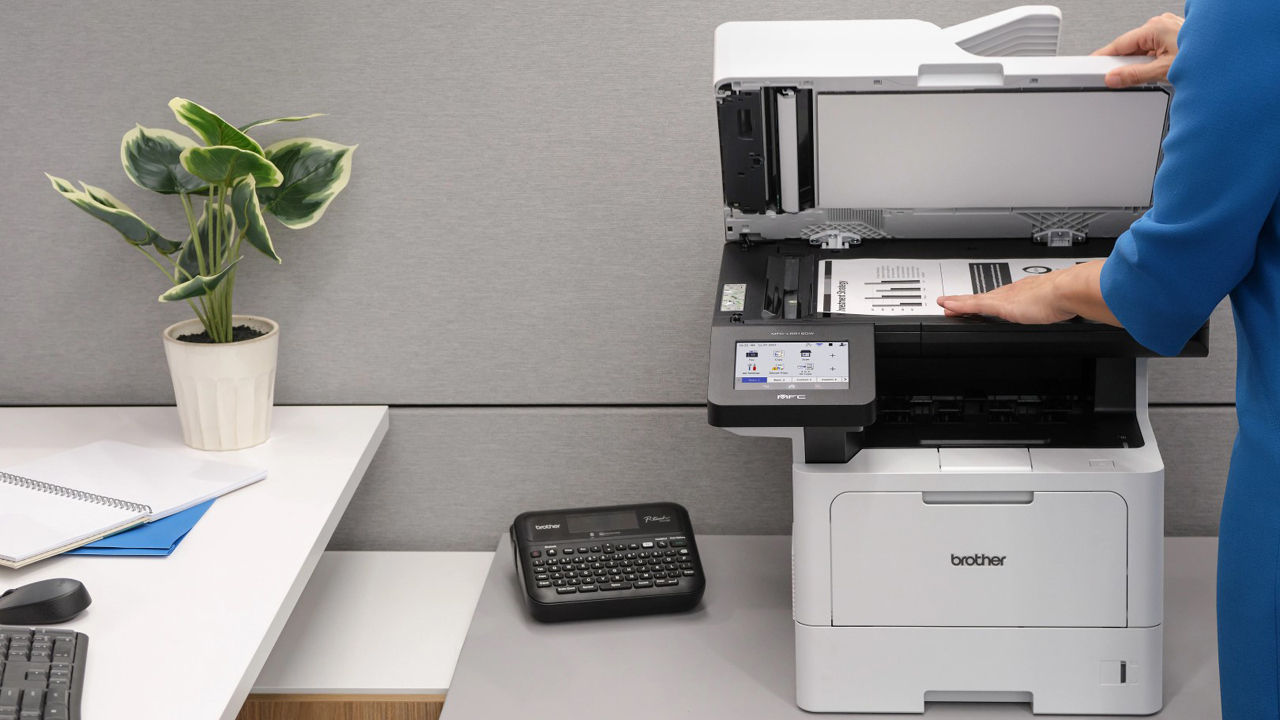
The right office printer depends less on a long feature list than on the jobs it must repeat every week. These are the traits that separate a convenient shared device from one that creates more work.
Print technology
Laser printers are usually the stronger fit for offices dominated by text, forms, and long document queues. The Brother DCP-L2640DW is a monochrome laser with a 36 ppm rating, while the HP Color LaserJet Pro 3301sdw and Brother MFC-L8930CDW bring laser printing to color work. Inkjet models are more flexible for color documents, but their rated speeds vary widely.
Tank printers such as the Epson EcoTank ET-2800 use refill bottles instead of traditional cartridges. That can suit frequent color printing, but the ET-2800's 10 ISO ppm rating is much slower than the office-oriented inkjets.
Automatic document feeding
An ADF is one of the most useful office features because it turns a stack of pages into one scan or copy job. Look for the feeder capacity and whether it scans both sides automatically. The Brother INKvestment 5010 has a 50-page single-pass duplex ADF, while the Brother MFC-L8930CDW has an 80-page ADF and two-sided scanning up to 104 images per minute.
If the office regularly digitizes double-sided contracts, a single-pass duplex feeder is more important than a large touchscreen. For occasional single-page scans, a basic ADF is sufficient.
A fast printer still feels slow when someone has to turn every page by hand.
Paper capacity
A 225-sheet tray is enough for many home offices, while a 250-sheet tray gives a shared office a little more breathing room. The HP OfficeJet Pro 9135 goes further with two 250-sheet trays, allowing different paper types to remain loaded. Check the tray design against the way the office works, not just the maximum number.
A larger tray also adds to the printer's physical size. The Brother MFC-L8930CDW is built for serious shared use, but its 71.2-pound chassis needs a dedicated surface.
Duplex printing
Automatic two-sided printing saves paper handling and keeps longer reports from becoming a loose pile. It is standard across most of the stronger office-oriented models here. Duplex scanning is a separate capability, so confirm that the ADF can capture both sides if scanning is a regular task.
The HP OfficeJet Pro 9125 and HP OfficeJet Pro 9135 combine duplex printing with duplex scanning. The Epson EcoTank ET-2800 is less suited to this workflow because an ADF is not listed.
Connectivity and security
Dual-band Wi-Fi is useful when an office network supports both 2.4GHz and 5GHz connections. Ethernet is preferable when the printer will stay in one place and several computers need reliable access. USB remains useful for a direct connection, while Wi-Fi Direct can help when a device needs to print without joining the main network.
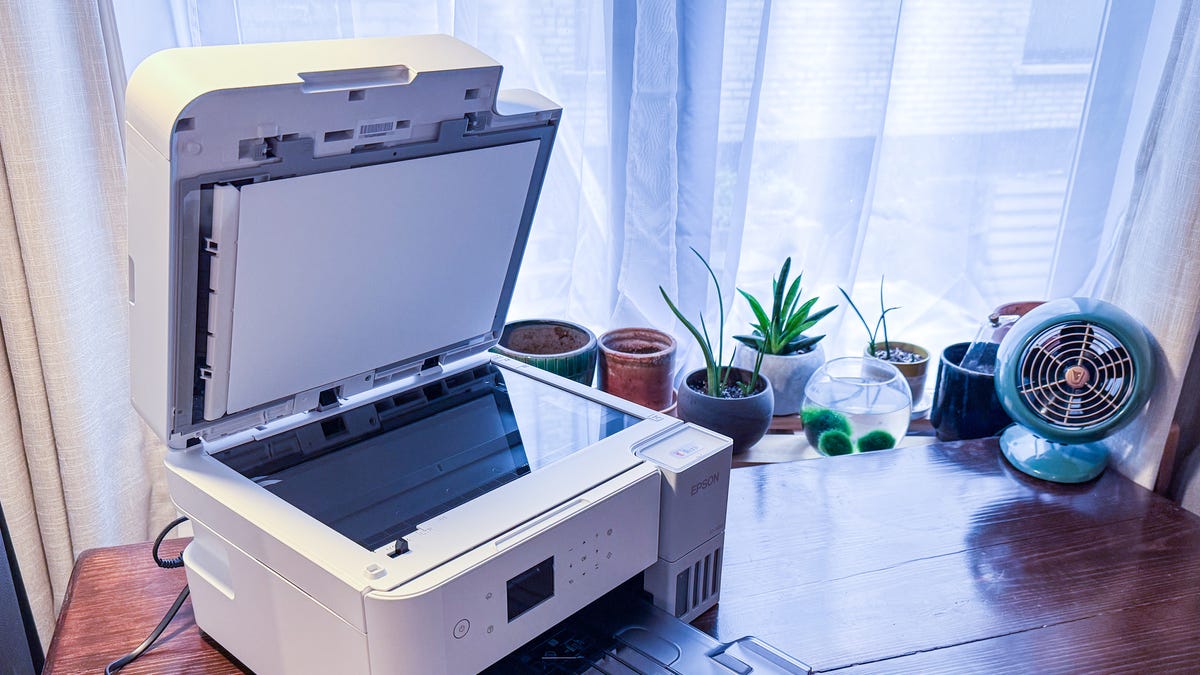
Security matters more as the printer becomes a shared network device. HP Wolf security features and Brother's triple-layer security on the MFC-L8930CDW address different levels of office protection. For more placement ideas, compare the features that matter in a small shared print and scan setup.
Frequently asked questions
Should an office choose a laser or inkjet printer?
Choose a monochrome laser printer when most jobs are black text and speed matters. Choose a color laser or inkjet when presentations, charts, flyers, and other color documents are routine. A tank-style inkjet can suit frequent color printing, but the Epson EcoTank ET-2800 is slower and lacks an ADF in the listed specifications.
Is an automatic document feeder important?
An ADF is important when the office scans or copies more than one page at a time. It lets the user load a stack rather than placing each page on the glass. A duplex ADF is even more useful for double-sided documents because it can capture both sides automatically.
Which printer is best for black-and-white documents?
The Brother DCP-L2640DW is the strongest fit in this group. It is a monochrome laser rated for up to 36 pages per minute, includes a 50-page ADF, and supports wireless, Ethernet, and USB connections.
Which models print color fastest?
The HP OfficeJet Pro 9135 is rated for up to 20 pages per minute in color, while the Brother INKvestment 5010 is rated for up to 26 color pages per minute. The Brother MFC-L8930CDW reaches up to 33 pages per minute for color printing and copying, making it the more serious choice for a busy shared office.
Do these printers support mobile printing?
Yes. The HP models support the HP app, while the Brother models use Brother Mobile Connect. Several also support wireless networking, and the Brother DCP-L2640DW adds Ethernet and USB for offices that prefer wired or direct connections.
Is fax included on every all-in-one printer?
No. Fax is listed for the HP OfficeJet Pro 8139, HP OfficeJet Pro 9125, HP OfficeJet Pro 9135, and Brother INKvestment 5010. The HP OfficeJet Pro 8125 and HP OfficeJet Pro 8125e list printing, scanning, copying, and an ADF, but fax is not listed as a core function.
The bottom line
The Brother DCP-L2640DW is the safest recommendation for most small offices because it is fast, compact by office standards, easy to connect, and focused on the documents businesses print most often. For color-heavy work, the HP OfficeJet Pro 9125 is a stronger all-in-one, while the Brother MFC-L8930CDW is the serious choice for teams that need high-speed scanning, security, and a large shared workflow.
The Best office printers are not all trying to solve the same problem. Pick the DCP-L2640DW for fast monochrome work, the HP OfficeJet Pro 9135 for demanding color inkjet workflows, or the Epson EcoTank ET-2800 when bottle-based ink and frequent color printing matter more than speed.
If you are undecided, choose the model that matches your most common document job, not the one with the longest feature list.
As an Amazon Associate we earn from qualifying purchases.