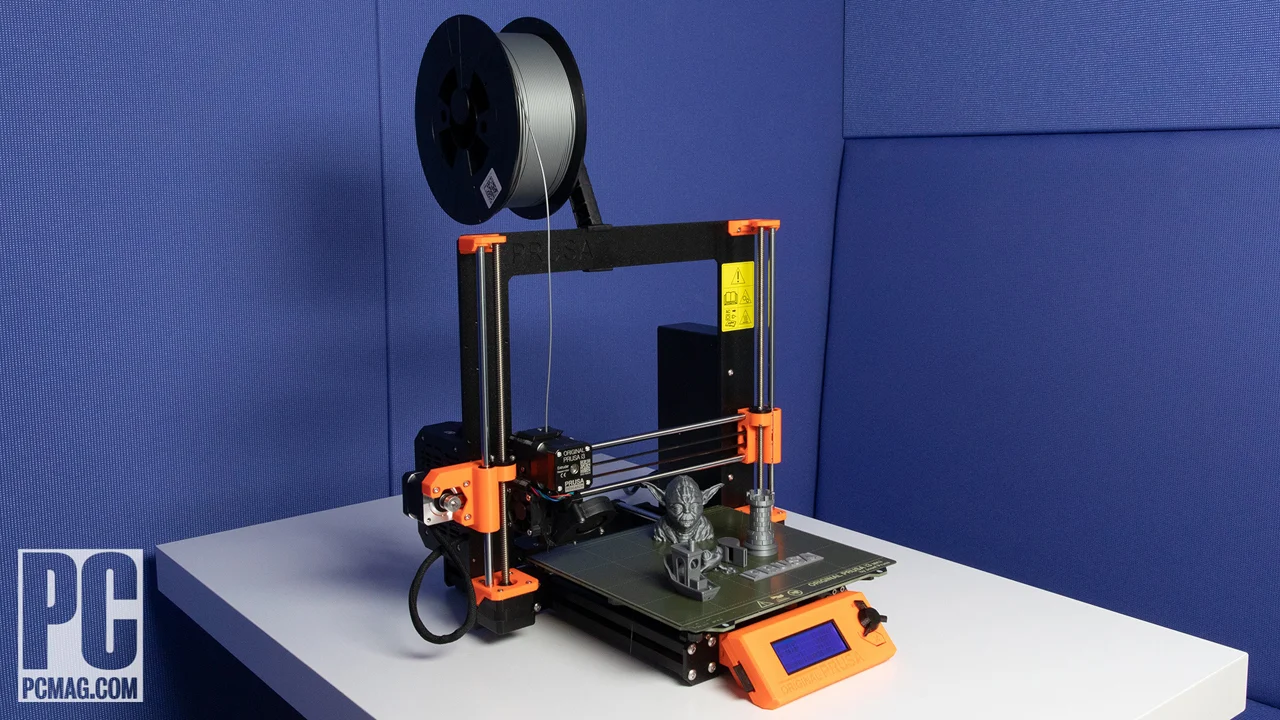

A first 3D printer should not turn every small project into a lesson in bed leveling, nozzle clogs, and slicer settings. The right machine gets a usable first layer quickly, makes model selection simple, and leaves enough headroom for the kinds of projects beginners tend to attempt after their first few successful prints.
Our Best starter 3D printer picks range from compact enclosed machines made for children to fast CoreXY models with multicolor systems. The FLASHFORGE Adventurer 5M is the single best place to start, while the rest cover quieter home use, multicolor printing, small spaces, and ambitious family projects.
Comparison table
| # | Product | Award | Build volume | Speed | Enclosure | Best for |
|---|---|---|---|---|---|---|
| 1 | FLASHFORGE Adventurer 5M | Best overall | 220 x 220 x 220mm | Up to 600mm/s | No | First-time makers who want room to grow |
| 2 | Bambu Lab P1S Combo | Best multicolor system | Not stated | Up to 500mm/s | Yes | Beginners who want automated multicolor printing |
| 3 | Bambu Lab A1 mini | Best compact pick | Not stated | High-speed printing | No | Small projects and quiet home use |
| 4 | FLASHFORGE AD5X | Best fast multicolor printer | 220 x 220 x 220mm | Up to 600mm/s | No | Makers who want color and speed |
| 5 | Entina Tina2C | Best for kids and STEM | 3.9 x 3.9 x 3.9in | Not stated | No | Classrooms, children, and guided projects |
| 6 | Bambu Lab P1S | Best enclosed single-color printer | Not stated | Up to 500mm/s | Yes | Beginners who want a capable enclosed machine |
| 7 | AOSEED AI 3D Printer | Best guided creative system | Not stated | 220 to 250mm/s, peak 400mm/s | Yes | Families who want app-led toy projects |
| 8 | Creality K2 Combo | Best larger multicolor platform | 260 x 260 x 260mm | Up to 600mm/s | Not stated | Users ready for larger, complex prints |
1. FLASHFORGE Adventurer 5M: Best Overall

Pros
- Automatic bed leveling removes a major beginner obstacle
- Large 220 x 220 x 220mm build volume
- Quick nozzle changes and remote monitoring
- CoreXY motion system supports rapid printing
Cons
- Open frame offers less environmental control
- No multicolor system included
- Regular nozzle and platform cleaning is still required
Best for: first-time makers who want a straightforward printer with useful room to grow.
The Adventurer 5M is the printer we'd hand to a beginner who wants to learn 3D printing without buying a toy-sized machine. Its automatic leveling takes away one of the most common causes of failed first prints, and the 220 x 220 x 220mm build volume is large enough for practical organizers, decorative pieces, and many household projects. It feels like a real workshop tool rather than a limited introduction.
The speed claims matter here because the machine is built around a CoreXY structure, with travel speeds up to 600mm/s and acceleration listed at 20, 000mm/s². Beginners do not need to run every print at the maximum, but the extra headroom means a routine model does not have to occupy the printer all afternoon. The 35-second warm-up to 200°C also makes short sessions less cumbersome.
Its 280°C direct extruder supports common beginner materials and gives the printer more flexibility than a basic entry machine. The 32mm³/s high-flow nozzle is intended to keep up with fast movement, while dual-fan cooling and vibration compensation address the quality problems that can appear when speed rises. The dual-sided PEI platform should also make print removal less of a chore. Nozzle options range from 0.25mm to 0.8mm, so a user can trade fine detail for faster, sturdier parts later.
The weakness is the open design. It does not provide the same controlled printing environment as the enclosed Bambu Lab P1S, and it has no included multicolor workflow like the Bambu Lab P1S Combo. The manufacturer also calls for regular cleaning of the nozzle and platform, so this is not a maintenance-free appliance. Its 23.8-pound body is manageable, but it is not a printer to casually move between shelves.
The Flash Maker mobile app adds remote monitoring, which is useful when a print runs longer than expected. For readers still deciding how much automation they need, the setup steps that matter most for a first printer provide a useful frame. Choose the Adventurer 5M if you want the broadest beginner-friendly foundation without immediately outgrowing the machine.
2. Bambu Lab P1S Combo: Best Multicolor System

Pros
- AMS bundle enables multicolor and multimaterial printing
- Fully enclosed body
- Automatic bed leveling
- Supports a broad range of common filaments
- Setup is listed at about 15 minutes
Cons
- Heavy 47.52-pound construction
- Multicolor workflow adds hardware and complexity
- Carbon and glass fiber reinforced polymers are not recommended
Best for: beginners who already know they want automated multicolor projects.
The P1S Combo is the most complete creative system here, but it is also more machine than many first-time users need. The important distinction is the included AMS, which enables multicolor and multimaterial printing rather than requiring a separate upgrade path. If the appeal of 3D printing is making models with visible color changes, the Combo is far more convincing than a single-color printer paired with paint and patience.
The printer itself is enclosed, a meaningful advantage for users working with materials beyond basic PLA. Automatic bed leveling reduces the amount of calibration work, and Bambu Lab lists PLA, PETG, TPU, PVA, PET, ABS, and ASA among its ideal supported filaments. PA and PC are listed as capable, while carbon and glass fiber reinforced polymers are not recommended. That gives a beginner a clear progression from easy materials to more demanding ones.
The P1S reaches up to 500mm/s with 20, 000mm/s² acceleration. Those figures are most useful as a sign that the printer is designed for quick movement and short production cycles, not as a command to print every model at full speed. The stated 15-minute setup is also attractive for a first machine, though the AMS means there are more components to understand than on the simpler FLASHFORGE Adventurer 5M.
This is a large, heavy printer at 47.52 pounds, with a footprint that needs a sturdy, permanent home. The AMS can also make filament management and multicolor settings more involved. Users who want a quieter, smaller introduction should look at the Bambu Lab A1 mini, while users who want the same enclosed printer without the multicolor bundle can choose the Bambu Lab P1S.
The P1S Combo is the pick for someone who has a specific reason to print in multiple colors or materials from the beginning. It is not the least intimidating option, but its automation gives beginners a strong chance to spend their time making models rather than repeatedly tuning the machine.
3. Bambu Lab A1 mini: Best Compact Pick

Pros
- Automatic calibration simplifies first use
- Compact 12.13-pound design
- Quiet operation for home and studio spaces
- Includes an LED lamp kit
- Access to ready-to-print model libraries
Cons
- Smaller format limits project size
- The included kit is aimed at compatible lamp projects
- No enclosed body
Best for: beginners with limited space who mainly print small models and gifts.
The A1 mini is a friendly first step because it removes much of the ceremony around starting a print. Automatic calibration, a simple setup, and quiet operation make it easier to keep in a bedroom, office, or shared living space. At 12.13 pounds, it is also far easier to relocate than the full-size printers in this roundup.
The included LED lamp kit gives the package a clear creative direction. A beginner can print compatible lamp models and turn them into room decorations or personalized gifts, rather than staring at an empty model library after setup. Bambu Lab's MakerWorld library and Bambu Handy app extend that convenience to toys, home décor, functional tools, and other ready-to-print projects.
The trade-off is scale. The data does not state the A1 mini's build volume, so buyers should not assume it can handle the same objects as the 220 x 220 x 220mm FLASHFORGE AD5X or the larger Creality machine. Its compact frame is an advantage for small projects, but it becomes a constraint when a beginner moves on to larger organizers, cosplay parts, or substantial household components.
The A1 mini also lacks the enclosed construction found on the Bambu Lab P1S. That makes it less suitable for users who specifically want a controlled enclosure for advanced filament work. Its appeal is simpler: it is quiet, approachable, and focused on everyday creative printing without demanding a dedicated workshop.
For someone who wants a compact first machine and expects to print small objects, the A1 mini is an easy recommendation. Readers comparing footprint and project size should also consider how much room a printer needs at home, especially if the printer will share a desk with other equipment.
4. FLASHFORGE AD5X: Best Fast Multicolor Printer

Pros
- Supports up to four colors
- 300°C direct-drive extruder
- Automatic leveling and filament handling
- 220 x 220 x 220mm build volume
- Multiple nozzle sizes support different kinds of work
Cons
- Open design provides less enclosure control
- Multicolor printing can add operational complexity
- Larger and heavier than compact beginner models
Best for: new makers who want color printing but still value a conventional full-size build area.
The AD5X takes the Adventurer 5M idea and adds a more ambitious color workflow. It supports up to four colors simultaneously, which gives beginners a direct route to multicolor models without separating pieces and painting them later. That feature makes it more interesting for character models, signs, and decorative projects than a basic single-color machine.
Its CoreXY structure supports movement up to 600mm/s and acceleration of 20, 000mm/s². The 300°C direct-drive extruder is a useful step above the 280°C unit in the Adventurer 5M, while the dual-channel cooling fan and vibration compensation are intended to preserve print quality during faster work. A 0.4mm nozzle comes installed, and the printer supports sizes from 0.25mm to 0.8mm. The smaller option favors miniature detail, while wider nozzles can produce larger, sturdier parts more quickly.
Automatic leveling is one-click, and automatic filament feeding and retraction make the multicolor system less hands-on than it might otherwise be. The printer can resume after a power interruption, and the Flash Maker app provides remote monitoring and control. These features reduce the small interruptions that tend to make a first printer feel demanding.
The AD5X is still a substantial open-frame machine at 24.25 pounds. It does not offer the enclosed environment of the Bambu Lab P1S Combo, and color printing naturally introduces more things to configure than the single-color Bambu Lab A1 mini. Buyers who only want small, uncomplicated models should skip it.
Choose the AD5X when the combination of a full 220 x 220 x 220mm workspace, fast motion, and four-color capability matters more than a minimal setup. It is a particularly strong fit for a beginner who expects the hobby to become a regular creative practice.
5. Entina Tina2C: Best for Kids and STEM

Pros
- Fully assembled beginner-focused design
- 3.9 x 3.9 x 3.9-inch print volume
- App, Wi-Fi, and TF card printing
- Auto leveling and power-loss recovery
- Compact, quiet body with integrated lighting
Cons
- Very small build volume
- Less suitable for large functional parts
- Kid-focused software may feel limiting to advanced users
Best for: children, classrooms, and families using 3D printing as a guided STEM activity.
The Tina2C is designed to make the first session feel more like an educational activity than a workshop project. Entina says it can begin a first print in as little as eight minutes, and the printer arrives fully assembled. Automatic leveling, a flexible magnetic build plate, and a quick-swap printhead all address the parts of 3D printing that can frustrate a child before the creative work begins.
Its 3.9 x 3.9 x 3.9-inch print volume is the defining limitation. That is enough for small toys, models, and STEM exercises, but not for the larger objects possible on the FLASHFORGE Adventurer 5M. The compact dimensions are useful in a classroom or on a crowded desk, and the 5.29-pound body is easy for an adult to move.
The Poloprint Cloud app provides AI-powered search, photo-to-print features, and more than 20 creative modules. The printer supports 2.4GHz Wi-Fi and TF card offline printing, and it works with Windows, macOS, Linux, and Chromebook systems. Compatibility with Cura and Simplify3D gives older students a path toward more conventional slicing tools when the guided app starts to feel restrictive.
This is a single-color starter printer, and its appeal depends heavily on the child or family actually enjoying the app-led learning approach. It is not the right choice for someone who wants fast full-size production or multicolor figures. The rounded body, low-noise operation, integrated LED lighting, and power-loss recovery do make it better suited to home and classroom use than many larger open machines.
The Tina2C is the clearest pick for a young beginner who needs quick wins and structured projects. If the goal is to learn the full range of maker workflows, the larger and faster Bambu Lab P1S offers more room, but it also demands a more serious setup.
6. Bambu Lab P1S: Best Enclosed Single-Color Printer

Pros
- Fully enclosed construction
- Automatic bed leveling
- Up to 500mm/s printing speed
- Supports PLA, PETG, TPU, PVA, PET, ABS, and ASA
- Ready-to-use setup listed at about 15 minutes
Cons
- AMS is required for multicolor printing
- Heavy 39.02-pound body
- Not recommended for carbon or glass fiber reinforced polymers
Best for: beginners who want an enclosed, capable printer without the included multicolor system.
The P1S is the quieter recommendation for a beginner who wants capability without starting with the AMS bundle. It has the same enclosed approach and automatic bed leveling that make the Bambu Lab P1S Combo appealing, but its single-color configuration is easier to understand. That makes it a better fit for users who care more about reliable everyday objects than multicolor display pieces.
Bambu Lab lists a 15-minute setup, which is a useful sign for someone who does not want to assemble a printer from a box of parts. The enclosed body helps with advanced filament work, and the supported list covers PLA, PETG, TPU, PVA, PET, ABS, and ASA. PA and PC are listed as capable, while carbon and glass fiber reinforced polymers are not recommended, so the material range is broad but not unlimited.
The P1S can reach 500mm/s and 20, 000mm/s² acceleration. Those numbers give it strong production potential, but the more important beginner benefit is that the machine is not confined to slow, simple objects. It can handle a user's progression from basic PLA models to more demanding projects without immediately requiring a replacement.
The 39.02-pound body is heavy, and its footprint deserves a stable home. The other important limitation is color: multicolor printing requires connecting a Bambu Lab AMS. That is the feature the Combo adds, so buyers who know they want color should choose that version rather than treating this model as a complete multicolor setup.
For a first printer, the P1S makes sense when enclosure and filament flexibility matter more than compact size. Users who want the smallest learning curve should look at the Entina Tina2C, while users who want the P1S platform with automated color should move up to the Combo.
7. AOSEED AI 3D Printer: Best Guided Creative System

Pros
- Enclosed, pinch-resistant design for home use
- AI tools for voice, text, and image prompts
- More than 8, 000 model choices
- Built-in camera and time-lapse support
- Includes eight rolls of PLA filament
Cons
- Single-color printing only
- AI-led workflow may not suit traditional makers
- Build volume is not stated
Best for: families who want children to create through a guided app rather than learn complex modeling first.
The AOSEED is less a bare printer than a guided creative station. Its software includes AI Doodle, AI MiniMe, and MINIMAKIE tools that let children start with voice, text, image, or photo prompts. That approach can make the first project feel immediate, especially for a child who has ideas but no experience with 3D modeling.
The enclosed, pinch-resistant body and leveling-free platform are sensible choices for a family room. AOSEED lists quiet operation, fast Wi-Fi, voice control, and compatibility with iOS, Android, and Windows. The built-in camera allows real-time monitoring from a phone and can create time-lapse videos, giving parents a way to check progress without hovering over the machine.
The printer's normal speed is listed at 220 to 250mm/s, with peaks up to 400mm/s, and precision is listed at 0.05mm. A quick-release nozzle simplifies filament changes, while filament runout detection pauses a job when the material is depleted. Small toy projects can take as little as 20 minutes, according to the product information.
There are two major boundaries. This printer supports single-color printing only, so multicolor designs require separate parts and assembly. Its build volume is not stated in the provided information, which makes it harder to judge for large projects. Traditional hobbyists may also prefer the more open-ended control of the FLASHFORGE AD5X or Bambu Lab P1S.
The included eight rolls of PLA, tools, magnetic build plate, and DIY stickers make the AOSEED unusually ready for family projects. It is the best fit here for parents who want children to explore design with guardrails, not for a user whose main goal is to learn every manual step of FDM printing.
8. Creality K2 Combo: Best Larger Multicolor Platform

Pros
- 260 x 260 x 260mm build volume
- Up to 16 colors with four CFS units
- Up to 600mm/s printing speed
- Automatic leveling and AI camera
- 95 percent pre-assembled design
Cons
- Large 21.06-inch-tall body
- Multicolor expansion is more involved
- More machine than many first-time users need
Best for: ambitious beginners who want large multicolor prints and a platform to grow into.
The K2 Combo is the largest and most ambitious printer in this group. Its 260 x 260 x 260mm build volume gives it more space than the 220mm class machines, which matters for larger organizers, props, and multi-part projects. The product is listed as 95 percent pre-assembled, so setup should be less intimidating than building a printer from separate structural pieces.
The included CFS unit supports four colors, and Creality says up to four CFS units can be connected for as many as 16 colors. That is a serious multicolor path, but it is also more complexity than a beginner needs for a first cube or phone stand. The K2 supports PLA, PETG, ABS, PLA-CF, and PET, giving the enclosed system a useful material range.
The printer reaches up to 600mm/s and uses three step-servo motors in the extruder and X/Y axes. Creality says those motors dynamically adjust torque in less than a millisecond. The machine also has automatic leveling that probes the relevant print area, rather than the entire bed, and an AI camera for watching spaghetti failures and idle states.
The large frame measures 21.06 inches tall, 16.93 inches long, and 16.54 inches wide. That is a substantial footprint for a home office, and the product information does not list a weight. The K2 also offers a Silent Mode, with Creality comparing its noise to someone typing on a laptop, but a larger multicolor machine still brings more setup and maintenance decisions than the Bambu Lab A1 mini.
Choose the K2 Combo if a larger workspace and color expansion are central to the plan. For a first-time buyer who wants the shortest path to successful single-color prints, the FLASHFORGE Adventurer 5M remains easier to recommend.
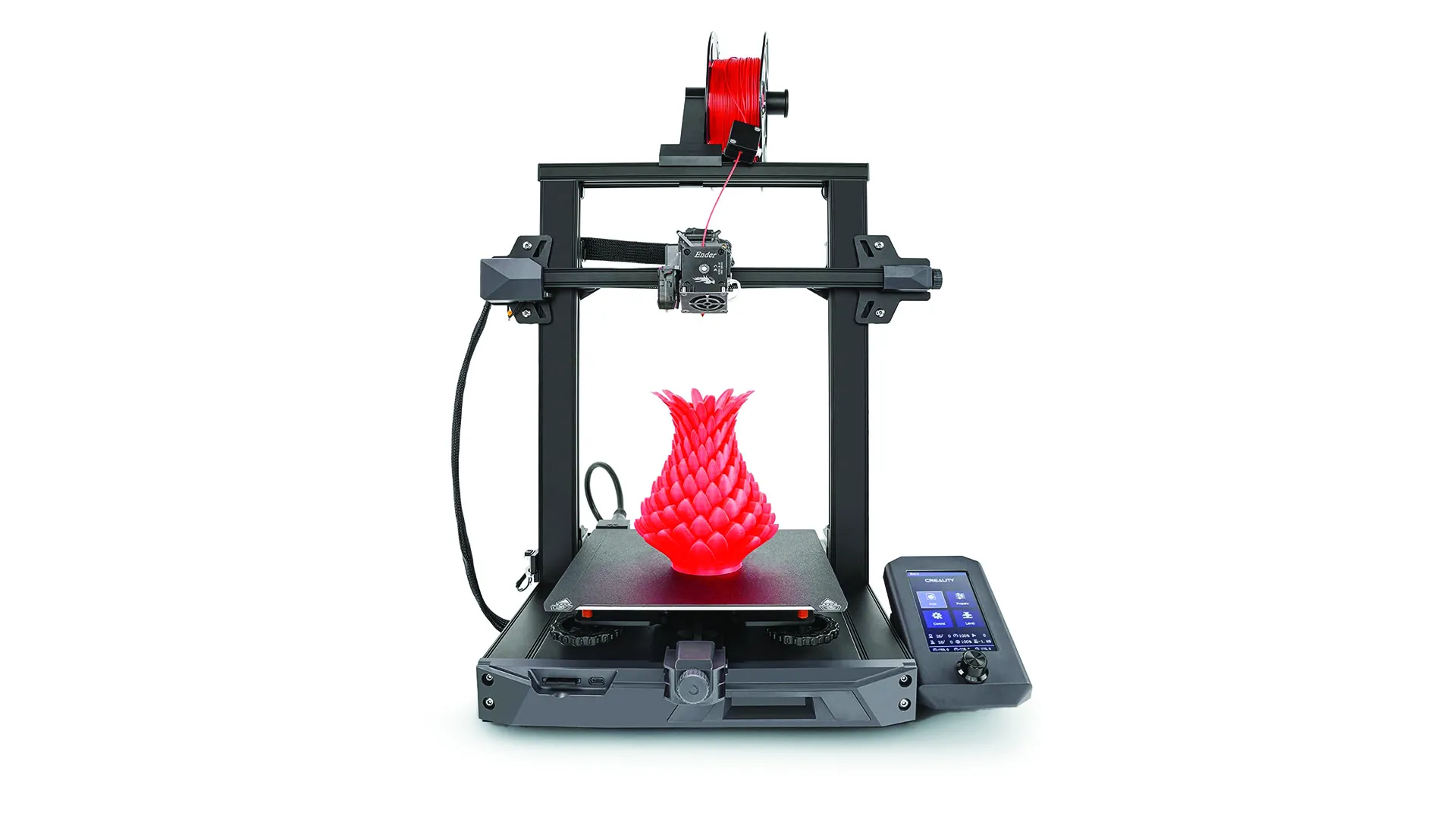
How to choose best starter 3d printer
The right first printer is defined less by a headline speed than by how quickly it gets a beginner from setup to a repeatable first layer.
Automatic leveling and calibration
Automatic bed leveling reduces the need to adjust the print surface by hand. That matters because a poor first layer can ruin an otherwise correct model before the printer has made much progress. The Adventurer 5M, AD5X, Tina2C, P1S, and K2 all list automatic leveling or calibration features.
Look for a system that performs calibration as part of the normal startup process. A printer that requires frequent manual adjustment is a weak fit for a first-time user, even if its motion system is fast.
Build volume
Build volume determines the largest single object the printer can make. A 220 x 220 x 220mm workspace, as found on the Adventurer 5M and AD5X, is flexible enough for many household and hobby projects. The Tina2C's 3.9-inch cube is much better suited to small models, while the K2's 260mm cube gives larger projects more breathing room.
Do not choose a larger machine solely because the number looks impressive. It needs a stable surface and enough surrounding space for access, filament handling, and routine cleaning.
A beginner-friendly printer should make the first layer predictable before it makes the print fast.
Enclosure and materials
An enclosure can help contain the printing environment and makes a printer feel more appropriate in a shared home. The P1S, P1S Combo, and AOSEED have enclosed designs. The K2 also lists materials including ABS and PLA-CF, though the supplied information does not explicitly label the body as enclosed.
PLA is usually the simplest starting point, while PETG, TPU, ABS, ASA, PA, and PC bring different handling requirements. Read the manufacturer's material guidance closely. The P1S models list carbon and glass fiber reinforced polymers as not recommended.
Printing speed and motion design
A high maximum speed is useful when the printer can maintain quality while moving quickly, but beginners should not treat it as the only measure of capability. The Adventurer 5M, AD5X, and K2 list speeds up to 600mm/s, while the P1S models list up to 500mm/s. The AOSEED lists 220 to 250mm/s with peaks up to 400mm/s.
Acceleration, cooling, vibration compensation, and extrusion consistency affect how those numbers translate into finished models. A printer with automatic calibration and reliable cooling is usually easier to live with than one that simply advertises a larger maximum.
Software and creative workflow
App access and ready-to-print libraries can shorten the gap between opening the box and making something useful. The A1 mini connects to MakerWorld and the Bambu Handy app, the Tina2C uses Poloprint Cloud, and the AOSEED adds AI design tools and a large model library.
Traditional slicer support matters if you expect to download models from different sources or design your own. The Tina2C lists compatibility with Cura and Simplify3D, while the Bambu and FLASHFORGE printers emphasize their own connected ecosystems and mobile tools.
Frequently asked questions
What is the best starter 3D printer for most people?
The FLASHFORGE Adventurer 5M is the best starter 3D printer for most first-time makers in this group. Automatic leveling, a full 220 x 220 x 220mm build volume, a direct extruder, and remote monitoring give it a useful balance of accessibility and growth potential.
Is an enclosed 3D printer better for a beginner?
An enclosed printer can be a better fit for a shared home and can support a wider range of materials. The Bambu Lab P1S and P1S Combo are the strongest enclosed options here, while the AOSEED emphasizes a child-friendly enclosed design.
Which model is best for multicolor printing?
The Bambu Lab P1S Combo is the most complete multicolor option because the AMS is included. The FLASHFORGE AD5X supports up to four colors, and the Creality K2 Combo can expand to as many as 16 colors with four CFS units.
Is a small 3D printer suitable for children?
A small printer can be a good choice for children because it is easier to place and its projects are less demanding. The Entina Tina2C has a 3.9 x 3.9 x 3.9-inch print volume, guided app features, auto leveling, and a compact body aimed at kids and STEM activities.
Do beginners need a printer that reaches 600mm/s?
No. A high maximum speed is useful, but calibration, cooling, extrusion, and software have a bigger effect on the first successful prints. The A1 mini and Tina2C can still make sense for a beginner who values quiet, guided operation over maximum throughput.
Can these printers use more than PLA?
Several can. The P1S models list PLA, PETG, TPU, PVA, PET, ABS, and ASA as ideal materials, with PA and PC listed as capable. Material support varies by printer, and the P1S information specifically says carbon and glass fiber reinforced polymers are not recommended.
Should I buy a printer with an app?
An app can make model discovery, monitoring, and starting a print easier. It is especially useful for the A1 mini, Tina2C, and AOSEED, but users who want maximum control should also consider the printer's slicer compatibility and offline printing options.

The bottom line
The FLASHFORGE Adventurer 5M is our top recommendation because it gives beginners the most useful combination of automatic leveling, full-size build space, fast CoreXY movement, a direct extruder, and remote monitoring. The Bambu Lab P1S Combo is the better choice for someone who specifically wants an enclosed multicolor workflow from the start.
For children and small projects, the Entina Tina2C is easier to approach, while the Bambu Lab A1 mini is the cleaner compact option for adults. The Creality K2 Combo is the one to choose when larger multicolor prints matter more than a minimal learning curve.
If you are still undecided, choose the Best starter 3D printer by matching the build volume and workflow you will actually use, not the fastest number on the box.
As an Amazon Associate we earn from qualifying purchases.