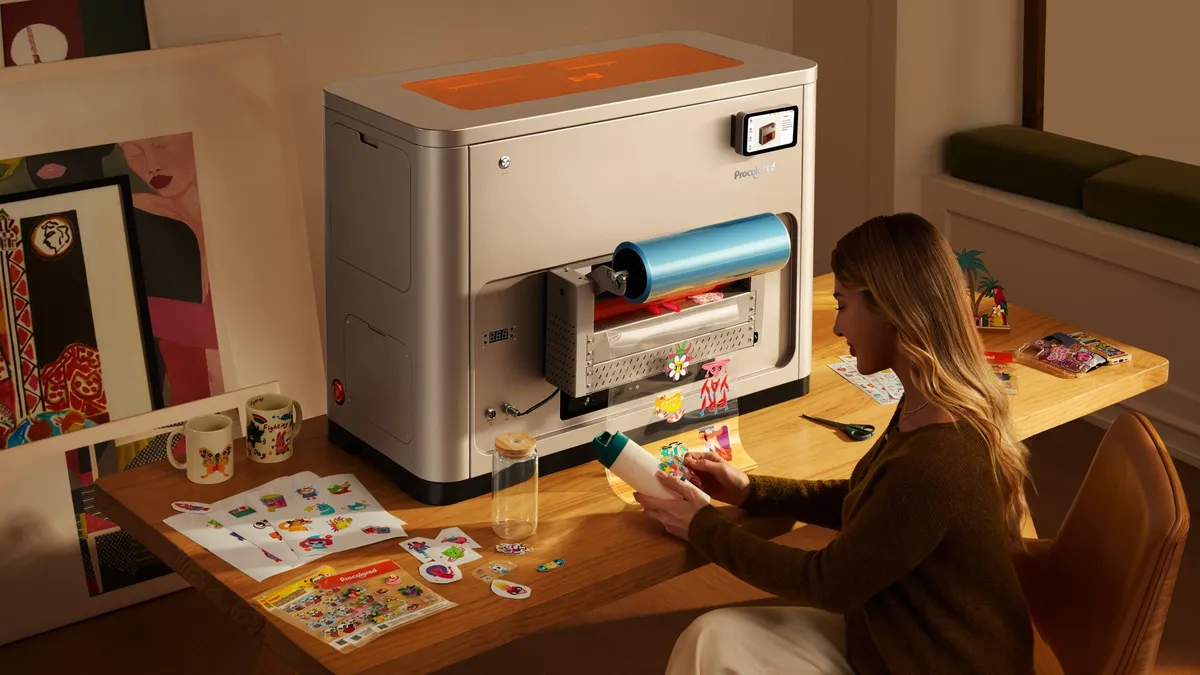

A sticker printer can mean two very different things. Some machines make vivid, laminated photo stickers with clean automatic cuts. Others use black-and-white thermal paper for labels, study notes, and quick planner decorations. Choosing the wrong type is the fastest way to end up with stickers that do not suit your project.
Our Best sticker printer picks cover both ends of that divide, from the all-in-one Liene PixCut S1 to pocket-sized thermal machines and full-size shipping label printers. The Liene PixCut S1 is the single best pick for most creative sticker projects, while the rest cover photo printing, school use, small-business labels, and shipping.
Comparison table
| # | Product | Award | Print type | Special feature | Best for |
|---|---|---|---|---|---|
| 1 | Liene PixCut S1 | Best overall | 300 dpi color dye-sublimation | AI auto-cutting | Custom photo stickers |
| 2 | Liene PixCut S1 Inspire | Best kit | 300 dpi color dye-sublimation | 180 sheets included | High-volume craft sessions |
| 3 | XenGro AHM2 | Best for kids | 203 dpi monochrome thermal | OCR and serrated cutter | School notes and labels |
| 4 | MUNBYN 130B | Best for mixed labels | 203 dpi monochrome thermal | Bluetooth and USB | Home businesses |
| 5 | Liene Pearl N200 Gold | Best portable photo printer | Color dye-sublimation | 2 x 3-inch adhesive paper | Pocket photo stickers |
| 6 | ETIKEZ PM290C | Best simple monochrome pick | Monochrome thermal | Three paper rolls | Notes and small labels |
| 7 | Phomemo 241BT | Best for shipping | 203 dpi monochrome thermal | Up to 4.6-inch label width | Shipping workflows |
| 8 | Memoking T02 | Best AI app | Monochrome thermal | AI cutout and image tools | Creative smartphone projects |
| 9 | Liene Pearl N200 Purple | Best for group printing | Color dye-sublimation | Multi-device pairing | Parties and shared albums |
| 10 | TYPONOS PM290 | Best for colored paper rolls | Monochrome thermal | Three adhesive roll colors | Planners and classroom use |
1. Liene PixCut S1: Best Overall

Pros
- Prints vivid color stickers at 300 dpi
- Combines printing and cutting in one machine
- AI extracts subjects and follows their edges
- Four-layer output is waterproof and scratch-resistant
Cons
- Much larger and heavier than pocket thermal printers
- The starter kit has fewer sheets than the Inspire Kit
- Intended for app-based Bluetooth printing
Best for: creative users who want colorful, durable stickers without a separate cutting machine.
The Liene PixCut S1 is the machine we'd choose when the sticker itself matters as much as the convenience of making it. It is not just a tiny label printer that happens to use adhesive paper. It combines a color photo printer and a die-cutting system, so a phone image can become a finished sticker without moving between separate devices.
Its thermal dye-sublimation engine prints at 300 dpi and supports 16.7 million colors. That matters for photographs, illustrated characters, and small labels with gradients, where the 203 dpi black-and-white thermal output from the XenGro AHM2 or Memoking T02 is a completely different proposition. The S1 also uses four-layer thermal processing that laminates the paper during printing. The resulting stickers are described as waterproof and scratch-resistant, which makes them more suitable for bottles, notebooks, and frequently handled crafts than ordinary paper labels.
The useful part of the workflow is the AI image extraction and cutting. The app can recognize the subject in a photo, remove the surrounding background, and guide the cutter around the subject's edge. Liene says a creation can be made in about two minutes, though the exact time will depend on the design and connection. Bluetooth printing works from a smartphone, tablet, or desktop through the Liene app, which includes templates, fonts, and creative elements without a subscription.
The weakness is physical. At 11 inches long, 7.7 inches wide, and 6.2 pounds, this is a small desktop appliance, not something to toss in a bag. Its starter kit also includes 18 photo sheets and 18 sticker sheets, so frequent users may prefer the second-place Inspire version. People who only need monochrome reminders should skip it and look at the ETIKEZ PM290C or XenGro AHM2 instead. For custom color stickers with automatic cutting, though, the PixCut S1 is the most complete package here.
2. Liene PixCut S1 Inspire: Best Kit

Pros
- Same 300 dpi color printing as the PixCut S1
- AI subject extraction and edge cutting
- Includes 36 photo sheets and 144 sticker sheets
- Waterproof and scratch-resistant laminated output
Cons
- Shares the standard S1's large desktop footprint
- More paper than some occasional users need
- Still relies on the Liene app for the main workflow
Best for: prolific crafters who want the PixCut system with a large supply of media ready to use.
The Liene PixCut S1 Inspire is functionally the same kind of machine as the top pick, but the bundle changes who should buy it. It is designed for a long craft afternoon, a classroom project, or a creator who expects to make many labels and stickers before ordering more paper. The printer itself remains an all-in-one color printer and cutter rather than a basic roll-fed label device.
Print quality comes from the same thermal dye-sublimation process, with 300 dpi resolution and a claimed 16.7 million colors. That gives photos and artwork substantially more room for fine detail than the monochrome machines lower down this list. Four-layer processing laminates the media as it prints, and Liene describes the finished stickers as waterproof and scratch-resistant. Those traits are useful for decorative labels that will be handled regularly, not just placed inside a notebook.
The AI tools are the main creative advantage. The app can extract a subject from an image and direct the precision cutter around its outline. It also includes AI styles, templates, fonts, and elements, with versions for mobile, tablet, and desktop. Bluetooth keeps the setup simple, although users who prefer designing in a dedicated desktop graphics program may find the app-centered process restrictive.
The bundle contains 36 photo sheets and 144 sticker sheets, a major difference from the regular S1's starter supply. Its dimensions are about 11.06 by 7.72 by 4.13 inches, and it weighs roughly 6.4 pounds, so it is not the portable alternative to the PixCut S1. Choose this model over the first-place version when uninterrupted media supply is the priority. Choose the regular S1 if you want the same printer for lighter, more occasional projects.
3. XenGro AHM2: Best for Kids

Pros
- Tiny 0.26-pound design
- Bluetooth printing from iOS and Android
- OCR, templates, and text editing in the app
- Serrated cutter makes straight tears easy
- Includes four thermal rolls
Cons
- Prints in black and white
- 203 dpi cannot match the Liene photo printers
- App pairing is required instead of normal system Bluetooth pairing
Best for: children, students, and families making notes, labels, and simple monochrome stickers.
The XenGro AHM2 is the kind of printer that earns its place by being easy to carry and hard to overthink. It weighs only 0.26 pounds and measures about 3.35 by 3.06 by 1.38 inches. A child can carry it in a backpack, and an adult can keep it beside a planner without giving up much desk space.
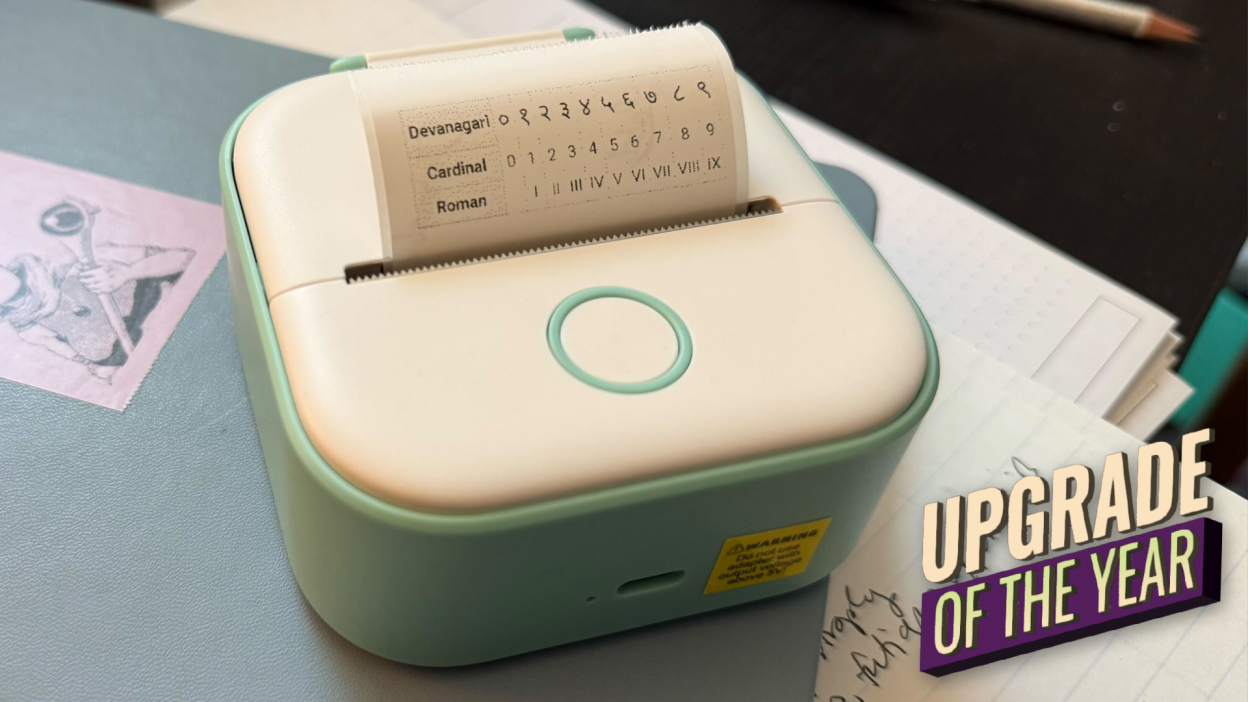
This is an inkless thermal printer, so there are no cartridges or toner supplies to manage. Its 203 dpi black-and-white output is suited to vocabulary cards, formulas, charts, to-do lists, and simple illustrations. It can use self-adhesive paper, standard thermal paper, and compatible color paper rolls, but the print itself is monochrome. The included setup has one installed white sticker roll plus three extra rolls.
XenGro's Funnyprinter app gives the AHM2 more to do than simply reproduce a phone screenshot. OCR can turn photographed text into a printable note, while templates, text editing, drag-and-resize controls, and decorative stickers support journaling and school projects. The built-in serrated cutter is a small but useful detail because it gives each print a clean straight tear rather than leaving the user to find scissors.
It is not a rival to the Liene PixCut S1 for photographic stickers. The resolution is lower, color work is limited to the paper rather than the print, and pairing needs to happen through the app instead of the phone's normal Bluetooth settings. For a child who wants instant creative output, or a student who needs compact study labels, those limitations are less important than the size and straightforward controls. For broader label requirements, the right label features for home and small-business use are worth considering before choosing a printer.
4. MUNBYN 130B: Best for Mixed Labels

Pros
- Supports labels from 1.57 to 4.3 inches wide
- Bluetooth app, browser editor, and USB options
- Handles shipping, QR codes, barcodes, and name labels
- OCR, templates, fonts, and multi-language support
Cons
- Monochrome output only
- Larger than the pocket sticker printers
- MUNBYN notes a possible issue with UPS thermal paper
Best for: sellers and home organizers who need one thermal printer for several label formats.
The MUNBYN 130B is not a craft-first sticker printer. It is a desktop label tool that happens to support several adhesive formats, making it a stronger fit for shipping, inventory, household organization, and business labels than the tiny smartphone models. Its 8 by 6.88 by 4.72-inch body and 2.3-pound weight are reasonable for a desk, but not pocket-friendly.
At 203 dpi, it produces black-and-white labels with enough detail for text, barcodes, QR codes, and basic branding. It supports shipping labels measuring 4 by 6 inches, along with circle and rectangle formats. The stated width range runs from 1.57 to 4.3 inches, so it can cover more than a single shipping-label size. The printer works with MUNBYN's specialty gradient, glitter, rainbow, and other paper series, although the device itself does not add color to the design.
The software setup is more flexible than on the mini printers. iOS and Android users can use the MUNBYN Print app. On a computer, the Munbyn Editor runs in Google Chrome without a traditional installation for Bluetooth design and printing, and USB is available for desktops without Bluetooth. The app and editor include more than 3, 500 elements, over 2, 000 templates, 80-plus fonts, PDF and TXT import, OCR, and multi-language support.
The 130B is a better practical tool than the Phomemo 241BT when label variety matters, while Phomemo has the clearer case for a shipping-focused workflow and faster stated throughput. MUNBYN also lists compatibility with USPS, UPS, FedEx, Amazon, Shopify, Etsy, and eBay, but specifically warns that UPS thermal paper may cause issues. Pick this printer for mixed label sizes and software flexibility. Skip it if your goal is colorful photo stickers or a pocket companion.
5. Liene Pearl N200 Gold: Best Portable Photo Printer

Pros
- Color dye-sublimation printing
- Compact 2 x 3-inch adhesive prints
- Built-in camera and one-touch InstaPic mode
- AI styling and background removal
- Supports multi-device pairing
Cons
- Does not automatically cut around a subject
- Smaller prints than the PixCut S1
- One charge is specified for up to 27 stickers
Best for: phone photographers who want small colorful adhesive photos on the move.
The Liene Pearl N200 Gold is the portable photo specialist in this group. It weighs about 0.75 pounds and measures 5.69 by 3.44 by 1.16 inches, so it fits into a small bag far more naturally than either PixCut model. Its adhesive paper produces 2 by 3-inch pictures, which are better suited to journals, memory books, party favors, and small personal labels than large shipping or storage stickers.
The printer uses thermal dye sublimation rather than the monochrome direct thermal process used by XenGro and TYPONOS. That means it can reproduce color photographs and artwork, with the image passing through the dye-sublimation process for a finished photo print. The included setup has 50 sheets of adhesive paper and five cartridges. It is not a die cutter, so users wanting intricate outlines around a subject will need to trim the rectangular print themselves.
The Liene Photo App adds more creative control than a basic Bluetooth print utility. It offers frames, official stickers, timestamps, watermarks, and AI background removal. It can also reimagine a portrait in different artistic styles. The built-in CCD camera and InstaPic Print mode are useful for parties because they let users shoot and print without first selecting an image from the phone gallery.
A full charge is specified for up to 27 stickers, and quick Bluetooth pairing with multi-device support makes the N200 suitable for shared gatherings. The PixCut S1 is clearly stronger for larger, automatically cut stickers, while the N200 is the one to carry. Gold and purple versions have the same listed dimensions, paper format, app features, and battery claim. Choose between them by finish, not capability. If you need a broader comparison of compact devices, how portable printing changes the way you work away from a desk is a useful place to start.
6. ETIKEZ PM290C: Best Simple Monochrome Pick

Pros
- Compact 3.54-inch square design
- Three rolls of 54 mm by 3.2 m sticker paper
- Bluetooth app supports iOS and Android
- OCR, AI tools, and templates
- One-button operation
Cons
- Black-and-white printing only
- No computer connection
- Charging adapter is not included
Best for: simple adhesive notes, school labels, and monochrome planning tasks.
The ETIKEZ PM290C keeps the basic idea of a mini sticker printer intact: connect a phone, choose a design, print a narrow strip, and tear or cut it to the shape needed. Its roughly 3.54 by 3.54 by 3.94-inch body is compact enough for a school desk or home office. It comes with three rolls of 54 mm by 3.2 m white thermal sticker paper.
Output is monochrome, and ETIKEZ is clear that this is not a camera or a color photo printer. That makes it a natural fit for study notes, memos, lists, labels, and small illustrations rather than photographic stickers. Thermal printing avoids ink, while the roll format lets users cut individual pieces into custom lengths or shapes.
The Labelnize app handles Bluetooth pairing on iOS and Android. It includes OCR, AI tools, templates, and functions for printing notes or other text-heavy material. The one-button operation is approachable for younger users, although the setup has a few details to remember: the button must be held until the light flashes, and the printer should be selected inside the app.
There is no computer connection, and the missing charging adapter is an inconvenience that should be planned for. ETIKEZ also advises against fast-charging adapters. The XenGro AHM2 is smaller and lighter, with a serrated cutter and more explicit color-paper support. The PM290C counters with a familiar square form and three included rolls. Choose it for straightforward phone-based monochrome printing, not for polished color stickers.
7. Phomemo 241BT: Best for Shipping

Pros
- Prints labels from 1 to 4.6 inches wide
- Bluetooth and USB connectivity
- Works with major selling and shipping platforms
- Stated speed of 150 mm per second
- Supports Windows, Mac, Chrome OS, and Linux
Cons
- Black-and-white output only
- Computer printing requires a driver
- Larger than the dedicated mini sticker printers
Best for: sellers who need 4 by 6 shipping labels and computer-friendly connectivity.
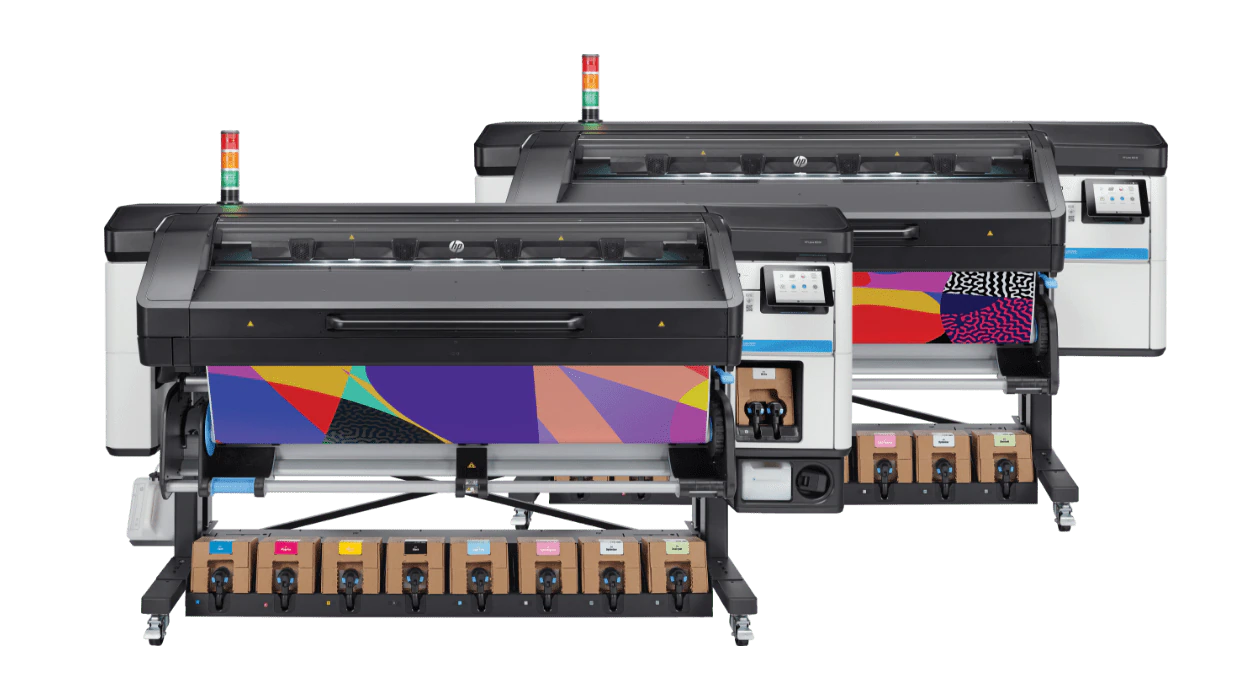
The Phomemo 241BT is the practical choice when “sticker printer” really means a shipping or business label printer. It is built around larger labels, with support for widths from 1 to 4.6 inches and a stated 4 by 6-inch format. That makes it poorly suited to pocket journaling, but much more sensible for packages, warehouse bins, and order-processing desks.
Its 203 dpi direct thermal output is monochrome. Text, barcodes, QR codes, forms, and templates are the intended workload. Phomemo states a print speed of 150 mm per second and says it can produce up to 72 4 by 6-inch labels per minute. Actual workflow speed will also depend on the computer, document, and label feed, but the specification shows that this is aimed at batches rather than one-off craft stickers.
Wireless printing works through the Labelife app on iOS and Android. Computers can connect through Bluetooth or USB, with support for Windows, Mac OS, Chrome OS, and Linux. Chrome OS users need the Labelife extension, while PC printing requires the appropriate driver. Compatibility includes Amazon, Etsy, eBay, Shopify, UPS, USPS, and FedEx.
The MUNBYN 130B is the better fit for varied small labels and creative label templates. The Phomemo makes more sense when 4 by 6 shipping output is the center of the job. It cannot produce color, and its physical footprint is far larger than the TYPONOS PM290, but those are reasonable trade-offs for computer support and a wider label path. For businesses comparing specialized equipment, the differences between shipping labels and everyday organization labels can help clarify which format belongs on your desk.
8. Memoking T02: Best AI App

Pros
- AI cutout, filters, blending, and voice-to-image tools
- Compact 3.39-inch square body
- Works with iOS and Android
- Supports white, color, and transparent thermal paper
- Three rolls included
Cons
- Monochrome printing
- No computer printing
- Cutouts need scissors or another manual method
Best for: smartphone users who want playful AI creation tools in a small thermal printer.
The Memoking T02 is a creative thermal printer with an unusually broad app feature set. Its body measures about 3.39 by 3.39 by 1.42 inches and weighs roughly 0.71 pounds. That makes it portable enough for a backpack, classroom, or craft table, while the included three rolls let a new owner start experimenting immediately.
The T02 prints without ink on thermal sticker paper, standard white paper, color paper, or clear transparent paper. The printer itself remains monochrome, so colored rolls change the background rather than creating a full-color photograph. That distinction is important for anyone comparing it with the color dye-sublimation Liene Pearl N200 or PixCut S1.
The Phomemo app connection is designed for iOS and Android, with one-click Bluetooth pairing through the app. Its AI tools include photo cutout, AI sticker creation, filters, image blending, and voice-to-image. There are also fonts, themes, scan functions, and templates for study graphics, puzzles, schedules, receipts, and small business labels. The range makes it more playful than the ETIKEZ PM290C, even though both are monochrome machines.
The limitation is that the T02 cannot print from a computer, and its output still has to be cut manually with scissors when a custom shape is needed. The XenGro AHM2 is lighter and includes a serrated cutter, while the T02 offers more ambitious app-based creativity and supports transparent paper. Choose the T02 when the app matters more than automatic finishing.
9. Liene Pearl N200 Purple: Best for Group Printing

Pros
- Color dye-sublimation photo printing
- 2 x 3-inch adhesive output
- Built-in camera and filters
- AI background removal and portrait styles
- Multi-device Bluetooth pairing
Cons
- No automatic contour cutting
- Small print format
- Battery is specified for up to 27 stickers per charge
Best for: groups sharing a compact color photo printer at parties and gatherings.
The Liene Pearl N200 Purple is the same printer as the Gold version in a different finish. That makes it easy to place in the roundup, because its strengths are clear: it is a portable color photo printer that uses adhesive 2 by 3-inch media and can be used by several phones. It weighs about 0.75 pounds and is only 1.16 inches tall.
Its thermal dye-sublimation process is designed for sharper, more colorful small photos than the monochrome thermal printers in this list. The bundled setup includes 50 adhesive sheets and five cartridges. The output is rectangular, not contour-cut, so the N200 is best for mini photo stickers and decorative snapshots rather than die-cut logos or character shapes.
InstaPic Print mode uses the built-in CCD camera for a direct shoot-and-print experience. The app also includes frames, timestamps, watermarks, official stickers, AI background removal, and artistic portrait styles. Quick Bluetooth pairing and multi-device support are particularly useful when several people want to contribute pictures at a party without passing one phone around.
The N200 Purple cannot replace the PixCut S1 for automatic cutting or larger creative work. It is also less suited to text-heavy labels than the MUNBYN 130B. Its advantage is immediacy: a compact color printer, adhesive paper, and a camera in one portable setup. Select the Purple model if you prefer its finish. There is no functional reason to choose it over the Gold model.
10. TYPONOS PM290: Best for Colored Paper Rolls

Pros
- Three adhesive rolls in white, pink, and green
- Bluetooth app for iOS and Android
- OCR, background removal, and text-to-image tools
- Portable design for school and home
- Prints labels, notes, and simple images
Cons
- Black-and-white output only
- No computer printing
- Charging adapter is not included
Best for: planners and classroom projects that benefit from different paper colors.
The TYPONOS PM290 is a small roll-fed thermal printer aimed at notes, planners, labels, and classroom activities. Its listed dimensions are about 5.04 by 3.50 by 3.94 inches, with a weight of roughly 0.66 pounds. It is still easy to move between a desk and a backpack, though the shape is less pocket-like than the XenGro AHM2.
The key distinction is the media bundle. It includes three rolls of 54 mm by 3.2 m adhesive paper in white, pink, and green. The printer uses monochrome thermal output, so the colored paper supplies visual organization rather than full-color images. That works well for separating planner categories, making classroom games, or creating labels that stand out without needing a color engine.
Connection is handled through the Labelnize app on iOS 13 or later and Android. The app includes cropping, rotation, templates, fonts, OCR, one-click background removal, and AI text-to-image tools. TYPONOS says the printer does not support computer printing, so it is intended to stay within the phone or tablet workflow.
The ETIKEZ PM290C is the closer alternative, with a similar monochrome approach and the same general type of app-based setup. ETIKEZ is the simpler pick for white thermal notes, while TYPONOS is more interesting when the included pink and green rolls will actually be used. Neither belongs in a color-photo comparison, and both lack an included charging adapter. Choose the PM290 for portable labels with a little more visual variety.
How to choose best sticker printer
The right sticker printer depends first on whether you need true color, automatic cutting, or quick monochrome labels. These are the factors that separate the ten models more clearly than their appearance.
Print technology
Dye-sublimation printers such as the Liene PixCut S1 and Liene Pearl N200 make color photos and illustrations. Thermal printers such as the XenGro AHM2 and TYPONOS PM290 use heat-sensitive media and produce monochrome output, although some support colored or transparent paper.
For photo stickers, dye-sublimation is the meaningful choice. For study notes, barcodes, reminders, and simple labels, direct thermal printing is usually the more appropriate format.
Resolution and color
The PixCut S1 prints at 300 dpi and is specified for 16.7 million colors. The MUNBYN, Phomemo, and XenGro models list 203 dpi and monochrome output. Higher resolution and color matter when a sticker contains a photograph, small illustrated details, or smooth tonal changes.
A 203 dpi thermal printer can still make crisp text and scannable codes. Do not choose a color photo printer merely because its resolution sounds higher if every job is a short label or checklist.
Cutting method
Automatic contour cutting is the feature that most clearly separates the PixCut S1 from the rest. Its AI workflow extracts a subject and guides the cut around its edge. The XenGro has a serrated cutter for straight tears, while the ETIKEZ, Memoking, and TYPONOS models require the user to cut custom shapes manually.
If the finished sticker needs a clean outline, printing and cutting in one machine matters more than app decoration.
Paper format
The Liene Pearl N200 makes 2 by 3-inch adhesive photos. The PixCut machines use photo and sticker sheets. The mini thermal printers use narrow rolls, while the MUNBYN and Phomemo support larger label widths for shipping and business work.
Check the intended label size before choosing a device. A pocket printer is convenient for a journal but unsuitable for a standard shipping label, and a shipping printer is excessive for tiny decorative notes.
App and device support
All of the mini creative models here use Bluetooth and a phone or tablet app. The MUNBYN adds a Chrome-based editor and USB, while the Phomemo supports Bluetooth and USB across Windows, Mac OS, Chrome OS, and Linux. The ETIKEZ, TYPONOS, Memoking, and Liene mini printers do not support computer printing as described in their product details.
App features vary from basic templates to OCR, AI background removal, portrait styles, and text-to-image tools. Choose the simplest workflow that covers the actual project rather than selecting an app based on a long feature list.

Frequently asked questions
Are sticker printers able to print in color?
Some are. The Liene PixCut S1 and Liene Pearl N200 use thermal dye-sublimation for color photo output, while the XenGro, ETIKEZ, TYPONOS, Memoking, MUNBYN, and Phomemo models print in black and white. Certain thermal printers support colored paper, but that is not the same as full-color printing.
Which sticker printer cuts around images automatically?
The Liene PixCut S1 and PixCut S1 Inspire include AI image extraction and precision cutting. The XenGro AHM2 has a serrated cutter for straight tears, but the other mini thermal printers require manual cutting for custom shapes.
Do these printers need ink?
The thermal models do not need ink, toner, or cartridges. The Liene PixCut S1 and Liene Pearl N200 use thermal dye-sublimation systems, with the N200 listing five cartridges in its setup. Media compatibility still matters because thermal printers require suitable paper.
Can these sticker printers work without a computer?
The Liene PixCut models, Liene Pearl N200, XenGro AHM2, ETIKEZ PM290C, Memoking T02, and TYPONOS PM290 are designed around smartphone or tablet apps. The MUNBYN can use a Chrome editor or USB, and the Phomemo supports computer printing through Bluetooth or USB. The ETIKEZ, Memoking, and TYPONOS listings specifically state that computer printing is not supported.
Which model is best for shipping labels?
The Phomemo 241BT and MUNBYN 130B are the appropriate choices. Both support larger label formats and shipping platforms, while the Phomemo is especially focused on 4 by 6-inch labels and computer workflows. The MUNBYN is more flexible for mixed label sizes.
Are the Liene Pearl N200 colors different in performance?
The Gold and Purple Liene Pearl N200 entries list the same dimensions, weight, adhesive paper format, cartridges, app functions, camera features, and multi-device pairing. The difference shown in the product data is the finish, so performance should be the same.
The bottom line
The Best sticker printer for colorful creative work is the Liene PixCut S1. It combines 300 dpi dye-sublimation printing, waterproof laminated stickers, AI image extraction, and automatic contour cutting in one desktop machine. The Liene PixCut S1 Inspire is the better choice for anyone who expects to print frequently and wants its much larger paper bundle.
For small monochrome labels, the XenGro AHM2 is the most portable and approachable, while the Phomemo 241BT is the more capable choice for shipping workflows and computer printing. The Liene Pearl N200 Gold and Purple are the right alternatives for small color photo stickers without automatic cutting.
If you are undecided, choose the PixCut S1 for color and cutting, or the XenGro AHM2 for compact monochrome labels.
As an Amazon Associate we earn from qualifying purchases.