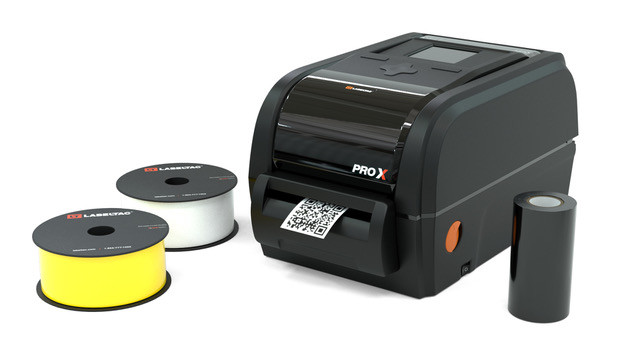

A sticker project can go wrong in two very different ways. A photo printer may produce beautiful color but leave you cutting every shape by hand, while a label printer may be quick and tidy but limited to black and white. The Best printer for stickers depends on which of those compromises you can live with.
We ranked these nine products by what they can actually make. The Liene models handle color photos, the thermal printers suit labels and shipping work, and the Joyberg paper gives a standard inkjet or laser printer a route into full-sheet stickers.
Liene PixCut S1 is the best pick for most people who want finished stickers rather than printed sheets. The rest of the list covers larger labels, pocket-size creations, photo stickers, and printable paper.
Comparison table
| # | Product | Award | Print format | Connectivity | Best for |
|---|---|---|---|---|---|
| 1 | Liene PixCut S1 | Best overall | 300 dpi color, die cut | Bluetooth | Custom shaped stickers |
| 2 | Liene PixCut S1 Inspire Kit | Best for big projects | 300 dpi color, die cut | Bluetooth | Large sticker batches |
| 3 | MUNBYN RealWriter 130B | Best label versatility | 203 dpi thermal | Bluetooth, USB | Small business labels |
| 4 | XenGro AHM2 | Best for kids | 203 dpi monochrome thermal | Bluetooth | Notes and tiny stickers |
| 5 | Liene Pearl N200 Pro | Best pocket photo printer | 2 by 3 inch color | Bluetooth | Photo stickers on the go |
| 6 | KNAON 4-inch Label Printer | Best for broad compatibility | Up to 4.2 inch thermal | Bluetooth, USB | Online shipping platforms |
| 7 | Joyberg Sticker Paper | Best printable paper | Letter-size matte sheets | Inkjet, laser | Full-sheet DIY labels |
| 8 | Phomemo 241BT | Best shipping specialist | 4 by 6 inch thermal | Bluetooth, USB | Shipping labels |
| 9 | Liene Amber M110 | Best for mixed photo sizes | 4 by 6 and 3 by 3 inch color | Bluetooth | Photos and square stickers |
1. Liene PixCut S1: Best Overall

Pros
- Prints and cuts in one device
- 300 dpi dye-sublimation color
- AI image extraction and edge cutting
- Laminated waterproof, scratch-resistant stickers
- Works with the Liene app on mobile, tablet, and desktop
Cons
- Starter kit includes only 18 photo and 18 sticker sheets
- Heavier and larger than pocket photo printers
- Bluetooth app workflow is central to operation
Best for: creators who want colorful, shaped stickers without a separate cutting machine.
The Liene PixCut S1 is the one that changes the job from printing labels to making actual stickers. Its defining feature is not just color output. The machine prints, identifies the subject in an image, and cuts around it in one workflow. That makes it far more suitable for character stickers, custom gifts, journaling pieces, and small branded labels than a conventional thermal label printer.
The 300 dpi thermal dye-sublimation system gives images the smooth, saturated look you expect from a photo printer. Liene says it produces 16.7 million colors, and its four-layer process laminates the print as it works. That combination is useful for stickers that may see handling, since the finished pieces are described as waterproof and scratch-resistant. It is a more convincing result for decorative stickers than the monochrome output from the MUNBYN RealWriter 130B or Phomemo 241BT.
The app is doing much of the creative work. AI image extraction can separate a subject from its background, then guide the cutting system around the subject's edge. The same app includes templates, fonts, elements, and AI styling tools, and it can be used from a phone, tablet, or desktop. That makes the S1 approachable for someone who does not already use design software, although users who prefer a completely offline or manual workflow may find the app dependency restrictive.
At 11 inches long, 7.7 inches wide, 4.1 inches high, and 6.2 pounds, this is a desktop machine, not something to toss in a craft bag. The starter kit also has a limited supply of 18 photo sheets and 18 sticker sheets. The Liene PixCut S1 Inspire Kit is the more practical alternative for a long session, but the standard S1 is the better first choice when the cutting function matters more than the included paper. Choose it if you want polished, custom-shaped color stickers with minimal equipment.
2. Liene PixCut S1 Inspire Kit: Best for Big Projects

Pros
- Same print and cut workflow as the PixCut S1
- Includes 36 photo sheets and 144 sticker sheets
- 300 dpi dye-sublimation color
- AI extraction and precision cutting
- Laminated waterproof and scratch-resistant output
Cons
- Same desktop footprint as the standard S1
- More paper than some occasional users need
- Requires the Liene app for the streamlined workflow
Best for: families, classrooms, and creators planning many sticker projects.
The Liene PixCut S1 Inspire Kit is functionally the same idea as the first-place model, but the bundle changes how useful it is for a busy craft table. It includes 36 photo sheets and 144 sticker sheets, so the machine can be used repeatedly before the next paper order becomes part of the project. That is the main reason to choose this version rather than treating it as a separate printer design.
Its 300 dpi thermal dye-sublimation output is intended for vivid photos, labels, and decorative art. The four-layer process automatically laminates the paper, and Liene describes the resulting stickers as waterproof and scratch-resistant. For a child’s folder, a journal, or a gift package, that protection is more useful than raw resolution alone because the sticker does not need a separate laminating step.
The AI workflow is the real differentiator. The Liene app can extract a person or object from an image, then the cutting system follows the outline. It also provides more than 50, 000 free images, fonts, and elements plus more than 10, 000 templates according to the product description. Those tools make repeat projects easier, though a designer who already has a preferred desktop workflow may want more control than a guided app provides.
The Inspire Kit measures about 11.06 by 7.72 by 4.13 inches and weighs about 6.39 pounds. That is close enough to the standard S1 that desk space should be planned the same way. The Liene PixCut S1 is the cleaner recommendation for occasional users, while this bundle makes more sense when a club, family, or small creative business will keep feeding the cutter. It is the strongest pick for high-volume shaped color stickers.
3. MUNBYN RealWriter 130B: Best Label Versatility

Pros
- Supports labels from 1.57 to 4.3 inches wide
- Bluetooth app and USB options
- Handles circle and rectangle label formats
- OCR, templates, fonts, and multiple languages
- Works with Etsy, Shopify, eBay, Amazon, UPS, FedEx, and USPS
Cons
- 203 dpi output is monochrome
- MUNBYN recommends its own thermal labels
- UPS thermal paper may cause issues
Best for: sellers who need shipping, barcode, organization, and small branding labels from one machine.
The MUNBYN RealWriter 130B is not a photo sticker printer, but it is one of the most capable choices here for practical adhesive labels. It is built around direct thermal printing, which means no ink or toner, and it can work with shipping labels as well as smaller circles and rectangles. A maker selling products online may get more daily use from that flexibility than from a color-only craft device.
The 203 dpi resolution is enough for text, barcodes, QR codes, prices, and simple graphics. It will not reproduce a colorful illustration because the printer is monochrome, and that immediately separates it from both PixCut models and the Liene photo printers. The supported label widths run from 1.57 to 4.3 inches, giving it room for everything from small organization labels to 4 by 6 inch shipping formats.
Setup is relatively broad. Phones and tablets use the MUNBYN Print app over Bluetooth, while a computer can use the browser-based Munbyn Editor. A Bluetooth-less desktop can connect through USB. The app and editor include more than 3, 500 elements, 2, 000 templates, and 80 fonts, along with PDF and TXT import and OCR. Those features make it a more useful small-business tool than a basic one-purpose shipping printer.
The weakness is the narrow color ceiling and the paper caveat. MUNBYN recommends genuine labels for consistent results, and its description warns that the 130B may have issues with UPS thermal paper. If the project depends on colorful, contour-cut artwork, the Liene PixCut S1 is the clear upgrade. If it depends on readable information across many label sizes, this is the more sensible machine. Readers comparing practical label workflows may also want to consider how different label formats affect everyday printing.
4. XenGro AHM2: Best for Kids

Pros
- Extremely small and light
- Prints without ink, toner, or cartridges
- Includes one installed roll and three extra rolls
- OCR, templates, and editing tools in the app
- Built-in serrated cutter
Cons
- Black-and-white output at 203 dpi
- Small roll format limits sticker size
- Requires pairing through the Funnyprinter app
Best for: children, students, planners, and quick monochrome labels.
The XenGro AHM2 is a pocket printer with a very different brief from the PixCut machines. It is designed for instant notes, flashcards, to-do lists, journaling, and small adhesive labels. The built-in serrated edge tears the roll cleanly, so a child can print and separate a note without handling a separate cutter.
Its thermal print engine produces sharp black-and-white output at 203 dpi. There is no ink, toner, or cartridge to manage, and the printer needs no warm-up before printing. That simplicity is useful for schoolwork and organization, but it rules out colorful photo stickers. The printer supports self-adhesive paper, standard thermal paper, and color paper rolls, yet the supplied printing is still best understood as monochrome.
The Funnyprinter app handles Bluetooth printing on iOS and Android. It includes OCR recognition, templates, text editing, drag and resize controls, and decorative stickers. Pairing needs to happen inside the app rather than through the phone's normal Bluetooth settings, a small but important setup detail for parents helping a child get started.
At 3.35 by 3.06 by 1.38 inches and 0.26 pounds, it is dramatically easier to carry than the 6.2-pound Liene PixCut S1. The trade is equally dramatic: the XenGro cannot make large, saturated, contour-cut designs. Its 2-year warranty and four included rolls add reassurance for a child-focused purchase, but anyone wanting durable color artwork should skip it. It is the right little printer for quick, playful, low-detail stickers and notes.
5. Liene Pearl N200 Pro: Best Pocket Photo Printer

Pros
- Dye-sublimation color printing
- Compact 2 by 3 inch adhesive format
- Built-in camera and InstaPic Print mode
- AI background removal, frames, filters, and watermarks
- Supports multi-device party printing
Cons
- Smaller output than the PixCut and Amber models
- One charge prints up to 27 stickers
- No automatic contour cutting
Best for: spontaneous photo stickers, party favors, and pocket-sized creative projects.
The Liene Pearl N200 Pro is the most playful photo printer in this group. Its 2 by 3 inch adhesive paper is small enough for a journal, phone case, gift tag, or scrapbook, and the built-in camera gives it a shoot-and-print mode that does not require selecting a picture from a phone gallery first. That immediacy is its strongest reason to exist.
Dye-sublimation printing is a better match for photographs than monochrome thermal printing. The product description emphasizes sharper resolution and more vibrant colors, while the print is laminated against water, scratches, fingerprints, and fading. The result is still a small photo sticker, not a large label or a cutout with a custom outline, but it should look much more like a finished photo than something from the XenGro AHM2.
The Liene Photo App adds background removal, artistic styles, frames, filters, watermarks, and timestamps. Bluetooth pairing supports multiple devices, which is handy at parties where several people want to send images. A full charge is specified for up to 27 stickers, so it is portable but still needs realistic expectations during a busy event.
The N200 Pro measures 5.69 by 3.44 by 1.16 inches and weighs about 0.75 pounds. It is much easier to carry than the desktop PixCut models, but its small output and lack of automatic shape cutting make it less flexible. The Liene Amber M110 is the better choice when 4 by 6 photos and 3 by 3 square stickers both matter. Pick the N200 Pro when the attraction is instant, personal photo stickers in a compact format. For photo-focused projects, it is also useful to compare the paper sizes that suit different home photo projects.
6. KNAON 4-inch Label Printer: Best for Broad Compatibility

Pros
- Bluetooth and USB connectivity
- Works with Windows, macOS, ChromeOS, and Linux
- Supports labels from 1.5 to 4.2 inches wide
- Up to 180 mm/s printing speed
- Large template and icon library
Cons
- Mobile printing must use the FlashLabel Pro app
- Color output is not listed
- Shipping labels may need PDF import
Best for: sellers using several operating systems and online marketplaces.
The KNAON 4-inch Label Printer is aimed at people who want one label machine to work across a mixed collection of devices. It supports iPhone and Android through the FlashLabel Pro app, while USB connectivity covers Windows, macOS, ChromeOS, and Linux. That breadth gives it an advantage over printers whose desktop support is less clearly defined.
It accepts paper widths from 1.5 to 4.2 inches and prints at up to 180 mm/s. Those figures point to a machine suited to shipping labels, barcode labels, thank-you labels, name tags, and other small business tasks rather than photographic stickers. The included 10 test papers are useful for confirming alignment before a larger run.
The app includes more than 3, 000 templates, 5, 000 icons, and 100 fonts. It can work with labels for Amazon, eBay, Shopify, USPS, UPS, Etsy, PayPal, Poshmark, DHL, and other services. There is a catch: mobile devices cannot connect directly through the normal Bluetooth menu, and shipping labels from those platforms may need to be saved as PDFs and imported into FlashLabel Pro.
Its listed dimensions are 7.17 by 3.9 by 3.43 inches, with a product weight of 2.75 pounds. The MUNBYN RealWriter 130B offers more explicitly listed label shapes and OCR tools, while KNAON has the stronger cross-platform story and a faster listed print rate. Skip it if your priority is rich color or photo quality. For thermal business labels across phones and computers, it is a capable middle-ground pick.
7. Joyberg Sticker Paper: Best Printable Paper

Pros
- Full 8.5 by 11 inch sheets
- Compatible with laser and inkjet printers
- Matte, fast-drying writing surface
- Strong self-adhesive backing
- Can be cut with an electronic cutter or hand tools
Cons
- Requires a separate printer
- Requires separate cutting for custom shapes
- Matte paper is not the same as laminated photo output
Best for: people who already own an inkjet or laser printer and want flexible full-sheet stickers.
The Joyberg Sticker Paper is the odd one out here because it is media rather than a printer. It still belongs in this roundup because many people searching for a sticker printer already own a standard home printer and need adhesive sheets that can turn that printer into a sticker-making setup. The full-sheet format also allows larger layouts than the small rolls used by pocket thermal models.
Each sheet measures 8.5 by 11 inches and uses a 100gsm writing paper surface. The matte finish is designed to be easy on the eyes and accepts pens, pencils, ballpoint pens, and markers. The product is described as compatible with both inkjet and laser printers, with fast drying intended to reduce smudging and ink halos.
The backing is self-adhesive and designed for easier peeling. The sheets can be applied to glass, cardboard, metal, envelopes, cards, plastic, and other surfaces, while the supplied backing markings help distinguish the printable area from the liner. An electronic cutter or other cutting tool can shape the sheet after printing.
That last step is the limitation. Unlike the Liene PixCut S1, Joyberg cannot identify an image and cut around its edges in the same workflow. It also does not provide the automatic lamination associated with dye-sublimation photo printers. Choose it when full-page layouts, handwritten finishing touches, or an existing inkjet or laser printer matter more than automation. Those building a broader home setup can start with the printer features that matter for everyday household tasks.
8. Phomemo 241BT: Best Shipping Specialist

Pros
- Supports label widths from 1 to 4.6 inches
- Bluetooth, USB, and computer support
- Prints barcodes, QR codes, and forms
- Listed speed of 150 mm/s
- Compatible with major shipping platforms
Cons
- Black-and-white printing only
- Computer setup requires a driver
- Phomemo recommends its own thermal labels
Best for: home businesses that primarily print 4 by 6 shipping labels.
The Phomemo 241BT is a straightforward thermal printer for shipping and organization. It handles 4 by 6 labels as its headline format, but the supported width range runs from 1 to 4.6 inches, so it can also cover smaller labels. Text, barcodes, QR codes, forms, and templates are all within its intended workload.
The printer uses Bluetooth through the Labelife app on iOS and Android. On Windows, Mac, ChromeOS, and Linux, users can print through USB, with a driver required for computer use and a Chrome extension required for ChromeOS. That setup is less app-centered than the KNAON approach on some computers, but it adds another installation step before the first label.
Its listed speed is 150 mm/s, with the product description claiming up to 72 4 by 6 labels per minute. The output is black and white only, so this is not the tool for colorful product branding or decorative photo stickers. It can use compatible thermal color paper separately, but the printer itself does not produce ordinary full-color images.
Phomemo describes its thermal labels as resistant to fading and smudging and recommends genuine Phomemo media for consistent results. The MUNBYN RealWriter 130B is more appealing for varied label shapes and OCR, while the KNAON 4-inch Label Printer offers a higher listed speed and wide operating-system coverage. Choose the 241BT when your main job is dependable shipping paperwork rather than creative sticker design.
9. Liene Amber M110: Best for Mixed Photo Sizes

Pros
- Prints both 4 by 6 photos and 3 by 3 stickers
- Includes separate paper trays
- Dye-sublimation prints resist water, scratches, and fingerprints
- Bluetooth supports multiple devices
- App offers filters, borders, and image adjustments
Cons
- Larger and heavier than the Pearl N200 Pro
- Does not provide automatic contour cutting
- More focused on photos than general label formats
Best for: households that want standard photo prints and square adhesive pictures from one device.
The Liene Amber M110 is the most versatile photo-focused option in the list because it accepts two distinctly useful formats. Its dual tray design handles 4 by 6 inch photo paper and 3 by 3 inch sticky-backed paper, letting the same printer switch between conventional prints and square stickers without making the user reload a single mixed stack.
Dye-sublimation color gives the M110 a clear advantage over the black-and-white thermal label printers. The dyes penetrate the paper, and the laminated surface is designed to resist water, scratches, fingerprints, and fading. That makes it well suited to family photos, keepsakes, and square stickers where image quality matters more than an outline cut.
Bluetooth pairing is specified at about 13 seconds, and multiple devices can connect for shared printing. The Liene app adds Polaroid-style borders, filters, contrast and brightness controls, printing status, and tools for ID and visa photos. The app is helpful for quick edits, though this remains a photo printer rather than a full design-and-cut system.
The included bundle has 60 sheets of 4 by 6 paper, 20 sheets of 3 inch square sticker paper, and two cartridges. At 2.87 pounds, it is portable in a practical sense but not as pocket-friendly as the Liene Pearl N200 Pro, which is lighter and built around 2 by 3 inch stickers. The Liene PixCut S1 remains the better choice for custom shapes. Pick the Amber M110 when you want ordinary photo prints and square stickers from the same compact desktop unit.
How to choose best printer for stickers
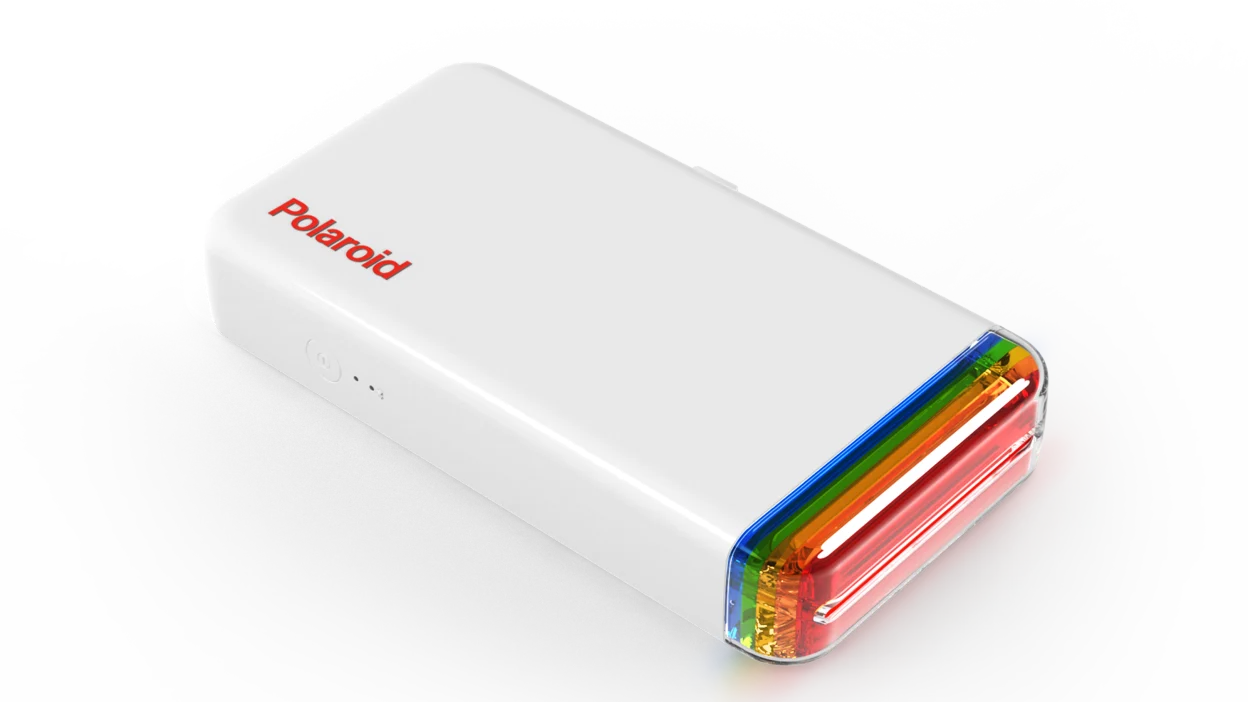
Start with the shape, size, and surface you need. A contour-cut color sticker, a shipping label, and a square photo sticker are different jobs, so the right printer depends on capability rather than a single headline feature.
Cutting method
A built-in cutter is the biggest dividing line in this group. The Liene PixCut S1 models can extract a subject and cut around its edge, while Joyberg paper needs an electronic cutter or hand tools after printing. Thermal label printers generally print the supplied label shape and rely on a tear edge or pre-cut media.
If the finished sticker needs a custom outline, printing and cutting should be treated as one decision.
Color and resolution
Dye-sublimation printers such as the PixCut, Pearl N200 Pro, and Amber M110 are designed for colorful images. The PixCut models list 300 dpi, while the Pearl and Amber emphasize photo output and laminated surfaces. The MUNBYN, XenGro, KNAON, and Phomemo models are thermal machines intended mainly for black-and-white information, so they suit text, barcodes, and simple organization labels rather than artwork.
Sticker format
Check the actual paper size before choosing a machine. The Pearl N200 Pro uses 2 by 3 inch adhesive paper, the Amber M110 supports 3 by 3 inch stickers and 4 by 6 inch photos, and the PixCut models use their own photo and sticker sheets. Full-sheet Joyberg paper measures 8.5 by 11 inches, making it the most flexible option for large layouts if you already have a compatible printer.
Connectivity and software
Mobile printing is central to the Liene, XenGro, MUNBYN, KNAON, and Phomemo models, but the apps differ. MUNBYN offers a browser editor for computers, KNAON supports several operating systems through USB or its app, and Phomemo uses Labelife with a driver for computer printing. If a printer will be shared across phones and laptops, confirm that the required app or driver fits every device first.
Durability and media
Laminated dye-sublimation prints are the strongest fit for stickers that will be handled or exposed to moisture. Thermal labels are efficient for indoor organization and shipping, but they are not a substitute for full-color laminated artwork. Printable paper gives you control over the sheet and cutting method, but its final durability depends on the printer, ink, surface, and any protective layer you add.
Frequently asked questions
Can a thermal label printer print color stickers?
The thermal printers in this roundup are primarily black and white. The MUNBYN, KNAON, and Phomemo models are better for text, barcodes, QR codes, and simple labels, while the XenGro AHM2 is aimed at small monochrome notes and stickers. For colorful artwork, choose a dye-sublimation model or use printable sticker paper in an inkjet printer.
Which model cuts stickers automatically?
The Liene PixCut S1 and Liene PixCut S1 Inspire Kit combine printing with AI-assisted image extraction and precision cutting. They are the only products here specifically built to produce custom-shaped stickers in one workflow. The Joyberg sheets and the other printers require the user to tear, peel, or cut the result separately.
Can these printers make waterproof stickers?
The PixCut S1 models describe their stickers as waterproof and scratch-resistant because the thermal dye-sublimation process includes automatic lamination. The Pearl N200 Pro and Amber M110 also describe laminated photo surfaces that resist water and handling. The thermal label printers and Joyberg paper have different media characteristics, so do not assume every printed label has the same protection.
Which printer is easiest to carry?
The XenGro AHM2 is the smallest and lightest option, measuring about 3.35 by 3.06 by 1.38 inches and weighing 0.26 pounds. The Liene Pearl N200 Pro is also portable at about 0.75 pounds and is designed around small photo stickers. The PixCut models are desktop machines weighing more than 6 pounds.
Can I print shipping labels with a sticker printer?
The MUNBYN RealWriter 130B, KNAON 4-inch Label Printer, and Phomemo 241BT are designed for shipping labels and support major marketplaces or shipping services listed in their product details. The Liene photo printers and PixCut models are not the natural choices for standard shipping paperwork. Check the required label dimensions and software before buying.
Is printable sticker paper a substitute for a sticker printer?
Joyberg Sticker Paper can work with compatible inkjet and laser printers, so it is a practical route if you already own one. It provides full 8.5 by 11 inch sheets, but you must handle the design, printing, and cutting yourself. A dedicated PixCut model is more convenient for automatic contour cutting and integrated sticker production.
The bottom line
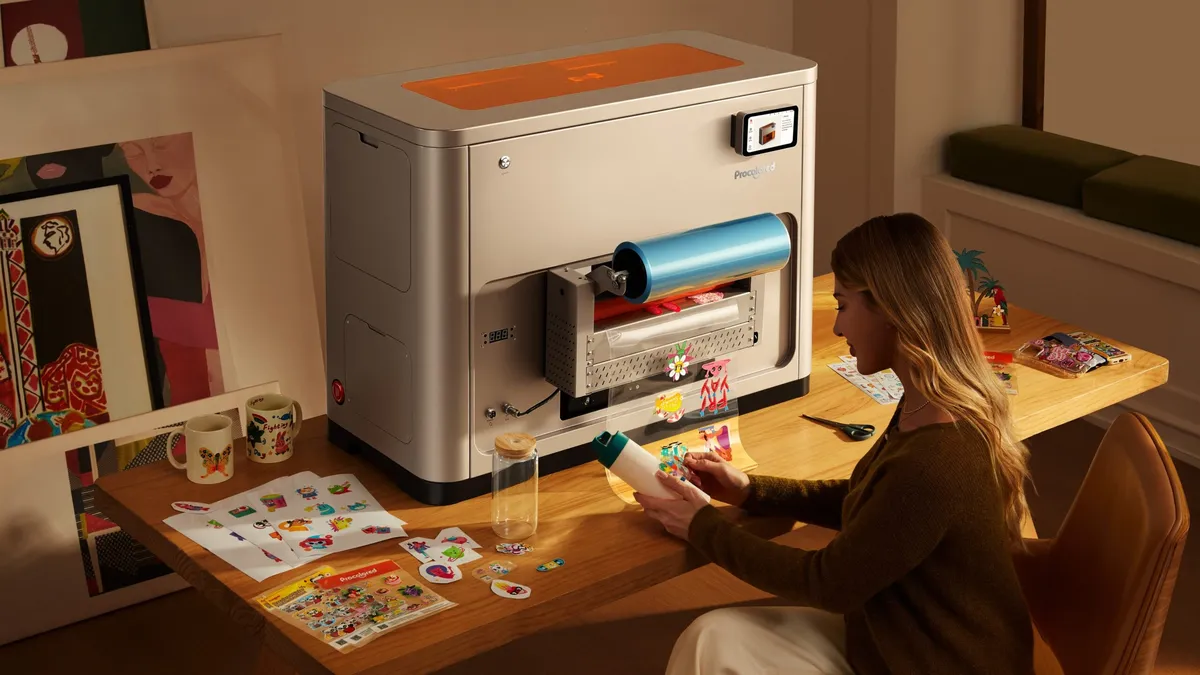
The Liene PixCut S1 is the Best printer for stickers when the goal is colorful, durable, custom-shaped artwork with as little manual cutting as possible. Choose the Liene PixCut S1 Inspire Kit instead when a classroom, family, or active craft workflow needs substantially more included sticker paper.
For shipping and small business labels, the MUNBYN RealWriter 130B is the most flexible choice, while the Liene Amber M110 is the better fit for a mix of 4 by 6 photos and square adhesive prints. The Pearl N200 Pro wins when pocket size and spontaneous 2 by 3 stickers matter most.
If you are undecided, buy the PixCut S1 for custom color stickers, or choose MUNBYN when your work is mostly text and shipping labels.
As an Amazon Associate we earn from qualifying purchases.