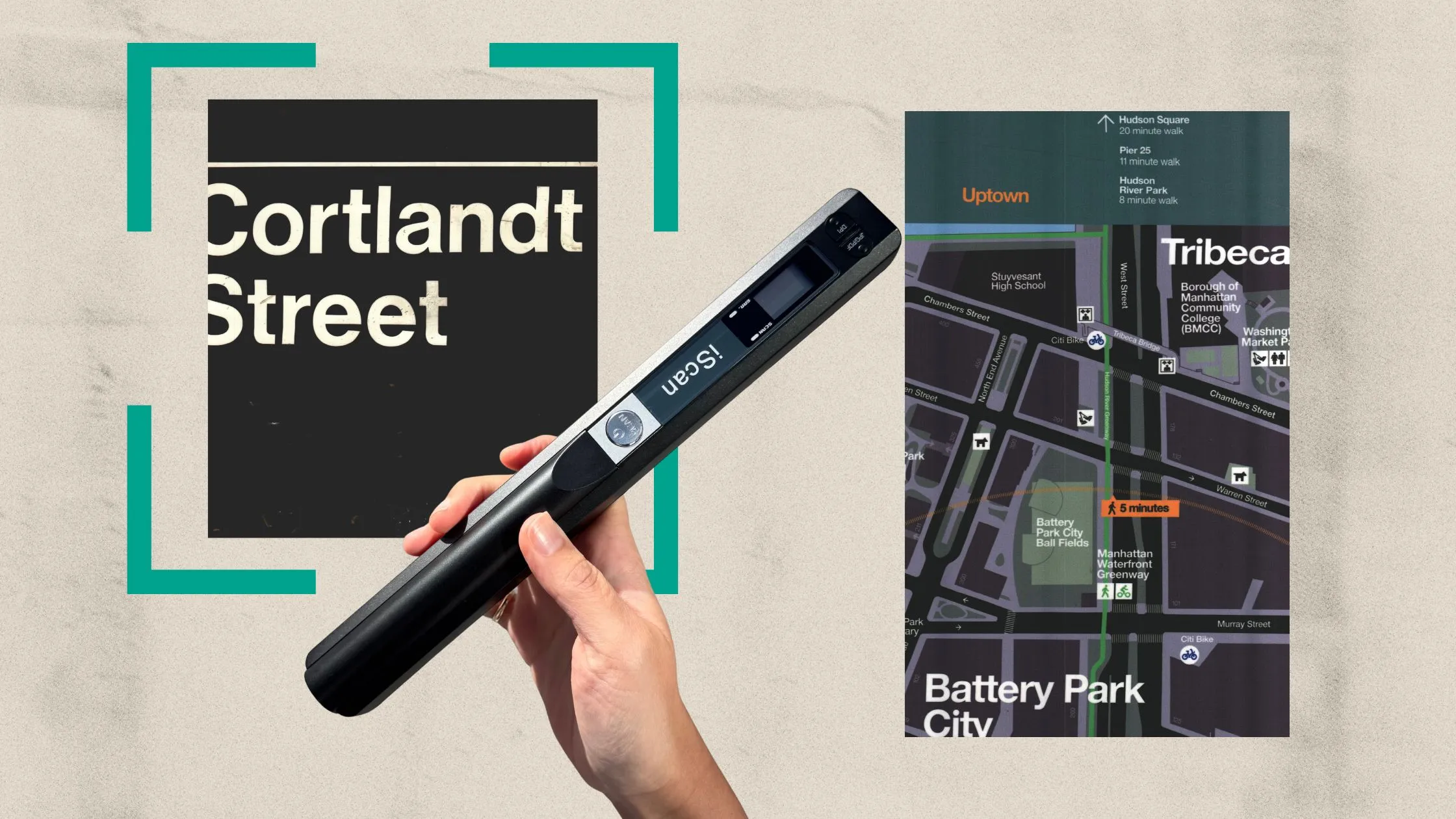

A scanner that stays in a desk drawer is not much help when a client hands you a receipt, a student gives you a form, or a travel bag fills with paperwork. The useful ones connect quickly, handle sheets without drama, and turn paper into files you can actually find later. Our Best best portable scanner picks include tiny single-sheet models, duplex document feeders, a wireless desktop scanner, and a battery-powered handheld option.
The Epson WorkForce ES-50 is the strongest all-around mobile choice for most people, while the ScanSnap iX1300 is the better fit for wireless scanning and larger batches. The rest of the list covers duplex scanning, photo capture, flatbed work, and the smallest possible travel kits.
Comparison table
| # | Product | Award | Duplex | Power or connection | Best for |
|---|---|---|---|---|---|
| 1 | Epson ES-50 | Best overall | No | USB 2.0, USB powered | Mobile document work |
| 2 | Brother DS-640 | Best compact simplex scanner | No | Micro USB 3.0, USB powered | Small bags and briefcases |
| 3 | Canon imageFORMULA R10 | Best portable duplex feeder | Yes | USB powered | Two-sided forms |
| 4 | Brother DS-740D | Best duplex travel model | Yes | Micro USB 3.0, USB powered | Duplex scanning in tight spaces |
| 5 | ScanSnap iX1300 Black | Best wireless option | Yes | Wi-Fi or USB | Home offices and shared desks |
| 6 | Hczrc Portable Scanner | Best battery-powered handheld | No | Two AA batteries, Micro SD | Off-grid scanning |
| 7 | ScanSnap iX1300 White | Best wireless white model | Yes | Wi-Fi or USB | Wireless document organization |
| 8 | Epson ES-400 II | Best for large batches | Yes | USB | Home and office stacks |
| 9 | HP HPPS100 | Best lightweight simplex model | No | USB 2.0, USB powered | Occasional travel scanning |
| 10 | Canon CanoScan LiDE 300 | Best flatbed alternative | No | USB | Photos and single pages |
1. Epson ES-50: Best Overall

Pros
- Very small and light
- USB powered with no external supply
- Handles receipts, ID cards, and extra-long documents
- OCR creates searchable files and editable documents
Cons
- Scans one sheet at a time
- No duplex scanning
- Requires a computer connection
Best for: travelers, tax preparers, and mobile workers who want a capable single-sheet scanner.
The Epson ES-50 gets the fundamentals right. It is narrow enough to slide into a laptop bag, weighs 0.59 pounds, and does not need a separate power brick. Plug it into a computer over USB and it is ready for the kind of one-page-at-a-time work that tends to happen away from a regular office.
Its 10.7-inch width and 1.3-inch height make it considerably easier to pack than the larger feeder models here. Epson says a single page can take as little as 5.5 seconds, which is quick enough for receipts, forms, and a handful of invoices. The scanner also accepts documents up to 8.5 by 72 inches, so long receipts and banners are not automatically a problem.
The software is a meaningful part of the appeal. ScanSmart can review and save scans, combine pages through automatic feeding mode, send files to cloud storage, and use OCR to make searchable PDFs or editable Word and Excel files. The included TWAIN driver also makes the ES-50 easier to fit into existing imaging software than a stripped-down travel scanner.
The compromise is clear: this is a simplex scanner, so two-sided pages require a second pass. The Brother DS-740D and Canon R10 are better for double-sided forms, while the ScanSnap iX1300 is much more convenient for wireless work and larger batches. Choose the ES-50 when compact size, low carrying weight, and straightforward USB operation matter more than automatic duplex scanning.
2. Brother DS-640: Best Compact Simplex Scanner

Pros
- Up to 16 pages per minute
- Compact design fits small bags
- Works with Windows, Mac, and Linux
- Useful image cleanup and OCR tools
Cons
- Simplex scanning only
- Heavier than the Epson ES-50
- Requires a USB-connected computer
Best for: users who want a fast, compact sheetfed scanner with broad computer compatibility.
The Brother DS-640 feels like a practical office tool reduced to travel size. It is 11.9 inches long, 2.2 inches wide, and about 1.029 pounds, so it takes more room than the Epson ES-50 but remains easy to carry. The included Micro USB 3.0 cable supplies power, which is useful in a hotel room, classroom, or temporary office without a convenient outlet.
Its headline strength is speed. Brother rates color and black-and-white scanning at up to 16 pages per minute, with color scanning running at the same stated speed as monochrome. That makes it a better fit than the ES-50 when several single-sided pages need to be digitized in sequence.
Brother also gives the DS-640 a more complete software toolkit than its size suggests. iPrint&Scan supports destinations such as a computer, network, cloud service, email, and OCR. Automatic color detection, image adjustment, background removal, bleed-through prevention, text enhancement, and color drop can help clean up ordinary office paperwork before it becomes part of an archive.
It cannot scan both sides in one pass, which is the dividing line between it and the DS-740D. The DS-740D is the smarter choice for contracts and forms printed on both sides, but the DS-640 remains appealing for receipts, letters, and mostly single-sided documents. It is a good pick for someone who wants more speed than a basic travel scanner without moving to a larger desktop unit.
3. Canon imageFORMULA R10: Best Portable Duplex Feeder

Pros
- Duplex scanning in one pass
- 20-sheet automatic feeder
- Handles receipts, cards, and legal documents
- Built-in software needs no installation
Cons
- Heavier than the smallest mobile scanners
- Not intended for photographic media
- Lower stated speed than the Brother duplex models
Best for: mobile users who regularly scan two-sided paperwork and mixed document types.
The Canon imageFORMULA R10 is the first model here that feels like a true miniature document workflow rather than a single-sheet accessory. Its 20-sheet automatic feeder changes the rhythm of scanning. Instead of feeding every page by hand, you can load a small stack and let the scanner work through it.
Canon rates the R10 at up to 12 pages per minute, and it can scan both sides at the same time. That is slower on paper than the Brother DS-740D and DS-640, but the feeder makes the R10 more convenient for a set of forms. It handles receipts, business cards, plastic or embossed cards, reports, and legal documents, giving it a useful range for mobile offices.
The R10 connects by USB and works with Windows and Mac computers. Canon includes software in the scanner, so there is no installation hurdle before getting started. The software can preview, straighten, trim, organize, and route scans to chosen destinations. Searchable PDFs and JPEG files are supported, and Canon states a suggested daily volume of 500 scans.
At about 2.2 pounds and 11.2 inches wide, it is not the scanner we would choose for the lightest possible travel kit. The Epson ES-50 and Brother DS-640 are easier to carry, while the ScanSnap iX1300 is more flexible when Wi-Fi matters. Pick the R10 when a small automatic feeder and one-pass duplex scanning are more important than minimum weight.
4. Brother DS-740D: Best Duplex Travel Model

Pros
- Up to 16 pages per minute with duplex scanning
- USB powered
- Compact footprint
- Supports Windows, Mac, and Linux
Cons
- No automatic document feeder
- Requires a computer connection
- Heavier than the DS-640
Best for: people who need two-sided scanning but still want a narrow, travel-friendly device.
The Brother DS-740D solves the biggest weakness of small mobile scanners: turning over two-sided paperwork. It scans both sides in a single pass and is rated for up to 16 pages per minute in color and black and white. For forms, IDs, and notes printed on both sides, that capability saves more time than its compact body might suggest.
The scanner measures 11.9 inches long, 2.5 inches wide, and 1.8 inches high. Brother lists its weight at 1.43 pounds. That is still manageable in a bag, though the DS-640 is lighter and the Epson ES-50 is notably smaller in daily carry. The DS-740D uses an included Micro USB 3.0 cable for power, so it can work wherever a laptop is available.
Its Desk Saving Design reduces the space needed to use the scanner, and the software has useful correction tools. Automatic color detection, background removal, text enhancement, bleed-through prevention, and image rotation can make ordinary documents easier to read. iPrint&Scan can send files to a computer, network, email, cloud service, or OCR workflow, and the scanner supports Windows, Mac, and Linux.
The limitation is the lack of a feeder. You still need to place sheets one at a time, so the Canon R10 is better for a small stack and the ScanSnap iX1300 is better for a more settled home-office setup. The DS-740D makes sense when duplex capability must fit into a slim travel kit.
5. ScanSnap iX1300 Black: Best Wireless Option

Pros
- Wi-Fi and USB connectivity
- Duplex scanning at up to 30 pages per minute
- Automatic desk-saving design
- Handles documents, photos, cards, and thicker items
Cons
- Much heavier than mobile single-sheet scanners
- Takes more desk space when packed
- More home-office oriented than travel oriented
Best for: households and small offices that want wireless scanning with strong automation.
The ScanSnap iX1300 Black is portable in the broad sense, but it is not a pocket scanner. At 11.7 inches long, 4.5 inches wide, 3.3 inches high, and 4.4 pounds, it is better moved between rooms than carried on every trip. Its compact, space-saving design helps it live on a small desk without becoming a permanent obstacle.
What makes it stand out is the combination of speed and flexibility. ScanSnap rates it for up to 30 pages per minute with duplex scanning. A single touch starts the process, while automatic de-skew, color optimization, and blank-page removal reduce the cleanup work that follows. It can handle documents, photos, business cards, plastic cards, and thicker items.
Wi-Fi lets it send scans to computers, mobile devices, and cloud services, and it can be used without a computer. USB remains available for a direct connection. ScanSnap Home brings document, receipt, business card, and photo organization into one software environment, which is more polished for ongoing filing than the simpler tools on the Brother mobile models.
The Canon R10 is easier to justify as a genuinely mobile feeder, and the Epson ES-400 II is better when a 50-sheet feeder is the priority. The iX1300 wins when wireless access and automated cleanup matter most. Its weight and desktop shape mean frequent travelers should skip it, but it is the one we'd keep for a home office that occasionally needs to move its scanner.
A broader look at how scanners fit into a home office workflow can help if this will be shared by several people rather than carried by one person.
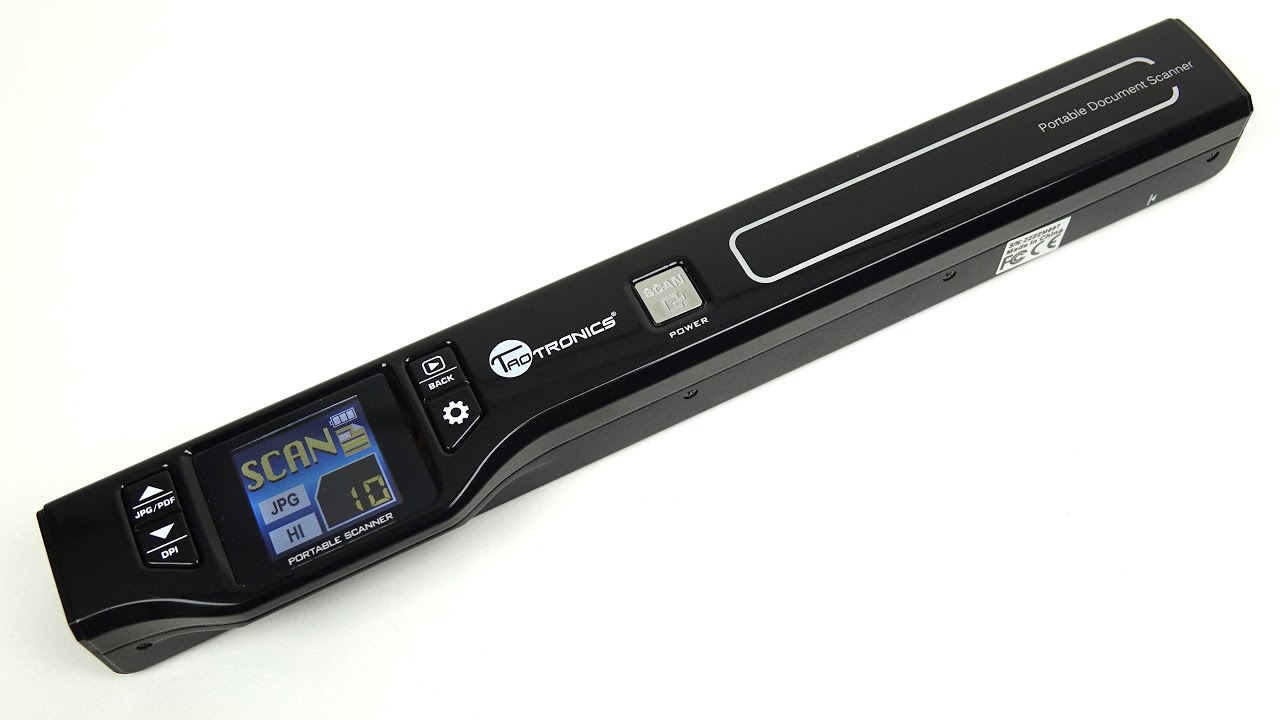
6. Hczrc Portable Scanner: Best Battery-Powered Handheld

Pros
- Runs from two AA batteries
- Saves directly to a Micro SD card
- Offers 300, 600, and 900 dpi modes
- Stores JPEG or PDF files
Cons
- Manual scanning requires a steady hand
- Batteries are not included
- No automatic feeder or duplex scanning
Best for: travelers and field workers who need scans without a laptop or wall outlet.
The Hczrc Portable Scanner is the outlier in this group because it does not depend on a computer during capture. It uses two AA batteries and saves scans directly to a Micro SD card. That makes it useful in places where a USB-powered sheetfed scanner would be inconvenient, such as a library table, meeting room, or field workspace.
It measures 11 inches long, 2 inches wide, and 1.5 inches high, and weighs 0.6 pounds. The scanner offers 300, 600, and 900 dpi settings, with JPEG and PDF as the available file formats. A 16GB card is included, and the device supports Micro SD cards up to 32GB according to the product information.
The trade-off is the scanning method. You press and move the handheld unit across the page, then wait for the indicator to show that the scan is complete. There is no automatic paper feeder, no duplex pass, and no software-based workflow comparable to ScanSnap Home or Epson ScanSmart. The product does not need software installation for direct use, but you still need to transfer files through USB or the memory card.
That simplicity is both its appeal and its weakness. The Epson ES-50 and Brother DS-640 are much better for neat, repeatable stacks of documents, while the Canon LiDE 300 is more sensible for flat, carefully positioned originals. Choose Hczrc when independence from a computer and outlet matters more than speed, automation, or consistent page alignment.
For readers digitizing family albums rather than paperwork, the trade-offs are different, and the handling needs of older photos and fragile prints deserve separate attention.
7. ScanSnap iX1300 White: Best Wireless White Model

Pros
- Wi-Fi and USB connections
- Duplex scanning at up to 30 pages per minute
- Automatic de-skew and blank-page removal
- Works with computers, mobile devices, and cloud services
Cons
- Same substantial weight as the black version
- Not designed for pocketable travel
- Requires more room than single-sheet models
Best for: wireless home-office scanning where a white finish suits the workspace.
The ScanSnap iX1300 White is functionally the same scanner as the black iX1300, and its reason to exist in this list is visual rather than technical. It has the same 11.7 by 4.5 by 3.3-inch dimensions, the same 4.4-pound weight, and the same wireless or USB connection options.
Its up-to-30-pages-per-minute duplex capability makes it far more suitable for recurring paperwork than the tiny mobile models. Automatic de-skew, color optimization, and blank-page removal help keep the resulting files tidy without requiring every scan to be corrected by hand. It also accepts photos, cards, and thicker items, which gives it more range than a conventional document-only feeder.
ScanSnap Home is the main reason to consider this model over a basic USB scanner. The software organizes documents, receipts, business cards, and photos, while the Quick Menu can route scans to familiar computer applications. The scanner can also send files to mobile devices and cloud services, and Chromebook scanning is supported through the mobile app.
There is no performance advantage over the black iX1300, so the choice between these two comes down to the finish that works in your room. If carrying weight is the priority, choose the Epson ES-50 or Brother DS-740D. If the scanner will sit on a shared desk and wireless organization matters, this white version is a clean, capable option.
8. Epson ES-400 II: Best for Large Batches

Pros
- 50-sheet automatic document feeder
- Duplex scanning for office batches
- Double-feed detection and skew correction
- OCR and cloud-sharing tools
Cons
- By far the heaviest model here
- Needs a dedicated desk area
- Less suitable for regular travel
Best for: home offices and small businesses processing stacks of paperwork.
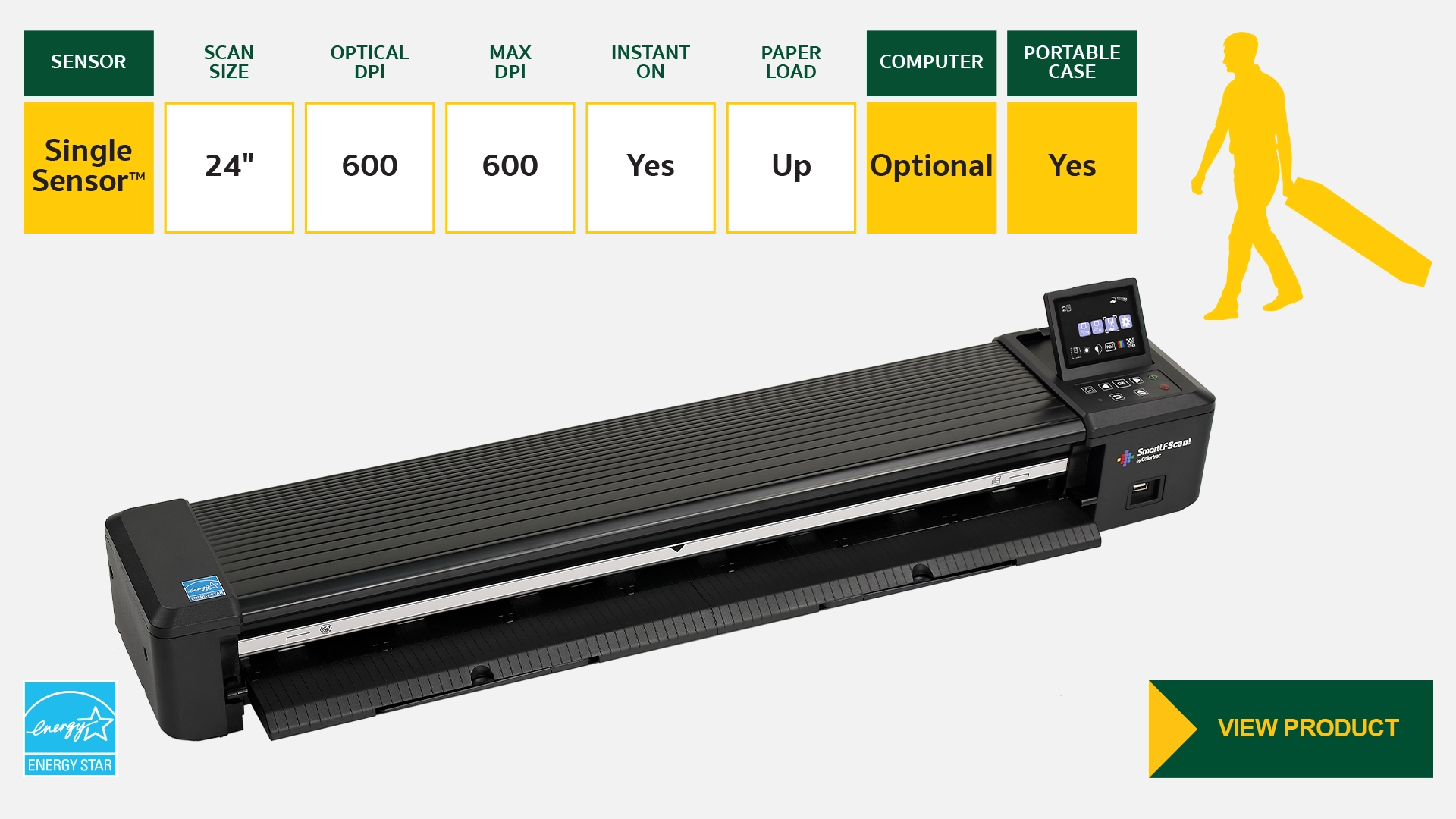
The Epson ES-400 II stretches the meaning of portable, but it belongs in this comparison because it can be moved when necessary and solves a different problem from the bag-sized scanners. Its 50-sheet automatic document feeder is the feature that matters. Load a stack, start the job, and let the scanner work through a substantial run of documents.
It measures 11.6 inches wide, 6.6 inches long, and 6.9 inches high, and weighs about 8.16 pounds. That is not a commuter-friendly package. It is a desktop machine for a home office, tax station, or small business, with enough heft and capacity to make repeated batches less tedious.
Duplex scanning handles both sides of a page, while ultrasonic double-feed detection helps identify sheets that travel together. Dynamic skew correction, auto crop, blank-page removal, and background removal reduce the cleanup needed after scanning. Epson ScanSmart can preview scans, email files, upload to cloud services, and automatically name files. OCR creates searchable PDFs and editable Word or Excel documents.
The ScanSnap iX1300 is smaller and offers wireless operation, but the ES-400 II has the more useful feeder for a serious batch. The Canon R10 is easier to relocate and better suited to small stacks, while the ES-50 is the obvious choice for a travel bag. Skip this model if portability means carrying it daily. Keep it in mind if “portable” really means moving a scanner between a home office and a second workspace.
If your setup also needs to print, a separate guide to combining scanning with everyday printing tasks covers the workflow trade-offs.
9. HP HPPS100: Best Lightweight Simplex Model

Pros
- Extremely light
- USB 2.0 powered
- 15 pages-per-minute simplex scanning
- HP WorkScan includes preview and cleanup tools
Cons
- One-sided scanning only
- Requires Windows or Mac software
- No wireless connection
Best for: commuters who need a very light USB scanner for occasional single-sided documents.
The HP HPPS100 is built around minimal carry weight. Its listed weight is 0.1875 pounds, with a body 11.6 inches wide, 2 inches long, and 1.4 inches high. The unusual dimensions suggest a scanner designed to disappear into a bag, although its long, narrow shape still needs protection from bending or pressure.
HP rates it at 15 pages per minute for one-sided color and black-and-white scanning, or about four seconds per page. It uses USB 2.0 for both connection and power, and it supports paper from 2 by 2.9 inches up to 8.5 by 14 inches. That range covers receipts, business cards, letters, reports, and legal-size pages.
HP WorkScan provides automatic scan and size detection, preview and zoom, cropping, image optimization, and cleanup for backgrounds, edges, and holes. Files can be converted to PDF, JPG, and other formats, and the scanner works with Windows and Mac devices. Those controls make it more useful for mixed paperwork than a bare-bones capture device.
The obvious omission is duplex scanning. The Brother DS-740D is a better match for two-sided forms, and the Epson ES-50 has a more established mobile document workflow. The HP makes sense when the lowest possible carrying weight matters and most of the pages are single-sided. Choose something else for recurring double-sided paperwork or wireless use.
10. Canon CanoScan LiDE 300: Best Flatbed Alternative

Pros
- Flatbed design handles individual originals
- Auto Scan mode detects what is being scanned
- USB connection
- Useful for documents and images
Cons
- Larger and heavier than sheetfed travel scanners
- No automatic document feeder
- No duplex scanning
Best for: people who need a simple flatbed for photos, books, and carefully positioned pages.
The Canon CanoScan LiDE 300 is not a conventional mobile document scanner, but it earns a place here for readers whose originals do not behave like loose office sheets. A flatbed is better for a book page, a delicate photograph, or an item that cannot be fed through a narrow paper path.
Its footprint is 14.5 inches long, 9.9 inches wide, and 1.7 inches high, with a listed weight of 3.6 pounds. That makes it broader and heavier than the Epson ES-50, Brother DS-640, or HP HPPS100, but its slim height means it can still be stored vertically or slid under some shelves.
Canon lists USB connectivity and Auto Scan mode, which detects what is being scanned. The product information describes it as a document scanner for digitizing documents and images. The flat glass gives you a stable surface for individual pages, though there is no feeder to move through a stack and no duplex mechanism for both sides.
The Epson ES-400 II and ScanSnap iX1300 are much better for recurring document batches. The Hczrc is easier to use away from a desk, while the LiDE 300 is the more sensible tool for flat originals that need careful placement. Choose it when image and book handling matter more than sheetfed speed or maximum portability.
How to choose best portable scanner
The right scanner depends less on its smallest dimensions than on the kind of paper you handle and where the finished files need to go.
Sheetfed or flatbed design
Sheetfed scanners pull loose pages through a narrow path, making them the natural choice for receipts, forms, invoices, and letters. The Epson ES-50 and Brother DS-640 are compact examples, while the Canon R10 and ScanSnap iX1300 add automatic feeding.
A flatbed such as the Canon LiDE 300 gives you a glass surface for books, photos, and delicate originals. It is slower for a stack, but safer and more flexible for objects that cannot pass through a feeder.
Duplex scanning
Duplex scanning captures both sides of a sheet in one pass. It matters for contracts, insurance forms, school paperwork, and any document with information printed on the back.
The Brother DS-740D, Canon R10, ScanSnap iX1300, and Epson ES-400 II offer duplex capability. The Epson ES-50, Brother DS-640, HP HPPS100, Hczrc, and Canon LiDE 300 do not, so users with two-sided documents should expect to turn pages or run them through again.
If half your documents have printing on the back, duplex scanning is a workflow feature, not a luxury.
Power and connectivity
USB-powered scanners are convenient when a laptop is nearby. They avoid a separate power supply, but they still depend on a computer. The Epson ES-50, Brother DS-640, Brother DS-740D, Canon R10, and HP HPPS100 follow that pattern.
The Hczrc runs on two AA batteries and stores files on a Micro SD card, which makes it the most independent option. The ScanSnap iX1300 adds Wi-Fi, allowing scans to reach computers, mobile devices, and cloud services without a direct USB connection.
Scanning speed and feeding
Speed matters most when scanning several pages in one sitting. The ScanSnap iX1300 is rated up to 30 pages per minute with duplex scanning, while the Brother DS-640 and DS-740D are rated up to 16 pages per minute. The Canon R10 reaches up to 12 pages per minute and adds a 20-sheet feeder.
The Epson ES-400 II is the batch specialist because its 50-sheet automatic document feeder can accept a much larger stack. A single-sheet scanner can still be fast enough for receipts and occasional forms, but it becomes tiring when the pile grows.
Software and file handling
Look for OCR if you want searchable PDFs or editable office documents. Epson includes OCR support with both the ES-50 and ES-400 II, while Brother includes document management and OCR tools with the DS-640 and DS-740D.
ScanSmart, ScanSnap Home, iPrint&Scan, and HP WorkScan also differ in how they clean, name, preview, and route files. A scanner that produces a technically good image but leaves every page to be renamed and corrected may slow down a regular filing routine.

Frequently asked questions
Are portable scanners better than phone scanning apps?
A scanner gives you a consistent paper path and can produce a more repeatable batch workflow than a phone camera. Models with feeders, duplex scanning, OCR, and automatic cleanup are especially useful for recurring paperwork. A phone is still more convenient for a single page when carrying another device is impractical.
Which portable scanner is best for receipts?
The Epson ES-50 is a strong fit because it accepts receipts and ID cards, supports long documents, and includes OCR and cloud-oriented software. The Canon R10 and ScanSnap iX1300 are better when receipts arrive in batches because their feeders reduce manual handling.
Can these scanners scan both sides of a page?
The Canon R10, Brother DS-740D, ScanSnap iX1300, and Epson ES-400 II can scan both sides in one pass. The Epson ES-50, Brother DS-640, Hczrc, HP HPPS100, and Canon LiDE 300 are not duplex scanners.
Do portable scanners need a wall outlet?
Several models use USB power from a computer, including the Epson ES-50, Brother DS-640, Brother DS-740D, Canon R10, and HP HPPS100. The Hczrc uses two AA batteries. The ScanSnap iX1300 and Epson ES-400 II are more desktop-oriented and are not the best choices when outlet-free operation is the main concern.
Can a portable scanner create searchable PDFs?
Yes. The Epson ES-50 and ES-400 II include OCR support, and the Brother DS-640 and DS-740D include OCR-related software. The Canon R10 supports searchable PDF output, while software and workflow details vary by computer platform.
Are any of these suitable for photographs?
The ScanSnap iX1300 handles photos, and the Canon LiDE 300 is the better flatbed-style option for carefully positioned images. The Canon R10 can handle many document media types, but its product information specifically says it is not intended for photographic paper or photographic media. The Hczrc can scan images and pictures, though its handheld operation requires more care.
Which model is easiest to carry every day?
The Epson ES-50, Hczrc, and HP HPPS100 are the lightest options in this group. The Brother DS-640 and DS-740D are also compact, but the DS-740D weighs more than the DS-640. The ScanSnap iX1300 and Epson ES-400 II are better considered movable desktop scanners than daily-carry devices.
The bottom line
The Epson ES-50 is our top choice for most people searching for the Best best portable scanner. It is exceptionally light, USB powered, handles receipts and long documents, and includes the software needed to turn scans into searchable or editable files. The Canon imageFORMULA R10 is the better pick when a 20-sheet feeder and duplex scanning matter more than carrying weight.
For wireless work, choose the ScanSnap iX1300, available here in black and white. For large home-office batches, the Epson ES-400 II is the clear specialist, while the Hczrc Portable Scanner is the unusual choice for battery-powered, computer-free capture.
If you are undecided, choose the ES-50 for travel, the R10 for two-sided forms, or the iX1300 for wireless home-office scanning.
As an Amazon Associate we earn from qualifying purchases.