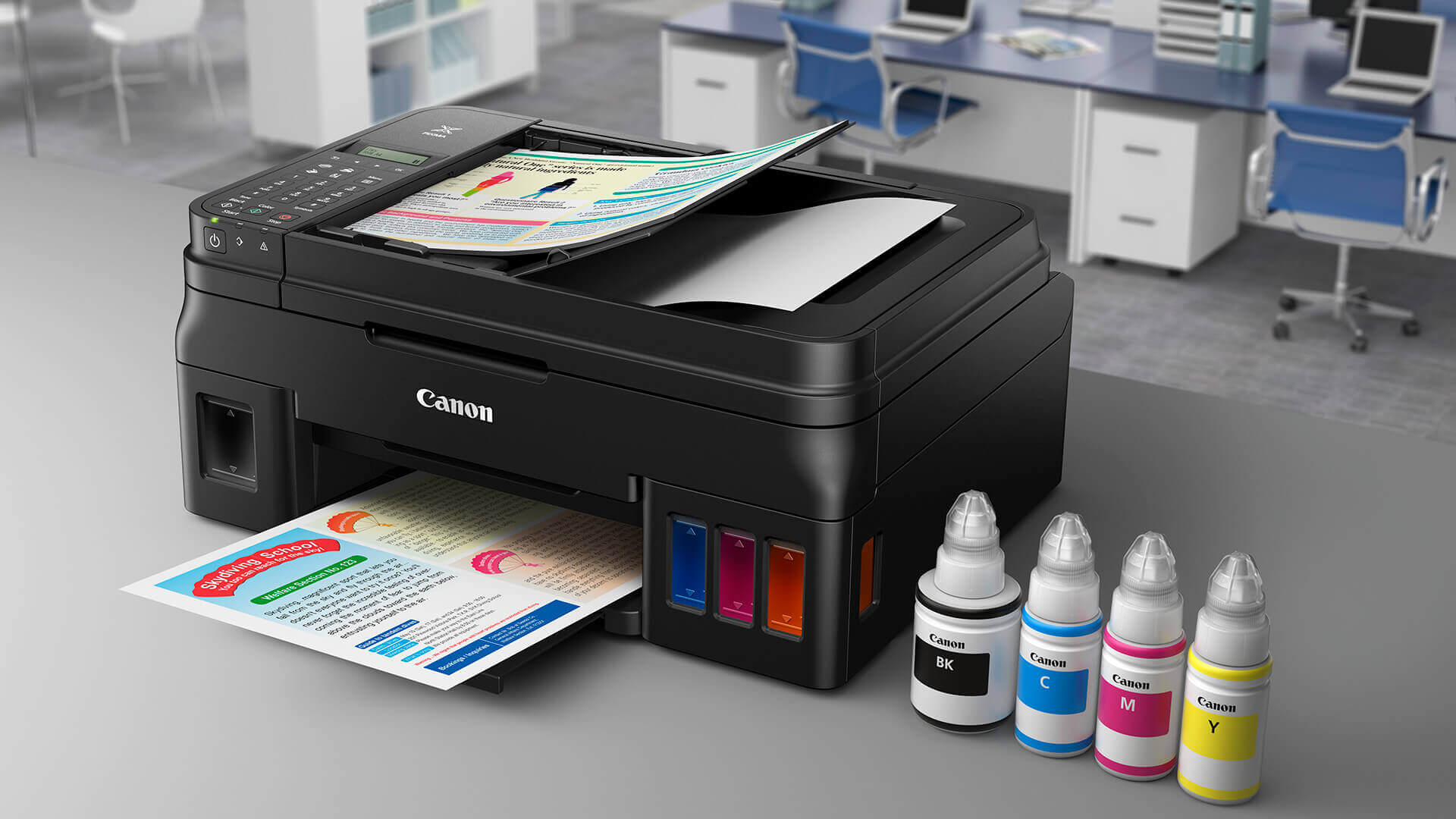

A printer that looks compact on a desk can still create daily friction. Some models handle double-sided pages neatly but make you refill paper constantly, while others produce excellent photos yet take up more room than expected. The right choice depends on whether you print schoolwork, office documents, family photos, or large batches of color pages.
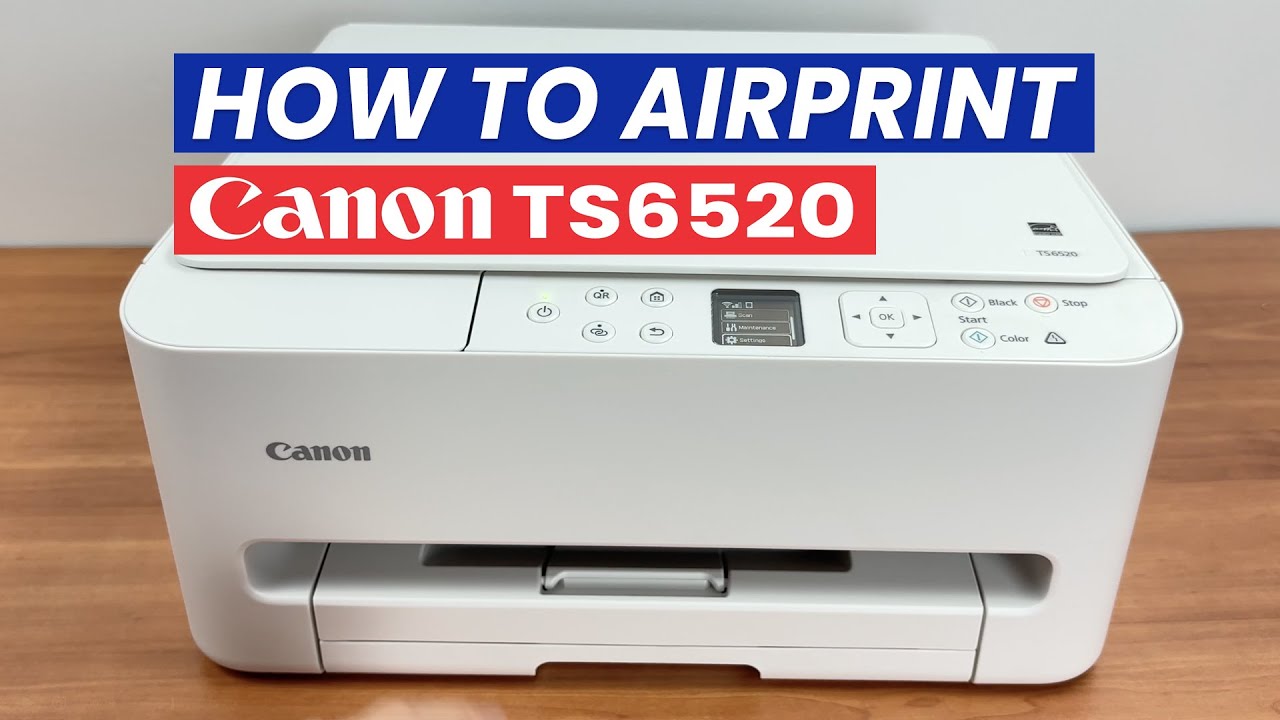
The Best Canon Printer for most homes is the Canon PIXMA TS6520, thanks to its compact design, automatic two-sided printing, dual-band Wi-Fi, and useful scan and copy functions. The rest of this roundup includes cartridge inkjets, high-yield MegaTank models, office laser printers, and a dedicated wide-format photo printer.
Comparison of the best Canon printers
| # | Product | Award | Print type | Duplex printing | Standout feature | Best for |
|---|---|---|---|---|---|---|
| 1 | Canon PIXMA TS6520 | Best overall | Hybrid inkjet | Automatic | Dual-band Wi-Fi, OLED display | Everyday home printing |
| 2 | Canon PIXMA TR4720 | Best for faxing | Inkjet | Automatic | ADF and built-in fax | Basic home office work |
| 3 | Canon PIXMA TS4320 | Best compact alternative | Hybrid inkjet | Automatic | Dual-band Wi-Fi | Small home workspaces |
| 4 | Canon MegaTank G3270 | Best high-yield starter | Ink tank | Single-sided | Up to 7, 700 color pages per ink set | Frequent home printing |
| 5 | Canon PIXMA G6020 | Best MegaTank duplex model | Ink tank | Automatic | High-yield ink and duplexing | High-volume households |
| 6 | Canon Color imageCLASS MF753Cdw II | Best large office laser | Color laser | Duplex | Wireless 4-in-1 design | Busy shared offices |
| 7 | Canon PIXMA TR8620a | Best home office inkjet | Inkjet | Automatic | ADF, fax, and 200-sheet capacity | Mixed office and photo use |
| 8 | Canon PIXMA TR7120 | Best for multi-page scanning | Hybrid inkjet | Automatic | ADF and OLED display | Home office documents |
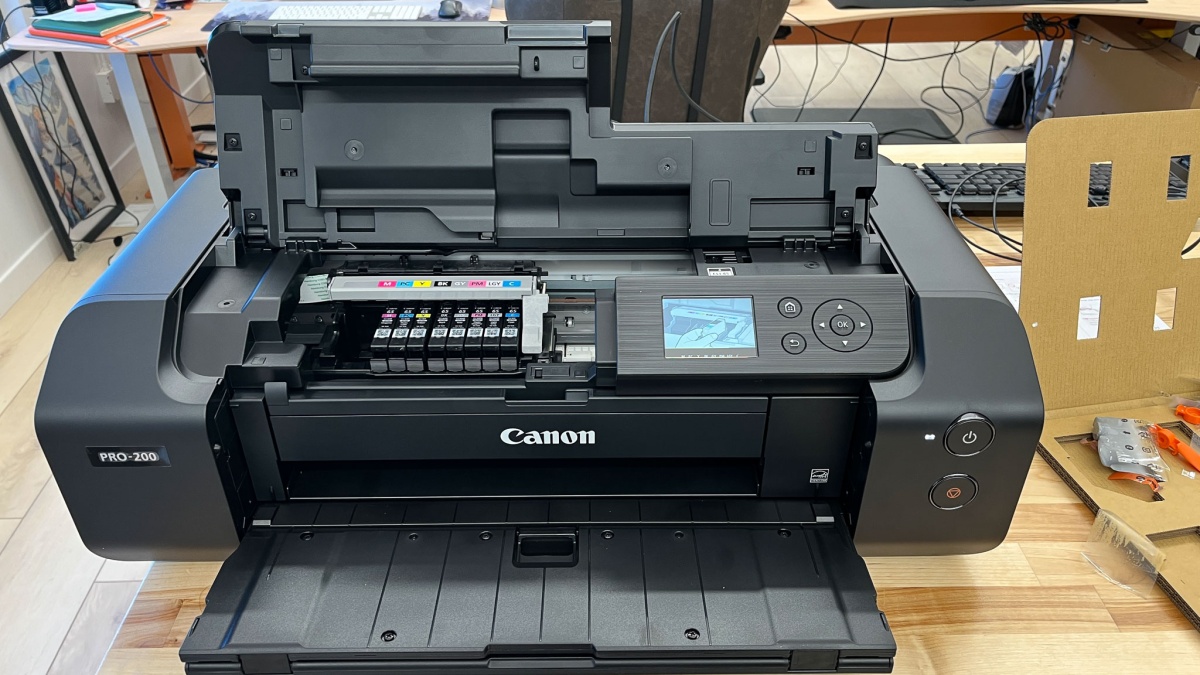
| 9 | Canon PIXMA PRO-200S | Best for large photos | Dye inkjet | Not specified | Eight-color system, up to 13 by 19 inches | Enthusiast photographers |
| 10 | Canon Color imageCLASS MF665Cdw | Best office all-in-one | Color laser | Automatic | 26 ppm, 50-sheet duplex ADF | Fast document workflows |
1. Canon PIXMA TS6520: Best Overall

Pros
- Automatic two-sided printing
- Dual-band Wi-Fi supports 2.4GHz and 5GHz networks
- Compact footprint with scan and copy functions
- 1.42-inch OLED status display
Cons
- Uses a two-cartridge hybrid ink system
- No automatic document feeder is listed
- Limited to media up to 8.5 by 11 inches
Best for: households that want a compact printer for documents, scans, copies, and occasional photos.
The Canon PIXMA TS6520 gets the important everyday decisions right. It is small enough for a home desk, but it still includes printing, scanning, and copying. The automatic two-sided function is the feature you notice most after a week of use, since it handles the back side of a document without asking you to turn pages manually.
Its two-cartridge hybrid ink system is designed for sharp text and vivid color output. That makes it a sensible fit for forms, homework, recipes, and casual photos rather than a dedicated photo workflow. It can print borderless or bordered documents and photos up to 8.5 by 11 inches, so standard letter-size work is well covered.
Wireless setup is more flexible than on many basic home models. Dual-band Wi-Fi supports both 2.4GHz and 5GHz connections, and mobile printing works through the Canon PRINT App, Apple AirPrint, and Mopria Print Service. The 1.42-inch monochrome OLED display is small, but it gives you a quick view of printer status, settings, and ink levels without requiring a computer.
The TS6520 is a better all-purpose pick than the Canon PIXMA TS4320 because it sits at the top of this group and offers the same useful compact format with a clear OLED interface. The Canon PIXMA TR4720 adds a document feeder and fax, but it is physically wider and its listed print speeds are modest. The TS6520's weakness is the lack of a listed ADF, so people who regularly scan or copy multi-page documents should move to a TR model.
Choose this one if your printer sits in a shared home space and needs to handle a little of everything without becoming the focus of the room.
2. Canon PIXMA TR4720: Best for Faxing

Pros
- Print, copy, scan, and fax functions
- Automatic document feeder
- Automatic two-sided printing
- 100-sheet paper capacity
- Supports mobile printing
Cons
- Listed at up to 8.8 ipm for black documents
- Color document speed is listed at up to 4.4 ipm
- Wider than the compact TS models
Best for: home offices that still need fax capability and occasional multi-page scanning.
The Canon PIXMA TR4720 is the practical office pick in the small all-in-one group. Its defining feature is not photo output or a clever display. It is the combination of an automatic document feeder and built-in fax, which gives this printer a more complete home office role than the TS6520 and TS4320.
Automatic two-sided printing keeps routine documents manageable, while the ADF lets you feed multiple pages for scanning or copying. Its 100-sheet capacity is appropriate for light home office work, though it will require attention during larger print jobs. Canon lists print speeds of up to 8.8 ipm for black letter documents and 4.4 ipm for color letter documents, so it is better suited to short batches than a busy department.
The printer also supports borderless output up to 8.5 by 11 inches, along with mobile printing. Cartridge installation and replacement are designed to be straightforward, and Alexa can notify you when ink is running low if you enroll in its smart reorder feature. That integration is optional, and the printer remains a conventional wireless all-in-one without it.
Compared with the Canon PIXMA TR8620a, the TR4720 is less ambitious and has a smaller paper setup, but it covers the same essential fax and ADF territory. The TR8620a is the stronger choice for a more demanding home office, especially with its listed 15 / 10 ipm print speeds and 200-sheet capacity. The TR4720 makes more sense when faxing is occasional and the machine needs to stay uncomplicated.
Its main limitation is speed. Skip it if you regularly print long color reports or need rapid document production. For forms, signed paperwork, and occasional scanning, it is one of the clearest fits here.
3. Canon PIXMA TS4320: Best Compact Alternative

Pros
- Compact 14.8 by 14 by 6.7-inch design
- Automatic two-sided printing
- Dual-band wireless connectivity
- Prints, scans, and copies
- Supports AirPrint and Mopria
Cons
- No ADF is listed
- Two-cartridge system is less flexible than an ink tank
- Single-purpose office users may not need its photo support
Best for: users who need a small wireless printer for standard documents and occasional photos.
The Canon PIXMA TS4320 is the uncomplicated home printer of the group. Its compact body measures 14.8 inches long, 14 inches wide, and 6.7 inches high, which makes it easier to place on a shelf or a shallow desk than the larger office-oriented models. It prints, scans, and copies, so it is not limited to output from a computer.
Canon describes the two-cartridge hybrid ink system as producing sharp text and vivid colors. That combination gives the TS4320 a broad role for household printing, from ordinary documents to borderless photos up to 8.5 by 11 inches. Automatic two-sided printing is also included, a useful advantage over the single-sided Canon MegaTank G3270.
Dual-band Wi-Fi supports both 2.4GHz and 5GHz networks. Mobile printing is available through the Canon PRINT App, Apple AirPrint, and Mopria Print Service, which means a phone or tablet can handle many routine jobs. The printer is also listed as EPEAT Silver and ENERGY STAR certified.
The TS4320 and Canon PIXMA TS6520 share a very similar compact body and core feature set. The TS6520 gets our nod because its 1.42-inch OLED display adds a more direct way to check status and settings. The Canon PIXMA TR7120 is physically taller and heavier, but its ADF makes it much better for multi-page scanning and copying.
There is no listed automatic document feeder here, and the cartridge design is not aimed at people printing large volumes every week. If your needs are light and your available space is tight, those limitations are easy to live with. If you scan paperwork often, choose one of the TR models instead.
4. Canon MegaTank G3270: Best High-Yield Starter

Pros
- Print, scan, and copy functions
- Ink set rated for up to 6, 000 black pages
- Ink set rated for up to 7, 700 color pages
- 1.35-inch square LCD display
- Wireless connectivity
Cons
- Single-sided printing only
- Larger body than the TS4320
- No ADF is listed
Best for: households that print frequently and want fewer ink refills.
The Canon MegaTank G3270 changes the ownership experience by replacing conventional cartridges with refillable ink tanks. Canon rates one set of inks for up to 6, 000 black and white pages or 7, 700 color pages. Those figures are useful for understanding the printer's role: it is built for sustained household printing, not just a few pages every month.
It remains a straightforward all-in-one. Wireless printing, scanning, and copying are included, and the 1.35-inch square LCD provides a basic control point on the machine. The feature set is less elaborate than the Canon PIXMA TR8620a, but the G3270 is more focused on keeping a regular stream of pages moving without frequent cartridge changes.
The main trade-off is automatic two-sided printing. The G3270 is listed as single-sided, while the Canon PIXMA G6020 includes automatic duplexing. That difference matters for school packets, office drafts, and longer documents, where manual page handling becomes tedious. The G3270 is also 21.9 inches long, 16.4 inches wide, and 10.6 inches high, so it needs more clearance than the compact TS models.
The G3270 is a better high-volume fit than the Canon PIXMA TS4320, but the G6020 is the more capable MegaTank when duplex work matters. The G3270's appeal is its simpler setup and strong stated ink capacity. It is not the right choice for people who print only occasionally or need an ADF for multi-page paperwork.
Pick it when frequent color and black document printing is the priority, and you can accept single-sided output.
5. Canon PIXMA G6020: Best MegaTank Duplex Model

Pros
- Automatic two-sided printing
- Up to 6, 000 black pages per ink set
- Up to 7, 700 color pages per ink set
- Wireless print, copy, and scan
- Supports mobile printing
Cons
- No fax or ADF is listed
- Two-line LCD is basic
- Older model than several picks here
Best for: high-volume home printing where automatic duplexing matters.
The Canon PIXMA G6020 is the MegaTank model to choose when you want high ink capacity without giving up automatic two-sided printing. Its stated yield is up to 6, 000 black and white pages or 7, 700 color pages from one set of inks. That makes it a natural match for families, home educators, and home offices that print steadily.
It handles wireless printing, copying, and scanning, with mobile printing included. The two-line LCD is not as informative as the TS6520's OLED screen or the large touchscreen on the Canon Color imageCLASS MF665Cdw, but it is sufficient for basic printer controls and status checks.
The G6020's 15.9-inch width and 14.6-inch length give it a more manageable footprint than the Canon MegaTank G3270, although its 7.7-inch height and 17.8-pound weight still make it a substantial desk device. Automatic duplexing is the practical advantage over the G3270. It saves paper and removes the need to manually reorder pages during longer jobs.
It does not list a fax or automatic document feeder, so it is not a complete replacement for the Canon PIXMA TR4720 in a paperwork-heavy home office. The Canon PIXMA TR8620a is more versatile for scanning and faxing, while the G6020 is the stronger choice when ongoing ink capacity and duplex printing matter more.
Buy this one for a busy household printer that can keep up with regular documents and still print in color. Skip it if every week involves scanning stacks of pages.
6. Canon Color imageCLASS MF753Cdw II: Best Large Office Laser

Pros
- Wireless color laser all-in-one
- Print, scan, copy, and fax functions
- Duplex printing
- Designed for shared office use
Cons
- Very large 21 by 21 by 22-inch body
- Weighs 60.55 pounds
- Dataset does not list detailed speed or capacity figures
Best for: offices that need a substantial wireless color laser all-in-one.
The Canon Color imageCLASS MF753Cdw II is a serious office machine rather than a casual home printer. Its listed feature set covers color printing, scanning, copying, and faxing, with wireless connectivity and duplex operation. That combination gives it the right shape for a shared office where several people need one central device.
The physical scale tells you what kind of installation it requires. It measures 21 inches long, 21 inches wide, and 22 inches high, and weighs 60.55 pounds. It needs a stable location with room around it for access and paper handling. This is not a printer to move between a bedroom desk and a kitchen table.
Its advantage over the Canon Color imageCLASS MF665Cdw is the larger office orientation, but the available data does not provide detailed speed, paper capacity, touchscreen, or ADF specifications for the MF753Cdw II. That makes it harder to recommend for a particular workflow based on numbers alone. The MF665Cdw is easier to evaluate for fast document work because Canon lists 26 ppm, a 250-sheet cassette, a 50-sheet duplex ADF, and a 5-inch color touchscreen.
The MF753Cdw II is still the better fit for someone specifically seeking a color duplex laser with full four-function coverage and a robust physical design. It is a poor match for a small apartment or a lightly used personal desk. The size and weight are its real weaknesses, and buyers should plan the placement before ordering.
Choose it when the printer will live in a dedicated office and several people need access to color documents, scans, copies, and faxing.
7. Canon PIXMA TR8620a: Best Home Office Inkjet

Pros
- Wireless print, copy, scan, and fax
- Automatic two-sided printing
- 200-sheet combined capacity
- Automatic document feeder
- Listed at 15 / 10 ipm
Cons
- Larger and heavier than the compact TS models
- Listed duty cycle is 1, 000 pages
- No ink tank system
Best for: a home office that mixes document production, scanning, faxing, and photo printing.
The Canon PIXMA TR8620a is the most balanced home office inkjet in this list. It combines print, copy, scan, and fax functions with automatic two-sided printing and an ADF. That is the equipment list that turns a basic household printer into a useful paperwork station.
Canon lists print speeds of 15 ipm for one class of output and 10 ipm for the other, which gives it a meaningful edge over the Canon PIXMA TR4720's listed 8.8 ipm black and 4.4 ipm color figures. Its 200-sheet capacity is split between a 100-sheet cassette and a 100-sheet rear feed, so you can keep different media ready without constantly unloading the printer.
The TR8620a also supports mobile printing and Alexa voice features, including low-ink notifications if smart reorder is enabled. Its 17.3-inch width, 13.8-inch length, and 7.5-inch height make it more desk-friendly than the large laser models, though its 17.4-pound weight means it is not a portable printer.
For people comparing the features that matter in a home office printer, the TR8620a stands out because it does not force a choice between office tasks and casual photos. The Canon PIXMA G6020 is better for high-volume ink-tank printing, while the Canon Color imageCLASS MF665Cdw is better for faster laser output and larger paper handling.
Its listed 1, 000-page duty cycle makes the limit clear. This is a capable home office tool, not a departmental workhorse. Choose it when your workload includes regular documents, occasional photos, multi-page scans, and faxing from one relatively compact machine.
8. Canon PIXMA TR7120: Best for Multi-Page Scanning

Pros
- Automatic document feeder
- Automatic two-sided printing
- Dual-band Wi-Fi
- Print, scan, and copy functions
- 1.42-inch OLED display
Cons
- No fax is listed
- Taller and heavier than the TS models
- Two-cartridge hybrid ink system
Best for: home offices that scan and copy multi-page documents but do not need faxing.
The Canon PIXMA TR7120 is a useful middle ground between the compact TS printers and the more elaborate TR8620a. Its automatic document feeder is the reason to choose it. Feeding multiple pages for scanning or copying is much less irritating than placing every sheet on the scanner glass.
It uses a two-cartridge hybrid ink system aimed at sharp text and vivid color. Automatic two-sided printing handles standard documents, while output up to 8.5 by 11 inches covers ordinary home and office media. The printer supports borderless and bordered work, so it can handle basic photos as well as paperwork.
Wireless connectivity includes both 2.4GHz and 5GHz Wi-Fi, with the Canon PRINT App, Apple AirPrint, and Mopria available for mobile printing. A 1.42-inch monochrome OLED display shows status and ink information. The body measures 14.8 inches long, 14 inches wide, and 8.2 inches high, making it deeper and taller than the TS4320, and it weighs 18.12 pounds.
That extra size buys the ADF, but not a fax. If faxing is part of the job, the Canon PIXMA TR4720 or Canon PIXMA TR8620a is a better fit. If you mainly need a compact printer and rarely scan multiple pages, the Canon PIXMA TS6520 is easier to place.
The TR7120's weakness is its narrow position in the lineup. It is not the smallest, fastest, or most fully equipped option. It makes sense for a specific buyer who wants automatic multi-page scanning, duplex printing, and mobile connectivity without moving to a large office laser.
9. Canon PIXMA PRO-200S: Best for Large Photos

Pros
- Eight-color dye-based ink system
- Borderless output from 3.5 by 3.5 to 13 by 19 inches
- 3-inch color LCD monitor
- Listed A3+ bordered print time of 90 seconds
- Wireless connectivity
Cons
- Large 28.7-inch length
- Weighs 32 pounds
- Specialized photo printer rather than an all-in-one
Best for: photographers who need vibrant wide-format prints up to 13 by 19 inches.
The Canon PIXMA PRO-200S is not trying to replace a home office all-in-one. It is built for photographers who care more about large, vibrant prints than copying or faxing. Its eight-color dye-based ink system is the central feature, giving it a much more specialized output design than the two-cartridge PIXMA models.
It supports borderless printing from 3.5 by 3.5 inches up to 13 by 19 inches. That range covers small personal prints through large photo and presentation work. Canon lists a bordered A3+ print time of 90 seconds and a bordered 8 by 10 print time of 53 seconds, useful benchmarks for photographers planning a batch of finished images.
The 3-inch color LCD monitor provides a more informative control surface than the small displays on the TS6520, G3270, and G6020. The physical dimensions are substantial, though: 28.7 inches long, 18.6 inches wide, and 14.04 inches high. At 32 pounds, it needs a permanent workspace with room for wide paper handling.
Readers choosing between different ways to print large photographic work should separate this model from the rest of the roundup immediately. The Canon PIXMA TR8620a is more useful for documents, scanning, and faxing, but it does not occupy the same wide-format photo role. The PRO-200S is the clear specialist.
Its weakness is specialization. It is a poor choice for someone who wants a single machine for copying paperwork or scanning receipts. Choose it when the finished photograph is the priority and you can dedicate enough desk space to a wide-format printer.
10. Canon Color imageCLASS MF665Cdw: Best Office All-in-One

Pros
- Up to 26 ppm in color and monochrome
- 50-sheet duplex ADF
- 250-sheet standard cassette
- 5-inch color touchscreen
- Wireless mobile printing
Cons
- Weighs 56.85 pounds
- Large 20.5 by 21.5 by 23-inch body
- Laser design is excessive for occasional home printing
Best for: home offices and small teams that need fast color documents and duplex scanning.
The Canon Color imageCLASS MF665Cdw is the strongest document machine in the roundup. It prints, scans, copies, and faxes, and its listed speed reaches 26 pages per minute in both color and monochrome. A first print time of approximately 10.3 seconds gives it the responsiveness expected from an office laser.
The paper handling is equally well suited to regular work. A 250-sheet cassette and one-sheet multipurpose tray reduce interruptions, while the 50-sheet duplex ADF can scan both sides in one pass. Automatic two-sided printing keeps longer reports and handouts moving without manual page turning.
The 5-inch color touchscreen adds a clear control point, and Canon's Application Library lets users customize access to commonly used functions. Wireless printing works with the Canon PRINT App, Apple AirPrint, and Mopria Print Service. The printer also supports high-capacity Canon Genuine Toner 075 / 075 cartridges, though the supplied data does not provide a page-yield figure.
The MF665Cdw is more practical for a busy office than the Canon PIXMA TR8620a, especially when speed and paper handling matter. The Canon Color imageCLASS MF753Cdw II is the other serious laser option here, but the MF665Cdw is easier to assess because its key workflow specifications are clearly stated. Neither laser model belongs on a small casual-use desk.
Its size is the main drawback. It measures 21.5 inches long, 20.5 inches wide, and 23 inches high, and weighs 56.85 pounds. Choose it for a dedicated office or small team that will use its speed, duplex ADF, touchscreen, and paper capacity. For occasional household printing, the Canon PIXMA TS6520 is far less machine than you need.
How to choose the best canon printer
The best canon printer depends on the kind of pages you produce most often. Start with the printing system, then consider duplexing, document handling, connectivity, and the physical space available.
Ink system
Cartridge inkjets such as the Canon PIXMA TS6520 and Canon PIXMA TR8620a suit mixed household work with documents and photos. MegaTank models use refillable ink tanks and are designed around much higher stated page yields, making the Canon MegaTank G3270 and Canon PIXMA G6020 more appropriate for regular printing.
Laser models are aimed at faster office document work. The Canon Color imageCLASS MF665Cdw lists up to 26 ppm in both color and monochrome, while the photo-focused Canon PIXMA PRO-200S uses an eight-color dye-based system instead.
Automatic duplexing
Automatic two-sided printing matters for reports, schoolwork, and long documents. The TS6520, TS4320, TR4720, TR8620a, TR7120, G6020, and both imageCLASS models list duplex printing.
The MegaTank G3270 is listed as single-sided. That does not make it unsuitable, but it means double-sided work requires manual page handling.
If you print long documents every week, duplexing will matter more than a slightly smaller footprint.
Automatic document feeder
An ADF is the feature to prioritize when scanning or copying multiple pages. The Canon PIXMA TR4720, TR8620a, and TR7120 list an ADF, as does the MF665Cdw with a 50-sheet duplex one-pass ADF.
The TS6520, TS4320, G3270, and G6020 do not list an ADF in the supplied specifications. They are better suited to individual pages, occasional scans, and copying a small number of originals.
Print size and photo output
Most of the home inkjets here support documents and photos up to 8.5 by 11 inches. The PRO-200S is the exception, with borderless output from 3.5 by 3.5 inches up to 13 by 19 inches and an eight-color dye-based ink system.
For routine snapshots, a general-purpose PIXMA model is more convenient. For large exhibition-style prints, the PRO-200S is the only model in this selection designed for that role.
Desk space and paper capacity
Measure the installation area before choosing an office laser. The MF665Cdw and MF753Cdw II weigh more than 56 pounds and require a dedicated location. The TS4320 and TS6520 are much easier to fit into a home workspace.
Paper capacity also changes how often you interact with the machine. The TR8620a lists a combined 200-sheet capacity, the MF665Cdw lists a 250-sheet cassette, and the TR4720 lists a 100-sheet capacity.
Frequently asked questions
Which Canon printer is best for most homes?
The Canon PIXMA TS6520 is the strongest general-purpose choice in this group. It combines printing, scanning, copying, automatic duplexing, dual-band Wi-Fi, and a compact design. Its two-cartridge system and lack of a listed ADF make it less suitable for heavy or multi-page office workflows.
Which Canon printer is best for high-volume printing?
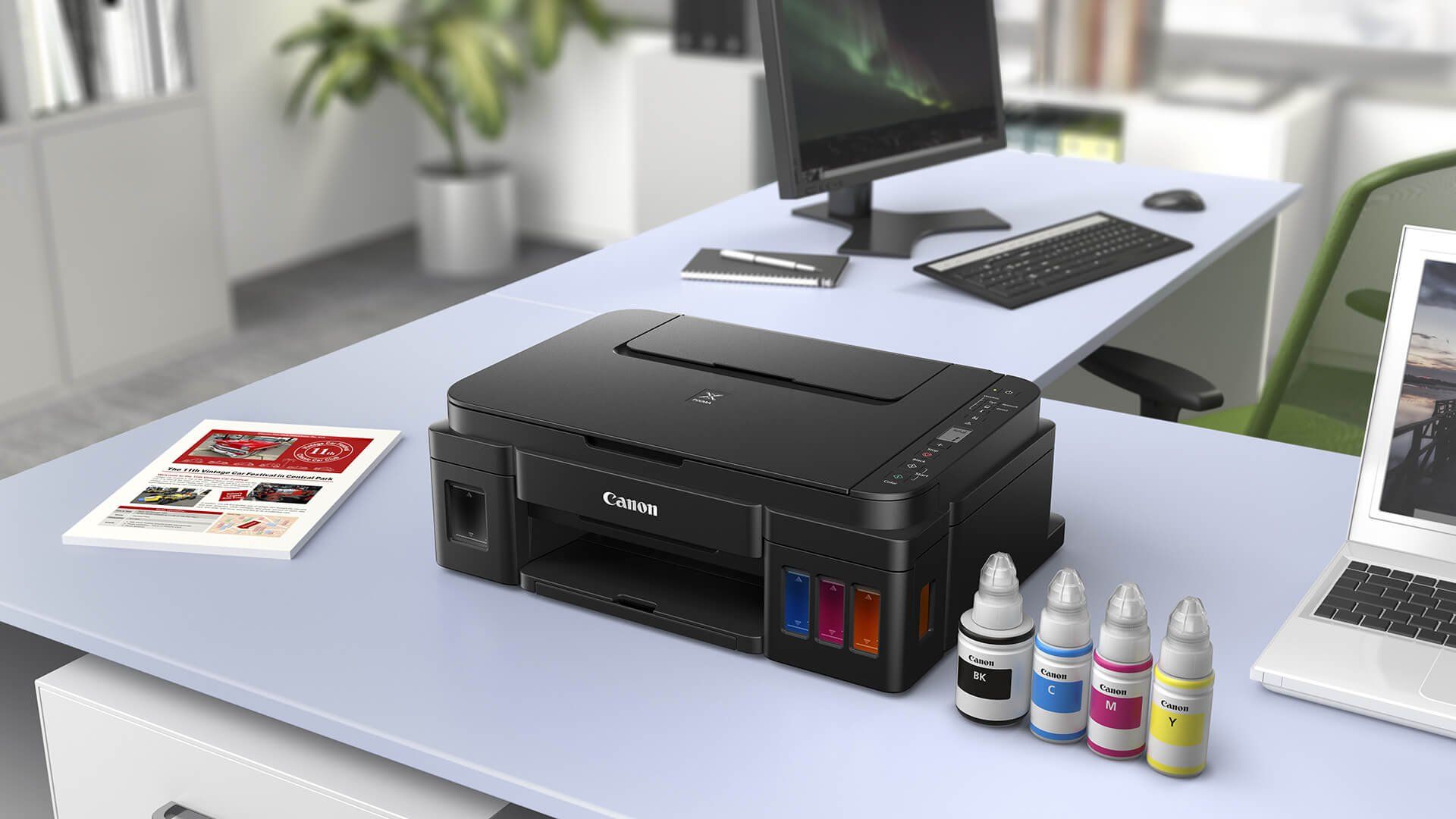
The Canon PIXMA G6020 and Canon MegaTank G3270 are the high-yield choices. Both list up to 6, 000 black pages and 7, 700 color pages from one set of inks. The G6020 is the better fit if automatic two-sided printing matters, while the G3270 is listed as single-sided.
Which Canon printer has a fax?
The Canon PIXMA TR4720, Canon PIXMA TR8620a, Canon Color imageCLASS MF753Cdw II, and Canon Color imageCLASS MF665Cdw include fax functions. The TR4720 is aimed at basic home office use, while the imageCLASS models are much larger office machines.
Which Canon printer is best for photos?
The Canon PIXMA PRO-200S is the clear photo specialist. It uses an eight-color dye-based ink system and supports borderless prints up to 13 by 19 inches. The smaller PIXMA all-in-ones are more versatile for mixed document and photo use, but they do not offer the same wide-format focus.
Do these Canon printers support wireless printing?
The products in this roundup are wireless models. Mobile options named in the data include the Canon PRINT App, Apple AirPrint, and Mopria Print Service, though the exact combination varies by product.
Which Canon printer is best for scanning multiple pages?
Choose a model with an automatic document feeder. The TR4720, TR8620a, and TR7120 list ADFs, while the MF665Cdw adds a 50-sheet duplex one-pass ADF for more demanding document workflows.
The bottom line
The Best Canon Printer for most households is the Canon PIXMA TS6520. It has the right mix of compact dimensions, automatic duplexing, dual-band Wi-Fi, mobile printing, and scan and copy functions. Choose the Canon PIXMA TR8620a instead if an ADF, fax, and larger paper capacity are central to your home office.
For frequent printing, the Canon PIXMA G6020 offers the more useful MegaTank design because it combines high stated ink yields with automatic two-sided printing. Office users should move to the Canon Color imageCLASS MF665Cdw, while photographers making large prints should choose the Canon PIXMA PRO-200S.
If you are undecided, choose the TS6520 for ordinary home work, the G6020 for regular high-volume printing, or the MF665Cdw when speed and document handling come first.
As an Amazon Associate we earn from qualifying purchases.