

A phone camera can capture a memorable moment in seconds, but getting that image onto paper is where the experience often falls apart. Some printers are built only for 4 by 6 inch snapshots, while others take over a desk and reward careful editing with much larger prints.
The Best photo printer for most people is the Liene M100, thanks to its compact dye-sublimation design, straightforward phone connection, and 4 by 6 inch prints with a laminated, water-resistant surface. The rest of this list covers sticker prints, all-in-one home machines, wide-format creative work, and tiny pocket printers.
Comparison table
| # | Product | Award | Print method | Print sizes or formats | Best for |
|---|---|---|---|---|---|
| 1 | Liene M100 | Best overall | Thermal dye sublimation | 4 by 6 inches | Everyday phone photos |
| 2 | Liene Amber M110 | Best for mixed formats | Thermal dye sublimation | 4 by 6 inches and 3 by 3 inches | Photos and stickers |
| 3 | HP Envy Photo 7975 | Best home all-in-one | Inkjet | Borderless photos and documents | Families and home offices |
| 4 | Epson EcoTank ET-8550 | Best for frequent printing | Six-color ink tank | 4 by 6 inch photos and wide-format projects | High-volume creative work |
| 5 | Canon Selphy CP1500 | Best compact dye-sub printer | Dye sublimation | 4 by 6 inch photos | Events and scrapbooks |
| 6 | Epson PictureMate PM-400 | Best simple Epson snapshot printer | Inkjet | 4 by 6 and 5 by 7 inches | Basic wireless photo printing |
| 7 | Epson Expression XP-7100 | Best versatile compact all-in-one | Inkjet | Borderless photos up to 8 by 10 inches | Photos, scans, and documents |
| 8 | Canon PIXMA PRO-200S | Best for large prints | Eight-color dye-based inkjet | 3.5 by 3.5 inches to 13 by 19 inches | Serious photo printing |
| 9 | KODAK Step | Best pocket printer | Zink | 2 by 3 inch sticky-back photos | Scrapbooking and travel |
1. Liene M100: Best Overall

Pros
- Compact 4 by 6 inch design
- Thermal dye-sublimation prints
- Laminated surface resists water, scratches, fingerprints, and fading
- Built-in hotspot does not require another network
- Supports up to five simultaneous connections
Cons
- Limited to 4 by 6 inch output
- Requires the Liene app for its customization tools
- The cartridge must click securely into place
Best for: people who want clean, shareable 4 by 6 inch photos from several phones.
The Liene M100 gets the fundamentals right. It is a focused photo printer rather than an office machine, so there is no scanner or document-feed hardware taking up space. The useful part is the combination of a compact body, a dedicated phone connection, and a familiar 4 by 6 inch print size that works for albums, frames, and casual sharing.
Its thermal dye-sublimation system lays down color in stages and finishes the photo with a laminated surface. That finish matters more than the technology label. Liene says the prints resist water, scratches, fingerprints, and fading, which makes them easier to handle than an unprotected inkjet print. The package includes 100 sheets of photo paper and three color cartridges, so the printer is ready for a substantial first batch rather than only a few setup prints.
Connection is handled through the printer's built-in hotspot. That avoids relying on an existing wireless network, and the printer can accept connections from up to five devices at once. The Liene app adds square borders, filters, brightness and contrast adjustments, and tools for ID and visa photos. Those controls are more useful for quick social prints than for a carefully color-managed workflow, but that is the right audience for this machine.
The limitation is also clear: this is a 4 by 6 inch specialist. It cannot replace the HP Envy Photo 7975 for scanning and copying, and the Epson EcoTank ET-8550 is a much stronger fit for large creative projects. Choose the M100 when the goal is dependable phone-to-photo printing with a protective finish and minimal setup. Skip it if you need documents or multiple paper sizes.
2. Liene Amber M110: Best for Mixed Formats

Pros
- Handles 4 by 6 inch and 3 by 3 inch paper
- Dual paper tray design
- Bluetooth pairing in about 13 seconds
- Dye-sublimation prints have a laminated surface
- Liene app includes borders, filters, and adjustments
Cons
- Smaller 3 by 3 inch prints are not a substitute for standard photos
- Depends on proprietary paper formats
- No scanning or document-printing functions
Best for: scrapbookers and families who want standard photos alongside peel-and-stick square prints.
The Liene Amber M110 is the more playful alternative to the M100. Its defining feature is not simply portability. The dual tray lets it handle standard 4 by 6 inch paper and 3 by 3 inch sticker paper, so a single printer can produce a conventional album photo or a small decorative print without changing the whole setup.
The bundle includes 60 sheets of 4 by 6 inch paper, 20 sheets of 3 by 3 inch square sticker paper, and two cartridges. Both formats use thermal dye sublimation, and the laminated surface is designed to resist water, scratches, fingerprints, and fading. That makes sense for sticker prints, which are likely to be handled, moved, and attached to notebooks or journals.
Bluetooth pairing is advertised at about 13 seconds, and the printer can connect with multiple devices. The Liene app provides a Polaroid-style border, filters, brightness and contrast controls, and editing options for both supported formats. The app is central to the experience, since the M110 is designed around phone printing rather than a standalone screen or computer-first workflow.
The M110 beats the Liene M100 when square stickers are part of the plan, but the M100 is the cleaner choice if every print will be a standard 4 by 6 inch photo. It also lacks the broader functionality of the Epson Expression XP-7100, which can scan, copy, and print on specialty media. Pick the M110 for memory keeping, craft projects, and informal sharing. It is not the right tool for office documents or large photographic prints.
3. HP Envy Photo 7975: Best Home All-in-One

Pros
- Prints, scans, and copies
- Automatic two-sided printing
- Separate photo tray
- Automatic document feeder
- Large color touchscreen
- Wireless and mobile printing
Cons
- Much larger than dedicated snapshot printers
- Inkjet output needs more care than laminated dye-sub prints
- Not designed for wide-format photography
Best for: households that need photos, documents, scanning, and copying from one machine.
The HP Envy Photo 7975 makes the most sense when “photo printer” is only one part of the brief. It is a home multifunction printer with a separate photo tray, automatic document feeder, copying, scanning, automatic two-sided printing, and mobile connectivity. That breadth makes it far more practical in a family room or home office than a snapshot-only machine.
HP lists color print speeds up to 10 pages per minute and black print speeds up to 15 pages per minute. Those figures are aimed at ordinary documents, not borderless photo output, but they explain the difference between this machine and the Liene models. It can handle routine paperwork and then switch to high-quality, true-to-screen borderless photos without requiring another printer.
The large color touchscreen should make everyday operation less dependent on a phone or computer. HP also highlights AI features that can remove unwanted content from web pages and emails before printing. That is a useful task-specific feature for household printing, though it does not turn the machine into a dedicated photo-editing station.
The trade-off is size. At 15.08 inches long, 18.11 inches wide, and 9.17 inches high, it needs a permanent home, and its 17.9-pound weight discourages casual relocation. The Epson Expression XP-7100 offers similar all-in-one flexibility with a 4.3 inch touchscreen and broader specialty-media features, while the Liene M100 is much easier for quick phone snapshots. Choose the HP when scanning and document work matter as much as photos. Skip it if the only job is printing occasional 4 by 6 inch images.
4. Epson EcoTank ET-8550: Best for Frequent Printing

Pros
- Cartridge-free ink tank system
- Six-color Claria ET Premium ink
- Wide-format printing
- Printer, scanner, and copier in one
- Up to 6, 200 color pages listed
- Long intervals between ink replacements
Cons
- Large and heavy
- Needs considerable desk or stand space
- Tank filling is less immediate than swapping a cartridge
Best for: photographers and creators who print often and need wide-format capability.
The Epson EcoTank ET-8550 is the most practical high-volume machine in this group. It combines a photo-focused six-color ink system with an ink tank design, a scanner, and a copier. That makes it a better long-term workhorse for someone who prints batches of photos, graphics, and creative projects rather than a few snapshots at a time.
Epson uses Claria ET Premium six-color inks and a high-accuracy printhead. The extra colors are intended to support vibrant photos and sharp text, while the tank system reduces how often ink needs to be replaced. Epson lists up to 6, 200 color pages and says the box can contain up to two years of ink. Those figures depend on usage and page content, but the important distinction is the larger ink reservoir compared with a conventional cartridge printer.
This is also the clear choice for users who need more room than a 4 by 6 inch print. The ET-8550 is described as a wide-format all-in-one and can handle photos, graphics, and creative projects beyond the small snapshot category. Its listed dimensions are 29.8 inches long, 20.6 inches wide, and 16.9 inches high, with a weight of 24.5 pounds. That is not a printer to squeeze beside a laptop.
The Canon PIXMA PRO-200S offers a more specialized eight-color route for large photographic prints, but it does not provide the same all-in-one convenience. The ET-8550 is also a better fit than the Canon Selphy CP1500 for sustained mixed printing, although the Selphy is far smaller and simpler. Pick Epson's tank model if you have the room and expect regular output. Skip it for occasional phone photos.
5. Canon Selphy CP1500: Best Compact Dye-Sub Printer

Pros
- Compact wireless design
- Dye-sublimation output
- Water-resistant and fingerprint-resistant prints
- Paper and ink are matched for simple setup
- Bundle includes 108 sheets and three cartridges
Cons
- Focused on 4 by 6 inch photos
- No scanner or document features
- Bundle contents can make the package less compact to store
Best for: event hosts, scrapbookers, and anyone who wants consistent 4 by 6 inch prints.
The Canon Selphy CP1500 is built around a pleasingly narrow idea: connect a phone, load the matched supplies, and print a durable 4 by 6 inch photo. The bundle includes 108 sheets of KP paper, three full-size color cartridges, and a cleaning cloth, so setup is unusually straightforward. There is no need to work out which paper and ink combination belongs together.
Its dye-sublimation process is the reason to choose it over a basic inkjet snapshot printer. Canon describes the output as vibrant and professional quality, with water-resistant, fingerprint-resistant, long-lasting photos. That finish suits party tables, travel albums, journaling, and gifts where prints will be passed from hand to hand.
Wireless printing works from smartphones, tablets, and computers. The compact design can sit on a desk, shelf, or travel bag, although it remains a dedicated printer rather than a pocket device. For broader advice on choosing a machine that also handles ordinary household tasks, the features that matter in a shared home printer are a useful comparison point.
The Liene M100 is a better fit for people who want a direct phone hotspot and support for up to five simultaneous connections. The Canon's advantage is the pre-matched paper and ink bundle, while the KODAK Step is far smaller but produces much smaller 2 by 3 inch prints. Choose the CP1500 for reliable standard snapshots at gatherings and in albums. It is not a replacement for a wide-format printer or an all-in-one.
6. Epson PictureMate PM-400: Best Simple Epson Snapshot Printer

Pros
- Supports 4 by 6 and 5 by 7 inch photos
- Borderless printing
- Wireless smartphone and tablet support
- Compact six-pound design
- 4 by 6 inch print speed as fast as 36 seconds in the stated mode
Cons
- Uses Epson Genuine Cartridges exclusively
- No scanner or copier
- Older, focused design has fewer creative controls
Best for: users who want a small Epson printer for straightforward photo output.
The Epson PictureMate PM-400 is a dedicated snapshot machine that keeps its feature set narrow. It prints borderless 4 by 6 and 5 by 7 inch photos, connects wirelessly to phones, tablets, iPads, and iPhones, and weighs six pounds. That makes it much easier to move than the larger Epson all-in-one models.
Epson lists a 4 by 6 inch borderless photo in as fast as 36 seconds in its stated default mode on glossy premium photo paper. Actual timing varies with the system, software, and image complexity, so this is best read as a useful indication of intended pace rather than a guarantee for every print. The support for 5 by 7 inch output gives it a little more flexibility than the Liene M100 and Canon Selphy CP1500.
The PM-400 is not a tank printer, and Epson says its printing system is designed exclusively for Epson Genuine Cartridges. That requirement is important for anyone planning a high volume of photos. It is a simple appliance, not a machine for managing multiple media types, scanning paperwork, or producing large prints.
The Liene Amber M110 is more interesting for stickers and app-based edits, while the Canon Selphy CP1500 offers dye-sub prints with a protective finish. The PM-400 wins when Epson's 5 by 7 inch format and lightweight body matter more than those extras. Choose it for uncomplicated wireless snapshots. Skip it if running costs, scanning, or broader media support are central concerns.
7. Epson Expression XP-7100: Best Versatile Compact All-in-One

Pros
- Prints, scans, and copies
- 30-page automatic document feeder
- Automatic two-sided printing
- Borderless photos up to 8 by 10 inches
- 4.3 inch touchscreen
- USB, SD card, Wi-Fi, Ethernet, and Wi-Fi Direct support
Cons
- Large footprint despite its compact positioning
- Requires Epson Genuine Cartridges
- Inkjet prints do not have the same laminated finish as dye-sub models
Best for: home users who want photo flexibility and office functions in one printer.
The Epson Expression XP-7100 is a capable middle ground between a snapshot printer and a full home office machine. It prints, scans, and copies, while its 30-page automatic document feeder and automatic two-sided printing make it useful for paperwork. Its photo features are not an afterthought either, with borderless output up to 8 by 10 inches.
A 4.3 inch touchscreen lets users view, edit, and print photos directly from a USB drive or SD card. That is a meaningful advantage when the images are stored on a camera card rather than a phone. Wireless printing covers tablets and smartphones, while Wi-Fi Direct supports printing without a network. Ethernet is available too, giving it more connection options than the dedicated models here.
The XP-7100 also supports specialty paper and DVD printing, according to Epson's feature list. Those capabilities matter to crafters and home users making projects, labels, or discs, but they add to the setup and paper-handling considerations. Its listed dimensions reach 23.5 inches wide and 17.2 inches long, and it weighs 21.5 pounds, so the word compact needs to be understood relative to other all-in-ones.
The HP Envy Photo 7975 is a stronger family document machine with its large touchscreen and separate photo tray, while the XP-7100 offers more explicit creative-media flexibility and direct USB or SD-card photo handling. The Liene M100 is much easier for a quick 4 by 6 print. Choose Epson when one machine must cover photos, documents, scans, and creative media. Skip it if you want a small printer that lives in a travel bag.
8. Canon PIXMA PRO-200S: Best for Large Prints

Pros
- Eight-color dye-based ink system
- Borderless sizes from 3.5 by 3.5 to 13 by 19 inches
- 3.0 inch color LCD monitor
- Wide-format output for serious prints
- Listed 90-second bordered A3+ print speed
Cons
- Large 32-pound chassis
- Dedicated printer with no scanner or copier
- More capability than a casual snapshot printer needs
Best for: photographers who need large, color-rich prints from a dedicated photo machine.
The Canon PIXMA PRO-200S is the specialist choice for photographers who have outgrown 4 by 6 inch prints. Its eight-color dye-based ink system is designed for vibrant, high-quality output, and its borderless range starts at 3.5 by 3.5 inches and extends to 13 by 19 inches. That is a different category of printer from the Liene and Canon Selphy models.
Canon lists a bordered A3+ print in 90 seconds and a bordered 8 by 10 inch print in 53 seconds. Those figures give a useful sense of its intended workflow: this is a substantial desktop printer for finished images, not a pocket accessory for instant party photos. The 3.0 inch color LCD monitor shows ink levels, printer status, and settings without requiring a computer for every check.
Its listed dimensions are 28.7 inches long, 18.6 inches wide, and 14.04 inches high. At 32 pounds, the printer needs a strong, permanent surface with room for the paper path. That physical commitment is justified only if the larger output and eight-color system will be used. For photographers planning exhibition or portfolio work, the paper sizes and color controls that shape a serious print workflow deserve attention before choosing a desktop machine.
The Epson EcoTank ET-8550 is more versatile because it includes scanning and copying and uses an ink tank system, but the PRO-200S is the more focused pick for large photographic prints. The Epson Expression XP-7100 is easier to justify in a general home office, yet it cannot match this model's maximum print size. Choose Canon when print scale and color range are the priority. Skip it for casual phone snapshots and cramped desks.
9. KODAK Step: Best Pocket Printer

Pros
- Palm-sized portable design
- Weighs less than one pound
- Zink prints need no ink cartridges
- Sticky-back 2 by 3 inch photos
- Bluetooth and NFC connectivity
- App offers collages, filters, borders, stickers, and text
Cons
- Photos are much smaller than 4 by 6 inch prints
- Full charge is listed for 25 photos
- No conventional paper sizes or document functions
Best for: travelers, crafters, and anyone who wants peel-and-stick photos from a phone.
The KODAK Step is the smallest and most specialized printer here. It makes 2 by 3 inch sticky-back photos, so its appeal is less about matching a traditional photo album and more about turning a phone image into a small decoration immediately. The printer is designed to travel, and KODAK says it weighs less than one pound.
Zink technology uses dye crystals embedded in the paper rather than conventional ink cartridges. The resulting prints are described as resistant to moisture, rips, tears, and smudges. That is a sensible format for planners, lockers, scrapbooks, and craft projects where the adhesive backing is as important as the image itself.
The printer connects to iOS and Android devices through Bluetooth or NFC. Its app adds collages, filters, borders, stickers, and text, giving the small prints a deliberately creative feel. A built-in rechargeable battery is listed for 25 photos on a full charge, so it is portable but still needs charging for a longer event or trip.
The Liene Amber M110 is the better choice if you want both sticker paper and standard 4 by 6 inch photos, while the Canon Selphy CP1500 produces much larger dye-sub prints. The Step wins on portability and peel-and-stick fun. Choose it when tiny images are the point. Skip it if you expect conventional photo dimensions or a large, detailed print.
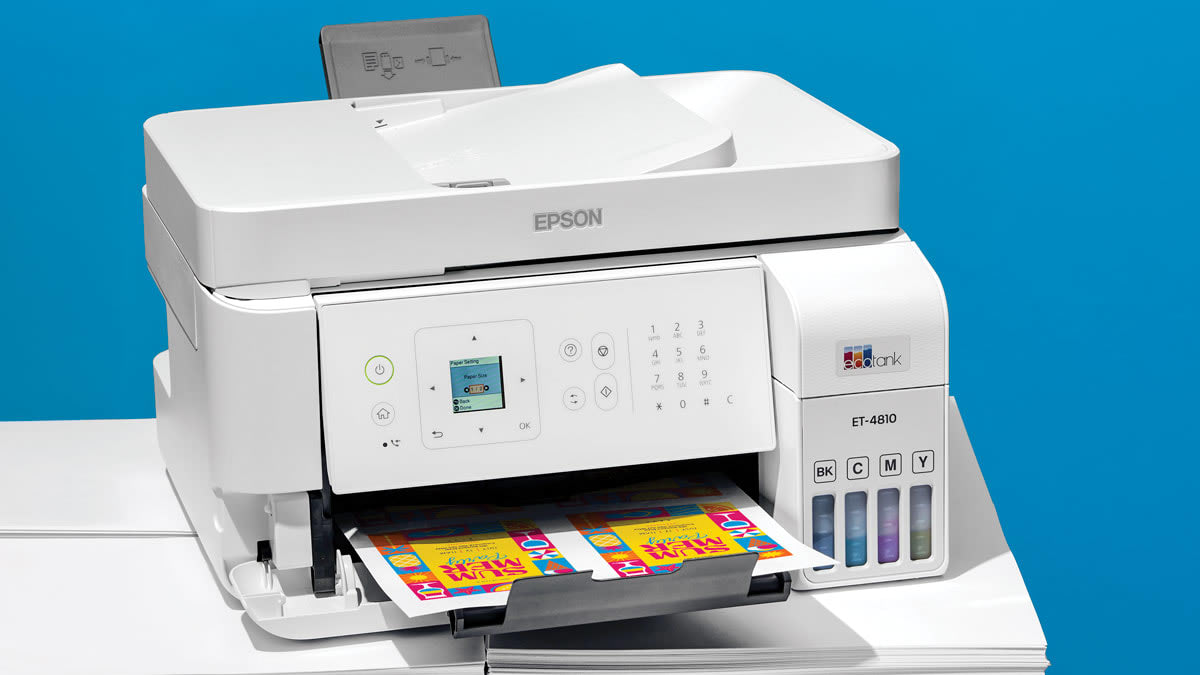
How to choose best photo printer
The right printer depends first on the physical size and finish you want, then on how often you print and whether photos are the only job.
Print method
Thermal dye sublimation printers such as the Liene M100 and Canon Selphy CP1500 are designed for finished photo output with a protective surface. Zink printers such as the KODAK Step embed color in the paper and avoid ink cartridges altogether. Inkjet models offer wider media support and can handle documents, but their output and supply requirements differ from the small dedicated printers.
Print size
A 4 by 6 inch printer is ideal for albums, frames, and everyday sharing. The Liene Amber M110 adds 3 by 3 inch sticker paper, while the KODAK Step shrinks the image to 2 by 3 inches for crafts. If you want 8 by 10 inch or larger prints, look at the Epson and Canon wide-format machines instead.
Decide on the largest print you will make regularly, not the smallest print you can tolerate.
Wireless connections
Phone-first printers need a connection that is quick and predictable. The Liene M100 uses its own hotspot, the Liene M110 uses Bluetooth, and the KODAK Step supports Bluetooth and NFC. Larger home printers add standard wireless networking, Wi-Fi Direct, USB, SD cards, or Ethernet. If photos live on several phones, support for multiple simultaneous connections can be more useful than a printer screen.
Ink and paper handling
Matched dye-sub paper and cartridges simplify setup, while tank printers reduce how frequently ink needs to be replaced. The Epson EcoTank ET-8550 lists up to 6, 200 color pages and uses bottles rather than cartridges. By contrast, Epson says the PM-400 and XP-7100 are designed for Epson Genuine Cartridges, so supply compatibility should be part of the decision.
Extra functions
A dedicated printer is smaller and easier to understand, but it cannot scan or copy. The HP Envy Photo 7975 and Epson Expression XP-7100 add those functions, along with document feeders and two-sided printing. Choose an all-in-one when the printer will serve the whole household. Choose a dedicated photo model when a quick, focused print matters more.
Frequently asked questions
Which photo printer is best for phone photos?
The Liene M100 is the strongest general fit for phone photos in this group. It prints standard 4 by 6 inch images, uses a built-in hotspot, and supports up to five simultaneous connections. Its laminated dye-sublimation finish is also suited to photos that will be handled frequently.
Which printer makes sticker photos?
The Liene Amber M110 supports 3 by 3 inch square sticker paper as well as 4 by 6 inch photo paper. The KODAK Step makes smaller 2 by 3 inch sticky-back photos. The Liene is the more flexible option if you want both stickers and conventional photo prints.
Do any of these printers scan and copy?
Yes. The HP Envy Photo 7975, Epson EcoTank ET-8550, and Epson Expression XP-7100 are all-in-one printers with scanning and copying functions. The Liene, Canon Selphy, Epson PictureMate, Canon PIXMA PRO-200S, and KODAK Step are dedicated photo printers.
Which model prints the largest photos?
The Canon PIXMA PRO-200S supports borderless printing from 3.5 by 3.5 inches up to 13 by 19 inches. The Epson EcoTank ET-8550 is also a wide-format model, while the smaller dedicated printers focus on snapshot sizes.
Are dye-sublimation prints water-resistant?
The Liene M100, Liene Amber M110, and Canon Selphy CP1500 describe their dye-sublimation prints as having protective resistance to water or handling. The Liene models specifically mention resistance to water, scratches, fingerprints, and fading. Print durability still depends on the paper and how the finished photo is stored.
Can these printers work without a home Wi-Fi network?
Some can. The Liene M100 creates its own hotspot, the Liene M110 uses Bluetooth, and the KODAK Step supports Bluetooth and NFC. Other models offer wireless printing, but the exact setup may depend on the printer and device.
The bottom line
The Best photo printer for most phone photographers is the Liene M100. It sticks to the popular 4 by 6 inch format, connects through its own hotspot, supports several devices, and uses a laminated dye-sublimation finish. The Liene Amber M110 is the better pick for anyone who will actually use square sticker paper.
For a household machine, choose the HP Envy Photo 7975 or Epson Expression XP-7100, depending on whether general home printing or creative media support matters more. For frequent large prints, the Epson EcoTank ET-8550 and Canon PIXMA PRO-200S are the serious options, while the KODAK Step is the clear choice for pocket-sized peel-and-stick fun.
If you are undecided, choose the Liene M100 unless you specifically need scanning, wide-format output, or sticker prints.
As an Amazon Associate we earn from qualifying purchases.