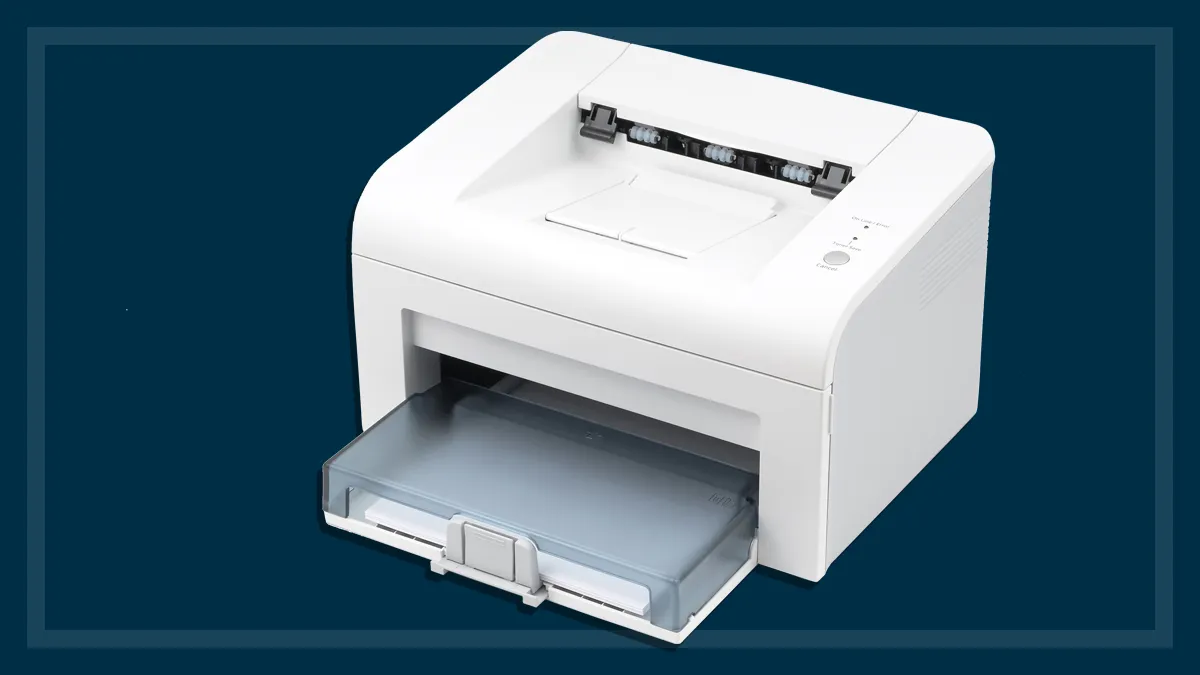

A printer that sits unused for weeks can still become the most frustrating device in the house when a form, school worksheet, return label, or signed document suddenly needs to be on paper. The right Best inexpensive printer should handle those occasional jobs without making setup, Wi-Fi, or scanning harder than the task itself.
This list includes compact color all-in-ones, more capable home-office machines, and one genuinely portable thermal printer. Automatic two-sided printing, document feeders, wireless standards, paper capacity, and ink restrictions separate the picks more than their similar footprints suggest.
Canon PIXMA TS4320 is our top pick for most homes, with duplex printing, dual-band Wi-Fi, scanning, copying, and photo support. The rest of the list ranges from simple basic printers to faster office-friendly models and a mobile thermal specialist.
Comparison table
| # | Product | Award | Printing | Paper handling | Wireless and controls | Best for |
|---|---|---|---|---|---|---|
| 1 | Canon PIXMA TS4320 | Best overall | Color inkjet, automatic duplex | Scanner and copier, up to 8.5 by 11 inches | Dual-band Wi-Fi, mobile printing | Most homes |
| 2 | Canon PIXMA TS6520 | Best controls | Color inkjet, automatic duplex | Scanner and copier, up to 8.5 by 11 inches | Dual-band Wi-Fi, 1.42-inch OLED | Easy printer-side operation |
| 3 | HP DeskJet 2955 | Best basic HP | Color inkjet | 60-sheet input tray, scanner and copier | Dual-band Wi-Fi, icon LCD | Everyday documents |
| 4 | Canon PIXMA TR4720 | Best with ADF | Color inkjet, automatic duplex | 100-sheet tray, auto document feeder | Wireless, mobile printing, fax | Multi-page scanning |
| 5 | Brother Work Smart 1360 | Best home office | Color inkjet, automatic duplex | 150-sheet tray, 20-sheet ADF | Wi-Fi or USB, 1.8-inch color display | Frequent home printing |
| 6 | Canon PIXMA TS3720 | Best simple Canon | Color inkjet, single-sided | Scanner and copier, photos up to 5 by 7 inches | Dual-band Wi-Fi, 1.5-inch LCD | Basic home printing |
| 7 | HP Envy 6155 | Best touchscreen | Color inkjet, automatic duplex | 100-sheet tray, scanner and copier | Dual-band Wi-Fi, 2.4-inch touchscreen | Photos and family documents |
| 8 | NDYIN N80 | Best portable | Direct thermal, 203 dpi | US Letter and A4 thermal paper | Bluetooth, USB-C | Travel and field work |
| 9 | HP DeskJet 4255e | Best with a feeder | Color inkjet | 60-sheet tray, auto document feeder | 2.4 GHz Wi-Fi, icon LCD | Occasional multi-page scans |
| 10 | HP DeskJet 2923 | Best compact HP | Color inkjet | 60-sheet input tray, scanner and copier | Dual-band Wi-Fi, icon LCD | Small spaces and basic tasks |
1. Canon PIXMA TS4320: Best Overall

Pros
- Automatic two-sided printing
- Dual-band Wi-Fi supports 2.4 GHz and 5 GHz networks
- Prints, scans, and copies
- Handles documents and borderless photos up to 8.5 by 11 inches
- Compact 14.8 by 14 by 6.7-inch footprint
Cons
- Uses a two-cartridge hybrid ink system
- No automatic document feeder
- Its 14.8-pound weight makes it less convenient to move
Best for: households that need one compact printer for documents, photos, scanning, and copying.
The Canon PIXMA TS4320 is the printer we would put in the average home. It is not limited to occasional black-and-white worksheets, yet it avoids the office-machine bulk that makes a printer difficult to live with. Its automatic two-sided printing is the feature that matters most day to day. Long documents use both sides of the sheet without requiring you to flip pages manually.
Canon uses a two-cartridge hybrid ink system here, with the black cartridge handling sharp text and the color cartridge producing vivid color output. That arrangement is straightforward to replace, though it is not as flexible as a printer with separate color tanks. The TS4320 prints documents and photos up to 8.5 by 11 inches, including borderless output, so it can cover everything from a letter to a full-size family photo.
Wireless setup is a strong point. Dual-band Wi-Fi means the printer can use either a 2.4 GHz or 5 GHz network, which gives it a better chance of fitting smoothly into a modern home network than a 2.4 GHz-only model such as the HP DeskJet 4255e. Canon PRINT, Apple AirPrint, and Mopria Print Service provide practical ways to send work from phones and tablets. Scanning and copying are built in, so there is no need for a second device for routine paperwork.
The physical design is compact at 14.8 inches long, 14 inches wide, and 6.7 inches high. It weighs 14.8 pounds, which is manageable on a permanent shelf but not something most people will carry from room to room. The lack of an automatic document feeder is the main limitation. If you regularly scan or copy a stack of pages, the Canon PIXMA TR4720 or Brother Work Smart 1360 is a better fit.
The TS4320 is the right call for a home that prints a mix of schoolwork, forms, recipes, occasional photos, and short documents. It is the most balanced Best inexpensive printer here because its useful features are the ones people actually reach for.
2. Canon PIXMA TS6520: Best Controls

Pros
- Automatic two-sided printing
- Useful 1.42-inch monochrome OLED display
- Dual-band wireless connectivity
- Prints, scans, and copies
- Supports borderless output up to 8.5 by 11 inches
Cons
- No automatic document feeder
- Slightly heavier than the TS4320
- Two-cartridge ink system limits color-by-color replacement
Best for: people who want to manage common print tasks from the printer itself.
The Canon PIXMA TS6520 is closely related to the TS4320, but its 1.42-inch monochrome OLED display makes it easier to check status and change settings without reaching for a phone. That sounds like a small distinction until you are copying a page, checking ink information, or trying to resolve a prompt from the printer's control panel. The display is not large, but it is clearer and more useful than a handful of indicator lights.
It uses the same broad all-in-one formula: color printing, scanning, copying, and automatic two-sided output. Duplex printing is particularly useful for school reports, drafts, and household records because it reduces the need to handle pages as they come out. The printer supports documents and photos up to 8.5 by 11 inches, with or without borders, so it is not restricted to plain text.
The TS6520 also supports dual-band Wi-Fi on both 2.4 GHz and 5 GHz networks. Canon PRINT, Apple AirPrint, and Mopria Print Service cover the common phone and tablet workflows. Setup is intended to be simple from a smartphone or computer, and the wireless flexibility gives it an advantage over the HP DeskJet 4255e, which is limited to 2.4 GHz Wi-Fi.
At 14.8 inches long, 14 inches wide, and 6.7 inches high, it has the same general footprint as the TS4320. Its 15.3-pound weight is a little higher, but both models are better suited to a desk or shelf than frequent relocation. The important omission is the lack of an automatic document feeder. The flatbed scanner works for single pages, photographs, and book pages, but multi-page copying remains hands-on.
Choose the TS6520 over the TS4320 if the printer's own controls matter more than saving a little space or weight. The Canon PIXMA TS4320 remains the more rounded recommendation, while this model is the better choice for someone who expects to operate the machine without constantly opening an app.
3. HP DeskJet 2955: Best Basic HP

Pros
- Prints, scans, and copies
- 60-sheet input tray
- Dual-band Wi-Fi
- HP app supports printing, scanning, copying, and faxing
- Compact 7.55-pound design
Cons
- Slower than the Brother Work Smart 1360
- No automatic duplex printing listed
- Small icon LCD is basic
Best for: homes that mostly print short documents, recipes, lists, and occasional color pages.
The HP DeskJet 2955 is deliberately uncomplicated. It is built around the tasks that fill most home printer queues: lists, letters, recipes, financial documents, and everyday color pages. The 60-sheet input tray is enough for occasional work, while the scanner and copier give it more usefulness than a print-only machine.
Its listed speeds reach 7.5 pages per minute for black printing and 5.5 pages per minute for color. Those figures place it behind the Brother Work Smart 1360, which is rated for up to 16 pages per minute in black and 9 pages per minute in color, but speed is not the main point here. The DeskJet 2955 makes more sense for short jobs where the printer spends more time waiting for the next task than running through a large stack.
Wireless operation is handled by dual-band Wi-Fi, and HP says the connection can automatically detect and resolve connection issues. The HP app lets a phone handle printing, scanning, copying, and faxing. HP's AI-capable formatting feature is aimed at web pages and emails, removing unwanted content and arranging the result more cleanly before printing. That can be useful when a browser page would otherwise waste space on navigation elements and advertisements.
The printer weighs 7.55 pounds and measures 16.73 inches wide, 11.97 inches long, and 6.06 inches high. The low weight is useful when a printer needs to be moved between a shelf and a work surface, though its width still needs to be considered. An icon LCD keeps the printer-side controls basic. There is no listed automatic two-sided function, so users who print longer documents should look at the Canon models or the HP Envy 6155.
The 2955 also has a design made with at least 70 percent recycled plastics and carries ENERGY STAR and EPEAT certifications. Its included Instant Ink trial is optional rather than a reason to overlook the hardware limitations. Pick this HP when easy, occasional home printing matters more than duplex output, faster throughput, or advanced paper handling.
4. Canon PIXMA TR4720: Best With ADF

Pros
- Automatic document feeder
- Automatic two-sided printing
- 100-sheet paper capacity
- Built-in fax
- Supports borderless documents and photos up to 8.5 by 11 inches
Cons
- Slower listed color speed than the Brother Work Smart 1360
- Larger footprint than the compact DeskJet models
- No dual-band Wi-Fi specification listed
Best for: households that scan, copy, or fax multiple pages often enough to need an automatic feeder.
The Canon PIXMA TR4720 is the practical office-style pick in a group dominated by simple flatbed all-in-ones. Its automatic document feeder changes the experience of copying or scanning several pages. Instead of placing each sheet on the glass, you can load a small stack and let the printer move through it. That is the feature to prioritize when paperwork is more than an occasional single page.
Canon lists a 100-sheet capacity, automatic two-sided printing, and four functions: print, copy, scan, and fax. The duplex feature keeps multi-page documents more manageable, while the feeder handles the input side of scanning and copying. It also supports documents, photos, and borderless output up to 8.5 by 11 inches.
Its listed print speeds are approximately 8.8 images per minute for black letter documents and 4.4 images per minute for color letter documents. A 4 by 6-inch borderless photo is listed at approximately 65 seconds. Those figures make the TR4720 a better match for orderly document work than for rapid color output. The Brother Work Smart 1360 is the obvious step up when black and color pages need to move faster.
The printer measures 17.2 inches wide, 11.7 inches long, and 7.5 inches high, with a listed weight of 12.7 pounds. It is not difficult to place, but it needs more room than the 7.55-pound HP DeskJet 2955. Mobile printing is supported, and Canon includes wireless operation, though the product information does not specify dual-band Wi-Fi as it does on several newer Canon models.
The TR4720 also includes a one-year limited warranty and ENERGY STAR certification. Its real weakness is not functionality but age and speed. Someone who only prints a page now and then is better served by the TS3720, while someone who needs an ADF, fax, and duplex printing in one machine should choose this Canon.
5. Brother Work Smart 1360: Best Home Office

Pros
- Fastest listed print speeds in this group
- Automatic duplex printing
- 150-sheet paper tray
- 20-sheet automatic document feeder
- Wi-Fi and USB connections
Cons
- Heavier than most home-focused models
- Uses a specific LC501 ink series
- Larger than the simplest compact printers
Best for: home offices that print regularly and need a larger tray, feeder, and faster output.
The Brother Work Smart 1360 is the most capable document printer here before the list shifts into a different category with the portable NDYIN. It feels designed for a home office rather than a kitchen counter. A 150-sheet paper tray means less frequent refilling, and the 20-sheet single-sided automatic document feeder takes much of the routine work out of copying and scanning.
Brother lists speeds of up to 16 pages per minute in black and 9 pages per minute in color. That is a substantial advantage over the HP DeskJet models, which are listed below 9 pages per minute in black, and over the Canon PIXMA TR4720's listed color speed. The difference matters when printing forms, school packets, invoices, or several copies of a document rather than one page at a time.
Automatic duplex printing supports more efficient document handling, and the 1.8-inch color display provides a more capable printer-side interface than the icon LCDs on the DeskJet 2955, 4255e, and 2923. Brother also supports printing to and scanning from popular cloud services including Google Drive, Dropbox, Box, and OneDrive. The Brother Mobile Connect app adds mobile control and ink-use monitoring through Page Gauge.
Connections include wireless networking and USB, giving this model a useful fallback if Wi-Fi becomes inconvenient. The printer measures 15.4 inches wide, 13.5 inches long, and 7.2 inches high, and weighs 16.8 pounds. That is a substantial step up from the lightweight HP DeskJet 2955. It is still compact enough for a home office, but it is not the printer to carry between rooms.
The main ownership consideration is its use of LC501 series inks, which means replacement cartridges need to match that family. That is not a flaw, but it is a detail worth checking before committing. The Canon PIXMA TS4320 is easier to recommend for mixed casual use, while the Brother is the clear choice for a household that prints often enough to benefit from speed, capacity, duplexing, and an ADF.
For readers setting up a more demanding workspace, the key distinction is the paper workflow, not just the printer's footprint. A machine with a larger tray and feeder can prevent repeated interruptions, much as the right paper handling for a small office workload matters more than a decorative control panel.
6. Canon PIXMA TS3720: Best Simple Canon

Pros
- Straightforward print, scan, and copy functions
- Dual-band Wi-Fi
- Easy setup without a computer
- Supports envelopes, banners, and borderless photos up to 5 by 7 inches
- One-year warranty
Cons
- Single-sided printing only
- Slower color output than the Brother Work Smart 1360
- No automatic document feeder
Best for: users who want a simple wireless printer for occasional household documents and small photos.
The Canon PIXMA TS3720 is the uncomplicated Canon in this roundup. It prints, scans, and copies, and its setup is designed to take only a few minutes. The 1.5-inch segment LCD gives you basic printer-side control without trying to turn the device into a miniature office console.
Canon lists approximate speeds of 7.7 images per minute for black output and 4 images per minute for color. Those numbers suit short documents rather than a large packet. The printer uses two easy-to-replace ink cartridges and supports envelopes, photos, high-resolution paper, banners, 5 by 5-inch square photos, and borderless photos up to 5 by 7 inches.
The most important compromise is single-sided printing. Every double-sided document requires manual page handling, which makes the TS3720 less convenient than the TS4320 and TS6520. It also lacks an automatic document feeder, so the flatbed scanner is best for one page or one photograph at a time. Those limits are easy to accept for occasional work, but they become tedious for school or office paperwork.
Wireless setup works on either 2.4 GHz or 5 GHz networks, and the printer supports the Canon PRINT app, Apple AirPrint, Mopria Print Service, and Chromebook printing. The unit measures 17.2 inches long, 12.9 inches wide, and 5.8 inches high, and weighs 8.7 pounds. It is relatively light, though its long body needs more front-to-back space than its height suggests.
The TS3720 is a sensible pick when the goal is a basic wireless all-in-one rather than a full home-office machine. The HP DeskJet 2923 offers a similar basic profile with dual-band Wi-Fi and a 60-sheet tray, while the Canon adds broader listed media support and a one-year warranty. Choose this model if you are comfortable with single-sided printing and do not need a feeder.
7. HP Envy 6155: Best Touchscreen

Pros
- Automatic two-sided printing
- 2.4-inch color touchscreen
- 100-sheet input tray
- Listed speeds up to 10 pages per minute black and 7 color
- Dual-band Wi-Fi and mobile printing
Cons
- Cartridge restrictions require original HP chips or circuitry
- No automatic document feeder
- Taller footprint than the basic DeskJet models
Best for: families that want easy touchscreen control and regular color document or photo printing.
The HP Envy 6155 is the most polished HP all-in-one in this group. Its 2.4-inch color touchscreen is much easier to navigate than the icon LCD on the DeskJet 2955, especially when starting a copy, changing a setting, or checking the printer's status. It is aimed at homes that print everyday color documents and borderless photos, rather than users who only need a black text page once a month.
HP lists output speeds up to 10 pages per minute in black and 7 pages per minute in color. That puts it ahead of the basic HP DeskJets and closer to the more capable Canon models, though it remains behind the Brother Work Smart 1360. The 100-sheet input tray also gives it more breathing room than the 60-sheet trays in the DeskJet 2955, 4255e, and 2923.
Automatic two-sided printing is included, and dual-band Wi-Fi supports the two common home network bands. The HP app covers printing, scanning, copying, and faxing from a phone. HP's formatting feature can remove unwanted content from web pages and emails, while the listed P3 technology is intended to produce documents and photos that look vibrant relative to their on-screen appearance.
The printer's dimensions are unusual enough to plan around: 17.05 inches long, 5.35 inches wide, and 14.21 inches high, with a listed weight of 11.2 pounds. Check the shelf depth and the space above it before buying. HP also says the printer is intended to work only with cartridges containing original HP chips or circuitry, and firmware updates maintain those measures. That restriction is the most important reason to skip this model if you want broad cartridge flexibility.
The Envy 6155 is more convenient to operate than the DeskJets and more photo-oriented than the office-first Brother. It does not have an ADF, so the TR4720 is the better document choice. For a family that values a clear touchscreen, duplex output, and regular color printing, it is the strongest HP choice in this list.
A compact printer is not automatically a small printer once its trays are open. If the machine has to share a narrow shelf, how much room a printer needs with trays extended is a more useful question than its closed height.
8. NDYIN N80: Best Portable

Pros
- Direct thermal printing needs no ink, toner, or ribbon
- Built-in 1500 mAh rechargeable battery
- Listed capacity of up to 160 sheets on a full charge
- Weighs about 1.5 pounds
- Bluetooth phone and tablet support
Cons
- Prints only on special thermal paper
- Does not print in color
- Computers require a USB-C connection and driver
Best for: travelers, field workers, and anyone who needs documents away from a wall outlet.
The NDYIN N80 is not a conventional home color inkjet, and that is precisely why it earns a place here. It is a portable direct thermal printer for people who need a boarding pass, invoice, contract, form, or other document while away from a desk. There is no ink, toner, or ribbon to install, and the built-in 1500 mAh battery makes it practical for travel, vehicles, construction sites, and temporary workspaces.
Its 203 dpi resolution is intended to produce clear black thermal output. The printer supports US Letter and A4 thermal paper, along with roll and folded paper. The supplied paper includes a roll of US Letter paper measuring 7 meters. Ordinary printer paper cannot be used, and the listing recommends NDYIN thermal paper for good results. That special-media requirement is the trade-off for an ink-free workflow.
The N80 connects to iPhone, Android phones, iPads, and tablets through Bluetooth using the Nada Print app. It can print PDFs, Word files, pictures, and web pages from a phone. A laptop or desktop must use the USB-C cable and install a driver because computer Bluetooth printing is not supported. That makes the device convenient for mobile work but less universal than the wireless inkjet printers in this roundup.
NDYIN says a full charge can print up to 160 sheets of 8.5 by 11-inch thermal paper. The product information lists a weight of 1.7 pounds, while the feature description describes it as 1.5 pounds, so it is clearly far lighter than the 8.7-pound Canon PIXMA TS3720 or 16.8-pound Brother Work Smart 1360. Its listed dimensions are 11 inches wide, 3.3 inches long, and 2 inches high.
The weakness is fundamental: thermal output is monochrome and depends on special paper. It is not the right printer for color photos, ordinary office paper, or a general family printer. For someone who travels with documents, however, its battery and ink-free design solve a problem none of the full-size all-in-ones can address. Those comparing portable and conventional machines should first decide when a travel printer makes more sense than a desk model.
9. HP DeskJet 4255e: Best With a Feeder

Pros
- Automatic document feeder
- Prints, scans, and copies
- 60-sheet input tray
- HP app supports mobile printing, scanning, copying, and faxing
- Automatic formatting tools for web pages and emails
Cons
- Wi-Fi works only on 2.4 GHz
- No automatic duplex printing listed
- Cartridge restrictions require HP chips or circuitry
Best for: homes that need an ADF for occasional multi-page scans but do not need fast output.
The HP DeskJet 4255e fills an unusual position. It is a basic home all-in-one, but it includes an automatic document feeder, a feature absent from the DeskJet 2955 and 2923. That makes it more useful for scanning or copying several pages, even though the printer itself is not aimed at a busy home office.
HP lists speeds up to 8.5 pages per minute for black output and 5.5 pages per minute for color. Those figures are close to the DeskJet 2955, so neither model is intended for large print runs. The 60-sheet input tray is adequate for short jobs, but the feeder is the real differentiator. If the work is mostly single-page printing, the added capability will not make much difference.
The wireless limitation deserves attention. This printer is only 2.4 GHz capable, unlike the dual-band Canon PIXMA TS4320, Canon PIXMA TS3720, and HP Envy 6155. Many homes still use 2.4 GHz networks, but a household with a network configured primarily around 5 GHz should check compatibility before choosing it. The HP app supports printing, scanning, copying, and faxing from a phone, PC, or tablet.
The 4255e measures 16.85 inches wide, 13.07 inches long, and 7.87 inches high, and weighs 10.6 pounds. It is heavier than the DeskJet 2955 and 2923, but still manageable for home placement. HP also lists at least 60 percent recycled plastic content, ENERGY STAR certification, and EPEAT certification. The printer's AI-capable formatting feature is intended to clean up web pages and emails before printing.
There is no listed automatic duplex function, so multi-page documents may require manual page management. HP also says the printer is intended to work only with cartridges containing HP chips or circuitry, with firmware updates maintaining those measures. The Canon PIXMA TR4720 is a better all-around document machine, but the 4255e makes sense when an ADF is important and the home network supports 2.4 GHz.
10. HP DeskJet 2923: Best Compact HP

Pros
- Prints, scans, and copies
- Dual-band Wi-Fi
- 60-sheet input tray
- HP app supports mobile printing and scanning
- Uses at least 70 percent recycled plastics
Cons
- No automatic document feeder
- No automatic duplex printing listed
- Basic icon LCD
Best for: small homes that need a compact all-in-one for occasional color documents.
The HP DeskJet 2923 is a straightforward compact all-in-one for basic home printing. It handles color printing, copying, and scanning, and the 60-sheet input tray is enough for the short jobs this printer is designed to handle. An icon LCD keeps the controls simple, though it does not offer the visual guidance of the HP Envy 6155's color touchscreen.
Its listed speeds reach 7.5 pages per minute in black and 5.5 pages per minute in color. That is the same listed speed as the DeskJet 2955, so the two models occupy much the same performance class. The distinction here is not speed or paper handling. It is a small, light home printer with dual-band wireless operation and a phone-friendly workflow.
The HP app can print, scan, copy, and fax from a smartphone. HP's AI-capable formatting is intended to improve the layout of web pages and emails by removing unwanted content. Dual-band Wi-Fi gives it a connectivity advantage over the HP DeskJet 4255e, although the 4255e has the more useful automatic document feeder.
At 16.73 inches wide, 11.97 inches long, and 6.06 inches high, the 2923 shares a compact shape with the DeskJet 2955. Its listed weight is 7.55 pounds. HP says it uses at least 70 percent recycled plastics and carries ENERGY STAR and EPEAT certifications. The lack of automatic duplex printing means users must turn pages manually for two-sided documents.
The DeskJet 2923 is a reasonable choice for lists, recipes, letters, homework, and occasional color pages. The Canon PIXMA TS3720 offers more explicitly listed media support and a one-year warranty, while the 2923 offers HP's app and formatting tools. Choose the HP if its mobile workflow suits you and your printing needs remain firmly in the basic category.
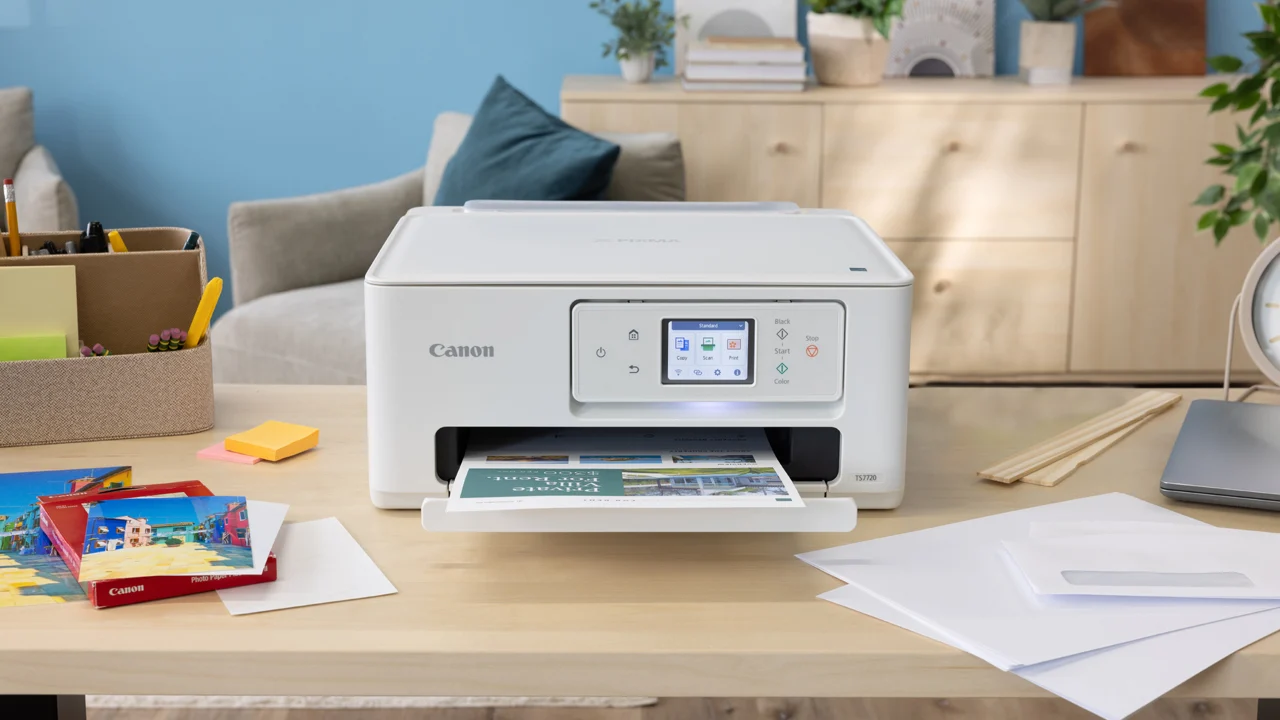
How to choose best inexpensive printer
The right printer depends on what you print, how often you handle multiple pages, and whether the machine needs to work from a phone, a computer, or both.
Duplex printing
Automatic duplex printing turns a long document into a mostly hands-off job and reduces the amount of paper used. The Canon PIXMA TS4320, Canon PIXMA TS6520, Canon PIXMA TR4720, Brother Work Smart 1360, and HP Envy 6155 include it. Models without duplex output are fine for short, single-page tasks, but manual page turning becomes tiresome for schoolwork and office documents.
Automatic document feeders
An automatic document feeder matters when scanning, copying, or faxing more than one page. The Canon PIXMA TR4720 and Brother Work Smart 1360 have ADFs, and the HP DeskJet 4255e adds one to an otherwise basic design. A flatbed scanner is better for photographs and books, but it requires you to place each sheet individually.
Wireless compatibility
Dual-band Wi-Fi supports both 2.4 GHz and 5 GHz networks and gives you more flexibility when placing a printer at home. The HP DeskJet 4255e is limited to 2.4 GHz, while the Canon PIXMA TS4320, Canon PIXMA TS6520, Canon PIXMA TS3720, HP DeskJet 2955, HP Envy 6155, and HP DeskJet 2923 list dual-band support. The NDYIN N80 uses Bluetooth with mobile devices and USB-C with computers, so it solves a different connectivity problem.
If your printer will handle more than a page or two at a time, prioritize the feeder and duplexer before the display.
Print speed and paper capacity
Speed matters when several pages need to come out in one session. The Brother Work Smart 1360 is the fastest listed model, with up to 16 black pages per minute and 9 color pages per minute. The 150-sheet tray also means fewer interruptions than the 60-sheet trays found on several HP DeskJet models. For occasional printing, a smaller tray is less troublesome.
Ink and thermal media
Most products here are two-cartridge or conventional color inkjet all-in-ones. HP states that the Envy 6155, DeskJet 4255e, and related models are intended to work with cartridges containing original HP chips or circuitry, so that restriction should be understood before purchase. The NDYIN N80 avoids ink entirely through direct thermal printing, but it requires special thermal paper and produces monochrome output.
Frequently asked questions
Do all of these printers scan and copy?
No. The NDYIN N80 is a portable thermal printer designed for printing only. The other nine products are listed as printers with scanning and copying functions.
Which printer is best for two-sided documents?
The Canon PIXMA TS4320 is the best general pick because it combines automatic duplex printing with color output, scanning, copying, dual-band Wi-Fi, and photo support. The Canon PIXMA TS6520, Canon PIXMA TR4720, Brother Work Smart 1360, and HP Envy 6155 also include automatic two-sided printing.
Which model is best for scanning several pages?
The Brother Work Smart 1360 is the strongest choice for frequent multi-page work because it has a 20-sheet automatic document feeder and a 150-sheet paper tray. The Canon PIXMA TR4720 also has an automatic document feeder and a 100-sheet capacity. The HP DeskJet 4255e has an ADF but is more limited in speed and wireless compatibility.
Can the NDYIN N80 print normal printer paper?
No. The N80 supports US Letter and A4 thermal paper, including roll and folded paper, but ordinary paper cannot be used. Its direct thermal system requires special media and produces black thermal output rather than conventional color inkjet pages.
Which printers support 5 GHz Wi-Fi?
The Canon PIXMA TS4320, Canon PIXMA TS6520, Canon PIXMA TS3720, HP DeskJet 2955, HP Envy 6155, and HP DeskJet 2923 list dual-band Wi-Fi support for 2.4 GHz and 5 GHz networks. The HP DeskJet 4255e is specifically limited to 2.4 GHz. The NDYIN N80 uses Bluetooth for phones and USB-C for computers.
Is an automatic document feeder the same as duplex scanning?
No. An ADF moves pages into the scanner automatically, but the listed products do not specify automatic two-sided scanning through the feeder. Automatic duplex printing concerns the printer's ability to print on both sides of a sheet.
Which model is easiest to control without a phone?
The Canon PIXMA TS6520 has a 1.42-inch OLED display, while the HP Envy 6155 has a larger 2.4-inch color touchscreen. The Brother Work Smart 1360 also has a 1.8-inch color display. These are more informative than the icon LCDs on the basic HP DeskJet models.

The bottom line
The Best inexpensive printer for most homes is the Canon PIXMA TS4320. Automatic two-sided printing, dual-band Wi-Fi, scanning, copying, and support for full-size documents and borderless photos give it the most useful balance without making the machine a home-office tower.
Choose the Brother Work Smart 1360 if your home office prints often, uses multi-page documents, or needs a larger paper tray and automatic feeder. The Canon PIXMA TR4720 is the better alternative when faxing and an ADF matter more than speed. For travel, the NDYIN N80 is the only pick that can operate from its own rechargeable battery and avoid ink entirely.
If you are undecided, buy the Canon PIXMA TS4320 unless you specifically need an automatic document feeder or portable thermal printing.
As an Amazon Associate we earn from qualifying purchases.