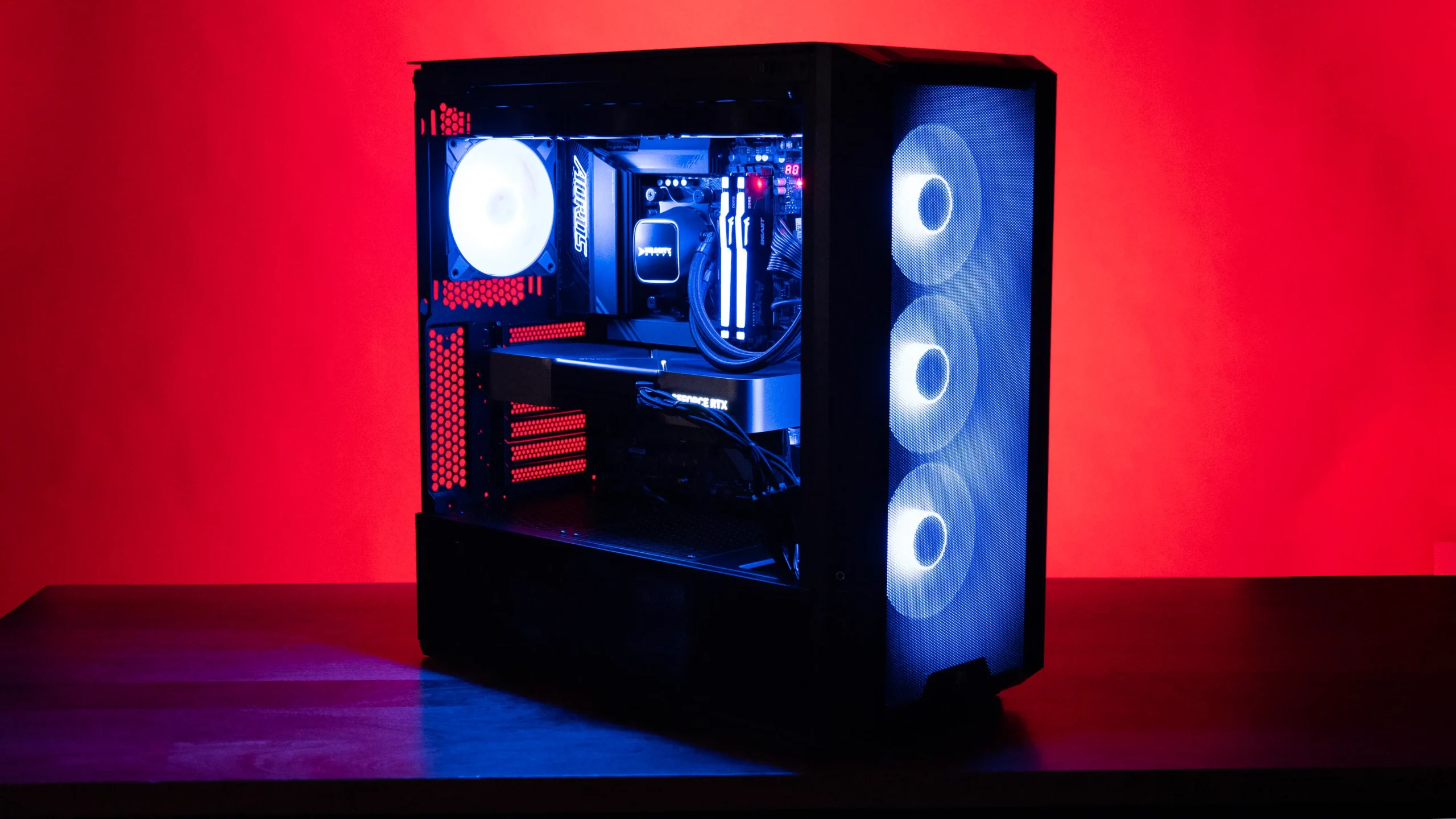

A high-end graphics card cannot hide a processor that stutters during busy game scenes, background downloads, or a live stream. The right CPU keeps frame delivery smooth and leaves enough headroom for everything else running on the PC.
Our Best gaming cpu picks range from cache-heavy AMD chips built for maximum frame rates to Intel processors aimed at mixed gaming and creator workloads. There is also one complete KOTIN desktop for readers who want a ready-to-play system rather than a component upgrade.
For most gaming-focused builds, the AMD Ryzen 7 9800X3D is the single best pick here. The rest of the list covers high-end production, older AM4 systems, compact six-core builds, Intel platforms, and a complete gaming desktop.
Comparison table
| # | Product | Award | Cores and threads | Boost or platform detail | Best for |
|---|---|---|---|---|---|
| 1 | AMD Ryzen 7 9800X3D | Best overall | 8 cores, 16 threads | Up to 5.2 GHz, 96MB L3 cache | High-refresh gaming |
| 2 | AMD Ryzen 9 9950X3D | Best for gaming and creation | 16 cores | Up to 5.7 GHz, Zen 5 | Gaming plus demanding workloads |
| 3 | AMD Ryzen 7 7800X3D | Best established gaming pick | 8 cores, 16 threads | 96MB L3 cache, 4.20 GHz clock | Proven gaming builds |
| 4 | AMD Ryzen 5 9600X | Best compact gaming chip | 6 cores, 12 threads | Up to 5.4 GHz, Zen 5 | Mainstream AM5 systems |
| 5 | KOTIN Ryzen 7 9700X PC | Best complete desktop | 8-core CPU, 32GB DDR5 | RTX 5070 12GB | Ready-to-play systems |
| 6 | Intel Core Ultra 9 285K | Best Intel high-end option | 24 cores, 24 threads | Up to 5.7 GHz, 40MB cache | Intel gaming and creation |
| 7 | AMD Ryzen 7 7700X | Best Zen 4 alternative | 8 cores, 16 threads | Up to 5.4 GHz, 80MB cache | Flexible AM5 builds |
| 8 | AMD Ryzen 9 9950X | Best for heavy multitasking | 16 cores, 32 threads | Up to 5.7 GHz, Zen 5 | Rendering and gaming |
| 9 | AMD Ryzen 7 5800X3D | Best AM4 upgrade | 8 cores, 16 threads | Up to 4.5 GHz, 100MB cache | Existing AM4 PCs |
| 10 | Intel Core Ultra 7 270K Plus | Best Intel enthusiast alternative | 24 cores, 24 threads | Up to 5.5 GHz, LGA1851 | Tuning-focused Intel builds |
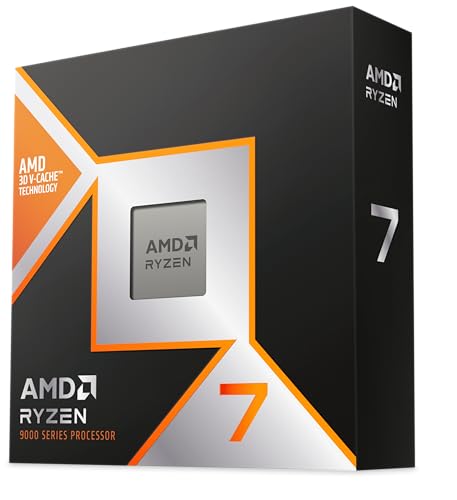
1. AMD Ryzen 7 9800X3D: Best Overall
Pros
- Zen 5 architecture with 3D V-Cache
- 96MB of L3 cache
- Up to 5.2 GHz boost clock
- Efficient eight-core design
- Drop-in ready for Socket AM5 infrastructure
Cons
- Cooler is not included
- Eight cores are less suited to heavy production than Ryzen 9 models
Best for: gamers building a fast AM5 system around a powerful graphics card.
The AMD Ryzen 7 9800X3D is the processor we would put in a gaming-first build. Its eight cores and 16 threads are a sensible match for modern games, and the large 96MB L3 cache is the feature that separates it from conventional eight-core chips. Cache can keep more game data close to the cores, which helps reduce the pauses that show up as uneven frame delivery in CPU-limited scenes.
This is a Zen 5 processor with a boost clock of up to 5.2 GHz. The combination matters. The architecture improves the work done per clock, while the high boost ceiling keeps lightly threaded game tasks responsive. AMD also highlights improved thermal performance compared with the previous generation, which gives builders a better chance of sustaining high clocks with a suitable cooler.
The 9800X3D is a sharper gaming choice than the Ryzen 9 9950X3D if gaming is the priority, while the 9950X3D is the more capable workstation chip. It also moves ahead of the older Ryzen 7 7800X3D by bringing Zen 5 to the same general cache-focused formula. Anyone comparing AMD platforms should also understand how extra cache changes gaming performance before deciding between a cache-heavy chip and a conventional model.
There is a practical catch: AMD does not include a cooler. That is not a flaw unique to this model, but it raises the need for a proper cooling plan before the build begins. The 9800X3D is also not the right answer for a machine dominated by rendering or other heavily threaded workloads. For a gaming-centered AM5 PC, though, it has the clearest balance of speed, efficiency, and useful cache.
2. AMD Ryzen 9 9950X3D: Best for Gaming and Creation

Pros
- 16-core design for demanding multitasking
- Zen 5 architecture
- Up to 5.7 GHz boost clock
- Designed for gaming and content creation
Cons
- More processor than a gaming-only build needs
- Cooler is not included
Best for: creators who want one AM5 processor for games, editing, and demanding background work.
The AMD Ryzen 9 9950X3D is the no-compromise option for someone who games after spending the day in demanding applications. Its 16 cores give it twice the core count of the Ryzen 7 9800X3D, while the X3D designation places it in AMD's cache-focused gaming family. That combination makes it unusually versatile for a desktop that has to switch between play and production.
The listed boost clock reaches up to 5.7 GHz, with a 4.3 GHz base clock. Those figures give the chip a strong foundation for both lightly threaded responsiveness and sustained multi-core work, although real results still depend on the motherboard, cooling, and workload. Its Zen 5 architecture also keeps it current alongside the 9800X3D rather than making it simply a higher-core version of an older design.
For pure gaming, the Ryzen 7 9800X3D is the more focused recommendation. The 9950X3D earns its place when compiling, rendering, encoding, or streaming are regular parts of the routine. The conventional Ryzen 9 9950X has the same 16-core, 32-thread class of workload capacity, but this model is the more interesting choice when gaming performance must remain central.
A liquid cooler is not listed as included, so the rest of the build needs to be planned around CPU cooling. It is also easy to buy more processing capacity than a gaming library can use. Choose this processor when the extra cores will have a job, not simply because the model sits higher in the range.
3. AMD Ryzen 7 7800X3D: Best Established Gaming Pick

Pros
- Eight cores and 16 threads
- 96MB L3 cache
- Mature 5 nm design
- AMD Radeon Graphics controller
- Strong fit for gaming-focused PCs
Cons
- Older Zen 4 architecture
- Cooler is not included
- Lower clock figures than newer X3D options
Best for: builders who want a proven cache-equipped processor for an AM5 gaming system.
The AMD Ryzen 7 7800X3D remains a straightforward gaming processor because it does not try to serve every possible desktop role. Its eight cores and 16 threads are enough for a modern gaming machine, and 96MB of L3 cache gives game workloads the same broad advantage that makes AMD's X3D chips so compelling.
This is a 5 nm Zen 4 processor with a listed 4.20 GHz clock speed. The lower generation matters when it is placed beside the Ryzen 7 9800X3D, which uses Zen 5 and can boost up to 5.2 GHz. Still, the cache design means the 7800X3D is not just a generic older eight-core chip. It also includes an AMD Radeon Graphics controller, which can help with basic display output during troubleshooting, though a gaming system will normally use a discrete graphics card.
The 7800X3D is the more established alternative to the newer 9800X3D, while the Ryzen 7 7700X gives up the large 3D cache in exchange for a conventional Zen 4 design. Readers still weighing the platform should see which Ryzen features matter most for gaming rather than judging these chips by core count alone.
Its weakness is age. Newer processors bring newer architecture and higher listed clocks, and this model does not make as much sense for a completely fresh build if the newer options fit the plan. It remains a strong choice for a cache-focused AM5 system, especially for buyers who want a known gaming design without stepping up to a 16-core processor.
4. AMD Ryzen 5 9600X: Best Compact Gaming Chip

Pros
- Six cores and 12 threads
- Zen 5 architecture
- Up to 5.4 GHz boost
- Unlocked for overclocking
- DDR5-5600 support
Cons
- No 3D V-Cache
- Cooler is not included
- Fewer cores than the Ryzen 7 options
Best for: a focused gaming build that needs current architecture without a large core count.
The AMD Ryzen 5 9600X is the sensible starting point for a gaming PC where six capable cores are enough. It has 12 threads and uses Zen 5, so it is not relying on an old architecture to keep up with the rest of this list. That makes it more interesting than its Ryzen 5 label suggests.
Its boost clock reaches up to 5.4 GHz, and the chip has 38MB of cache. The cache total is well below the X3D models, but the high boost ceiling and newer architecture suit games that are not limited by cache capacity. DDR5-5600 support also places it firmly in a current AM5 memory configuration, while PCIe 5.0 support is available on select motherboards.
The Ryzen 7 9800X3D is the better choice for maximum high-refresh gaming, and the 7800X3D is the more obvious cache-heavy alternative. The 9600X makes more sense when the system will be used primarily for gaming and general desktop work rather than intensive rendering or frequent video production. It is unlocked, so enthusiasts can tune it with compatible hardware and settings.
AMD does not include a cooler, which is easy to overlook when planning a smaller build. Six cores can also become a constraint for heavy streaming, compiling, or production workloads. For a clean, modern gaming machine with a discrete graphics card, the 9600X keeps the design focused.
5. KOTIN Ryzen 7 9700X PC: Best Complete Desktop

Pros
- Fully assembled Windows 11 Home desktop
- Ryzen 7 9700X with RTX 5070 graphics
- 32GB DDR5-6000 memory
- 1TB PCIe 4.0 NVMe SSD
- Built-in temperature and usage display
Cons
- Not a standalone CPU upgrade
- Large 30-pound tower
- Component upgrades require checking the complete system
Best for: players who want a complete gaming computer instead of choosing every component separately.
The KOTIN Ryzen 7 9700X PC is the odd one out in this comparison, but it is useful for readers who searched for a gaming CPU because they actually need a complete machine. The Ryzen 7 9700X is paired with an RTX 5070 carrying 12GB of GDDR7 memory, so the processor is part of a balanced gaming system rather than a component waiting for a graphics card and motherboard.
The supporting hardware is unusually clear. KOTIN lists 32GB of DDR5-6000 memory and a 1TB PCIe 4.0 NVMe SSD, giving the system enough memory for current games and a responsive storage base. A 360mm liquid cooler handles the CPU, while an 850W 80 Plus Gold power supply provides the listed power capacity for the system. WiFi 7 is built in as well.
A small 11.3-inch smart display shows CPU and GPU temperatures, usage, and weather. That is a distinctive feature rather than a gaming necessity, but it can be useful for keeping an eye on the machine without opening software. The tower is 14.25 inches high, 16.81 inches long, and 8.66 inches wide, and it weighs 30 pounds, so it needs a committed place on or under the desk.
This is not the pick for someone replacing a processor in an existing PC. It is also less flexible than selecting the 9800X3D or 9950X3D and choosing the rest of the system yourself. For a reader who wants the main parts of a complete gaming system explained before buying, this KOTIN desktop is the most direct ready-to-play option here.
6. Intel Core Ultra 9 285K: Best Intel High-End Option

Pros
- 24-core hybrid design
- 8 P-cores and 16 E-cores
- Up to 5.7 GHz unlocked boost
- 40MB cache
- Integrated Intel Graphics
Cons
- Requires an Intel 800 series motherboard
- No thermal solution included
- Hybrid core layout needs a compatible platform
Best for: high-end Intel builds that combine gaming with demanding multitasking.
The Intel Core Ultra 9 285K approaches the gaming desktop differently from AMD's eight-core X3D processors. It uses 24 cores split into eight performance cores and 16 efficiency cores, with 24 threads listed. The design gives the system more places to put background work, productivity tasks, and creator applications while the performance cores handle demanding foreground activity.
A boost clock of up to 5.7 GHz and 40MB of cache put this firmly in Intel's enthusiast class. It is unlocked, so tuning is part of the appeal when paired with appropriate hardware. The processor also includes integrated Intel Graphics, which is convenient for display output and diagnosing a discrete GPU problem.
The main comparison is with the AMD Ryzen 9 9950X3D. The AMD chip is the more obvious fit when gaming is the first requirement, while the Intel processor makes sense for a buyer already committed to the Intel 800 series platform or one who wants the hybrid-core approach. We have also collected the key trade-offs in choosing an Intel platform for game performance for builders deciding between these ecosystems.
The platform requirement is substantial. This CPU is compatible with Intel 800 series chipset motherboards, and no thermal solution is included. It is not the simplest drop-in purchase for an existing system. Pick it when the motherboard, cooling, and tuning plan are deliberate, not when the goal is merely to install a faster chip in an old board.
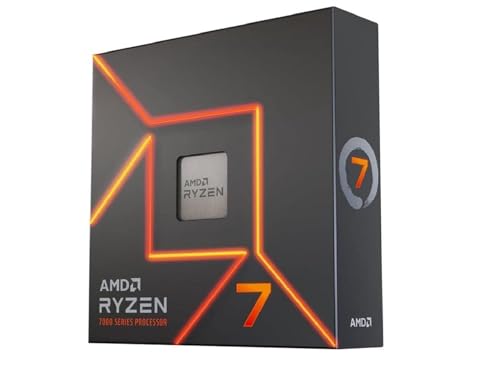
7. AMD Ryzen 7 7700X: Best Zen 4 Alternative
Pros
- Eight cores and 16 threads
- Up to 5.4 GHz boost
- 80MB total cache
- Unlocked for overclocking
- PCIe 5.0 support on select 600 Series motherboards
Cons
- No 3D V-Cache
- Older Zen 4 architecture
- Cooler is not included
Best for: an AM5 gaming build using a conventional eight-core processor.
The AMD Ryzen 7 7700X is a conventional eight-core processor with the flexibility that many builders want from an AM5 desktop chip. Its eight cores and 16 threads are well suited to games, everyday multitasking, and applications that can use several cores at once. Unlike the X3D models here, it does not depend on a large stacked cache to define its character.
The chip reaches up to 5.4 GHz and has a 4.5 GHz base clock. AMD lists 80MB of cache and DDR5-5200 support, with PCIe 5.0 available on select 600 Series motherboards. It is also unlocked, giving experienced builders room to tune performance within the limits of their board and cooler.
The Ryzen 5 9600X is the newer Zen 5 option with fewer cores, while the Ryzen 7 7800X3D is the stronger gaming-focused alternative when its 3D V-Cache is useful. The 7700X sits between those ideas: it offers eight cores without the specialized cache design. That makes it a better fit for a mixed desktop than a narrowly gaming-first chip, but it gives up the X3D models' most distinctive gaming feature.
A cooler is not included, so the build needs one from the beginning. The Zen 4 architecture also means it is not the freshest option here. It remains a credible choice for an AM5 system where ordinary multi-core performance, overclocking access, and eight-core capacity matter more than chasing the newest gaming architecture.
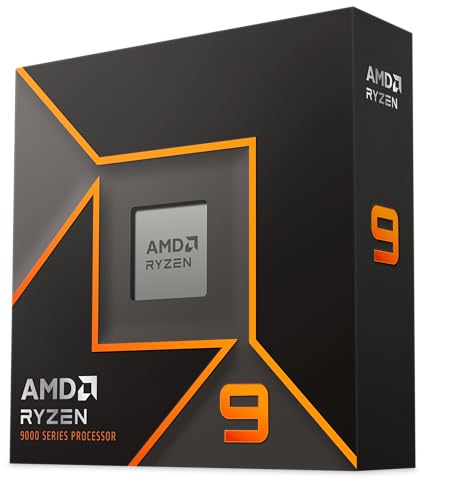
8. AMD Ryzen 9 9950X: Best for Heavy Multitasking
Pros
- 16 cores and 32 threads
- Zen 5 architecture
- Up to 5.7 GHz boost
- 80MB cache
- PCIe 5.0 support on select motherboards
Cons
- Cooler is not included
- Liquid cooling is recommended
- Not as gaming-specialized as an X3D model
Best for: creators and power users who also want a serious gaming processor.
The AMD Ryzen 9 9950X is built for the person who keeps several demanding tasks open. Its 16 cores and 32 threads give it twice the core count of the Ryzen 7 9800X3D, and Zen 5 keeps the design current. That makes it a natural fit for rendering, compiling, encoding, and other workloads that scale across many threads.
A boost clock of up to 5.7 GHz helps it remain responsive outside those all-core tasks. AMD lists 80MB of cache, DDR5-5600 support, and PCIe 5.0 support on select motherboards. It is unlocked, so the platform can be tuned when the motherboard and cooling system are prepared for it.
The Ryzen 9 9950X3D is the better pick when gaming and content creation are equally important because it adds the X3D gaming focus. The 9950X is the more straightforward choice when sustained multi-core work is the main reason to choose 16 cores. For gaming alone, the Ryzen 7 9800X3D is easier to recommend.
AMD states that a liquid cooler is recommended, and no cooler is included. That is the most important ownership consideration because the chip's capacity deserves a cooling system designed around the workload. Choose it for a workstation that plays games, not for a gaming-only machine that will rarely use its extra cores.
9. AMD Ryzen 7 5800X3D: Best AM4 Upgrade

Pros
- Eight cores and 16 threads
- 100MB cache
- 3D V-Cache technology
- Compatible with the AM4 platform
- DDR4-3200 support
Cons
- Older AM4 platform
- Up to 4.5 GHz boost
- High-performance cooler is recommended
Best for: extending the life of an existing AM4 gaming PC.
The AMD Ryzen 7 5800X3D is the upgrade pick, not the clean-sheet build pick. It has eight cores and 16 threads, but its real distinction is AMD 3D V-Cache technology and a listed 100MB cache total. That makes it an unusually interesting way to improve an AM4 gaming system without rebuilding around a newer memory and motherboard platform.
Its up-to-4.5 GHz boost clock is modest beside the 9800X3D, 9950X3D, and even the Ryzen 7 7700X. The platform is also limited to DDR4-3200 and PCIe 4.0 on X570 and B550 motherboards. Those are not reasons to dismiss it when the existing system already uses compatible parts, but they make a new AM4 build difficult to justify beside current AM5 choices.
The 7800X3D is the more natural newer-platform counterpart, while the 5800X3D has a different job. It can preserve an existing motherboard, memory kit, and operating system setup when the goal is a targeted CPU upgrade. Readers with an older AMD system should first check what an AM4 gaming upgrade can realistically change before moving to a new platform.
AMD does not include a cooler and recommends a high-performance cooler. The listed 4.5 GHz boost also makes it less compelling for a new build than the newer chips. For an existing AM4 owner who wants more gaming life from the current system, though, its large cache remains the reason to consider it.
10. Intel Core Ultra 7 270K Plus: Best Intel Enthusiast Alternative

Pros
- 24-core hybrid design
- 8 P-cores and 16 E-cores
- Up to 5.5 GHz turbo frequency
- Unlocked for performance tuning
- DDR5 support up to 7200 MT/s
Cons
- Requires an Intel 800 Series motherboard
- Up to 250W max turbo power
- More platform planning than a simple CPU swap
Best for: Intel enthusiasts building around tuning and high-speed DDR5 memory.
The Intel Core Ultra 7 270K Plus uses the same broad hybrid formula as the Core Ultra 9 285K, with eight performance cores and 16 efficiency cores for a total of 24 cores and 24 threads. That gives it considerable room for background applications and creator workloads while games occupy the performance-focused part of the design.
Its maximum turbo frequency reaches 5.5 GHz. Intel lists a 125W base power and 250W maximum turbo power, figures that matter when selecting the motherboard, power supply, and cooling system. The processor is unlocked for tuning with Intel Z-series chipsets, which makes it a particularly relevant option for enthusiasts who want control over the system rather than a set-and-forget build.
The Core Ultra 9 285K has the higher listed boost ceiling at 5.7 GHz and is the more suitable Intel choice for the heaviest mixed workloads. AMD's Ryzen 7 9800X3D remains the cleaner gaming-first recommendation because of its cache-focused design. The 270K Plus makes sense for a new Intel build where high-speed DDR5, listed up to 7200 MT/s, and tuning flexibility are central requirements.
It needs an Intel 800 Series chipset motherboard with the LGA1851 socket. That rules out casual upgrades from older Intel systems, and its maximum turbo power means cooling cannot be an afterthought. Choose it when you specifically want this Intel platform and will use its tuning features, not simply because it has a larger core count on the box.
How to choose best gaming cpu
The right gaming processor depends on the games you play, the graphics card it must support, and whether the PC also handles demanding work.
Gaming cache
Large cache can help a CPU keep frequently used game data close to the cores, reducing trips to slower system memory. AMD's X3D models, including the Ryzen 7 9800X3D, Ryzen 7 7800X3D, and Ryzen 7 5800X3D, make this their defining feature. Cache is especially relevant in CPU-limited games and high-refresh play, while a conventional processor can still be the better fit for mixed workloads.
Core and thread count
Six cores and 12 threads can suit a focused gaming PC, as the Ryzen 5 9600X shows. Eight cores and 16 threads provide more breathing room for streaming and background applications. Sixteen-core Ryzen 9 models and Intel's 24-core hybrid chips are more appropriate when gaming shares the system with rendering, compiling, encoding, or heavy multitasking.
Choose extra cores for a workload you actually run, and choose extra cache when game performance is the priority.
Clock speed and architecture
A higher boost clock can improve lightly threaded responsiveness, but it should not be judged in isolation. Zen 5 chips such as the Ryzen 7 9800X3D and Ryzen 5 9600X combine newer architecture with high boost figures, while older models can remain competitive through cache or platform compatibility. Intel's hybrid design divides work between performance and efficiency cores, so the motherboard and software environment matter too.
Platform and memory
AM5 processors in this list use current DDR5-oriented platforms, while the Ryzen 7 5800X3D belongs to AM4 and supports DDR4-3200. Intel's newer choices require Intel 800 Series chipsets and the LGA1851 socket. Check the motherboard requirement before choosing a CPU, because a processor upgrade can become a complete platform change.
Cooling and power
None of the standalone AMD processors here includes a cooler. The Ryzen 9 9950X listing recommends liquid cooling, while the 5800X3D calls for a high-performance cooler. Intel's Core Ultra 7 270K Plus lists 250W maximum turbo power, so radiator capacity, case airflow, and motherboard power delivery deserve attention before the processor is installed.
Frequently asked questions
Is the Ryzen 7 9800X3D good for gaming?
Yes. It combines eight cores and 16 threads with Zen 5 architecture, 96MB of L3 cache, and a boost clock of up to 5.2 GHz. It is the strongest gaming-focused recommendation in this group, though it needs a separate cooler.
Are more cores always better for gaming?
No. Six or eight strong cores can be enough for gaming, and cache and architecture can matter more than a higher core count. Extra cores become more useful when the PC also handles streaming, rendering, encoding, or other demanding background work.
Should a new build use AM4 or AM5?
AM5 is the more current platform represented by the newer Ryzen processors in this list. AM4 still makes sense when upgrading an existing compatible system around the Ryzen 7 5800X3D, but a new build should account for its DDR4-3200 and PCIe 4.0 limits.
Does a gaming CPU need integrated graphics?
No, not when the system has a discrete graphics card. Integrated graphics can still help with basic display output and troubleshooting, as seen on the Ryzen 7 7800X3D and Intel Core Ultra 9 285K, but they are not a substitute for the listed RTX 5070 in the KOTIN desktop.
Is a Ryzen 9 processor better than a Ryzen 7 for gaming?
Not automatically. A Ryzen 9 model has more cores and is often better for creator applications, but the Ryzen 7 9800X3D is the stronger gaming-first choice in this group. Choose Ryzen 9 when the additional multi-core capacity has a clear role.
Can these processors be overclocked?
The Ryzen 5 9600X, Ryzen 7 7700X, Ryzen 9 9950X, Intel Core Ultra 9 285K, and Intel Core Ultra 7 270K Plus are listed as unlocked. Tuning still requires a compatible motherboard, adequate cooling, and careful settings.
The bottom line
The Best gaming cpu here is the AMD Ryzen 7 9800X3D. Its eight Zen 5 cores, 16 threads, 96MB L3 cache, and high boost clock make it the clearest choice for a gaming-first AM5 desktop. The AMD Ryzen 9 9950X3D is the better fit when the same machine must also handle serious content creation and other heavily threaded work.
For a complete ready-to-play system, the KOTIN Ryzen 7 9700X PC combines an eight-core processor with an RTX 5070, 32GB of DDR5 memory, and a 1TB NVMe SSD. Owners of older AM4 systems should look at the AMD Ryzen 7 5800X3D instead of replacing the entire platform.
If you are undecided, choose the 9800X3D for gaming alone, the 9950X3D for gaming plus creation, and the 5800X3D only when keeping an AM4 system is the point.
As an Amazon Associate we earn from qualifying purchases.