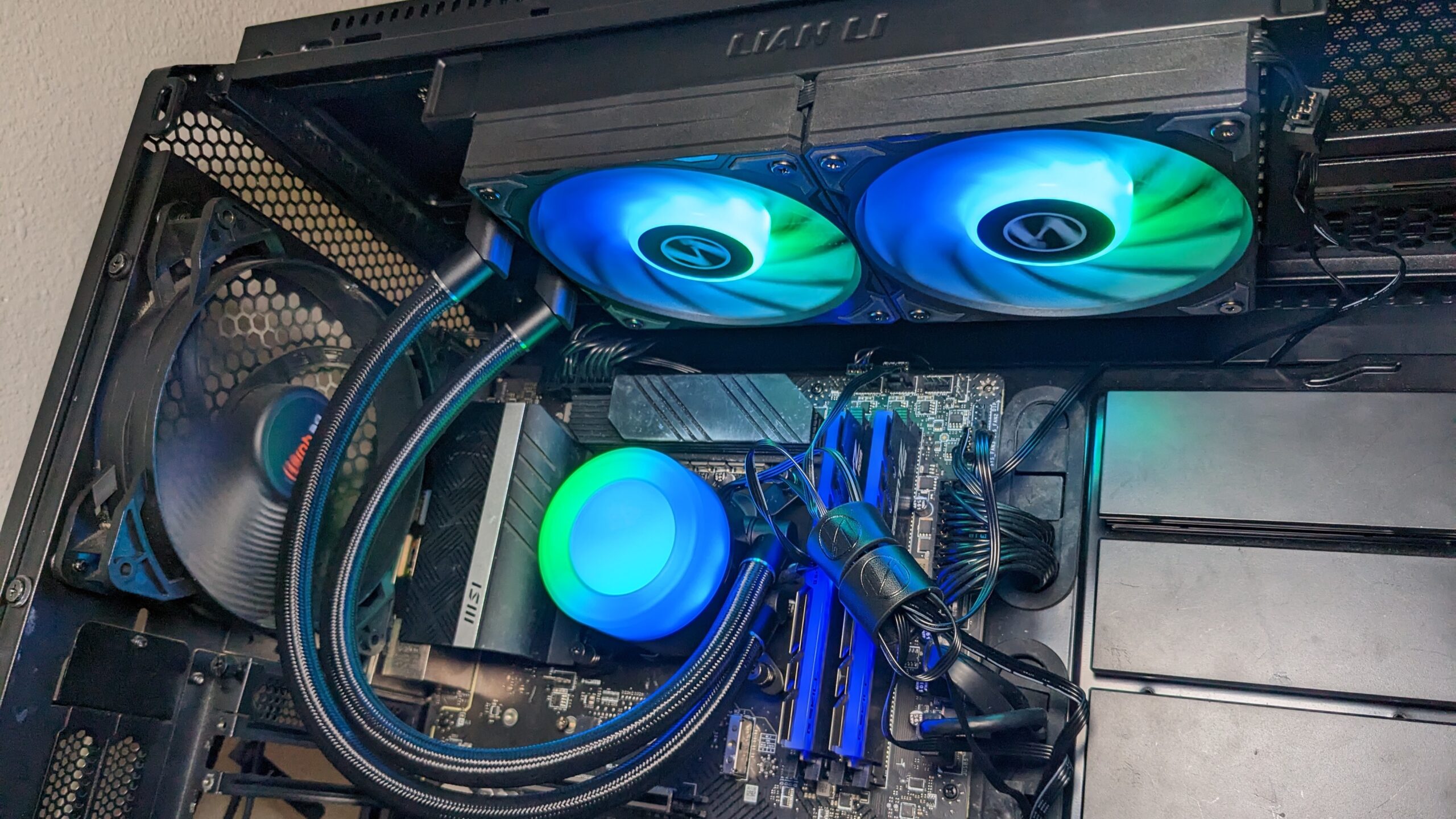

A CPU cooler has one job, but the wrong one can make a new PC noisy, hot, or impossible to fit inside its case. The Best best cpu cooler options range from compact single-tower air coolers to 360mm liquid systems with extra features for demanding processors.
The strongest choices here are the ARCTIC Liquid Freezer III Pro 360, Thermalright Peerless Assassin 120 SE, and several versions of Corsair's Nautilus 360 RS. They are not interchangeable: radiator space, socket support, cable requirements, and lighting all matter.
Our top pick is the ARCTIC Liquid Freezer III Pro 360, with the list covering quiet air cooling, straightforward 360mm AIOs, a compact single-tower option, and a screen-equipped showcase model.
Comparison table
| # | Product | Award | Cooling type | Key feature | Compatibility | Best for |
|---|---|---|---|---|---|---|
| 1 | ARCTIC Liquid Freezer III Pro 360 | Best overall | 360mm AIO | Offset cold plate, VRM fan | LGA1851, LGA1700, AM4, AM5 | High-load desktop builds |
| 2 | Thermalright Peerless Assassin 120 SE | Best air cooler | Dual-tower air | 6 heat pipes, 2 fans | LGA 115X, 1200, 1700, AM4, AM5 | Powerful air cooling |
| 3 | Corsair Nautilus 360 RS ARGB White | Best white AIO | 360mm AIO | ARGB fans, daisy-chain wiring | LGA1851, LGA1700, AM4, AM5 | White builds |
| 4 | ARCTIC Liquid Freezer III Pro 360 A-RGB | Best RGB cooling | 360mm AIO | Offset mount, integrated VRM fan | LGA1851, LGA1700, AM4, AM5 | Performance-focused RGB builds |
| 5 | Corsair Nautilus 360 RS Black | Best simple AIO | 360mm AIO | 20 dBA pump, pre-applied paste | LGA1851, LGA1700, AM4, AM5 | Easy installations |
| 6 | TRYX Panorama SE 360 | Best display | 360mm AIO | 6.67-inch curved AMOLED | LGA1851, LGA1700, AM4, AM5 | Showpiece PCs |
| 7 | Thermalright Assassin X120 Refined SE | Best compact air cooler | Single-tower air | 4 heat pipes, 148mm height | LGA 1150 to 1851, AM4, AM5 | Medium-sized cases |
| 8 | Corsair Nautilus 360 RS ARGB Black | Best ARGB Nautilus | 360mm AIO | ARGB fans, two-header setup | LGA1851, LGA1700, AM4, AM5 | Black RGB systems |
1. ARCTIC Liquid Freezer III Pro 360: Best Overall

Pros
- Offset cold plate targets the CPU hotspot
- Integrated fan helps cool motherboard voltage converters
- P12 Pro fans prioritize airflow at low speeds
- Radiator fan cables are integrated into the hose sleeve
Cons
- Requires a case with room for a 360mm radiator
- Heavier than the air coolers here
- No built-in display or lighting
Best for: demanding desktop builds that need strong sustained cooling without decorative extras.
The ARCTIC Liquid Freezer III Pro 360 is the cooler we'd choose when the priority is managing a hot processor rather than filling a case with effects. Its design is unusually purposeful. The cold plate is offset toward the CPU hotspot, and a separate integrated VRM fan directs airflow over the motherboard's voltage converters. That matters in a high-load build, where keeping the surrounding power circuitry cooler can help the whole platform stay composed.
This is a 360mm all-in-one cooler with three 120mm P12 Pro fans. ARCTIC says those fans are stronger and quieter than its P12 design, particularly at lower speeds, while their higher maximum speed gives the radiator more headroom when the CPU is working hard. The contact frame for Intel LGA1851 and LGA1700 is another thoughtful touch, distributing mounting pressure across the socket area rather than treating the processor as a flat interchangeable block.
Cable management is better considered than on many AIOs. The radiator fan PWM cables run inside the hose sheathing, leaving one visible connection to the motherboard. That will not change temperatures, but it makes a clean build easier. Socket support covers Intel LGA1851 and LGA1700 plus AMD AM4 and AM5, so it fits the current mainstream platforms listed for the product.
Compared with the Thermalright Peerless Assassin 120 SE, the ARCTIC is the more convincing choice for sustained heavy workloads, but it needs a case that accepts a 360mm radiator and adds pump hardware to the build. The Corsair Nautilus models are easier to understand, with a quieter 20 dBA pump specification and pre-applied paste, while the ARCTIC offers the more distinctive thermal design. Readers comparing AIO layouts can also see how radiator size affects liquid cooling choices.
The weakness is physical commitment. A radiator listed at 15.7 inches long and a cooler weight of about 4.45 pounds make this far less flexible than a tower cooler. Skip it if your case cannot take a 360mm radiator, or if you want a minimal, pump-free build. For a compatible case and a demanding CPU, this is the most complete cooler in the group.
2. Thermalright Peerless Assassin 120 SE: Best Air Cooler

Pros
- Six 6mm AGHP heat pipes
- Dual-tower design with two 120mm PWM fans
- Broad Intel and AMD socket support
- No pump or liquid loop to maintain
Cons
- 155mm height needs case clearance
- Large footprint can complicate memory access
- AMD installation uses the motherboard backplate
Best for: builders who want serious air cooling and prefer to avoid an AIO pump.
The Peerless Assassin 120 SE is the air cooler that makes the most sense for a conventional performance PC. It uses two aluminum towers, six 6mm heat pipes, and two fans, creating a lot of heatsink area without a pump, radiator, or coolant loop. That makes the build simpler and removes one category of hardware failure from the system.
Its dimensions are 125 by 135 by 155mm. The 155mm height is the number to check against the case specification, while the 135mm width is the measurement most likely to affect nearby memory slots and motherboard access. Thermalright says the twin towers leave room for memory, but builders should still inspect their particular board and memory arrangement before installation.
The included TL-C12C PWM fans run at up to 1550RPM, with listed airflow of 66.17CFM and a noise rating of no more than 25.6dB(A). Those figures describe a cooler designed to move air through dense fins without relying on extreme fan speed. The AGHP heat pipes are intended to reduce the effect of orientation, which is useful in a tower case where the heatsink sits vertically.
The ARCTIC Liquid Freezer III Pro 360 is the better fit for sustained loads when a 360mm radiator is available, and the Peerless Assassin cannot match an AIO's radiator area. It wins on simplicity, serviceability, and broad practicality. The smaller Thermalright Assassin X120 Refined SE fits more cases, but its four heat pipes and single fan put it in a lower class for demanding CPUs. Pairing a strong CPU with the right airflow path through the rest of the case is especially important with any air cooler.
The real drawback is size, not capability. A tall dual-tower heatsink can crowd a compact motherboard and may force careful fan positioning around memory. AMD users also need the original motherboard backplate because it is not included. Choose this model when you want robust air cooling in a case that can accommodate it, and skip it when radiator space is easier to find than tower clearance.
3. Corsair Nautilus 360 RS ARGB White: Best White AIO

Pros
- Three 120mm RS ARGB fans included
- 20 dBA pump specification
- Pre-applied thermal paste simplifies installation
- Fans can be daisy-chained
Cons
- Needs a 360mm radiator mount
- Lighting requires a compatible 5V ARGB header
- Less specialized thermal design than the ARCTIC
Best for: white PC builds that need a large radiator and motherboard-controlled lighting.
The white Corsair Nautilus 360 RS ARGB is a clean, uncomplicated AIO for a system where appearance matters almost as much as cooling. The three RS120 ARGB fans are already part of the package, and their AirGuide design is intended to concentrate airflow through the radiator. The white finish gives it a clear role in a coordinated light-colored build rather than making it a generic cooler with lights attached.
Corsair lists a 20 dBA pump, which is a useful signal for anyone sensitive to pump noise. The convex cold plate is shaped to make broad contact with the CPU integrated heat spreader, and thermal paste is pre-applied in an optimized pattern. That shortens the installation process and avoids the uncertainty of applying a first layer yourself.
The fans connect through a daisy-chain arrangement, reducing the wiring to one 4-pin PWM fan header and one 5V ARGB header. That is neater than running three separate fan leads across the motherboard, but it does mean the board needs the appropriate lighting connection for the ARGB functions. Compatibility includes Intel LGA1851 and LGA1700 plus AMD AM4 and AM5.
Against the ARCTIC Liquid Freezer III Pro 360 A-RGB, the Corsair is easier to position as a polished, straightforward build component. The ARCTIC has the more interesting offset cold plate and integrated VRM fan, while Corsair makes installation and lighting control simple. The black Corsair Nautilus 360 RS has the same basic approach without ARGB, so this white version is mainly for a specific visual plan.
The limitation is that the white housing does not make the AIO smaller. The radiator still requires substantial case space, and ARGB adds a motherboard-header requirement. Builders who do not care about lighting should choose the simpler black version, while those who want a white system with a neat fan connection will find this Nautilus easy to live with.
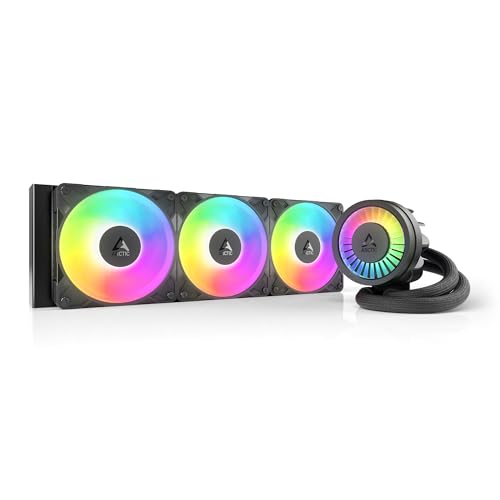
4. ARCTIC Liquid Freezer III Pro 360 A-RGB: Best RGB Cooling
Pros
- Offset mounting for Intel and AMD CPUs
- Integrated VRM fan
- Three P12 Pro fans
- Cable management built into the hose sleeve
Cons
- Large 360mm installation
- A-RGB adds cable and header requirements
- Heavier than the tower coolers
Best for: builders who want ARCTIC's thermal design with synchronized case lighting.
The ARCTIC Liquid Freezer III Pro 360 A-RGB is fundamentally the same performance-oriented idea as the non-lit ARCTIC model, but it adds lighting for a more visible build. The key reason to choose it is not the lighting alone. It is the combination of a 360mm radiator, offset cold plate, integrated VRM fan, and P12 Pro radiator fans.
The native offset mount shifts the cold plate toward the hottest section of the CPU. ARCTIC also includes a contact frame for Intel LGA1851 and LGA1700, while AMD AM4 and AM5 are supported through the listed mounting hardware. Those design choices make this more than a standard pump-and-radiator unit, particularly for a build that spends long periods compiling, rendering, or gaming.
Its dimensions are listed as 15.7 inches long, 4.7 inches wide, and 2.9 inches high, with a weight of about 4.45 pounds. The numbers make clear why case planning matters. The radiator needs a suitable mounting location, and the full assembly is not a sensible fit for a compact chassis. The hose-integrated fan wiring helps keep the finished installation tidy once it is in place.
The Corsair Nautilus 360 RS ARGB White is the easier pick for a clean white-themed system and advertises a 20 dBA pump, while this ARCTIC has the more elaborate cooling architecture. The non-RGB ARCTIC is the better choice if the lighting will remain disabled. If you are also selecting a processor for a new build, matching CPU heat output to the workload can prevent buying more cooler than the system needs.
Its weakness is that the A-RGB version does not solve the basic installation demands of a 360mm AIO. It still needs a large case, a suitable radiator position, and lighting connectivity. Choose it when cooling design and visual coordination both matter. Skip it if the extra lighting does not serve the build.
5. Corsair Nautilus 360 RS Black: Best Simple AIO

Pros
- Low-noise pump rated at 20 dBA
- Pre-applied thermal paste
- Three RS120 fans with high static pressure
- Single PWM connection for the daisy-chained fans
Cons
- No ARGB lighting
- Requires 360mm radiator clearance
- No integrated VRM fan
Best for: a black performance build that favors restrained installation over lighting effects.
The black Nautilus 360 RS is the sensible version of Corsair's 360mm AIO lineup. It leaves out ARGB, which means fewer lighting connections and no need to coordinate fan effects. What remains is a large radiator, three RS120 fans, and a pump designed to keep coolant moving while limiting its own noise.
The pump is specified at 20 dBA, while the convex cold plate arrives with thermal paste already applied. That is a useful combination for a first-time AIO installation. The paste is one less step, and the cold plate shape is intended to keep contact consistent across the processor's integrated heat spreader.
Corsair uses high static pressure RS fans with AirGuide technology and Magnetic Dome bearings. The fans are daisy-chained to a single 4-pin PWM header, reducing motherboard clutter. Socket support covers Intel LGA1851 and LGA1700 and AMD AM4 and AM5, which makes this a current-platform cooler rather than a part tied to one socket generation.
The Corsair Nautilus 360 RS ARGB Black has the same basic cooling concept but adds ARGB and requires a 5V ARGB connection. The ARCTIC Liquid Freezer III Pro 360 is the more distinctive engineering choice, thanks to its offset cold plate and VRM fan. Corsair's advantage is a simpler explanation and an easier cable plan for a black, unlit computer.
This cooler's weakness is not a missing core feature so much as a lack of specialization. It does not provide the ARCTIC's extra VRM airflow or the TRYX's display, and it still needs the same substantial radiator space as any 360mm AIO. Choose it when quiet, conventional liquid cooling is the point, not visual customization.
6. TRYX Panorama SE 360: Best Display

Pros
- Rotatable 6.67-inch curved AMOLED screen
- 2K resolution and 60Hz refresh rate
- Built-in GIPHY access through KANALI software
- Listed 280W TDP cooling capacity
Cons
- Much larger and heavier than the other AIOs
- Screen features add software complexity
- Case compatibility needs especially careful checking
Best for: showcase PCs where the pump display is a central design feature.
The TRYX Panorama SE 360 is the unmistakable statement piece in this group. Its pump assembly carries a 6.67-inch curved AMOLED display that can rotate for different viewing angles. This is not a small status panel. It is a prominent component intended to make the cooler part of the case's visual identity.
The screen has a 60Hz refresh rate, 2K resolution, 400-nit brightness, and a listed 372PPI pixel density. KANALI software can show system information, switch screen content, and connect to GIPHY for GIFs without requiring users to download each file manually. It also supports PNG, JPG, GIF, MP4, and AVI files, according to the product details.
Cooling comes from an Asetek Adela system, a 27mm-high-density-fin radiator, and three 120mm ROTA ARGB fans. TRYX lists a total 280W TDP cooling capacity, positioning this for heavy workloads such as video encoding, AI processing, software compilation, and gaming. The fans use FDB bearings, ARGB Gen2 LEDs, and four-corner damping pads, with listed operating noise below 27.86dB(A) under full load.
The ARCTIC Liquid Freezer III Pro 360 A-RGB is the better choice if the screen is not important and the cooler's thermal design is the priority. The TRYX wins on display customization, while the Corsair Nautilus options are less demanding as visual components. Its compatibility list includes Intel LGA1851, LGA1700, LGA1200, LGA1151, LGA1150, and LGA1155, plus AMD AM4 and AM5.
The weakness is size. The product dimensions include a listed length of 16.93 inches and a weight of about 5.6 pounds, making case planning critical. Software and screen management also add another layer that a simple cooler does not need. Buy this for a showpiece build, not for the smallest or most restrained system.
7. Thermalright Assassin X120 Refined SE: Best Compact Air Cooler

Pros
- 148mm height suits medium-sized cases
- Four 6mm AGHP heat pipes
- Single 120mm PWM fan
- Broad Intel and AMD compatibility
Cons
- Less heatsink capacity than the Peerless Assassin
- Single fan leaves less airflow headroom
- No second fan included
Best for: compact or mid-sized desktop builds that need a straightforward tower cooler.
The Assassin X120 Refined SE is the practical answer when a dual-tower cooler will not fit. It uses a single aluminum heatsink with four 6mm AGHP heat pipes and one TL-C12C PWM fan. The result is narrower and lighter than the Peerless Assassin, while retaining the familiar advantages of a passive heatsink and replaceable fan arrangement.
Its listed dimensions are 125 by 71 by 148mm, and the product weighs about 1.42 pounds. The 148mm height is the key figure for case selection. The narrower 71mm width also leaves more room around motherboard components than a dual-tower design, which can make installation less awkward in a compact build.
The included 120mm fan runs at up to 1550RPM, with listed airflow of 66.17CFM and noise of no more than 25.6dB(A). The four heat pipes use Thermalright's AGHP approach, and the fan uses an S-FDB bearing with a stated industrial service life of up to 20, 000 hours. Compatibility includes Intel LGA1150, LGA1151, LGA1155, LGA1200, LGA1700, and LGA1851, plus AMD AM4 and AM5.
The Peerless Assassin 120 SE is clearly the stronger air-cooling option when the case can accept its 155mm height and wider dual-tower body. This Assassin X120 is easier to fit, and it is a better match for moderate processors or systems where radiator space is unavailable. It cannot offer the sustained headroom of a 360mm AIO, but it avoids pump noise and liquid hardware entirely.
The real limitation is capacity. One fan and four heat pipes make this a sensible compact cooler, not a substitute for the larger models in a heavily loaded workstation. Choose it when clearance matters most and your processor's heat output is appropriate for a single tower. Check the case height before ordering.
8. Corsair Nautilus 360 RS ARGB Black: Best ARGB Nautilus

Pros
- Three RS120 ARGB fans
- Daisy-chained fan wiring
- 20 dBA pump specification
- Pre-applied thermal paste
Cons
- Needs both PWM and 5V ARGB headers
- 360mm radiator limits case choices
- Similar core hardware to the non-ARGB model
Best for: black systems that need a large AIO with motherboard-controlled lighting.
The black ARGB Nautilus 360 RS is the lighting-focused counterpart to Corsair's plain black model. It keeps the same basic 360mm AIO format but adds three RS120 ARGB fans. For a dark case with a glass side panel, that makes the radiator a more deliberate part of the build instead of a hidden cooling component.
Corsair lists a 20 dBA pump and includes a convex cold plate with thermal paste already applied. The combination favors an uncomplicated installation. The RS fans are designed for airflow and radiator static pressure, while AirGuide technology and Magnetic Dome bearings are intended to keep the fans effective without making the cooling system unnecessarily harsh.
The fan wiring can be daisy-chained into one 4-pin PWM header and one 5V ARGB header. That is cleaner than routing three independent fan leads, but the ARGB header is essential for the lighting. The cooler supports Intel LGA1851 and LGA1700 as well as AMD AM4 and AM5, covering the sockets most relevant to a new mainstream desktop build.
The plain Corsair Nautilus 360 RS Black is the better choice if the lighting will stay off, since its installation is less dependent on the motherboard's ARGB support. The white ARGB Nautilus is aimed at a different visual plan, while the ARCTIC Liquid Freezer III Pro 360 A-RGB offers more unusual thermal features. This Corsair model makes the most sense when you specifically want the Nautilus design with black ARGB fans.
Its weakness is duplication. The added lighting distinguishes it from the plain Nautilus, but it does not change the fundamental radiator, pump, or socket story. It remains a large AIO and cannot be made compact by the daisy-chain wiring. Choose it for a black RGB build with room for a 360mm radiator, and choose the non-ARGB model when lighting is irrelevant.
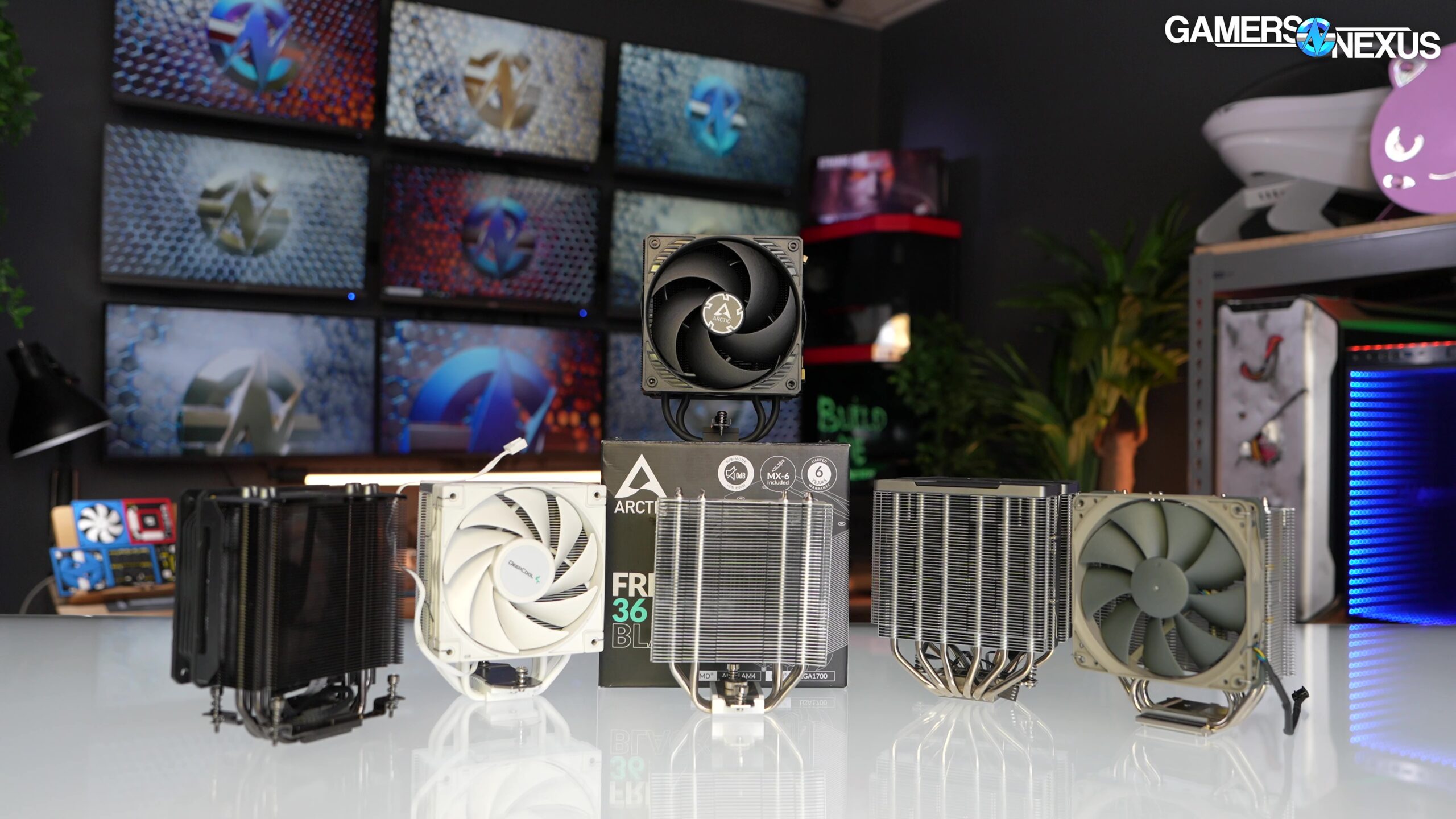
How to choose best cpu cooler
The right cooler depends on processor heat, case clearance, noise tolerance, and how much installation complexity you are willing to accept.
Cooling type
Air coolers use heat pipes, fins, and fans, while AIO liquid coolers move heat to a radiator mounted elsewhere in the case. The Peerless Assassin has six heat pipes and two fans, making it the strongest air option here. A 360mm AIO offers more radiator surface, but it also adds a pump and tubing.
Radiator and heatsink clearance
A 360mm radiator needs a compatible mounting position and enough length for the radiator and fans. The ARCTIC models list a 15.7-inch length, while the TRYX reaches 16.93 inches. Air coolers have a different constraint: the Peerless Assassin is 155mm tall, and the Assassin X120 is 148mm tall. Compare those measurements with the case's actual cooler clearance.
Fan and pump noise
Fan speed, airflow, bearing design, and pump noise all affect the sound of a PC. Corsair lists a 20 dBA pump for its Nautilus models, while the Thermalright fans list noise of no more than 25.6dB(A). These are useful reference points, but fan curves and case ventilation still determine how the finished system sounds.
A cooler that fits the processor but not the case is not a compatible cooler.
Socket support
Check the exact socket before buying. The models here support combinations of Intel LGA1851, LGA1700, older LGA sockets, AMD AM4, and AMD AM5. The Peerless Assassin also requires the original AMD motherboard backplate, so mounting hardware details matter just as much as the socket name.
Features and wiring
ARGB lighting needs a compatible 5V ARGB header, while PWM fans need appropriate fan control. Corsair's daisy-chain system reduces cable clutter, and ARCTIC routes radiator fan cables through the hose sleeve. The TRYX adds a screen and KANALI software, which can show media or system information but also makes the cooler more involved than a standard AIO.
Frequently asked questions
Is a 360mm AIO better than an air cooler?
A 360mm AIO has a large radiator and can be well suited to sustained heavy CPU workloads. A dual-tower air cooler such as the Thermalright Peerless Assassin 120 SE is simpler and avoids pump hardware. The better choice depends on case clearance, processor heat, and whether you prefer an air or liquid design.
Which CPU socket compatibility should I check?
Check the socket printed in your motherboard documentation before choosing a cooler. The products here cover Intel LGA1851 and LGA1700 and AMD AM4 and AM5 in various combinations, with some Thermalright models supporting older Intel sockets as well.
Do these coolers include fans?
Yes. The ARCTIC and Corsair AIOs include three 120mm radiator fans, the TRYX includes three 120mm ROTA ARGB fans, and both Thermalright air coolers include a 120mm fan setup. The Peerless Assassin includes two fans, while the Assassin X120 includes one.
Does ARGB work with every motherboard?
No. ARGB lighting generally requires a compatible 5V ARGB header and motherboard control support. The non-ARGB Corsair Nautilus avoids that lighting requirement, while the ARGB Corsair and ARCTIC models need the appropriate connection for their lighting features.
Is the TRYX Panorama SE only for gaming PCs?
No. Its listed cooling features cover workloads such as video encoding, AI processing, software compilation, and gaming. The curved screen and customization tools make it especially suitable for showcase builds, but the cooler itself is not limited to one type of software.
Is a CPU cooler's height important?
Yes. Tower cooler height must fit within the case's maximum CPU cooler clearance. The Assassin X120 Refined SE is 148mm tall, while the Peerless Assassin 120 SE is 155mm tall. A few millimeters can determine whether the side panel closes.
The bottom line
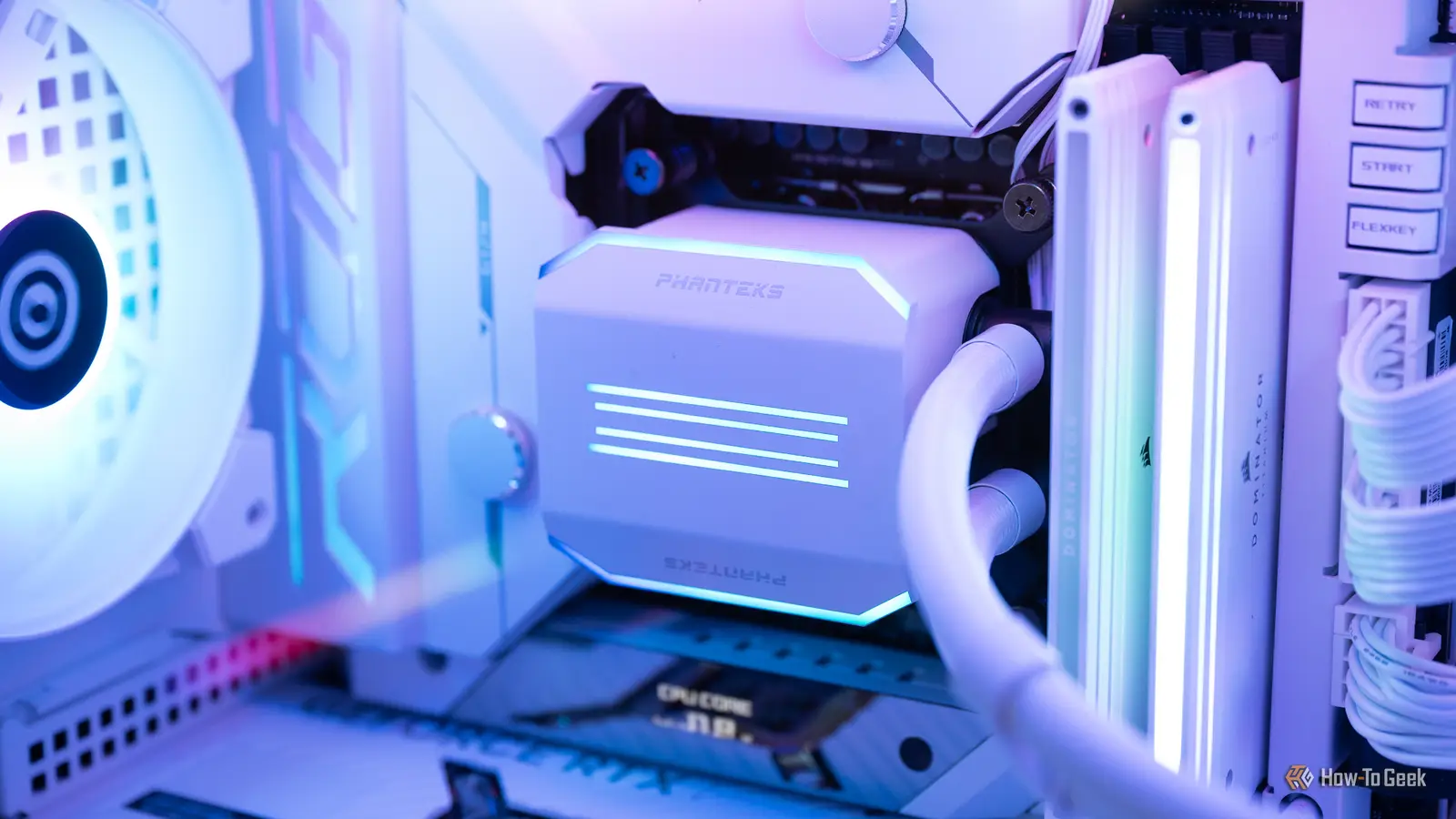
The Best best cpu cooler choice here is the ARCTIC Liquid Freezer III Pro 360. Its offset cold plate, integrated VRM fan, P12 Pro radiator fans, and tidy cable routing give it a stronger overall design than a conventional 360mm AIO. The Thermalright Peerless Assassin 120 SE is the better alternative for builders who want powerful air cooling without a pump or radiator.
Choose the ARCTIC Liquid Freezer III Pro 360 A-RGB when lighting belongs in the build, the Thermalright Assassin X120 Refined SE when case clearance is tight, and the TRYX Panorama SE 360 when a curved screen is part of the appeal. For a straightforward Corsair installation, the Nautilus models are easy to separate by finish and lighting.
If you are undecided, choose the Peerless Assassin for a compatible air-cooled case, or the ARCTIC Liquid Freezer III Pro 360 when sustained CPU load and radiator space matter more than simplicity.
As an Amazon Associate we earn from qualifying purchases.