

A modem router combo can simplify a network dramatically, but only if it matches your internet service. The wrong model can leave a fiber customer with a useless coax input, or limit a fast cable plan with older modem technology. The router-only products here create a second path: keep your existing modem and upgrade the wireless network separately.
Our Best modem router pick is the NETGEAR Nighthawk CAX30, a well-balanced DOCSIS 3.1 combo with WiFi 6, four wired ports and coverage intended for homes with up to 25 connected devices. The rest of the list ranges from high-capacity WiFi 7 hardware to compact ARRIS combos and a renewed older-generation cable unit.
Comparison table
| # | Product | Award | Modem and wireless standard | Wired connectivity | Best for |
|---|---|---|---|---|---|
| 1 | NETGEAR Nighthawk CAX30 | Best overall | DOCSIS 3.1, WiFi 6 AX2700 | Four 1 Gigabit ports, USB 3.0 | Most cable households |
| 2 | NETGEAR Nighthawk CAX80 | Best for multi-gig | DOCSIS 3.1, WiFi 6 AX6000 | Four Gigabit ports, one 2.5 Gigabit port, USB 3.0 | Heavy streaming and gaming |
| 3 | NETGEAR Nighthawk CAX30S | Best security bundle | DOCSIS 3.1, WiFi 6 AX2700 | Four 1 Gigabit ports, USB 3.0 | Homes wanting built-in protection tools |
| 4 | ARRIS Surfboard G34 | Best ARRIS all-rounder | DOCSIS 3.1, WiFi 6 AX3000 | Four 1 Gigabit ports | Cable plans up to 2.5 Gbps |
| 5 | ARRIS Surfboard G36 | Best simple multi-gig | DOCSIS 3.1, WiFi 6 | Not specified | Straightforward cable networking |
| 6 | ARRIS Surfboard G20 | Best streamlined combo | DOCSIS 3.1, WiFi 6 AX3000 | Not specified | Smaller cable setups |
| 7 | NETGEAR Nighthawk RS90 | Best WiFi 7 router | WiFi 7 BE3600 | One 2.5 Gigabit WAN, four Gigabit LAN | Existing modem owners |
| 8 | NETGEAR Nighthawk R6700AX | Best small home router | WiFi 6 AX1800 | Four Gigabit LAN ports | Small and medium homes |
| 9 | NETGEAR Nighthawk C7000 | Best for older cable plans | DOCSIS 3.0, WiFi 5 AC1900 | Not specified | Cable plans up to 800 Mbps |
| 10 | ARRIS Surfboard G54 | Best high-capacity combo | DOCSIS 3.1, WiFi 7 BE18000 | Four Gigabit ports, one 10 Gigabit port | Large homes and demanding networks |
1. NETGEAR Nighthawk CAX30: Best Overall

Pros
- Combines a DOCSIS 3.1 modem and WiFi 6 router
- Covers up to 2, 000 square feet
- Four Gigabit Ethernet ports and USB 3.0
- Supports port aggregation
- Nighthawk app simplifies setup
Cons
- Not compatible with fiber, DSL, satellite or bundled voice service
- Wireless capacity is lower than the CAX80
- NETGEAR Armor is a trial feature
Best for: cable households that want one balanced device for everyday streaming, gaming and connected-home use.
The CAX30 is the easiest product on this list to recommend because it avoids the two common mistakes with modem routers. It is not built around an extreme wireless specification that most homes cannot use, and it is not so old that its modem standard becomes the limiting factor. It replaces both pieces of cable hardware in one enclosure and keeps the setup relatively tidy.
Its DOCSIS 3.1 modem uses 32 downstream and 8 upstream channel bonding, while the router side is dual-band WiFi 6 AX2700. NETGEAR rates it for up to 2, 000 square feet and 25 concurrent devices. Those figures are not guarantees through dense walls, but they describe a sensible target for a typical home with phones, laptops, televisions, consoles and smart-home equipment sharing the network.
The back is practical rather than flashy. Four 1 Gigabit Ethernet ports handle wired computers, game consoles and streaming players, and one USB 3.0 port can connect a storage drive or other compatible device. Port aggregation is supported, which gives the CAX30 more flexibility than a basic four-port gateway. The Nighthawk app is used for setup and management, so most users will not need to begin with a browser interface.
The CAX80 is faster and has a dedicated 2.5 Gigabit port, while the ARRIS Surfboard G34 offers AX3000 wireless hardware and support for cable plans up to 2.5 Gbps. The CAX30 gives up some headroom to both, but its more moderate wireless target is easier to justify in a home whose devices are mostly Gigabit-class or slower. NETGEAR Armor adds protection against hackers, malware and identity theft, although the included trial does not make the feature permanently free.
The weakness is service compatibility. This is a cable modem router, not a universal gateway, and it will not work with Verizon, AT&T, CenturyLink, DSL providers, satellite service or bundled voice service. Before choosing any combo, confirm that your provider has approved the exact model. For a cable customer who wants a capable, uncomplicated replacement, the CAX30 is the one we'd keep.
2. NETGEAR Nighthawk CAX80: Best for Multi-Gig

Pros
- WiFi 6 AX6000 wireless class
- Supports up to 30 devices
- Dedicated 2.5 Gigabit port
- Four additional Gigabit Ethernet ports
- USB 3.0 and port aggregation
Cons
- Bulky compared with several other combos
- Only works with cable internet
- Higher wireless capacity may exceed many devices' capabilities
Best for: cable households with multiple demanding devices and a multi-gigabit internet plan.
The CAX80 is the performance-first alternative to the CAX30. It makes the most sense when several people stream, play games, transfer files and hold video calls at the same time, or when the network has a large collection of newer WiFi devices. Its AX6000 WiFi 6 class gives it substantially more wireless capacity than the AX2700 CAX30.
NETGEAR lists coverage up to 2, 500 square feet in open layouts and support for up to 30 devices. Walls and floors can reduce that reach, as they can with every all-in-one router, but the larger wireless target gives this model more breathing room in an open home. The modem is DOCSIS 3.1 and supports cable plans up to 10 Gbps according to the product information, though actual service and device speeds remain dependent on the provider and connected hardware.
The wired connections are the CAX80's clearest advantage. Four Gigabit Ethernet ports cover ordinary wired clients, while the 2.5 Gigabit port can serve as the internet connection or a LAN port. Two Gigabit ports can also be aggregated for a connection up to 2 Gbps, and the USB 3.0 port expands the device's usefulness beyond basic internet sharing. That combination is more flexible than the CAX30's four Gigabit ports.
The CAX80 is physically substantial, measuring 8.5 by 4.3 by 10.4 inches and weighing 4.45 pounds. It is not a discreet little box for a crowded shelf. Setup uses the Nighthawk app, with Xfinity customers activating through the Xfinity app first, and browser setup is available as another route.
The main reason to skip it is simple: many homes will never exercise its extra capacity. The CAX30 is a calmer fit for ordinary cable service, while the ARRIS Surfboard G54 is the more ambitious choice if WiFi 7 and a 10 Gigabit wired port matter. For a busy cable home that needs high wireless throughput and better wired expansion, the CAX80 is the stronger pick.
3. NETGEAR Nighthawk CAX30S: Best Security Bundle

Pros
- DOCSIS 3.1 modem with WiFi 6
- Coverage up to 2, 000 square feet
- Four Gigabit ports and USB 3.0
- WPA, WPA2 and WPA3 support
- NETGEAR Armor trial included
Cons
- Cable service only
- Similar core hardware to the CAX30
- Armor requires a subscription after the trial
Best for: families that want a cable combo with straightforward security controls and modern wireless protection.
The CAX30S is close to the CAX30 in everyday behavior, but its security package gives it a distinct role. It is a single DOCSIS 3.1 modem and dual-band WiFi 6 router intended to replace the provider's separate modem and wireless gateway. The hardware is rated for AX2700 wireless performance, coverage up to 2, 000 square feet and as many as 25 concurrent devices.
That is enough for a connected family home, particularly when the network's clients include a mix of current and older WiFi devices. The modem uses 32x8 channel bonding, and the router supports WPA, WPA2 and WPA3 wireless security protocols. Those details matter more than a headline wireless number when the network includes phones, cameras, televisions and smart appliances that may not all support the newest standard.
The connection panel includes four 1 Gigabit Ethernet ports with port aggregation support and a USB 3.0 port. A wired console or desktop can avoid wireless congestion, while the USB connection gives compatible storage devices a place on the network. Setup and ongoing management run through the Nighthawk app, which is more approachable than configuring every setting manually.
Compared with the CAX30, the CAX30S includes a 90-day NETGEAR Armor trial rather than a 30-day trial. Armor is designed to help protect connected devices from hackers, malware and identity theft, and the product includes built-in security measures and updates. The trial period is useful for evaluating the tools, but buyers should remember that continued Armor access requires a separate subscription.
The CAX80 is the better fit for a heavily loaded network because its AX6000 wireless class and 2.5 Gigabit port create more headroom. The CAX30S is the better fit for someone who prioritizes a clear security story without giving up the practical port selection of the CAX30. Skip it if your internet comes through fiber, DSL or a bundled voice service.
4. ARRIS Surfboard G34: Best ARRIS All-Rounder

Pros
- DOCSIS 3.1 supports cable plans up to 2.5 Gbps
- Dual-band WiFi 6 AX3000
- Four Gigabit Ethernet ports
- Compact footprint
- Simple LED status indicators
Cons
- Not compatible with fiber, DSL or satellite
- No detailed port extras are specified
- Provider approval is still required
Best for: cable customers who want a compact ARRIS combo with AX3000 wireless and four wired connections.
The G34 takes a clean, uncomplicated approach. It combines a DOCSIS 3.1 cable modem with a dual-band WiFi 6 router and avoids turning the enclosure into a large tower. Its 10 by 3 by 8 inch footprint is easy to place beside a television stand or desk, and the simple LEDs show power, upstream, downstream and online status without overwhelming the front panel.
ARRIS specifies AX3000 wireless performance and support for cable plans up to 2.5 Gbps. That places it slightly above the CAX30's AX2700 wireless class and alongside the G36 and G20 in wireless class. The difference will depend heavily on the client devices and internet plan, but the G34 has enough capacity for streaming, gaming and general whole-home use without being positioned as a specialist WiFi 7 product.
Four 1 Gigabit Ethernet ports make the G34 useful for households with several wired devices. A desktop, console, television and streaming box can all connect directly, leaving wireless capacity for mobile devices. Activation requires connecting the coaxial cable, powering the unit and working through the cable provider's process. ARRIS says the model is CableLabs certified and tested for Cox, Xfinity and Spectrum, but checking exact provider support remains essential.
The G34 is more compact than the NETGEAR CAX80 and less feature-heavy in the supplied information. It does not list a USB port, port aggregation or a dedicated multi-gig Ethernet port, so users who expect advanced local networking should look at the CAX80 or the G54. Readers comparing several cable gateways may also want to see how a single box changes a home network setup before deciding between a combo and separate devices.
Its biggest limitation is the same one shared by nearly every combo here: no fiber, DSL or satellite support. The G34 is a strong fit for cable users who want current modem technology, a sensible wireless tier and four wired ports in a relatively compact package.
5. ARRIS Surfboard G36: Best Simple Multi-Gig

Pros
- DOCSIS 3.1 modem technology
- Dual-band WiFi 6
- Works with major cable providers
- Compact 10 by 3 by 8 inch form factor
- Designed for high-speed cable service
Cons
- Specific wired port layout is not provided
- No WiFi 7 support
- Not compatible with fiber, DSL or satellite
Best for: cable users who want an ARRIS multi-gig combo without a long list of extra features.
The G36 is the quiet, no-nonsense member of the ARRIS group. Its job is to put a DOCSIS 3.1 modem and dual-band WiFi 6 router in one enclosure, then stay out of the way. It has the same listed 10 by 3 by 8 inch dimensions as the G34 and weighs 2 pounds, so it should not require special space or a heavy-duty shelf.
The product information emphasizes a fast, reliable connection for streaming, gaming and browsing, along with compatibility with major providers such as Xfinity, Spectrum and Cox. DOCSIS 3.1 is the important foundation here. It is a newer cable modem standard than the DOCSIS 3.0 C7000, giving the G36 a better fit for current and changing cable service than the older NETGEAR combo.
Wireless connectivity is dual-band WiFi 6, which is a sensible middle ground for current phones, laptops and televisions. It will also serve older devices, but the product information does not provide a specific AX class or a detailed device count. That lack of detail makes the G34 easier to assess on paper, since the G34 explicitly identifies AX3000 performance and four Gigabit ports.
The G36's weakness is not necessarily performance, but incomplete detail. The supplied information does not specify its wired port arrangement, so buyers with a fixed number of consoles, desktops or wired access points should verify the back-panel layout before ordering. If you need a clearly documented 2.5 Gigabit port, the CAX80 is a more certain choice, while the ARRIS G54 goes much further with WiFi 7 and a 10 Gigabit port.
Like the other ARRIS combos here, the G36 is not for fiber, DSL or satellite service. For a cable customer who prefers ARRIS, wants DOCSIS 3.1 and does not need an elaborate feature list, the G36 is a straightforward candidate.
6. ARRIS Surfboard G20: Best Streamlined Combo

Pros
- DOCSIS 3.1 modem
- Dual-band WiFi 6
- AX3000 wireless class
- Supports major cable providers
- Relatively compact design
Cons
- Detailed wired port information is not provided
- Cable service only
- Coverage and device limits are not specified
Best for: cable households that want a current ARRIS combo without needing advanced networking features.
The G20 is a stripped-back choice that still keeps the important modern pieces. It has a DOCSIS 3.1 cable modem and dual-band WiFi 6 router, with AX3000 wireless performance listed in the product title. That puts it in the same broad wireless class as the G34, despite the G20's simpler presentation.
Its 4.41 by 9.53 by 7.68 inch dimensions give it a compact horizontal shape. The product information describes a fast connection for streaming, gaming and browsing, and confirms compatibility with major providers including Xfinity, Spectrum and Cox. As always, those broad compatibility statements should be followed by an exact model check with the provider before activation.
The G20's appeal is its lack of unnecessary complexity. It is designed for the basic job of replacing a cable modem and router with one unit, and its DOCSIS 3.1 foundation is more forward-looking than the DOCSIS 3.0 C7000. It should be considered alongside the G34 if you want AX3000 wireless, but the G34 gives clearer information about its four Gigabit Ethernet ports and up to 2.5 Gbps cable-plan support.
The missing information is the central drawback. The supplied features do not state the number or speed of the Ethernet ports, nor do they identify a coverage area or concurrent-device limit. That makes the G20 a less comfortable choice for a home built around several wired devices. The CAX30 is easier to recommend when port aggregation, USB 3.0 and a defined device capacity matter.
The G20 is not a universal modem router. Fiber, DSL and satellite customers need different equipment, and provider approval remains part of the setup process. Pick it when you want the ARRIS combination of DOCSIS 3.1 and AX3000 WiFi 6 in a compact unit, and do not need a detailed wired feature set.
7. NETGEAR Nighthawk RS90: Best WiFi 7 Router

Pros
- WiFi 7 with BE3600 wireless class
- 2.5 Gigabit WAN port
- Four Gigabit LAN ports
- Supports cable, fiber, DSL and satellite setups
- WPA3, firewall and automatic updates
Cons
- Router only, so a separate modem is required
- Larger homes may need mesh hardware
- NETGEAR Armor is a trial feature
Best for: existing modem owners who want a modern wireless upgrade and a 2.5 Gigabit internet connection.
The RS90 is the important outlier in this roundup because it is not a modem. It has no coax input and cannot connect directly to cable service. Instead, it takes an Ethernet connection from an existing modem or ISP gateway and builds the wireless network from there. That makes it the right product for someone who already has a working modem and wants to replace an aging router.
Its dual-band WiFi 7 system is rated BE3600, with wireless speeds up to 3.6 Gbps in the product information. NETGEAR also lists a quad-core 2.0 GHz processor, coverage up to 2, 000 square feet in open layouts and support for up to 50 devices. WiFi 7 clients can make better use of its newer wireless design, while older devices remain compatible.
The port layout is well chosen for a standalone router. The 2.5 Gigabit connection is the WAN input, so it links to the modem, and four 1 Gigabit LAN ports connect wired computers, consoles, televisions and storage devices. It is a useful arrangement for multi-gig service, though a home with multiple wired clients above Gigabit speed will eventually want more advanced switching equipment.
Setup works through the Nighthawk app or a web browser. The router includes WPA3 encryption, a SPI firewall, automatic firmware updates, Smart Connect and a separate guest network. NETGEAR Armor is also included as a 30-day trial. The router is designed for US use, and fiber setups may require bridge mode or other provider-specific configuration.
The RS90 cannot replace the CAX30 or G34 because those models include the modem. It makes more sense to compare it with a separate modem and router approach, especially if you are deciding when a standalone router makes more sense than an all-in-one gateway. Larger or multi-story homes may also need a mesh system rather than relying on one unit's open-layout coverage claim.
Choose the RS90 when your modem is already suitable and wireless capability is the part holding the network back. Skip it if you need a single box that connects directly to a coaxial outlet.
8. NETGEAR Nighthawk R6700AX: Best Small Home Router

Pros
- WiFi 6 AX1800 wireless class
- Four Gigabit LAN ports
- Works with cable, fiber, DSL and satellite setups
- Supports up to 20 connected devices
- Automatic updates and WPA3 security
Cons
- Router only, with no modem
- Coverage is limited to a smaller home target
- No multi-gigabit port
Best for: smaller homes that already have a modem or ISP gateway and need a simple WiFi 6 router.
The R6700AX is a practical choice for a network that does not need extravagant capacity. It is a router only, requiring a separate modem or ISP gateway with an RJ45 Ethernet port, but that separation also makes it compatible with cable, fiber, DSL and satellite internet setups. It is a better fit for a replacement-router project than for a first-time cable installation.
Its dual-band WiFi 6 system is rated AX1800, or up to 1.8 Gbps across the 2.4 GHz and 5 GHz bands. NETGEAR positions it for up to 20 connected devices and up to 1, 500 square feet in open layouts. Those limits describe a small to medium home with a moderate number of phones, laptops, smart devices and streaming products, not a large household with dozens of active clients.
Four Gigabit Ethernet LAN ports provide wired connections for computers, consoles, streaming players and storage drives. The separate WAN port connects to the modem. That is enough for many homes, but there is no 2.5 Gigabit port, so the RS90 is the better NETGEAR choice if the incoming service or local network needs multi-gigabit Ethernet.
Setup is available in the Nighthawk app or through a web browser, and the router does not require the app to operate. WPA3 encryption and automatic firmware updates are included. NETGEAR Armor has a 30-day trial and then requires a paid subscription, so the core router security features are the more important part of the ownership decision.
The R6700AX is not a substitute for the CAX30, since it cannot perform the modem function. It also has less coverage and wireless capacity than the RS90. Choose it when the existing modem is good enough, the home is relatively compact and four wired ports are useful. Readers focused on the router side alone can also compare the practical signs that a wireless router needs replacing.
9. NETGEAR Nighthawk C7000: Best for Older Cable Plans

Pros
- Combines a cable modem and WiFi router
- Supports cable plans up to 800 Mbps
- AC1900 WiFi 5
- Coverage up to 1, 800 square feet
- Supports up to 30 connected devices
Cons
- Older DOCSIS 3.0 modem standard
- WiFi 5 rather than WiFi 6 or WiFi 7
- Not compatible with Spectrum, fiber, DSL or bundled voice service
Best for: cable customers whose service remains within the C7000's stated speed range and does not need newer wireless standards.
The C7000 is the legacy option in this group. It combines a cable modem with a WiFi 5 router and is intended for cable plans up to 800 Mbps. Its AC1900 wireless system is rated for up to 1.9 Gbps and coverage up to 1, 800 square feet, with support for as many as 30 devices.
That capacity can still suit a home with ordinary streaming, browsing and video calls, especially when the service itself is below the product's stated ceiling. The key issue is not the wireless headline. It is the DOCSIS 3.0 modem. The newer CAX30, CAX80, CAX30S and ARRIS models use DOCSIS 3.1, giving them a better match for current cable infrastructure and faster plans.
The C7000's provider list is narrower than the newer models. The supplied information names Xfinity and Cox, but specifically excludes Spectrum, Verizon, AT&T, CenturyLink, DSL providers, satellite services and bundled voice service. A customer should verify both model approval and plan compatibility before buying, particularly because the unit is listed as renewed.
This is also a less future-facing wireless device. WiFi 5 clients can work well for basic use, but WiFi 6 and WiFi 7 routers are better suited to newer phones, laptops and busy households. If you are weighing the older modem standard against a newer one, the modem features that matter as cable service gets faster are a useful place to focus.
The C7000 is easy to rule out for a new high-speed installation, but it remains a coherent choice for a compatible cable plan capped at 800 Mbps. Skip it if you use Spectrum, need DOCSIS 3.1 or expect your service tier to rise soon.
10. ARRIS Surfboard G54: Best High-Capacity Combo

Pros
- WiFi 7 BE18000
- DOCSIS 3.1 modem
- Coverage up to 5, 000 square feet
- One 10 Gigabit Ethernet port
- Four additional Gigabit ports
Cons
- Large enclosure
- Cable service only
- High wireless capacity requires compatible client devices
Best for: large cable homes with demanding wireless traffic and a need for very fast wired networking.
The G54 is the most ambitious modem router here. It combines DOCSIS 3.1 cable hardware with WiFi 7 and a BE18000 wireless class, aiming at homes where a conventional WiFi 6 combo feels constrained. Its stated coverage reaches up to 5, 000 square feet, making it the natural high-capacity pick for a large open home, although walls, floors and interference still affect any single router.
The wired side is unusually strong for an all-in-one cable unit. Four 1 Gigabit Ethernet ports handle ordinary devices, while one 10 Gigabit Ethernet port gives a compatible desktop, server or network switch a much faster connection. That port is the major distinction between the G54 and products such as the G34, whose wired connections are all Gigabit-class in the supplied specifications.
WiFi 7 is most meaningful when the household has WiFi 7 clients and a service plan capable of feeding the network. Older devices can connect, but they will not suddenly operate at the BE18000 class. The G54's DOCSIS 3.1 modem also makes it a more appropriate foundation for current high-speed cable service than the C7000's DOCSIS 3.0 hardware.
The physical design reflects the capability. At 12.44 inches high, 10 inches wide and 4.65 inches deep, it is larger than the G34, G36 and G20. It weighs 3.12 pounds, so placement deserves more thought than it does with a small standalone router. The product information confirms compatibility with major providers such as Xfinity, Spectrum and Cox, but exact approval still needs to be checked.
The G54 is excessive for a small apartment or a home filled mostly with older WiFi clients. The CAX80 is a more measured high-performance alternative, and the CAX30 is easier to live with for ordinary cable service. Pick the G54 when large coverage, WiFi 7 and a 10 Gigabit wired connection are central requirements, not simply appealing numbers.
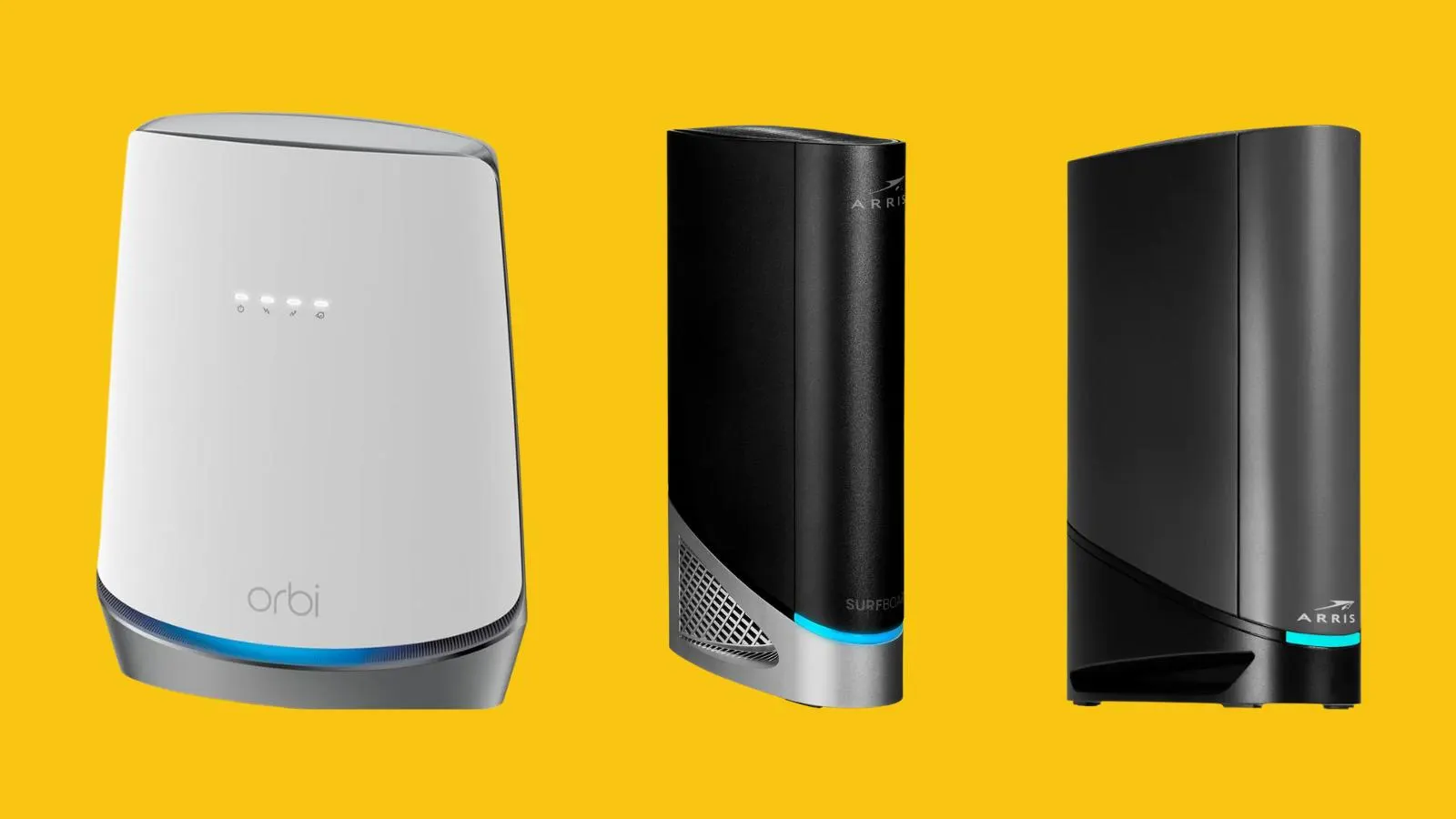
How to choose best modem router
Start with the type of internet service, then match modem standard, wireless generation and wired ports to the devices in the home.
Internet service compatibility
A modem router with a coaxial input is designed for cable service. The CAX30, CAX80, CAX30S, G34, G36, G20, C7000 and G54 are not compatible with fiber, DSL or satellite service according to their product information. Router-only models such as the RS90 and R6700AX can work with multiple service types because they connect to an existing modem or gateway through Ethernet.
Provider approval matters even when the service type looks right. Check the exact model against the provider's supported-device list, and verify whether bundled voice service is supported before replacing rented equipment.
DOCSIS generation
DOCSIS 3.1 is the modern standard represented by most of the combo models here. It is the better match for current and faster cable plans, while DOCSIS 3.0 in the C7000 is aimed at cable service up to 800 Mbps. Channel bonding and plan compatibility affect real performance, so a modem's maximum claim should never be treated as the speed every device will receive.
A fast router cannot rescue a modem that your cable plan has already outgrown.
WiFi generation and capacity
WiFi 6 is the sensible baseline for a new combo, with the CAX30, CAX80, CAX30S, G34, G36 and G20 using that generation. WiFi 7 appears in the RS90 and G54. The generation matters, but client compatibility matters just as much. A WiFi 7 router is most useful when phones, laptops and other clients can take advantage of its newer capabilities.
AX1800, AX2700, AX3000, AX6000, BE3600 and BE18000 describe wireless classes rather than guaranteed internet speeds. Higher classes create more capacity for multiple active devices, but coverage still depends on walls, floors, interference and placement.
Ethernet ports
Count the wired devices before choosing. The CAX30 and CAX30S have four 1 Gigabit ports plus USB 3.0, the CAX80 adds a 2.5 Gigabit port and port aggregation, and the G54 combines four Gigabit ports with one 10 Gigabit port. The RS90 has a 2.5 Gigabit WAN port and four Gigabit LAN ports, while the R6700AX has four Gigabit LAN ports.
A router with enough wireless speed can still feel limiting if a desktop, console, television and network storage all need wired connections. USB support is also useful if a compatible storage drive or local sharing feature matters to you.
Coverage and device count
Coverage figures are based on open layouts and should be treated as planning guidance. The CAX30 and CAX30S are listed for up to 2, 000 square feet and 25 devices, the CAX80 reaches up to 2, 500 square feet and 30 devices, and the G54 lists up to 5, 000 square feet. The RS90 is listed for up to 2, 000 square feet and 50 devices, while the R6700AX targets up to 1, 500 square feet and 20 devices.
A large or multi-story home may need a mesh system even when a product has an impressive coverage claim. Place the router in a central, open location rather than hiding it in a cabinet.
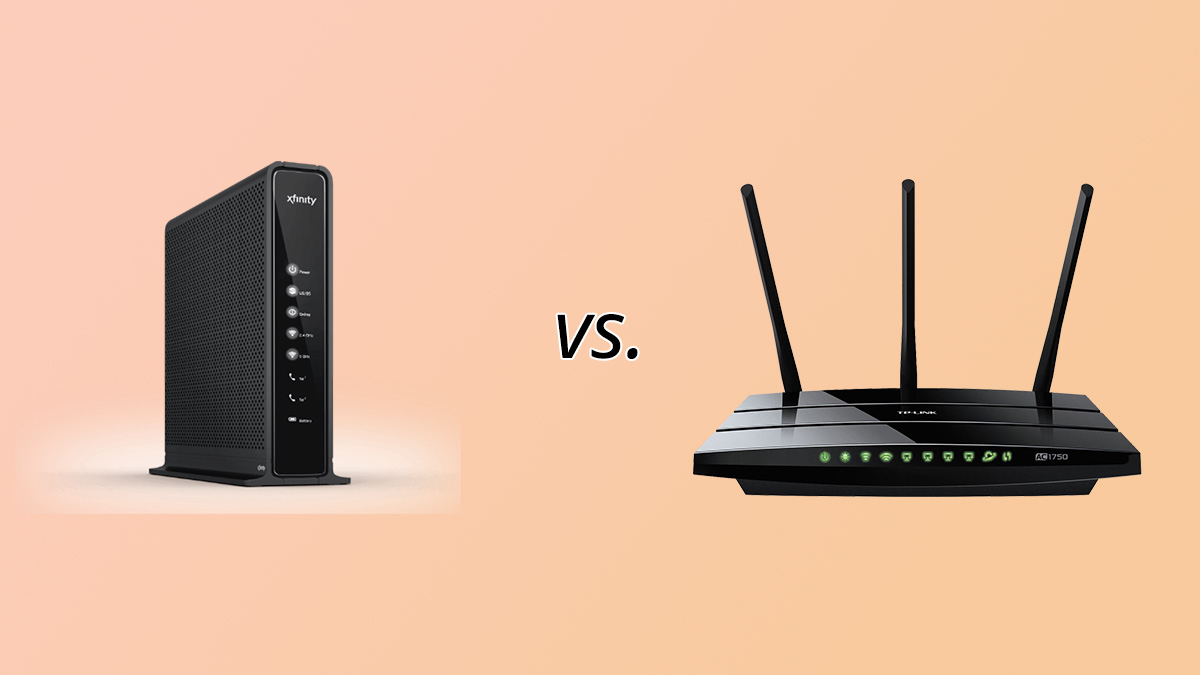
Frequently asked questions
Do modem routers work with fiber internet?
The cable combo models in this roundup are not compatible with fiber service. Fiber installations generally use an optical network terminal or provider gateway, after which a router-only product such as the NETGEAR Nighthawk RS90 can connect through Ethernet.
What is the difference between a modem router combo and a router?
A combo contains both the modem that communicates with the internet provider and the router that distributes the connection around the home. A router-only model needs a separate modem or ISP gateway and connects to it using Ethernet.
Is DOCSIS 3.1 better than DOCSIS 3.0?
DOCSIS 3.1 is the newer cable modem standard and is better suited to faster modern cable plans. The C7000 uses DOCSIS 3.0 and is positioned for plans up to 800 Mbps, while the other cable combos here use DOCSIS 3.1.
Do WiFi 7 devices work with older WiFi routers?
WiFi 7 devices can generally connect to older wireless networks, but they will not receive the full benefits of WiFi 7. The router and client both need compatible hardware to use the newer wireless capabilities.
How many Ethernet ports should a modem router have?
Four Gigabit ports cover many homes with a desktop, console, television and streaming player. If you need faster wired connections, the CAX80's 2.5 Gigabit port or the G54's 10 Gigabit port is more suitable.
Can one modem router cover a large house?
It can, but coverage depends on the layout, construction materials and interference. The G54 lists up to 5, 000 square feet, while the CAX80 lists up to 2, 500 square feet in open layouts. A multi-story or heavily divided home may work better with a mesh system.
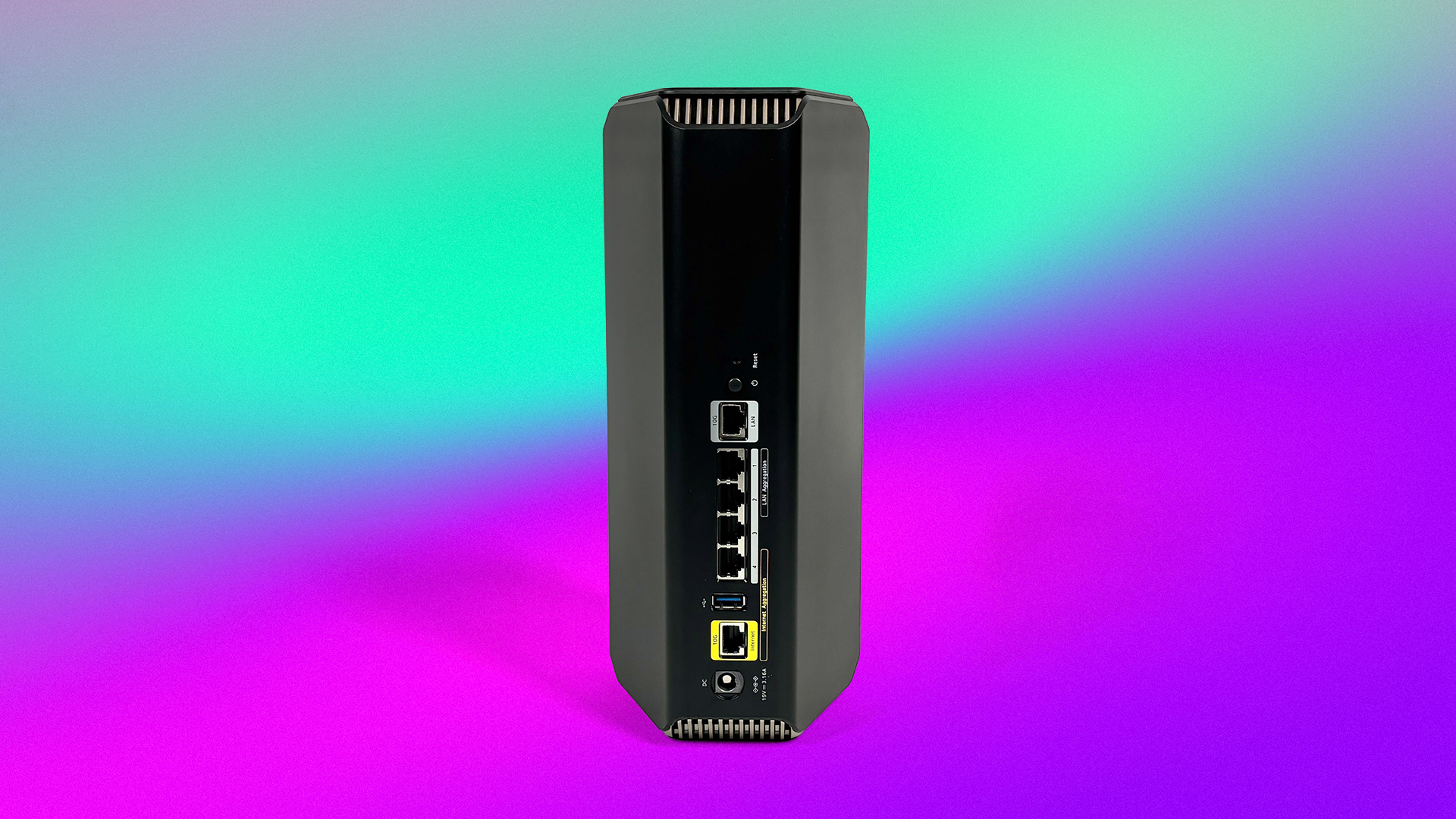
The bottom line
The Best modem router for most cable households is the NETGEAR Nighthawk CAX30. Its DOCSIS 3.1 modem, WiFi 6 AX2700 wireless, four Gigabit ports, USB 3.0 connection and defined support for up to 25 devices make it a balanced replacement for separate provider hardware.
Choose the NETGEAR Nighthawk CAX80 for a busier home that can use its AX6000 wireless class and 2.5 Gigabit port. The ARRIS Surfboard G54 is the specialist choice for large cable homes that genuinely need WiFi 7, broad stated coverage and a 10 Gigabit wired connection.
If you are undecided, confirm your internet service and provider approval first, then buy the simplest model that matches your plan and connected devices.
As an Amazon Associate we earn from qualifying purchases.