

A fast gaming display has to do more than show a high refresh rate. It needs clean motion, convincing blacks, useful HDR, enough brightness for the room, and a stand that does not force your neck into an awkward position. The Best best oled monitor options below cover competitive 1440p gaming, cinematic 4K play, and displays that can switch between detail and speed.
The 27-inch QHD models are the sensible center of this group, while the 32-inch 4K screens make a stronger case for single-player games and mixed desktop use. OLED protection also matters, since these are displays you may use for hours at a time with static menus and desktop windows.
Samsung 27-inch Odyssey OLED G6 is our top pick for its balance of QD-OLED color, 240Hz speed, glare control, and flexible stand. The rest of the list ranges from the sharper 32-inch ASUS and LG models to the unusually fast AOC Agon Pro.
Comparison table
| # | Product | Award | Panel and resolution | Refresh and response | Best for |
|---|---|---|---|---|---|
| 1 | Samsung 27-inch Odyssey OLED G6 | Best overall | QD-OLED, QHD | 240Hz, 0.03ms | Competitive gaming and bright rooms |
| 2 | LG UltraGear 27GX704A-B | Best glossy 27-inch | OLED, QHD | 240Hz, 0.03ms | PC and console gaming |
| 3 | Samsung 27-inch Odyssey OLED G5 | Best streamlined pick | QD-OLED, QHD | 180Hz, 0.03ms | Smooth everyday gaming |
| 4 | AOC Q27GAZD | Best color-focused 27-inch | QD-OLED, QHD | 240Hz, 0.03ms | Vivid color and HDR |
| 5 | ASUS ROG XG27AQDMGR | Best OLED protection | Glossy WOLED, QHD | 240Hz, 0.03ms | Long gaming sessions |
| 6 | AOC Agon Pro AG276QZD2 | Best high-refresh option | OLED, QHD | Up to 280Hz, 0.03ms | Esports and fast action |
| 7 | ASUS ROG XG27AQDMG | Best glossy WOLED | Glossy WOLED, QHD | 240Hz, 0.03ms | Gaming and content creation |
| 8 | ASUS ROG PG32UCDM | Best 4K OLED | QD-OLED, 4K | 240Hz, 0.03ms | High-end 4K gaming |
| 9 | LG UltraGear 32GX850A-B | Best dual-mode display | Glossy OLED, 4K | 165Hz or 330Hz, 0.03ms | 4K detail and competitive play |
1. Samsung 27-inch Odyssey OLED G6: Best Overall

Pros
- QD-OLED panel combines vivid color with deep blacks
- 240Hz refresh rate and 0.03ms response time suit competitive games
- Glare Free screen is helpful near windows and lamps
- Height, tilt, swivel, and pivot adjustments are built into the stand
- OLED Safeguard technology helps mitigate burn-in risk
Cons
- QHD resolution is less detailed than the 4K models
- HDR10 support is less specific than the True Black 400 certification on several rivals
- Smaller screen area than the 32-inch options
Best for: PC gamers who want a fast 27-inch QD-OLED with fewer reflections.
The Samsung 27-inch Odyssey OLED G6 gets the fundamentals right without making you choose between speed and a vivid picture. Its QD-OLED panel gives games the dense blacks OLED is known for, while the quantum-dot layer is intended to produce high brightness and a wide range of colors. At 27 inches, QHD is a sensible match for gaming because it keeps the image sharp without demanding the graphics hardware needed to drive 4K at high frame rates.
The 240Hz refresh rate is the more meaningful advantage for fast games. It gives the monitor more opportunities to update the image than the Samsung Odyssey OLED G5, whose refresh rate tops out at 180Hz. Both have a quoted 0.03ms response time, but the G6 gives high-frame-rate PC gaming more room to benefit from that quick pixel response. AMD FreeSync Premium is included to reduce tearing and choppiness when frame rates move around.
Samsung also takes a practical approach to the OLED ownership problem. OLED Safeguard uses a thermal modulation system to help prevent burn-in, and Glare Free technology keeps external reflections from washing out dark scenes. The Pantone Validated display is specified to reproduce more than 2, 100 colors and more than 110 skin tone shades, while HDR10 adds brighter highlights and nuanced shadows. Those claims do not make it a substitute for a dedicated professional reference display, but they point to a monitor that can handle games, video, and general desktop work with confidence.
The stand is one of the reasons this is our top pick. It can adjust for height, tilt, swivel, and pivot, so the screen can be positioned around a desk rather than the other way around. The weakness is its QHD resolution. ASUS ROG PG32UCDM and LG UltraGear 32GX850A-B show more fine detail at 4K, especially on a large desktop or in a richly textured game. Choose the Samsung if smooth motion, manageable GPU demands, and reflection control matter more than maximum pixel density.
2. LG UltraGear 27GX704A-B: Best Glossy 27-inch

Pros
- Glossy QHD OLED panel with 240Hz refresh
- Very fast 0.03ms response time
- Dual HDMI 2.1 inputs suit modern consoles
- DisplayPort and USB 3.2 connectivity
- Fully adjustable stand with pivot, swivel, tilt, and height movement
- OLED care features can run automatic pixel cycles
Cons
- Glossy surfaces can reveal room reflections
- QHD does not match the desktop detail of a 4K model
- The feature set may be more than casual players need
Best for: gamers who want a glossy 27-inch OLED with strong PC and console connectivity.
The LG UltraGear 27GX704A-B is a strong alternative to the Samsung Odyssey OLED G6, especially for someone who plans to connect both a gaming PC and a console. Its 27-inch QHD OLED panel runs at up to 240Hz and has a quoted 0.03ms response time. That combination gives quick games the fluidity they need while keeping the resolution easier to drive than 4K.
The glossy finish is central to its character. It can make color and contrast look especially direct in a controlled room, but it is not automatically the right surface for a desk facing a bright window. LG lists a standard brightness of 275 nits and a peak of 1, 300 nits, along with up to 98.5 percent DCI-P3 coverage. HDR is backed by VESA DisplayHDR True Black 400 and a stated 1.5M:1 contrast ratio, so dark scenes should retain strong separation between black areas and bright effects.
Connectivity is unusually well suited to a mixed setup. There are dual HDMI 2.1 ports, DisplayPort 1.4, one USB 3.2 upstream port, and two USB 3.2 downstream ports. NVIDIA G-SYNC Compatible and AMD FreeSync Premium Pro support cover the two major PC graphics ecosystems. The stand handles height, swivel, tilt, and pivot adjustments, while the four-side virtually borderless design keeps the bezel from dominating a multi-display arrangement.
LG includes OLED protection controls through its On-Screen Control software, with automatic pixel care cycles during standby or shutdown. That is useful for anyone who leaves a desktop or game interface visible for long stretches, though no protection feature removes the need for sensible OLED habits. Compared with Samsung 27-inch Odyssey OLED G6, this LG brings stronger listed connectivity and a more explicit HDR specification. Its main drawback is the glossy panel, so skip it if overhead lighting and windows are difficult to control.
If you want a larger screen for cinematic games, the right viewing distance for a large OLED display becomes more important than the refresh-rate headline. The 27GX704A-B is easier to place close to a desk chair, where its QHD resolution remains comfortable.
3. Samsung 27-inch Odyssey OLED G5: Best Streamlined Pick

Pros
- QD-OLED image with QHD resolution
- 0.03ms response time
- Glare Free technology limits reflections
- OLED Safeguard thermal modulation system
- G-SYNC compatibility and AMD FreeSync support
- Auto Source Switch+ simplifies changing connected devices
Cons
- 180Hz is slower than most 27-inch models here
- HDR10 is not the same listed certification as True Black 400 models
- Stand adjustment details are less extensive in the supplied specifications
Best for: everyday PC gaming where glare control and quick response matter more than maximum refresh rate.
The Samsung 27-inch Odyssey OLED G5 is the quieter, simpler member of Samsung's two 27-inch QD-OLED options here. It keeps the QHD resolution and 0.03ms response time, but its refresh rate is 180Hz rather than the G6's 240Hz. That is still a smooth target for most games, especially if your system does not consistently produce very high frame rates.
The QD-OLED panel is designed to pair strong color accuracy and brightness with OLED-level black performance. Samsung says the screen is Pantone Validated for more than 2, 100 colors and uses HDR10 for brighter highlights and nuanced shadows. Glare Free technology is a particularly useful inclusion for a desk in a room with uncontrolled light. The screen should be easier to read through ordinary reflections than a glossy rival, although it cannot eliminate every source of glare.
Samsung's OLED Safeguard system uses thermal modulation to help keep the display cool and reduce the risk of burn-in. G-SYNC compatibility and AMD FreeSync reduce tearing and stutter, while Auto Source Switch+ is a convenient touch for anyone moving between more than one connected device. Those features make the G5 feel less like a stripped-down panel and more like a deliberately focused gaming display.
The compromise is clear when it sits beside Samsung 27-inch Odyssey OLED G6 or AOC Q27GAZD. Both of those displays offer 240Hz, and AOC also specifies wide color-gamut coverage. The G5 is the better fit for someone who values glare control and a straightforward feature set over the last increment of competitive speed. Players chasing every possible frame should move up the list, while most general PC gamers will not find 180Hz limiting.
4. AOC Q27GAZD: Best Color-Focused 27-inch

Pros
- QD-OLED panel with broad stated color coverage
- 240Hz refresh rate and 0.03ms response time
- QHD resolution is a practical fit for high-frame-rate gaming
- HDR400 True Black support
- Adaptive-Sync compatibility
Cons
- Stand and connection details are limited in the supplied information
- QHD is less detailed than the 4K choices
- The color-gamut figures describe range, not guaranteed calibration
Best for: players who want saturated QD-OLED color and fast 1440p gaming.
The AOC Q27GAZD makes its case with a familiar but effective combination: a 27-inch QHD QD-OLED panel, 240Hz refresh rate, and a quoted 0.03ms GtG response time. That is the sweet spot for a competitive gaming monitor, since QHD gives a clear image while leaving more graphics headroom than 4K. The response-time claim is shared by nearly every monitor in this group, but the refresh rate is still a meaningful step above Samsung 27-inch Odyssey OLED G5.
AOC provides unusually specific color coverage figures. The panel is listed at 147.6 percent of sRGB and 110.2 percent of DCI-P3, which points to a wide, saturated presentation rather than a muted office display. That can make games look lively, particularly where the art direction depends on strong reds, greens, or blues. It does not automatically mean the screen is perfectly calibrated for color-critical work, so creators should treat the figures as a description of gamut rather than a complete calibration report.
HDR400 True Black is intended to combine deep OLED blacks with brighter highlights. Adaptive-Sync compatibility helps the display follow changing frame rates and reduce tearing or stuttering. The 2560 by 1440 resolution also keeps text and game interfaces reasonably crisp at this screen size without asking a graphics card to push the same pixel count as the ASUS ROG PG32UCDM.
AOC gives less information here about stand movement and connectivity than LG and ASUS provide for their models. That matters if the monitor has to fit a carefully planned workstation or switch between several sources. The AOC Q27GAZD is therefore most compelling when panel performance is the priority. Choose it over Samsung 27-inch Odyssey OLED G5 for 240Hz speed and broader stated gamut coverage, but choose LG UltraGear 27GX704A-B if HDMI 2.1 and USB expansion are central to your setup.
5. ASUS ROG XG27AQDMGR: Best OLED Protection

Pros
- QHD glossy WOLED panel with 240Hz refresh
- 0.03ms response time
- OLED Care Pro includes a proximity sensor
- True 10-bit color and 99% DCI-P3 coverage
- Three-year warranty includes burn-in coverage
- DisplayWidget Center controls monitor settings
Cons
- Glossy panel can reflect bright room lighting
- QHD resolution is below the 4K models
- More expensive feature set is aimed at dedicated users
Best for: gamers who want unusually comprehensive OLED care features and warranty coverage.
The ASUS ROG XG27AQDMGR is the OLED monitor for readers who think about long-term ownership before they think about another lighting effect. Its 26.5-inch QHD glossy WOLED panel runs at 240Hz with a quoted 0.03ms gray-to-gray response time. It has the speed expected from this class, but ASUS puts more emphasis than most of the list on how the panel is protected.
OLED Care Pro includes a Neo Proximity Sensor that detects when the user leaves and switches the screen to black. That is a smart response to a common desktop problem: a static image sitting on screen while the owner is away. ASUS also specifies a three-year warranty with accidental replacement and burn-in coverage, giving this model a stronger ownership safety net than a monitor that only lists a generic protection mode.
Image quality is handled seriously as well. ASUS lists VESA DisplayHDR 400 True Black compliance, 99 percent DCI-P3 coverage, true 10-bit color, and a Delta E below 2. Those details make the XG27AQDMGR more interesting for content creation than a display described only by its refresh rate. ROG Gaming AI features and DisplayWidget Center add software control, including mouse-based access to settings and OLED care functions.
The glossy surface can look excellent in a controlled room, but it is also the wrong choice for a desk opposite a window or bright lamp. The Samsung 27-inch Odyssey OLED G6 is more practical where reflections are a recurring problem, while ASUS ROG XG27AQDMG offers a similar 240Hz glossy WOLED concept with a different protection and software package. The XG27AQDMGR is the one to choose when its proximity sensor and stated warranty coverage matter enough to justify its more specialized approach.
6. AOC Agon Pro AG276QZD2: Best High-Refresh Option

Pros
- Up to 280Hz refresh rate
- 0.03ms GTG response time
- QHD OLED panel with deep blacks
- 101% DCI-P3 and 136.7% sRGB coverage listed
- G-SYNC support and HDR10
- Six game modes and Shadow Control
Cons
- The highest refresh setting demands very high frame rates
- QHD resolution gives less detail than the 4K models
- Built-in rear lighting will not matter to every buyer
Best for: competitive players with a PC capable of taking advantage of 280Hz.
The AOC Agon Pro AG276QZD2 is the speed specialist. Its 26.5-inch QHD OLED panel can run at up to 280Hz, which is the highest refresh-rate figure in this group. The quoted 0.03ms GTG response time also suits games where clear motion and quick transitions matter more than 4K image density. That extra refresh headroom is not useful in every title, but it gives competitive players a specific reason to choose this model over the 240Hz displays.
The panel is designed for more than raw speed. AOC cites more than 1.07 billion colors, 101 percent DCI-P3 coverage, and 136.7 percent sRGB coverage. HDR10 is intended to add richer contrast and detail, while the self-luminous OLED panel supplies the deep blacks that make dark scenes stand out. Those wide-gamut figures suggest a bold image, though anyone working in a color-managed environment should still calibrate to the intended workflow.
G-SYNC support helps synchronize the monitor with a compatible GPU, and AOC includes six game modes for quickly changing the display character. Shadow Control can lift detail in dark areas, which may help in games where opponents disappear into shadow. The rear lighting is a decorative extra that can tie the monitor into an AOC setup, but it should not be mistaken for a picture-quality feature.
The AG276QZD2 is a narrower recommendation than Samsung 27-inch Odyssey OLED G6. The Samsung is easier to recommend for a broad range of players because 240Hz already provides exceptionally smooth motion and its Glare Free treatment is useful in more rooms. AOC's advantage appears when a high-end PC can produce frame rates close to 280Hz in the games you actually play. If that does not describe your system, the extra refresh ceiling will be less important than the other monitors' stand, HDR, or connectivity features.
7. ASUS ROG XG27AQDMG: Best Glossy WOLED

Pros
- Third-generation WOLED panel
- 240Hz refresh rate and 0.03ms response time
- Glossy QHD presentation with 99% DCI-P3 coverage
- OLED care functions and custom heatsink
- Anti-flicker technology helps during refresh changes
- Three-year warranty includes burn-in coverage
Cons
- Glossy finish is sensitive to reflections
- QHD resolution is not as sharp as 4K
- DisplayWidget software and a promotional cloud subscription may not matter to every buyer
Best for: gamers who prefer the look of glossy WOLED and want strong motion handling.
The ASUS ROG XG27AQDMG shares the basic dimensions and speed target of the XG27AQDMGR, but its feature emphasis is different. This 26.5-inch QHD glossy WOLED display runs at 240Hz and lists a 0.03ms response time. ASUS says its third-generation WOLED panel improves full-white brightness, text clarity, and motion clarity, which gives it a broader desktop role than a monitor built only for esports.
The custom heatsink and airflow design are part of ASUS's effort to manage OLED heat. OLED Care functions add further protection, while ROG OLED Anti-flicker technology is intended to reduce flicker when the refresh rate changes. G-SYNC Compatible support handles variable-refresh gaming, and the optional uniform brightness setting can keep luminance more consistent across the screen.
Color coverage reaches 99 percent of DCI-P3, making the XG27AQDMG suitable for vivid games and content work that benefits from a wide gamut. DisplayWidget software allows settings adjustments from the desktop rather than requiring repeated trips through the monitor controls. ASUS also lists a three-year warranty with burn-in coverage. A complimentary three-month Adobe Creative Cloud access offer is included in the supplied feature information, with validity through August 31, 2026.
The main choice is between this model and the XG27AQDMGR. The latter adds the Neo Proximity Sensor and specifies true 10-bit color and Delta E below 2, while the XG27AQDMG highlights its newer WOLED improvements, anti-flicker system, and uniform brightness option. Both are glossy, so neither is ideal in a room where reflections cannot be controlled. Pick the XG27AQDMG for its panel and desktop-use refinements, or move to Samsung 27-inch Odyssey OLED G6 for a less reflection-prone screen.
For a room that doubles as a work area, how much ambient light a screen needs to handle is a useful question before choosing a glossy panel. A display can have excellent blacks and still look distracting if a lamp sits directly behind your chair.
8. ASUS ROG PG32UCDM: Best 4K OLED

Pros
- 32-inch 4K QD-OLED panel
- 240Hz refresh and 0.03ms response time
- 99% DCI-P3 and true 10-bit color
- VESA DisplayHDR 400 True Black support
- 90W USB-C power delivery
- Heatsink, airflow design, and graphene film for heat management
- Three-year warranty includes burn-in coverage
Cons
- 4K gaming requires substantially more graphics power
- Large screen needs more desk depth and viewing distance
- High-end features may be unnecessary for QHD gaming
Best for: players who want 4K detail without giving up a 240Hz gaming mode.
The ASUS ROG PG32UCDM is the clearest upgrade for anyone who finds 27-inch QHD screens limiting. Its 32-inch 4K QD-OLED panel has 3840 by 2160 resolution, 240Hz refresh, and a quoted 0.03ms GTG response time. The result is a display aimed at demanding PC hardware, but it also offers the dense detail that makes open-world games, creative applications, and high-resolution video feel more convincing.
ASUS lists VESA DisplayHDR 400 True Black, 99 percent DCI-P3 coverage, true 10-bit color, and a Delta E below 2. QD-OLED brings saturated color and OLED blacks, while 4K gives small interface elements and fine textures more definition than the 27-inch QHD choices. G-SYNC Compatible support helps with variable frame rates, but the monitor still needs a capable graphics card to make full use of 4K at 240Hz.
This model has a more versatile desk role than its gaming label suggests. A USB-C connection can provide up to 90W of power delivery for a compatible laptop while carrying data, which can simplify a single-cable setup. DisplayWidget Center provides mouse-based control of display settings and OLED care functions. The uniform brightness setting is useful for desktop work where large white windows might otherwise change how bright the panel appears.
Heat management receives serious attention here, with a custom heatsink, airflow design, and graphene film. ASUS also lists a three-year warranty with burn-in coverage. The weaknesses are practical rather than technical. A 32-inch screen takes more desk space, and 4K at a high refresh rate places a much heavier demand on the GPU than QHD. If you play mostly competitive titles and sit close to the screen, Samsung 27-inch Odyssey OLED G6 or AOC Agon Pro AG276QZD2 makes more sense. The PG32UCDM is for buyers who want one premium display for detailed games, desktop work, and high-refresh play.
9. LG UltraGear 32GX850A-B: Best Dual-Mode Display

Pros
- 32-inch 4K UHD glossy OLED panel
- Switches between 4K at 165Hz and Full HD at 330Hz
- 0.03ms response time
- Micro Lens Array+ technology
- G-SYNC Compatible and AMD FreeSync Premium Pro
- Height, tilt, swivel, and pivot adjustments
- True Black 400 and up to 98.5% DCI-P3 coverage
Cons
- Full HD mode gives up the sharpness of 4K
- Glossy surface can show reflections
- Large 32-inch chassis needs a substantial desk
Best for: players who want cinematic 4K gaming and a faster mode for competitive titles.
The LG UltraGear 32GX850A-B has the most distinctive use case in this roundup. It is a 32-inch 4K UHD glossy OLED monitor with a 165Hz mode for detailed games and a Full HD 330Hz mode for fast shooters, MOBAs, and racing games. That switch gives the display two different personalities, although the faster mode sacrifices the detail that makes a 4K panel appealing.
At its native setting, the 3840 by 2160 panel is designed for sharp textures and expansive game worlds. LG uses Micro Lens Array+ technology and lists typical brightness of 275 nits, along with improved viewing angles. VESA DisplayHDR True Black 400 and up to 98.5 percent DCI-P3 coverage support the OLED contrast and broad color presentation. The 1.5M:1 contrast ratio listed by LG should help dark scenes retain depth without losing the impact of bright effects.
The 0.03ms GtG response time applies to the monitor's fast OLED behavior, while G-SYNC Compatible and AMD FreeSync Premium Pro help keep frame delivery smooth. The dual-mode feature is activated by a hotkey, so switching from a slower, detailed single-player game to a competitive title does not require digging through several menus. LG also includes Dynamic Action Sync, Black Stabilizer, an FPS counter, and a crosshair option for players who want more control over competitive presentation.
The trade-off is that 330Hz is paired with Full HD rather than QHD. AOC Agon Pro AG276QZD2 keeps more detail at its highest refresh-rate setting, while ASUS ROG PG32UCDM maintains 4K at 240Hz. The LG is the better choice when you genuinely play both kinds of games and want one large display to cover them. Its stand is fully adjustable for height, tilt, swivel, and pivot, which helps offset the space demanded by the 32-inch panel. Skip it if you want a single resolution and refresh mode with no compromise.
How to choose best oled monitor
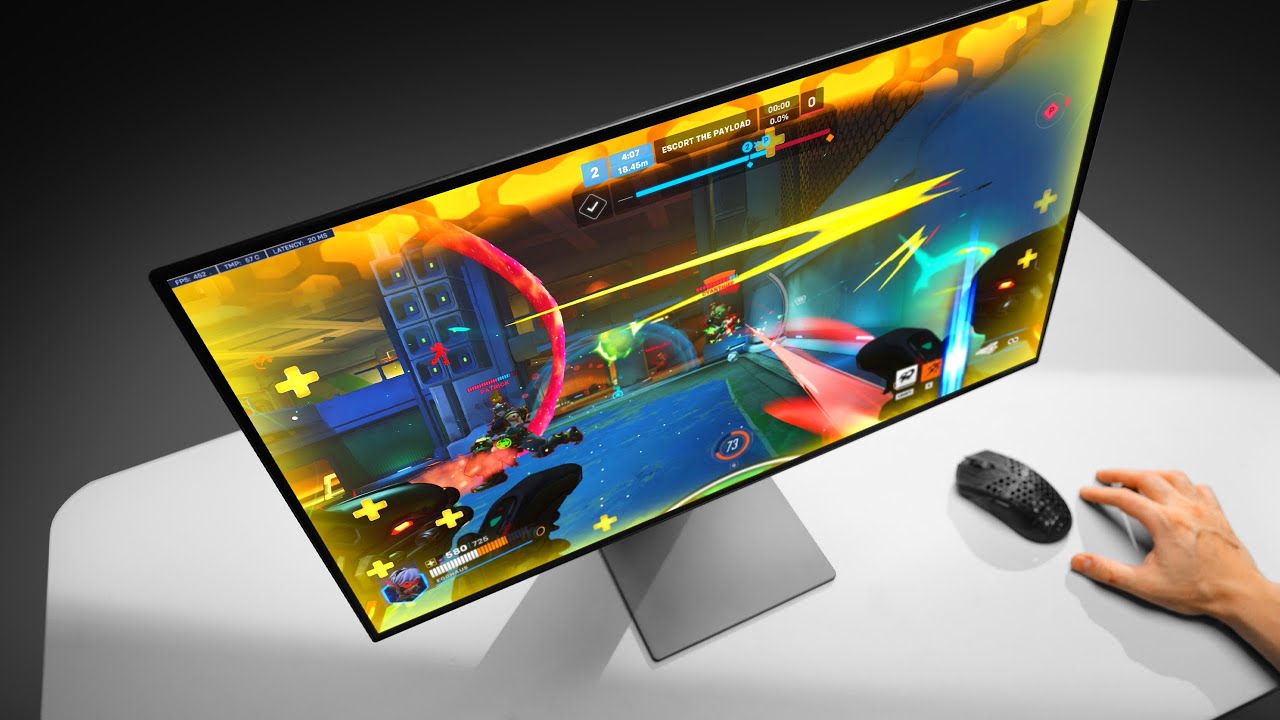
The right OLED display depends on how fast your games run, how bright the room is, and whether the screen is also replacing a work monitor.
Resolution and screen size
QHD at 2560 by 1440 is a strong fit for 27-inch gaming displays. It gives games a clear image while making high frame rates more achievable than 4K. A 32-inch 4K panel such as ASUS ROG PG32UCDM or LG UltraGear 32GX850A-B shows finer detail and provides more room for desktop work, but it needs more desk depth and a more capable graphics card.
Refresh rate and response time
Refresh rate determines how often the display can update the image. The 240Hz models here are suited to fast PC gaming, while AOC Agon Pro AG276QZD2 reaches up to 280Hz and LG UltraGear 32GX850A-B offers a 330Hz Full HD mode. The listed 0.03ms response time appears across many of these products, so refresh rate, variable-refresh support, and the frame rate your computer can produce are more useful points of comparison.
A 280Hz monitor only helps when the game and graphics card can supply frames close to 280Hz.
OLED panel type and surface
QD-OLED models such as Samsung 27-inch Odyssey OLED G6 and ASUS ROG PG32UCDM emphasize saturated color alongside OLED blacks. WOLED models such as the ASUS ROG XG27AQDMG use a different panel approach, with ASUS highlighting text clarity, motion clarity, and full-white brightness on its third-generation panel. Glossy surfaces can look vivid in controlled lighting, while Samsung's Glare Free displays are more practical when lamps or windows are difficult to avoid.
HDR and color coverage
Look for more than the word HDR. VESA DisplayHDR True Black 400 appears on several of these monitors and describes a specific OLED HDR target. Color-gamut figures such as DCI-P3 coverage tell you how broad the display's color range is, but they do not replace calibration. True 10-bit color and a Delta E below 2, as listed for the ASUS ROG models, are more relevant to creators who care about controlled color work.
OLED care and desk ergonomics
Static desktop elements create a different ownership pattern from changing game scenes. Samsung lists OLED Safeguard, LG provides automatic pixel care cycles, and ASUS adds OLED Care functions, heat management, and on the XG27AQDMGR a proximity sensor that can black the screen when you walk away. A height-adjustable, tilting, swiveling, or pivoting stand also matters because a perfect panel is uncomfortable if it sits too high or too far to one side.
Frequently asked questions
Is OLED good for gaming monitors?
Yes. OLED panels can provide very dark blacks, strong contrast, and fast pixel response, all of which suit games. Models in this roundup pair those characteristics with refresh rates from 165Hz to 280Hz.
Is 4K better than QHD for an OLED gaming monitor?
4K provides more detail, especially on a 32-inch screen and in desktop applications. QHD is easier to run at high frame rates and is a strong match for 27-inch models, so the better choice depends on your graphics hardware and the types of games you play.
Do OLED monitors need burn-in protection?
OLED care features are useful because static desktop elements and game interfaces can remain on screen for long periods. The monitors here include features such as thermal modulation, automatic pixel care, proximity detection, and heat management, but owners should still avoid leaving a static image visible unnecessarily.
Is a glossy OLED monitor better than a matte one?
Glossy screens can provide a direct, vivid presentation in controlled lighting. They can also reflect lamps and windows more clearly, so Samsung's Glare Free technology may be a better fit for a bright or unpredictable room.
What refresh rate should a gaming monitor have?
A 180Hz display is already smooth for many players, while 240Hz is a strong target for competitive PC gaming. Higher settings such as 280Hz or 330Hz make sense when your graphics card and the games you play can produce very high frame rates.
Can these monitors work with consoles?
Several support features that suit console use. LG UltraGear 27GX704A-B includes HDMI 2.1, while AOC Agon Pro AG276QZD2 lists console gaming up to 120Hz depending on the console. Exact performance still depends on the console, game, connection, and selected display mode.
Do I need a 32-inch monitor for 4K gaming?
No, but the 32-inch format makes 4K detail easier to appreciate and gives more physical room for games and applications. A 27-inch QHD monitor is often easier to position on a smaller desk and places less demand on the graphics card.
The bottom line
The Best best oled monitor for most PC gamers is Samsung 27-inch Odyssey OLED G6. Its QD-OLED panel, 240Hz refresh rate, 0.03ms response time, Glare Free treatment, and adjustable stand form the most balanced package here. It is not the sharpest screen in the group, but QHD is a sensible match for high-refresh gaming.
Choose ASUS ROG PG32UCDM if 4K detail and a larger working area matter more than easy placement. Its 32-inch QD-OLED panel, 240Hz refresh rate, USB-C power delivery, and strong color specifications make it the premium choice for demanding mixed use. For a dual-purpose screen that can switch from 4K at 165Hz to Full HD at 330Hz, LG UltraGear 32GX850A-B is the more specialized alternative.
If you are undecided, choose the 27-inch Samsung for competitive gaming and the 32-inch ASUS for 4K detail.
As an Amazon Associate we earn from qualifying purchases.