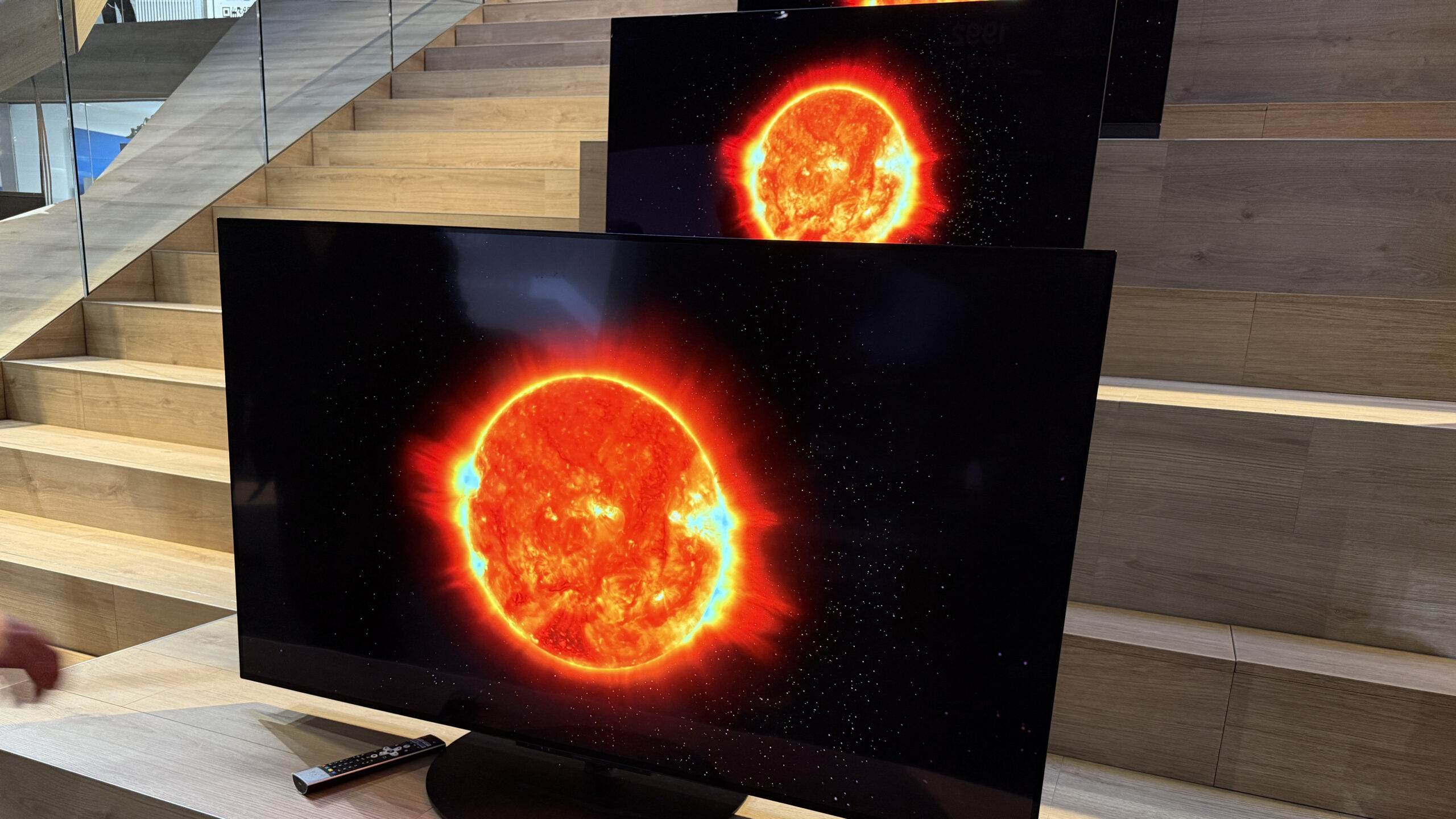

A great OLED can make a dimly lit film feel cinematic, but the wrong size, weak processing, or unsuitable stand can make an impressive panel awkward to live with. The Best OLED TVs and Displays here include full-size LG and Samsung televisions, a compact bundle, a screen cleaner, and a rolling cart for flexible setups.
LG's C5 range is the safest recommendation for most living rooms, while Samsung's S90F is a strong alternative for fast gaming and Samsung's large S85F models suit viewers who want a huge screen. The accessories are useful only for specific setups, but they belong in the comparison because they solve practical display problems.
Our top pick is the LG C5 65-Inch, with options ranging from a 48-inch bundle to an 83-inch home-cinema screen, plus the cleaning and mounting accessories that help keep an OLED usable.
| # | Product | Award | Screen or coverage | Key feature | Best for |
|---|---|---|---|---|---|
| 1 | LG C5 65-Inch | Best overall | 65-inch, 4K OLED | Up to 144Hz, four HDMI 2.1 inputs | Most living rooms |
| 2 | Samsung S85F 77-Inch | Best large Samsung | 77-inch OLED | NQ4 AI Gen2, Dolby Atmos | Big-screen streaming |
| 3 | LG C5 55-Inch | Best compact premium TV | 55-inch, 4K OLED | Up to 144Hz, 0.1ms response | Smaller rooms |
| 4 | Samsung OLED Bundle 48-Inch | Best small-screen bundle | 48-inch, 4K OLED | Wi-Fi, HDMI cable included | Bedrooms and gaming desks |
| 5 | iO CLEAN Screen Kit | Best cleaning kit | 16.9 fl oz | Two nozzles, microfiber cloth | Multi-screen homes |
| 6 | LG C6 83-Inch | Best giant OLED | 83-inch, 4K OLED | Up to 165Hz, A11 processor | Dedicated theaters |
| 7 | LG C6 65-Inch | Best high-refresh LG | 65-inch, 4K OLED | 165Hz, 0.1ms response | PC and console gaming |
| 8 | Samsung S90F 65-Inch | Best Samsung for gaming | 65-inch, 4K OLED | Up to 144Hz, HDR+ | Fast-moving games and sports |
| 9 | HOLMAXD TV Cart | Best mobile stand | 23 to 65-inch TVs | 110-pound capacity, tilt | Flexible rooms |
| 10 | Samsung S85F 83-Inch | Best huge Samsung | 83-inch OLED | Pantone Validated, Alexa built-in | Large seating areas |
1. LG C5 65-Inch: Best Overall

Pros
- Brightness Booster helps the picture stay lively in brighter rooms
- Dolby Vision, Dolby Atmos, and Filmmaker Mode
- Up to 144Hz with 0.1ms response time
- Four HDMI 2.1 inputs
- G-Sync, FreeSync Premium, and VRR support
Cons
- The 65-inch panel needs substantial wall or cabinet space
- Built-in TV audio cannot match a dedicated sound system
- OLED care is still part of long-term ownership
Best for: someone who wants one well-rounded OLED for films, streaming, sports, and gaming.
The LG C5 65-Inch is the easiest set in this list to recommend because it does not force a choice between film quality and gaming speed. Its OLED panel uses more than 8.3 million self-lit pixels, so dark scenes can show genuinely deep blacks without the haloing associated with a backlight. Brightness Booster gives highlights more presence, and LG says the set is verified for discomfort glare under UGR 22, a useful distinction for rooms that are not fully dark.
The Alpha 9 AI Processor Gen8 handles upscaling for lower-resolution streams and broadcasts. That matters because much of everyday television is not native 4K. Dolby Vision supports compatible HDR films, while Filmmaker Mode is the sensible setting when you want motion processing and image treatment closer to the director's intent. Dolby Atmos support is included, though the television's speakers remain a compromise compared with a soundbar or receiver.
Gaming credentials are unusually complete. The stated 0.1ms response time, up to 144Hz refresh rate, VRR, NVIDIA G-Sync, and AMD FreeSync Premium are all relevant to a gaming PC or current console. Four HDMI 2.1 inputs also make it easier to connect several modern devices without constantly swapping cables. For a clearer explanation of how HDR changes the viewing experience, the relationship between contrast, brightness, and HDR impact is the part to understand.
Compared with the LG C5 55-Inch, this version gives films and games a more enveloping image, but it needs a larger room. The Samsung S90F 65-Inch is the more natural rival for Samsung owners and fast-motion viewing, while the newer LG C6 65-Inch raises the gaming ceiling to 165Hz. The weakness is simple: this is still a large television, and OLED requires sensible care around static content. It is the right buy for the broadest mix of viewing, not for someone who wants the biggest possible screen.
2. Samsung S85F 77-Inch: Best Large Samsung

Pros
- Large 77-inch OLED canvas
- NQ4 AI Gen2 processing with 20 neural networks
- Dolby Atmos support
- Pantone-validated color and skin tones
- Curved contour-inspired design
Cons
- Large footprint and 63.5-pound listed weight
- Gaming specifications are less detailed than LG C5's
- Built-in sound remains limited for a large room
Best for: viewers who want a large Samsung OLED for films, shows, and everyday streaming.
The Samsung S85F 77-Inch is about scale first. A 77-inch OLED has the presence to make a living room feel like a small theater, but the 67.8-inch width and 13-inch listed depth mean the room has to accommodate it properly. Samsung's contour design is less boxy than many large televisions, although the panel still needs careful handling during installation.
Its NQ4 AI Gen2 processor uses 20 neural networks to upscale content toward 4K and adjust brightness and sound scene by scene. That is most useful with HD broadcasts and compressed streaming, where a television's processing can determine whether faces and fine textures look clean or overworked. Pantone validation is aimed at realistic color and skin tones, which makes the S85F a particularly sensible choice for drama, documentaries, and live television.
The set also includes Dolby Atmos support and Object Tracking Sound Lite. Those features can add a sense of movement to the built-in audio, but a wide room will still benefit from external audio. Buyers deciding between this and an LG should also consider how screen brightness affects viewing in a sunny room, since room lighting can matter more than small differences in processing.
The Samsung S85F 83-Inch is the bigger answer when the seating distance and wall allow it, while the LG C5 65-Inch is easier to place and offers a more explicit set of gaming connections and features. The S85F 77-Inch is not the pick for a compact apartment or someone shopping primarily for high-refresh PC gaming. It makes sense for a dedicated seating area where size and Samsung's image processing take priority.
3. LG C5 55-Inch: Best Compact Premium TV

Pros
- Strong OLED contrast in a room-friendly size
- Brightness Booster and bright-room certification
- Dolby Vision and Filmmaker Mode
- Up to 144Hz, VRR, G-Sync, and FreeSync Premium
- Four HDMI 2.1 inputs
Cons
- Smaller image than the 65-inch C5
- Built-in audio is better suited to ordinary rooms than cinema playback
- OLED care remains necessary with static images
Best for: apartments, bedrooms, and living rooms where 65 inches would dominate.
The LG C5 55-Inch preserves most of what makes the 65-inch model compelling while fitting spaces where a larger panel would be visually overwhelming. Its 48.1-inch width is easier to place on a media cabinet, and the 35.3-pound listed weight is less demanding during setup. The smaller size also works well as a main television in a modest room or as a premium secondary display.
The picture hardware is familiar: more than 8.3 million self-lit pixels, Brightness Booster, Dolby Vision, HDR10, and Filmmaker Mode. Self-lit OLED pixels are valuable in a smaller room because viewers may sit closer, making blooming and uneven backlight behavior easier to notice on other panel types. LG's Alpha 9 AI Processor Gen8 also works to clean up and upscale less-than-4K content.
This is not merely a film display. The 0.1ms response time, up to 144Hz refresh rate, VRR, G-Sync, FreeSync Premium, and four HDMI 2.1 inputs make it well suited to a console or gaming PC. The Samsung OLED Bundle 48-Inch takes up even less space, but the C5 has the deeper gaming feature set. Readers also considering a smaller television can use the room dimensions that make a 55-inch screen comfortable as a useful placement check.
The trade-off is image scale rather than capability. The LG C5 65-Inch feels more immersive from a sofa, and the LG C6 65-Inch offers a 165Hz ceiling, but both need more room. Skip this model if the viewing area is large and seats are far away. For a bedroom, office, or compact lounge, it is the most complete smaller OLED here.
4. Samsung OLED Bundle 48-Inch: Best Small-Screen Bundle

Pros
- Compact 48-inch 4K OLED display
- Built-in Wi-Fi and smart TV functions
- HDR support
- HDMI cable included
- Suits bedrooms, offices, and gaming stations
Cons
- Less detailed performance information than the other televisions
- Smaller screen is less effective across a large room
- Bundle extras may not matter to every buyer
Best for: a compact room or desk-adjacent setup that needs a complete entertainment package.
The Samsung OLED Bundle 48-Inch is the practical small-screen entry in this list. Its 48-inch panel is large enough for films and console play but easier to fit into a bedroom, office, apartment, or gaming station than the 55-inch and 65-inch sets. The listed 42-inch width and 25-inch height give prospective owners useful starting points for checking furniture.
The OLED display provides deep contrast, rich color, and HDR support, while 4K resolution keeps compatible streaming content sharp. Built-in Wi-Fi provides access to connected entertainment without a separate network adapter. The product data does not identify a processor, refresh rate, or response time, so buyers should not assume that it matches the more fully specified LG C5 or Samsung S90F.
The bundle includes an HDMI cable, a streaming bundle, and a 12-month CPS protection plan. Those extras may make setup more straightforward if the television is replacing an older screen and needs to connect to a console, soundbar, Blu-ray player, or streaming device immediately. The included cable is particularly useful, though its presence should not be confused with a detailed account of the television's gaming bandwidth.
The LG C5 55-Inch is the stronger choice for someone who cares about gaming controls and high refresh rates. This Samsung is the better fit when 48 inches is the right physical size and a packaged setup is more useful than a long list of performance claims. It should be skipped by buyers who want a large-room cinema display or documented high-refresh gaming performance.
5. iO CLEAN Screen Kit: Best Cleaning Kit

Pros
- Designed for LCD, LED, and OLED screens
- 16.9-fluid-ounce bottle
- Push-button and trigger nozzles
- Microfiber cloth included
- Alcohol-, ammonia-, and phosphate-free formula
Cons
- It is a cleaning accessory, not a display
- Requires careful application on delicate panels
- One cloth may be limiting for a large multi-screen setup
Best for: households caring for several televisions, monitors, laptops, and touchscreens.
The iO CLEAN Screen Kit is the outlier in this roundup, but it addresses a real OLED ownership problem: fingerprints, dust, and smudges are much harder to ignore on a dark, high-contrast panel. The bottle holds 16.9 fluid ounces, and the kit includes a microfiber cloth for wiping the surface after application.
Its formula is described as biodegradable, non-toxic, and free from alcohol, ammonia, and phosphates. The product is intended for OLED, LED, and LCD televisions as well as phones, laptops, monitors, projectors, and car touchscreens. That broad compatibility makes it more useful for a home with several kinds of displays than a single-purpose television accessory.
The two interchangeable nozzles are a thoughtful touch. A push-button sprayer is suited to smaller devices, while the trigger sprayer is intended for larger screens. The claimed anti-static and anti-glare benefits may help reduce recurring dust and surface reflections, but the safe approach is still to apply cleaner to the cloth rather than flood the panel.
This kit cannot improve a television's image processing, motion handling, or HDR performance. It is a companion to the LG C5 65-Inch or Samsung S90F 65-Inch, not an alternative to either. Anyone with only one screen may not need a large bottle, while multi-screen households will get the most practical use from it.
6. LG C6 83-Inch: Best Giant OLED

Pros
- Huge 83-inch 4K OLED image
- Brightness Booster Pro
- Up to 165Hz refresh rate
- 0.1ms response time with G-Sync and FreeSync Premium
- Dolby Vision, Dolby Atmos, and Filmmaker Mode
Cons
- Requires a very large room and careful installation
- 72.5-inch width limits furniture choices
- Built-in sound is unlikely to fill a theater-sized space
Best for: a dedicated media room where a giant image matters more than easy placement.
The LG C6 83-Inch is the most ambitious display here. Its 72.5-inch width and listed 72.8-pound weight make installation a serious two-person job, while the stand reaches 45 inches in height and 11.7 inches in depth. This is a television to plan around, not a screen to casually place on an existing cabinet.
LG gives the C6 Brightness Booster Pro and says it can magnify each pixel to shine up to 3.2 times brighter. Alongside more than 8.3 million self-lit pixels, Dolby Vision, and Filmmaker Mode, that specification points to a display designed for dramatic large-screen viewing. The A11 AI Processor handles picture optimization, AI Director Processing, and the upscaling needed when the source is below native 4K.
The gaming specification is stronger than the C5 models in this list. A 165Hz refresh rate and 0.1ms response time are aimed at high-end PC gaming, while NVIDIA G-Sync and AMD FreeSync Premium help coordinate the display and graphics hardware. Dolby Atmos support is present for compatible audio, though a screen this large deserves a sound system that can create a similarly wide soundstage.
The Samsung S85F 83-Inch offers the same imposing diagonal size and focuses on Samsung's AI processing and Pantone-validated color. The LG is the better fit for a buyer who wants the higher stated refresh rate and broader gaming credentials. Skip it if the room is narrow, the seating is close, or installation cannot be planned carefully. For a dedicated theater, this is the most visually expansive option in the roundup.
7. LG C6 65-Inch: Best High-Refresh LG

Pros
- Up to 165Hz refresh rate
- 0.1ms response time
- Brightness Booster and self-lit OLED pixels
- Dolby Vision, Dolby Atmos, and Filmmaker Mode
- G-Sync and FreeSync Premium
Cons
- Newer features may be unnecessary for ordinary streaming
- No listed HDMI count in the supplied data
- OLED still needs sensible static-image habits
Best for: PC and console players who want LG's broad gaming feature set in a mainstream size.
The LG C6 65-Inch is the performance-oriented sibling to the C5. Its 56.7-inch width is familiar for a 65-inch-class set, but the picture engine moves to LG's Alpha 11 AI Processor Gen3. The television combines that processor with Brightness Booster and more than 8.3 million self-lit pixels, giving it the contrast OLED buyers expect with extra attention to bright detail.
The headline upgrade is refresh. The C6 supports up to 165Hz, compared with 144Hz on the C5 models, and pairs that with a stated 0.1ms response time. That distinction matters most to PC players with hardware capable of driving high frame rates. Console owners will still appreciate low response and VRR, but they are less likely to benefit from the full 165Hz ceiling.
For films, Dolby Vision, Dolby Atmos, and Filmmaker Mode cover the important bases. Ambient Light Technology is included with Filmmaker Mode, while webOS 2026 adds an AI Hub with Google Gemini and Microsoft Copilot. LG Channels provides access to more than 400 free channels and more than 10, 000 movies and shows on demand, according to the supplied product details.
The LG C5 65-Inch is the more balanced recommendation when the set will mainly handle streaming and films. The Samsung S90F 65-Inch is a serious rival for motion-heavy viewing and includes up to 4K 144Hz gaming. Choose the C6 when a gaming PC can use 165Hz, and skip it if that number will never matter in your setup.
8. Samsung S90F 65-Inch: Best Samsung for Gaming

Pros
- NQ4 AI Gen3 processor with 128 neural networks
- Up to 4K 144Hz VRR gaming
- Motion processing aimed at sports and fast action
- HDR-like enhancement for SDR content
- 65-inch 4K OLED format
Cons
- No Dolby Vision feature is listed
- Gaming features may exceed ordinary streaming needs
- Samsung's processing can be more important than the source quality
Best for: gamers and sports viewers who want fast, smooth motion on a 65-inch OLED.
The Samsung S90F 65-Inch is the Samsung choice for viewers who care about motion. Its NQ4 AI Gen3 processor uses 128 neural networks to upscale content toward 4K, analyze scenes, and optimize sound. Samsung also describes processing that smooths fast-moving balls and text, a feature with obvious appeal for sports and competitive games.
The set supports VRR gaming at up to 4K 144Hz. That gives it a clear advantage over Samsung's S85F models in this list when the source is a gaming PC or a console setup that prioritizes responsive motion. The OLED panel supplies the deep contrast needed in dark game environments, while the processor can transform SDR content toward an HDR-like presentation with brighter highlights and more vivid color.
The omission to notice is Dolby Vision. The supplied features mention HDR+ and HDR-like processing, but they do not list Dolby Vision support. That may not matter to Samsung-focused households, yet it is a meaningful difference from the LG C5 65-Inch and LG C6 65-Inch, both of which list Dolby Vision. For mixed film libraries, compare the formats used by your streaming services before choosing.
The S90F is also a sensible screen for sports, where motion handling can make a greater difference than a marginal resolution improvement. It is less compelling for someone who watches mostly films in Dolby Vision and wants a straightforward filmmaker mode. Choose it for fast action, 4K 144Hz gaming, and Samsung's aggressive AI processing.
9. HOLMAXD TV Cart: Best Mobile Stand

Pros
- Fits most 23 to 65-inch flat or curved TVs
- Supports up to 110 pounds
- Multiple VESA patterns through 400 by 400mm
- Height adjustment and tilt from -2 to +10 degrees
- Locking wheels
Cons
- Not suitable for the 83-inch televisions here
- Compatibility depends on the TV's VESA pattern
- A rolling stand takes floor space
Best for: renters, offices, classrooms, and rooms that need a movable television.
The HOLMAXD TV Cart is useful when wall mounting is impractical or the same OLED needs to face different parts of a room. It is designed for 23 to 65-inch LCD, LED, OLED, plasma, and smart TVs up to 110 pounds. That makes it compatible in principle with the 48-inch, 55-inch, and 65-inch televisions in this roundup, but the actual VESA pattern must be checked first.
The supported patterns run from 100 by 100mm through 400 by 400mm, including several intermediate layouts. The cart offers three height positions, and the center pole can be omitted for a lower viewing position. Its tilt range runs from -2 to +10 degrees, which can help correct a slightly high placement or reduce neck strain.
The alloy-steel construction, low base, and front-long, back-short layout are intended to keep the cart stable close to a wall or cabinet. Locking wheels help prevent unwanted movement, and the product includes a way to tie cables along the pole. It weighs 12.81 pounds and measures 21.5 inches long by 16.3 inches wide, so it is compact but not invisible.
This is a practical partner for the Samsung OLED Bundle 48-Inch or LG C5 55-Inch, not a solution for the 83-inch LG and Samsung sets. It also cannot improve picture quality. Choose it when mobility and no-drill installation are the main requirements, and skip it if your television's VESA pattern or weight falls outside the stated limits.
10. Samsung S85F 83-Inch: Best Huge Samsung
Pros
- 83-inch self-illuminating OLED display
- NQ4 AI Gen2 processor
- Pantone-validated color and skin tones
- Dolby Atmos support
- Alexa built in
Cons
- 72.8-inch width requires substantial wall space
- Listed weight is 74.7 pounds
- Gaming specifications are less detailed than the LG C6 83-Inch
Best for: Samsung households building a large-screen movie and streaming room.
The Samsung S85F 83-Inch takes the S85F concept to its largest listed size. Its 72.8-inch width and 44.5-inch listed height are room-planning numbers, not minor details. The panel weighs 74.7 pounds, so installation should be treated as a proper mounting or furniture project rather than a quick solo setup.
Samsung's NQ4 AI Gen2 processor uses 20 neural networks to upscale content toward 4K and optimize picture and sound. The processor also analyzes scenes to improve brightness and contrast. That makes the S85F a good match for varied streaming libraries, where older HD material sits beside newer 4K content.
Self-illuminating OLED pixels provide the dramatic contrast expected from the category, while Pantone validation is intended to keep color and skin tones realistic. Dolby Atmos support and Alexa integration add convenience, especially for households already using Samsung's connected ecosystem. The supplied information does not identify a refresh rate or response time, so serious PC gamers should look to the LG C6 83-Inch instead.
Compared with the Samsung S85F 77-Inch, this model is about a more imposing image rather than a different processing platform. The LG C6 83-Inch offers a clearer gaming advantage with 165Hz and 0.1ms response time. Choose the Samsung when screen size, Samsung Vision AI, and Alexa matter most, and skip it if seating is too close for an 83-inch panel.
How to choose best oled tvs and displays
The right OLED depends on more than panel technology. Match the screen size, room lighting, gaming hardware, inputs, and installation method to the way the display will actually be used.
Screen size and viewing distance
A 48-inch or 55-inch model is easier to place in a bedroom, office, or compact lounge. A 65-inch screen is the most flexible size here, while 77-inch and 83-inch models need a wide wall, substantial furniture, and seating far enough away to take in the full image. Measure the cabinet or wall before choosing a large OLED.
Brightness and contrast
OLED's self-lit pixels create deep blacks because pixels can be controlled individually. Brightness Booster appears on the LG C5 models, while Brightness Booster Pro appears on the C6 models. These features matter most in rooms with daylight, although OLED remains particularly impressive when ambient light is controlled.
A large OLED only looks cinematic when the room lets you see the whole frame without fighting reflections.
Refresh rate and response time
The LG C5 models list up to 144Hz and a 0.1ms response time. The LG C6 models raise the stated refresh rate to 165Hz, while Samsung's S90F lists up to 4K 144Hz VRR gaming. These numbers matter most for PC gaming and fast competitive play, not ordinary film viewing.
HDR and picture processing
Dolby Vision is listed on the LG C5 and C6 televisions. Samsung's S90F lists HDR+ and HDR-like enhancement for SDR content, while the S85F models emphasize AI-enhanced 4K clarity, dynamic brightness, and Pantone-validated color. Choose based on the formats your streaming services and discs use, not just the processor name.
Connections and installation
The LG C5 models list four HDMI 2.1 inputs, useful when several consoles, a PC, and an audio device need permanent connections. For movable setups, the HOLMAXD cart supports 23 to 65-inch TVs, several VESA patterns, height adjustment, tilt, and locking wheels. Always verify the television's size, weight, and VESA layout before mounting.
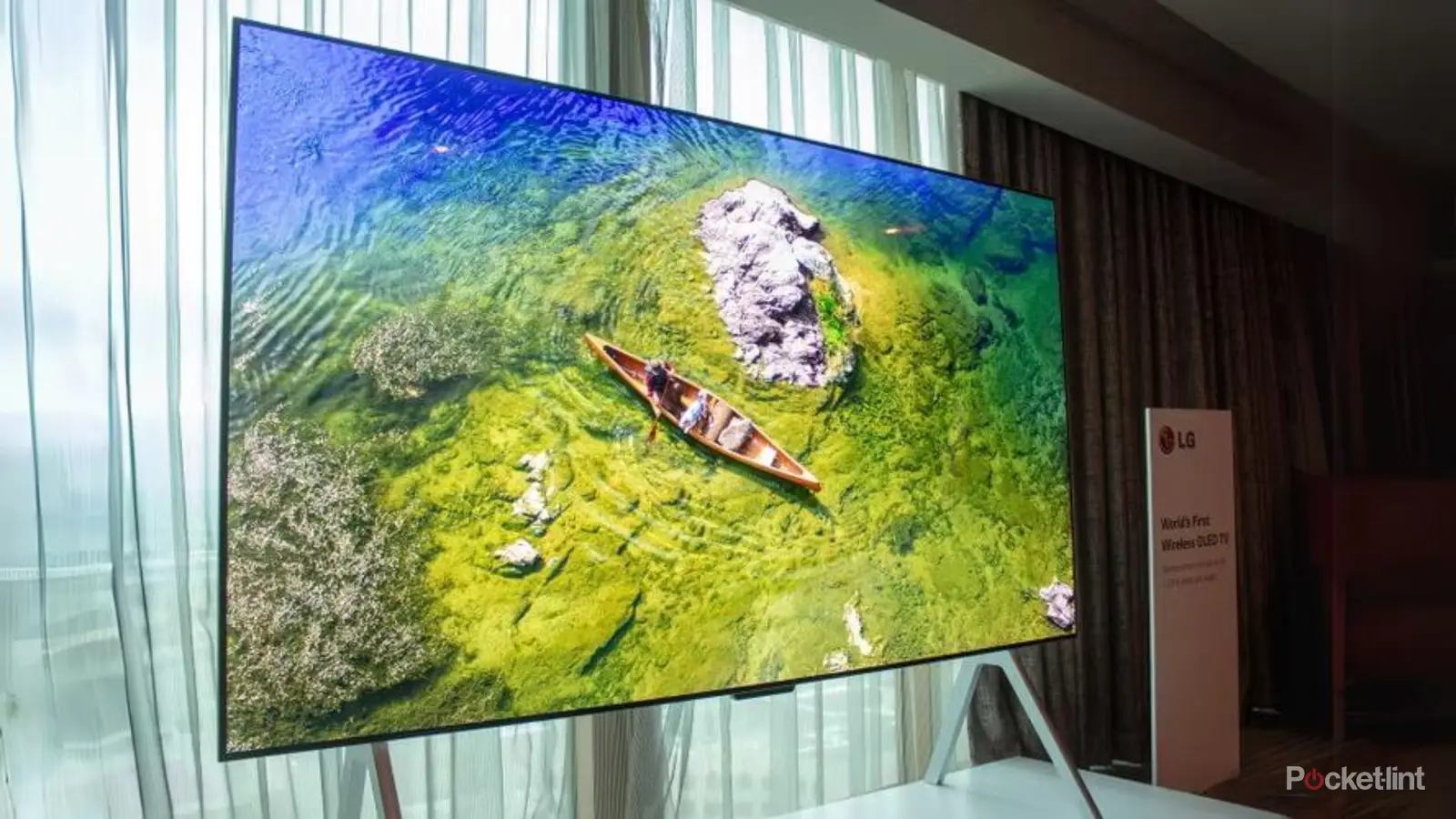
Frequently asked questions
Is OLED suitable for a bright room?
Yes, but room lighting still matters. The LG C5 models are described as bright-room ready and include Brightness Booster, while the C6 models use Brightness Booster Pro. Position any OLED away from direct reflections when possible.
Which OLED here is best for gaming?
The LG C6 65-Inch and LG C6 83-Inch list up to 165Hz, a 0.1ms response time, VRR, G-Sync, and FreeSync Premium. The Samsung S90F 65-Inch is also a strong gaming option with up to 4K 144Hz VRR support.
Is a 48-inch OLED good for a gaming setup?
A 48-inch screen can work well near a desk or in a small room. The Samsung OLED Bundle 48-Inch lists 4K resolution, HDR, Wi-Fi, and gaming-ready functionality, but the supplied data does not specify its refresh rate or response time.
Should I choose 65 inches or 83 inches?
Choose 65 inches for easier placement and broader room compatibility. An 83-inch model makes sense only when the wall, furniture, and seating distance can support its roughly 73-inch width.
Does every OLED support Dolby Vision?
No. Dolby Vision is listed for the LG C5 and C6 models in this roundup. The supplied features for the Samsung S90F and S85F models mention OLED HDR or HDR+ but do not list Dolby Vision.
Can the HOLMAXD cart hold an 83-inch OLED?
No. The cart is specified for televisions from 23 to 65 inches and up to 110 pounds. It is not the correct mount for the LG C6 83-Inch or Samsung S85F 83-Inch.
How should I clean an OLED screen?
Use a cleaner and soft microfiber cloth designed for electronic displays, and avoid aggressive rubbing. The iO CLEAN kit is described as compatible with OLED screens and includes two spray nozzles plus a microfiber cloth.
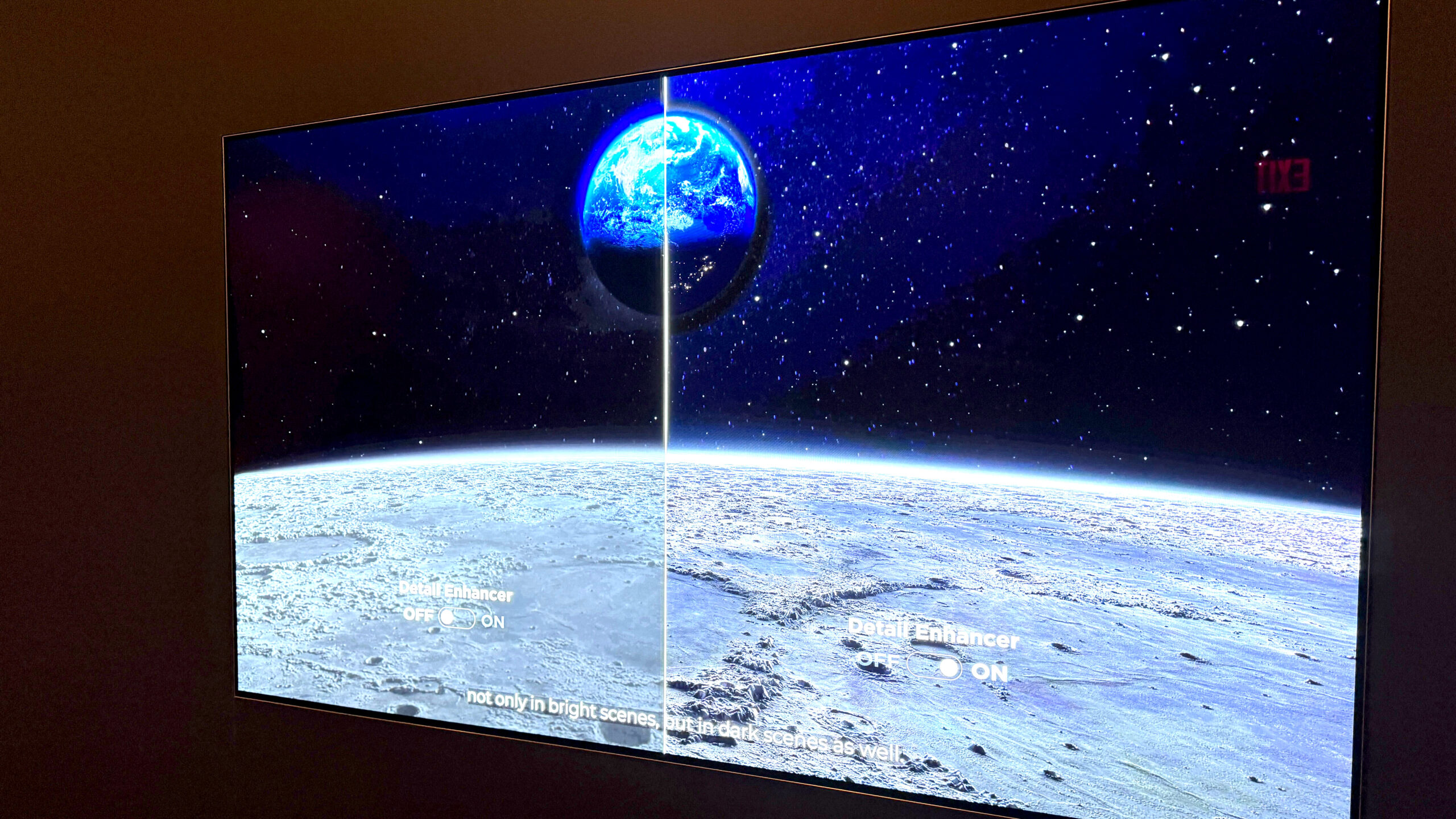
The bottom line
The LG C5 65-Inch is the strongest all-round recommendation in this Best OLED TVs and Displays roundup. It combines Dolby Vision, Filmmaker Mode, strong upscaling, four HDMI 2.1 inputs, and broad gaming support in a size that suits many living rooms.
Choose the Samsung S90F 65-Inch when fast sports and 4K 144Hz gaming are the priority, or step up to the LG C6 83-Inch when a dedicated room can handle its scale and you want the highest stated refresh rate in the group. The iO CLEAN Screen Kit and HOLMAXD TV Cart are useful companions, but only for owners who need screen care or mobility.
If you are undecided, choose the LG C5 65-Inch for the most balanced mix of picture formats, gaming features, and everyday usability.
As an Amazon Associate we earn from qualifying purchases.