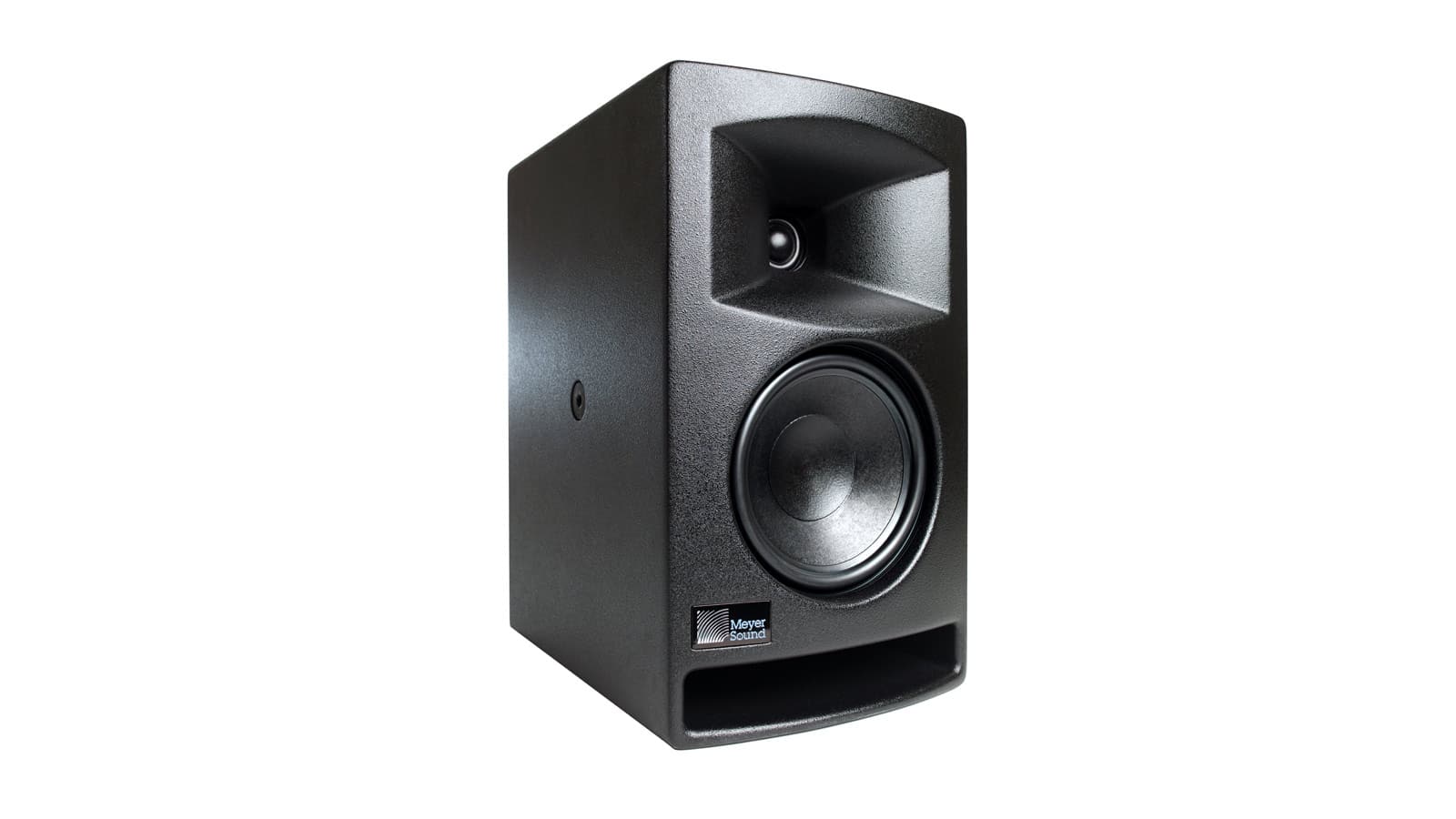

A good pair of studio monitors should expose problems in a mix without making every track unpleasant to hear. The challenge is finding speakers that fit your desk, room, connections, and listening distance without mistaking extra bass for accuracy. The Best studio monitors in this guide range from compact 3.5-inch desktop speakers to serious 5-inch nearfield references.
We ranked these 10 pairs by the capabilities that matter most for music production and everyday listening: driver size, amplification, room controls, inputs, stereo imaging, and how practical each design is in a real workspace. The JBL 305P MkII is our top pick, while the list also includes compact Yamaha, PreSonus, Mackie, and Ortizan alternatives.
Comparison table
| # | Product | Award | Woofer | Amplification or response | Best for |
|---|---|---|---|---|---|
| 1 | JBL 305P MkII | Best overall | 5-inch | Dual 41-watt Class-D amplifiers | Mixing and wide stereo imaging |
| 2 | PreSonus Eris 3.5 | Best compact pair | 3.5-inch | 50 watts, 80 Hz to 20 kHz | Small desks and general listening |
| 3 | Yamaha HS4 Black | Best flexible 4.5-inch pair | 4.5-inch | 26 watts per speaker | Small rooms with varied sources |
| 4 | Yamaha HS5 White | Best for reference mixing | 5-inch | Flat-response nearfield design | Critical mix decisions |
| 5 | PreSonus Eris E4.5 | Best room-tunable desktop pair | 4.5-inch | 50 watts Class AB | Music and multimedia |
| 6 | Yamaha HS5 | Best proven accuracy | 5-inch | 70 watts bi-amplification | Home studios |
| 7 | Yamaha HS4 White | Best white compact pair | 4.5-inch | 26 watts per speaker | Clean desktop setups |
| 8 | Mackie CR3.5 | Best for mixed listening | 3.5-inch | Tone control and location switch | Desktop, gaming, and music |
| 9 | Ortizan C7 | Best wireless convenience | 3.5-inch | Bluetooth 5.3 and USB DAC | Flexible desktop playback |
| 10 | Yamaha HS3 Black | Best small Yamaha pair | 3.5-inch | 26 watts per speaker | Tight spaces and nearfield work |
1. JBL 305P MkII: Best Overall

Pros
- Wide listening sweet spot
- Dual 41-watt Class-D amplification
- Room adjustment controls
- XLR and TRS inputs
Cons
- Larger than the compact desktop options
- Requires more careful placement in a small room
- Does not include consumer wireless playback
Best for: producers and creators who want a serious stereo reference pair with useful room adjustments.
The JBL 305P MkII is the pair we'd choose when the main job is hearing the shape of a mix. Its sound is built around a 5-inch woofer, a 2-way design, and dual 41-watt Class-D amplifiers, so it has more authority than the smaller desktop models here without becoming a large-room speaker. The presentation is composed and spacious, with the Image Control Waveguide helping the stereo image remain coherent when you move slightly away from the exact center position.
That wide sweet spot matters at a desk. You do not have to keep your head perfectly still to judge a vocal, panned guitar, or reverb tail. The 5-inch woofer also gives the low end more physical presence than the PreSonus Eris 3.5, though it still makes sense to check sub-bass on headphones or another playback system. If a second listening perspective would help, our guide to choosing headphones for detailed mix checks covers the role closed and open designs can play alongside monitors.
JBL gives you XLR and TRS inputs, plus Boundary EQ and HF Trim controls. Those adjustments are more useful than they may sound: a monitor close to a wall or corner can build up low frequencies, while a bright room can make the top end feel more forward. The controls let you make a modest correction rather than treating the factory voicing as fixed. The MDF enclosure also feels more like studio equipment than a casual computer speaker.
The weakness is physical scale. Each speaker is listed at 13.93 inches high, 12.2 inches wide, and 14 inches deep, with a listed weight of 10.43 pounds. That footprint can overwhelm a narrow desk, and a cramped room may exaggerate the bass unless placement is handled carefully. The Yamaha HS5 has a similarly serious monitoring purpose, but the JBL is easier to live with when a wider listening window and room controls matter more than an uncompromising presentation.
Choose the JBL 305P MkII if you are building a home recording setup and want the most complete combination of imaging, input flexibility, and adjustment in this group.
2. PreSonus Eris 3.5: Best Compact Pair

Pros
- Small 3.5-inch cabinet design
- 50 watts of built-in amplification
- TRS, RCA, and front auxiliary input
- Front headphone jack
Cons
- Limited low-end reach compared with 4.5-inch and 5-inch pairs
- Smaller cabinets cannot move as much air
- More desktop-focused than the JBL 305P MkII
Best for: beginners, creators, and listeners who need capable monitors on a compact desk.
The PreSonus Eris 3.5 makes sense the moment desk space becomes a deciding factor. These are compact 3.5-inch monitors, each measuring 8.3 inches high, 6 inches wide, and 5.5 inches deep, and they arrive as a stereo pair. They can sit beside a display without turning the workspace into a dedicated studio corner.
PreSonus uses woven-composite woofers and 1-inch silk-dome tweeters. The stated response runs from 80 Hz to 20 kHz, which explains the character of this pair: clear voices, guitars, keys, and general program material, but less deep bass extension than the JBL 305P MkII or Yamaha HS5. The built-in 50 watts gives the Eris 3.5 enough output for a desk or small room, while the compact enclosure keeps nearfield listening comfortable.
Connection options are unusually broad for a small pair. Balanced TRS, RCA, and a front-panel auxiliary input cover an audio interface, computer, phone, game console, or turntable. The front headphone jack is a practical touch when you need to switch from speakers to private listening without reaching behind the desk. High- and low-frequency acoustic controls let you make basic adjustments for the room.
The tradeoff is not subtle: the 3.5-inch drivers cannot produce the same low-frequency weight as the PreSonus Eris E4.5. A producer working heavily with kick drums, bass, or cinematic effects should step up in size or use a separate reference system. The Eris 3.5 is also less revealing in the low end than the Yamaha HS4, but it is easier to position and more welcoming for mixed computer use.
This is one of the Best studio monitors for a first home setup when the listening distance is short and the desk cannot accommodate larger cabinets.
3. Yamaha HS4 Black: Best Flexible 4.5-Inch Pair

Pros
- 4.5-inch woofer and 1-inch tweeter
- Room Control and high trim adjustments
- XLR/TRS, RCA, and stereo mini inputs
- Includes speaker cable and anti-slip pads
Cons
- Less low-end extension than the 5-inch models
- Larger than the Eris 3.5
- Listed package details identify a pair while unit metadata can be confusing
Best for: desktop producers who need several connection types and moderate room correction.
The Yamaha HS4 Black occupies a useful middle ground. Its 4.5-inch cone woofer is larger than the Eris 3.5 and Yamaha HS3, but the cabinet remains more manageable than the JBL 305P MkII. The 2-way bass-reflex design pairs that woofer with a 1-inch dome tweeter, giving the pair enough range for music production while still fitting a desktop or small workspace.
The stated frequency response is 60 Hz to 22 kHz at minus 10 dB. That does not make the HS4 a subwoofer substitute, but it gives bass instruments more room than the smaller Yamaha HS3, whose stated response begins at 70 Hz. The 26-watt output per speaker is suited to nearfield listening rather than filling a large room. At a desk, that is the right emphasis.
Yamaha includes Room Control and High Trim response controls, along with XLR/TRS combo, RCA, and stereo mini inputs. That combination is helpful when the same speakers need to accept an interface one day and a laptop or consumer source the next. The included stereo mini to RCA cable, speaker cable, and anti-slip pads reduce the amount of extra setup hardware needed.
The HS4 Black is less expansive at the bottom than the PreSonus Eris E4.5, and the JBL 305P MkII creates a wider, more immersive listening window. Its advantage is balance: it offers a more studio-oriented design than the compact consumer-leaning options while staying easier to accommodate than a full 5-inch pair. The cabinet dimensions are listed as 11.81 inches high, 13 inches wide, and 15.16 inches deep, so measure the desk carefully.
Pick this version when you want Yamaha's compact HS4 platform and a dark finish that blends into a conventional studio setup.
4. Yamaha HS5 White: Best for Reference Mixing

Pros
- 5-inch reference woofer
- Concise sound image and flat-response focus
- Sold as a two-monitor bundle
- Designed around accurate mix decisions
Cons
- Large footprint
- Sparse feature information compared with the HS4
- Requires thoughtful placement in a small room
Best for: producers who prefer a direct, reference-focused presentation for mixing.
The Yamaha HS5 White is the pick for listeners who want the classic HS-series approach in a lighter finish. The pair uses 5-inch powered nearfield monitors and is described as delivering a concise sound image, high resolution, and a flat response. That makes the goal clear: these speakers are intended to tell you what is in the recording rather than make every source sound flattering.
Compared with the HS4, the HS5 gives the woofer more surface area and a more serious reference posture. It is also a more specialized choice than the PreSonus Eris E4.5. The latter brings room tuning, a front auxiliary input, and a headphone output, while the HS5 White is aimed more directly at a production chain where accuracy and a consistent reference are the priorities.
The bundle includes two HS5 W monitors, so it is a proper stereo arrangement rather than a single-speaker purchase. The supplied product information describes the pair as built around Yamaha's nearfield reference philosophy. The dimensions listed for the bundle are substantial, with an 18.3-inch height, 23.7-inch length, and 18-inch width recorded in the product data. Those measurements make it especially important to confirm the listing and available workspace before ordering.
The HS5 White is not the forgiving option. If your room is small, untreated, or dominated by a desk and nearby walls, a 5-inch monitor can make placement problems more apparent. The JBL 305P MkII offers more explicit room controls and a wider sweet spot, while the HS5 trades some convenience for a straightforward reference identity.
Buy this pair when mixing accuracy matters more than extra consumer features and the room has enough space for proper nearfield positioning.
5. PreSonus Eris E4.5: Best Room-Tunable Desktop Pair

Pros
- 4.5-inch woven-composite woofers
- 50 watts of Class AB amplification
- High and low-frequency tuning
- Front auxiliary and headphone connections
Cons
- Older platform than the newer Eris 3.5
- Larger than the compact 3.5-inch options
- Low-end extension still has limits without a subwoofer
Best for: creators who want a flexible pair for production, media, and turntable listening.
The PreSonus Eris E4.5 is the more substantial alternative to the newer Eris 3.5. Its 4.5-inch woven-composite woofers provide a fuller foundation, while the 1-inch low-mass silk-dome tweeters are designed for a broad stereo sweet spot. That combination makes the E4.5 a comfortable choice for a desk that serves several jobs, from editing and music production to everyday hi-fi listening.
Power comes from 50 watts of Class AB dual amplification, listed as 25 watts per side. The output is more than appropriate for nearfield work, and the larger woofer gives the E4.5 a more grounded presentation than the 3.5-inch PreSonus. It does not eliminate the need for another low-frequency reference when a mix depends on very deep bass, but it is less obviously constrained in the lower registers.
The connection layout is a strong reason to choose this model. Balanced quarter-inch TRS inputs handle professional equipment, RCA accepts consumer sources, and the front 3.5 mm auxiliary input makes a phone easy to connect. A front headphone output and built-in headphone amplifier make private monitoring quick. High- and low-frequency tuning controls help account for desk placement, room size, and speaker orientation.
The E4.5 also includes a power-saving mode that engages after 40 minutes of idle time. That is useful on a workstation where the monitors may remain powered through a long editing session. The main drawback is age and bulk: the newer Eris 3.5 is smaller, while the Yamaha HS4 Black has a more focused studio identity and similarly broad input selection.
Listeners building a broader desktop audio system may also want to consider how compact speakers handle everyday computer listening. For music production with a need for easy tuning and headphone switching, the Eris E4.5 remains a particularly practical choice.
6. Yamaha HS5: Best Proven Accuracy

Pros
- 5-inch cone woofer and 1-inch dome tweeter
- 70 watts of bi-amplification
- 54 Hz to 30 kHz stated response
- Balanced XLR and TRS inputs
Cons
- Room controls are not listed in the supplied feature data
- Large cabinets need adequate desk or stand space
- More focused on mixing than casual playback
Best for: home-studio users who want a direct, uncolored monitoring reference.
The Yamaha HS5 is the black counterpart to the HS5 White listing, and it deserves its own place because the product entry describes the package and feature set separately. It includes two HS5 studio monitors, each using a 5-inch cone woofer and 1-inch dome tweeter in a 2-way bass-reflex nearfield design.
Yamaha lists a 54 Hz to 30 kHz frequency response and a 70-watt bi-amp system, split between 45 watts for low frequencies and 25 watts for high frequencies. Those figures point to a monitor built for controlled, detailed work rather than a bass-heavy listening experience. The stated design goal is sonic purity without coloring or altering the original sound, which is exactly the perspective a mixing monitor should bring.
The inputs are XLR and TRS phone jack connections, accepting balanced or unbalanced signals. That is less convenient for a phone or game console than the PreSonus Eris E4.5, but it suits an audio interface or mixer cleanly. The Yamaha also has a more disciplined studio presentation than the Mackie CR3.5, whose tone knob intentionally allows the sound to become more entertaining and less strictly neutral.
The physical size is the part to take seriously. The listing records dimensions of 32 inches high, 20 inches long, and 24 inches wide for the product information, along with a listed weight of 11.68 pounds. Those measurements are unusual enough that buyers should verify the intended placement and listing details, but there is no question that the HS5 is not a tiny desktop speaker.
The HS5 is a strong choice for a dedicated home studio, especially when you already have an interface and want a reference that does not encourage you to chase a flattering sound. Skip it if you need Bluetooth, front-panel convenience, or a compact cabinet.
7. Yamaha HS4 White: Best White Compact Pair

Pros
- 4.5-inch woofer and 1-inch tweeter
- Room Control and High Trim controls
- XLR/TRS, RCA, and stereo mini inputs
- Includes connection cable and anti-slip pads
Cons
- Does not reach as deeply as the HS5
- White finish may show marks more readily
- Larger than the HS3
Best for: creators who want HS4 performance and a brighter visual match for a clean desk.
The Yamaha HS4 White has the same useful compact format as the black HS4, but its finish changes how naturally it fits into a workspace. The important hardware is a 4.5-inch cone woofer with a 1-inch dome tweeter, arranged as a 2-way bass-reflex powered speaker. It is a sensible middle size for listeners who find 3.5-inch monitors too restrained and 5-inch models too imposing.
Its stated response is 60 Hz to 22 kHz at minus 10 dB, with 26 watts plus 26 watts of output. That gives the pair enough headroom for close listening while preserving a relatively manageable footprint. The HS3 is physically smaller, but its listed response begins at 70 Hz, so the HS4 is the better fit for arrangements that use bass guitar, kick drums, or fuller electronic parts.
The controls and inputs are the real practical advantage. Room Control and High Trim let you make basic tonal corrections, while XLR/TRS combo, RCA, and stereo mini inputs cover interfaces, mixers, computers, and consumer playback devices. Yamaha lists a stereo mini to RCA cable, speaker cable, and anti-slip pad in the package, which helps simplify a first setup.
The HS4 White does not offer the broad listening scale of the JBL 305P MkII, and it lacks the HS5's more uncompromising reference identity. Its role is more straightforward: a flexible, compact monitor pair that can serve a tidy desk without abandoning studio-oriented connections. The white finish is the only meaningful distinction from the HS4 Black in this group.
Choose it when the HS4's size and connectivity fit your room, and the white enclosure suits the rest of your workspace.
8. Mackie CR3.5: Best for Mixed Listening

Pros
- Tone knob for changing the presentation
- Desktop and bookshelf location switch
- TRS, RCA, and 3.5 mm inputs
- Front headphone output
Cons
- Tone adjustment is less useful for strict mix neutrality
- 3.5-inch woofer has limited deep bass
- Not as focused for critical mixing as the JBL or Yamaha pairs
Best for: people who want one compact speaker pair for music, games, movies, and occasional production.
The Mackie CR3.5 understands that many desktop speakers have more than one job. Its 3.5-inch woven woofer and silk-dome tweeter are used for a studio-inspired presentation, but the front tone knob lets you move away from that transparent starting point. Turn it toward more bass and high-end sparkle for gaming, casual listening, or movies, then return it toward a neutral position when working on a track.
That flexibility separates the CR3.5 from the Yamaha HS3. The Yamaha is the more focused nearfield monitor, while the Mackie is easier to treat as a general desktop audio system. Mackie also includes a location switch that changes between desktop and bookshelf modes. The idea is simple but useful: near listening and farther listening do not place the speakers in the same acoustic situation.
Connections include TRS and RCA for interfaces and playback devices, a 3.5 mm input for computers and consoles, and a built-in headphone output. That is a friendlier arrangement for a shared desk than the Yamaha HS5, which is built around XLR and TRS inputs. The CR3.5's listed dimensions are 8.1 inches high, 5.5 inches wide, and 7.1 inches deep.
The weakness is the same feature that makes it approachable. A tone knob is convenient, but it also makes it easy to move away from a consistent reference while mixing. The 3.5-inch woofer cannot compete with the JBL 305P MkII or the 4.5-inch PreSonus models for low-frequency scale. If your priority is tonal judgment, the Yamaha HS4 is the safer choice.
Pick the CR3.5 when convenience and versatility matter as much as production work, especially for a desk that also handles gaming and everyday entertainment.
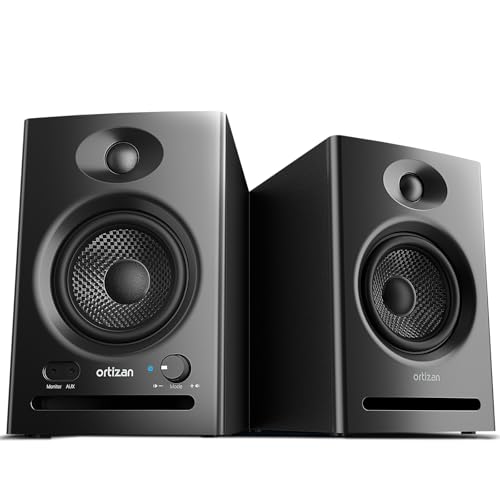
9. Ortizan C7: Best Wireless Convenience
Pros
- Bluetooth 5.3 wireless playback
- USB connection with a built-in 24-bit DAC
- Balanced 6.35 mm TRS input
- Front headphone output
Cons
- Wireless features are not essential to a strict studio setup
- 3.5-inch woofer limits low-end scale
- Less established reference identity than Yamaha or JBL
Best for: desktop listeners who want studio-style connections with Bluetooth and USB convenience.
The Ortizan C7 is the most connectivity-focused pair here. It combines a 3.5-inch carbon-fiber mid-bass driver with a 0.75-inch silk-dome tweeter, then adds Bluetooth 5.3, USB playback, RCA, auxiliary input, and a balanced 6.35 mm TRS input. That is a lot of source flexibility for a compact stereo pair.
The USB input uses a built-in 24-bit DAC, according to the supplied features. That lets a computer send digital audio directly to the speaker system instead of relying entirely on the computer's analog output. Bluetooth 5.3 handles quick wireless playback from a phone or tablet, while RCA and auxiliary inputs keep wired sources available. A front headphone output rounds out the desktop-friendly layout.
Ortizan describes the C7 as tuned for a flat response, with a 2-way crossover intended to keep the highs, mids, and lows balanced. The 3.5-inch driver size still sets a physical limit, however. It should work well for close listening and content creation, but a producer working on bass-heavy material will hear more authority from the Yamaha HS4 or PreSonus Eris E4.5.
The C7's real advantage is not a special reference character. It is the ability to move between a production interface, a computer, and wireless music without changing speakers. That makes it more versatile than the Yamaha HS3, though the Yamaha has a clearer studio lineage and simpler purpose. If your setup depends on Bluetooth, the C7 earns its place.
For readers deciding between a monitor pair and a more casual wireless system, the tradeoff between wired and wireless desktop audio is worth considering before setup.
10. Yamaha HS3 Black: Best Small Yamaha Pair

Pros
- Compact 3.5-inch woofer
- Yamaha room and high trim controls
- XLR/TRS, RCA, and stereo mini inputs
- Includes cable and anti-slip pad
Cons
- Less bass extension than the HS4 and HS5
- Smaller cabinet limits room-filling output
- Not as spacious as the JBL 305P MkII
Best for: producers who want Yamaha's studio layout in a small nearfield footprint.
The Yamaha HS3 Black is designed for the desk where larger monitors simply will not fit. Its 3.5-inch cone woofer and 0.75-inch dome tweeter form a 2-way bass-reflex pair, and the cabinets are listed at 8.78 inches high, 5.2 inches wide, and 7.44 inches deep. That is notably easier to place than the HS4 or either 5-inch Yamaha.
Yamaha lists a 70 Hz to 22 kHz response at minus 10 dB and 26 watts plus 26 watts of output. The upper range is ample for close monitoring, but the 70 Hz starting point tells you what to expect from the low end. The HS3 can make bass lines and kick patterns intelligible, yet it will not give the same sense of depth as the JBL 305P MkII or PreSonus Eris E4.5.
Room Control and High Trim response controls are useful on a small desk, where speakers often end up close to a wall. Inputs include XLR/TRS combo, RCA, and stereo mini, so the HS3 can connect to an interface, consumer source, or computer without an adapter-heavy setup. Yamaha also lists a stereo mini to RCA cable, speaker cable, and anti-slip pad in the package.
The HS3 is more disciplined than the Mackie CR3.5, but it is less adaptable for entertainment because it does not offer the Mackie's tone knob or location switch. It is also not the right choice for a larger room. The Eris 3.5 offers a similar compact footprint with a front auxiliary input and headphone output, making it more convenient for mixed computer use.
Choose the HS3 Black when space is the hard limit and you still want balanced connections and Yamaha's straightforward monitoring approach.

How to choose best studio monitors
The right pair depends less on the biggest driver and more on how the monitor fits your listening distance, room, sources, and mix workflow.
Woofer size and bass extension
A larger woofer can move more air and usually gives bass instruments a stronger foundation. The 3.5-inch models here are easier to place close to a computer display, but the 4.5-inch and 5-inch models offer more low-frequency scale. A bigger driver is not automatically better in a small room, since poor placement can make bass less even.
Check the stated frequency response as a guide, not a guarantee. The Yamaha HS3 begins at 70 Hz, the PreSonus Eris 3.5 at 80 Hz, and the Yamaha HS4 at 60 Hz. Those differences help explain their roles, but room acoustics and listening position still matter more than a single number.
Nearfield listening distance
Studio monitors are designed to be heard from relatively close range. On a desk, the tweeters should generally point toward your ears, with the two speakers forming a balanced triangle around your listening position. A wide sweet spot, such as the one highlighted for the JBL 305P MkII and PreSonus Eris E4.5, gives you more freedom to move without losing the stereo image.
Small monitors can work well near a screen, but do not push any pair against a wall without considering boundary buildup. Larger cabinets need more physical breathing room and may work better on stands or a deeper desk.
A monitor can only be accurate at the listening position you give it, so placement comes before chasing a different speaker.
Room controls
Room Control, low-frequency trim, and high-frequency trim let you make modest corrections when the space changes the sound. The JBL 305P MkII, Yamaha HS4, PreSonus Eris E4.5, and Yamaha HS3 all include some form of adjustment in the supplied features.
These controls cannot repair severe room problems, but they can help when speakers sit near a wall, in a corner, or on a reflective desktop. A monitor without adjustment can still be excellent, especially in a carefully arranged room, but it gives you fewer ways to respond to the space.
Inputs and source switching
Balanced XLR or TRS inputs are useful with an audio interface, mixer, or other professional equipment. RCA, stereo mini, and front auxiliary inputs make it easier to connect a computer, phone, console, or turntable. The PreSonus Eris models and Yamaha HS4 pairs are especially flexible in this respect.
Bluetooth is convenient for casual playback, but wireless listening is not usually the main reason to choose a reference monitor. The Ortizan C7 adds Bluetooth 5.3 and USB with a 24-bit DAC, while the other models focus more heavily on wired connections.
Amplification and output
Powered monitors contain their own amplification, so you do not need a separate receiver. Look at how the power is assigned, not just the total figure. The Yamaha HS5 uses a 70-watt bi-amplified system, the JBL 305P MkII uses dual 41-watt Class-D amplifiers, and the Eris E4.5 uses 50 watts of Class AB dual amplification.
More output does not solve a bad room or make a small nearfield setup automatically better. It matters most when you need clean headroom at your listening distance and want the speaker to remain composed during louder passages.
Frequently asked questions
Do studio monitors need an audio interface?
No. An audio interface is useful because it provides clean outputs and balanced connections, but several pairs here also accept RCA, stereo mini, auxiliary, or USB sources. The PreSonus Eris 3.5 and Yamaha HS4 are especially easy to connect to everyday devices.
Are 3.5-inch studio monitors large enough for mixing?
They can work for nearfield mixing, especially on a small desk, but their low-frequency reach is limited compared with 4.5-inch and 5-inch models. The Yamaha HS3 and PreSonus Eris 3.5 are better suited to close listening than to filling a larger room.
Should studio monitors be placed on a desk?
They can be, but the desk surface can reflect sound and change the balance. Use the included anti-slip pads where supplied, aim the tweeters toward your ears, and leave sensible space from nearby walls. Stands or isolation platforms can make placement easier when the desk is shallow.
Do I need a subwoofer with these monitors?
Not necessarily. A subwoofer is only useful when the room, placement, and monitoring workflow support accurate low-frequency work. The smaller models may leave very deep bass less prominent, but adding a subwoofer without proper setup can make bass decisions less reliable.
What is the difference between studio monitors and computer speakers?
Studio monitors are designed around a more direct, reference-oriented presentation and commonly include professional inputs. Computer speakers often emphasize convenience or a more entertaining tonal balance. The Mackie CR3.5 sits between those uses because its tone knob and location switch let it serve both roles.
Is Bluetooth suitable for music production?
Bluetooth is convenient for playback, but wired connections are the safer choice when you need consistent monitoring and low latency. The Ortizan C7 is the only pair in this group with Bluetooth 5.3, while the others emphasize wired studio connections.

The bottom line
The Best studio monitors for most home producers are the JBL 305P MkII. Its 5-inch woofer, dual 41-watt amplifiers, wide imaging, and room controls make it the most complete choice here, though its cabinet needs more space than the compact alternatives.
The PreSonus Eris 3.5 is the better fit for a small desk, while the Yamaha HS5 is the more focused choice for listeners who want a direct reference presentation. Choose the Yamaha HS4 if you want a useful middle size with broad wired connectivity and room adjustments.
If you are undecided, choose the JBL for mixing authority, or the PreSonus Eris 3.5 when desk space matters most.
As an Amazon Associate we earn from qualifying purchases.