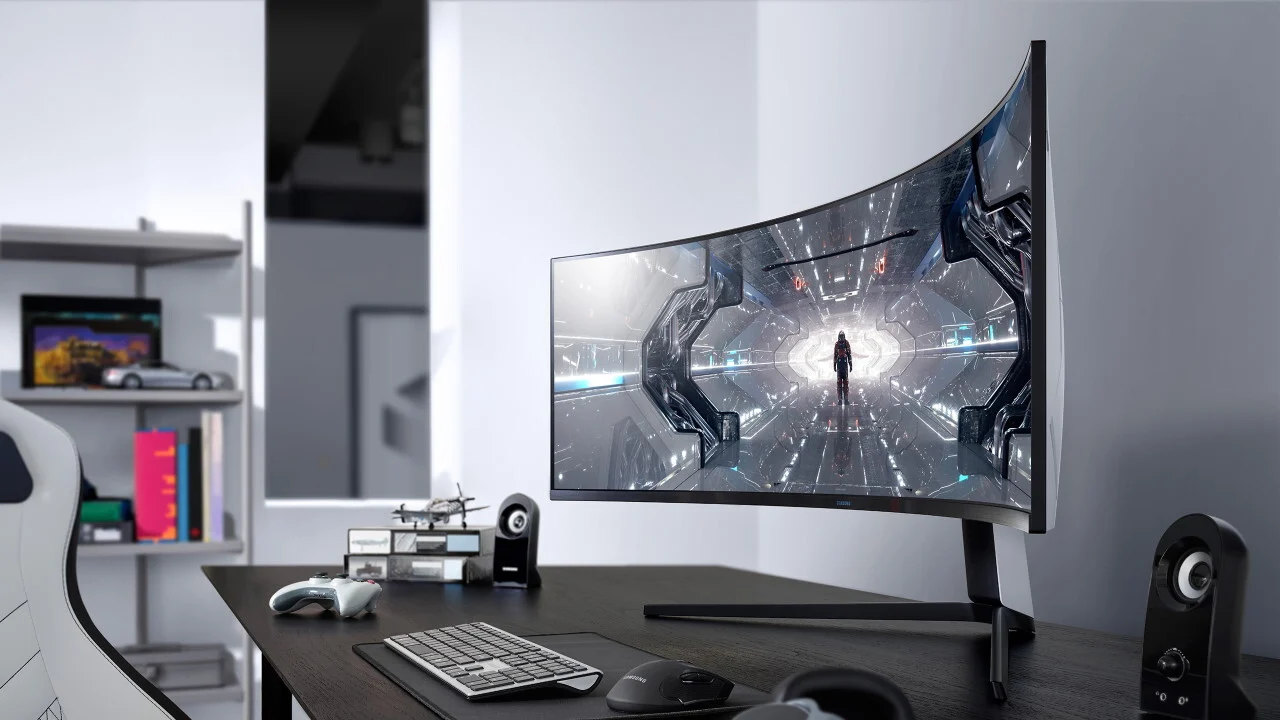

A curved display can make a racing game feel more enveloping, but the wrong combination of size and resolution can leave you staring at a stretched image with soft text. The useful question is not simply how dramatic the curve looks. It is whether the panel has enough pixels for its size, enough refresh rate for your graphics card, and enough desk space around it.
Our Best curved gaming monitor picks range from compact 27-inch Full HD screens to enormous QD-OLED ultrawides. The Samsung Odyssey G93SC is the most impressive option for a high-end setup, while the Alienware AW3425DWM is the strongest all-rounder for most ultrawide players. The rest cover fast 1080p gaming, sharper 1440p screens, and wide displays with useful multitasking features.
Comparison table
| # | Product | Award | Resolution | Refresh rate | Curve | Best for |
|---|---|---|---|---|---|---|
| 1 | Alienware AW3425DWM | Best overall | WQHD | 180Hz | 1500R | Ultrawide gaming |
| 2 | Samsung Odyssey G93SC | Best OLED ultrawide | Not specified | 240Hz | 1800R | High-end immersive play |
| 3 | SANSUI 34-inch UWQHD | Best feature-packed ultrawide | 3440 x 1440 | Up to 200Hz | 1500R | Wide gaming and multitasking |
| 4 | Samsung Odyssey G5 34-inch | Best deep curve | WQHD | 165Hz | 1000R | Immersive single-player games |
| 5 | Sceptre C345B-QUT168 | Best ultrawide workspace | 3440 x 1440 | Up to 180Hz | R1500 | Gaming and productivity |
| 6 | LG UltraGear 32GS60QC-B | Best gaming controls | 2560 x 1440 | 180Hz | 1000R | Competitive 1440p play |
| 7 | Acer Nitro EDA270U | Best 27-inch QHD | 2560 x 1440 | 180Hz | 1500R | Sharp desktop gaming |
| 8 | SANSUI 32-inch 240Hz | Best large Full HD | 1920 x 1080 | 240Hz | 1500R | Fast action at 32 inches |
| 9 | SANSUI 27-inch 240Hz | Best compact speed | 1920 x 1080 | 240Hz | 1500R | Esports on a smaller desk |
1. Alienware AW3425DWM: Best Overall
Pros
- WQHD resolution on a spacious 34-inch ultrawide panel
- 180Hz refresh rate with adaptive sync support
- DCI-P3 95% coverage and DisplayHDR 400 certification
- Hardware-based low blue light solution
Cons
- Requires a wide desk and a graphics card capable of driving ultrawide WQHD
- No built-in speakers are specified
Best for: players who want a balanced 34-inch ultrawide for both speed and image detail.
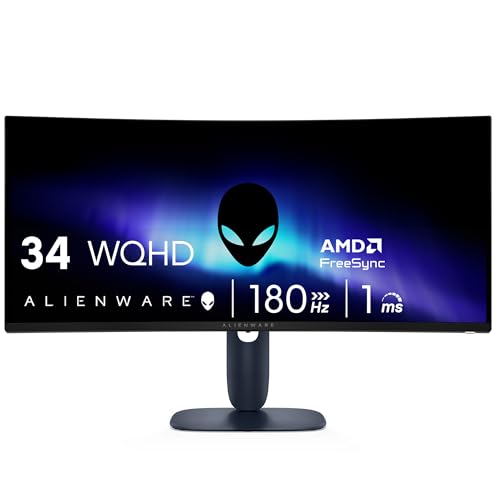
The Alienware AW3425DWM is the monitor we'd point most people toward first because it gets the central trade-off right. Its 34-inch ultrawide shape feels expansive without becoming as physically overwhelming as the 49-inch Samsung Odyssey G93SC. The 1500R curve gives the sides a gentle wraparound effect, while the WQHD resolution keeps the desktop and game world considerably more defined than a large Full HD screen.
Its 180Hz refresh rate is quick enough for serious play, and the 1ms gray-to-gray response time specification suits fast camera movement and competitive action. AMD FreeSync Premium and VESA AdaptiveSync are both listed, giving compatible systems a way to coordinate frame delivery with the display. That matters when a game cannot hold a perfectly steady frame rate. Instead of seeing obvious tearing or uneven motion, the screen can adjust more gracefully to changing output.
The color specification is unusually useful here. DCI-P3 coverage is listed at 95%, and VESA DisplayHDR 400 certification gives the panel a defined HDR target rather than a vague HDR label. Those features will not turn every scene into a reference-grade cinema image, but they make this a more convincing screen for atmospheric games than the SANSUI Full HD models. A dedicated console mode and hardware-based low blue light solution also make it more flexible for long sessions.
The AW3425DWM is not the fastest display in this group. The Samsung Odyssey G93SC reaches 240Hz and uses QD-OLED technology, while the SANSUI 34-inch UWQHD pushes up to 200Hz. Alienware answers with a better middle ground: it has enough speed for competitive play and enough resolution for an ultrawide screen that doubles as a work display. Its weakness is practical rather than technical. A 34-inch monitor needs real desk depth and width, and the graphics hardware must render a WQHD ultrawide image. Skip it if you mainly play at 1080p or sit very close to a small desk.
For a buyer who wants one screen for racing games, role-playing games, shooters, and everyday desktop use, the Alienware is the most complete choice here. It is also a sensible starting point if you are still deciding how far back you should sit from a panel this size, since a 34-inch 1500R display needs more deliberate positioning than a conventional flat 27-inch monitor.
2. Samsung Odyssey G93SC: Best OLED Ultrawide

Pros
- QD-OLED panel technology with deep blacks
- 240Hz refresh rate and listed 0.03ms gray-to-gray response time
- Extremely wide two-quad display
- HDMI 2.1, DisplayPort, USB hub, and picture-by-picture support
- G-Sync compatibility
Cons
- 49-inch width demands a very large desk
- OLED care and long-term desktop use require more attention
- The source data does not specify the panel's exact pixel resolution
Best for: enthusiasts who want a single screen that can replace a dual-monitor arrangement.
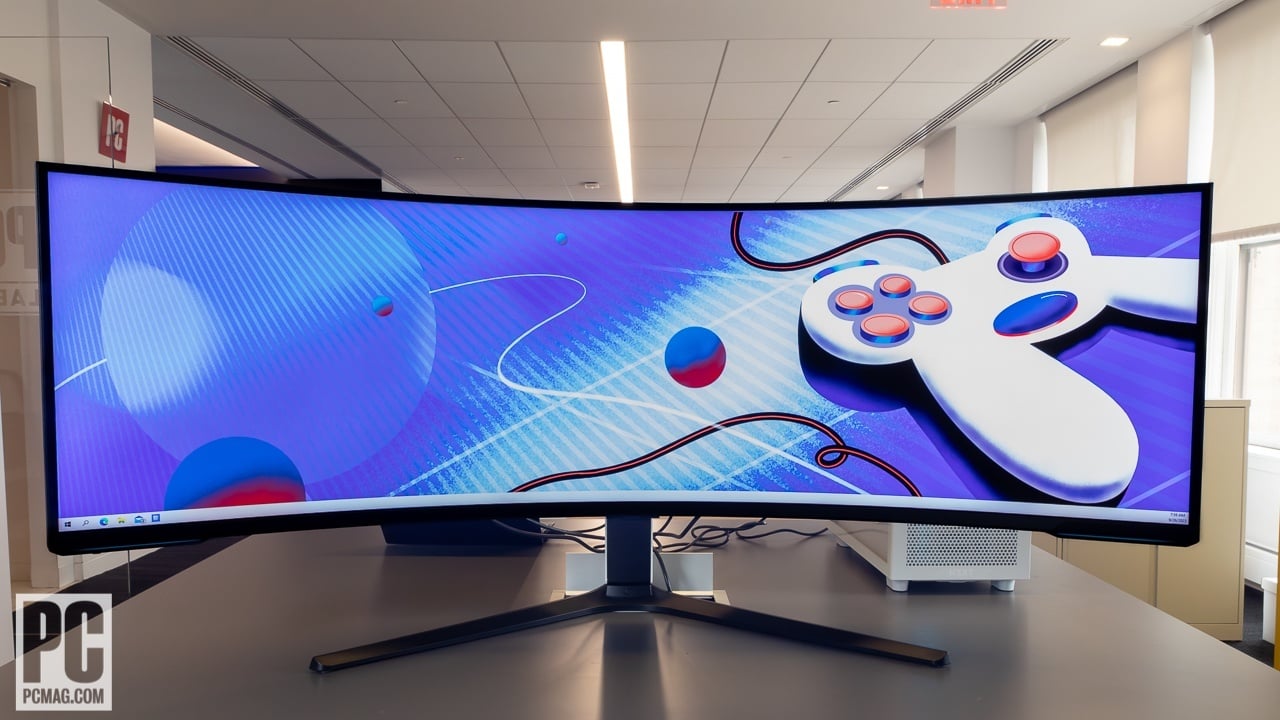
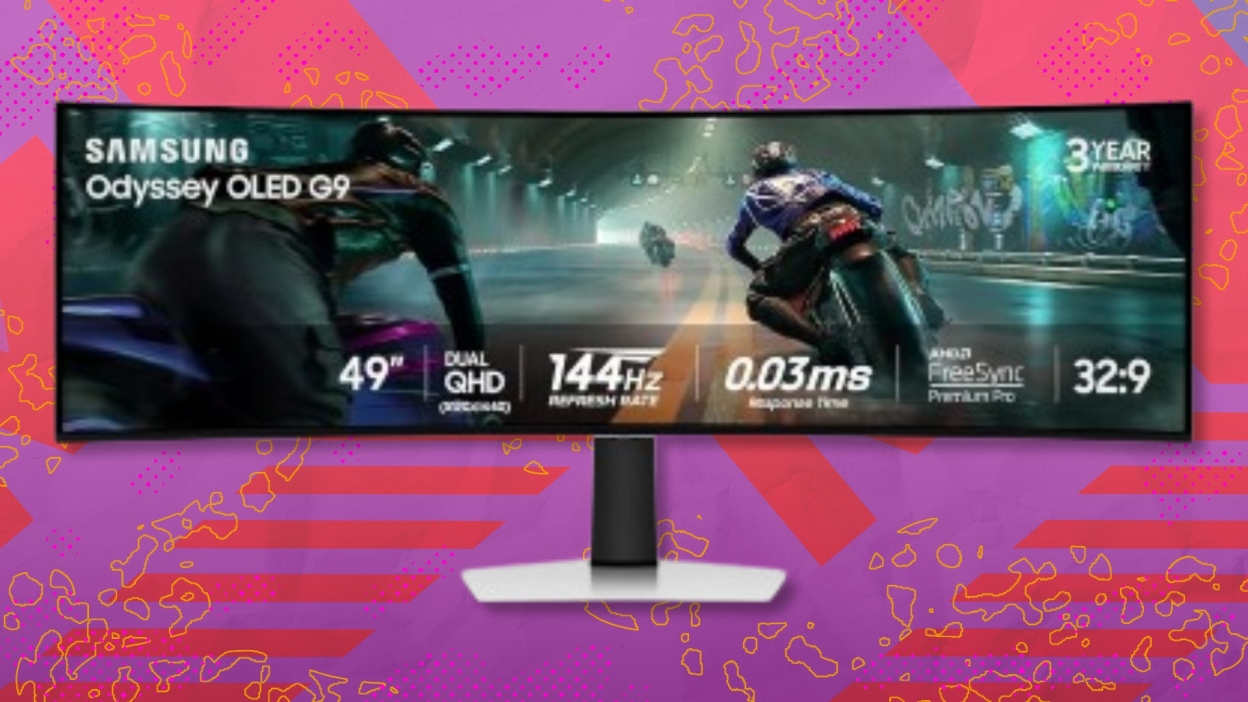
The Samsung Odyssey G93SC is less like a large monitor and more like a two-screen setup joined at the center. Its 49-inch ultrawide format wraps across the desk with an 1800R curve, giving flight simulators, driving games, and expansive strategy maps room to breathe. It is a dramatic choice, but the size is not a gimmick if you regularly use multiple windows or want a wide field of view without a bezel between two displays.
QD-OLED is the headline feature. Samsung lists brighter colors, deeper shades, and DisplayHDR True Black 400, which is a different kind of HDR promise from the Alienware's DisplayHDR 400 certification. OLED pixels can produce true blacks without the glow associated with a backlight, so dark scenes should have much stronger separation between shadows and bright effects. The near-instant 0.03ms gray-to-gray response time is also aimed squarely at motion clarity.
The refresh rate reaches 240Hz, making this the quickest display in the roundup on paper. HDMI 2.1 and DisplayPort connections support that high-speed gaming setup, while G-Sync compatibility helps keep the GPU and panel synchronized. The built-in USB hub is convenient for a keyboard, mouse, or other desk accessory, and automatic source switching can move between connected devices without digging through input menus.
Samsung also includes picture-by-picture, which is one of the few features that makes the full width useful outside games. Two sources can occupy separate halves of the screen, so a gaming PC and another device can share the panel. The catch is obvious: this display measures 47.1 inches wide before you account for surrounding equipment, and its listed weight is 27.8 pounds. It can dominate a smaller room, and games that do not support ultrawide formats may leave unused space.
The other concern is OLED ownership. The source data emphasizes the panel's contrast and speed but does not describe a pixel-shift or panel-care system, so buyers who keep static windows visible all day should investigate the monitor's care options before purchasing. This is not the easiest recommendation for a mixed office setup. For an enthusiast with the desk space and suitable hardware, though, the G93SC is the most immersive Best curved gaming monitor in this group.
3. SANSUI 34-inch UWQHD: Best Feature-Packed Ultrawide

Pros
- 3440 x 1440 resolution with refresh rates up to 200Hz
- 1500R curve and 21:9 ultrawide format
- PIP and PBP modes
- Two HDMI 2.1 inputs and DisplayPort 1.4
- AI crosshair, sniper scope, and AI picture features
Cons
- No built-in speakers
- The wide panel needs more desk room than a standard monitor
- Feature names do not replace the need for a capable graphics card
Best for: gamers who want a wide, fast display with unusual built-in gaming and multitasking tools.
The SANSUI 34-inch UWQHD has the broadest feature list of the conventional ultrawide monitors here. It combines a 34-inch 1500R Fast VA panel with 3440 x 1440 resolution and a refresh rate that reaches 200Hz. That combination gives it a more useful balance than a 34-inch Full HD display: there is enough horizontal room for a game and enough vertical detail for readable menus, maps, and desktop text.
The resolution is important because ultrawide screens expose weak pixel density quickly. At 3440 x 1440, games can show more detail across the 21:9 frame without the obvious softness associated with stretching 1920 x 1080 across a large panel. The monitor also lists an OD 1ms response time and support for variable refresh rate over HDMI 2.1. Those features point toward smooth motion, though the actual experience will still depend on the game's frame rate and the graphics card.
This is the most interesting monitor in the roundup for players who like to customize the on-screen experience. SANSUI lists an AI crosshair, AI picture processing, a sniper scope, and AI blue light reduction. PIP and PBP modes let you show two sources at once, which can be useful for keeping a second computer or console visible beside the main feed. The unusual tools will not appeal to everyone, but they give this screen a distinct personality beyond its panel size.
Connectivity is strong for the category. There are two HDMI 2.1 inputs, DisplayPort 1.4, and an earphone connection, and the product includes a cable. The stand supports tilt from -5 to 15 degrees and the monitor is VESA compatible at 100 x 100mm. At 31.8 inches wide and a listed 15.45 pounds, it is substantial without approaching the physical scale of the Samsung G93SC. There are no built-in speakers, so headphones or separate speakers are necessary.
The Alienware AW3425DWM is the cleaner all-round recommendation, with a more clearly defined HDR certification and DCI-P3 coverage. The SANSUI counters with the higher refresh ceiling and more extensive input and display tools. Its weakness is that the feature list may be more than a casual player needs, while the 200Hz mode places greater demands on the PC. Choose it if you specifically want PIP, PBP, HDMI 2.1, and a fast 3440 x 1440 panel in one display.
4. Samsung Odyssey G5 34-inch: Best Deep Curve

Pros
- Strong 1000R curve for an immersive viewing position
- WQHD ultrawide resolution
- 165Hz refresh rate and 1ms MPRT response time
- AMD FreeSync Premium with low-framerate compensation
- HDR10 support
Cons
- The aggressive curve is not ideal for every desk or workflow
- Older connection specifications than the newer SANSUI ultrawide
- The source data does not list built-in speakers
Best for: players who want a pronounced curve for single-player and racing games.
The Samsung Odyssey G5 34-inch takes a clear position: the curve should be part of the experience, not a subtle styling detail. Its 1000R screen bends more sharply than the 1500R panels used by the Alienware and SANSUI ultrawides. Sit at a sensible distance and the sides angle toward you, helping the display fill your peripheral vision during games with wide environments.
The panel uses WQHD ultrawide resolution, which is the right level of detail for a 34-inch 21:9 display. It gives strategy games, open-world titles, and video editing timelines more horizontal room than a standard 16:9 monitor. The 165Hz refresh rate is below the 180Hz Alienware and well below the 200Hz and 240Hz options in this list, but it remains a strong fit for fluid play. Samsung also lists a 1ms MPRT response time.
AMD FreeSync Premium is a meaningful inclusion because it is designed to reduce tearing and stutter while accommodating lower frame rates through low-framerate compensation. That gives the G5 a more forgiving character when a demanding game pushes the graphics card hard. HDR10 support can add extra range in compatible content, although the product information does not provide a brightness figure or a formal HDR certification.
The biggest decision is the 1000R curve itself. It is more enveloping than the 1500R shape on the SANSUI 34-inch UWQHD, but it can make a flat-looking desktop feel unusual and may require careful positioning. The stand and screen also take up meaningful space, with a listed width of 31.75 inches. Buyers considering a 34-inch display should think about how much desk depth an ultrawide setup really needs before committing.
The G5 is less flexible than the SANSUI in connectivity and has a lower refresh ceiling than the Alienware. It remains the more distinctive choice for someone who wants the deepest curve and a straightforward ultrawide gaming layout. Skip it if the monitor will spend most of its time showing spreadsheets or if you prefer a gentler transition from a flat screen.
5. Sceptre C345B-QUT168: Best Ultrawide Workspace
Pros
- 3440 x 1440 ultrawide resolution
- Refresh rate up to 180Hz or 165Hz
- 1ms MPRT response time
- Two DisplayPort inputs
- Built-in speakers
- 99% sRGB coverage
Cons
- The source data does not specify adaptive sync support
- No HDR feature is listed
- The large 21:9 panel needs a wide desk
Best for: users who want one monitor for games, multitasking, and everyday desktop work.
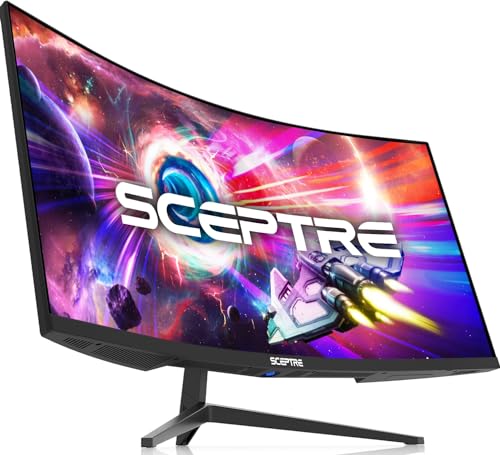
The Sceptre C345B-QUT168 is built around the practical appeal of an ultrawide workspace. Its 3440 x 1440 resolution spreads about five million pixels across a 21:9 panel, giving games a broad view and leaving enough room for side-by-side windows. That makes it more versatile than the Full HD SANSUI displays, particularly when the monitor will be used for browsing, documents, and creative applications between gaming sessions.
The listed refresh rate reaches up to 180Hz or 165Hz, depending on the connection and configuration, while the 1ms MPRT specification targets quick-moving scenes. That puts it close to the Alienware in headline speed, although the source data does not identify the adaptive-sync technology used here. The absence matters for buyers who want a named synchronization standard. A fast panel is still useful, but smoothness in variable-frame-rate games depends on the rest of the setup.
Sceptre lists 99% sRGB coverage, a sensible target for general gaming and desktop use. The product also includes built-in speakers, which is a practical advantage over the Alienware and both SANSUI models that explicitly state they have no speakers. The speakers will not replace a dedicated audio system, but they are convenient for system sounds, video calls, or a game when headphones are not appropriate.
There are two DisplayPort inputs, and the screen has a back-cover light for a little visual flair. The R1500 curve is gentler than the Samsung G5's 1000R design, so it should feel less demanding when you are reading text or moving windows around. The display is still 31.8 inches wide and weighs 15.32 pounds, which makes a sturdy desk and sensible monitor placement important.
The Alienware AW3425DWM is the stronger choice when adaptive sync, HDR certification, and wide-gamut color matter more. The SANSUI 34-inch UWQHD is the better match for someone who wants 200Hz, HDMI 2.1, and PIP or PBP. The Sceptre's advantage is its uncomplicated balance of resolution, screen area, speakers, and multiple DisplayPort inputs. Its lack of listed HDR and adaptive-sync details is the reason it sits below those more fully specified models.
6. LG UltraGear 32GS60QC-B: Best Gaming Controls

Pros
- QHD 2560 x 1440 resolution
- 180Hz refresh rate with 1ms GtG response time
- Strong set of gaming overlays and picture controls
- Two HDMI inputs and DisplayPort
- 1000R curve with a three-sided borderless design
- HDR10 and 99% sRGB coverage
Cons
- No built-in speakers are specified
- The 1000R curve can feel intense for general desktop work
- The listed adaptive-sync support is AMD FreeSync only
Best for: competitive players who want quick access to game-focused settings and overlays.
The LG UltraGear 32GS60QC-B is a gaming monitor first and a general-purpose display second. Its 32-inch panel uses QHD resolution at 2560 x 1440, so it offers a useful step up in detail from the 27-inch and 32-inch Full HD SANSUI screens without requiring the wider desk and higher rendering load of a 34-inch ultrawide. The 1000R curve gives it a strong sense of enclosure, particularly when the screen is positioned directly in front of the player.
Speed is the central appeal. LG lists a 180Hz refresh rate and a 1ms GtG response time, with AMD FreeSync for smoother, virtually tear-free play. The specification is a little more relevant to real motion than a generic gaming label because GtG describes the pixel transition measurement used by the display. It still does not guarantee identical performance in every mode, but the combination gives this monitor a credible competitive focus.
LG adds a long list of tools that are genuinely useful during play. Black Stabilizer can lift detail in dark scenes, Dynamic Action Sync is designed to reduce input lag, and the FPS counter can show performance without extra software. Gamer, FPS, and RTS modes provide quick starting points. A crosshair overlay is also included. These features will not make a player better, but they reduce the time spent searching through menus when switching between game types.
HDR10 and up to 99% sRGB coverage help the image look more lively, while the three-sided virtually borderless design keeps the front of the monitor visually clean. Two HDMI inputs and DisplayPort cover the usual PC and console arrangements. The display is tilt adjustable, though the source data does not provide a height or swivel adjustment. Built-in speakers are not listed, so plan on headphones or separate speakers.
Compared with the Acer Nitro EDA270U, the LG gives you a larger 32-inch canvas and a more aggressive 1000R curve, plus a deeper set of gaming overlays. The Acer has built-in speakers and a gentler 1500R shape, which may suit mixed use better. The LG's real weakness is the intensity of its curve combined with the lack of listed speakers. Choose it for a focused gaming station, not for a screen that must behave like a neutral office monitor all day.
7. Acer Nitro EDA270U: Best 27-inch QHD

Pros
- Sharp 2560 x 1440 resolution on a 27-inch screen
- 180Hz refresh rate and up to 1ms VRB response time
- AMD FreeSync Premium
- Two built-in 2-watt speakers
- DisplayPort and two HDMI inputs
- Zero-frame design and VESA mounting support
Cons
- Smaller display than the ultrawide options
- HDR is listed as ready, without a formal certification
- Stand adjustment is limited to tilt
Best for: desktop gamers who want QHD clarity without moving to an ultrawide format.
The Acer Nitro EDA270U is the most sensible shape for a typical desk. At 27 inches and 2560 x 1440, it gives text and game details a crisp presentation without the width of a 34-inch panel. The 1500R curve adds some immersion while staying restrained enough for browsing and ordinary desktop work. If you are moving up from a smaller Full HD screen, this is a straightforward change rather than a complete desk redesign.
Acer lists a 180Hz refresh rate and a response time up to 1ms using VRB. AMD FreeSync Premium handles variable refresh, helping reduce tearing and stutter when frame output changes. The combination is well suited to fast shooters and racing games, but the QHD resolution also gives slower, visually rich games a sharper image than the Full HD SANSUI models. The 0.233mm pixel pitch is another indication of the tighter pixel arrangement.
The practical extras are better than the bare essentials offered by some competitors. There are two 2-watt speakers, one DisplayPort input, two HDMI 2.0 ports, and an audio output. DisplayPort and HDMI cables are included. The zero-frame design keeps the bezels visually slim, and VESA compatibility uses the common 75 x 75mm pattern. The stand tilts from -5 to 20 degrees, but the data does not list height adjustment, swivel, or pivot.
This monitor sits in an appealing middle position beside the LG UltraGear 32GS60QC-B. LG is larger, more aggressively curved, and includes more dedicated gaming overlays. Acer is smaller and more forgiving, with built-in speakers and a shape that works more naturally for a mixed desktop. The Alienware and ultrawide models show more of a game world from side to side, but they also require more room and more graphics power.
The weakness is the limited stand flexibility. A tilt-only stand can force you to solve height and viewing angle with desk placement or a monitor arm. Acer also calls the screen HDR Ready rather than providing the Alienware's formal DisplayHDR 400 certification. Still, for someone who wants a sharp 27-inch QHD screen with high refresh and built-in audio, the Nitro is one of the easiest recommendations in this roundup.
8. SANSUI 32-inch 240Hz: Best Large Full HD

Pros
- 240Hz refresh rate
- 32-inch 1500R curved screen
- FreeSync, 1ms MPRT, anti-flicker, and low blue light features
- HDMI and DisplayPort support up to 240Hz
- 125% sRGB, HDR, and 3500:1 contrast specification
- VESA support
Cons
- Full HD resolution is low for a 32-inch screen
- No built-in speakers
- Limited stand adjustment to tilt
Best for: players who prioritize high refresh rate and a large screen over QHD detail.
The SANSUI 32-inch 240Hz is built around one clear idea: make fast gaming feel immediate on a large curved screen. Its 240Hz refresh rate is the same headline speed as the smaller SANSUI 27-inch model, but the 32-inch panel creates a more cinematic presence. The 1500R curve keeps the edges angled toward the viewer without being as forceful as the 1000R designs on the Samsung G5 and LG.
The compromise is resolution. Full HD at 1920 x 1080 is easy for a graphics card to drive at high frame rates, which helps explain why this monitor makes sense for competitive games. But that resolution is spread over 32 inches, so fine text and distant game details will not look as dense or clean as they do on the Acer Nitro's 27-inch QHD panel. The trade is worthwhile only if smoothness and a larger image matter more to you than pixel density.
SANSUI lists a 1ms MPRT response time and built-in FreeSync, along with anti-flicker and low blue light features. HDMI and DisplayPort 1.4 can both reach the stated 240Hz ceiling, so the monitor is not limited to one preferred connection. The color specification includes 125% sRGB, 16.7 million display colors, 300 nits brightness, HDR technology, and a 3500:1 contrast ratio. Those numbers suggest a lively VA-style presentation, but the product data does not identify a formal HDR certification.
The physical design is uncomplicated. The display tilts from -5 to 15 degrees, supports a 100 x 100mm VESA mount, and offers a 178-degree viewing angle. At 24.19 inches wide and a listed 11.9 pounds, it is easier to accommodate than the 34-inch screens. There are no built-in speakers, so the earphone jack is useful if the PC or console will feed audio through the monitor.
This screen loses image sharpness to the Acer Nitro and loses width to the Alienware, but it offers a refresh ceiling that neither does. The SANSUI 27-inch 240Hz is the better fit for a tight desk and will look denser at the same resolution. Choose this 32-inch version if you sit farther back, play games that can sustain very high frame rates, and want a large view without asking the graphics card to render QHD.
9. SANSUI 27-inch 240Hz: Best Compact Speed

Pros
- 240Hz refresh rate with FreeSync
- Compact 27-inch 1500R curved design
- 130% sRGB and DCI-P3 95% color specifications
- 4000:1 contrast ratio and HDR support
- Metal stand and VESA compatibility
- HDMI, DisplayPort, and audio jack
Cons
- Full HD resolution is less sharp than the QHD alternatives
- No built-in speakers
- The high refresh rate is most useful with a suitably fast PC
Best for: esports players who want a compact, high-refresh curved screen.
The SANSUI 27-inch 240Hz is the more focused version of the 32-inch model above. Its 27-inch size is easier to place in a normal gaming area, and Full HD resolution is a manageable target for a system chasing very high frame rates. The 1500R curve adds a little wraparound without making the display feel as physically imposing as a 34-inch ultrawide.
The refresh rate reaches 240Hz, and SANSUI pairs it with FreeSync and a 1ms MPRT response time. For competitive shooters and other games where rapid camera movement matters, that combination gives the display a clear purpose. The monitor also includes a black-level adjustment, preset game modes, and a crosshair feature. These controls are more directly useful for esports than a generic curved design, although their value depends on whether you like using on-screen assistance.
The color and contrast claims are ambitious for this class of display. SANSUI lists 130% sRGB, DCI-P3 95%, 300 nits brightness, a 4000:1 contrast ratio, HDR, anti-flicker, and anti-glare. That should give games a more saturated and punchy appearance than a basic office monitor. It is important to keep expectations grounded, however. The source data does not provide a formal HDR certification, so this should not be treated like the Alienware's DisplayHDR 400 or Samsung's QD-OLED screen.
The design has a metal stand and tilt adjustment from -5 to 15 degrees. HDMI, DisplayPort 1.4, and an audio jack cover the basic connections, and the monitor supports a 100 x 100mm VESA mount. SANSUI explicitly says there are no built-in speakers. The listed weight is 7.26 pounds, making this one of the easier screens to mount or move.
The Acer Nitro EDA270U is the better choice when QHD detail and built-in speakers matter more than the top refresh rate. The SANSUI 32-inch 240Hz is the better choice when a larger image matters more than compact placement. This 27-inch model makes the most sense for a player who wants to spend the available graphics power on speed rather than resolution. If you are still comparing panel priorities, the difference between sharper resolution and higher refresh is the trade-off to settle before choosing.
How to choose best curved gaming monitor
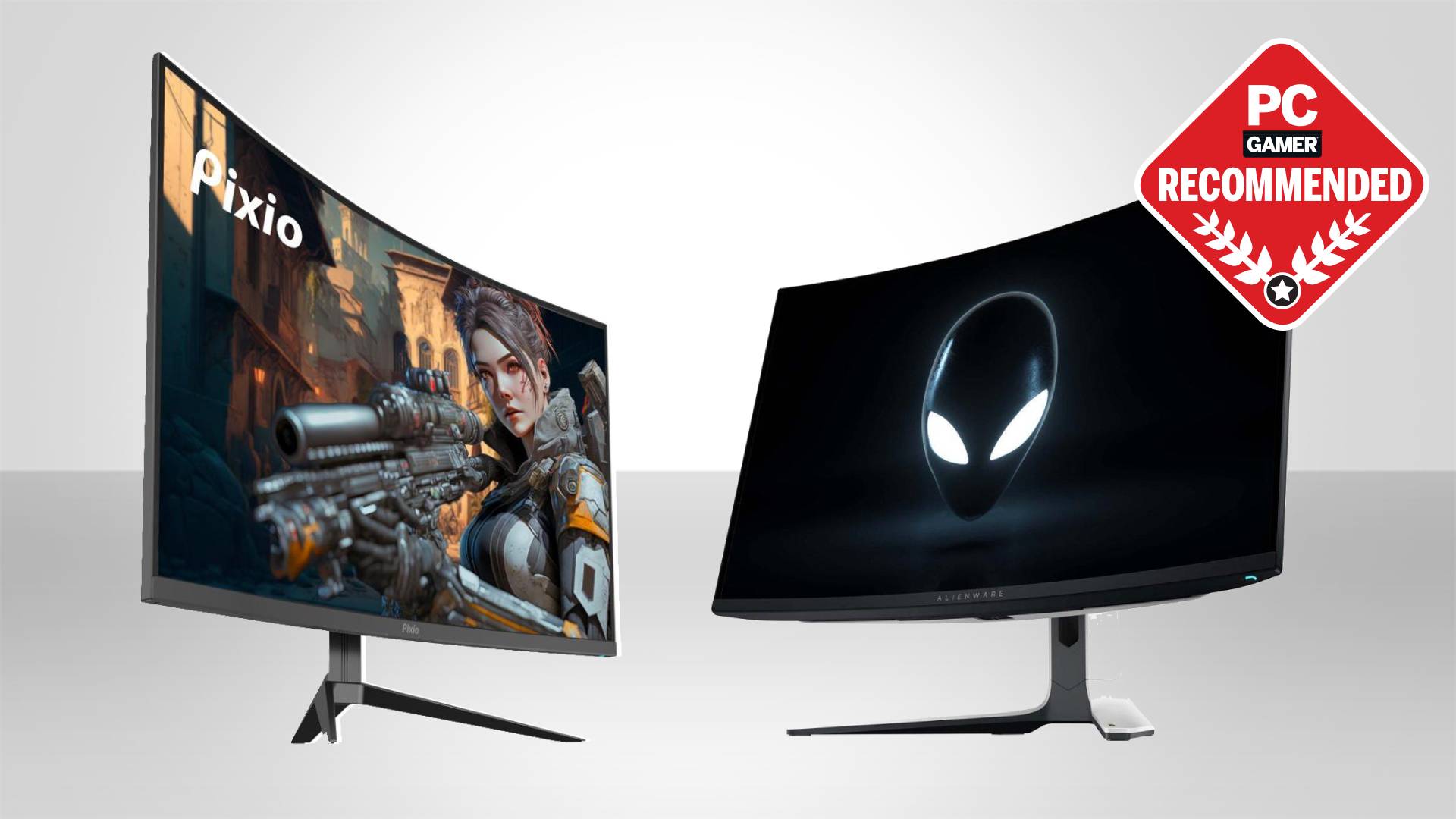
A good curved screen should match your seating distance, graphics hardware, desk, and favorite games rather than simply having the most dramatic bend.
Resolution and screen size
Resolution determines how much detail the panel can show, while screen size determines how widely those pixels are spread. Full HD can make sense on a 27-inch screen when the priority is high frame rates, but it looks less dense on a 32-inch display. QHD at 2560 x 1440 is a stronger fit for 27 to 32 inches, while 3440 x 1440 makes better use of a 34-inch ultrawide.
A larger resolution also asks more of the graphics card. The Samsung Odyssey G93SC is a special case because its enormous two-quad layout requires a powerful system and games that support very wide aspect ratios. Before choosing, check the games you actually play rather than assuming every title will fill an ultrawide screen perfectly.
Refresh rate and response time
Refresh rate describes how many times the screen can update each second. The 165Hz Samsung G5 is already fast for most players, while 180Hz models such as the Alienware, LG, Acer, and Sceptre offer a little more headroom. The 240Hz SANSUI models and Samsung G93SC target players with systems capable of producing very high frame rates.
Response-time labels need context. MPRT, GtG, and VRB are not identical measurement methods, so a 1ms claim on one monitor should not be treated as a laboratory equivalent to a 1ms claim on another. Adaptive sync is just as important in ordinary play because it helps the screen respond to frame-rate changes rather than showing tearing or uneven pacing.
A 240Hz monitor running a game at 100 frames per second is not using its headline speed to the fullest.
Curve radius and viewing distance
A smaller curve-radius number means a more pronounced bend. The 1000R Samsung G5 and LG UltraGear pull the sides toward the viewer more strongly than the 1500R SANSUI and Alienware screens. The Samsung G93SC uses an 1800R curve across a far wider panel, so its overall effect still feels substantial despite the gentler radius.
Strong curves work best when you sit centered and at an appropriate distance. They can make games feel more enclosed, but they may also make straight lines and ordinary documents feel unusual. If the display will be shared by several people or used mostly for office work, a moderate curve is easier to live with.
Ultrawide aspect ratio
A 21:9 ultrawide gives games more horizontal space and lets you keep two application windows open without a second monitor. That is the appeal of the Alienware, Samsung G5, SANSUI 34-inch, and Sceptre. Racing, flight, strategy, and open-world games often benefit most from the wider view.
Ultrawide support is not universal. Some competitive games restrict the field of view, while older titles may show black bars or require configuration. A 16:9 QHD monitor such as the Acer or LG is safer if you switch among many games and want predictable compatibility.
Ports, audio, and ergonomics
Count the inputs you will use before buying. The SANSUI 34-inch has two HDMI 2.1 inputs and DisplayPort 1.4, the Acer has two HDMI ports and DisplayPort, and the Samsung G93SC adds HDMI 2.1, DisplayPort, and a USB hub. PIP and PBP are useful when two sources need to remain visible at once.
Built-in audio varies widely. Acer and Sceptre list built-in speakers, while the SANSUI displays and Alienware explicitly identify no speakers or do not list them. Stand adjustment matters too. Most of these monitors provide tilt, but the product data does not specify full height adjustment for every model. VESA support can solve that limitation with a compatible arm.
Frequently asked questions
Is a curved monitor better for gaming?
A curved monitor can make the edges of a wide screen feel closer and more natural, especially in racing, flight, and open-world games. It is not automatically faster or sharper than a flat display. The benefit depends on the curve radius, screen size, and how far you sit from it.
Is 1440p better than Full HD for a curved monitor?
For a 27-inch or larger screen, 1440p generally provides a denser and more detailed image than Full HD. Full HD remains useful when your graphics card needs to maintain very high frame rates, which is why the SANSUI 240Hz models can appeal to esports players. The right choice depends on whether speed or image detail has priority.
Do curved gaming monitors need a powerful graphics card?
The monitor itself does not require a particular graphics card, but higher resolution and refresh rate increase the rendering workload. A 3440 x 1440 ultrawide at 200Hz is substantially more demanding than a 1920 x 1080 display at 240Hz. Check the performance of your graphics card in the games you play before selecting the screen.
What does 1000R mean on a curved monitor?
The number describes the curve radius in millimeters. A 1000R display has a stronger curve than a 1500R display, while an 1800R display is gentler. A stronger curve can feel more immersive, but it also makes seating position and desk placement more important.
Are ultrawide monitors good for competitive games?
They can be, but support varies by game. An ultrawide can provide a wider view in titles that support the 21:9 aspect ratio, while other games may add black bars or limit the field of view. Players focused on esports compatibility may prefer a 16:9 screen such as the Acer Nitro or LG UltraGear.
Do these curved monitors have built-in speakers?
The Acer Nitro EDA270U and Sceptre C345B-QUT168 list built-in speakers. The SANSUI 32-inch, SANSUI 27-inch, and SANSUI 34-inch models state that they have no built-in speakers. The Alienware, LG, Samsung G5, and Samsung G93SC data does not specify built-in speakers, so buyers should plan on separate audio unless the listing confirms otherwise.
Is OLED worth considering for a gaming monitor?
OLED can provide extremely deep blacks, strong contrast, and very fast pixel response. The Samsung Odyssey G93SC uses QD-OLED and adds a 240Hz refresh rate, making it the premium performance pick here. Buyers who keep static desktop elements on screen for long periods should review the display's care features and consider whether that use pattern suits OLED.
The bottom line
The Alienware AW3425DWM is the Best curved gaming monitor for most people who want an ultrawide. Its 34-inch WQHD panel, 180Hz refresh rate, 1500R curve, adaptive sync support, and DisplayHDR 400 certification create the most balanced package in this group. Choose the Samsung Odyssey G93SC instead if you have the desk space, hardware, and enthusiasm for a 49-inch QD-OLED display with 240Hz performance.
For a smaller desk, the Acer Nitro EDA270U is the safer QHD recommendation, while the SANSUI 27-inch 240Hz is the focused choice for fast Full HD play. The SANSUI 34-inch and Sceptre models make more sense when wide desktop space matters, and the LG is particularly appealing if dedicated gaming controls are high on your list.
If you are undecided, choose your resolution and screen size first, then select the curve and refresh rate that your desk and graphics card can actually support.
As an Amazon Associate we earn from qualifying purchases.