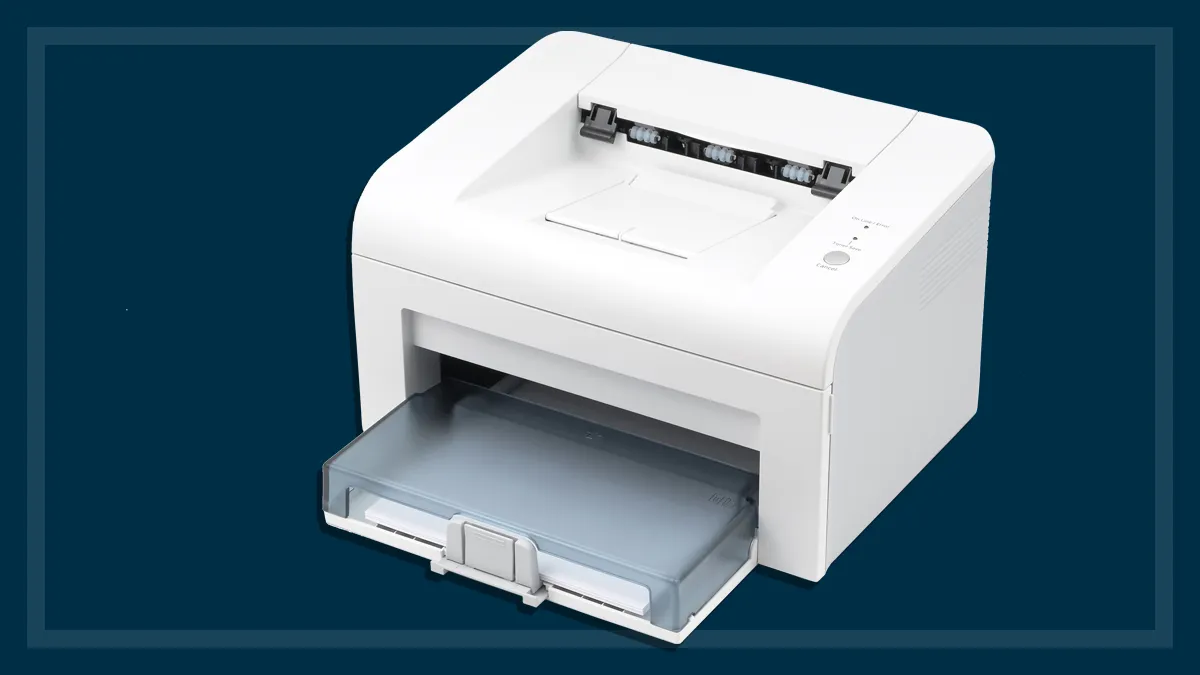

A printer becomes frustrating when a simple worksheet turns into a wireless troubleshooting session, or when a stack of pages has to be fed one sheet at a time. The right all-in-one should make everyday printing, copying, and scanning feel routine.
Our Best affordable printer picks cover compact color inkjets, more capable home-office models, and one monochrome laser printer for people who mostly print documents. We looked for useful automation, sensible controls, wireless flexibility, and features that match the way each machine is meant to be used.
Canon PIXMA TS4320 is our top pick, with the Brother MFC-J1360DW, HP Envy 6155, and Brother DCP-L2640DW covering heavier workloads and different printing priorities.
Comparison
| # | Product | Award | Duplex | Key feature | Best for |
|---|---|---|---|---|---|
| 1 | Canon PIXMA TS4320 | Best overall | Automatic | Dual-band Wi-Fi, print, scan, copy | Most homes |
| 2 | Canon PIXMA TS6520 | Best controls | Automatic | 1.42-inch OLED display | Easy device-side operation |
| 3 | HP DeskJet 2955 | Best compact HP | Not specified | 60-sheet tray, HP AI formatting | Basic home tasks |
| 4 | HP Envy 6155 | Best home photo option | Automatic | 2.4-inch touchscreen | Color documents and photos |
| 5 | Brother MFC-J1360DW | Best home-office inkjet | Automatic | ADF, 150-sheet tray | Mixed household workloads |
| 6 | Canon PIXMA TR4720 | Best fax-equipped model | Automatic | ADF and fax | Forms and occasional faxing |
| 7 | HP OfficeJet Pro 8139 | Best for home offices | Automatic | 225-sheet tray, ADF, fax | Higher-volume color printing |
| 8 | Canon PIXMA TS3720 | Best for basic printing | Single-sided | 1.5-inch LCD, mobile printing | Infrequent home use |
| 9 | Brother DCP-L2640DW | Best monochrome laser | Automatic | 36 ppm, 50-page ADF | Fast black-and-white documents |
| 10 | HP DeskJet 2923 | Best simple HP setup | Not specified | 60-sheet tray, mobile printing | Straightforward color printing |
1. Canon PIXMA TS4320: Best Overall

Pros
- Automatic two-sided printing
- Dual-band Wi-Fi supports 2.4GHz and 5GHz networks
- Prints, scans, and copies
- Mobile printing through Canon PRINT, AirPrint, and Mopria
- Compact 14.8 by 14 by 6.7-inch body
Cons
- Uses a two-cartridge hybrid ink system
- No automatic document feeder is listed
- The feature set is aimed at home use rather than office throughput
Best for: households that want one compact machine for documents, photos, copying, and scanning.
The Canon PIXMA TS4320 is the printer we would put in the most homes. It handles the everyday mix that tends to matter most: color documents, occasional photos, copies, scans, and wireless printing from a phone. The automatic two-sided function is especially useful for schoolwork and longer documents because it removes the need to turn pages manually.
Canon uses a two-cartridge hybrid ink system here, with the company describing the output as sharp for text and vivid for color. It supports documents and photos up to 8.5 by 11 inches, including borderless printing. That makes it more flexible than the single-sided Canon PIXMA TS3720, while its compact 14.8-inch length and 14-inch width keep it easier to place than the larger office-oriented machines.
Dual-band Wi-Fi is a meaningful convenience rather than a box-checking feature. The TS4320 can connect over either 2.4GHz or 5GHz, and mobile printing works through the Canon PRINT app, Apple AirPrint, and Mopria Print Service. A phone or tablet can therefore handle routine jobs without requiring a computer nearby. It is also EPEAT Silver and ENERGY STAR certified.
The weakness is its lack of a listed automatic document feeder. Copying or scanning several pages still means handling them one at a time, so the Canon PIXMA TR4720 or Brother MFC-J1360DW makes more sense for forms and multipage paperwork. The TS4320 is the better fit for a normal household that wants broad capability without a bulky chassis.
2. Canon PIXMA TS6520: Best Controls

Pros
- Automatic two-sided printing
- 1.42-inch monochrome OLED display
- Dual-band Wi-Fi and mobile printing
- Prints, scans, and copies
- Compact 14.8 by 14 by 6.7-inch design
Cons
- The OLED screen is small and monochrome
- No automatic document feeder is listed
- Two-cartridge ink system limits flexibility
Best for: users who want clear on-printer status information and manual controls without stepping up to a larger office model.
The Canon PIXMA TS6520 is closely related to the TS4320, but its 1.42-inch OLED display changes the day-to-day experience. The screen shows ink levels and printer status, while the intuitive control panel makes it easier to adjust settings from the machine itself. That is useful when a family shares the printer and not everyone wants to open an app for a simple copy.
Its core printing setup is strong for a compact color all-in-one. Automatic duplex printing handles both sides of a sheet, and the two-cartridge hybrid ink system is designed for sharp text and vivid color. It can print documents and photos up to 8.5 by 11 inches, with or without borders. The body is the same compact 14.8 by 14 by 6.7-inch footprint listed for the TS4320, although the TS6520 weighs slightly more at 15.3 pounds.
Wireless support covers both 2.4GHz and 5GHz bands, and Canon supports printing from the Canon PRINT app, Apple AirPrint, and Mopria. In practice, that gives it the same broad device compatibility as the TS4320. The distinction is the local interface. If you expect to use the printer controls regularly, this is a more comfortable machine than a model with only a basic display.
The TS4320 remains the simpler recommendation for most people because it provides nearly the same essential functions. The TS6520 earns its place for shared spaces, older family members, or anyone who wants to see status information without relying on a phone. It still lacks a listed ADF, so it is not the right choice for repeated multipage scanning.
3. HP DeskJet 2955: Best Compact HP

Pros
- Print, scan, and copy functions
- 60-sheet input tray
- Dual-band wireless printing
- HP app supports printing, scanning, copying, and faxing
- Made with at least 70 percent recycled plastics
Cons
- No automatic duplex feature is listed
- Modest print speeds of up to 7.5 ppm black and 5.5 ppm color
- No ADF is listed
Best for: small households that mainly print recipes, letters, lists, and occasional color documents.
The HP DeskJet 2955 keeps the assignment narrow. It is a compact color all-in-one for basic printing, scanning, and copying, with a 60-sheet input tray and an icon LCD control panel. It is not trying to be a small office workhorse. That restraint is useful for someone who wants a printer for occasional household jobs and does not need a long list of office features.
HP lists print speeds of up to 7.5 pages per minute in black and 5.5 pages per minute in color. Those figures suit short documents, but a long report will take patience. The absence of a listed automatic duplex function also matters. Anyone printing on both sides will need to manage the pages manually, unlike users of the Canon PIXMA TS4320 or HP Envy 6155.
Wireless setup is one of its stronger points. Dual-band Wi-Fi is designed to detect and resolve connection issues, while the HP app handles printing, scanning, copying, and faxing from a smartphone. HP AI features are intended to improve the formatting of web pages and emails by removing unwanted content, which can help when a browser printout would otherwise include clutter.
The 11.97-inch length and 6.06-inch height make the DeskJet 2955 easy to fit into a home workspace, though its 16.73-inch width still needs room side to side. It is also ENERGY STAR and EPEAT certified and uses at least 70 percent recycled plastics. Choose it over the similar HP DeskJet 2923 when the shorter included service trial and compact everyday role fit your needs, but skip both if automatic duplexing is important.
4. HP Envy 6155: Best Home Photo Option

Pros
- Automatic two-sided printing
- 2.4-inch color touchscreen
- 100-sheet input tray
- Print speeds up to 10 ppm black and 7 ppm color
- P3 technology aims for vibrant, screen-matched color
Cons
- Cartridge use is restricted to original HP chips or circuitry
- No ADF is listed
- The long, narrow body needs careful placement
Best for: homes that print both everyday documents and borderless color photos.
The HP Envy 6155 is the more polished home color printer in HP's group here. Its 2.4-inch color touchscreen is substantially more useful for navigating settings than the icon LCD on the DeskJet 2955, and the 100-sheet input tray reduces interruptions during a larger batch. It also prints, scans, copies, and automatically handles both sides of a sheet.
HP lists speeds up to 10 pages per minute in black and 7 pages per minute in color. Those numbers put it ahead of the DeskJet models for routine documents, though the Brother MFC-J1360DW is a better fit when speed and document handling take priority. The Envy's focus is a balanced home workload, not maximum office throughput.
For photos, HP highlights P3 technology, which is intended to produce documents and photos that look as vibrant as they do on screen. The printer supports borderless photos, and dual-band Wi-Fi keeps wireless operation straightforward. HP's app provides mobile printing, scanning, copying, and fax functions, while its AI tools can clean up web pages and emails before printing.
The 17.05-inch length and 14.21-inch height make this a deeper machine than the Canon PIXMA TS4320, even though its listed width is only 5.35 inches. That unusual shape means the available shelf or desk depth matters. HP also states that the printer works only with cartridges containing original HP chips or circuitry, and firmware updates maintain that restriction. It is a strong pick for photo-minded households, but people who want open cartridge flexibility or multipage scanning should look elsewhere.
5. Brother MFC-J1360DW: Best Home-Office Inkjet

Pros
- Automatic duplex printing
- 20-sheet single-sided ADF
- 150-sheet paper tray
- Print speeds up to 16 ppm black and 9 ppm color
- 1.8-inch color display and cloud app connections
Cons
- Heavier at 16.8 pounds
- ADF is single-sided
- Uses Brother LC501 series inks
Best for: a home office that needs faster mixed color printing and occasional multipage scanning.
The Brother MFC-J1360DW is where this group starts to feel like office equipment rather than a basic household accessory. Its 150-sheet tray, automatic duplex printing, and 20-sheet single-sided ADF address the small annoyances that become obvious when printing or scanning every week. It is still compact enough for home use, but at 16.8 pounds it has more substance than the lightweight DeskJet models.
Brother lists speeds up to 16 pages per minute in black and 9 pages per minute in color. That gives it a clear performance advantage over the Canon PIXMA TS4320 and HP DeskJet 2955 for document-heavy work. The ADF is not duplex, so two-sided multipage scanning still requires turning pages, but it can handle a short stack of single-sided originals without constant supervision.
The 1.8-inch color display supports connections to cloud services such as Google Drive, Dropbox, Box, and OneDrive. Wireless and USB connections are both available, and the Brother Mobile Connect app handles printing, copying, scanning, and device management. Page Gauge can help monitor ink usage, which is more useful here than on a printer meant for only a few pages a month.
The main compromise is footprint and simplicity. It is larger and heavier than the Canon models, and someone who only prints a recipe or school form now and then will not use its office features often. The HP OfficeJet Pro 8139 is faster and has a larger 225-sheet tray, but the Brother is less imposing and keeps color, scanning, and duplexing in a practical home-office package. It is the one to choose when the printer will genuinely be used several times a week.
6. Canon PIXMA TR4720: Best Fax-Equipped Model

Pros
- Print, copy, scan, and fax functions
- Automatic document feeder
- Automatic two-sided printing
- 100-sheet capacity
- Mobile printing and Alexa ink notifications
Cons
- Slower listed document speeds
- ADF capacity is not specified
- Older model design and controls
Best for: home users who need an ADF and built-in fax without moving to a larger office printer.
The Canon PIXMA TR4720 earns its place by including features that many compact home printers leave out. It is a wireless four-in-one with print, copy, scan, and fax functions, plus an automatic document feeder. If you regularly handle forms or need to send the occasional fax, that combination is more important than a touch interface or a particularly sleek design.
Canon lists a 100-sheet capacity and automatic two-sided printing. It supports documents, photos, and borderless prints up to 8.5 by 11 inches. The ADF is the practical difference from the Canon PIXMA TS4320, since it allows a small stack of originals to be copied or scanned without placing each page on the glass.
The performance figures are modest. Canon lists approximately 8.8 images per minute for black letter documents and 4.4 images per minute for color letter documents. A borderless 4 by 6-inch photo takes approximately 65 seconds under the listed conditions. That is adequate for occasional work, but the Brother MFC-J1360DW and HP OfficeJet Pro 8139 are better suited to regular batches.
The TR4720 also supports mobile printing and can connect to Alexa for low-ink notifications and smart reorder functions if the user enrolls. Its 11.7-inch length and 17.2-inch width make it reasonably easy to place, though the proportions are wider than some newer compact models. It is an honest specialist pick: choose it for the ADF and fax, not for speed or the newest interface.
7. HP OfficeJet Pro 8139: Best for Home Offices

Pros
- Print speeds up to 20 ppm black and 10 ppm color
- 225-sheet input tray
- Automatic duplex printing and ADF
- 2.7-inch color touchscreen
- Built-in fax and HP Wolf Essential Security
Cons
- Large 18.12-inch width
- Cartridge use is restricted to original HP chips or circuitry
- Heavier at 17.6 pounds
Best for: home offices that print, scan, copy, and fax frequently.
The HP OfficeJet Pro 8139 is the clear capacity leader among the color inkjets here. Its 225-sheet input tray means fewer refills, while the automatic document feeder, automatic duplexing, and built-in fax cover the chores expected from a home-office machine. It is not a casual printer that happens to scan. It is designed around keeping a small office moving.
HP lists speeds up to 20 pages per minute in black and 10 pages per minute in color. That is faster than the Brother MFC-J1360DW in black printing and gives the 8139 an advantage when reports, forms, or presentation pages arrive in batches. The 2.7-inch touchscreen also gives it a more comfortable device-side interface than the smaller displays on the Canon PIXMA TR4720 and Brother MFC-J1360DW.
Wireless operation uses dual-band Wi-Fi, and the HP app supports mobile printing, scanning, copying, and faxing. HP AI features are intended to remove unwanted content from web pages and emails, helping avoid awkward layouts. HP Wolf Essential Security is included to bolster network protection, a useful consideration when the printer shares a home-office network with work computers.
Size is the cost of these capabilities in physical terms. The 18.12-inch width, 13.29-inch length, 9.17-inch height, and 17.6-pound weight require a stable, open placement area. HP also states that the printer blocks cartridges that do not use original HP chips or circuitry, with firmware updates maintaining that policy. The OfficeJet Pro 8139 is the right tool for steady office work, but it is unnecessary for a household that prints only a few pages at a time.
8. Canon PIXMA TS3720: Best for Basic Printing

Pros
- Print, copy, and scan functions
- Easy wireless setup
- Dual-band Wi-Fi
- Supports borderless photos up to 5 by 7 inches
- 1.5-inch LCD screen
Cons
- Single-sided printing only
- No ADF is listed
- Color speed is approximately 4 images per minute
Best for: occasional home printing when automatic duplexing and document automation are not priorities.
The Canon PIXMA TS3720 is the simplest Canon in this roundup, and that is its appeal. It prints, copies, and scans without adding office-specific features that an occasional user may never touch. Canon describes setup as taking only a few minutes, and the printer can connect to Wi-Fi without requiring a computer.
The trade-off is clear: printing is single-sided only. Canon lists approximate speeds of 7.7 images per minute in black and 4 images per minute in color. That is suitable for short household jobs, but the Canon PIXMA TS4320 is a more capable alternative when two-sided printing matters.
The TS3720 uses two easy-to-replace ink cartridges and includes a 1.5-inch segment LCD. Mobile printing works through the Canon PRINT app, Apple AirPrint, and Mopria, and Chromebook support is included. It can also print envelopes, banners, 5 by 5-inch square photos, and borderless photos up to 5 by 7 inches, giving it more creative flexibility than its basic positioning suggests.
At 12.9 inches wide, 17.2 inches long, and 5.8 inches high, it has a low profile but needs considerable depth. The 8.7-pound weight makes it easy to move when the desk serves more than one purpose. For a printer that will sit unused for days between jobs, the TS3720 is sensible. If you print multipage documents regularly, choose a duplex model instead.
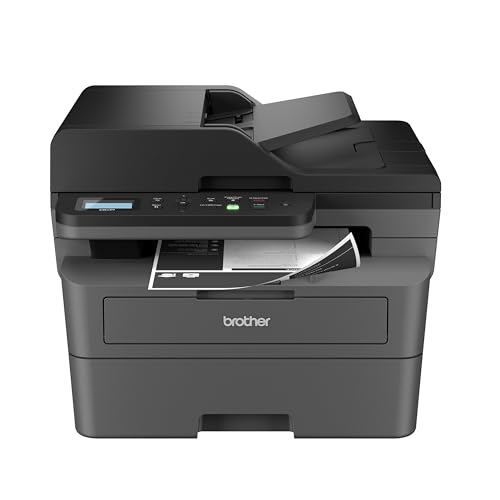
9. Brother DCP-L2640DW: Best Monochrome Laser
Pros
- Fast black-and-white printing up to 36 ppm
- 50-page automatic document feeder
- Automatic duplex printing
- Dual-band Wi-Fi, Ethernet, and USB
- Copy and scan functions
Cons
- Black-and-white printing only
- Heavier 25-pound design
- No color printing or color copying
Best for: document-heavy users who do not need color.
The Brother DCP-L2640DW is the outlier here, and it is the right outlier for a household or small office that mostly produces black-and-white documents. Its monochrome laser engine is listed at up to 36 pages per minute, far beyond the color inkjets in this group. It also combines printing, copying, and scanning in a compact multifunction design.
A 50-page automatic document feeder makes a noticeable difference when handling contracts, forms, or packets of paperwork. Automatic duplex printing reduces manual page handling and paper use, while listed scan speeds reach up to 23.6 images per minute in black and 7.9 images per minute in color. The scanner can capture color even though the printer itself produces black-and-white output.
Connectivity is unusually flexible. The DCP-L2640DW supports dual-band wireless, Ethernet, and USB, so it can fit into a home network, a wired office setup, or a direct computer connection. The Brother Mobile Connect app supports printing, scanning, and printer management from a phone. The printer also works with Brother's TN830 or TN830XL toner series and can connect with the Refresh EZ Print Subscription Service.
There is no color output, so this is not a substitute for the Canon PIXMA TS4320 or HP Envy 6155 when photos, charts, or color schoolwork matter. At 25 pounds and 16.1 inches wide, it is also the heaviest machine in the group. That mass is justified by its document handling, but people with occasional color needs should choose an inkjet instead. For black-and-white work, it is the most capable printer here.
10. HP DeskJet 2923: Best Simple HP Setup

Pros
- Print, scan, and copy functions
- 60-sheet input tray
- Dual-band wireless printing
- HP app for mobile tasks
- Made with at least 70 percent recycled plastics
Cons
- No automatic duplex feature is listed
- No ADF is listed
- Basic print speeds of up to 7.5 ppm black and 5.5 ppm color
Best for: users who want a compact color all-in-one for occasional documents and simple mobile printing.
The HP DeskJet 2923 is a straightforward home printer for lists, letters, recipes, and other everyday color documents. It prints, scans, and copies, with a 60-sheet input tray and an icon LCD for basic control. The feature set closely resembles the HP DeskJet 2955, so the decision between them comes down to the included service period and the specific listing rather than a major hardware difference.
Its listed speeds are up to 7.5 pages per minute in black and 5.5 pages per minute in color. That is fine for short jobs but not a good match for a home office with frequent batches. There is also no listed automatic duplexing or automatic document feeder, which places it behind the Canon PIXMA TS4320 for two-sided documents and behind the Canon PIXMA TR4720 for multipage paperwork.
Dual-band Wi-Fi is designed to maintain a reliable connection across 2.4GHz and 5GHz networks. The HP app handles printing, scanning, copying, and faxing from a smartphone, while HP AI tools can help format web pages and emails before they reach the printer. It also uses at least 70 percent recycled plastics and carries ENERGY STAR and EPEAT certifications.
The dimensions match the DeskJet 2955, at 16.73 inches wide, 11.97 inches long, and 6.06 inches high, with a listed weight of 7.55 pounds. That makes it easy to move, though the side-to-side width is not exceptionally small. Choose the DeskJet 2923 for basic HP mobile printing, but move to the Envy 6155 if you want duplexing, a touchscreen, and a larger paper tray.
How to choose the best affordable printer
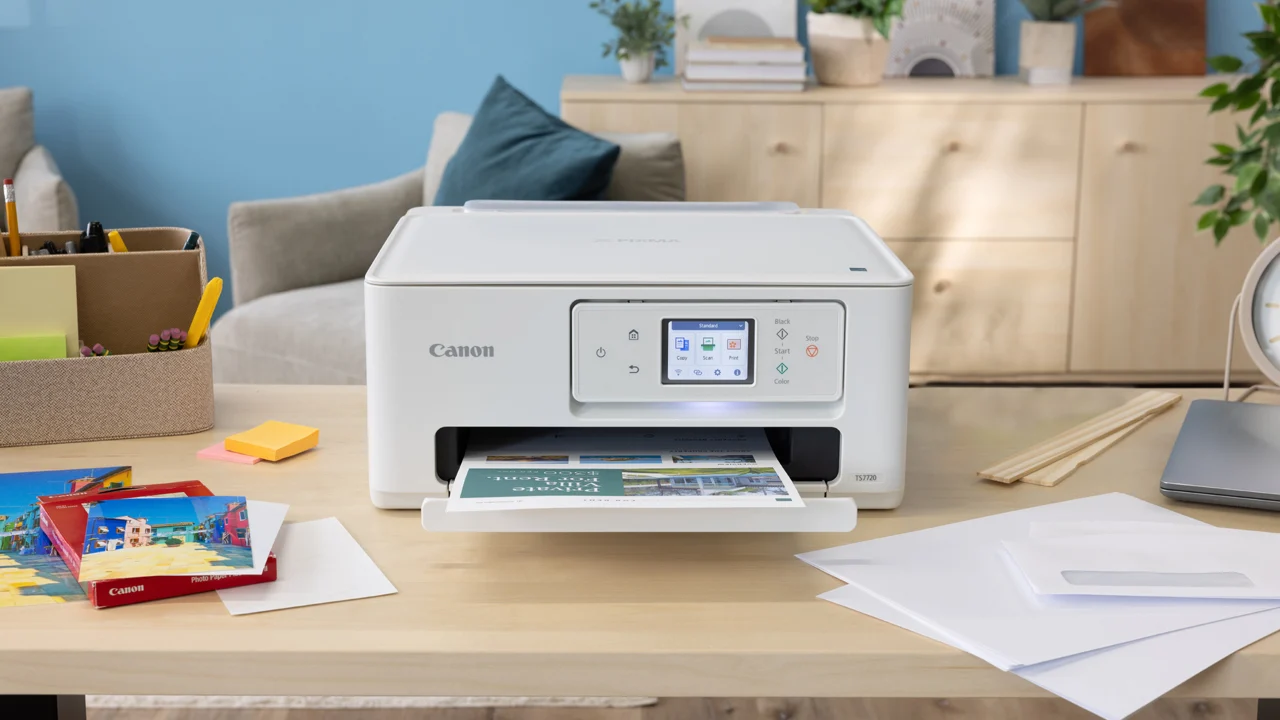
The right printer depends less on a long feature list than on how often you print, what you print, and how much paper handling you want the machine to automate.
Printing technology
Color inkjet printers such as the Canon PIXMA TS4320 and HP Envy 6155 are the natural fit for mixed documents and photos. Monochrome laser printers such as the Brother DCP-L2640DW are better suited to fast black-and-white pages, but they cannot produce color output. Decide first whether color is essential, occasional, or unnecessary.
Automatic duplex printing
Automatic duplexing prints on both sides without asking you to turn the pages. It matters for schoolwork, reports, and any recurring document because it reduces manual handling. The Canon PIXMA TS3720 and the two HP DeskJet models are single-sided or do not list automatic duplexing, while the Canon PIXMA TS4320, Brother MFC-J1360DW, and HP OfficeJet Pro 8139 include it.
If you print reports every week, automatic duplexing will matter more than a slightly smaller printer.
Automatic document feeders
A flat scanner works well for one page, a photo, or an identification document. An ADF is the feature to look for when copying or scanning a stack. The Brother DCP-L2640DW has a 50-page ADF, the Canon PIXMA TR4720 includes an ADF, and the Brother MFC-J1360DW has a 20-sheet single-sided ADF. The HP Envy 6155 and Canon PIXMA TS4320 do not list one.
Paper capacity and speed
A larger tray means fewer interruptions, while higher pages-per-minute figures matter when documents arrive in batches. The HP OfficeJet Pro 8139 combines a 225-sheet tray with speeds up to 20 ppm black and 10 ppm color. The Brother MFC-J1360DW has a 150-sheet tray and reaches up to 16 ppm black. Basic models with 60-sheet trays are better for short, occasional jobs.
Wireless and device controls
Dual-band Wi-Fi can make setup easier on modern home networks, and mobile apps are useful when printing from a phone or tablet. Physical screens also matter. The Canon PIXMA TS6520 has a 1.42-inch OLED display, the HP Envy 6155 has a 2.4-inch color touchscreen, and the HP OfficeJet Pro 8139 has a 2.7-inch touchscreen. If several people share the printer, a usable local control panel is worth prioritizing.
For households working with very limited desk depth, how much space a compact printer actually needs can prevent an awkward setup. People choosing for a shared workspace may also want to compare the document features that matter in a small office.
Frequently asked questions
Which printer is best for everyday home use?
The Canon PIXMA TS4320 is the strongest all-around fit for most homes. It prints, scans, copies, supports mobile printing, and includes automatic two-sided printing in a compact body.
Which printer is best for black-and-white documents?
The Brother DCP-L2640DW is the clear choice when color is not required. Its monochrome laser engine reaches up to 36 pages per minute and includes automatic duplexing and a 50-page ADF.
Do all of these printers print on both sides automatically?
No. The Canon PIXMA TS3720 is explicitly single-sided, and the HP DeskJet 2955 and HP DeskJet 2923 do not list automatic duplexing. The Canon PIXMA TS4320, Canon PIXMA TS6520, Brother MFC-J1360DW, Canon PIXMA TR4720, HP Envy 6155, HP OfficeJet Pro 8139, and Brother DCP-L2640DW include automatic two-sided printing.
Which models have an automatic document feeder?
The Canon PIXMA TR4720 includes an ADF, the Brother MFC-J1360DW has a 20-sheet single-sided ADF, and the Brother DCP-L2640DW has a 50-page ADF. The HP OfficeJet Pro 8139 also includes an ADF. An ADF is not listed for the Canon PIXMA TS4320, Canon PIXMA TS6520, HP DeskJet 2955, HP Envy 6155, Canon PIXMA TS3720, or HP DeskJet 2923.
Can these printers print from a phone?
Yes. Canon models support mobile printing through Canon PRINT, Apple AirPrint, and Mopria where specified. HP models use the HP app, and Brother models support Brother Mobile Connect. Wireless capabilities vary, but the listed color printers support dual-band Wi-Fi.
Which printer is best for photos?
The HP Envy 6155 is the strongest photo-oriented choice in this group because HP highlights borderless color photos and P3 technology intended to produce screen-matched vibrancy. The Canon PIXMA TS4320 also supports borderless documents and photos up to 8.5 by 11 inches.
Do any of these printers include fax?
The Canon PIXMA TR4720 and HP OfficeJet Pro 8139 include built-in fax functions. The HP DeskJet 2955, HP Envy 6155, and HP DeskJet 2923 support fax tasks through the HP app, but their listed hardware features do not include a built-in fax.

The bottom line
The Canon PIXMA TS4320 is the Best affordable printer for most households because it combines color printing, scanning, copying, automatic duplexing, dual-band Wi-Fi, and mobile support without taking over the workspace. The Brother MFC-J1360DW is the better choice for a home office that needs an ADF, a larger paper tray, and faster document printing.
If your work is almost entirely black and white, choose the Brother DCP-L2640DW instead. Its laser engine and 50-page ADF are far better suited to repeated document jobs than any color inkjet here.
For an undecided reader, choose the Canon PIXMA TS4320 for general home use, the Brother MFC-J1360DW for regular paperwork, or the Brother DCP-L2640DW when color is not part of the assignment.
As an Amazon Associate we earn from qualifying purchases.