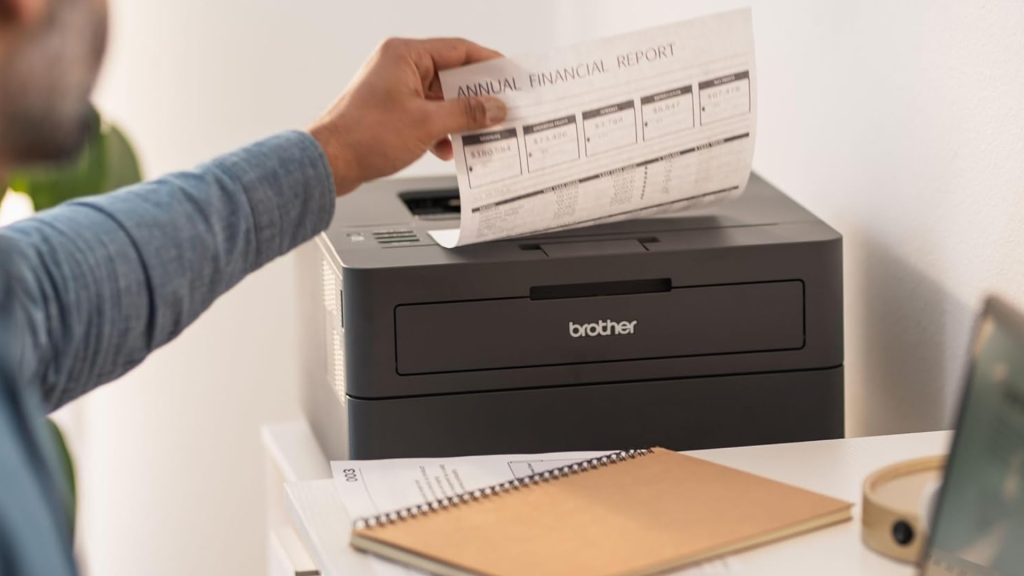

A printer that sits unused until tax forms, return labels, or school paperwork arrive should not become a troubleshooting project. The right choice depends on whether you need fast black-and-white pages, color documents, scanning, faxing, or a machine that can handle several people without constant refills.
Our Best Brother Printer picks range from compact single-function laser models to full color laser all-in-ones. The Brother DCP-L2640DW is the strongest all-around choice for most people, while the rest cover simpler home setups, color work, and heavier office duties.
Comparison table
| # | Product | Award | Print type | Print speed | Paper handling | Best for |
|---|---|---|---|---|---|---|
| 1 | Brother DCP-L2640DW | Best overall | Monochrome laser | Up to 36 ppm | 250-sheet tray, 50-page ADF | Home offices needing fast documents and scanning |
| 2 | Brother Work Smart 1360 | Best compact color all-in-one | Color inkjet | Up to 16 ppm black, 9 ppm color | 150-sheet tray, 20-sheet ADF | Everyday home printing |
| 3 | Brother HL-L2405W | Best basic laser | Monochrome laser | Up to 30 ppm | 250-sheet tray, manual feed | Simple black-and-white printing |
| 4 | Brother INKvestment 4355 | Best color productivity | Color inkjet | Up to 20 ppm black, 19 ppm color | 150-sheet tray, 20-page ADF | Home offices that fax and print often |
| 5 | Brother Work Smart 1410 | Best touchscreen inkjet | Color inkjet | Up to 16 ppm black, 9 ppm color | 150-sheet tray, 20-sheet ADF | Easy on-device control |
| 6 | Brother MFC-L2820DW | Best monochrome office all-in-one | Monochrome laser | Up to 36 ppm | 50-page ADF, Ethernet | Small offices needing fax |
| 7 | Brother HL-L2460DW | Best duplex laser | Monochrome laser | Up to 36 ppm | 250-sheet tray, manual feed | High-volume double-sided pages |
| 8 | Brother INKvestment 1365 | Best color ink capacity | Color inkjet | Up to 16 ppm black, 9 ppm color | 150-sheet tray, 20-sheet ADF | Homes printing mixed documents |
| 9 | Brother MFC-L3720CDW | Best color laser all-in-one | Color laser | Up to 19 ppm | 250-sheet tray, 50-sheet ADF | Small teams needing color and fax |
| 10 | Brother HL-L3220CDW | Best color laser printer | Color laser | Up to 19 ppm | 250-sheet tray, manual feed | Professional color documents |
1. Brother DCP-L2640DW: Best Overall
Pros
- Fast 36 ppm monochrome printing
- Copying and scanning in a compact body
- 50-page automatic document feeder
- Dual-band wireless and Ethernet
Cons
- Black-and-white output only
- No fax function listed
- At 25 pounds, it is not especially light
Best for: home offices and small businesses that mainly produce documents and need dependable scanning.
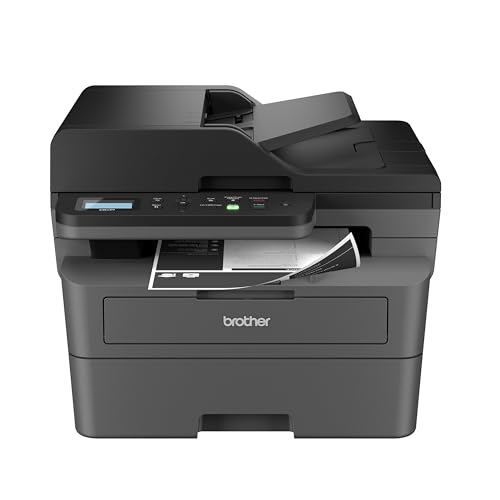
The Brother DCP-L2640DW is the printer we would put in the busiest home office first. It handles the chores people actually ask of a multifunction printer, including printing, copying, and scanning, without adding color hardware that a document-focused workspace may never use. Its compact footprint is sensible for a desk, though the 25-pound weight means you will want to choose its permanent location before setting it up.
The 36-page-per-minute print rate gives it a clear advantage over the inkjet all-in-ones here when a document packet needs to come out quickly. The 50-page automatic document feeder is just as important. It lets you scan or copy a stack without placing every sheet on the glass, and the advertised scan rates reach 23.6 images per minute in black and 7.9 in color. That makes this a much better paperwork machine than a basic printer with a flatbed alone.
Connections are unusually flexible for a compact model. Dual-band wireless supports both 2.4GHz and 5GHz networks, while Ethernet and USB cover wired setups. Brother’s Mobile Connect app handles printing, scanning, device management, toner tracking, and supply ordering from a phone. If you are comparing machines for a shared workspace, how to keep a small printer from becoming a desk problem is a useful question to settle before buying.
The limitation is fundamental: this is monochrome only, and there is no fax function listed. The Brother MFC-L2820DW adds fax and a touchscreen, while the Brother HL-L2460DW is the more focused choice for duplex-only printing. Choose the DCP-L2640DW when scanning and copying matter more than color or fax, and you want one balanced machine to handle a steady stream of documents.
2. Brother Work Smart 1360: Best Compact Color All-in-One

Pros
- Color printing, copying, and scanning
- Automatic two-sided printing
- 150-sheet paper tray
- Cloud app access from the color display
Cons
- Slower color output than the laser models
- Small 1.8-inch display
- Single-sided ADF
Best for: homes that need color documents and occasional scanning without a large office machine.
The Brother Work Smart 1360 is the approachable color all-in-one in this group. It prints, copies, and scans in a body that measures 13.5 inches long, 15.4 inches wide, and 7.2 inches high. That shape should fit a normal home-office shelf more easily than the taller monochrome laser all-in-ones, although you still need room for paper access and the output tray.
Its strengths are convenience rather than speed. Black pages run at up to 16 pages per minute, while color reaches up to 9 pages per minute. Automatic duplex printing helps with longer documents, and the 150-sheet tray reduces the need to reload paper during ordinary household work. The 20-sheet automatic document feeder is useful for short scans and copies, but its single-sided design means double-sided originals require more attention.
The 1.8-inch color display provides access to cloud connections such as Google Drive, Dropbox, Box, and OneDrive. Wireless networking and USB are available, and the Brother Mobile Connect app adds phone-based printing, scanning, copying, and ink monitoring. For readers still deciding between a multifunction machine and a simpler model, the features that matter in a home printing setup gives the broader context.
The main compromise is that this is not the model for long black-and-white batches. The Brother HL-L2405W is markedly quicker for text, while the Brother Work Smart 1410 offers the same stated print rates with a much larger touchscreen. The Work Smart 1360 makes sense when color, a compact footprint, and straightforward cloud access are more important than rapid output.
3. Brother HL-L2405W: Best Basic Laser

Pros
- Crisp monochrome laser output
- 250-sheet paper tray
- Dual-band wireless, USB, and mobile printing
- Manual feed for envelopes and specialty paper
Cons
- Prints only in black and white
- No scanner or copier
- No automatic duplex feature listed
Best for: people who want a compact wireless printer for routine text documents and nothing more.
The Brother HL-L2405W is refreshingly specific. It is a printer, not an all-in-one, and it concentrates on producing black-and-white pages without taking up the space or adding the maintenance associated with scanning and copying hardware. At 15.1 pounds, it is also one of the easier models here to move into place.
It prints one-sided documents at up to 30 pages per minute. That is slower than the 36 ppm DCP-L2640DW and HL-L2460DW, but still a substantial step above the color inkjet models for ordinary text. The 250-sheet paper tray is the more important practical feature for many homes. You can leave a good supply loaded rather than feeding pages one small stack at a time, and the manual feed slot handles envelopes and specialty paper.
Wireless printing works over dual-band 2.4GHz or 5GHz networks, with USB available for a direct computer connection. Brother’s Mobile Connect app supports remote management, mobile printing, and toner tracking. That combination makes the HL-L2405W a sensible choice for a room where several devices need to print but nobody needs to scan.
Its weakness is the missing multifunction hardware. If you regularly digitize forms, copy identification, or send faxes, the Brother DCP-L2640DW is the better first purchase. The HL-L2460DW also adds automatic duplex printing and reaches 36 ppm. Pick the HL-L2405W when a clean, compact, black-and-white output path is all you need.
4. Brother INKvestment 4355: Best Color Productivity

Pros
- Fast color inkjet output
- Automatic duplex printing
- Printing, scanning, copying, and faxing
- Wi-Fi Direct and cloud app support
Cons
- Small 1.8-inch display
- 20-page ADF is single-sided
- Taller body than the other compact inkjets
Best for: a home or small office that needs color, faxing, and frequent multifunction work.
The Brother INKvestment 4355 is the most productivity-minded inkjet among the smaller color models. It includes printing, copying, scanning, and faxing, so it covers office workflows that the Work Smart 1360 and Work Smart 1410 do not. Its dimensions are unusual at 18 inches high, 19.9 inches long, and 10.4 inches wide, so measure the shelf carefully rather than assuming every compact all-in-one has the same shape.
The output figures are strong for an inkjet. Brother rates it at up to 20 pages per minute in black and 19 pages per minute in color. Automatic duplex printing supports two-sided documents, while the 150-sheet paper tray is suitable for regular home-office work. A 20-page single-sided ADF handles short multipage jobs, and the one-sheet manual feed slot gives you a separate path for specialty paper.
The included cartridge yields are substantial on paper: the black cartridge is rated for 1, 800 pages, while each cyan, yellow, and magenta cartridge is rated for 750 pages. The printer uses Brother Genuine LC506 ink. Wireless and USB connections are joined by Wi-Fi Direct, which can be useful when you need to print without an external network. Cloud services, including Google Drive, Dropbox, Box, and OneDrive, are available through the display.
The 1.8-inch screen feels limited beside the 2.7-inch panel on the Brother Work Smart 1410, and this machine is physically less convenient to place. The Brother MFC-L3720CDW is the stronger choice for a small team that prefers color laser output and a 50-sheet ADF. Choose the INKvestment 4355 when inkjet color, faxing, and higher stated color speed are the priority.
5. Brother Work Smart 1410: Best Touchscreen Inkjet

Pros
- Clear 2.7-inch color touchscreen
- Automatic duplex printing
- Compact 16.8-pound body
- Cloud and mobile app support
Cons
- No fax function listed
- Modest color speed
- 20-sheet ADF is single-sided
Best for: home users who want to control common printing and scanning tasks directly from the printer.
The Brother Work Smart 1410 looks like the better inkjet for anyone who dislikes navigating printer menus on a phone or computer. Its 2.7-inch color touchscreen is considerably more usable than the 1.8-inch display on the Work Smart 1360 and INKvestment 1365. That matters when choosing cloud destinations, starting a copy, or changing a setting from the machine itself.
The core hardware is familiar. It prints in color, copies, and scans, with automatic duplex printing for two-sided pages. Brother rates it at up to 16 pages per minute in black and 9 pages per minute in color. A 150-sheet paper tray supports routine home workloads, while the 20-sheet single-sided ADF helps with short stacks of originals.
Wireless and USB connections cover the usual device choices, and the Brother Mobile Connect app adds printing, scanning, copying, device management, and ink monitoring. The printer measures 13.5 inches long, 15.4 inches wide, and 7.2 inches high, and weighs 16.8 pounds. Its footprint is the same as the Work Smart 1360, so the decision between them comes down largely to control and workflow.
The limitation is that no fax function is listed, and the output rate is not suited to a busy office. The Brother INKvestment 4355 is the more capable office machine, with faxing, Wi-Fi Direct, and faster stated color output. For a home user, though, the larger touchscreen makes the Work Smart 1410 easier to live with, especially when choosing the right mix of printing and scanning features matters more than office throughput.
6. Brother MFC-L2820DW: Best Monochrome Office All-in-One

Pros
- Fast 36 ppm printing
- Copy, scan, and fax functions
- 50-page ADF
- 2.7-inch touchscreen and Ethernet
Cons
- Monochrome output only
- Heavier than the basic laser printers
- Larger footprint than the HL models
Best for: small offices that need fast black-and-white documents plus scanning, copying, and faxing.
The Brother MFC-L2820DW is the office version of the DCP-L2640DW idea. It combines a fast monochrome laser engine with printing, copying, scanning, and faxing. If fax is part of your workflow, this is one of the clearest choices in the roundup because the compact HL printers do not offer multifunction hardware.
Its 36 ppm print rate matches the DCP-L2640DW, and scan speeds reach 23.6 images per minute in black and 7.9 in color. The 50-page automatic document feeder makes a meaningful difference when processing contracts, invoices, or forms. It can feed a stack for copying, scanning, or faxing instead of forcing you to work sheet by sheet.
A 2.7-inch touchscreen provides direct control, including access to cloud services such as Google Drive, Dropbox, Evernote, and OneNote. The connection choices are broad: dual-band wireless, Ethernet, and USB are all available. Brother’s Mobile Connect app handles remote printing, scanning, management, and toner tracking. At 22.5 pounds, it is lighter than the color laser all-in-one, but still deserves a stable home.
It cannot print color, and it is more machine than a household that only needs occasional text pages may require. The Brother DCP-L2640DW is the better fit when fax is irrelevant and a simpler control panel is acceptable. Choose the MFC-L2820DW for a small office that wants speed, a proper ADF, wired networking, and fax in one monochrome unit.
7. Brother HL-L2460DW: Best Duplex Laser

Pros
- Automatic duplex printing
- Up to 36 ppm
- 250-sheet paper tray
- Ethernet, wireless, USB, and mobile printing
Cons
- No scanner or copier
- Black-and-white output only
- Manual feed is needed for specialty media
Best for: home offices and small teams printing frequent double-sided documents.
The Brother HL-L2460DW is the straightforward workhorse for two-sided documents. It skips the scanner, copier, and fax hardware found in the multifunction models, which keeps the workflow focused and reduces the number of controls competing for attention. Its 15.6-pound body is compact enough for a home office while still offering a full-size paper tray.
The headline speed is up to 36 pages per minute, and automatic duplex printing is the feature that separates it from the HL-L2405W. For reports, drafts, and internal documents, duplexing can save repeated trips to the printer and reduce the amount of paper a job consumes. The 250-sheet tray also supports longer sessions without constant refilling.
Connectivity is broad. Dual-band wireless supports 2.4GHz and 5GHz networks, Ethernet suits a shared office, and USB handles a direct computer connection. The Mobile Connect app supports mobile printing and printer management. A manual feed slot handles envelopes and specialty paper, though it is not a replacement for a second paper tray.
The obvious weakness is the lack of multifunction capability. The Brother DCP-L2640DW adds scanning and copying at the same 36 ppm rate, while the Brother HL-L2405W is the simpler choice if one-sided printing is enough. The HL-L2460DW is the one to keep in mind when high-volume black-and-white duplex work is the central task.
8. Brother INKvestment 1365: Best Color Ink Capacity

Pros
- Automatic duplex printing
- Color printing, scanning, and copying
- 150-sheet tray and 20-page ADF
- Wi-Fi Direct and cloud app support
Cons
- Smaller 1.8-inch display
- No fax function listed
- Slower than the INKvestment 4355
Best for: home users who print color documents regularly and want higher stated cartridge yields than the basic inkjet models.
The Brother INKvestment 1365 occupies the middle ground between the basic Work Smart inkjets and the more office-oriented 4355. It prints, copies, and scans, with automatic duplex printing and a 150-sheet paper tray. The body is compact at 13.5 inches long, 15.4 inches wide, and 7.2 inches high, and its 16.8-pound weight is manageable for a home workspace.
Brother rates it at up to 16 pages per minute in black and 9 pages per minute in color. Those figures match the Work Smart 1360 and 1410, so this is not the pick for quick batch printing. Its advantage is the included cartridge yield: the black cartridge is rated for 1, 200 pages, and each color cartridge is rated for 500 pages. It uses Brother Genuine LC504 ink.
A 20-page single-sided ADF handles short scan and copy jobs, while Wi-Fi Direct permits wireless printing without an external network connection. Wireless networking and USB are also available. Cloud apps such as Google Drive, Dropbox, Box, and OneDrive can be used through the 1.8-inch color display, and Mobile Connect provides phone-based controls and ink monitoring.
The display is small, and there is no fax function listed. The Brother Work Smart 1410 is easier to operate from the machine because of its 2.7-inch touchscreen, while the Brother INKvestment 4355 is faster and adds faxing. Choose the INKvestment 1365 when cartridge yield and everyday color multifunction work matter more than speed or a larger screen.
9. Brother MFC-L3720CDW: Best Color Laser All-in-One

Pros
- Color laser printing, scanning, copying, and faxing
- 3.5-inch touchscreen
- 50-sheet ADF
- 250-sheet tray and automatic duplex
Cons
- Heavy 44-pound design
- Larger footprint
- Slower stated output than the monochrome lasers
Best for: small teams that need color laser documents and full multifunction office capability.
The Brother MFC-L3720CDW is the most complete office machine in the lineup. It uses color laser printing and adds a scanner, copier, and fax, so it is built for a shared workspace rather than a rarely used household printer. Its 44-pound weight is a serious installation consideration. This is a printer you place once, not one you casually move between rooms.
Output reaches up to 19 pages per minute. That is slower than the 36 ppm monochrome models, but it applies to color laser documents, where consistent text and graphics matter more than maximum black-and-white speed. Automatic duplex printing supports two-sided work, and the 250-sheet adjustable paper tray reduces interruptions. The 50-sheet automatic document feeder is the largest listed ADF in this group.
The 3.5-inch color touchscreen is the most substantial display here and includes 48 customizable shortcuts. Direct access to cloud services such as Google Drive, Dropbox, and OneNote can shorten repetitive workflows. Connectivity includes dual-band wireless, Wi-Fi Direct, and USB 2.0, while mobile management includes remote access and toner monitoring.
The tradeoff is size and weight. The Brother HL-L3220CDW offers color laser printing in a much lighter body, but it does not provide the same scanner, copier, and fax package. The Brother MFC-L2820DW is faster and lighter if monochrome output is acceptable. Choose the MFC-L3720CDW when a small team needs color and multifunction tools more than a compact footprint.
10. Brother HL-L3220CDW: Best Color Laser Printer

Pros
- Color laser output at up to 19 ppm
- Automatic duplex printing
- 250-sheet paper tray
- Manual feed for envelopes and specialty media
Cons
- No scanner or copier
- Heavier than the inkjet all-in-ones
- No ADF
Best for: home offices that need professional-looking color documents without multifunction hardware.
The Brother HL-L3220CDW is the focused color laser option. It prints color documents, but it does not scan, copy, or fax. That makes it easier to understand than the MFC-L3720CDW and a better match for an office that already has a separate scanner or rarely handles paper originals.
Print speed reaches up to 19 pages per minute in both the product description’s color laser workflow and its listed professional output claim. Automatic duplex printing supports two-sided documents, and the 250-sheet paper tray is large enough for routine office use. The manual feed slot handles envelopes and specialty media without requiring you to empty the main tray.
Wireless printing supports laptops, phones, and tablets, with mobile printing platforms and cloud services included in the connectivity description. The printer measures 15.7 inches long by 15.7 inches wide and 9.4 inches high, and weighs 24.7 pounds. That is substantially lighter than the MFC-L3720CDW, though it still needs a sturdy surface.
The missing scanner is the deciding weakness. The Brother Work Smart 1410 is a better home multifunction option, while the Brother MFC-L3720CDW is the clear upgrade for teams needing faxing and a 50-sheet ADF. Pick the HL-L3220CDW when color laser pages and duplex printing are the goal, and extra office hardware would only get in the way.
How to choose best brother printer
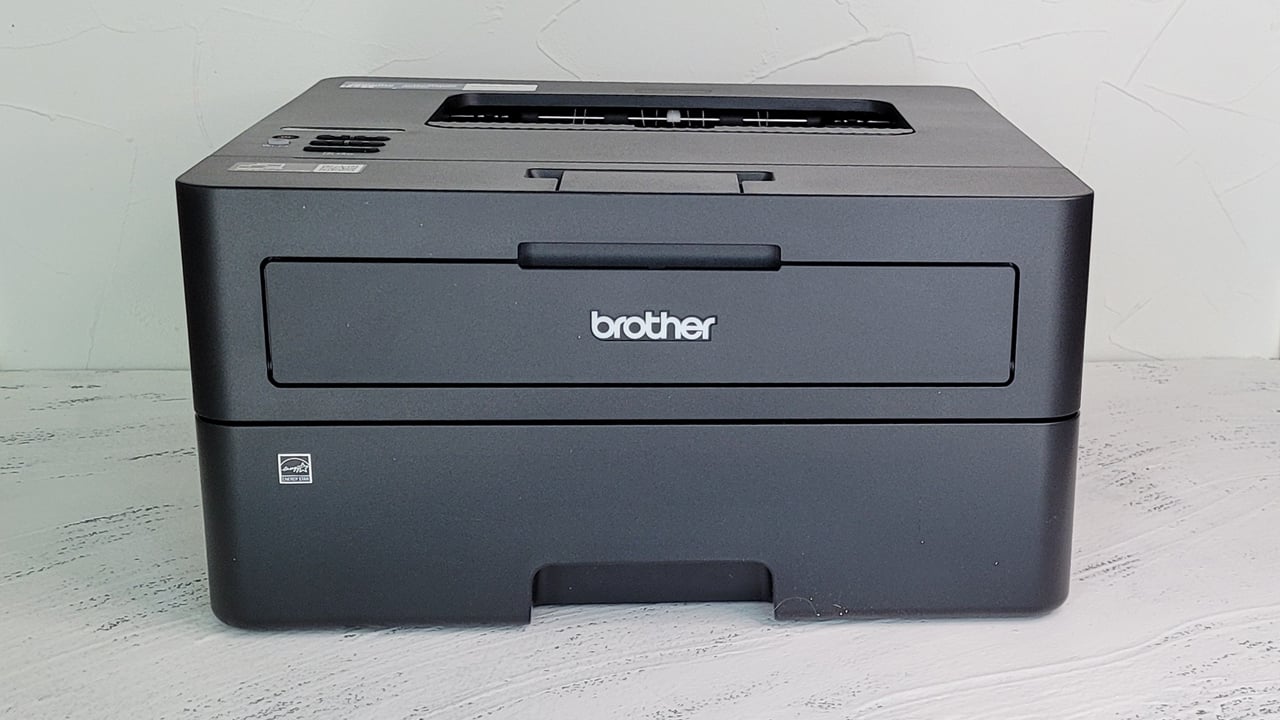
The right Best Brother Printer depends less on the model name than on the type of work you send through it every week.
Print technology
Monochrome laser printers are the strongest fit for crisp text, fast document batches, and black-and-white office work. Color laser models add consistent color output and are suited to shared offices, while inkjets cover color documents in smaller home setups. Do not choose an inkjet simply because it has more functions if nearly everything you print is plain text.
Multifunction hardware
A single-function printer is easier to place and is often the cleaner choice when scanning and copying are rare. An all-in-one becomes worthwhile when you regularly digitize paperwork, make copies, or need faxing. The DCP-L2640DW and MFC-L2820DW both add a 50-page ADF, while the color MFC-L3720CDW raises that capacity to 50 sheets and includes color laser output.
Choose the printer around the task you repeat most, not the feature you might use once a year.
Duplex printing
Automatic duplex printing turns two-sided documents into a routine job instead of a manual rearrangement exercise. It matters most for reports, forms, schoolwork, and office drafts. The HL-L2405W does not list automatic duplex printing, while the HL-L2460DW, DCP-L2640DW, and the color all-in-ones include it.
Paper capacity and feeding
A 250-sheet tray is useful when the printer serves several people or handles long documents. A 150-sheet tray is adequate for many homes, but it requires more frequent attention during heavier work. Manual feed slots are helpful for envelopes and specialty paper, while an automatic document feeder saves time when scanning or copying multiple originals.
Connection and controls
Wireless networking is convenient for multiple devices, and dual-band support can make network placement easier. Ethernet is valuable for a shared office, while USB provides a direct fallback. A touchscreen also changes the experience: the 2.7-inch panel on the Work Smart 1410 is easier to navigate than the 1.8-inch displays on several other inkjets, while the MFC-L3720CDW has a 3.5-inch touchscreen and customizable shortcuts.
Frequently asked questions
Should I choose a Brother laser or inkjet printer?
Choose a monochrome laser model for frequent black-and-white documents and fast text output. Choose an inkjet when color printing, copying, and scanning are more important than rapid document batches. Color laser is the better fit for a shared office that needs regular color documents.
Which Brother printer is best for scanning?
The DCP-L2640DW and MFC-L2820DW both include a 50-page automatic document feeder. The MFC-L3720CDW also has a 50-sheet ADF and adds color laser printing, copying, and faxing. The smaller inkjet models include 20-sheet single-sided ADFs.
Which models print automatically on both sides?
Automatic duplex printing is listed for the Work Smart 1360, INKvestment 4355, Work Smart 1410, HL-L2460DW, INKvestment 1365, MFC-L3720CDW, and HL-L3220CDW. The DCP-L2640DW and MFC-L2820DW also include duplex printing. The HL-L2405W is listed with one-sided document printing, so do not assume automatic duplexing on that model.
Can these Brother printers print from a phone?
The models in this roundup include wireless connectivity or mobile printing features in their product descriptions. Several also support the Brother Mobile Connect app for printing and printer management. The HL-L2405W, HL-L2460DW, and color laser models specifically describe mobile device compatibility or mobile integration.
Which Brother printer has fax?
Faxing is listed for the Brother INKvestment 4355, Brother MFC-L2820DW, and Brother MFC-L3720CDW. The other models are described as printers, scanners, copiers, or combinations of those functions without a listed fax feature.
Do Brother printers support cloud services?
The Work Smart 1360, Work Smart 1410, INKvestment 4355, INKvestment 1365, MFC-L2820DW, and MFC-L3720CDW describe access to cloud services. Listed services include Google Drive, Dropbox, Box, OneDrive, Evernote, and OneNote, depending on the model.
The bottom line
The Best Brother Printer for most document-focused home offices is the Brother DCP-L2640DW. It combines 36 ppm monochrome printing with copying, scanning, a 50-page ADF, duplex support, dual-band wireless, Ethernet, and USB. If your work is mostly black-and-white paperwork, it has the most useful balance of speed and office functions.
Choose the Brother Work Smart 1410 when color printing and simple touchscreen control matter more, or step up to the Brother MFC-L3720CDW when a small team needs color laser output, faxing, a larger ADF, and more direct workflow controls. The Brother HL-L2460DW is the cleaner pick for anyone who only needs fast, automatic two-sided monochrome printing.
If you are undecided, buy the DCP-L2640DW for black-and-white work, and choose the Work Smart 1410 only when color is essential.
As an Amazon Associate we earn from qualifying purchases.