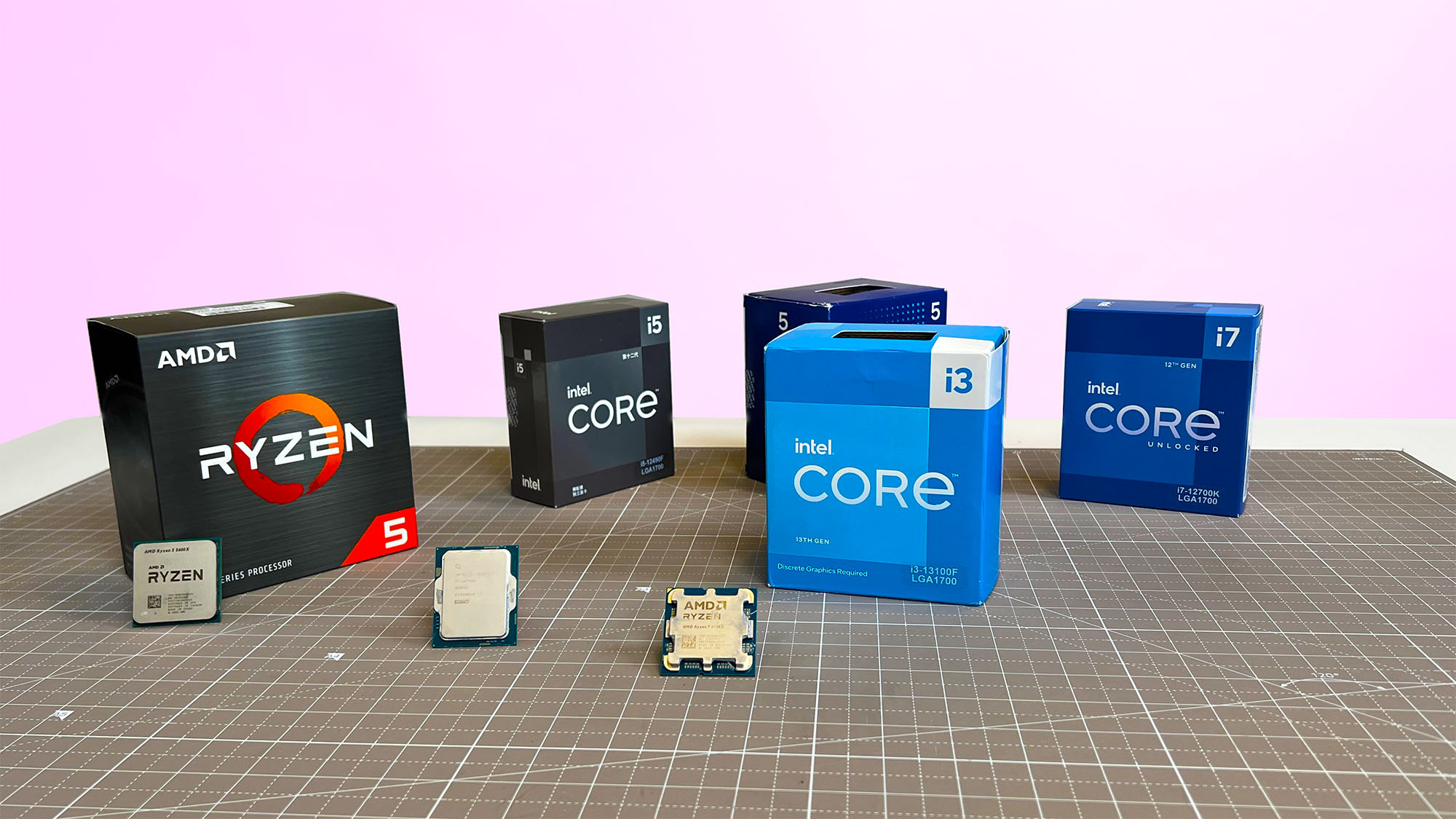

A processor can look like a bargain until the motherboard, memory, cooler, and graphics requirements turn a simple upgrade into a platform rebuild. The right choice depends on whether you are improving an existing AM4 or LGA1700 system, or starting fresh with AM5 and DDR5.
Our Best best budget cpu picks range from the unusually capable Ryzen 5 5500 to high-end gaming chips such as the Ryzen 7 7800X3D, plus one complete desktop for shoppers who do not want to assemble a system. AMD Ryzen 5 5500 is the best first choice for an existing AM4 gaming PC, while the Ryzen 5 9600X is the strongest newer-platform pick.
Comparison
| # | Product | Award | Cores and threads | Platform | Key feature | Best for |
|---|---|---|---|---|---|---|
| 1 | AMD Ryzen 5 5500 | Best overall | 6, 12 | AM4, DDR4 | Wraith Stealth cooler | AM4 gaming upgrades |
| 2 | AMD Ryzen 5 9600X | Best new platform | 6, 12 | AM5, DDR5 | 5.4 GHz boost | New gaming builds |
| 3 | AMD Ryzen 7 7800X3D | Best for gaming | 8, 16 | AM5 | 96 MB L3 cache | High frame rates |
| 4 | AMD Ryzen 5 7600X | Best AM5 value | 6, 12 | AM5, DDR5 | 5.3 GHz clock | Balanced new PCs |
| 5 | AMD Ryzen 7 7700X | Best multitasking | 8, 16 | AM5, DDR5 | 80 MB cache | Gaming and creation |
| 6 | OKAMUS i5 Prebuilt | Best complete PC | 6, 12 | Desktop system | 256 GB M.2 drive | Ready-made desktops |
| 7 | Intel Core i7-12700KF | Best Intel performance | 12, 20 | LGA1700 | 8P plus 4E cores | Heavy multitasking |
| 8 | AMD Ryzen 7 5700X | Best AM4 upgrade | 8, 16 | AM4, DDR4 | 36 MB cache | Older AM4 systems |
| 9 | AMD Ryzen 5 5600 | Best with cooler | 6, 12 | AM4 | Wraith Stealth cooler | Simple AM4 builds |
| 10 | Intel Core i5-12400F | Best Intel starter | 6, 12 | LGA1700 | Up to 4.4 GHz turbo | Entry gaming PCs |
1. AMD Ryzen 5 5500: Best Overall

Pros
- Six cores and 12 processing threads
- Wraith Stealth cooler included
- Unlocked for overclocking
- DDR4 support suits existing AM4 systems
Cons
- Requires a discrete graphics card for gaming
- AM4 is an older platform
- Lower boost speed than newer Ryzen chips
Best for: someone upgrading an AM4 desktop without replacing the entire platform.
The AMD Ryzen 5 5500 is the processor we would recommend first to someone who already owns an AM4 motherboard and DDR4 memory. Its six cores and 12 threads are enough for modern games, ordinary editing, streaming, and a busy browser session, while the included Wraith Stealth cooler keeps the installation straightforward. It is not a chip for a new high-end build, but it makes excellent sense as a focused upgrade.
Its 4.2 GHz maximum boost and 19 MB of cache give it responsive everyday behavior, and the unlocked design leaves room for manual tuning. The DDR4-3200 support is important here. You can keep the memory you already have rather than buying into the newer AM5 and DDR5 ecosystem. That makes this a much more practical upgrade than the Ryzen 5 9600X when the rest of the computer is still built around AM4.
The Ryzen 5 5500 does not include integrated graphics. A discrete graphics card is required, and that should be treated as part of the build rather than an optional extra. The same limitation applies to several processors here, including the Ryzen 7 5700X and Intel Core i7-12700KF, but the Ryzen 5 5500 is especially easy to misunderstand because it arrives with a cooler.
Compared with the Ryzen 5 5600, this chip is the simpler choice when the goal is a capable AM4 gaming upgrade, though the Ryzen 5 5600 remains an attractive alternative for buyers who want that model specifically. The Ryzen 5 7600X is faster and gives you a newer upgrade path, but it requires an AM5 motherboard and DDR5 memory. Choose the Ryzen 5 5500 when your existing AM4 hardware is the reason you are shopping.
2. AMD Ryzen 5 9600X: Best New Platform

Pros
- Zen 5 architecture
- Six cores and 12 threads
- 5.4 GHz maximum boost
- DDR5-5600 support
- Unlocked for overclocking
Cons
- Cooler not included
- Requires AM5 and DDR5 hardware
- Discrete graphics card is needed for serious gaming
Best for: a new gaming build that needs modern platform support without moving to a larger eight-core processor.
The AMD Ryzen 5 9600X is the cleanest starting point for a new system in this group. Its six cores and 12 threads are familiar territory, but the Zen 5 architecture and 5.4 GHz maximum boost give it much more headroom than older six-core options. It feels like a processor chosen for the next few years rather than a way to extend the life of an aging motherboard.
AM5 support is the central advantage. The chip uses DDR5-5600 memory and can support PCIe 5.0 on select motherboards, so the surrounding system has room to grow. Those features will not automatically make every game faster, but they give a new build more flexibility for future storage, graphics, and processor upgrades. The 38 MB cache also helps keep frequently used data close to the cores.
The major catch is the missing cooler. A compatible cooling solution must be selected separately, and the motherboard and memory must support AM5. That makes this a poor fit for a drop-in AM4 upgrade. The Ryzen 5 7600X is a close alternative with a 5.3 GHz clock and 32 MB of listed cache, while the 9600X is the better fit when newer Zen 5 performance is the priority.
This processor also lacks a discrete gaming graphics solution in the sense that a serious gaming PC still needs a separate graphics card. If you are planning a complete machine, read our guide to matching a processor with the right graphics card before choosing the rest of the parts. The Ryzen 5 9600X is for builders who understand that a modern platform is a complete system decision, not just a chip swap.
3. AMD Ryzen 7 7800X3D: Best for Gaming

Pros
- Eight cores and 16 threads
- 96 MB of L3 cache
- 5 nm process technology
- AM5 and DDR5 support
- Integrated Radeon graphics controller
Cons
- Cooler not included
- Requires a newer AM5 platform
- Excessive for basic office desktops
Best for: a gaming-first AM5 build where frame rate consistency matters more than keeping the system minimal.
The AMD Ryzen 7 7800X3D is the specialist in this roundup. Eight cores and 16 threads give it enough capacity for gaming while recording, streaming, or running other applications, but its defining feature is the large 96 MB L3 cache. Games that benefit from keeping more data close to the processor can feel especially smooth, which is why this chip remains a compelling gaming choice even beside newer Ryzen models.
The 4.2 GHz clock speed is not the headline figure here. The cache arrangement and eight-core design matter more to the kind of buyer who is trying to hold high frame rates with a fast graphics card. AMD lists a 5 nm process, and the processor includes a Radeon graphics controller, although a discrete graphics card remains the sensible pairing for serious gaming.
It uses AM5, so the build requires DDR5 memory and an AM5 motherboard. The lack of an included cooler is another practical consideration. That extra planning separates it from the Ryzen 5 5500, which is much easier to install in an existing AM4 machine. The Ryzen 5 9600X is a more modern six-core alternative, but the 7800X3D wins for buyers who care most about gaming behavior and want eight cores.
The weakness is specialization. For office work, light content creation, or a basic desktop, its gaming focus is difficult to justify. The Ryzen 7 7700X offers eight cores and 16 threads with a 5.4 GHz maximum boost and a broader general-purpose profile. Pick the Ryzen 7 7800X3D when games are the center of the build, and skip it when your workload is mostly documents and web applications.
4. AMD Ryzen 5 7600X: Best AM5 Value

Pros
- Six cores and 12 threads
- 5 nm process technology
- 5.3 GHz clock speed
- AM5 socket
- Radeon graphics controller
Cons
- Cooler not included
- Requires DDR5 memory
- A discrete graphics card is still needed for demanding games
Best for: a balanced AM5 gaming or productivity build with room for later upgrades.
The AMD Ryzen 5 7600X is the middle ground that makes the most sense for many new builders. It has six cores and 12 threads, but the AM5 socket and 5 nm process give the system a modern foundation. Its 5.3 GHz clock speed keeps games and everyday applications quick, while the six-core layout avoids paying for capacity you may never use.
The cache specification is 6 MB of L2 plus 32 MB of L3. In practical terms, that gives the processor a useful pool of nearby data for games and applications without turning it into a specialist part. The included Radeon graphics controller can help with basic display output and troubleshooting, but a dedicated graphics card remains necessary for demanding games.
There is no cooler in the box, and the platform requires DDR5 memory. Those two facts make the Ryzen 5 5500 more convenient for an existing AM4 computer. The 7600X is the better choice when starting from scratch, because AM5 support and the ability to use select PCIe 5.0 motherboards provide a clearer path for future upgrades.
The Ryzen 5 9600X is newer and reaches a 5.4 GHz maximum boost, while the Ryzen 7 7700X adds two more cores and four more threads. The 7600X sits between them as the less complicated all-purpose choice. It is best for someone who wants a current gaming platform without making the processor itself the centerpiece of the build.
5. AMD Ryzen 7 7700X: Best Multitasking
Pros
- Eight cores and 16 threads
- 5.4 GHz maximum boost
- 80 MB of cache
- DDR5-5200 support
- Unlocked AM5 processor
Cons
- Cooler not included
- Requires an AM5 motherboard
- Discrete graphics required for serious gaming
Best for: users who game, stream, edit, and multitask on the same desktop.
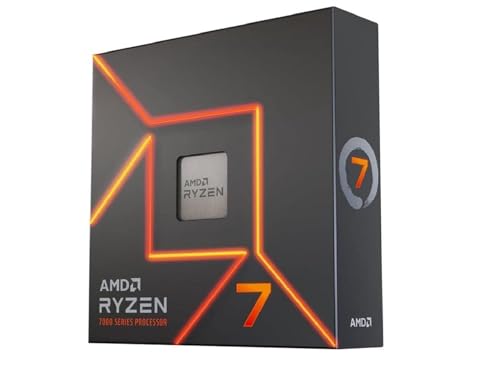
The AMD Ryzen 7 7700X is the broadest all-rounder among the AM5 processors here. Eight cores and 16 threads give it breathing room when a game is running beside a stream, a browser full of tabs, and background software. It does not chase the specialized gaming behavior of the Ryzen 7 7800X3D, but it is the more natural fit for a mixed workload.
Its 5.4 GHz maximum boost is matched by the Ryzen 5 9600X, yet the 7700X carries eight cores rather than six. The 80 MB cache figure and DDR5-5200 support round out a platform aimed at demanding desktop use. It can also support PCIe 5.0 on select 600 Series motherboards, giving the build modern connectivity options without moving to a workstation-class processor.
The missing cooler should not be overlooked. This processor needs a separate compatible cooling solution, and the system must use an AM5 motherboard and DDR5 memory. That makes it a poor choice for anyone hoping to reuse an AM4 board. The Ryzen 7 5700X is easier to place in an older system, but the 7700X is substantially more forward-looking.
The Ryzen 7 7800X3D is the better gaming specialist, and the Ryzen 5 7600X is the simpler choice for a gaming-only build. Pick the 7700X when your computer has to do several demanding jobs at once. If that sounds like your use case, planning a desktop around gaming and streaming at the same time can help determine whether the extra cores will actually be useful.
6. OKAMUS i5 Prebuilt: Best Complete PC

Pros
- Complete Windows 11 Home desktop
- 256 GB M.2 storage
- 8 GB of RAM
- Wi-Fi 6 and Bluetooth 5.3
- RGB fans and 400W power supply
Cons
- Integrated graphics only
- Shared graphics memory limits gaming
- Storage and memory capacity are modest
Best for: someone who needs a ready-made Windows desktop rather than a standalone processor.
The OKAMUS i5 Prebuilt is the odd one out, and that is precisely why it belongs here. Every other pick is an internal processor, while this is a complete tower with Windows 11 Home, storage, memory, wireless connectivity, and a power supply already installed. For a buyer who wants a working desktop instead of a parts list, that distinction matters more than the processor name.
Its 256 GB M.2 drive should make startup and application loading feel much quicker than a traditional hard drive, while 8 GB of RAM is enough for basic office work, browsing, and light multitasking. The system includes Wi-Fi 6 and Bluetooth 5.3, so it does not need a separate wireless adapter in a typical home setup. Four black RGB fans and a vertical CPU cooler are also listed as part of the cooling design.
The major limitation is the integrated graphics. No dedicated graphics card is included, and graphics performance is limited by shared system memory. The listing describes the i5 processor as reaching up to 3.6 GHz, but it does not identify the exact Intel model or provide a core and thread count. That makes direct comparison with the Ryzen and Intel processor entries less precise.
This is not the right pick for someone building a serious gaming PC. It is more sensible for schoolwork, office applications, media playback, and a desktop that may later receive upgrades. Readers considering a complete tower should also compare how much storage and memory a basic desktop really needs before committing. Choose the OKAMUS when convenience and a ready-to-use system matter more than component-level control.
7. Intel Core i7-12700KF: Best Intel Performance

Pros
- 12 cores with 8 performance and 4 efficiency cores
- Up to 5.0 GHz
- Unlocked for tuning
- LGA1700 support
- Compatible with Intel 600 and 700 Series chipsets
Cons
- Discrete graphics required
- Cooler not included
- Needs a suitable LGA1700 motherboard
Best for: an Intel desktop handling games and demanding multitasking.
The Intel Core i7-12700KF remains a strong choice when the workload extends beyond gaming. Its hybrid layout combines eight performance cores with four efficiency cores, for 12 cores and 20 processing threads in total. That gives it more parallel capacity than the six-core Intel Core i5-12400F and more thread capacity than the six-core Ryzen options.
It can reach 5.0 GHz and is unlocked, so experienced builders can tune it when the motherboard and cooling setup are prepared for that work. The processor has 12 MB of L2 cache and 25 MB of L3 cache, along with Intel 7 architecture. Compatibility covers Intel 600 Series and 700 Series chipset motherboards through the LGA1700 socket.
The KF suffix carries an important warning: discrete graphics are required. There is no integrated graphics fallback for a system that is waiting on a graphics card, and a cooler is not included. That makes the OKAMUS prebuilt simpler for a basic desktop, even though the Intel processor is far more capable for serious workloads.
Compared with the Ryzen 7 7700X, the 12700KF offers a more complex mix of performance and efficiency cores, while the Ryzen chip has a straightforward eight-core, 16-thread design on AM5. The Intel part is the better fit for an existing LGA1700 build or a buyer who wants strong multitasking without moving to AMD. Skip it if you want a quiet, simple system with integrated graphics.
8. AMD Ryzen 7 5700X: Best AM4 Upgrade

Pros
- Eight cores and 16 threads
- DDR4-3200 support
- 36 MB of cache
- Unlocked for overclocking
- PCIe 4.0 support on select AM4 boards
Cons
- Cooler not included
- Requires a discrete graphics card
- AM4 limits the future upgrade path
Best for: an AM4 owner who needs more cores for gaming, creation, and multitasking.
The AMD Ryzen 7 5700X is the sensible step up for an AM4 system that has outgrown a basic six-core processor. Eight cores and 16 threads give it more room for video work, code compilation, streaming, and heavy multitasking than the Ryzen 5 5500 or Ryzen 5 5600. It remains compatible with DDR4-3200, so the upgrade can preserve much of an existing system.
Its 4.6 GHz maximum boost is lower than the newer AM5 chips, but the 36 MB cache and Zen 3 architecture still make it a well-rounded desktop processor. It is unlocked for overclocking, and it can support PCIe 4.0 on X570 and B550 motherboards. Those details matter most when the motherboard already supports them and the builder is prepared to tune the system.
The missing cooler is the main installation complication. A discrete graphics card is also required, so this is a component for an existing or planned gaming desktop, not a complete computer. The Ryzen 5 5500 is easier to cool because it includes the Wraith Stealth cooler, but the 5700X is the better choice when extra cores are the reason for upgrading.
The weakness is the platform ceiling. AM4 and DDR4 keep the upgrade practical today, but AM5 offers a more modern path with DDR5 and select PCIe 5.0 support. Choose the Ryzen 7 5700X when replacing the motherboard would undermine the point of the upgrade. New builders should look more closely at the Ryzen 5 7600X or Ryzen 5 9600X.
9. AMD Ryzen 5 5600: Best With Cooler
Pros
- Six cores and 12 threads
- Wraith Stealth cooler included
- Unlocked for overclocking
- AM4 compatibility
- Suitable for gaming and everyday work
Cons
- Limited to the older AM4 platform
- Requires a discrete graphics card
- Listed product details are less complete than the Ryzen 5 5500
Best for: a straightforward AM4 build where an included cooler simplifies installation.
The AMD Ryzen 5 5600 is an uncomplicated processor for an uncomplicated PC. It has six cores and 12 threads, uses the AM4 platform, and includes the Wraith Stealth cooler. Those basics make it easy to place in a modest gaming or general-purpose desktop without adding another cooling decision to the build.
The listing confirms that it is unlocked for overclocking and identifies support for AMD Ryzen systems, but it provides fewer detailed performance figures than the Ryzen 5 5500 entry. That matters because the 5500 has a clearly stated 4.2 GHz maximum boost, 19 MB cache, and DDR4-3200 support. The Ryzen 5 5600 still makes sense when the specific model and bundled cooler are the priorities, but the comparison is less straightforward.
Like the Ryzen 5 5500, it is an AM4 processor and needs a discrete graphics card for serious gaming. It is therefore best considered alongside the motherboard and memory already in the computer. Moving to the Ryzen 5 7600X means adopting AM5 and DDR5, which is a larger project but gives the system a newer foundation.
The Ryzen 5 5600 is not the choice for someone chasing the highest frame rates or the broadest upgrade path. It is the better fit for an AM4 builder who wants six cores, 12 threads, and a bundled cooler in one familiar package. If you are still choosing the rest of the machine, the practical trade-offs of building a compact desktop may be more useful than focusing on processor speed alone.
10. Intel Core i5-12400F: Best Intel Starter

Pros
- Six performance cores and 12 threads
- Up to 4.4 GHz turbo frequency
- LGA1700 socket
- 65W processor base power
- Compatible with 600 Series chipsets
Cons
- Discrete graphics required
- Older LGA1700 platform
- Product listing provides limited technical detail
Best for: an Intel gaming or general-purpose build using an LGA1700 motherboard.
The Intel Core i5-12400F is the most straightforward Intel processor in this selection. It uses six performance cores and 12 threads, reaches up to 4.4 GHz turbo frequency, and has a listed processor base power of 65W. That combination suits a mainstream desktop that needs responsive applications and solid gaming performance without the complexity of a larger hybrid-core chip.
Its LGA1700 socket and 600 Series chipset compatibility make it a natural match for a focused Intel build. The F designation is the important caveat. Discrete graphics are required, so this processor cannot provide display output on its own. Anyone assembling a computer around it should confirm that the graphics card and motherboard are part of the same plan.
The Core i7-12700KF is the stronger Intel option for demanding multitasking, with 12 cores and 20 threads and a 5.0 GHz maximum speed. The Ryzen 5 5500 is easier to install in an AM4 system because its cooler is included. The 12400F sits between those choices as a sensible Intel starting point, provided the LGA1700 platform fits the build.
The product information is less detailed than the entries for the Ryzen processors, so it is harder to assess beyond the core specifications supplied. That is the reason to skip it if you need a more clearly documented platform or integrated graphics. Choose it when you already have an LGA1700-compatible plan and a discrete graphics card ready.
How to choose best budget cpu
The right processor is determined by the whole computer around it. Start with the platform, then weigh cores, graphics requirements, cooling, and the workload you actually run.
Socket and memory platform
AM4 processors such as the Ryzen 5 5500, Ryzen 5 5600, and Ryzen 7 5700X use DDR4 and suit existing systems. AM5 processors such as the Ryzen 5 7600X, Ryzen 5 9600X, Ryzen 7 7700X, and Ryzen 7 7800X3D use DDR5 and offer a newer upgrade path. Intel's Core i5-12400F and Core i7-12700KF use LGA1700 and must be paired with a compatible 600 or 700 Series chipset board.
A processor upgrade is easiest when the socket and memory already match. A new platform can provide more future flexibility, but it also means replacing more components.
The cheapest processor to install is often the one that fits the motherboard and memory already on your desk.
Cores and threads
Six cores and 12 threads are enough for mainstream gaming, office work, and ordinary content creation. Eight cores and 16 threads, as found in the Ryzen 7 5700X, Ryzen 7 7700X, and Ryzen 7 7800X3D, are more comfortable for streaming, editing, and heavy multitasking. The Intel Core i7-12700KF goes further with 12 total cores and 20 threads.
More cores do not automatically improve every game. They matter when several demanding applications run together or when the software can spread work across many threads.
Clock speed and cache
Clock speed describes how quickly cores can process work, but it is not a complete performance measure. The Ryzen 5 9600X reaches a listed 5.4 GHz maximum boost, while the Ryzen 5 7600X reaches 5.3 GHz and the Ryzen 7 7700X reaches 5.4 GHz. Cache can also affect responsiveness by keeping frequently used data close to the cores.
The Ryzen 7 7800X3D stands apart with 96 MB of L3 cache. That large cache is especially relevant to gaming, while the Ryzen 7 7700X's 80 MB cache and greater general-purpose balance suit mixed workloads.
Integrated and discrete graphics
Several processors here require a discrete graphics card. The Ryzen 5 5500, Ryzen 7 5700X, Intel Core i7-12700KF, and Intel Core i5-12400F should not be treated as complete display solutions. The OKAMUS desktop uses integrated graphics only, and its listing warns that graphics performance is limited by shared system memory.
A processor with a graphics controller can be useful for office work and troubleshooting, but it is not the same as a gaming graphics card. Check this requirement before selecting a motherboard or planning a system without a separate GPU.
Cooler and system power
The Ryzen 5 5500 and Ryzen 5 5600 include the Wraith Stealth cooler. The Ryzen 5 9600X, Ryzen 7 7700X, Ryzen 7 5700X, Ryzen 7 7800X3D, and Intel Core i7-12700KF listings state that a cooler is not included. The Ryzen 5 7600X listing also does not include a cooler in its features.
A separate cooler needs to fit the socket and case, and its capacity should match the processor's workload. The OKAMUS prebuilt instead includes a 400W power supply and multiple RGB fans, but its integrated graphics design limits what the complete system can do without upgrades.

Frequently asked questions
Is the Ryzen 5 5500 good for a gaming PC?
The Ryzen 5 5500 has six cores and 12 threads and can support high frame rates when paired with a suitable discrete graphics card. It is best suited to an AM4 and DDR4 system, especially when upgrading an existing computer.
Do these processors include graphics?
Not all of them. The Ryzen 5 5500, Ryzen 7 5700X, Intel Core i7-12700KF, and Intel Core i5-12400F require a discrete graphics card according to their listings. The OKAMUS desktop uses integrated graphics only, while some AMD entries list a Radeon graphics controller.
Which processor is best for a new AM5 build?
The Ryzen 5 9600X is the strongest six-core starting point here, while the Ryzen 5 7600X is a balanced alternative. The Ryzen 7 7700X suits heavier multitasking, and the Ryzen 7 7800X3D is the specialist pick for gaming.
Is eight cores better than six cores for gaming?
Eight cores can help when gaming is combined with streaming, recording, or other demanding tasks. For gaming alone, the Ryzen 7 7800X3D's large cache can matter more than simply adding cores.
Can I use an AM4 processor in an AM5 motherboard?
No. AM4 and AM5 are different sockets and use different memory platforms. The Ryzen 5 5500, Ryzen 5 5600, and Ryzen 7 5700X belong with AM4 hardware, while the Ryzen 5 7600X, Ryzen 5 9600X, Ryzen 7 7700X, and Ryzen 7 7800X3D use AM5.
Does the OKAMUS desktop include a dedicated graphics card?
No. Its listing specifies integrated graphics only and says no dedicated GPU is included. Graphics performance is limited by shared system memory, so it is not equivalent to a gaming tower with a separate graphics card.

The bottom line
The Best best budget cpu choice depends on whether you are upgrading an existing machine or building from the ground up. AMD Ryzen 5 5500 is the most practical AM4 pick because it combines six cores, 12 threads, DDR4 support, and an included Wraith Stealth cooler. For a new AM5 system, AMD Ryzen 5 9600X is the stronger forward-looking choice, while AMD Ryzen 7 7800X3D is the specialist option for gaming.
The AMD Ryzen 7 5700X is the right move for an AM4 owner who needs eight cores, and the Intel Core i7-12700KF is the strongest Intel option for demanding multitasking. The OKAMUS i5 Prebuilt only makes sense when you want a complete desktop and accept the limits of integrated graphics.
If you are undecided, choose the processor that matches your motherboard and memory before chasing a higher model number.
As an Amazon Associate we earn from qualifying purchases.