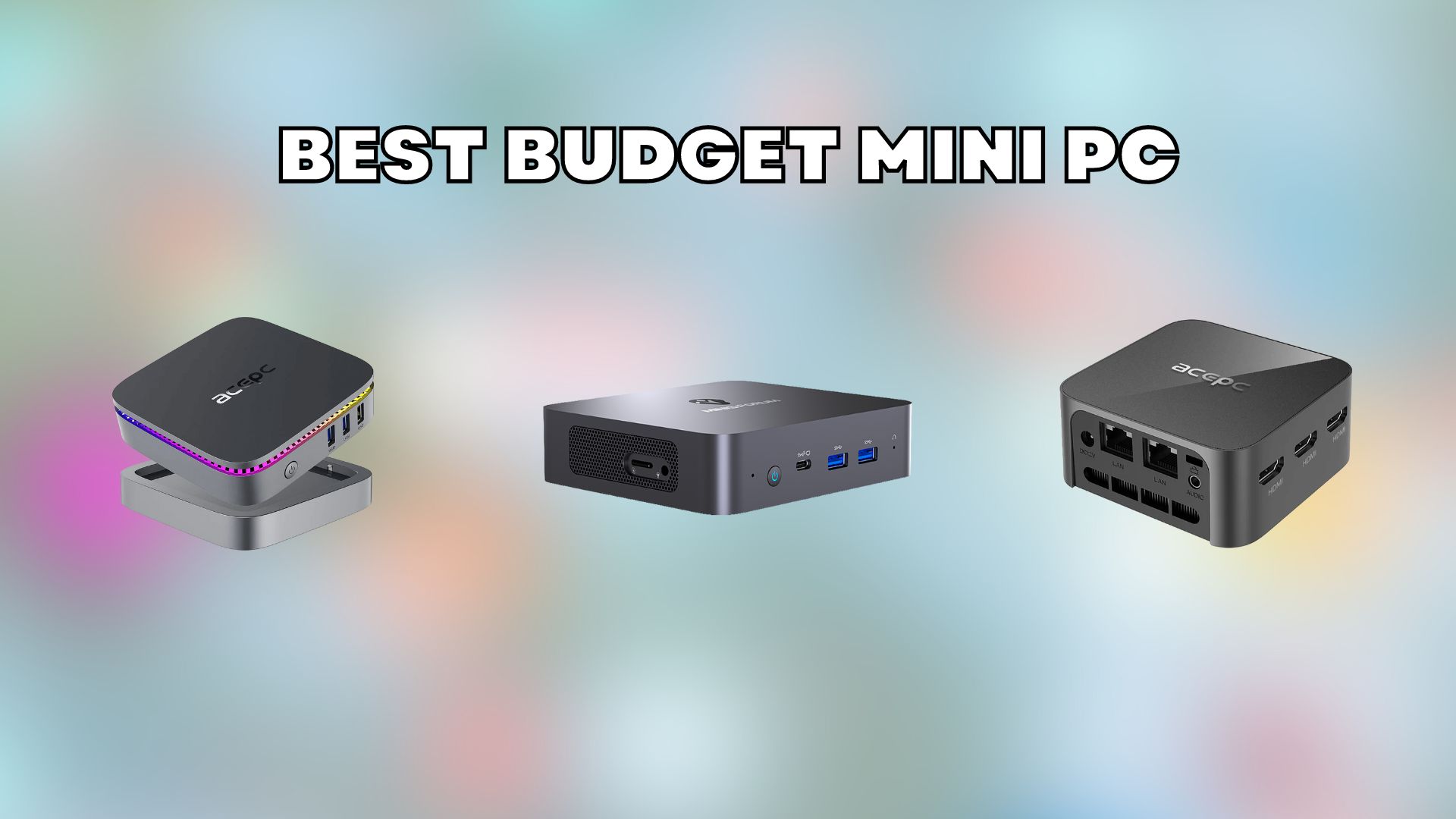

A full-size desktop can consume an entire corner of a desk for work that mostly involves browser tabs, documents, video calls, and streaming. A mini PC cuts that footprint dramatically, but the small cases hide meaningful differences in processor speed, memory, storage, display support, and upgrade paths.
Our Best budget mini pc picks range from palm-sized entry-level boxes to refurbished business desktops with older but still capable processors. The KAMRUI Pinova P2 is the single best pick for most people, while the other eight give you better options for dual-screen work, storage, Windows Pro, quiet operation, or the lowest possible hardware demands.
Comparison of the best budget mini pc picks
| # | Product | Award | Processor | Memory and storage | Displays | Best for |
|---|---|---|---|---|---|---|
| 1 | KAMRUI Pinova P2 | Best overall | AMD Ryzen 7330U, 4 cores, 8 threads, up to 4.3GHz | 16GB LPDDR4X, 256GB SSD, expandable | Triple 4K at 60Hz | Multitasking and three-screen desks |
| 2 | KAMRUI AK1PLUS | Best for office work | Intel Celeron N5095, up to 2.9GHz | 16GB LPDDR4X, 256GB SSD, expandable | Dual 4K at 60Hz | Home offices and everyday computing |
| 3 | Getorli Ryzen 5 Mini PC | Best storage package | AMD Ryzen 5 3500U, 4 cores, 8 threads, up to 3.7GHz | 16GB DDR4, 512GB NVMe SSD, expandable to 32GB | Dual 4K | Large files and many browser tabs |
| 4 | ACEMAGIC K1 | Best for connectivity | AMD Ryzen 7330U, up to 4.3GHz | 16GB DDR4, 256GB SSD, expandable | Triple 4K | Port-heavy workstations |
| 5 | GMKtec G3S | Best compact Intel option | Intel N95, up to 3.4GHz | 8GB DDR4, 256GB SSD | Dual 4K at 60Hz | Streaming and basic office work |
| 6 | Beelink SER3 | Best for dual monitors | AMD Ryzen 3 3200U, up to 3.5GHz | 8GB DDR4, 480GB NVMe SSD, expandable | Dual 4K at 60Hz | Students and two-screen setups |
| 7 | HP EliteDesk 705 G4 | Best refurbished AMD desktop | AMD Ryzen 5 Pro 2400GE, up to 3.8GHz | 8GB DDR4, 256GB SSD | Not specified | Business software and Windows Pro |
| 8 | HP ProDesk 600 G3 | Best bundled setup | Intel Core i5-6500, up to 3.1GHz | 8GB DDR4, 256GB PCIe SSD | Dual 4K | A ready-to-use office station |
| 9 | Bmax B1 Plus | Best ultra-compact option | Intel Celeron J3355, up to 2.5GHz | 6GB LPDDR3, 128GB eMMC, expandable | Dual 4K at 60Hz | Kiosks, light browsing, and tight desks |
1. KAMRUI Pinova P2: Best Overall

Pros
- Ryzen 7330U has four cores and eight threads
- Triple 4K display output
- 16GB memory and two storage expansion slots
- USB-C supports data and DisplayPort video
- Quiet cooling and included VESA mount
Cons
- Starts with only a 256GB SSD
- Older integrated Radeon graphics are not for demanding games
- Wireless specification is not fully detailed
Best for: someone who wants the strongest all-around desktop experience in a tiny enclosure.
The KAMRUI Pinova P2 is the one we'd keep for a mixed home and office setup. Its Ryzen 7330U has four cores, eight threads, and a boost speed of up to 4.3GHz, which gives it more headroom than the N95-based GMKtec G3S or the older Ryzen 3 chip in the Beelink SER3. That matters when a spreadsheet, video call, document editor, and a large group of browser tabs are open together.
The display support is unusually ambitious for such a small computer. HDMI 2.0, DisplayPort 1.4, and USB-C with DisplayPort Alt Mode can drive three 4K displays at 60Hz. A three-screen setup is useful for finance dashboards, reference material, coding, and conference-room presentations. The USB-C port also supports 10Gbps data transfer, while two USB 3.2 Gen 2 Type-A ports give fast external storage and peripheral connections.
Memory is 16GB of LPDDR4X, and the included 256GB M.2 SSD is only a starting point rather than a complete long-term storage plan. KAMRUI lists an M.2 2280 SATA or NVMe PCIe 3.0 slot plus another M.2 2280 SATA slot, with up to 4TB total storage supported. The expansion design is more flexible than the fixed-feeling setups on the Bmax B1 Plus and HP ProDesk 600 G3.
The weakness is graphics. The integrated Radeon hardware can handle 4K playback and light photo or video work, but this is not a substitute for a gaming desktop with a discrete GPU. It is also a little larger and heavier than the smallest boxes here, though its 5.05 by 5.05 by 1.73 inch case remains easy to hide behind a monitor. Choose it when you want fast everyday multitasking, three displays, and room to expand without moving to a full-size tower.
2. KAMRUI AK1PLUS: Best for Office Work

Pros
- 16GB memory is strong for everyday multitasking
- Dual 4K displays at 60Hz
- Two storage expansion routes
- Four USB 3.2 ports
- Compact case with business-friendly wake features
Cons
- Celeron N5095 is slower than the Ryzen 7330U models
- Base SSD capacity is modest
- No modern USB-C port is listed
Best for: home office users who need two screens and plenty of memory for routine work.
The KAMRUI AK1PLUS is a sensible office machine because it gets the important basics right. The Intel Celeron N5095 is a four-core, four-thread processor that reaches up to 2.9GHz. It will handle web browsing, email, online classes, video conferencing, and document work without demanding the space or power draw of a conventional desktop.
Its 16GB of LPDDR4X memory is more generous than the 8GB configurations in the GMKtec G3S, Beelink SER3, and both refurbished HP models. That extra memory helps when a browser is crowded with tabs or when several office applications remain open. The 256GB M.2 2280 SSD should make startup and app loading feel responsive, but anyone storing a local media library will want to use the expansion options.
Two HDMI 2.0 outputs support dual 4K displays at 60Hz. That is a practical arrangement for a home office, since one screen can hold a video call or reference document while the other carries the main task. Four USB 3.2 ports cover keyboards, mice, drives, printers, and webcams, and Gigabit Ethernet is available for a wired connection.
The AK1PLUS gives up processing power to the Pinova P2 and Getorli Ryzen 5 Mini PC. Its advantage is a straightforward office balance, with more memory than the Beelink and a dual-drive expansion design that can support an M.2 drive plus a 2.5-inch SATA SSD or hard drive. Auto Power On, RTC Wake, and Wake-on-LAN are useful in a small business, kiosk, or remote-management setting. Skip it if you plan to edit demanding video or run heavier creative software, but it is a strong fit for quiet, uncomplicated desk work. For a broader look at the category, the distinctions between compact desktop formats can help clarify what you actually need.
3. Getorli Ryzen 5 Mini PC: Best Storage Package

Pros
- 16GB DDR4 memory
- 512GB NVMe SSD included
- Memory can expand to 32GB
- Wi-Fi 6 and Bluetooth 5.3
- Dual 4K HDMI output
Cons
- Ryzen 5 3500U is an older processor
- USB-C specifications are split between two ports
- One-year warranty is shorter than some alternatives
Best for: users who want generous built-in storage and smooth multitasking without adding a drive immediately.
The Getorli Ryzen 5 Mini PC stands out because it arrives with the most useful storage configuration in this group. Its 512GB NVMe SSD gives applications and files more room than the 256GB drives found in most of the other new models. That is a practical difference for people who keep photos, downloaded media, project folders, or large work files on the computer instead of relying entirely on cloud storage.
The Ryzen 5 3500U is a four-core, eight-thread chip with a maximum clock speed of 3.7GHz. It is not as modern as the Ryzen 7330U in the Pinova P2 or ACEMAGIC K1, but the eight threads still make it a better multitasking fit than the four-thread Celeron N5095 in the AK1PLUS. The 16GB of DDR4 memory is expandable to 32GB, giving this model a clear path for heavier browser workloads and larger applications.
Two HDMI outputs support 4K displays, and the port selection is broad. There are two USB 2.0 ports, two USB 3.0 ports, a USB-C 2.0 port, and a full-featured USB-C 3.2 port. Wi-Fi 6 and Bluetooth 5.3 are newer wireless standards than the Wi-Fi 5 and Bluetooth 5.0 connections on the Beelink SER3 and GMKtec G3S. That makes the Getorli more appealing when the computer will sit far from a router or use several wireless accessories.
The compromise is age rather than a missing everyday feature. The 3500U platform is behind the newer Ryzen 7330U systems in efficiency and CPU design, and the listing describes only a one-year warranty. The integrated graphics can handle media playback and lighter gaming, but demanding modern games are outside its role. Choose this model when the included 512GB SSD and upgradeable memory matter more than having the newest processor platform.
4. ACEMAGIC K1: Best for Connectivity

Pros
- Ryzen 7330U with up to 4.3GHz
- Six USB Type-A ports
- Triple display output
- Built-in power supply keeps the desk tidy
- 16GB memory and two SSD expansion options
Cons
- Includes only a 256GB SSD
- Wi-Fi 5 and Bluetooth 4.2 are dated
- Integrated graphics limit demanding games
Best for: a workstation that needs many peripherals, three displays, and Windows 11 Pro.
The ACEMAGIC K1 is built around ports. Six USB 3.2 Type-A connections are enough for a keyboard, mouse, webcam, external drives, printer, and other accessories without immediately reaching for a hub. It also has Gigabit Ethernet, HDMI 2.0, DisplayPort 1.4, USB-C, and a 3.5mm audio jack. The built-in power supply is another tidy detail, since the listing says the computer needs one cable for power rather than a separate external adapter.
Performance comes from the AMD Ryzen 7330U, a four-core, eight-thread processor with a maximum speed of 4.3GHz. That puts it in the same general performance class as the KAMRUI Pinova P2. The 16GB of DDR4 memory is appropriate for office multitasking, and the 256GB M.2 2280 SSD handles the operating system and core applications. Two expansion routes support an M.2 NVMe PCIe 3.0 SSD or an M.2 SATA SSD, with storage expansion listed up to 4TB.
HDMI, USB-C with DisplayPort 1.4, and DisplayPort 1.4 can drive three displays. That is the same headline capability as the Pinova P2, but the ACEMAGIC is more appealing when the desk also needs a large collection of wired accessories. It comes with Windows 11 Pro, which provides business-oriented features not present on some home-edition systems.
Wireless connectivity is the weak point. Wi-Fi 5 and Bluetooth 4.2 are functional, but the Getorli's Wi-Fi 6 and Bluetooth 5.3 are more current. The K1's 5 by 5 by 1.6 inch case is easy to mount behind a monitor, and its cooling system is described as quiet during light and heavy use. Pick it for a fixed workstation with lots of USB devices. If you want the newest wireless standards or a larger starting SSD, the Getorli is the more comfortable choice. A setup with several screens also benefits from understanding how much room a compact workstation really needs.
5. GMKtec G3S: Best Compact Intel Option

Pros
- Intel N95 reaches up to 3.4GHz
- Dual 4K displays at 60Hz
- AV1 decoding is listed
- Compact connectivity with Gigabit Ethernet
- M.2 SSD and 8GB DDR4 memory
Cons
- Only 8GB of memory
- 256GB SSD leaves limited room for large files
- One-year limited warranty
Best for: basic work and home entertainment in a compact Intel-based box.
The GMKtec G3S is the cleanest choice for someone who wants a current low-power Intel platform without moving to a much larger desktop. Its N95 processor has four cores, four threads, a 3.4GHz burst frequency, and 6MB of cache. That is enough for browsing, documents, streaming, and routine home tasks, though it does not have the thread count of the Ryzen 7330U models.
The 8GB of DDR4 memory is the main dividing line between this computer and the AK1PLUS or Getorli. It is adequate for a focused workload, but heavy multitasking can make the limitation apparent. The 256GB M.2 2242 SSD should keep boot times and application launches brisk, yet it leaves less space for a large local library than the Beelink's 480GB or Getorli's 512GB drive.
Dual HDMI 2.0 outputs support two 4K displays at 60Hz. Intel UHD Graphics also supports 4K playback and AV1 decoding, which is useful for newer streaming video formats. USB 3.2, Gigabit Ethernet, Wi-Fi 5, Bluetooth 5.0, and a 3.5mm audio jack give it a familiar selection of connections for a home office or entertainment setup.
The G3S is smaller and more limited than the Pinova P2, but it is more capable than the older Bmax B1 Plus for routine modern computing. GMKtec describes a cooling system with a large fan and dual heat tubes, while the case remains compact enough for a VESA-mounted setup. It is not the right pick for demanding creative work or extensive multitasking. Choose it for web use, office documents, dual-screen productivity, and media playback where 8GB of memory is enough.
6. Beelink SER3: Best for Dual Monitors

Pros
- Dual 4K HDMI outputs at 60Hz
- 480GB NVMe SSD
- Four USB 3.2 ports
- Very small 4.9 by 4.4 by 1.7 inch case
- Three-year warranty and lifetime technical support
Cons
- Ryzen 3 3200U is an older processor
- Only 8GB of memory
- Wi-Fi 5 rather than Wi-Fi 6
Best for: a student or home-office user who wants two screens and a compact mounted computer.
The Beelink SER3 makes a convincing two-monitor workstation in very little space. Its 4.9 by 4.4 by 1.7 inch case can sit on a desk or attach behind a monitor using the included VESA mount. That arrangement keeps cables and the computer itself out of the way, which is especially useful on a student desk or a narrow home-office surface.
Its AMD Ryzen 3 3200U runs up to 3.5GHz and uses Radeon Vega 3 graphics. The processor is older than the N95 in the GMKtec G3S and the Ryzen 7330U in the top two picks, but it remains suited to documents, browser work, video calls, and streaming. The 8GB of DDR4 memory is less comfortable for very large browser sessions, while the 480GB NVMe SSD is more accommodating for files than a typical 256GB configuration.
Two HDMI outputs support simultaneous 4K at 60Hz. That is the reason to choose this model over the Bmax B1 Plus, whose older processor and 6GB memory are better reserved for lighter tasks. Four USB 3.2 ports support fast external drives and common office accessories, while Gigabit Ethernet, Wi-Fi 5, and Bluetooth 5.0 cover wired and wireless connections.
Beelink also lists a three-year warranty, 24/7 after-sales service, and lifetime technical support. Those provisions do not change the older processor, and the SER3 is not a sensible platform for modern demanding games. Still, the combination of dual 4K HDMI, a roomy SSD, small dimensions, and a VESA mount is unusually coherent. Pick it when two screens matter more than maximum CPU performance, and move to the Getorli if you expect heavy multitasking or want newer wireless hardware.
7. HP EliteDesk 705 G4: Best Refurbished AMD Desktop

Pros
- Ryzen 5 Pro 2400GE has four cores
- Windows 11 Pro is included
- 8GB DDR4 memory and 256GB SSD
- Established business desktop design
- Certified refurbished condition is described
Cons
- Larger and heavier than the newer mini PCs
- Refurbished condition can vary
- Display capability is not specified in the listing
Best for: office users who prefer a refurbished business-class HP desktop with Windows 11 Pro.
The HP EliteDesk 705 G4 takes a different route from the tiny new boxes above. It is a refurbished business desktop with an AMD Ryzen 5 Pro 2400GE processor, four cores, and a listed speed of up to 3.8GHz. That makes it a credible office machine for documents, web applications, communications, and other standard business software.
It comes with 8GB of DDR4 memory and a 256GB SSD. Those specifications are less generous than the Getorli's 16GB and 512GB combination, but they cover a straightforward Windows workstation. Windows 11 Pro is pre-installed, which may be preferable for users who need Pro features in a business environment.
The physical design is not as easy to hide as the KAMRUI Pinova P2 or Beelink SER3. Listed dimensions are 6.9 inches long, 6.88 inches high, and 1.3 inches wide, with a listed weight of 4 pounds. That is still a compact desktop, but the larger footprint and weight matter if the goal is to mount a computer behind a monitor or carry it between rooms.
The listing describes the unit as certified refurbished, with functionality testing, cleaning, inspection, and repackaging. That is useful context, but it also means the buying experience differs from a new mini PC. Display outputs are not specified in the available product details, so anyone planning a multi-monitor desk should verify the exact configuration before ordering. The HP is a good fit for a conventional office setup, but the newer Ryzen 7330U systems are better for a small, modern workstation with clear display and expansion requirements.
8. HP ProDesk 600 G3: Best Bundled Setup

Pros
- Quad-core Intel Core i5-6500
- Windows 11 Pro is included
- Dual 4K display support
- Keyboard and mouse are included
- USB-C, Wi-Fi, and Bluetooth support
Cons
- Older sixth-generation Intel processor
- Refurbished condition
- Larger case than the smallest new mini PCs
Best for: someone who needs a complete basic workstation with input devices included.
The HP ProDesk 600 G3 is the most immediately complete office package here. The listing includes a USB keyboard and mouse along with the computer, so it is aimed at someone building a basic desk rather than replacing only the computer itself. Windows 11 Pro comes installed, and the system includes Wi-Fi and Bluetooth adapters.
The Intel Core i5-6500 is a quad-core processor with a 2.5GHz base frequency and speeds up to 3.1GHz. It is an older desktop chip, but its four physical cores remain suitable for office productivity, browsing, email, and media consumption. The 8GB of DDR4 memory and 256GB PCIe SSD provide a familiar starting point for a Windows workstation.
HP lists dual 4K display support at 3840 by 2160, allowing two monitors for expanded documents or side-by-side applications. USB-C is also included, and the bundled keyboard and mouse make it more practical than the bare computer listings when every accessory needs to be supplied at once.
The trade-off is age and size. Its listed dimensions are 7.2 by 7 by 2.8 inches, which is notably bulkier than the Beelink SER3 and Bmax B1 Plus. Since it is refurbished, its condition and included accessories deserve a careful check before purchase. The HP EliteDesk 705 G4 has a newer-feeling AMD platform, while the ProDesk's advantage is the dual 4K support and bundled input devices. Pick this model for a no-fuss office station, not for the smallest possible enclosure or demanding modern software.
9. Bmax B1 Plus: Best Ultra-Compact Option

Pros
- Extremely small and light case
- Dual 4K display support
- Dual-band Wi-Fi and Bluetooth 5.0
- Two M.2 expansion slots
- VESA bracket and one-click restore feature
Cons
- Slowest processor in this group
- Only 6GB of memory
- 128GB eMMC storage is limited
Best for: light browsing, simple office tasks, signage, and desks where every inch matters.
The Bmax B1 Plus is defined by its tiny footprint. At 4.25 by 4.13 by 1.42 inches and a listed 0.49 pounds, it is the easiest model here to tuck behind a monitor, place beside a television, or deploy in a space where a standard desktop would be awkward. A VESA bracket adds a clean mounting option.
Its Intel Celeron J3355 reaches up to 2.5GHz and is intended for web browsing, document editing, and routine office tasks. The 6GB of LPDDR3 memory is enough for a focused workload, but it gives the B1 Plus less multitasking room than the 8GB GMKtec G3S or the 16GB KAMRUI AK1PLUS. The 128GB onboard eMMC storage is also notably constrained, particularly once Windows and applications occupy part of it.
Storage expansion is the model's most useful recovery feature. Bmax lists two M.2 slots, one SATA and one NVMe, with support for expansion up to 2TB. Dual HDMI outputs can run two 4K displays at 60Hz, and dual-band Wi-Fi, Bluetooth 5.0, and Gigabit Ethernet cover the expected connections. A one-click restore feature accessed through the F9 key may also help when a simple deployment needs a quick recovery option.
The B1 Plus is not the right pick for heavy multitasking, demanding creative applications, or modern games. The GMKtec G3S has a newer and faster Intel processor, while the Beelink SER3 offers more memory and a much larger NVMe SSD. Choose Bmax when dimensions, quiet operation, basic display support, and future M.2 expansion matter more than speed. It is particularly well suited to light-use desks, digital signage, and simple home computers.
How to choose the best budget mini pc
The right mini PC depends less on its size than on how much work you expect it to do and how much room you want for expansion.
Processor performance
The processor determines how quickly the system handles browser tabs, office applications, video calls, and background tasks. Four-core, eight-thread chips such as the Ryzen 7330U in the KAMRUI Pinova P2 and ACEMAGIC K1 have more multitasking headroom than four-core, four-thread processors such as the Intel N95 and Celeron N5095.
Older chips can still handle simple work, but they leave less room for demanding software and future operating-system updates. For a computer that will serve as a primary desktop, prefer the Ryzen 7330U or Ryzen 5 3500U configurations over the Celeron models.
Memory capacity
Memory affects how many applications and browser tabs can remain open without slowing the system. The 16GB configurations in the Pinova P2, AK1PLUS, Getorli, and ACEMAGIC K1 are the safer choice for multitasking, while 8GB works for focused office use and streaming.
The Bmax B1 Plus has 6GB, which makes it a specialist option for lighter tasks. Do not confuse memory with storage. More memory helps active applications, while more storage gives files and applications room to remain on the computer.
SSD storage
An NVMe or PCIe SSD generally makes Windows start and applications open more quickly than eMMC storage. The Bmax B1 Plus uses 128GB of eMMC storage, while the other products use SSD configurations ranging from 256GB to 512GB.
A 256GB SSD is suitable for Windows, office applications, and a modest local file collection. The Getorli's 512GB NVMe SSD and Beelink's 480GB NVMe SSD are more comfortable for photos, downloads, and larger project folders. Expansion slots matter if you expect your storage needs to grow.
A mini PC should be chosen around the workload you will run every day, not the maximum resolution printed on its box.
Display outputs
Two 4K display outputs are useful for spreadsheets, research, communication, and side-by-side documents. The AK1PLUS, GMKtec G3S, and Beelink SER3 list dual 4K output at 60Hz, while the Pinova P2 and ACEMAGIC K1 add a third display through DisplayPort or USB-C.
Check the actual port combination before buying. HDMI, DisplayPort, and USB-C video output are not interchangeable without the right cable or adapter. If you only use one monitor, triple-screen support should not outweigh processor speed, memory, or storage.
Ports and wireless connections
Count the devices that will remain attached to the computer. The ACEMAGIC K1 has six USB Type-A ports, while the AK1PLUS and Beelink SER3 each list four USB 3.2 ports. USB-C can add fast data or video output, but its capabilities vary by model.
Wireless standards also differ. Getorli provides Wi-Fi 6 and Bluetooth 5.3, while the ACEMAGIC K1 lists Wi-Fi 5 and Bluetooth 4.2. Wired Gigabit Ethernet remains useful for stable video calls, media streaming, and office networks.
Case size and mounting
A small case is convenient only if its ports, cooling, and power arrangement suit your desk. The Bmax B1 Plus is the smallest listed model, while the Beelink SER3, Pinova P2, and ACEMAGIC K1 all support a behind-monitor arrangement through a VESA mount.
Refurbished HP desktops are larger, but they can make sense when Windows Pro, a conventional business chassis, or included accessories matter more than a palm-sized design. Leave space around any fan openings and consider cable access before mounting the computer.
Frequently asked questions
Can a mini PC replace a regular desktop?
Yes, for web browsing, office software, video calls, streaming, and schoolwork. The KAMRUI Pinova P2, Getorli Ryzen 5 Mini PC, and ACEMAGIC K1 have enough memory and processor capacity for demanding everyday multitasking. None of these systems is a full replacement for a desktop with a dedicated graphics card.
Which mini PC is best for two monitors?
The Beelink SER3 is a strong two-monitor option because it has two HDMI outputs that support 4K at 60Hz, a 480GB NVMe SSD, and a VESA mount. The KAMRUI AK1PLUS and GMKtec G3S also support dual 4K displays at 60Hz.
Which models support three monitors?
The KAMRUI Pinova P2 and ACEMAGIC K1 list triple 4K display support. The Pinova P2 uses HDMI, DisplayPort, and USB-C with DisplayPort Alt Mode, while the ACEMAGIC K1 uses HDMI, DisplayPort, and USB-C.
Can these mini PCs handle gaming?
They can handle light games and older titles that suit integrated graphics, but they are not designed for demanding modern games. The Ryzen-based Getorli, Pinova P2, and ACEMAGIC K1 have more graphics capability than the entry-level Celeron systems. For a gaming-focused setup, the hardware limits that shape small gaming systems deserve closer attention.
Can storage be upgraded?
Several models support storage expansion. The AK1PLUS supports an M.2 drive and an additional 2.5-inch SATA drive, while the Pinova P2 and ACEMAGIC K1 list two M.2 expansion options. The Bmax B1 Plus also lists dual M.2 slots, which is useful because its built-in eMMC storage is limited.
Is 8GB of RAM enough for a mini PC?
Eight gigabytes is sufficient for basic browsing, documents, streaming, and light office use. It becomes restrictive with many browser tabs, large spreadsheets, photo work, or several applications open at once. The 16GB models are more comfortable for a primary computer.
Are refurbished HP mini PCs worth considering?
They can be useful when you want Windows 11 Pro and a conventional business desktop design. The HP EliteDesk 705 G4 has an AMD Ryzen 5 Pro processor, while the HP ProDesk 600 G3 includes a keyboard and mouse plus dual 4K display support. Remember that both are older refurbished systems, so they are less compact and less modern than the new Ryzen 7330U models.

The bottom line
The KAMRUI Pinova P2 is the strongest all-around choice among these Best budget mini pc options. Its Ryzen 7330U, 16GB memory, triple 4K output, USB-C video support, and dual storage expansion make it the most adaptable system for home offices and demanding multitasking.
The KAMRUI AK1PLUS is a better fit for straightforward office work with two monitors, while the Getorli Ryzen 5 Mini PC is the better pick when a 512GB SSD and Wi-Fi 6 matter immediately. For the smallest footprint, the Bmax B1 Plus remains useful, but its processor, memory, and eMMC storage limit it to lighter work.
If you are undecided, choose the KAMRUI Pinova P2 unless you specifically need more included storage, a bundled keyboard and mouse, or the smallest possible case.
As an Amazon Associate we earn from qualifying purchases.