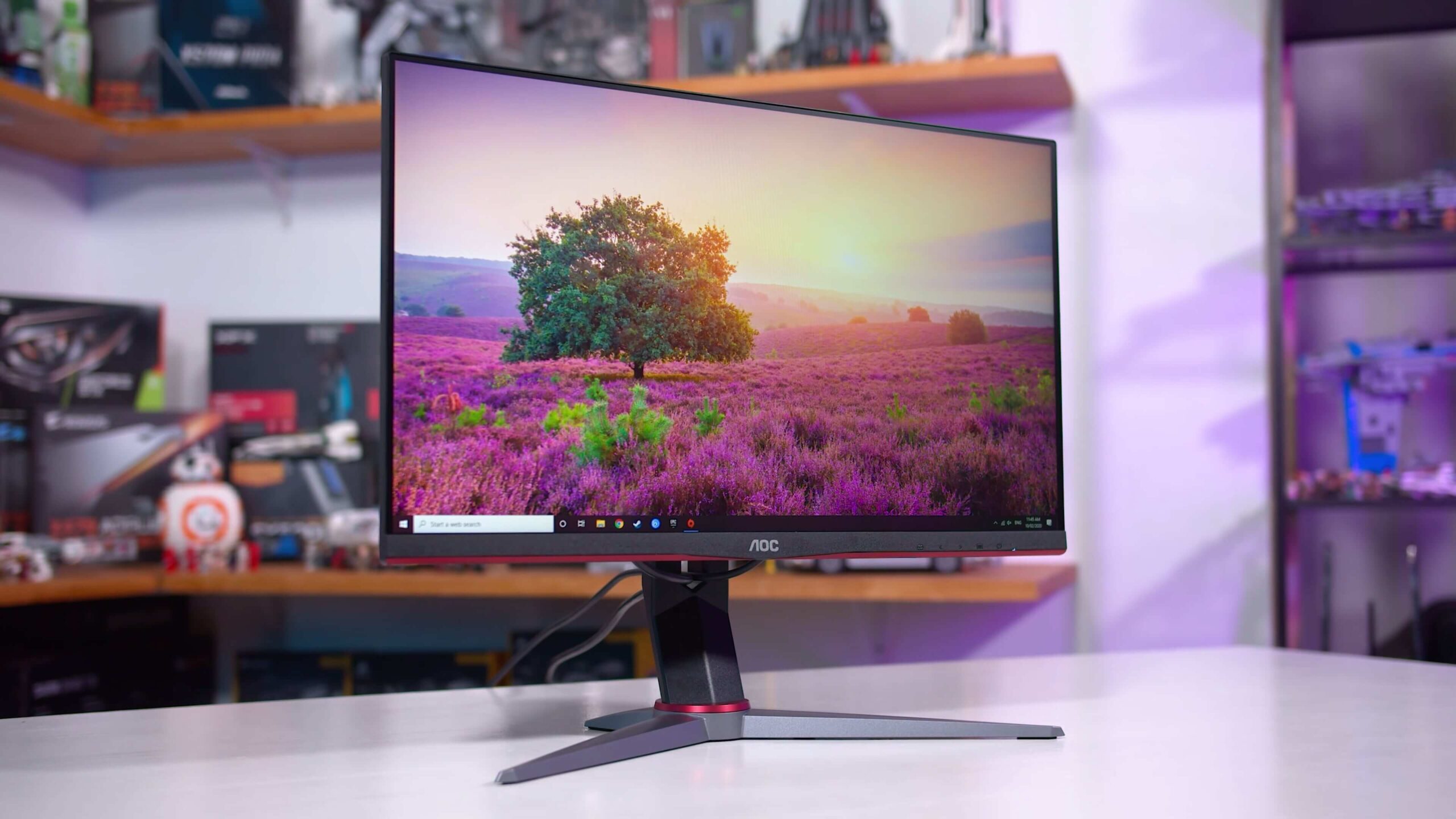

A monitor can make a fast game feel sluggish when motion smears across the screen, the refresh rate is limited, or screen tearing breaks up the action. The challenge is finding a display that improves responsiveness without forcing you into features your PC cannot use.
Our Best budget gaming monitors picks range from compact 22-inch Full HD screens to large curved displays and a sharper 27-inch QHD model. The right choice depends on whether you care most about resolution, refresh rate, viewing comfort, built-in audio, or a flexible stand.
The Samsung Odyssey G5 G51F is the single best pick here for most players, thanks to its QHD resolution, 180Hz refresh rate, HDR10, adaptive sync, and adjustable stand. The rest of the lineup covers high-refresh competitive gaming, small desks, wide curved screens, and straightforward everyday setups.
Comparison table
| # | Product | Award | Resolution | Refresh rate | Panel or design | Best for |
|---|---|---|---|---|---|---|
| 1 | Samsung Odyssey G5 G51F | Best overall | QHD, 2560 x 1440 | 180Hz | Adjustable stand | PC gamers who want sharper detail |
| 2 | Dell SE2426HG | Best 24-inch high refresh | FHD, 1920 x 1080 | 240Hz | Fast IPS | Competitive players with a compact desk |
| 3 | Dell SE2726HG | Best large IPS | FHD, 1920 x 1080 | 240Hz | Fast IPS | Players who want a larger esports display |
| 4 | SANSUI 27-inch 240Hz | Best curved high refresh | FHD, 1920 x 1080 | 240Hz | 1500R curve | Immersive fast-action gaming |
| 5 | SANSUI 32-inch 240Hz | Best ultrawide-feeling screen | FHD, 1920 x 1080 | 240Hz | 1500R curve | Players who want maximum screen size |
| 6 | Sceptre E275W-FW100T | Best 27-inch everyday pick | FHD | 100Hz | Frameless design | Gaming and general desktop use |
| 7 | Sceptre E225W-FW144 | Best compact high refresh | FHD, 1920 x 1080 | Up to 144Hz | Minimal bezel | Small desks and dual-screen setups |
| 8 | ArcticPro 22-inch | Best adjustable compact display | FHD, 1920 x 1080 | 144Hz | VA panel | A small screen with VESA mounting |
| 9 | Sceptre C248W-1920RN | Best simple curved monitor | 1080p | 75Hz | 1800R curve | Casual gaming and media |
| 10 | Sceptre C248W-FW100T | Best compact curved display | FHD | 100Hz | 1500R VA curve | Small desks that need a modern feature set |
1. Samsung Odyssey G5 G51F: Best Overall

Pros
- QHD resolution gives games and desktop text noticeably more detail
- 180Hz refresh rate suits both fast games and everyday use
- Adjustable stand supports tilt, pivot, and height changes
- HDR10 and Black Equalizer add useful image controls
Cons
- Full HD 240Hz displays are a better fit for maximum competitive speed
- Larger stand and 27-inch footprint need a reasonably deep desk
- No built-in speakers are listed
Best for: PC gamers who want a sharper 27-inch image without giving up smooth motion.
The Samsung Odyssey G5 G51F is the monitor to choose when you want gaming to look sharper, not merely move faster. Its 27-inch QHD panel uses 2560 x 1440 resolution, which puts substantially more detail on screen than the Full HD models here. Small text is easier to read, distant objects look cleaner, and the desktop has more room for windows without making everything feel cramped.
The 180Hz refresh rate is a sensible middle ground. It is fast enough to make camera movement feel fluid in shooters and racing games, while the QHD resolution gives the display a stronger all-purpose character than the 240Hz Full HD options. The 1ms response time is listed for quick on-screen response, and AMD FreeSync is designed to reduce tearing and stutter when the frame rate changes.
Samsung also gives this model controls that matter beyond the headline numbers. HDR10 can add brighter highlights and more nuanced shadows when a game supports it. Black Equalizer lets you raise detail in dark areas, which can help reveal opponents hiding in shadow. The stand tilts, pivots, and adjusts for height, a meaningful advantage over the fixed stands on several cheaper displays.
This is not the pick for a player who has a modest graphics card and wants the highest possible frame rate at low settings. A 240Hz Dell or SANSUI monitor is better suited to that job, and the Dell SE2426HG has the more flexible IPS viewing characteristics. The G51F also asks your system to render more pixels, so it makes most sense for someone whose PC can take advantage of QHD. If you want one screen for games, browsing, and creative work, this is the strongest all-rounder in the group.
2. Dell SE2426HG: Best 24-Inch High Refresh

Pros
- 240Hz refresh rate is built for rapid competitive play
- Fast IPS panel combines wide viewing angles with quick response
- FreeSync Premium and HDMI VRR support smoother gameplay
- 99% sRGB coverage suits gaming and general use
- TÜV Rheinland 3-star certification focuses on eye comfort
Cons
- Full HD resolution is less detailed than the Samsung Odyssey G5 G51F
- Tilt adjustment is less flexible than Samsung's stand
- No built-in speakers are listed
Best for: competitive players who want a compact 240Hz monitor with an IPS panel.
The Dell SE2426HG has a clear purpose: keep the screen compact and make motion exceptionally quick. Its 23.8-inch Full HD display is easier to fit on a narrow desk than a 27-inch model, and the 240Hz refresh rate gives fast camera pans a clean, immediate feel when your PC can produce high frame rates.
The fast IPS panel is the important distinction. IPS technology is known for maintaining color and contrast more consistently when you move off center, which helps when the screen is not perfectly aligned with your chair. Dell lists a 0.5ms response time, 99% sRGB coverage, and AMD FreeSync Premium. Those specifications point to a display that is as comfortable with everyday desktop work as it is with competitive games.
Connectivity is practical rather than elaborate. There are two HDMI inputs and a DisplayPort 1.4 connection, while HDMI VRR helps the monitor work smoothly with compatible consoles and other HDMI sources. The TÜV Rheinland 3-star eye-comfort certification is another useful touch for players who also spend long hours reading or working on the same screen.
The trade-off is resolution. Text and distant game detail will not look as refined as they do on the Samsung Odyssey G5 G51F, and the stand only tilts. The Dell SE2726HG offers the same central IPS and 240Hz formula on a larger screen, but the 24-inch Dell is easier to scan with your eyes and more practical for a small competitive setup. Choose this model when speed and desk footprint matter more than cinematic image density.
3. Dell SE2726HG: Best Large IPS
Pros
- 27-inch screen gives competitive games a larger view
- 240Hz refresh rate keeps motion exceptionally smooth
- Fast IPS panel offers broad viewing angles
- FreeSync Premium and HDMI VRR help reduce tearing
- 99% sRGB coverage and eye-comfort certification add versatility
Cons
- Full HD is less crisp on 27 inches than on a smaller screen
- Stand adjustment is limited to tilt
- No built-in speakers are listed
Best for: players who want a large, fast IPS screen for competitive and general gaming.
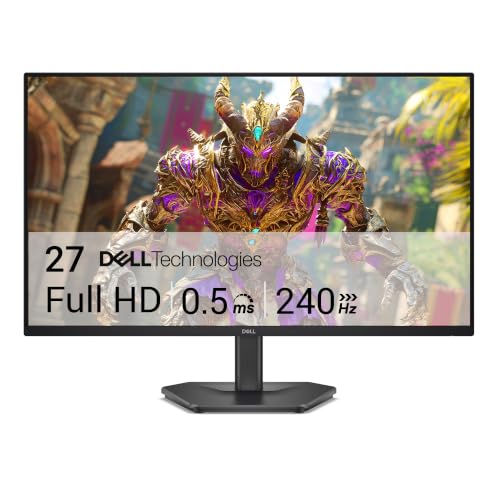
The Dell SE2726HG takes the same fast IPS approach as the smaller Dell and stretches it across a 27-inch display. That extra surface makes games feel more expansive and gives split-screen desktop work more breathing room. It is particularly appealing if you sit a little farther back or simply prefer a larger target area for menus and HUD elements.
Its 1920 x 1080 resolution is easy for a gaming PC to drive, while 240Hz leaves plenty of headroom for high-frame-rate play. Dell lists a 0.5ms response time, AMD FreeSync Premium, and HDMI VRR. Together, those features address the main reasons a fast game can look untidy: slow transitions, tearing, and uneven motion when the frame rate fluctuates.
The fast IPS panel also makes this a more accommodating shared-screen monitor than a narrow-viewing display. Dell lists 99% sRGB coverage, so colors should remain useful for browsing, video, and basic creative work rather than being tuned only for games. The two HDMI ports and DisplayPort 1.4 give you room for more than one source.
There is a compromise at this size. Full HD is less dense across 27 inches than it is on the Dell SE2426HG, so text and fine game detail can look softer from close range. The Samsung Odyssey G5 G51F is the better choice for a sharper image, and the SANSUI 32-inch 240Hz monitor is more dramatic if sheer size is the goal. This Dell makes sense for someone who wants a large, responsive IPS display and can live with Full HD.
4. SANSUI 27-inch 240Hz: Best Curved High Refresh

Pros
- 240Hz refresh rate supports extremely fluid gameplay
- 1500R curve adds immersion without the footprint of a 32-inch screen
- 130% sRGB and DCI-P3 95% gamut produce vivid color
- 4000:1 contrast and HDR support add depth
- DisplayPort 1.4, HDMI, VESA support, and metal stand
Cons
- Full HD resolution is stretched across 27 inches
- No built-in speakers are listed
- Tilt-only stand offers less positioning freedom than Samsung's stand
Best for: players who want an immersive curved display with very high refresh speed.
The SANSUI 27-inch 240Hz is the more dramatic alternative to the Dell monitors. Its 1500R curve pulls the outer edges toward the viewer, making a 27-inch screen feel more enveloping in racing games, shooters, and other titles where peripheral motion matters. It remains a manageable size for a typical desk, unlike the much larger 32-inch SANSUI.
This model prioritizes fluidity. The 240Hz refresh rate is paired with FreeSync and an MPRT 1ms response specification, so the display is aimed squarely at quick action. The monitor also includes game modes, a crosshair option, and black-level adjustment. Those controls can be useful, but they are situational, and they should not be mistaken for a replacement for good in-game settings.
The picture specifications are unusually ambitious for a Full HD display. SANSUI lists 130% sRGB, DCI-P3 coverage of 95%, a 4000:1 contrast ratio, 300 nits brightness, and HDR. That combination points toward vivid color and stronger separation between dark and bright areas than a basic office monitor. The metal stand tilts from -5 to 15 degrees, while VESA 100 x 100mm compatibility gives you the option of mounting it.
The main weakness is the same one faced by the Dell SE2726HG: 1080p is not especially dense at 27 inches. The Samsung Odyssey G5 G51F looks cleaner for desktop text and fine details, while the SANSUI 32-inch 240Hz goes even bigger but makes the Full HD compromise more obvious. Pick this SANSUI when you want the balance of a curved screen, vivid color, and 240Hz motion rather than maximum sharpness.
5. SANSUI 32-inch 240Hz: Best Ultrawide-Feeling Screen

Pros
- Large 32-inch curved panel creates an enveloping gaming view
- 240Hz refresh rate suits high-frame-rate games
- 1500R curve and 178-degree viewing angle
- HDR, 125% sRGB, and 3500:1 contrast support a vivid image
- FreeSync, VESA support, and DisplayPort 1.4
Cons
- Full HD resolution is a noticeable compromise at 32 inches
- No built-in speakers are listed
- Large footprint needs careful desk planning
Best for: gamers who want a huge curved screen and fast motion above pixel density.
The SANSUI 32-inch 240Hz is for the player who thinks a normal monitor still feels too small. Its 32-inch curved panel occupies a large portion of your field of view, and the 1500R curve helps the sides stay within a more natural viewing arc. It is a strong fit for racing games, open-world titles, and any setup where immersion matters more than a compact footprint.
SANSUI pairs that size with a 240Hz refresh rate and a stated 1ms MPRT response time. FreeSync is built in, and both HDMI and DisplayPort 1.4 can support the high refresh rate according to the product information. Anti-flicker and low-blue-light features are also listed, which are useful when a large screen encourages longer sessions.
The color and contrast specifications give the panel some visual punch. SANSUI lists 125% sRGB, 16.7 million display colors, 300 nits brightness, HDR, and a 3500:1 contrast ratio. The display tilts from -5 to 15 degrees, supports a 100 x 100mm VESA mount, and includes a DisplayPort cable. There are no built-in speakers, so audio needs to come from headphones or a separate setup.
A 32-inch Full HD screen is not a subtle choice. Pixel density is lower than on the Samsung Odyssey G5 G51F, and desktop text may look softer if you sit close. The SANSUI 27-inch 240Hz is easier to place and makes better use of Full HD, while the Dell SE2726HG gives you IPS viewing characteristics in a smaller frame. Choose this one only if the large curved image is the feature you want most.
6. Sceptre E275W-FW100T: Best 27-Inch Everyday Pick

Pros
- 27-inch screen works well for games, media, and multitasking
- 100Hz refresh rate is smoother than a standard office display
- 100% sRGB coverage supports natural-looking color
- Two HDMI ports and DisplayPort
- Built-in speakers, headphone jack, and VESA mounting
Cons
- 100Hz is slower than the 144Hz and 240Hz displays here
- Full HD resolution is less dense at 27 inches
- Stand flexibility is not detailed beyond the monitor's mounting support
Best for: everyday users who want a roomy screen with gaming features and built-in audio.
The Sceptre E275W-FW100T is less focused on esports and more comfortable as a mixed-use screen. The 27-inch size gives games, videos, and work applications enough room to breathe, while the 100Hz refresh rate makes scrolling and camera movement feel smoother than on a basic 60Hz monitor.
Sceptre lists 100% sRGB color coverage, which is a useful baseline for natural color in games and everyday content. The display has two HDMI ports and one DisplayPort, with those connections supporting up to 100Hz. FPS and RTS game modes offer quick presets for two common game types, though players who prefer to tune every image setting manually may not need them.
The built-in speakers are a practical advantage. They will not replace a dedicated headset or speaker system, but they make casual gaming, video, and system audio easier without adding another device to the desk. A headphone jack and audio input add more flexibility, and the VESA mounting pattern lets you move the display to an arm or wall mount if the included arrangement is not right.
The limitation is speed. The Dell SE2426HG and Dell SE2726HG are much better for competitive play, while the Samsung Odyssey G5 G51F has a sharper QHD image and faster refresh rate. The Sceptre's 27-inch Full HD picture can also look less crisp up close. It is the better fit for someone who wants one uncomplicated screen for gaming, browsing, media, and work.
7. Sceptre E225W-FW144: Best Compact High Refresh

Pros
- Compact 22-inch size suits tight desks
- Refresh rate reaches up to 144Hz
- HDMI and DisplayPort provide flexible connections
- Built-in speakers save desk space
- Minimal bezel works well in a dual-monitor arrangement
Cons
- Smaller viewing area than every 24-inch and larger pick here
- Resolution is Full HD rather than QHD
- Product information does not specify adaptive sync
Best for: small desks, secondary gaming stations, and dual-monitor arrangements.
The Sceptre E225W-FW144 solves a basic but common problem: a full-size monitor does not fit comfortably on the desk. At 22 inches, it takes up less horizontal space than the 24-inch and 27-inch screens here, while still providing a Full HD image and a refresh rate of up to 144Hz.
That refresh rate is the reason to choose it over a conventional office display. Fast movement should look cleaner and more responsive, particularly in games that can run well above 60 frames per second. HDMI and DisplayPort give you the two most useful modern connection options, and the minimal bezel is helpful if you plan to place another screen directly beside it.
The built-in speakers make this a convenient secondary display. They keep a small setup from accumulating extra hardware, and the Blue-Light Shift feature is intended to reduce blue-light output during long viewing sessions. The listed dimensions are about 19.9 inches wide and 15.5 inches high, with a stated weight of 7 pounds, so this is among the easier models to place or move.
The compromises are predictable. A 22-inch screen feels less immersive than the Sceptre E275W-FW100T, and there is no adaptive-sync feature listed to help with frame-rate variation. The ArcticPro 22-inch offers a VA panel, 178-degree viewing angles, and VESA support, while this Sceptre emphasizes speakers and a minimal-bezel design. Choose the E225W-FW144 when the compact footprint matters as much as the refresh rate.
8. ArcticPro 22-inch: Best Adjustable Compact Display
Pros
- 144Hz refresh rate keeps action smooth
- VA panel and 178-degree viewing angles
- 105% sRGB color gamut
- 75 x 75mm VESA mounting support
- Tilt adjustment and anti-blue-light design
Cons
- No built-in speakers
- Connections are listed as HDMI and VGA
- Smaller 22-inch panel limits immersion
Best for: a compact gaming desk that needs a VESA-mountable monitor.
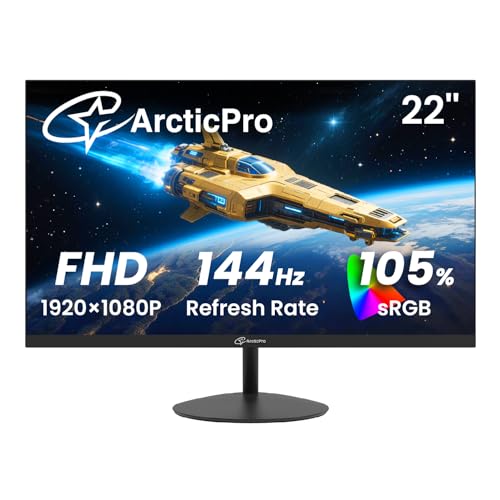
The ArcticPro 22-inch is a compact monitor with a more specific appeal than its straightforward design suggests. It combines a 22-inch Full HD panel with a 144Hz maximum refresh rate, giving small-desk users a smooth gaming display without moving up to a larger frame.
Its VA panel is listed with 178-degree horizontal and vertical viewing angles, so the image should remain consistent when you are not sitting exactly in front of the screen. ArcticPro also lists 105% sRGB coverage, a specification aimed at vivid color in games and everyday content. The anti-blue-light design is intended to make long sessions easier on the eyes, though it cannot solve poor room lighting or an overly bright screen setting.
The physical flexibility is useful. The monitor tilts through approximately -5 to 15 degrees, and the 75 x 75mm VESA pattern allows it to be placed on a compatible arm or wall mount. HDMI and VGA inputs support both newer and older computers, but the connectivity is less modern than the DisplayPort-equipped Sceptre E225W-FW144.
There are no built-in speakers, so you will need headphones or another audio source. The panel is also smaller than the 24-inch Sceptre C248W-FW100T, which gives a more spacious view and adds built-in speakers. The ArcticPro is a sensible choice for someone who wants a small, mountable display and cares more about its VA panel and viewing flexibility than all-in-one convenience.
9. Sceptre C248W-1920RN: Best Simple Curved Monitor

Pros
- 1800R curve adds immersion to a compact display
- Built-in speakers simplify a basic setup
- Two HDMI ports, VGA, and PC audio input
- VESA wall-mount ready
- 24-inch size works well for small desks
Cons
- 75Hz refresh rate is the slowest in this roundup
- Older VGA input takes space that some modern users will not need
- Product information lists inconsistent brightness figures
Best for: casual gaming, streaming, and simple desktop setups.
The Sceptre C248W-1920RN is the straightforward curved option. Its 24-inch display uses an 1800R curve that gently brings the sides toward the viewer, adding a little more involvement to games and video without demanding the desk space of a 27-inch or 32-inch screen.
Its 75Hz refresh rate is adequate for casual gaming and everyday scrolling, but it is clearly behind the 100Hz, 144Hz, and 240Hz displays in this roundup. Players who spend most of their time in competitive shooters will notice that the Sceptre E225W-FW144 and ArcticPro 22-inch offer a more responsive ceiling.
The connection selection is broad for a basic setup. There are two HDMI inputs, VGA, and PC audio input, and the monitor includes built-in speakers. VESA wall-mount readiness gives you another way to save desk space. The listed pixel pitch is 0.27156mm horizontally and vertically, while the product information mentions brightness figures of both 250 and 220 cd/m², so the brightness specification is not especially clear.
This model is best understood as a simple curved display, not a high-speed gaming monitor. The newer Sceptre C248W-FW100T has the same general screen size but raises refresh rate to 100Hz, adds DisplayPort, and lists 100% sRGB color coverage. Pick the C248W-1920RN when built-in audio, multiple inputs, and a gentle curve matter more than fast competitive motion.
10. Sceptre C248W-FW100T: Best Compact Curved Display

Pros
- 100Hz refresh rate is a useful step above standard displays
- 1500R VA curve adds immersion
- 100% sRGB color gamut
- Two HDMI ports and DisplayPort
- Built-in speakers and Blue-Light Shift
Cons
- Slower than the 144Hz and 240Hz options
- Full HD resolution is less detailed than the Samsung Odyssey G5 G51F
- No adaptive-sync feature is listed
Best for: small desks that want a curved screen, built-in audio, and modern inputs.
The Sceptre C248W-FW100T is the more capable of the two 24-inch curved Sceptre options. Its 1500R VA panel gives the screen a stronger curve than the C248W-1920RN, and the 100Hz refresh rate makes games and general motion feel more fluid than a basic 75Hz display.
Sceptre lists a 1ms blur-reduction response, though that figure describes the monitor's blur-reduction mode rather than guaranteeing the same behavior in every setting. The 100% sRGB gamut is useful for games, photos, and web content, while Blue-Light Shift is intended to reduce blue-light output for longer sessions.
Connectivity is one of this model's strongest points. Two HDMI ports and one DisplayPort give you room for a gaming PC, console, or second source. Built-in speakers and an audio-out jack help keep a compact desk tidy. The product listing also emphasizes a near-frameless design, though the specific frame construction is less important than the screen's useful size and inputs.
The C248W-FW100T is not aimed at serious competitive play. The Dell SE2426HG is dramatically faster and uses an IPS panel, while the Samsung Odyssey G5 G51F provides much more detail at QHD resolution. The C248W-1920RN is simpler and slower, but it may appeal if you prefer its gentler 1800R curve. Choose this Sceptre for a small, flexible setup that benefits from built-in speakers and a modern connection set.

How to choose best budget gaming monitors
The Best budget gaming monitors are separated less by flashy gaming labels than by a few practical display traits that affect motion, sharpness, comfort, and how easily the screen fits your setup.
Resolution and screen size
Full HD remains sensible for 22-inch and 24-inch monitors because it is relatively easy for a gaming PC to drive at high frame rates. At 27 inches and above, QHD looks cleaner because it places more pixels across the same general viewing area. The Samsung Odyssey G5 G51F is the only QHD model here, while the 27-inch and 32-inch Full HD screens prioritize frame rate and size.
A larger screen is not automatically better. It needs enough desk depth for comfortable viewing, and Full HD becomes less dense as the panel grows.
Refresh rate and response time
Refresh rate determines how often the display can update the image. A 75Hz monitor is fine for casual play, but 100Hz or 144Hz makes scrolling and camera movement visibly smoother. The 240Hz models are designed for players whose PCs can produce very high frame rates and who care about minimizing the time between updates.
Response-time figures need context. A listed 1ms or 0.5ms figure may describe a particular mode or measurement method, so use it alongside the refresh rate rather than treating it as a complete picture of motion quality.
A 240Hz monitor cannot create 240 useful frames per second if the game and graphics hardware cannot supply them.
Panel type and viewing angle
IPS panels, such as those in the Dell SE2426HG and Dell SE2726HG, are attractive when consistent color from different seating positions matters. VA panels, used by the ArcticPro and Sceptre C248W-FW100T, can offer a more immersive curved design and are often positioned around stronger contrast.
Panel type does not decide the whole experience. A fast IPS model may suit competitive play, while a curved VA monitor may feel more involving in a single-player game. Check the specific features, response mode, and intended use rather than choosing by panel label alone.
Adaptive sync
FreeSync and other variable-refresh technologies help the monitor match its refresh behavior to changing frame rates. That can reduce tearing and uneven motion when a game cannot hold a fixed frame rate. The Samsung Odyssey G5 G51F, SANSUI displays, and Dell monitors list adaptive-sync features, while several Sceptre and ArcticPro models do not list one.
If your games regularly fluctuate between frame rates, adaptive sync is more useful than a headline refresh rate that your system rarely reaches.
Inputs, audio, and mounting
DisplayPort is useful for PC gaming and high refresh rates, while HDMI is essential for consoles and many laptops. Multiple inputs make it easier to leave several devices connected. Built-in speakers are convenient for casual audio, but they are not a substitute for a gaming headset when positional sound matters.
VESA support is important if you want to reclaim desk space or adjust height more precisely. The ArcticPro uses a 75 x 75mm pattern, while the SANSUI models list 100 x 100mm support. Check the mounting standard before buying an arm or bracket.
For players also choosing the rest of a setup, the graphics hardware needed for smooth high-frame-rate play is just as important as the monitor's maximum refresh rate. A second screen also changes how much desk depth you need, so how far back you should sit from a panel this size is worth settling before choosing a 27-inch or 32-inch model.
Frequently asked questions
Is 1080p good enough for a gaming monitor?
Yes, especially on a 22-inch or 24-inch screen. Full HD is easier for many gaming systems to render at high frame rates, which makes it a sensible match for 144Hz and 240Hz displays. QHD is sharper, but it asks more from the graphics hardware.
Is 240Hz better than 180Hz for gaming?
240Hz can show motion more frequently than 180Hz, but the difference matters most in fast competitive games and when the computer can sustain very high frame rates. The Samsung Odyssey G5 G51F's 180Hz refresh rate is a stronger general-purpose fit because it combines smooth motion with QHD resolution.
Should I choose an IPS or VA gaming monitor?
Choose IPS when wide viewing angles, consistent color, and fast competitive response are priorities. VA can be appealing for curved displays and immersive single-player gaming. The monitor's specific implementation matters, so panel type should be considered alongside refresh rate, resolution, and adaptive sync.
Do I need DisplayPort for a gaming monitor?
Not always. HDMI can handle the listed refresh rates on several monitors, and it is useful for consoles. DisplayPort is particularly convenient for a PC and appears on many of the faster models, including the Dell, Samsung, and SANSUI displays.
Are built-in monitor speakers useful?
They are useful for basic system sounds, casual games, and video when you do not want another device on the desk. They usually will not provide the positional detail or impact of a dedicated headset or speaker system. The Sceptre models in this list are the main choices if integrated audio matters.
Is a curved gaming monitor better?
A curve can make a display feel more immersive by bringing the edges closer to your viewing angle. It is most noticeable on larger screens and in games with broad environments. Flat monitors remain easier to share and may be preferable for productivity or competitive play.
What refresh rate should a casual gamer choose?
A 100Hz or 144Hz monitor is a useful target for smooth everyday motion without making the display exclusively about esports. The Sceptre E275W-FW100T and Sceptre C248W-FW100T suit that middle ground, while 75Hz is adequate for lighter gaming and general desktop work.
The bottom line
The Best budget gaming monitors list has one clear all-purpose winner: the Samsung Odyssey G5 G51F. Its QHD image is sharper than every Full HD model here, while 180Hz, FreeSync, HDR10, Black Equalizer, and its adjustable stand give it the broadest gaming and desktop skill set.
For competitive players, the Dell SE2426HG is the more focused choice. Its compact 23.8-inch IPS panel, 240Hz refresh rate, 0.5ms response specification, FreeSync Premium, and HDMI VRR are a strong combination for fast games. Choose the Dell SE2726HG instead if you want the same general performance on a larger 27-inch screen.
If you are undecided, buy the Samsung for sharper mixed-use gaming, or choose the smaller Dell when high-refresh competitive play matters most.
As an Amazon Associate we earn from qualifying purchases.