
A color printer that takes over a desk, needs constant paper refills, or makes scanning a simple form feel like office administration is the wrong tool for most homes. The right model should match the work you actually do, from occasional color documents to multi-page scanning and shared office printing.
Our Best best color laser printers picks include compact print-only machines, all-in-one models with automatic document feeders, and a serious business printer with advanced security. The single best pick is the Brother HL-L3220CDW, while the rest cover faster output, broader document handling, and monochrome office work.
Comparison table
| # | Product | Award | Print speed | Paper and document handling | Best for |
|---|---|---|---|---|---|
| 1 | Brother HL-L3220CDW | Best overall | Up to 19 ppm | 250-sheet tray, automatic duplex | Home offices that mainly print |
| 2 | HP LaserJet Pro 3301sdw | Best all-in-one | Up to 26 ppm | 250-sheet tray, ADF, automatic duplex | Small teams that scan and copy |
| 3 | Canon LBP646Cdw | Best print-only Canon | Up to 26 ppm | 250-sheet cassette, multipurpose tray, duplex | Fast everyday color printing |
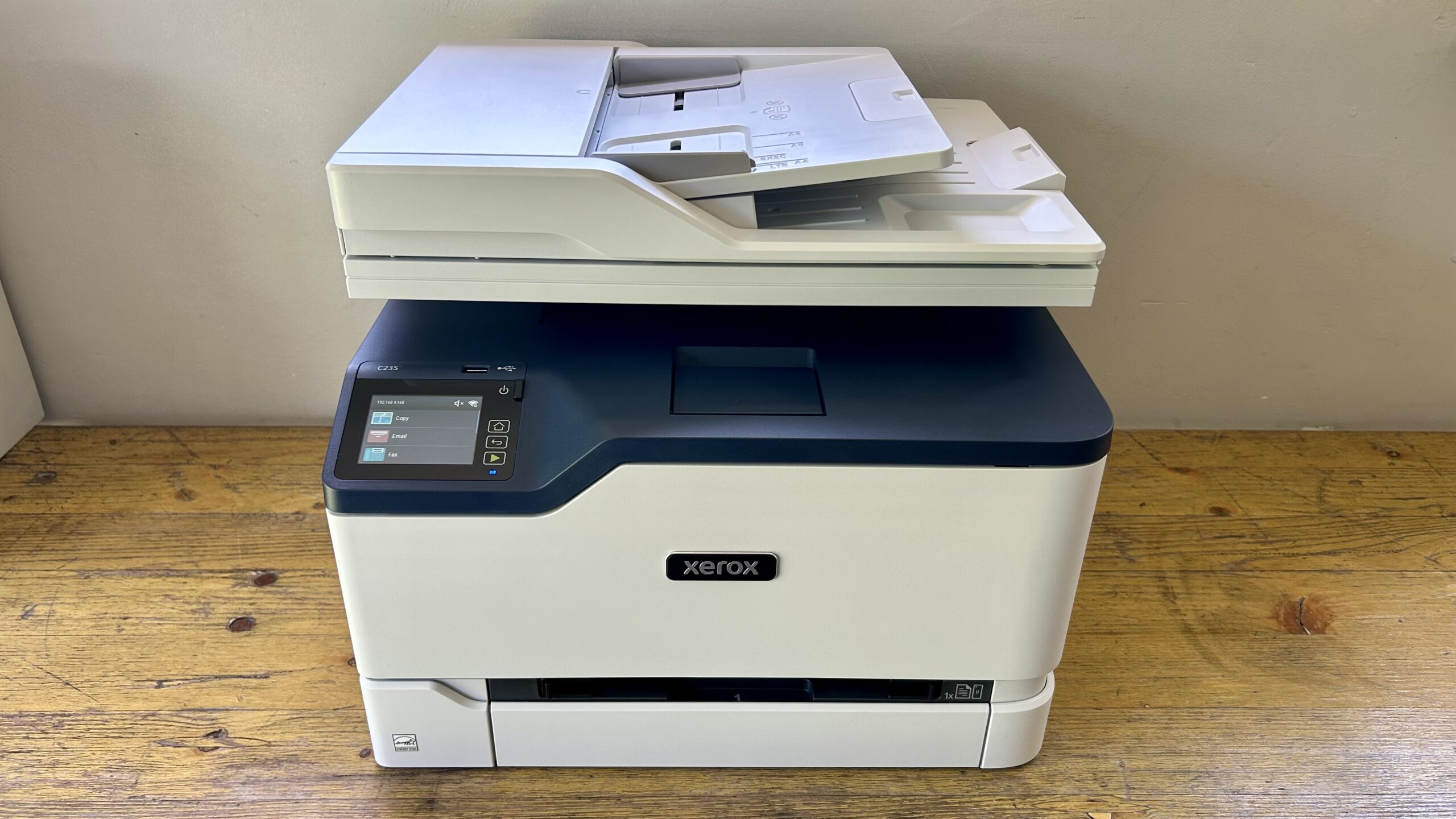
| 4 | Canon MF753Cdw II | Best full-function Canon | Not listed | Print, scan, copy, fax, duplex | Offices needing four functions |
| 5 | Brother MFC-L3720CDW | Best touchscreen workflow | Up to 19 ppm | 250-sheet tray, 50-sheet ADF, duplex | Cloud-connected home offices |
| 6 | Canon MF665Cdw | Best for duplex scanning | Up to 26 ppm | 250-sheet cassette, 50-sheet duplex ADF | Frequent two-sided scanning |
| 7 | Canon MF662Cdw | Best simple all-in-one | Up to 26 ppm | 250-sheet cassette, duplex printing | Printing, scanning, and copying |
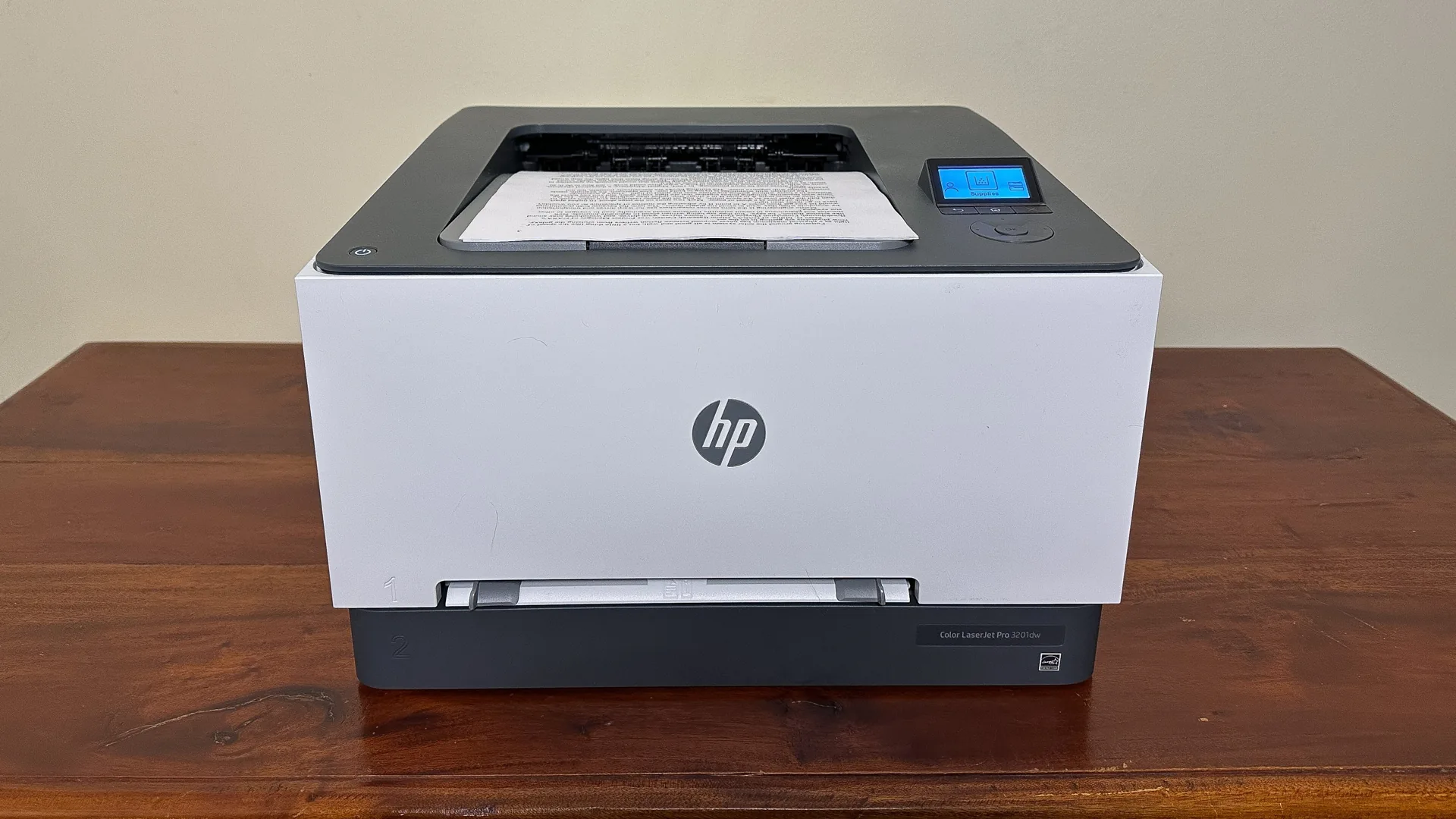
| 8 | HP LaserJet Pro 3201dw | Best HP print-only model | Up to 26 ppm | 250-sheet tray, automatic duplex | Small teams that do not scan |
| 9 | Brother MFC-L8930CDW | Best for busy offices | Up to 33 ppm | 80-page ADF, 104 ipm two-sided scan | High-volume business work |
| 10 | Brother DCP-L2640DW | Best monochrome alternative | Up to 36 ppm | 50-page ADF, duplex | Black-and-white documents |
1. Brother HL-L3220CDW: Best Overall

Pros
- Automatic two-sided printing
- 250-sheet paper tray
- Wireless and mobile printing
- Manual feed slot for specialty media
Cons
- Print speed is lower than several rivals
- No scanner, copier, or fax
- Toner is not included in the feature set
Best for: home office users who want dependable color printing without an oversized all-in-one.
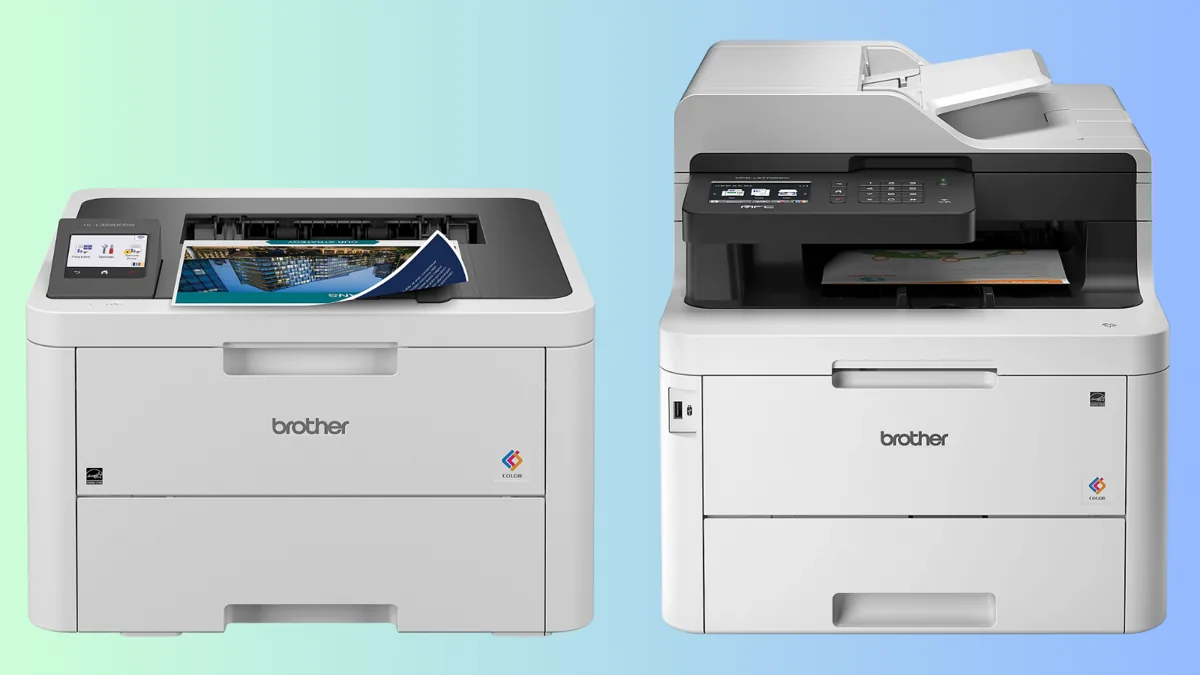
The Brother HL-L3220CDW is the printer we would put in the largest number of home offices. It avoids the bulk and extra controls of an all-in-one, yet keeps the useful features that make a modern office printer easy to live with. Wireless printing works with laptops, smartphones, and tablets, and built-in security protocols are included for documents that should not travel unprotected across the network.
Its rated output reaches 19 pages per minute, which is enough for reports, invoices, schoolwork, and occasional batches of color documents. That is slower than the 26 ppm Canon LBP646Cdw and HP LaserJet Pro 3201dw, but the difference matters mainly when a queue gets long. Automatic duplex printing is more important for many households because it handles two-sided documents without manual page turning.
The 250-sheet tray means a normal stack of office paper can stay loaded, while the manual feed slot gives envelopes and specialty media a separate path. At 15.7 inches wide and 15.7 inches deep, it still needs a proper surface, but its 24.7-pound weight makes it less intimidating to position than the larger multifunction models here.
The limitation is clear: this is print-only hardware. If you scan signed forms or copy identification documents, the HP LaserJet Pro 3301sdw or Canon MF665Cdw is a better fit. For everyone who mostly prints and wants straightforward wireless color output, the HL-L3220CDW is the cleanest choice in this group.
2. HP LaserJet Pro 3301sdw: Best All-in-One

Pros
- Print, scan, copy, and fax functions
- Automatic document feeder
- Automatic two-sided printing
- 250-sheet input tray
- Up to 26 ppm in black and color
Cons
- Larger and heavier than a print-only model
- Requires HP cartridges with HP chips or circuitry
- Noisy office hardware may be excessive for light users
Best for: small teams that need one machine for regular printing, scanning, copying, and faxing.
The HP LaserJet Pro 3301sdw is the most balanced all-in-one here for a small office. It does not ask you to choose between color output and document handling. Print, scan, copy, and fax functions sit in one unit, and the automatic document feeder makes multi-page jobs far less tedious than placing each sheet on a scanner glass.
HP rates it at up to 26 ppm for both black and color printing. That places it alongside the Canon LBP646Cdw, MF665Cdw, and MF662Cdw, and well ahead of the 19 ppm Brother HL-L3220CDW for a busy shared queue. Its 250-sheet input tray is a sensible match for that speed, while automatic two-sided printing keeps routine reports from becoming one-sided stacks.
The key consumables detail is the use of Original HP 218A standard and 218X high-yield LaserJet toner. The printer is also intended to work only with cartridges carrying HP chips or circuitry, and firmware updates maintain that restriction. That is not a footnote to ignore if your office expects broad cartridge flexibility.
At 16.5 inches tall, 16.46 inches long, 13.44 inches wide, and 37.7 pounds, this is substantial equipment. The Brother MFC-L3720CDW offers a similar multifunction concept with a 50-sheet feeder and a more customizable touchscreen, while the HP makes a stronger case when 26 ppm output is the priority. Choose the 3301sdw when several people need a capable color office hub, not when the printer will sit unused most weeks.
3. Canon LBP646Cdw: Best Print-Only Canon

Pros
- Up to 26 ppm in color and monochrome
- Automatic two-sided printing
- 250-sheet cassette plus multipurpose tray
- 5-inch LCD screen
- Mobile printing support
Cons
- No scanner, copier, or fax
- Heavy for a single-function printer
- One-year limited warranty
Best for: users who want quick wireless color documents and have no need for scanning or copying.
The Canon LBP646Cdw is the straightforward answer for a desk that needs a printer and nothing else. It does not disguise its purpose with an unnecessary scanner assembly. Send a document over Wi-Fi, use the 5-inch five-line LCD when you need to adjust settings, and let the machine handle the rest.
Its rated speed is up to 26 ppm in both color and monochrome, with a first print time of approximately 10.3 seconds. That combination suits small batches where waiting for the first page is more irritating than the full run. Automatic two-sided printing handles routine office documents, and the 250-sheet standard cassette gives the printer a useful amount of autonomy.
The one-sheet multipurpose tray matters when envelopes or other specialty media enter the workflow. Mobile printing is covered through the Canon PRINT app, Apple AirPrint, and Mopria Print Service. The model uses Canon Genuine Toner 075 and 075 high-capacity cartridges, which are intended to support high page yields and reduce replacement interruptions.
At 16.8 inches wide, 16.5 inches long, 10.5 inches high, and 39.4 pounds, it is not a compact desktop gadget despite its print-only design. The HP LaserJet Pro 3201dw is another 26 ppm print-only option, while the LBP646Cdw has the more explicit display and multipurpose media handling described here. Skip it if your office scans or copies, but keep it in mind for a print-focused workstation.
For readers deciding between a dedicated printer and a multifunction machine, the tasks that make an all-in-one worthwhile are often more important than the headline print speed.
4. Canon MF753Cdw II: Best Full-Function Canon

Pros
- Print, scan, copy, and fax
- Wireless color printing
- Automatic duplex capability
- Full four-function office design
Cons
- Very large footprint
- Heavy 60.55-pound chassis
- Published feature details are limited
Best for: offices that specifically need a full four-function Canon laser machine.
The Canon MF753Cdw II is the specialist pick in this roundup. Its defining trait is not a clever compact design or a particularly detailed control system. It is the complete office set: color printing, scanning, copying, and faxing, with wireless connectivity and duplex support.
That broad capability makes it a practical replacement for several separate devices. Duplex printing reduces manual handling for two-sided documents, while the scanner and copier cover the paperwork that a print-only unit cannot touch. The product information does not list a print speed, paper capacity, feeder size, or display size, so we would not buy this model on assumptions about those details.
The physical demands are easy to verify. It measures 21 inches long, 21 inches wide, and 22 inches high, and weighs 60.55 pounds. That is a dedicated office installation, not a printer to move between a shelf and a spare room whenever a project begins.
Canon's MF665Cdw provides much more specific information about its 26 ppm output, 50-sheet duplex ADF, 250-sheet cassette, and 5-inch color touchscreen. The MF753Cdw II is the better fit only when its four-function design is the deciding factor and the office has room for it. Buyers who want predictable workflow details should consider the better-documented Canon models first.
5. Brother MFC-L3720CDW: Best Touchscreen Workflow

Pros
- Print, scan, copy, and fax
- 50-sheet automatic document feeder
- 3.5-inch color touchscreen
- Dual-band wireless and Wi-Fi Direct
- 250-sheet adjustable paper tray
Cons
- 19 ppm print speed
- Large 44-pound body
- Touchscreen adds complexity for basic printing
Best for: home offices that scan documents and use cloud services regularly.
The Brother MFC-L3720CDW makes the most sense when the printer is also a document station. Its 3.5-inch color touchscreen, 48 customizable shortcuts, and direct access to Google Drive, Dropbox, and OneNote are aimed at people who move paperwork through several destinations rather than simply pressing Print.
It prints at up to 19 ppm, so it is not the speed leader. The 250-sheet adjustable tray and automatic duplex printing still make it well suited to ordinary office documents, and the 50-sheet automatic document feeder removes much of the friction from copying or scanning a packet. Dual-band wireless networking supports both 2.4GHz and 5GHz connections, with Wi-Fi Direct and USB 2.0 available as alternatives.
The mobile features go beyond sending a file to the printer. The companion app supports remote access, toner level monitoring, and printer management from a mobile device. That fits a small office where the person responsible for supplies is not always sitting beside the machine.
The HP LaserJet Pro 3301sdw is faster at 26 ppm and is a better match for a shared queue that constantly grows. Brother's own HL-L3220CDW is simpler and easier to justify when scanning is not needed. Pick the MFC-L3720CDW for its screen, shortcuts, and cloud workflow, and accept that its 19 ppm ceiling is part of the package.
6. Canon MF665Cdw: Best for Duplex Scanning

Pros
- 50-sheet one-pass duplex ADF
- Up to 26 ppm
- 5-inch color touchscreen
- Print, scan, copy, and fax
- Three-year limited warranty
Cons
- Very large chassis
- Weighs 56.85 pounds
- One-sheet multipurpose tray
Best for: offices that scan two-sided documents as often as they print them.
The Canon MF665Cdw earns its place through one particularly useful feature: a 50-sheet duplex automatic document feeder that scans both sides in one pass. That is a meaningful advantage over a feeder that requires the stack to be turned over, especially for contracts, forms, and two-sided reports.
It prints up to 26 ppm in both color and monochrome, with a first print time of approximately 10.3 seconds. The 250-sheet standard cassette handles the everyday load, while the one-sheet multipurpose tray accommodates a special sheet without unloading the main tray. Automatic two-sided printing keeps the output side of the workflow equally convenient.
A 5-inch color touchscreen with Canon's Application Library gives frequently used actions a more direct home. Wireless setup is designed to be simple, and mobile printing works through Canon PRINT, Apple AirPrint, and Mopria Print Service. The machine uses Canon Genuine Toner 075 and 075 high-capacity cartridges and is Chromebook compatible.
The dimensions are office-grade at 20.5 inches wide, 21.5 inches long, and 23 inches high, and its 56.85-pound weight limits casual relocation. The Canon MF662Cdw is similar but lacks the listed duplex ADF, while the HP LaserJet Pro 3301sdw offers a broader all-in-one feature set with a smaller stated footprint. Choose this Canon when two-sided scanning is central to the job, not as an occasional extra.
7. Canon MF662Cdw: Best Simple All-in-One

Pros
- Print, scan, and copy
- Up to 26 ppm
- Automatic two-sided printing
- 5-inch color touchscreen
- Three-year limited warranty
Cons
- No fax function listed
- Large and heavy
- Standard ADF details are not listed
Best for: users who need color printing, scanning, and copying without fax hardware.
The Canon MF662Cdw is the sensible middle ground for an office that needs more than printing but does not need faxing. It is a wireless color 3-in-1 with printing, scanning, and copying, so it handles the common paperwork tasks without adding a fourth function that may never be used.
Canon rates it at up to 26 ppm in black and color, with an approximately 10.3-second first print time. A 250-sheet cassette supports regular documents, and the one-sheet multipurpose tray handles occasional specialty media. Automatic two-sided printing is included, which is one of the most useful features for routine office output.
The 5-inch color touchscreen uses an Application Library to put commonly used functions within easier reach. Wireless setup is designed to be simple, and mobile printing supports the Canon PRINT app, Apple AirPrint, and Mopria Print Service. Canon Genuine Toner 075 and 075 high-capacity options are the specified supplies, and Chromebook compatibility is included.
This is another large machine, measuring 19.3 inches wide, 21.5 inches long, and 23.3 inches high, with a 55.11-pound weight. The MF665Cdw is the more capable sibling for two-sided scanning, while the HP LaserJet Pro 3201dw is the better answer if scanning and copying are irrelevant. The MF662Cdw is for offices that want the core multifunction set and a clear touchscreen.
8. HP LaserJet Pro 3201dw: Best HP Print-Only Model

Pros
- Up to 26 ppm in black and color
- Automatic two-sided printing
- 250-sheet input tray
- Dual-band wireless with self-reset
- TerraJet toner technology
Cons
- No scanner, copier, or fax
- Requires HP cartridges with HP chips or circuitry
- Dimensions are not fully specified
Best for: small offices that want fast wireless color printing and no multifunction features.
The HP LaserJet Pro 3201dw keeps the print-only concept but adds the speed expected in a small shared office. It reaches up to 26 ppm in both black and color, and automatic two-sided printing handles the routine work without asking users to reinsert pages.
Its 250-sheet input tray is large enough for regular office use, while dual-band Wi-Fi includes a self-reset feature that automatically detects and resolves connection issues. That is a useful detail for a printer shared by several laptops, even though it cannot guarantee that every wireless network will behave perfectly.
HP's TerraJet toner is intended to produce more vivid colors, and the printer is designed for professional-quality color documents and reports. The same cartridge restriction as the HP 3301sdw applies: it is intended to work only with cartridges carrying original HP chips or circuitry, with periodic firmware updates maintaining that measure.
The missing scanner and copier are the deciding weakness. The Canon LBP646Cdw also prints at up to 26 ppm and offers a 5-inch LCD, so it is a stronger alternative for users who want more local controls. Choose the HP when dual-band wireless behavior and HP's office-focused workflow matter more than multifunction capability.
9. Brother MFC-L8930CDW: Best for Busy Offices

Pros
- Up to 33 ppm print and copy speed
- 80-page automatic document feeder
- Two-sided scanning up to 104 ipm
- Gigabit Ethernet and dual-band Wi-Fi
- Advanced security and NFC card reader
Cons
- 71.2-pound weight
- Large office footprint
- More hardware than light users need
Best for: busy offices that need fast scanning, strong connectivity, and document security.
The Brother MFC-L8930CDW is the serious business machine in this group. Its up to 33 ppm print and copy speed gives it the clearest advantage when several people are waiting on documents, while the 80-page automatic document feeder is built for substantial scanning sessions rather than occasional receipts.
The two-sided scanning rate reaches up to 104 images per minute, and the scanner supports a legal-size glass. From its interface, documents can be sent to cloud services, email, and SharePoint. The printer can also create searchable and editable Microsoft Office documents, a useful step beyond making a simple image-based scan.
Connectivity is broad. Dual-band wireless networking covers 2.4GHz and 5GHz, Gigabit Ethernet supports a wired office network, and the 7-inch color touchscreen provides scan previews plus up to 64 customized shortcuts. An integrated NFC card reader supports badge authentication, while the listed triple-layer security features are designed to protect devices, documents in transit, and networks.
This machine is also 21.6 inches high, 20.7 inches long, 16.1 inches wide, and 71.2 pounds. The HP LaserJet Pro 3301sdw is far easier to place in a small office, and the Brother MFC-L3720CDW is a friendlier home-office choice. The MFC-L8930CDW earns its ranking when speed, scanning volume, wired networking, and controlled access matter enough to justify dedicated office space.
Its toner information is unusually concrete: the standard cartridges are listed at 3, 000 black pages and 1, 800 color pages, while replacement super-high-yield cartridges are listed at 7, 500 black pages and 6, 500 color pages. Those figures are part of the product's documented supply options, not a promise that every office will see identical results.
10. Brother DCP-L2640DW: Best Monochrome Alternative
Pros
- Up to 36 ppm black-and-white printing
- 50-page automatic document feeder
- Duplex printing
- Dual-band wireless and Ethernet
- Compact multifunction design
Cons
- Monochrome only
- No color printing
- Not suitable for color reports or graphics
Best for: offices that print mostly text and want fast scanning and copying in a compact design.
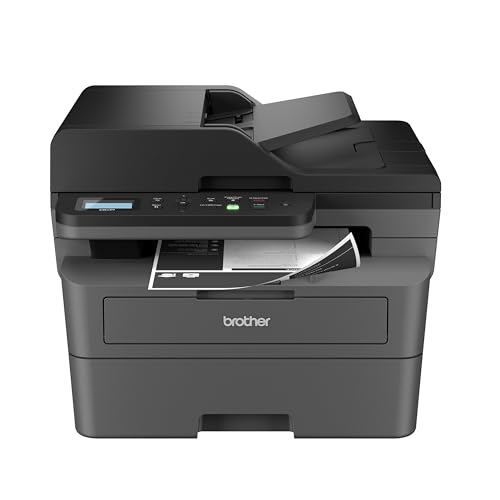
The Brother DCP-L2640DW is the deliberate outlier. It is not a color printer, but it is worth considering when the real workload is black-and-white paperwork and color is an occasional wish rather than a daily requirement. Its compact 3-in-1 design combines printing, scanning, and copying without taking on the size of the larger color all-in-ones.
It reaches up to 36 ppm for black-and-white printing, the fastest stated print rate in this roundup. Scanning reaches up to 23.6 images per minute in black and 7.9 images per minute in color, and its 50-page automatic document feeder makes multi-page jobs much easier. Automatic duplex printing helps keep two-sided text documents orderly.
The connection choices are strong for a small office. Dual-band wireless networking, Ethernet, and USB are all available, while the Brother Mobile Connect app supports printing, scanning, printer management, toner tracking, and supply ordering. The printer measures 15.7 inches long, 16.1 inches wide, and 12.5 inches high, with a 25-pound weight.
The trade-off is absolute: it cannot print color. Anyone comparing it with the HL-L3220CDW or HP LaserJet Pro 3201dw should first decide if color is genuinely required. For forms, invoices, contracts, and text-heavy documents, it is a faster and more compact alternative. Readers whose work is almost entirely monochrome can also compare the toner and scanning trade-offs for black-and-white office work.
How to choose best color laser printers
Choosing among the Best best color laser printers starts with the documents you handle most often, not the longest feature list. Focus on output speed, paper handling, multifunction capability, connectivity, and physical fit.
Print speed
Print speed matters when a queue contains reports, handouts, or several jobs from different people. The models here range from 19 ppm to 33 ppm for color printing, with the monochrome Brother DCP-L2640DW reaching 36 ppm in black and white. A 19 ppm model can be perfectly comfortable for a home office, while a shared office should look toward the 26 ppm and faster machines.
First-print time also affects short jobs. The Canon LBP646Cdw, MF665Cdw, and MF662Cdw list an approximately 10.3-second first print time, which is more relevant when most jobs are only a few pages.
Duplex printing and scanning
Automatic duplex printing prints on both sides without manual page turning. It is a basic productivity feature for reports and forms, and it appears across the strongest print-focused choices here.
Duplex scanning is a separate capability. The Canon MF665Cdw lists a 50-sheet one-pass duplex ADF, while the Brother MFC-L8930CDW lists two-sided scanning up to 104 ipm. If paperwork arrives printed on both sides, a regular ADF may still leave you turning pages by hand.
A fast printer saves seconds on output. A duplex feeder can save an entire afternoon of manual document handling.
Paper capacity
A 250-sheet tray is the common baseline in this group. It lets a printer stay loaded with ordinary paper and reduces interruptions during routine work. A multipurpose tray is useful for envelopes and specialty media, but it does not replace a main cassette.
Check whether the tray is adjustable and whether the model has a separate manual feed path. The Brother HL-L3220CDW has a 250-sheet tray plus a manual feed slot, while the Canon LBP646Cdw and Canon multifunction models list a 250-sheet cassette and one-sheet multipurpose tray.
Multifunction features
Print-only models are simpler and usually easier to place. They are the right choice when scanning and copying happen rarely or elsewhere. The Brother HL-L3220CDW, Canon LBP646Cdw, and HP LaserJet Pro 3201dw follow that approach.
An all-in-one earns its space when scanning, copying, or faxing is part of the regular workflow. The HP LaserJet Pro 3301sdw combines all four functions with an ADF, while the Canon MF662Cdw is a 3-in-1 without a fax function. For more context on choosing one machine for household paperwork, how scanning and copying change a home office setup is a useful place to start.
Wireless and wired connections
Wireless printing is convenient for laptops and mobile devices, but shared offices may also need Ethernet. Dual-band Wi-Fi supports both 2.4GHz and 5GHz networks, and the Brother MFC-L8930CDW adds Gigabit Ethernet for a wired installation.
Mobile support varies by platform and app. Canon lists Canon PRINT, Apple AirPrint, and Mopria, while Brother lists mobile management through Brother Mobile Connect. Consider the devices already in the office rather than assuming every mobile printing method works identically.
Footprint and weight
Color laser printers are substantial machines. The Brother HL-L3220CDW weighs 24.7 pounds, while the Brother MFC-L8930CDW weighs 71.2 pounds. The Canon MF753Cdw II measures 21 by 21 by 22 inches, so it needs a stable, dedicated location.
Leave access around the machine for paper loading and cartridge changes. A compact printer is not necessarily shallow, and a lighter body may still need more clearance than its front view suggests.
Frequently asked questions
Do color laser printers also scan and copy?
Some do, and some do not. Print-only options in this roundup include the Brother HL-L3220CDW, Canon LBP646Cdw, and HP LaserJet Pro 3201dw. Models such as the HP LaserJet Pro 3301sdw and Canon MF665Cdw add scanning and copying, while some also include faxing.
Is automatic duplex printing important?
It is useful for any office that regularly prints reports, forms, or long documents. The printer turns the pages automatically, so you do not have to reinsert a stack by hand. It also makes two-sided output practical for everyday work.
What is an ADF used for?
An automatic document feeder moves multiple pages through the scanner without requiring each sheet to be placed on the glass. A 50-page ADF suits common home-office packets, while the Brother MFC-L8930CDW's 80-page feeder is designed for larger jobs.
Which printer is best for mobile printing?
The choice depends on the mobile devices and workflow. Brother models in this list support mobile printing through Brother Mobile Connect, while Canon models support the Canon PRINT app, Apple AirPrint, and Mopria. The HP models provide wireless printing for office devices, with the HP 3201dw listing dual-band Wi-Fi with self-reset.
Do all of these printers print in color?
No. The Brother DCP-L2640DW is a monochrome printer that produces black-and-white output only. The other nine products are color printer models, although their multifunction capabilities differ.
How much paper can these printers hold?
Several models list a 250-sheet main tray or cassette. The Canon LBP646Cdw, Canon MF665Cdw, Canon MF662Cdw, HP LaserJet Pro 3301dw, and Brother HL-L3220CDW all specify 250-sheet paper capacity, though the feed arrangements vary.
Which model suits a busy office?
The Brother MFC-L8930CDW is the strongest fit for a busy office because it lists print and copy speeds up to 33 ppm, an 80-page ADF, two-sided scanning up to 104 ipm, Gigabit Ethernet, and advanced security features. Its size and weight make it better suited to a permanent office installation.

The bottom line
The Best best color laser printers pick for most home offices is the Brother HL-L3220CDW. It combines wireless and mobile printing, automatic duplex output, a 250-sheet tray, and a manual feed slot without adding multifunction hardware that print-focused users may not need.
Choose the HP LaserJet Pro 3301sdw when scanning, copying, faxing, and 26 ppm output are all important. For a larger office, the Brother MFC-L8930CDW is the more capable choice, with faster output, a larger feeder, rapid two-sided scanning, wired networking, and stronger access controls.
If you are undecided, buy the HL-L3220CDW for printing alone, or step up to the HP 3301sdw when paperwork regularly needs to be scanned and copied.
As an Amazon Associate we earn from qualifying purchases.