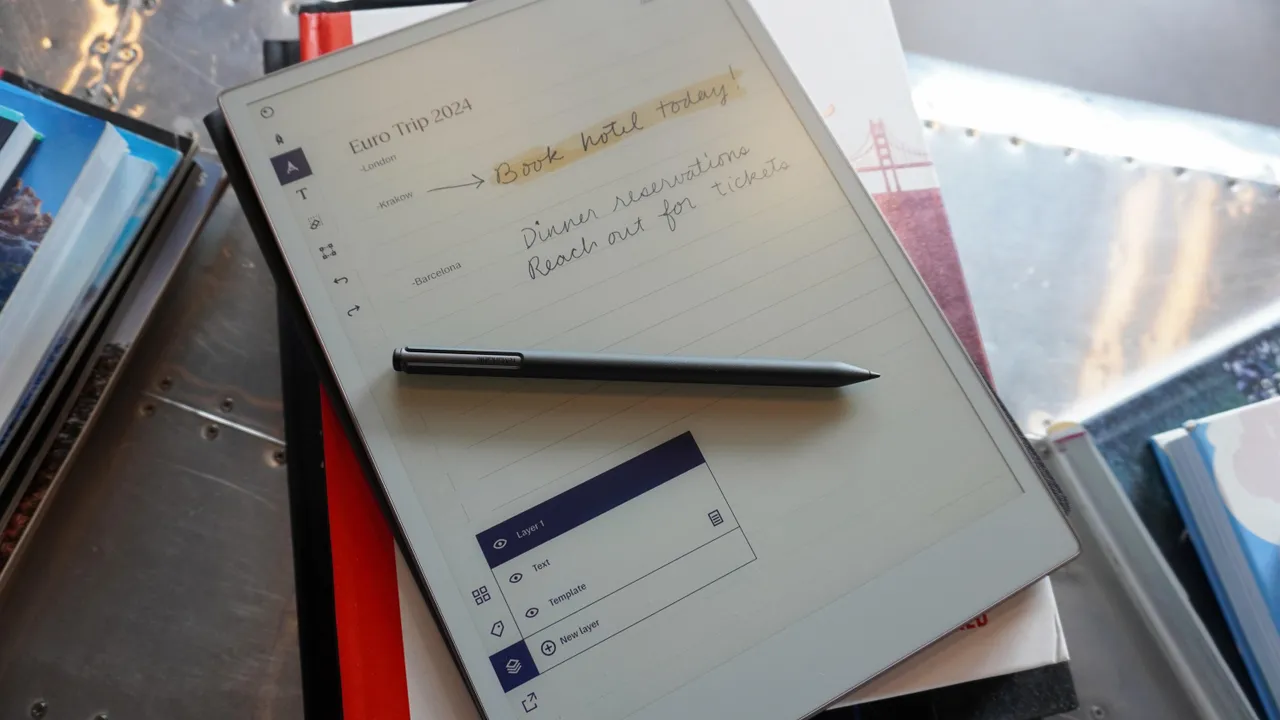

The right digital notepad should make handwriting feel immediate, then get out of the way when the meeting ends. The wrong one either behaves like a limited slate, traps notes in an awkward app, or gives you no practical way to find what you wrote later. Our Best digital notepad picks include full Android tablets, e-ink readers, smart paper notebooks, and simple LCD boards.
The XPPen Magic Note Pad 3-in-1 is our top pick because it combines a natural writing surface with Android apps, color modes, PDF tools, and a battery-free pen. The range below also includes the Kindle Scribe for distraction-free reading, Rocketbook for reusable paper, and compact options for quick notes.
Comparison table
| # | Product | Award | Display or format | Pen and capture | Best for |
|---|---|---|---|---|---|
| 1 | XPPen Magic Note Pad 3-in-1 | Best overall | 10.95-inch LCD, 90Hz, 3 color modes | X3 Pro battery-free pen, 16, 384 pressure levels | Notes, reading, drawing, and Android apps |
| 2 | XPPen Magic Note Pad | Best for sketching | 10.95-inch LCD, 90Hz, 16.7 million colors | X3 Pro battery-free pen, 16, 384 pressure levels | Drawing and colorful handwritten notes |
| 3 | HUION Note 2-in-1 | Best paper hybrid | A5 paper notebook | Bluetooth 5.0, synchronized handwriting | People who want real paper and digital copies |
| 4 | Rocketbook Core Letter Gray | Best reusable notebook | Letter, 8.5 by 11 inches | Pilot Frixion pen and phone scanning | Cloud-backed handwritten notes |
| 5 | YOLIPULI 6.5-inch LCD Notepad | Best pocket board | 6.5-inch LCD | Pressure-sensitive stylus | Short-lived reminders and messages |
| 6 | Kindle Scribe 64GB | Best for reading | 10.2-inch, 300 ppi front-lit display | Premium Pen, handwriting tools | Reading and annotating books |
| 7 | Kindle Scribe 16GB | Best focused writer | 10.2-inch, 300 ppi front-lit display | Premium Pen, handwriting tools | Books, documents, and notebooks |
| 8 | Ophayapen Smart Pen | Best smart pen | Paper notebook and writing board | Real-time sync and OCR | Converting paper notes to text |
| 9 | HUION Note E | Best compact Android slate | 8.4-inch, 1920 by 1200, 60Hz | Magnetic pen, 8, 192 pressure levels | Portable digital work |
| 10 | Rocketbook Core Letter Black | Best grid notebook | Letter, 8.5 by 11 inches | Pilot Frixion pen and phone scanning | Structured notes and diagrams |
1. XPPen Magic Note Pad 3-in-1: Best Overall

Pros
- Smooth 90Hz writing and page movement
- Three display modes for notes, drawing, and reading
- Battery-free X3 Pro Pencil 2
- Android 14 with Google Play access
- Strong PDF and handwriting tools
Cons
- LCD is not an e-ink display
- Narrow viewing angle works best from the front
- Android multitasking is better kept simple
Best for: someone who wants one device for handwriting, reading, drawing, and general tablet work.
The first thing that separates the XPPen Magic Note Pad 3-in-1 is that it does not force you to choose between a notebook and a conventional tablet. Its 10.95-inch LCD can switch between monochrome, light color, and natural color modes with the dedicated X-key. That makes it useful for a quiet reading session, ordinary handwritten notes, or a more expressive drawing session without changing devices.
The AG nano-etched display is designed to cut reflections, and the 90Hz refresh rate keeps scrolling and pen movement feeling current rather than sluggish. It shows 16.7 million colors and reaches 400 nits of brightness. Those numbers matter most when annotating PDFs, viewing diagrams, or switching from handwriting to ordinary Android apps. The display is still LCD, not e-ink, so readers expecting the muted, paperlike appearance of a Kindle Scribe should look at Amazon's device instead.
The X3 Pro Pencil 2 is battery-free and supports 16, 384 pressure levels. That gives the pen room to vary line weight and color intensity, which is more useful for sketching and markup than basic text entry. XPPen Notes can convert handwriting to text, record sound, import PDFs, and save notes automatically. Android 14 and Google Play access widen the device beyond its built-in notebook functions, while 128GB of storage gives documents and apps room to live together.
At 495g and 7mm thick, it is portable without feeling like a tiny writing board. The 13-megapixel front camera, two speakers, and two microphones also make it more suitable for remote meetings than the Rocketbook and LCD board options. The weakness is the etched screen's narrow viewing angle, plus the warning to avoid running many apps at once. Choose this over the second XPPen if you want the broader note-taking and tablet package. Choose the second model if sketching is the main event.
2. XPPen Magic Note Pad: Best for Sketching

Pros
- Paperlike AG nano-etched surface
- 16, 384 pressure levels for drawing
- 90Hz refresh rate
- Three color modes
- Android 14 and Google Play access
Cons
- LCD appearance is not e-ink
- Less described as a complete meeting tool than the 3-in-1 model
- Relatively large for quick pocket notes
Best for: artists, students, and note takers who care most about drawing feel and color.
The XPPen Magic Note Pad is the more focused sibling of the top pick. Its 10.95-inch X-Paper display uses AG nano-etching to add friction beneath the stylus, so it is aimed squarely at sketching, shading, and handwritten work that benefits from a convincing surface. The three display modes are practical rather than decorative: natural color for full-color work, light color for sketching, and black and white for a calmer reading view.
Its 16, 384 pressure levels let the X3 Pro battery-free Pencil 2 respond to changes in hand pressure. Artists get more control over shading and stroke weight, while ordinary note takers get a pen that does not need charging before a meeting. The 90Hz refresh rate helps lines follow the pen cleanly, and the display can show 16.7 million colors. Anti-glare treatment and TÜV-certified low-blue-light features are useful during longer sessions.
The tablet runs Android 14 and includes XPPen Notes, with support for handwritten notes, PDF annotation, multiple brushes, and Google Play apps. That makes it more flexible than the HUION Note 2-in-1, which depends on paper and a mobile app, and more creative than the Kindle Scribe. It is also only 7mm thick and weighs 495g, so it can travel in a bag without becoming a serious burden.
This model gives up some of the broader meeting hardware emphasized by the 3-in-1 version, including the latter's listed camera and microphone setup. Its LCD also uses the front-facing viewing position that makes the etched surface work best. Pick it when drawing quality and a colorful canvas matter more than a built-in office toolkit. If your notes involve recordings, PDFs, and meetings as often as sketches, the first XPPen is the safer buy.
3. HUION Note 2-in-1: Best Paper Hybrid

Pros
- Real A5 paper writing experience
- Handwriting transfers to a phone in real time
- Audio recording can sync with notes
- Bluetooth 5.0 connection
- Works as a graphics tablet with a PC
Cons
- Requires the Huion Note mobile app
- Smaller writing area than the full-size slates
- Not a standalone display tablet
Best for: anyone who wants the feel of a normal notebook with digital copies of every page.
The HUION Note 2-in-1 solves a different problem from the XPPen and Kindle. Instead of asking you to write on glass, it combines a digital pen, a regular A5 notepad, and an app. You keep the texture and visual simplicity of paper, while the writing is captured electronically as you work.
Bluetooth 5.0 automatically connects the notebook to the Huion Note app on iOS or Android. The app can organize pages, merge or split them, apply highlighting, and share notes as images, PDFs, or MP4 files. Audio recording is the standout meeting feature. When synchronized with handwriting, it gives you a way to revisit the discussion around a particular note rather than relying on memory alone.
The notebook includes 50 pages, three ballpoint refills, three plastic pen nibs, a USB-C cable, and a magnetic pen sleeve. Battery life is listed at 18 hours, with about 30 days of standby time. Replace the inner pages with the included panel and connect it to a PC, and the unit becomes a graphics tablet. That flexibility makes it more capable than Rocketbook for live digital capture, although Rocketbook feels simpler when you only need to scan finished pages.
The limitation is the phone or computer dependency. It is not a display where you can open documents, read books, or install Android applications, and the A5 page is less spacious than the letter-size Rocketbook models. Still, for handwritten meetings, classes, and brainstorming, this is one of the most natural options in the group. Readers comparing paper-first devices may also want to consider how handwritten pages become searchable digital files, especially if the archive matters as much as the writing experience.
4. Rocketbook Core Letter Gray: Best Reusable Notebook
Pros
- Familiar paper writing experience
- Letter-size 8.5 by 11-inch pages
- Smart Titles and Smart Tags
- Uploads to major cloud services
- Pages wipe clean for reuse
Cons
- Digitizing requires a phone scan
- Notes are not captured live as you write
- Erasing means clearing the page
Best for: people who want paper handwriting with a straightforward digital filing process.
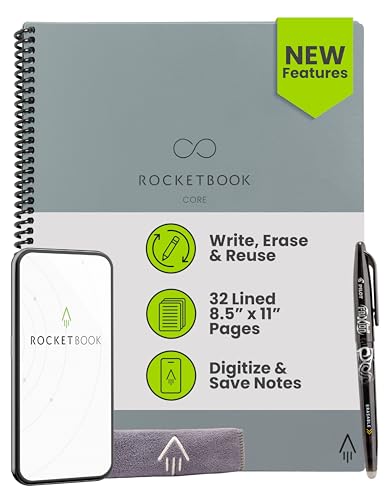
The Rocketbook Core Letter Gray is a notebook first and a digital tool second. That is its appeal. You write with the included Pilot Frixion Pen on college-ruled pages, then use the Rocketbook app to scan the finished work. The process feels closer to ordinary note taking than writing on a screen, and the spiral format gives the 8.5 by 11-inch pages a familiar classroom and office layout.
The redesigned reusable paper is intended to improve pen feel, while Smart Titles and Smart Tags make the scanned files easier to name and organize. Upload destinations include Google Drive, Dropbox, and OneNote. When a page is no longer needed, a damp cloth clears it so you can start again. This is a deliberate workflow rather than instant synchronization, but it avoids the visual and software complexity of a full tablet.
Compared with the HUION Note 2-in-1, Rocketbook does not record a live digital version of your handwriting or synchronize audio. It is also less useful for drawing and document markup than either XPPen. Its strength is the separation between writing and filing. You can stay on paper during a meeting and handle digital organization afterward.
The gray model has the same listed letter-size format and reusable approach as the black model later in this list. It is a poor fit for anyone who needs a searchable copy the moment a note is written, but a very good fit for people who prefer a page under the hand and occasional cloud storage. It also makes sense for readers deciding which note workflow works when paper still feels better.
5. YOLIPULI 6.5-inch LCD Notepad: Best Pocket Board

Pros
- Very small and light
- Protective leather case
- Two ways to clear the screen
- Replaceable built-in battery
- No blue light or radiation from the LCD writing surface
Cons
- No saved digital pages
- Small 6.5-inch writing area
- Limited blue-green handwriting color
Best for: reminders, short messages, quick diagrams, and low-friction everyday scribbles.
The YOLIPULI 6.5-inch LCD Notepad is not a tablet and does not pretend to be one. It is a reusable message board that happens to fit easily into a school bag, handbag, or travel bag. The 6.5-inch screen uses 93.5% of the front surface, so the writing area is generous relative to its overall size.
At 0.4 inches thick and about 0.2 pounds, it is far easier to carry than the Android slates and Kindle Scribe. The supplied stylus creates blue-green pressure-sensitive lines, and the case protects the screen from scratches. The LCD has no blue light or radiation according to the listing, which makes it comfortable for repeated short notes, though it does not provide the rich display or document features found elsewhere here.
There are two clearing methods. You can use the conventional button, or bring the magnetic end of the pen near the circle on the front to clear the screen. The built-in battery is replaceable, and the tablet is designed for repeated use. Those details make it useful on a refrigerator, desk, classroom, or reception counter where notes are temporary.
Its weakness is fundamental: the writing does not become a file. There is no app, OCR, cloud destination, or live synchronization. The Kindle Scribe and HUION Note E are dramatically better for an archive, while Rocketbook is the more practical paper-based option for keeping pages. Choose this board only when the note is meant to disappear.
6. Kindle Scribe 64GB: Best for Reading

Pros
- 10.2-inch glare-free reading display
- 300 ppi resolution
- Premium Pen needs no charging
- Handwriting tools include AI summaries
- Designed for books, documents, and notebooks
Cons
- Less suited to colorful drawing than XPPen
- Kindle-centered workflow
- Larger capacity is unnecessary for some readers
Best for: readers who want to annotate books and PDFs while keeping handwritten notebooks on the same device.
The Kindle Scribe 64GB is the calmest device in this roundup. It is built around reading and writing, not app switching, notifications, or general Android tablet use. The 10.2-inch glare-free display gives books and documents enough room for comfortable annotation, while the front light makes it practical in changing indoor and outdoor conditions.
Its 300 ppi resolution keeps text sharp, and the Premium Pen is ready without charging. Amazon's notebook tools can convert handwriting to typed text, summarize notes, and adjust their length and tone. Send to Kindle handles imported documents and PDFs, while Active Canvas creates writing space alongside book pages. That combination makes the Scribe more naturally suited to reading-heavy work than the XPPen tablets.
The device is also designed for long stretches away from a charger, with the listing describing months of reading and weeks of writing on one charge. The 64GB capacity is the larger version in this pair, so it gives more room for documents and notebooks. The 16GB model has the same writing and display features, making it the more sensible pick when your library and document collection are modest.
The Scribe does not offer the colorful, app-friendly experience of the XPPen Magic Note Pad 3-in-1. It also lacks the tactile paper workflow of the HUION Note. For reading, markup, and distraction-free writing, however, it is the strongest fit in the list. Readers comparing screens should focus on how much reading and annotation you expect in one sitting rather than treating every digital notepad as the same kind of device.
7. Kindle Scribe 16GB: Best Focused Writer
Pros
- Same 10.2-inch, 300 ppi display as the larger model
- Glare-free front lighting
- AI handwriting conversion and summaries
- Premium Pen requires no charging
- Strong book and PDF annotation
Cons
- Limited app ecosystem compared with Android tablets
- No color display
- Less storage than the 64GB version
Best for: writers and readers who want the Scribe experience without storing a large document library.
The Kindle Scribe 16GB offers the same core experience as the 64GB version, and that is what makes it compelling. Its 10.2-inch, 300 ppi front-lit display is made for long reading sessions, while the glare-free surface keeps the page easier to view under bright light. The Premium Pen starts writing without a charging routine.
Handwriting can be converted into readable text, and built-in notebook tools can summarize it or change its length and tone. Imported PDFs and documents can be marked up, and Active Canvas makes room for notes within books. These features are more coherent for a reader than the general-purpose Android approach used by XPPen.
The 16GB capacity is the only major distinction from the 64GB Scribe in this list. It is ample for a focused collection of notebooks, books, and documents, but heavy readers who keep a broad library locally may prefer the larger model. Both versions describe months of reading and weeks of writing on one charge.
The Scribe is not the right tool for colorful sketches, Android applications, or fast multi-app workflows. The XPPen models win those comparisons, while Rocketbook remains more tactile. Pick this version when the device's job is to hold books, documents, and personal notes without tempting you into unrelated tablet behavior.
8. Ophayapen Smart Pen: Best Smart Pen

Pros
- Real-time handwriting synchronization
- OCR converts handwriting to editable text
- Searchable notes with tags and timestamps
- Audio can sync with written notes
- Offline storage uploads after reconnecting
Cons
- Depends on the Ophaya Pro+ mobile app
- Pen and notebook system is relatively bulky
- Not a standalone reading or drawing tablet
Best for: students and professionals who want paper notes converted into searchable, shareable files.
The Ophayapen Smart Pen takes the paper-first idea and puts more emphasis on what happens after writing. The package includes a smart pen, a 60-sheet notebook, a writing board, four ballpoint refills, two plastic pen nibs, and a USB-C cable. You write normally, while the system sends the strokes to the Ophaya Pro+ app on an Android or iOS phone.
OCR is the central feature. Handwritten text can become editable text and can be shared as a Word document. Notes can also be searched by keywords, tags, and timestamps, which is a major advantage over a simple LCD board and a scanned paper notebook. The system supports PDF, Word, PNG, GIF, and MP4 formats for storage and sharing.
Audio recording can run alongside writing, with playback tied to the corresponding notes. Offline storage is useful when your phone is not available because saved work uploads after reconnection. The app also supports different pen thicknesses and colors, plus erasing tools for editing.
This is closer to a smart capture system than a digital notepad with its own screen. It cannot replace the Kindle Scribe for reading or the XPPen tablets for drawing and Android software. Its listed dimensions and 2.44-pound weight also make it less appealing as a slim everyday slate. Choose it when searchable paper notes and synchronized meeting audio matter more than a built-in display.
9. HUION Note E: Best Compact Android Slate

Pros
- Compact 8.4-inch Android design
- 1920 by 1200 display with 270 ppi
- Battery-free magnetic pen
- 8, 192 pressure levels
- Searchable notes and PDF annotation
Cons
- Smaller screen than both XPPen tablets
- 60Hz refresh rate is less fluid than 90Hz
- More complex than a paper notebook
Best for: professionals and students who need a portable Android writing slate with organized digital notes.
The HUION Note E is the compact full tablet in this group. Its 8.4-inch screen and 7.4mm profile are easier to carry than a larger writing slate, while the startup interface is designed to get you into notes without a long setup process. It switches between portrait and landscape, which helps when moving from a meeting note to a wider document.
The display runs at 1920 by 1200 with 270 ppi and a 60Hz refresh rate. Text and illustrations should look sharp, and the AG nano-etched surface adds a matte texture for writing. Full lamination, anti-glare treatment, DC dimming, and soft-light features all target comfortable long sessions. The 16.7 million-color display and 300 nits of brightness also give it a wider visual range than an e-ink reader.
Its battery-free magnetic pen uses PenTech 3.0 and supports 8, 192 pressure levels. A report rate over 400 PPS is listed for low-latency strokes. Notes can become searchable, handwriting can convert into editable text in 34 languages, and PDFs and documents can be annotated directly. Google Drive, OneDrive, and Dropbox backup make it a more complete filing tool than the HUION Note 2-in-1.
The 4, 500mAh battery supports the portable format, and 18W fast charging helps it return to work quickly. The listed 6GB of RAM and 128GB of storage support a larger collection of documents and apps. The XPPen models have a larger 10.95-inch canvas and faster 90Hz display, so choose HUION when portability matters more than writing area. Skip it if a simple paper notebook would handle your work without the extra software layer.
10. Rocketbook Core Letter Black: Best Grid Notebook

Pros
- Letter-size reusable notebook
- Grid pages for diagrams and structured notes
- Smart Titles and Smart Tags
- Rocketbook app supports cloud uploads
- Included Pilot Frixion Pen
Cons
- Requires phone scanning
- No live handwriting capture
- Pages must be wiped to reuse
Best for: planning, diagrams, math, and organized handwritten work that needs a digital copy later.
The Rocketbook Core Letter Black is the grid-page counterpart to the gray model. Its 8.5 by 11-inch format gives you enough room for diagrams, tables, project planning, and structured notes. The grid is a better match for layouts than the gray version's college-ruled pages, while the spiral binding keeps the notebook familiar.
The included Pilot Frixion Pen writes on reusable paper, and the Rocketbook app turns completed pages into files. Smart Titles and Smart Tags help organize those scans, while Google Drive, Dropbox, and OneNote provide destinations for the finished work. When a page is no longer needed, wipe it clean with a damp cloth and use it again.
Like the gray Core, this notebook does not capture strokes live. That makes it slower than the HUION and Ophayapen systems when you need immediate digital copies, but it also keeps the writing process free from pairing and battery concerns. It is much less capable than the XPPen and Kindle devices for reading, drawing apps, or document markup.
The black finish is the only meaningful distinction from the gray Rocketbook in this set, so the choice comes down to page layout and personal preference. Choose this model for grids, diagrams, and repeatable planning pages. If you want ruled writing instead, the gray Core is the better fit.
How to choose best digital notepad
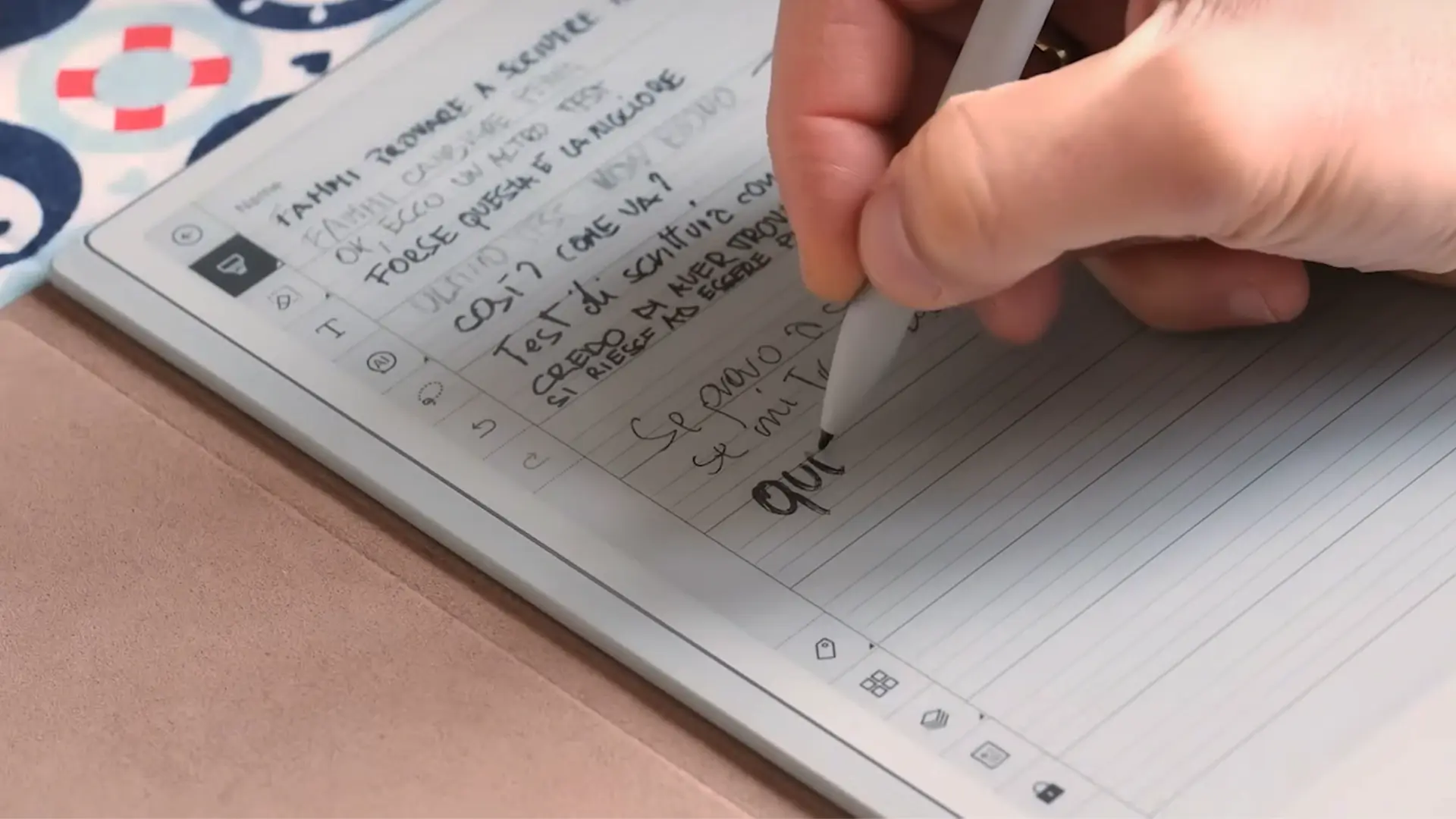
The right digital notepad depends on whether you want a standalone screen, paper with scanning, or a temporary board that clears when the thought is gone.
Writing surface
LCD and e-ink screens behave differently under a pen. A nano-etched LCD such as the XPPen and HUION surfaces can add friction while still showing color, while the Kindle Scribe uses a glare-free front-lit display designed around reading. Paper-based Rocketbook, HUION Note, and Ophayapen systems remain the most familiar under the hand.
Capture method
Live capture is important for meetings and classes. HUION Note 2-in-1 and Ophayapen synchronize writing through an app, while Rocketbook waits for a phone scan. The YOLIPULI board does not preserve notes at all, so it suits temporary reminders rather than an archive.
Display size and portability
A 10.95-inch screen gives the XPPen models room for PDFs and drawings, while the 8.4-inch HUION Note E is easier to carry. The 10.2-inch Kindle Scribe sits between those approaches with a display shaped around reading. Small LCD boards are easiest to bring everywhere, but their writing areas and capabilities are limited.
Pen response
Pressure sensitivity matters most for drawing, diagrams, and varied handwriting. The XPPen Pencil 2 offers 16, 384 pressure levels, HUION Note E offers 8, 192, and both are battery-free. For ordinary writing, the more important question is whether the pen requires charging, pairing, or a special paper surface.
Software and organization
Look for the destination of your notes, not only the writing feel. XPPen and HUION Note E provide standalone software and cloud options, Kindle offers notebook and document tools, and Rocketbook works through scans and cloud services. OCR, searchable pages, tags, and synchronized audio are useful when notes need to become a working archive.
The best digital notepad is the one that preserves your notes in the format you will actually revisit.
Frequently asked questions
What is the best digital notepad for handwriting?
The XPPen Magic Note Pad 3-in-1 is the strongest all-round option in this group. It combines a large color LCD, a battery-free pressure-sensitive pen, Android apps, PDF tools, and handwriting features.
Is a digital notepad the same as an e-reader?
No. The Kindle Scribe is the reading-focused option here, with a 10.2-inch glare-free display and 300 ppi resolution. The XPPen and HUION Note E use Android-style LCD tablet designs, while Rocketbook and the HUION Note 2-in-1 are paper-based systems.
Which digital notepad works with real paper?
The HUION Note 2-in-1, Rocketbook Core models, and Ophayapen Smart Pen all use paper. HUION and Ophayapen capture writing electronically, while Rocketbook uses the app to scan completed pages.
Can these devices convert handwriting to text?
Several can. XPPen Notes supports handwriting conversion, Kindle Scribe can convert handwritten notes, HUION Note E supports editable text in 34 languages, and Ophayapen provides OCR for Word documents.
Which model is best for drawing?
The second XPPen Magic Note Pad is the strongest drawing choice because it combines a 10.95-inch color display, AG nano-etched surface, 90Hz refresh rate, and 16, 384 pressure levels. The HUION Note E is also capable, but its screen is smaller and its pen has fewer pressure levels.
Do Rocketbook notes sync automatically?
Rocketbook uses the app to scan and upload written pages. It is not live synchronization as you write, unlike the HUION Note 2-in-1 and Ophayapen systems.
What is the best small digital notepad?
The YOLIPULI 6.5-inch LCD Notepad is the smallest and lightest option here. It is excellent for temporary reminders, but it cannot save or search notes, so the HUION Note E is the better compact choice for a lasting digital archive.
The bottom line
The Best digital notepad for most people is the XPPen Magic Note Pad 3-in-1. Its 10.95-inch color screen, battery-free pressure-sensitive pen, Android 14 software, PDF support, and multiple display modes make it the most versatile product in this group. Choose the Kindle Scribe 64GB instead if reading and annotating books matters more than color, apps, or drawing.
For a real-paper workflow, the HUION Note 2-in-1 is the smarter pick, while Rocketbook remains the simplest reusable notebook for scanned pages. If you are undecided, choose between a standalone screen, a paper notebook with digital capture, and a temporary LCD board first.
As an Amazon Associate we earn from qualifying purchases.