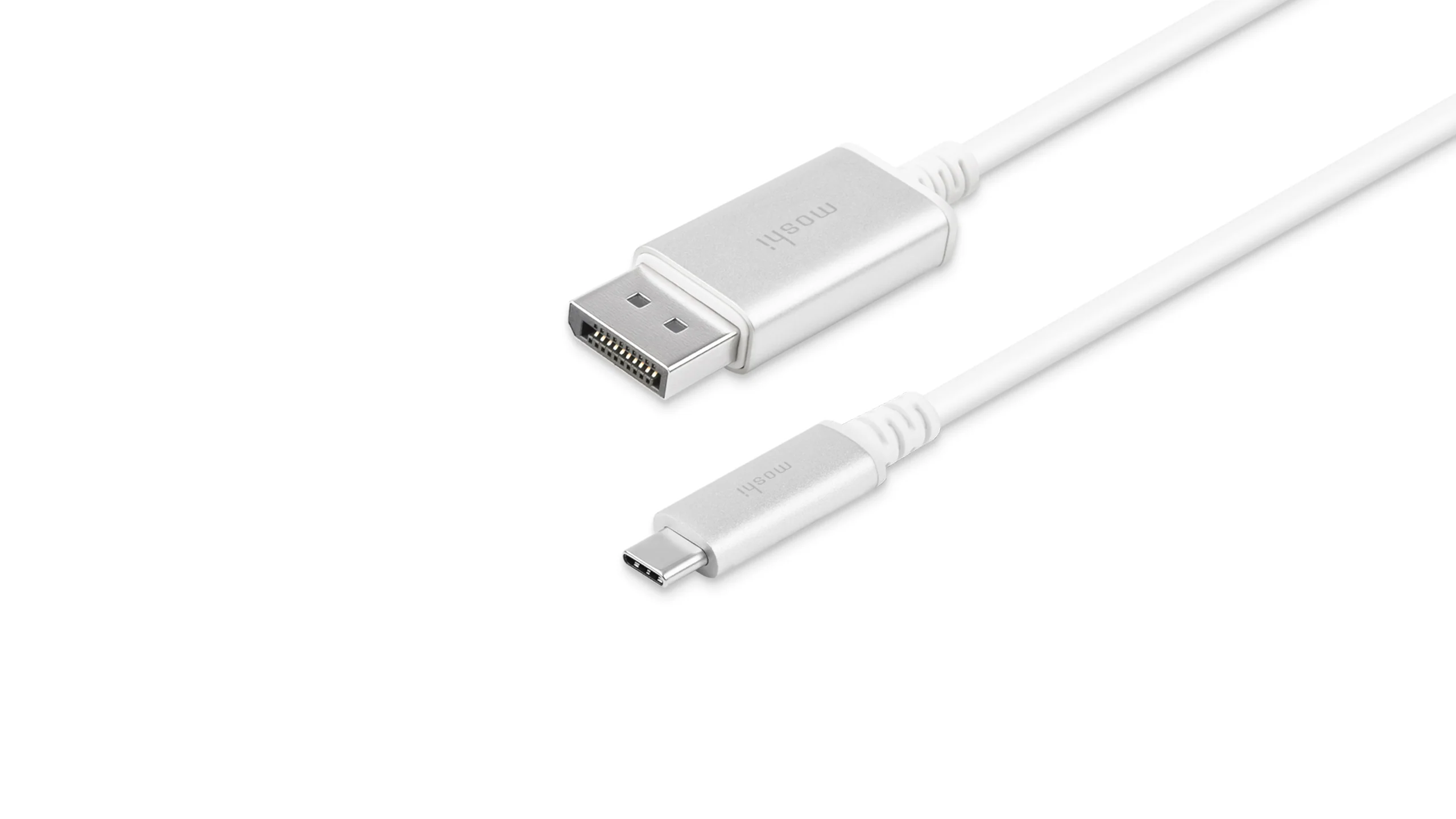

A DisplayPort cable can be the hidden limit in a high-refresh monitor setup. The wrong one may leave a fast panel stuck at a lower refresh rate, introduce flicker, or force you to troubleshoot a perfectly good graphics card. The right cable is less dramatic: you connect it, select the display mode you want, and get on with your work or games.
Our Best DisplayPort Cable picks include newer DP 2.1 models with 54Gbps or 80Gbps bandwidth, dependable DP 1.4 cables for 8K and high-refresh 4K, and longer 10-foot options for desks where the computer cannot sit beside the display. Silkland 80Gbps DisplayPort Cable 2.1 6.6FT is our top pick, while the other nine cover different lengths, standards, and workloads.
Comparison table
| # | Product | Award | Bandwidth | Maximum listed support | Length | Best for |
|---|---|---|---|---|---|---|
| 1 | Silkland 80Gbps DisplayPort Cable 2.1 | Best overall | 80Gbps | 16K at 60Hz with DSC | 6.6 feet | High-end gaming |
| 2 | UGREEN 16K DisplayPort Cable 2.1 | Best 54Gbps cable | 54Gbps | 16K at 30Hz with DSC | 6.6 feet | High-refresh displays |
| 3 | IVANKY 8K DisplayPort Cable 1.4 | Best DP 1.4 option | 32.4Gbps | 8K at 60Hz | 6.6 feet | 8K and 4K gaming |
| 4 | Silkland 54Gbps DisplayPort Cable 2.1 | Best balanced DP 2.1 cable | 54Gbps | 16K at 60Hz with DSC | 6.6 feet | Multi-monitor setups |
| 5 | Highwings 80Gbps DisplayPort Cable 2.1 | Best high-bandwidth alternative | 80Gbps | 16K at 60Hz with DSC | 6.6 feet | Competitive gaming |
| 6 | Silkland 80Gbps DisplayPort Cable 10FT | Best long DP 2.1 cable | 80Gbps | 16K at 60Hz with DSC | 10 feet | Distant PC setups |
| 7 | Amazon Basics DisplayPort Cable 1.4 | Best straightforward DP 1.4 cable | 32.4Gbps | 8K at 60Hz | 6 feet | Everyday desktop use |
| 8 | IVANKY 80Gbps DisplayPort Cable 2.1 | Best braided 80Gbps cable | 80Gbps | 16K at 60Hz | 6.6 feet | Future-ready gaming |
| 9 | Acer 8K DisplayPort Cable 10FT | Best long DP 1.4 cable | 32.4Gbps | 8K at 60Hz | 10 feet | Extended workstations |
| 10 | UGREEN 16K DisplayPort Cable 10FT | Best long 54Gbps cable | 54Gbps | 16K at 30Hz with DSC | 10 feet | Long high-refresh runs |
1. Silkland 80Gbps DisplayPort Cable 2.1: Best Overall

Pros
- 80Gbps UHBR20 bandwidth
- VESA-certified DP80 design
- Supports high refresh rates across several resolutions
- Triple shielding and a nylon exterior
- Latch-free connectors are easier to remove
Cons
- DP 2.1 capabilities require compatible source and display hardware
- The 6.6-foot length may not suit a distant tower
- It is limited to DisplayPort-to-DisplayPort connections
Best for: high-end gaming PCs and monitors that can use DP 2.1 bandwidth.
The Silkland 80Gbps DisplayPort Cable 2.1 is the one we'd keep for a modern gaming desk. Its advantage is not a cosmetic braided jacket or a long list of supported display modes. It is the combination of VESA certification, DP80 bandwidth, a useful 6.6-foot length, and a construction that feels aimed at a demanding desktop rather than a casual office monitor.
The 80Gbps connection supports uncompressed 4K at 240Hz, 8K at 60Hz, and 2K at 540Hz according to the product specifications. With DSC enabled, it can support up to 16K at 60Hz, 8K at 240Hz, and several very high-refresh 4K modes. Those numbers only matter when the graphics card and monitor support them, but the extra bandwidth gives this cable plenty of headroom for current high-refresh panels. VRR, FEC, ALLM, DSC 1.2a, MST, Dynamic HDR10+, HDCP 2.3, and multichannel audio support round out the feature set.
The physical design is sensible. Silkland uses 28AWG tinned copper conductors, triple shielding, 24K gold-plated connectors, and a nylon exterior. There is no latch, which avoids the awkward release tab found on some DisplayPort plugs. The trade-off is that a latch-free connector depends on a firm fit at the port, so users with a loose or poorly positioned monitor socket should check the connection carefully.
Compared with the 54Gbps UGREEN 16K DisplayPort Cable 2.1, this Silkland model offers more bandwidth for extreme refresh rates and newer displays. IVANKY 80Gbps DisplayPort Cable 2.1 is a close alternative with a slimmer 30AWG construction, while Silkland's support promise is stated as 24 months with technical help within 18 hours. Skip this one if you need a 10-foot cable or an HDMI adapter. For a normal 6.6-foot DP-to-DP gaming connection, it is the most complete package here.
2. UGREEN 16K DisplayPort Cable 2.1: Best 54Gbps Cable

Pros
- VESA-certified 54Gbps bandwidth
- Supports 16K at 30Hz with DSC
- 4K at 240Hz support
- Braided jacket and aluminum alloy housing
- No-buckle connector design
Cons
- Less bandwidth than the 80Gbps picks
- The advertised highest modes depend on DSC and compatible hardware
- No 10-foot length in this version
Best for: a high-refresh monitor setup that needs modern DP 2.1 bandwidth without moving to an 80Gbps cable.
The UGREEN 16K DisplayPort Cable 2.1 is a well-balanced choice when 54Gbps is enough. It avoids the mismatch of pairing an older cable with a fast monitor, but it does not go as far as the DP80 models. The purple exterior also makes it easier to identify behind a crowded desk, although appearance is a secondary concern once the cable is routed.
Its stated support includes 16K at 30Hz with DSC, 8K at 240Hz, 4K at 240Hz, and 1080p at 540Hz. For most current gaming monitors, the meaningful figure is 4K at 240Hz or the ability to carry high-refresh 1440p signals with room to spare. UHBR10, FEC, HDR, HDCP 2.2, and compatibility with DisplayPort 1.4, 1.3, and 1.2 make it easier to use across mixed-generation equipment.
UGREEN uses 28AWG tinned copper, triple shielding, tinplate, and an aluminum alloy housing. The nylon braid is intended to resist wear and bending, while the no-buckle plug avoids stressing a latch when it is tucked close to a wall or monitor arm. The cable is listed at 6.6 feet, which is long enough for most single-monitor desks but not ideal for a tower placed on the opposite side of a room.
This is a more sensible fit than Amazon Basics DisplayPort Cable 1.4 if your monitor needs 4K at 240Hz or newer DP 2.1 features. Silkland 80Gbps DisplayPort Cable 2.1 is the stronger choice for maximum headroom, but UGREEN remains the more measured option for a system built around 54Gbps hardware. It is also a good candidate for a multi-monitor setup because MST, FreeSync, G-Sync, VRR, and ALLM are supported.
3. IVANKY 8K DisplayPort Cable 1.4: Best DP 1.4 Option

Pros
- VESA-certified DisplayPort 1.4 cable
- Supports 8K at 60Hz and 4K at 240Hz
- Braided 30AWG construction
- Latch-free connectors
- Backward compatibility with older DP standards
Cons
- 32.4Gbps is below the DP 2.1 options
- No support for HDMI or Mini DisplayPort connections
- DSC is needed for some of the highest listed modes
Best for: a DP 1.4 graphics card and monitor that need dependable 8K or high-refresh 4K support.
The IVANKY 8K DisplayPort Cable 1.4 makes more sense than chasing a DP 2.1 label when both ends of the connection are DP 1.4 hardware. Its 6.6-foot length fits a typical desk, and the cable's VESA certification gives it a clearer specification target than generic cables that simply promise high resolution.
HBR3 provides up to 32.4Gbps of bandwidth. That is enough for 8K at 60Hz, 4K at 240Hz, 2K at 240Hz, and 1080p at 240Hz according to the listed specifications. Dynamic HDR, HDCP 2.2, FreeSync, G-Sync, DSC 1.2, FEC, and support for uncompressed 7.1, 5.1, or 2-channel audio make it a capable link for a gaming monitor, workstation display, or home theater PC.
The cable uses 30AWG tinned copper, a nylon braided jacket, and 24K gold-plated connectors. IVANKY says the jacket is tested for more than 28, 000 bends, and the slimmer conductor gauge should make the cable easier to guide through a tight monitor arm than a thicker 28AWG alternative. The latch-free connectors are useful when the cable needs to be removed without tugging on a release tab.
The limitation is straightforward: this is not the cable for a future DP 2.1 display that needs UHBR bandwidth. Silkland 80Gbps DisplayPort Cable 2.1 and IVANKY 80Gbps DisplayPort Cable 2.1 offer substantially more headroom. For a DP 1.4 setup, though, the IVANKY is a better match than paying attention to unsupported headline resolutions. If your graphics card and display are both DP 1.4, this is the IVANKY model to choose.
4. Silkland 54Gbps DisplayPort Cable 2.1: Best Balanced DP 2.1 Cable

Pros
- VESA-certified 54Gbps bandwidth
- Supports 4K at 240Hz and 2K at 360Hz
- Backward compatible with several DP standards
- Double nylon braid and triple shielding
- Supports MST and adaptive sync technologies
Cons
- Not as fast as the 80Gbps models
- High-end modes may rely on DSC
- The 6.6-foot length is fixed
Best for: a modern gaming or multi-monitor setup that needs a capable middle ground between DP 1.4 and DP80.
The Silkland 54Gbps DisplayPort Cable 2.1 is the less extreme sibling of our top pick. It has enough bandwidth for demanding gaming monitors, but its specifications are easier to justify for systems that do not need the most aggressive 8K and 16K modes. It is also a practical choice when several monitors need similar cables and consistent support features.
The cable supports 16K at 60Hz with DSC, 8K at 120Hz, 4K at 240Hz, and 2K at 360Hz. HBR3, Dynamic HDR, HDCP 2.2, DSC 1.2a, and backward compatibility with DisplayPort 2.0, 1.4, 1.3, 1.2, 1.2a, 1.1, and 1.0 give it broad coverage. MST helps with multi-display arrangements, while FreeSync, G-Sync, and Adaptive-Sync support are useful for gaming monitors that adjust refresh rate dynamically.
Silkland uses 28AWG tinned copper with triple shielding, 24K gold-plated connectors, and a double nylon braid. The connector has no buckle and includes a groove intended to make removal easier in cramped spaces. The cable also passes uncompressed 7.1, 5.1, and 2.0 audio, so it can carry the sound signal without needing a separate connection.
Compared with UGREEN 16K DisplayPort Cable 2.1, this model offers similar 54Gbps capacity but lists broader backward compatibility and a double-braided exterior. Silkland 80Gbps DisplayPort Cable 2.1 is the better choice for maximum bandwidth, while IVANKY 8K DisplayPort Cable 1.4 is enough for older hardware. Pick this Silkland when your display is modern but your setup does not need the top tier of DP 2.1 throughput.
5. Highwings 80Gbps DisplayPort Cable 2.1: Best High-Bandwidth Alternative

Pros
- 80Gbps bandwidth
- Supports 16K at 60Hz with DSC
- Supports 4K at 240Hz and 8K at 120Hz
- Double nylon braid and triple shielding
- Lifetime support and a stated one-year guarantee
Cons
- Cable support is not the same as device support
- It lacks a longer version in this listing
- The product notes may require manual display input and refresh settings
Best for: a high-refresh gaming setup that needs 80Gbps capability and a clearly labeled cable.
The Highwings 80Gbps DisplayPort Cable 2.1 gives the 80Gbps group another credible option. Its specifications focus on the modes that matter to gamers: 4K at 240Hz, 8K at 120Hz, and 16K at 60Hz with DSC. That makes it a natural match for a fast gaming display, especially when the computer and monitor are both new enough to use DP 2.1 features.
Its 80Gbps bandwidth is paired with support for Dynamic HDR, FreeSync, G-Sync, Adaptive-Sync, and MST. Highwings also lists 10K at 60Hz, 2K at 240Hz, and several lower-resolution high-refresh modes. The 32-bit audio claim is useful for systems carrying game sound over DisplayPort, although the actual audio format and channel support still depend on the connected devices.
The construction includes 28AWG tinned copper conductors, triple-layer shielding, 24K gold-plated connectors, and a double nylon braid. A slip-resistant grip is intended to make insertion and removal easier. Highwings also points out that the display input may need to be set to DisplayPort manually and that loose connections or incorrect refresh settings can cause trouble. That is practical advice, not a flaw unique to this cable.
Silkland 80Gbps DisplayPort Cable 2.1 has VESA DP80 certification and a more explicit support window, so it remains our first pick. IVANKY 80Gbps DisplayPort Cable 2.1 offers a slimmer 30AWG design. Highwings is the alternative for someone who wants the same headline bandwidth, a sturdy grip, and stated lifetime support. Skip it if you need a 10-foot run.
6. Silkland 80Gbps DisplayPort Cable 10FT: Best Long DP 2.1 Cable

Pros
- 10-foot length
- 80Gbps DP 2.1 bandwidth
- Supports 4K at 240Hz and 8K at 60Hz without DSC
- Nylon exterior and triple shielding
- Supports VRR, FEC, ALLM, and MST
Cons
- Long cables need careful routing
- No latch on the connectors
- A 10-foot run is unnecessary on a compact desk
Best for: a gaming PC positioned away from the monitor or a large workstation that needs extra routing space.
The Silkland 80Gbps DisplayPort Cable 10FT solves the problem the shorter picks cannot: a computer that has to live on the floor, beside a desk, or on the other side of a large workstation. It keeps the same broad DP 2.1 feature set as the shorter 80Gbps Silkland cable, but the extra length gives the cable a chance to follow a clean route instead of pulling at the monitor port.
The listed bandwidth supports uncompressed 4K at 240Hz, 8K at 60Hz, and 2K at 540Hz. DSC expands the listed capability to 16K at 60Hz, 8K at 240Hz, and high-refresh 4K modes. Dynamic HDR10+, HDCP 2.3, VRR, FEC, ALLM, DSC 1.2a, and MST are all included in the feature list. That is a strong set of capabilities for a long run, provided both connected devices support the same modes.
Silkland uses 28AWG tinned copper, triple shielding, 24K gold-plated connectors, and a nylon exterior. The shielding matters more as cable routing gets longer and passes near other electronics, while the braided jacket helps with repeated movement. It remains a DP-to-DP cable, so it does not convert HDMI, USB, or another connector type.
The main weakness is not a missing feature. It is the physical discipline a 10-foot cable requires. Excess length can create loops behind a desk, and tight bends can place stress on the ports. Acer 8K DisplayPort Cable 10FT is the better fit for a long DP 1.4 run, while UGREEN 16K DisplayPort Cable 10FT offers 54Gbps rather than 80Gbps. Choose this Silkland when the distance is real and the source and display can take advantage of DP 2.1.
7. Amazon Basics DisplayPort Cable 1.4: Best Straightforward DP 1.4 Cable

Pros
- 32.4Gbps HBR3 bandwidth
- Supports 8K at 60Hz
- Six-foot length suits ordinary desks
- Gold-plated connectors and foil braid shielding
- Supports older DisplayPort standards
Cons
- Less bandwidth than every DP 2.1 option here
- Its listed 4K support is 60Hz
- The design is less specialized for extreme gaming displays
Best for: a standard desktop monitor, office workstation, or DP 1.4 system that does not need newer UHBR modes.
The Amazon Basics DisplayPort Cable 1.4 is the uncomplicated pick in this group. It does not make ambitious DP 2.1 claims, and that is useful when the connected computer and display are built around the older standard. The six-foot length is close to the practical sweet spot for a desktop, with less excess to hide than a 10-foot cable.
This cable carries up to 32.4Gbps through HBR3. It supports 8K at 60Hz, 4K at 60Hz, Dynamic HDR, 3D, DSC 1.2, FEC, and uncompressed digital audio in 7.1, 5.1, or 2-channel configurations. The product also lists up to 32 audio channels and an audio sample frequency of 1536kHz. Those figures are only useful when the source and display or receiver support them, but they show that this is more than a basic low-bandwidth office lead.
The physical build uses gold-plated plugs and foil braid shielding. It is a six-foot black cable, with the product information listing a 72-inch length and a weight of about 0.21 pounds. The straightforward design should be easy to route through a conventional desk, though it does not have the heavier braided construction or DP 2.1 features found on the higher-ranked alternatives.
Choose this over IVANKY 8K DisplayPort Cable 1.4 when you want a plain DP 1.4 cable and do not need the latter's braided jacket and latch-free design. Silkland 54Gbps DisplayPort Cable 2.1 is the better forward-looking pick for a newer high-refresh display. For ordinary 8K at 60Hz or a standard office monitor, this Amazon Basics cable avoids paying attention to capabilities your system cannot use.
8. IVANKY 80Gbps DisplayPort Cable 2.1: Best Braided 80Gbps Cable

Pros
- 80Gbps UHBR20 bandwidth
- Supports 16K at 60Hz
- Slimmer 30AWG conductors
- Double nylon braid and triple shielding
- Supports HDR, HDCP 2.3, DSC, and adaptive sync
Cons
- High-end modes depend on compatible hardware
- The cable is only 6.6 feet long
- It is intended for DP-to-DP connections only
Best for: gamers who want an 80Gbps DP 2.1 cable with a flexible braided construction.
The IVANKY 80Gbps DisplayPort Cable 2.1 stands out for using 30AWG conductors where several rivals use 28AWG. That slimmer construction can be easier to bend around a monitor arm or through a narrow cable channel. It is still a substantial cable, with a double nylon braid and triple shielding, but it should feel less bulky in a crowded setup.
IVANKY lists support for 16K at 60Hz, 10K at 60Hz, 8K at 240Hz or 120Hz, 4K at up to 960Hz, and 2K at 360Hz. DSC is part of the feature set for these extreme modes. The cable also supports UHBR20, HDR, HDCP 2.3, DSC 1.2a, FEC, 3D, FreeSync, G-Sync, VRR, ALLM, and MST. It can carry 32-bit audio and lists Dolby and eARC support, though connected equipment determines the actual audio path.
The Alumalloy housing is intended to resist rust and help with heat dissipation, while the latch-free design reduces the chance of damaging a port during removal. IVANKY also states that the cable is backward compatible with DisplayPort 2.0, 1.4, 1.3, and 1.2. As with every cable in this category, it will not turn an HDMI or Mini DisplayPort output into a DisplayPort connection.
Silkland 80Gbps DisplayPort Cable 2.1 has VESA DP80 certification, which gives it the edge for shoppers who want an explicit certification marker. IVANKY counters with a slimmer cable and a stated customer-support period of up to 54 months under its conditions. Pick this model when flexibility and braided durability matter as much as bandwidth.
9. Acer 8K DisplayPort Cable 10FT: Best Long DP 1.4 Cable

Pros
- 10-foot length
- 32.4Gbps DP 1.4 bandwidth
- Supports 8K at 60Hz and 4K at 144Hz
- Supports MST for multiple monitors
- Braided jacket and reinforced aluminum shell
Cons
- Less bandwidth than the long Silkland DP 2.1 cable
- Its highest listed modes are aimed at DP 1.4 systems
- Long cable routing needs room behind the desk
Best for: a long workstation connection using DP 1.4 hardware.
The Acer 8K DisplayPort Cable 10FT is the long-run answer for a system that does not need DP 2.1. Its 10-foot length is useful for a tower positioned away from the desk, a multi-screen workstation, or a display mounted farther from the computer. It is not trying to compete with the 80Gbps models, and its appeal comes from matching a practical length with familiar DP 1.4 support.
The cable provides up to 32.4Gbps and supports 8K at 60Hz, 5K at 240Hz, and 4K at 144Hz according to the listed specifications. Dynamic HDR and HDCP 2.2 are included, as is backward compatibility with DisplayPort 1.3, 1.2, 1.1, and 1.0. The product also supports MST, allowing one connection to drive multiple monitors in extended or mirrored arrangements when the hardware supports daisy chaining.
A heavy-duty nylon braid, reinforced aluminum shell, and multi-layer shielding make the cable suited to a route where it may be moved or exposed behind a workstation. Acer lists compatibility with monitors from brands including Dell, ASUS, HP, Alienware, and others, along with graphics cards such as RTX 4090, RTX 3090, and RX 7900 series models. Compatibility still comes down to the actual DisplayPort standard and output on each device.
Silkland 80Gbps DisplayPort Cable 10FT is the stronger choice for a newer DP 2.1 system. UGREEN 16K DisplayPort Cable 10FT sits between this Acer and the Silkland with 54Gbps bandwidth. Choose Acer when the source and monitor are DP 1.4 and the extra length matters more than extreme refresh-rate headroom.
10. UGREEN 16K DisplayPort Cable 10FT: Best Long 54Gbps Cable
Pros
- 10-foot length
- 54Gbps DP 2.1 bandwidth
- Supports 4K at 240Hz
- Braided jacket and aluminum alloy housing
- Supports MST, VRR, ALLM, FreeSync, and G-Sync
Cons
- Below the 80Gbps options
- Some 16K support relies on DSC
- Excess cable can be awkward on a short desk
Best for: a distant high-refresh display that needs more than DP 1.4 bandwidth.
The UGREEN 16K DisplayPort Cable 10FT combines the 54Gbps version's capabilities with enough length for a larger desk. That makes it a useful middle option. You get more bandwidth than a DP 1.4 cable, but you avoid moving all the way to an 80Gbps model when the monitor only needs 4K at a high refresh rate.
UGREEN lists 16K at 30Hz with DSC, 8K at 240Hz, 4K at 240Hz, and 1080p at 540Hz. It also supports UHBR10, HDR, HDCP 2.2, FEC, 3D, Dolby, and eARC. FreeSync, G-Sync, VRR, ALLM, and MST make it suitable for a gaming setup or a multi-monitor workstation, assuming the graphics card and displays support those functions.
The physical design uses 28AWG tinned copper, triple shielding, a tinplate layer, and an aluminum alloy housing. UGREEN's no-buckle connector avoids a latch that can catch on a recessed port, while the nylon braid is intended to withstand wear. The 10-foot length is the key feature, but it also means the cable should be routed in a broad curve rather than folded tightly behind the display.
This is a better long-run match for a DP 2.1 system than Acer 8K DisplayPort Cable 10FT, while Silkland 80Gbps DisplayPort Cable 10FT has more bandwidth for extreme display modes. The UGREEN is the pick for a 54Gbps system with a monitor positioned several feet from the PC. If the computer sits directly under the display, one of the shorter cables will be easier to manage.
How to choose best displayport cable
The right cable depends on the DisplayPort standard at both ends, the resolution and refresh rate you actually use, and how far the cable has to travel.
DisplayPort standard
DisplayPort 1.4 remains capable for many systems, with HBR3 bandwidth of 32.4Gbps and support for 8K at 60Hz or high-refresh 4K with the right combination of DSC and hardware. DP 2.1 cables move into 54Gbps or 80Gbps territory, which matters for newer high-refresh monitors and demanding multi-display arrangements.
A DP 2.1 cable cannot upgrade a DP 1.4 graphics card or monitor. Match the cable to the highest standard in your setup, then consider whether extra headroom will be useful for a future display.
Bandwidth and refresh rate
Resolution alone does not tell you how much bandwidth a display needs. A 4K monitor at 240Hz demands more from the connection than a 4K monitor at 60Hz. High refresh rates, HDR, multiple displays, and uncompressed signals all increase the workload.
The 32.4Gbps DP 1.4 models are appropriate for many office and gaming setups. The 54Gbps models add room for high-refresh 4K and newer DP 2.1 hardware. The 80Gbps models are the most suitable for extreme refresh rates and future display upgrades.
Buy for the refresh rate you will use, not the resolution printed largest on the box.
VESA certification
VESA certification is a useful signal because it identifies cables tested against a DisplayPort specification. The Silkland 80Gbps and both 54Gbps Silkland and UGREEN models in this roundup list VESA certification, while the IVANKY DP 1.4 cable also identifies itself as VESA certified.
Certification does not make an incompatible monitor run at a higher mode. It does give you a clearer standard to check when comparing cables that otherwise make similar claims.
Length and routing
Six to 6.6 feet is usually enough for a desktop where the computer sits below or beside the monitor. Ten feet is more practical when the tower is across a workstation, under a standing desk, or positioned away from a wall-mounted display.
Longer is not automatically better. Extra cable can form loops, put weight on a port, and become harder to manage. Measure the route before choosing between the shorter and 10-foot versions.
Construction and connectors
Braided jackets, shielding, gold-plated contacts, and reinforced housings can help a cable survive repeated movement and a busy desk. A latch-free connector is easier to remove, while a snug fit is important because DisplayPort plugs can lose signal when they are not fully seated.
Construction should support the installation rather than dictate it. If you are routing through a narrow arm or cable channel, a slimmer 30AWG cable such as the IVANKY 80Gbps model may be easier to handle than a thicker alternative.
For help matching the cable to the rest of a workstation, the right monitor and cable arrangement for a desk setup is a useful next step. If you are also connecting a laptop or dock, choosing a cable for USB-C display connections involves different connector and video-mode considerations.

Frequently asked questions
Does a DisplayPort 2.1 cable work with a DisplayPort 1.4 monitor?
Yes. The DP 2.1 cables in this roundup list backward compatibility with older DisplayPort standards. The connection will operate according to the capabilities of the older monitor and graphics card, not the maximum printed on the cable.
Do I need an 80Gbps cable for a 4K monitor?
Not always. A 4K monitor running at 60Hz usually does not need the bandwidth of an 80Gbps cable. A 4K monitor at 240Hz, especially with HDR or other demanding features, can make a 54Gbps or 80Gbps cable a more appropriate match.
Can these cables connect HDMI to DisplayPort?
No. These products are DisplayPort-to-DisplayPort cables. They do not convert HDMI, USB, or Mini DisplayPort connections.
Is a longer DisplayPort cable less reliable?
Length alone does not determine reliability, but longer runs leave less room for poor construction, sharp bends, or loose connections. Route a 10-foot cable carefully, keep the plugs fully seated, and confirm that the graphics card and monitor support the desired display mode.
What does DSC mean on a DisplayPort cable?
DSC is Display Stream Compression, a display technology that reduces the data required for certain high-resolution and high-refresh signals. The cable, graphics card, and monitor all need to support the relevant mode for it to work.
Can DisplayPort carry audio?
Yes. The products here list support for digital audio pass-through, with several supporting 7.1, 5.1, and 2-channel audio. The actual audio format depends on the graphics card, monitor, receiver, and operating system.

The bottom line
The Silkland 80Gbps DisplayPort Cable 2.1 6.6FT is the Best DisplayPort Cable for a current high-end gaming setup because it combines VESA DP80 certification, 80Gbps bandwidth, strong shielding, and support for extreme refresh modes. UGREEN 16K DisplayPort Cable 2.1 is the better fit when 54Gbps is enough, while IVANKY 8K DisplayPort Cable 1.4 remains the sensible choice for a DP 1.4 system.
For longer routes, choose Silkland 80Gbps DisplayPort Cable 10FT when the hardware supports DP 2.1, or Acer 8K DisplayPort Cable 10FT when you are working with DP 1.4 equipment. If you are undecided, match the cable to the monitor's required resolution and refresh rate first, then choose the shortest length that reaches comfortably.
As an Amazon Associate we earn from qualifying purchases.