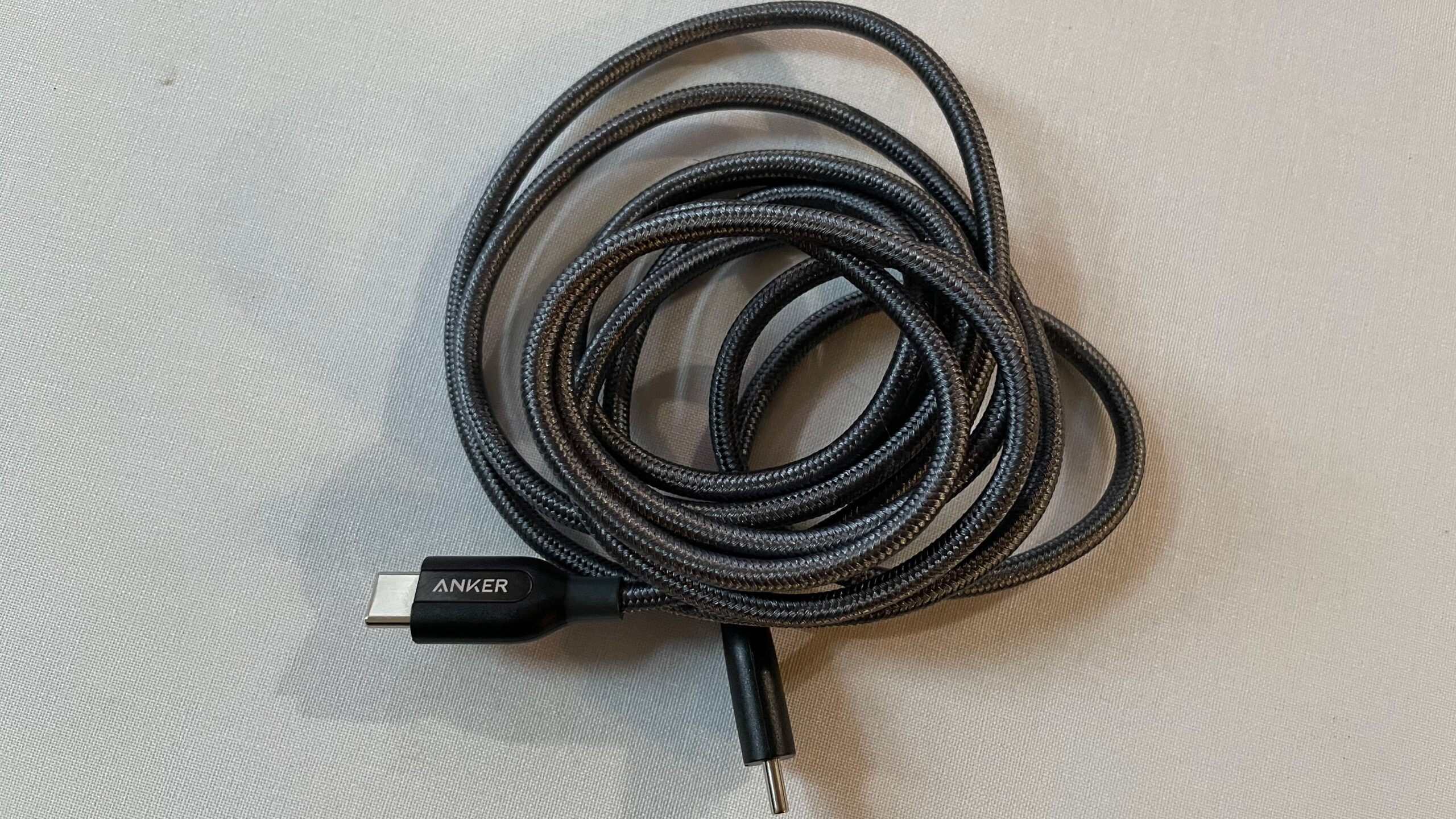

A USB-C plug can charge a phone, power a laptop, connect a dock, or drive a high-resolution display. The problem is that the connector looks identical across cables that support radically different power and data capabilities. A cable built for a phone may be a poor match for a laptop, while a high-speed cable can be unnecessary for a basic charger.
We compared 10 of the Best USB C Cable options across power ratings, length, durability, connector type, and data capability. The Anker Prime 240W Cable is our top pick for demanding devices, while the list also includes practical 60W and 100W choices, USB-A cables, long sofa-friendly cords, and a full USB4 cable for displays and fast storage.
Comparison table
| # | Product | Award | Charging | Length | Best for |
|---|---|---|---|---|---|
| 1 | Anker Prime 240W Cable | Best overall | Up to 240W | 6 ft | High-power laptops and long-term durability |
| 2 | LISEN 240W Cable | Best flexible cable | Up to 240W | 6.6 ft | Flexible everyday charging |
| 3 | INIU 240W 6.6ft Pair | Best two-cable set | Up to 240W | 6.6 ft each | Charging in multiple rooms |
| 4 | Anker 100W Cable Pair | Best dependable pair | Up to 100W | 6 ft each | Phones, tablets, and laptops |
| 5 | INIU 240W 3.3ft Pair | Best compact pair | Up to 240W | 3.3 ft each | Desks, nightstands, and travel |
| 6 | Anker 60W Cable Pair | Best for phones and tablets | Up to 60W | 6 ft each | Everyday USB-C charging |
| 7 | Silkland USB4 Cable | Best for data and displays | Up to 240W | 4 ft | Fast storage, docks, and monitors |
| 8 | Durcord 100W 10ft Pair | Best extra-long USB-C pair | Up to 100W | 10 ft each | Beds, couches, and large rooms |
| 9 | Durcord USB-A 10ft Pair | Best long USB-A cable | Up to 15W | 10 ft each | Older chargers with USB-A ports |
| 10 | Anker USB-A 3ft Pair | Best short USB-A pair | Up to 15W | 3 ft each | Short, tidy charging setups |
1. Anker Prime 240W Cable: Best Overall

Pros
- Supports charging up to 240W
- Rated for more than 300, 000 bends
- Six-foot length works well at a desk
- Recycled outer layer and cable organizer
Cons
- USB 2.0 data capability
- Does not support screen mirroring
- A single cable rather than a pair
Best for: laptop owners who want the most robust USB-C charging cable in this group.
The Anker Prime 240W Cable is the one we'd keep for a high-power laptop. It feels purpose-built for repeated use rather than occasional phone charging, and its six-foot length gives enough reach from a wall outlet or desk-mounted charger without becoming awkwardly long. The 240W ceiling also leaves plenty of headroom for devices that need more than the 60W or 100W supported by several other cables here.
Its standout specification is durability. Anker rates the cable for more than 300, 000 bends, a huge increase over the 5, 000-bend rating listed for the Anker 100W and Anker 60W pairs. That matters at a desk where the cable gets folded around a laptop, or in a bag where it is repeatedly coiled and uncoiled. The outer layer uses 100% post-consumer recycled materials, and the included organizer helps keep the thick braided cable under control.
This is a charging-first cable. It is USB 2.0, and the product explicitly does not support screen mirroring. The Silkland USB4 Cable is a far better fit for fast external storage, docks, and displays, but it is also solving a different problem. For charging a MacBook or another high-power laptop, the Anker Prime is the more straightforward tool.
The weakness is easy to identify: it offers no high-speed data advantage despite its premium construction and high power rating. It is also a single six-foot cable, so people outfitting several chargers may prefer the Anker 100W pair or one of the INIU sets. Choose the Anker Prime when charging reliability and long-term physical toughness matter more than display connectivity.
2. LISEN 240W Cable: Best Flexible Cable

Pros
- Supports PD 3.1 EPR charging up to 240W
- Flexible 6.6-foot design
- E-Marker 3.0 chip
- Braided construction rated for more than 40, 000 flex cycles
Cons
- USB 2.0 data speed is limited to 480Mbps
- USB-C to USB-C only
- No display output
Best for: someone who wants a long, flexible cable for phones, tablets, and laptops.
The LISEN 240W Cable is easier to live with than many thick high-power cords. Its 6.6-foot length reaches comfortably from a floor outlet to a sofa or from a desk charger to a laptop, while the flexible braided design is intended to resist tangling. That combination makes it more useful around the house than a short cable that only works when you sit next to the outlet.
LISEN lists PD 3.1 EPR and QC4.0 support, with an E-Marker 3.0 chip handling the power negotiation. The cable can deliver up to 240W when paired with a suitable charger, but connected equipment still determines how much power it accepts. The listing gives examples ranging from 60W for an iPad to 100W for older MacBooks and 140W for a MacBook Pro. Those figures illustrate the important point: a high-rated cable does not force excess power into a device.
Data performance is much less ambitious. The listed 480Mbps speed is USB 2.0 territory, so this is not the cable to choose for moving large video files or connecting a monitor. If you need a cable for a dock or display, the connection standards that matter for external displays deserve closer attention than the charging number alone.
The 48-strand nylon exterior is rated for more than 40, 000 flex cycles, and LISEN includes a 12-month warranty. The real limitation is the same one found on many high-wattage charging cables: it is USB-C to USB-C only, with no USB-A connector and no display support. Pick it for comfortable reach and flexible charging, not as a universal data cable.
3. INIU 240W 6.6ft Pair: Best Two-Cable Set

Pros
- Two 6.6-foot USB-C cables
- Supports charging up to 240W
- EMARK2.0 safety system
- Three-year iNiu Care coverage
Cons
- No stated display support
- Intended for charging rather than high-speed data
- Longer cables take more room to coil
Best for: households that want matching long USB-C cables in separate charging locations.
The INIU 240W 6.6ft Pair makes sense when one cable is never enough. Two long cords can stay in different rooms, or one can live in a laptop bag while the other remains beside a bed or sofa. Both are USB-C to USB-C, so they pair naturally with modern USB-C chargers rather than older rectangular USB-A power bricks.
INIU rates the cables for up to 240W and says they support USB-C devices requiring power levels from 18W through 240W. That range covers phones, tablets, laptops, Steam Deck, and Switch devices, provided the charger and device support the required charging protocol. The company also cites EMARK2.0 protection with temperature monitoring more than 3.2 million times daily.
The listing includes specific charging claims for a MacBook Pro 16-inch, iPhone 17 Pro Max, Galaxy 25 Ultra, and iPad Pro when used with a compatible 240W charger. Those claims should not be confused with a guaranteed result for every setup, since charger output and device limits remain decisive. For broader cable advice, how charging and data standards differ across USB cables is useful before buying a large bundle.
The drawback is that the product information focuses on charging and does not establish high-speed data or display support. The 6.6-foot length is convenient but can be excessive on a small desk. Compared with the LISEN, INIU gives you a second cable and a longer stated support period, while the Anker Prime offers a much stronger physical durability claim. This is the practical choice for multi-room charging.
4. Anker 100W Cable Pair: Best Dependable Pair

Pros
- Two six-foot cables
- Supports charging up to 100W
- Nylon exterior with a 5, 000-bend lifespan
- Includes cable ties and an everlasting warranty
Cons
- Does not support video output
- USB 2.0 data capability
- Less charging headroom than 240W cables
Best for: people who want a recognizable two-pack for everyday USB-C charging.
The Anker 100W Cable Pair hits a sensible middle ground. Two six-foot cables are enough for most desks and nightstands, and the 100W ceiling covers many phones, tablets, and laptops. It avoids the excess length of the 10-foot Durcord options without forcing you into a short cord.
Anker uses a hard-wearing nylon exterior and rates the cables for 5, 000 bends. That is not close to the Anker Prime's 300, 000-bend claim, but it is a clear step above a basic unreinforced cord. The included hook-and-loop tie is a small detail that helps keep the spare cable from becoming a drawer tangle.
The cables are designed for charging and data transfer, but Anker specifically says they do not support video output. Their 100W charging capability is also dependent on a compatible charger and device. Someone charging a laptop that accepts 100W can use the available headroom, while a phone will simply draw the amount it is designed to accept.
The main reason to skip this pair is future-proofing. The LISEN, INIU, and Anker Prime cables all reach 240W, while the Silkland goes much further on data capability. Still, the Anker 100W pair is less specialized and easier to recommend for a mixed collection of everyday USB-C devices.
5. INIU 240W 3.3ft Pair: Best Compact Pair

Pros
- Two compact 3.3-foot cables
- Supports up to 240W charging
- EMARK2.0 power management
- Three-year iNiu Care coverage
Cons
- Too short for many sofas and floor outlets
- No stated display support
- Charging-focused design
Best for: desks, bedside tables, travel kits, and compact chargers.
The INIU 240W 3.3ft Pair solves the opposite problem from the long Durcord cables. At 3.3 feet, each cord is short enough to stay tidy beside a laptop or phone charger. Two cables also make it easy to leave one at a desk and place the other in a travel bag.
Despite the compact size, the charging specification is substantial. INIU lists support from 18W to 240W and says the cables work with phones, tablets, laptops, Switch, and Steam Deck. A compatible 240W charger is required to reach the upper limit, and the connected device still controls its own charging draw.
The EMARK2.0 system is intended to manage power dynamically and monitor temperature more than 3.2 million times daily. The listing also claims up to 70% charging for an iPhone 16 and high charging percentages for MacBook Pro, iPad Pro, and Steam Deck in 30 minutes under particular conditions. Those examples show the intended use, but they are not a substitute for checking your charger's output.
The short length is the deciding weakness. It will not reach comfortably from a low wall outlet to a couch, and it leaves little slack when a laptop sits far from its charger. The Anker 100W pair is more versatile for general room use, but this INIU set is cleaner for close-range charging and offers substantially more power headroom.
6. Anker 60W Cable Pair: Best for Phones and Tablets

Pros
- Two six-foot cables
- Supports Power Delivery up to 60W
- 480Mbps data transfer
- Nylon exterior rated for 5, 000 bends
Cons
- Not intended for the highest-power laptops
- Does not support media display
- USB-C to USB-C only
Best for: phones, tablets, and smaller USB-C laptops with modest charging needs.
The Anker 60W Cable Pair is a straightforward everyday option. The two six-foot lengths are practical around a bed or desk, and the 60W limit is enough for many phones and tablets. It is also a sensible match for a USB-C charger that does not have laptop-class output.
Anker specifies Power Delivery support up to 60W and data transfer at 480Mbps. That makes the cable suitable for ordinary file movement, though not for fast external SSDs. The cable does not support media display, so it should not be used as a monitor connection simply because both ends use USB-C.
The reinforced nylon construction is rated for 5, 000 bends, and each cable includes a hook-and-loop tie. The product works with USB-C devices, but it does not work with USB-A chargers or Lightning devices. That connector limitation is easy to overlook when replacing an older charging cord.
The Anker 100W pair is the better choice for laptops, and the 240W models provide more room for newer high-power equipment. For phones and tablets, however, the 60W ceiling is rarely an obstacle. Choose this set when you want two conventional six-foot cords and do not need display output or high-speed data.
7. Silkland USB4 Cable: Best for Data and Displays

Pros
- 80Gbps bidirectional data capability
- Up to 120Gbps display bandwidth
- Supports charging up to 240W
- Compatible with Thunderbolt 3, Thunderbolt 4, and Thunderbolt 5
- USB-IF certified according to the listing
Cons
- Four-foot length may not suit every desk
- Device capability determines actual speed
- More specialized than a basic charging cable
Best for: high-speed storage, USB-C docks, and advanced monitor setups.
The Silkland USB4 Cable is the clear outlier in this roundup. Most of the other products are charging cords with basic data support. This one is designed for the bandwidth-heavy jobs that make USB-C useful on a modern desk, including external SSDs, docks, and monitors.
Silkland lists 80Gbps bidirectional data transfer and up to 120Gbps unidirectional display bandwidth. The listing says the cable can support dual 8K or 6K displays, triple 4K at 144Hz, 16K resolution, and 4K at 540Hz when the connected hardware supports those modes. Those are capabilities rather than guarantees. The laptop, dock, display, and storage device all need compatible standards.
Power delivery reaches 240W, with PD 3.1 support and backward compatibility with 60W, 100W, and 140W charging. The cable also supports Thunderbolt 3, Thunderbolt 4, Thunderbolt 5, USB4, and USB 3.2 according to the listing. Triple shielding, an aluminum exterior, 28 AWG oxygen-free copper, and stainless connectors are intended to preserve signal integrity.
The four-foot length is the main compromise. It is neat for a desktop setup but may be too short when a dock sits far from a computer. A basic Anker or INIU cable is simpler for charging a phone, and the high-speed features will be wasted if your devices only need power. Pick Silkland when data and display performance are the reason you are shopping for a USB-C cable.
8. Durcord 100W 10ft Pair: Best Extra-Long USB-C Pair

Pros
- Two 10-foot USB-C to USB-C cables
- Supports charging up to 100W
- PD 3.0, PD 4.0, QC 4.0, and QC 5.0 support listed
- Braided construction rated for 10, 000 bends
Cons
- Long cords are bulky on small desks
- Data speed is limited to 480Mbps
- No stated display support
Best for: charging from distant outlets while using a phone or laptop on a bed or sofa.
The Durcord 100W 10ft Pair is about reach. Ten feet gives you room to keep using a device away from a wall outlet, and the two-pack lets the cable live in more than one part of the home. That length is especially helpful beside beds, couches, and rear-seat charging positions.
The cables support up to 100W at 20V and 5A with an appropriate USB-C Power Delivery charger. Durcord also lists PD 3.0 and 4.0 plus QC 4.0 and 5.0 compatibility. The higher charging ceiling gives this pair a broader laptop range than the USB-A Durcord, while retaining the same 480Mbps data class listed for ordinary USB 2.0 connections.
Durcord uses a nylon braid, aluminum housing, and an anti-slip tread at the connector. The cable is rated for more than 10, 000 bends, which is a useful improvement over the 5, 000-bend Anker pairs. A 365-day service period is included. None of that changes the physical reality of a 10-foot cord: it needs more space and is easier to snag.
The biggest weakness is that it is not a fast data or display cable. The Silkland is the obvious alternative for a desk, while the Anker 100W pair is neater when six feet is enough. Choose Durcord when outlet distance matters more than compact cable management.
9. Durcord USB-A 10ft Pair: Best Long USB-A Cable

Pros
- Two 10-foot USB-A to USB-C cables
- Useful with older USB-A chargers
- Supports 5V/3A charging
- Rated for more than 10, 000 bends
Cons
- Does not support USB-C Power Delivery
- Charging is limited to 15W
- USB 2.0 data speed
Best for: long-reach charging from older USB-A power adapters.
The Durcord USB-A 10ft Pair exists for a specific but common situation: the charger has a USB-A port, while the device has moved to USB-C. Its two 10-foot cables can reach across a room, behind a bed, or into a back seat more easily than a short cord.
The USB-A end means this cable cannot use USB-C Power Delivery. Durcord lists charging at 5V/3A, which works out to 15W, and data transfer at 480Mbps. That is adequate for basic phone charging and syncing, but it is not a suitable choice for a modern USB-C laptop charger or high-speed storage.
The cable has a nylon braid, aluminum housing, and a stated durability rating of more than 10, 000 bends. Durcord also describes an anti-slip tread around the connector and includes 365-day service. The long length provides comfort and flexibility, but it also creates more cable to coil and store.
The Anker USB-A 3ft Pair is tidier when the charger is close by, while the Durcord 100W 10ft Pair is the right step up when both ends can be USB-C. Skip this Durcord if you expect fast charging from a USB-C laptop adapter. Buy it for reach and compatibility with existing USB-A power sources.
10. Anker USB-A 3ft Pair: Best Short USB-A Pair

Pros
- Two compact three-foot cables
- Works with USB-A chargers
- Supports charging up to 15W
- 480Mbps data transfer
- Nylon-braided exterior
Cons
- Not compatible with Power Delivery
- Not suitable for high-power laptops
- Shorter reach than the other pairs
Best for: short charging runs from older USB-A adapters and computers.
The Anker USB-A 3ft Pair is the simplest cable here, and that is its appeal. Three feet is enough for a nightstand, a desk, or a USB-A port on a computer without leaving a long cord coiled on the floor. Two cables cover a second room or a spare charging spot.
Anker lists support for charging up to 15W at 3A and 5V, with data speeds up to 480Mbps. The cable is not compatible with Power Delivery, so it cannot match the charging behavior of the USB-C to USB-C cables above. It is intended for USB-A chargers and USB-A computers connecting to phones and other USB-C devices.
The nylon-braided exterior uses improved construction and materials, with Anker describing the design as lasting five times longer than earlier construction. The short length keeps handling simple, and the two-pack includes an everlasting warranty and customer service.
The limitation is the connector on one end. If your chargers have USB-C ports, the Anker 60W or Anker 100W pairs make more sense. Choose this model when you specifically need USB-A compatibility and want a short cable that will not dominate a small workspace.
How to choose best usb c cable
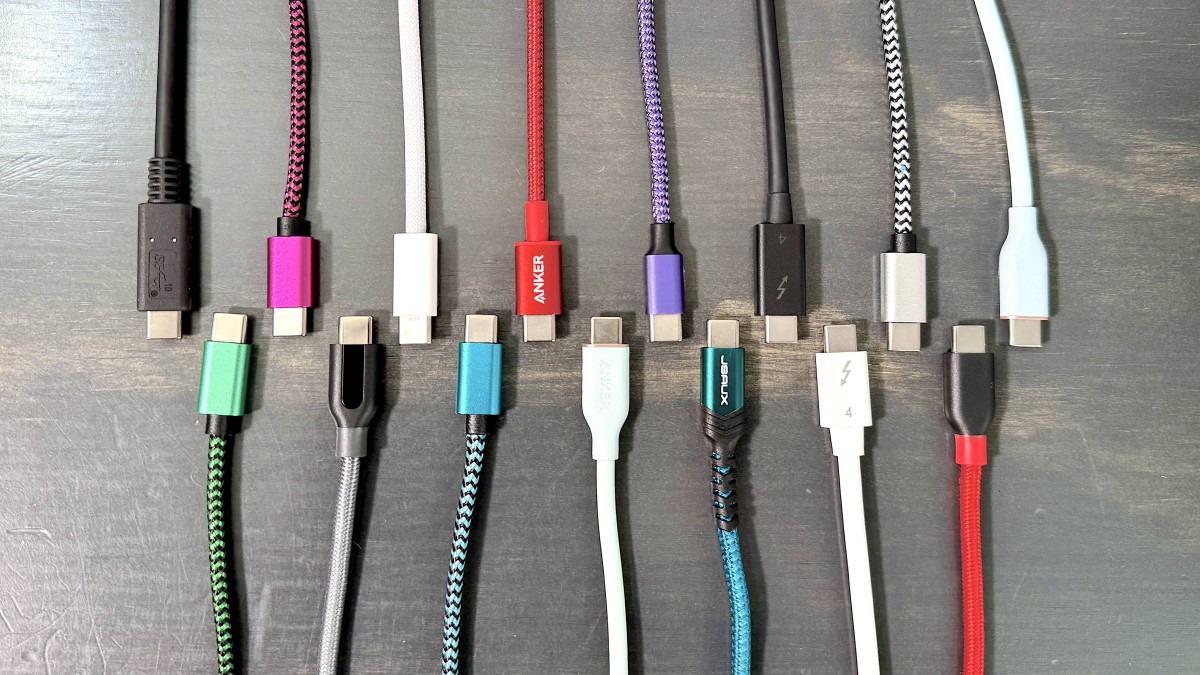
The right cable depends on the ports on both ends, the device's charging limit, and whether you need data or display performance rather than charging alone.
Connector type
USB-C to USB-C is the default for newer wall chargers, laptops, tablets, docks, and phones. It enables USB-C Power Delivery when the charger, cable, and device all support it. The LISEN, INIU, Anker USB-C pairs, Anker Prime, Durcord 100W, and Silkland use this arrangement.
USB-A to USB-C remains useful with older chargers, computers, cars, and battery packs. The two Anker USB-A and Durcord USB-A products cannot provide the same Power Delivery capability as the USB-C to USB-C models. Check the charger port before buying, not just the port on your phone.
Power rating
A cable rated for 240W can handle more power than one rated for 60W or 100W, but the device and charger still set the actual result. Phones may draw far less than a laptop, and a 240W cable will not make a device charge beyond its own design limit.
For a laptop, match the cable to the charger's output with some headroom. The Anker Prime, LISEN, and INIU 240W models are the most flexible choices for high-power equipment. The Anker 60W pair is better suited to phones and tablets, while USB-A models top out at lower charging levels.
A USB-C connector tells you the shape of the plug, not the speed of the cable.
Data and display capability
Charging cables often use USB 2.0 data, which is enough for basic syncing but slow for large files. The Anker 100W, Anker 60W, LISEN, and Durcord products are charging-focused, and the Anker cables explicitly do not support video output.
The Silkland USB4 cable is the specialist option. Its listed 80Gbps data rate and up to 120Gbps display bandwidth are relevant for external SSDs, docks, and multi-monitor workstations. Before choosing it, verify that the computer, dock, storage device, and monitor support the same standard.
Length
A six-foot cable is a useful general-purpose length for a desk or bedside table. The LISEN's 6.6 feet adds a little reach, while the INIU 3.3-foot pair is easier to manage close to a charger.
Ten-foot cables such as the Durcord pairs are useful when the outlet is far from the sofa or bed. They are less convenient on a compact desk, where extra cable gathers quickly. Measure the path from the outlet or charger to the device rather than choosing by habit.
Construction and strain relief
Braided nylon can resist tangling and surface wear, but the stated bend rating varies widely. The Anker Prime claims more than 300, 000 bends, while the LISEN lists more than 40, 000 and the Durcord USB-C pair lists more than 10, 000. The Anker 60W and 100W pairs list 5, 000 bends.
A strong cable can still fail if it is bent sharply at the connector every day. Leave a gentle curve near the plug, avoid crushing the cable under furniture, and keep the connector clean. If you are also choosing peripherals for a workstation, the practical differences between USB hubs and direct connections can help prevent unnecessary cable strain.
Frequently asked questions
Are all USB-C cables interchangeable?
No. They may share the same connector shape while differing in charging power, data speed, and display support. Check the cable's power rating and data specifications before assuming it can replace another USB-C cable.
Can a 240W cable safely charge a phone?
Yes, when used with a compatible USB-C Power Delivery charger and an undamaged device. The phone negotiates the power it can accept, so a 240W rating describes the cable's capacity rather than power forced into the phone.
Do these USB-C cables support video?
The Anker 100W and 60W cables explicitly do not support video output. The Silkland USB4 cable is designed for high-bandwidth data and display connections, but the connected computer, monitor, dock, and other hardware must also support the required standard.
Is a 100W cable enough for a laptop?
It is enough for laptops that charge at 100W or less, assuming the charger can provide that output. A laptop with a higher charging requirement may benefit from a 240W-rated cable such as the Anker Prime, LISEN, or INIU models.
What is the difference between USB-A to USB-C and USB-C to USB-C?
USB-A to USB-C connects an older USB-A charger or computer to a device with a USB-C port. USB-C to USB-C is the better match for modern chargers and can support higher Power Delivery levels, depending on the cable and connected equipment.
Is a longer cable slower?
Length alone does not determine charging or data performance, but longer cables can be more difficult to manufacture and manage. The 10-foot Durcord cables are useful for reach, while shorter cables are easier to keep tidy and may suit a compact workstation better.
Which cable should I use for an external SSD?
Choose a cable with a clearly stated high-speed data standard rather than relying on the USB-C connector. The Silkland USB4 cable is the data-focused option in this list. The charging-oriented USB 2.0 cables may connect to an SSD but will not provide comparable transfer performance.
The bottom line
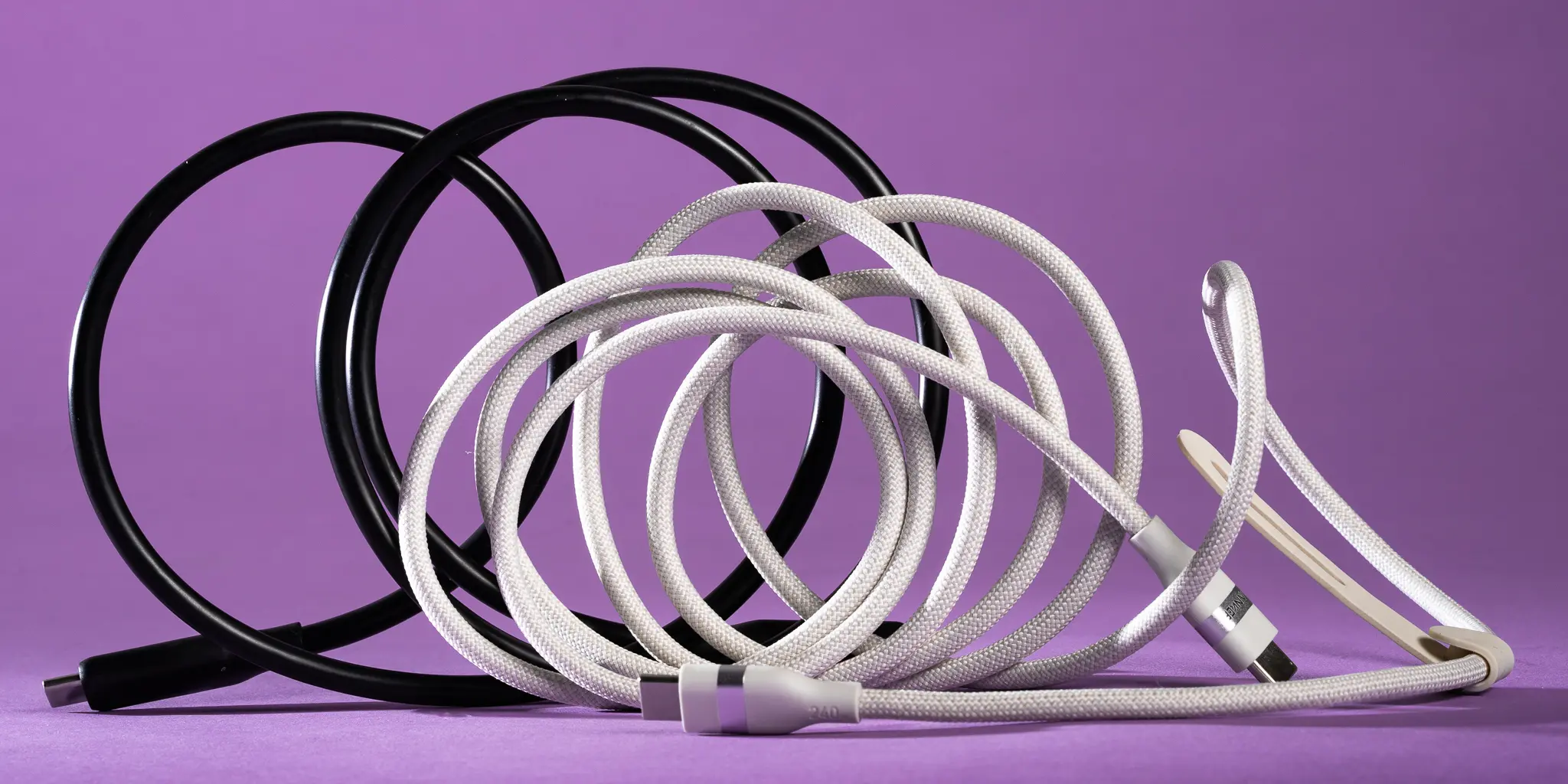
The Best USB C Cable for demanding charging is the Anker Prime 240W Cable. Its six-foot length is practical, its power rating handles high-end laptops, and its more than 300, 000-bend durability claim separates it from the ordinary charging pairs. The LISEN 240W Cable is the better alternative when a flexible 6.6-foot cord matters, while the INIU 240W 6.6ft Pair is the sensible choice for two long charging locations.
For a more specific need, choose the Silkland USB4 Cable for fast storage and displays, the Anker 60W Cable Pair for phones and tablets, or the Durcord USB-A 10ft Pair when your charger still uses USB-A.
If you are undecided, buy the Anker Prime for high-power charging, or choose Silkland only when you genuinely need high-speed data or display support.
As an Amazon Associate we earn from qualifying purchases.