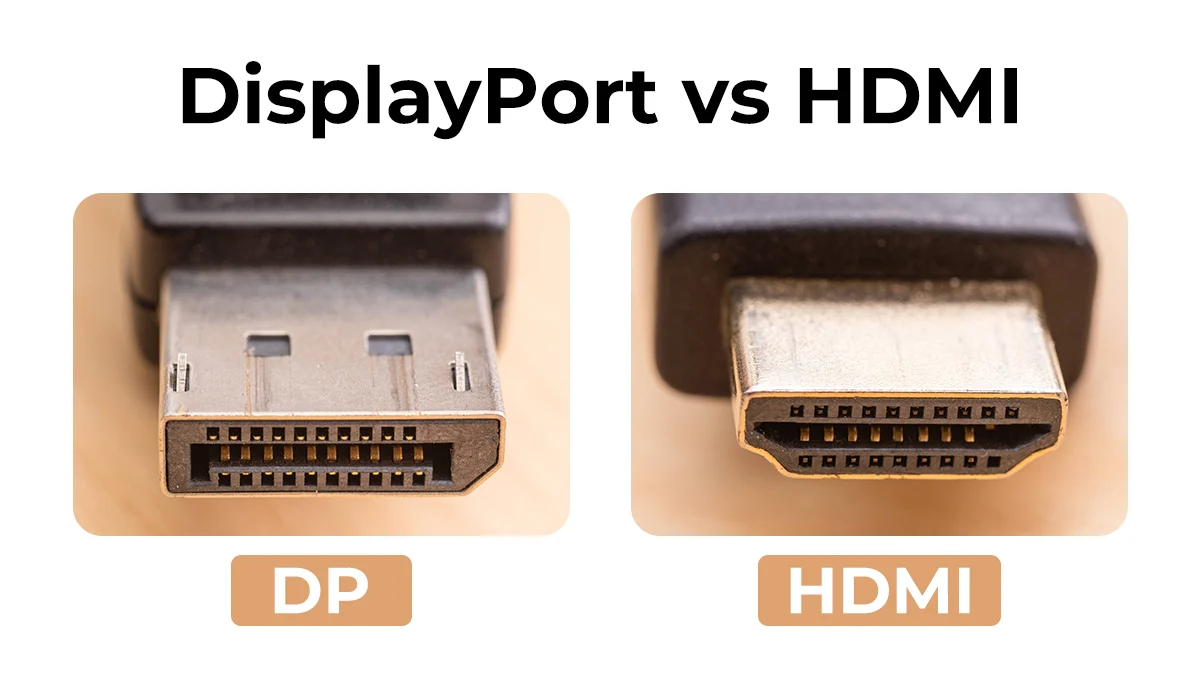

A DisplayPort to HDMI cable can look like a simple fix until the screen stays blank. The most common mistake is buying a cable for the wrong signal direction, then discovering that HDMI to DisplayPort is not the same thing as DisplayPort to HDMI. Refresh rate and resolution limits matter too, especially with 4K monitors.
Our Best HDMI and DisplayPort cables guide focuses on the nine options here that connect a DisplayPort computer, laptop, or graphics card to an HDMI monitor, television, projector, or other display. The Amazon Basics 6-Foot Cable is the strongest all-around pick, while the list also includes a high-bandwidth option, long cables, a two-pack, and several more rugged braided designs.
Comparison of the best HDMI and DisplayPort cables
| # | Product | Award | Direction | Maximum listed video | Length | Best for |
|---|---|---|---|---|---|---|
| 1 | Amazon Basics 6-Foot Cable | Best overall | DisplayPort to HDMI | 4K at 30Hz, 1920x1200, 1080p | 6 ft | Everyday office and home displays |
| 2 | BENFEI 4K DP to HDMI | Best for support coverage | DisplayPort to HDMI | 3840x2160 at 30Hz, 1080p at 60Hz | 6 ft | A supported, durable connection |
| 3 | UGREEN 4K DP to HDMI | Best for high-refresh 1080p | DisplayPort to HDMI | 4K at 30Hz, 2K at 60Hz, 1080p at 120Hz | 6.6 ft | Smooth 1080p desktop use |
| 4 | Warrky 4K DP to HDMI | Best braided build | DisplayPort to HDMI | 4K at 30Hz, 1440p at 60Hz, 1080p at 120Hz | 6 ft | Frequent plugging and unplugging |
| 5 | Highwings 4K DP to HDMI | Best for flexible desk setups | DisplayPort to HDMI | 4K at 30Hz, 1440p at 60Hz, 1080p | 6.6 ft | A reinforced everyday cable |
| 6 | JSAUX 10-Foot Cable | Best long cable | DisplayPort to HDMI | 4K at 30Hz, 2K at 60Hz, 1080p at 120Hz | 10 ft | Meeting rooms and distant displays |
| 7 | Amazon Basics 10-Foot Cable | Best simple long run | DisplayPort to HDMI | 1920x1200, 1080p | 10 ft | Full HD projectors and televisions |
| 8 | Cable Matters 2-Pack | Best two-cable set | DisplayPort to HDMI | 1080p | 6 ft | Two screens or a spare cable |
| 9 | TagBreet 8K DP to HDMI | Best for advanced video modes | DisplayPort to HDMI | 8K at 60Hz, 4K at 240Hz | 6 ft | High-refresh displays with compatible hardware |
1. Amazon Basics 6-Foot Cable: Best Overall

Pros
- Straightforward DisplayPort to HDMI operation
- Supports 4K at 30Hz and 1920x1200
- Carries uncompressed multichannel audio
- Gold-plated connectors and foil-and-braid shielding
Cons
- Not bidirectional
- No 4K high-refresh support
- Not compatible with USB ports or LVDS sources
Best for: a conventional computer-to-HDMI monitor, TV, or projector connection.
The Amazon Basics 6-Foot Cable gets the fundamentals right without making the connection more complicated than it needs to be. It is a passive, one-way cable from a DisplayPort-enabled computer to an HDMI display, which makes it a natural fit for a desktop PC feeding a second monitor or a laptop connected to a television. The six-foot length is long enough for most desks without leaving a large coil behind the computer.
Its ceiling is 4K at 30Hz, with support for 1920x1200 and 1080p. That makes a difference in use. A 4K desktop will look sharp, but scrolling and cursor movement will not have the fluidity of a 60Hz connection. At 1080p, the cable is better suited to ordinary office work, presentations, streaming, and mirrored displays than to a modern high-refresh gaming setup.
Audio support is a useful part of the package. The cable can carry uncompressed 7.1, 5.1, or two-channel digital audio, so a compatible computer and display can send sound through the same connection. Gold-plated connectors, bare copper conductors, and foil-and-braid shielding round out a sensible construction. If you are also connecting a sound system, the right cable arrangement for a television and soundbar can prevent a separate round of trial and error.
The main limitation is the direction and the bandwidth. This is not a cable for sending an HDMI console signal to a DisplayPort monitor, and it is not the pick for 4K at 60Hz. The BENFEI 4K DP to HDMI offers a more explicitly supported conversion design, while the UGREEN 4K DP to HDMI adds 1080p at 120Hz. For a normal 1080p or 4K at 30Hz computer display, though, the Amazon Basics cable is the cleanest choice.
2. BENFEI 4K DP to HDMI: Best for Support Coverage

Pros
- Built-in conversion chip
- Supports 3840x2160 at 30Hz
- Supports 1080p at 60Hz
- Nylon braid and molded strain relief
- Includes an 18-month warranty
Cons
- One-way operation only
- Does not provide 4K at 60Hz
- Less useful for high-refresh gaming
Best for: users who want a clearly specified 4K connection with extra warranty coverage.
The BENFEI 4K DP to HDMI feels aimed at the person who wants fewer uncertainties around a basic conversion cable. It uses a built-in IC chip to convert the DisplayPort signal to HDMI, rather than presenting itself as a simple reversible lead. That does not change the one-way rule, but it makes the intended setup clear: computer or graphics card with DisplayPort output on one end, HDMI monitor or projector on the other.
The listed video support reaches 3840x2160 at 30Hz and 1920x1080 at 60Hz. The former suits a sharp 4K desktop when static detail matters more than smooth motion. The latter is the more practical mode for everyday monitors, where 60Hz keeps standard work, video, and menus moving naturally. It also supports 720p, 1600x1200, and 1280x1024, which helps with older displays.
BENFEI uses multiple shielding layers, gold-plated connectors, and molded strain relief. The nylon braided jacket is designed for heavy use, and the cable supports uncompressed 7.1, 5.1, or two-channel audio. An 18-month warranty is unusual among these entries and gives this model a clearer support story than the Highwings 4K DP to HDMI or Warrky 4K DP to HDMI.
The weakness is predictable but important: there is no high-refresh 4K mode. It also cannot run in the opposite direction, regardless of the product title or the appearance of the connectors. The Amazon Basics 6-Foot Cable is the simpler pick for a basic office connection, but BENFEI makes more sense when the reinforced build, conversion chip, and warranty are part of the decision.
3. UGREEN 4K DP to HDMI: Best for High-Refresh 1080p

Pros
- Supports 1080p at 120Hz
- Supports 2K at 60Hz and 4K at 30Hz
- Braided jacket and aluminum case
- Supports mirror and extended display modes
- No driver or software required
Cons
- Not compatible with HDMI source devices
- Does not provide 4K at 60Hz
- The no-buckle connector may not suit every port
Best for: a DisplayPort computer feeding a 1080p monitor that can run above 60Hz.
The UGREEN 4K DP to HDMI is the more interesting choice when the display is 1080p and motion smoothness matters. Its headline 4K support is limited to 30Hz, but the cable also lists 1080p at 120Hz and 2K at 60Hz. That makes it more versatile for a high-refresh Full HD monitor than the Amazon Basics 6-Foot Cable, even though both are designed for the same signal direction.
UGREEN says the cable supports mirror and extended modes, with up to six screens connected at a time. The practical advantage is simple: you can use one display for the main desktop and another for separate content, provided the computer and graphics hardware support the arrangement. Plug-and-play operation means there is no driver or software layer to install before the display can work.
The construction is stronger than the basic black cables in this group. It uses 32AWG tinned copper, double shielding for electromagnetic interference resistance, an aluminum case to aid heat dissipation, and a nylon braided jacket. The cable also carries uncompressed 7.1, 5.1, or two-channel audio. Those details matter most when the lead runs near other equipment or is handled regularly.
UGREEN is not a universal HDMI and DisplayPort cable. It cannot accept a signal from a PlayStation, Switch, Xbox, or other HDMI source, and send it to a DisplayPort display. The Warrky 4K DP to HDMI has a similarly capable 1080p mode with a slightly different physical design, while UGREEN is the better fit when extended desktop support and high-refresh 1080p are the priority.
4. Warrky 4K DP to HDMI: Best Braided Build

Pros
- 4K at 30Hz, 1440p at 60Hz, and 1080p at 120Hz
- Lightweight aluminum alloy shell
- Five-layer shielding
- Braided jacket rated for more than 16, 000 bends
- Supports uncompressed multichannel audio
Cons
- One-way connection
- No 4K at 60Hz
- A braided cable can be less easy to route tightly
Best for: a frequently handled desk or classroom cable where the jacket matters.
The Warrky 4K DP to HDMI is a good example of a cable whose physical design is more than decoration. Its lightweight aluminum alloy one-piece shell is resistant to corrosion, while the nylon braid is specified to withstand more than 16, 000 bends. That combination makes sense for a cable moved between a laptop, a projector, and a monitor instead of left behind a desk.
Video support is broad within the limits of this type of connection. It reaches 4K at 30Hz, 1440p at 60Hz, and 1080p at 120Hz. The 1440p mode is especially useful for a computer monitor that sits between Full HD and 4K. It gives sharper text than 1080p while preserving a conventional 60Hz refresh rate.
Five-layer shielding and 24K gold-plated connectors are intended to reduce interference, and the cable supports uncompressed 7.1, 5.1, and two-channel audio. Warrky also lists compatibility with DisplayPort-equipped desktops, laptops, and AMD or NVIDIA graphics cards, leading to HDMI monitors, TVs, projectors, and VR headsets. As always, the source must be DisplayPort and the display must be HDMI.
The trade-off is not performance so much as flexibility. The cable is not reversible, and a braided jacket can be harder to bend into a very tight cable channel than a slimmer PVC-style lead. UGREEN 4K DP to HDMI is the stronger pick for explicit multi-screen use, while Warrky 4K DP to HDMI is the one we would choose for repeated handling and a more substantial exterior.
5. Highwings 4K DP to HDMI: Best for Flexible Desk Setups

Pros
- Supports 4K at 30Hz and 1440p at 60Hz
- 1080p Full HD support
- Nylon braid rated for more than 20, 000 bends
- Multi-layer shielding
- 24K gold-plated connector
Cons
- DisplayPort to HDMI only
- No high-refresh 4K mode
- Requires matching resolution and refresh settings
Best for: a longer-than-standard desktop lead with a reinforced jacket.
The Highwings 4K DP to HDMI has a little more reach than the six-foot models without becoming a truly long-room cable. Its 6.6-foot length is useful when the computer tower sits beside or under a desk and the display is mounted farther away. The nylon-braided wire is rated for more than 20, 000 bends, so it is built for repositioning rather than one permanent route.
It supports 4K at 30Hz, 1440p at 60Hz, and 1080p Full HD. Those modes cover the common office and home-display cases, with 1440p at 60Hz offering a sensible middle ground for compatible monitors. Highwings also describes synchronized audio and video, which is useful when the same connection is carrying sound to a television or display with speakers.
Multi-layer shielding and a 24K gold-plated connector are intended to reduce interference and preserve signal quality. The product is listed as compatible with AMD and NVIDIA graphics cards plus HP, Lenovo, and Dell computers with DisplayPort connections. It is not a converter for HDMI source equipment, and an HDMI console cannot be connected in reverse.
The cable's own guidance about matching resolution and refresh settings is worth taking seriously. If the computer sends a mode the display cannot accept, the result may be an abnormal image or no image. The Warrky 4K DP to HDMI has a similar video ceiling and a shorter length, while Highwings is the better choice when the extra reach and bend rating solve a real routing problem.
6. JSAUX 10-Foot Cable: Best Long Cable

Pros
- Ten-foot length for rooms and meeting spaces
- Supports 4K at 30Hz
- Supports 2K at 60Hz and 1080p at 120Hz
- Nylon exterior
- Clear troubleshooting guidance
Cons
- One-way signal path
- No 4K at 60Hz
- Extra length can create cable-management clutter
Best for: connecting a DisplayPort computer to a display several feet away.
The JSAUX 10-Foot Cable earns its place by solving a physical problem. Ten feet gives a desktop computer, meeting-room table, or home-office workstation room to reach a television, projector, or monitor without immediately resorting to an extension. That extra length is also useful when the computer must stay on one side of a room and the display is on another.
Its listed modes are 4K at 30Hz, 2K at 60Hz, and 1080p at 120Hz. This is a capable range for presentations, ordinary viewing, and a Full HD high-refresh monitor. It does not turn a 4K screen into a 60Hz display, so the cable is better matched to the layout problem of a long run than to a cutting-edge gaming setup.
JSAUX uses a nylon design intended for daily use. The company also provides unusually direct checks for a no-signal problem: confirm that the DisplayPort end is in the source, the HDMI end is in the display, the correct HDMI input is selected, and the selected resolution is supported. Those reminders address the errors that make a working cable appear defective.
The long body can be inconvenient on a small desk, where the unused section needs to be coiled or routed under furniture. The Amazon Basics 10-Foot Cable is another option at this length, but it is limited to 1920x1200 and 1080p. JSAUX is the better long-run pick when 2K or 1080p at 120Hz matters.
7. Cable Matters 2-Pack: Best Two-Cable Set

Pros
- Includes two six-foot cables
- Supports mirrored and extended displays
- Latching DisplayPort connectors
- Gold-plated connectors and shielded conductors
- Carries uncompressed multichannel audio
Cons
- Video support tops out at 1080p
- Connector latches require a release before unplugging
- Direction is not reversible
Best for: a dual-display setup or anyone who needs an identical spare.
The Cable Matters 2-Pack is the practical choice when one cable is not enough. Two six-foot leads can connect two HDMI displays to a DisplayPort-equipped computer, or one can remain in reserve for a second workstation. It is also useful for an office, classroom, or shared presentation kit where a spare is more useful than a single higher-spec lead.
The limitation is the video ceiling. Cable Matters lists support up to 1080p Full HD, along with uncompressed 7.1, 5.1, or two-channel audio. That is perfectly appropriate for many office monitors, projectors, and older televisions, but the UGREEN 4K DP to HDMI and Warrky 4K DP to HDMI are better matches for 1440p or 4K displays.
The construction is reassuringly conventional. Gold-plated connectors, bare copper conductors, and foil-and-braid shielding are used to help reduce interference. The DisplayPort ends have latches that hold the connection securely, but the release button must be pressed before unplugging. Pulling hard against the latch is a good way to stress a port.
Cable Matters describes support for extended desktop and mirrored display modes, so this pair is aimed at multi-screen use rather than a single living-room connection. If your monitors are Full HD and you need two leads, this is the most direct fit. Skip it if either display requires 4K or a refresh rate above the standard Full HD range.
8. Amazon Basics 10-Foot Cable: Best Simple Long Run
Pros
- Ten-foot reach
- Supports 1920x1200 and 1080p
- Gold-plated connectors
- Bare copper conductors and foil-and-braid shielding
- Carries uncompressed digital audio
Cons
- No 4K support listed in the performance specifications
- One-way operation
- Longer than needed for a compact desk
Best for: a Full HD television, projector, or monitor located well away from the computer.
The Amazon Basics 10-Foot Cable is the uncomplicated long-distance option. It shares the basic design language of the six-foot Amazon Basics cable, but the additional reach makes it more suitable for a projector, wall-mounted TV, or meeting-room display. The DisplayPort end belongs at the computer, and the HDMI end belongs at the display.
Its listed video support reaches 1920x1200 and 1080p Full HD. That keeps the cable squarely in the conventional display category. Text, presentations, films, and a mirrored desktop are within its stated use, but the product should not be selected for a 4K screen simply because the connector fits.
Audio travels alongside the video, including uncompressed 7.1, 5.1, and two-channel digital formats. Gold-plated connectors, bare copper conductors, and foil-and-braid shielding form the cable's construction. The cable is also identified as passive and compatible with Dual-Mode DisplayPort, which means the source computer needs to support that type of output.
This model is less capable than the JSAUX 10-Foot Cable, which lists 4K at 30Hz, 2K at 60Hz, and 1080p at 120Hz. It can still be the right answer for an older Full HD display where distance is the only real challenge. For help matching the cable to the screen itself, the connection details that matter when pairing a monitor with its cables are a useful place to start.
9. TagBreet 8K DP to HDMI: Best for Advanced Video Modes

Pros
- Lists 8K at 60Hz
- Lists 4K at 240Hz and 4K at 120Hz
- Braided jacket and molded strain relief
- Secure latch
- Designed for DP 1.4 to HDMI 2.1 connections
Cons
- VRR is not supported
- Driver and firmware updates may be needed
- One-way only
- Compatibility claims require matching hardware
Best for: a compatible DisplayPort graphics card and advanced HDMI display with demanding refresh requirements.
The TagBreet 8K DP to HDMI is the outlier in this group. Most of the other cables are designed around 1080p, 1440p, or 4K at 30Hz. TagBreet instead lists 8K at 60Hz, 4K at 120Hz, and 4K at 240Hz, making it the only entry aimed directly at a modern high-refresh HDMI display.
Those figures do not guarantee that every computer and monitor will reach them. TagBreet specifies a DisplayPort 1.4 to HDMI 2.1 connection and says driver updates may be necessary for certain NVIDIA RTX 20 and 30 series and ATI RX 6000 series hardware. It also mentions firmware updates for broader compatibility, including HDR and Dolby Atmos support. That extra setup is a meaningful part of ownership.
The physical design is more appropriate for a demanding setup than a casual spare cable. It has a braided jacket, molded strain relief, and a secure latch. It is still unidirectional, so the DisplayPort connector must be attached to the source and the HDMI connector to the screen. The product is not compatible with PS5 or Xbox HDMI output, despite its HDMI 2.1 terminology.
VRR is not supported, which limits its appeal for some gaming monitors. For a regular 4K office screen, the Amazon Basics 6-Foot Cable is easier to understand and more than sufficient. TagBreet makes sense only when the display, graphics hardware, drivers, and requested refresh mode all line up. Buyers comparing displays should also consider how multiple screens change the requirements of a desk setup before choosing an advanced cable.
How to choose best hdmi and displayport cables
The right cable starts with the ports and signal direction, then moves to the resolution, refresh rate, length, and physical build that your setup actually needs.
Signal direction
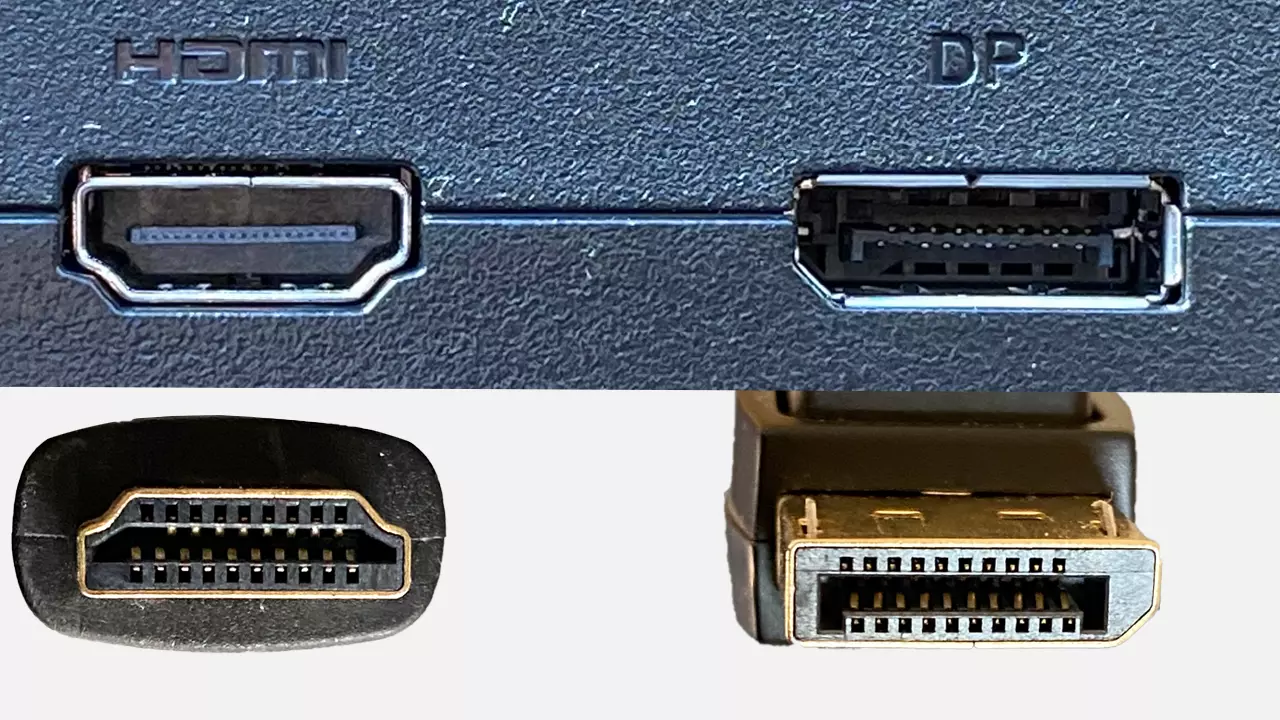
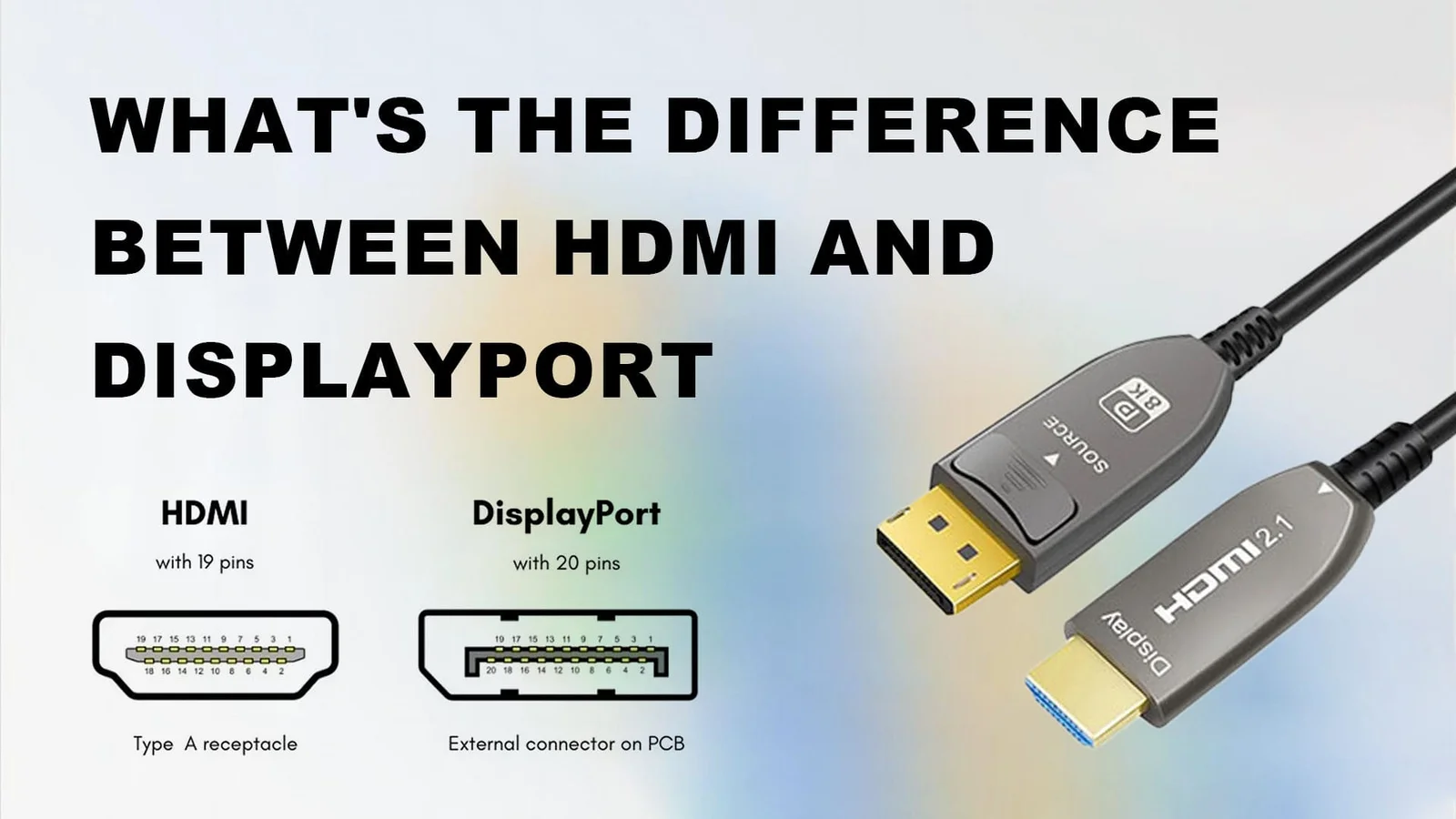
Every cable in this roundup is intended to carry a signal from DisplayPort to HDMI. The DisplayPort plug goes into a computer, laptop, or graphics card, while the HDMI plug goes into a monitor, TV, projector, or similar display.
A cable that fits both sockets is not automatically reversible. HDMI source devices such as consoles, streaming sticks, and Blu-ray players cannot use these products to drive a DisplayPort monitor. If you need HDMI to DisplayPort, look for an active converter designed specifically for that direction.
If the source and display directions are reversed, a higher video specification will not rescue the connection.
Resolution and refresh rate
Resolution controls the amount of detail on screen, while refresh rate controls how often the image can update. A cable listed for 4K at 30Hz can show a sharp 4K image, but movement will be less fluid than at 60Hz. For a 1080p gaming or general-purpose monitor, a cable supporting 120Hz can make scrolling and camera movement look smoother.
The entries vary widely. Amazon Basics models list 1920x1200 and 1080p, several cables add 4K at 30Hz and 1440p at 60Hz, and TagBreet lists much higher modes. The source graphics hardware and the display must support the same target mode.
Cable length
Six feet suits most desks. The 6.6-foot models add useful slack for a tower under a desk or a monitor mounted farther away. Ten-foot cables are better for projectors, meeting rooms, wall-mounted televisions, and home-office layouts where the computer and display cannot sit next to each other.
Longer is not automatically better. Excess cable needs to be routed or coiled, and a large loop can make a compact desk untidy. Measure the path from port to port, including the route around furniture, rather than measuring only the straight-line distance.
Build and connector security
Braided jackets, aluminum shells, shielding, strain relief, and gold-plated connectors appear throughout this list. These features can help a cable tolerate repeated handling and reduce interference, but they do not raise the supported video mode by themselves.
Latching DisplayPort connectors can prevent accidental disconnection, although they should be released before unplugging. A braided cable may last well under repeated movement, while a slimmer cable can be easier to hide behind a monitor. Choose based on how often the connection will move.
Audio and display modes
A DisplayPort to HDMI cable can carry both video and digital audio when the computer, cable, and display support it. Several models list uncompressed 7.1, 5.1, and two-channel audio. Check the computer's sound output and the display's audio settings if the picture works but sound does not.
Mirror mode shows the same image on both screens. Extend mode gives each screen a separate desktop. The cable only carries the signal, so the computer's graphics hardware and operating system still determine how many displays and modes can be used.
Frequently asked questions
Can these cables connect an HDMI laptop to a DisplayPort monitor?
No. These products are designed for DisplayPort source to HDMI display connections. An HDMI laptop or console needs a converter made for HDMI to DisplayPort if the target monitor has only a DisplayPort input.
Do DisplayPort to HDMI cables support 4K at 60Hz?
Not all of them. The Amazon Basics cables list 4K at 30Hz or lower resolutions, while several other models also list 1440p at 60Hz or 1080p at 120Hz. TagBreet lists higher modes, but the computer, drivers, display, and connection standards must all support the requested output.
Can a DisplayPort to HDMI cable carry sound?
Yes, compatible models can carry digital audio along with video. Several products here specify uncompressed 7.1, 5.1, and two-channel audio. The computer must be configured to send sound through the connected HDMI display or audio device.
Will one of these cables work with a PS5, Xbox, or Switch?
Not when the console is the source. These cables require a DisplayPort source, while those consoles generally output through HDMI. Their plugs may fit the display, but the signal direction and source standard are wrong.
Is a six-foot cable long enough for a desk?
Usually, yes. Six feet covers many desktop layouts, while 6.6 feet gives a little more routing freedom around a tower or monitor arm. Measure the actual path if the computer sits under the desk or the display is mounted across the room.
Why does a monitor show no signal after connecting the cable?
First, confirm that the DisplayPort end is connected to the computer or graphics card and the HDMI end is connected to the display. Then select the correct HDMI input and check that the computer is outputting a resolution and refresh rate the display supports. A reversed connection will not work with these unidirectional cables.
The bottom line
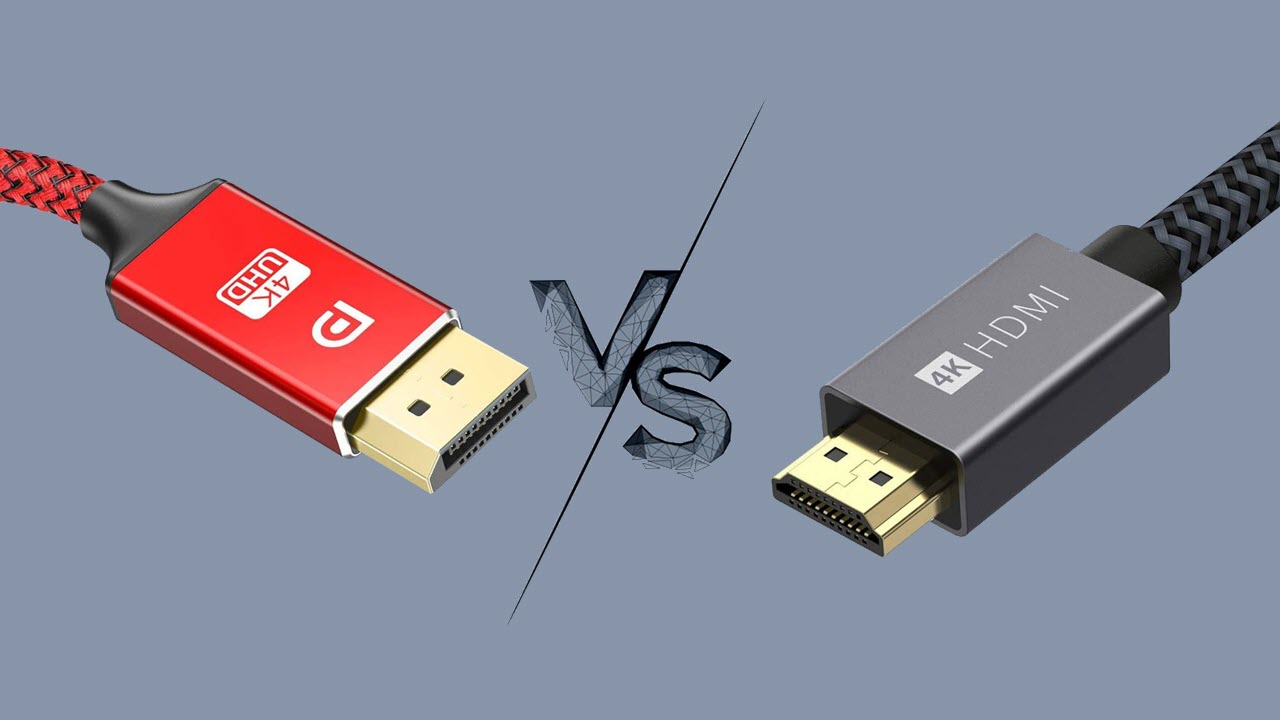
The Amazon Basics 6-Foot Cable is the safest general recommendation for the Best HDMI and DisplayPort cables in this group. It handles standard computer-to-HDMI display duties, supports 4K at 30Hz and 1920x1200, and carries multichannel audio without adding unnecessary complexity.
Choose UGREEN 4K DP to HDMI if 1080p at 120Hz or 1440p at 60Hz matters, JSAUX 10-Foot Cable when the display is far away, or TagBreet 8K DP to HDMI only when you have compatible hardware and genuinely need its advanced video modes. BENFEI 4K DP to HDMI is the more reassuring choice for a reinforced cable with an 18-month warranty.
If you are undecided, match the source direction first, then buy for the display mode you actually use rather than the biggest number on the package.
As an Amazon Associate we earn from qualifying purchases.