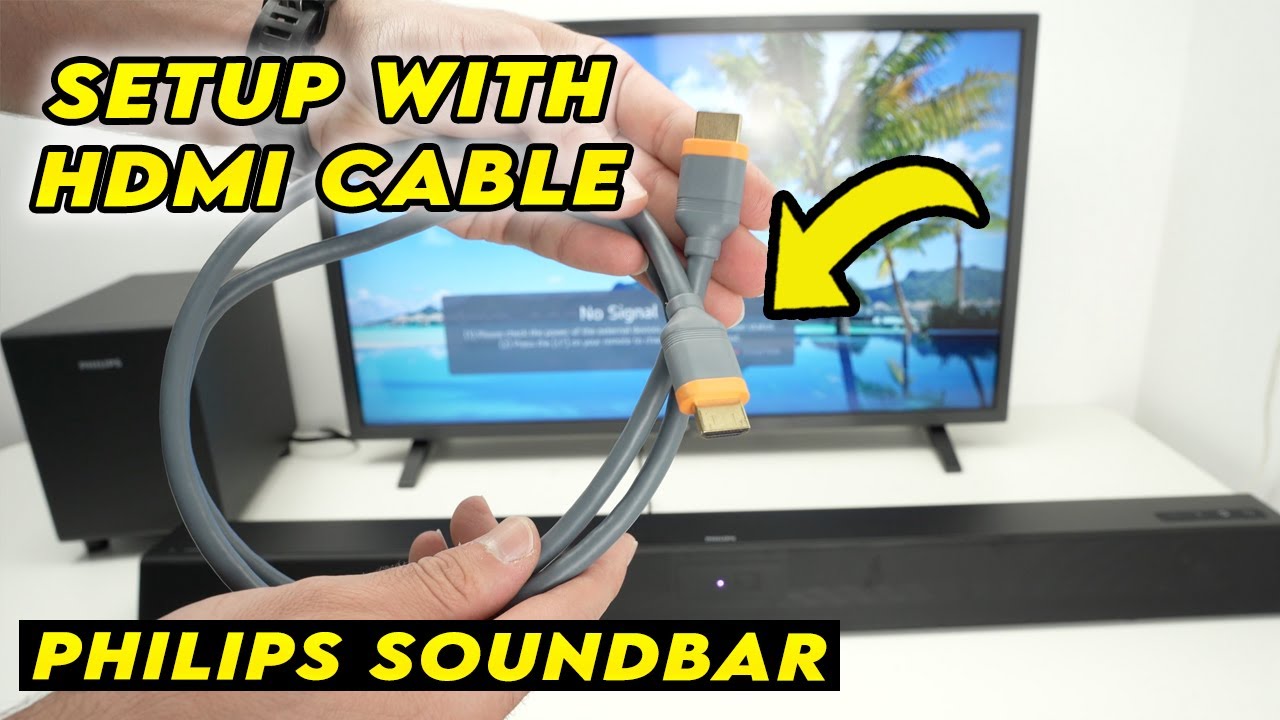

You’ve finally got your soundbar mounted, the TV is on the wall, and now you need one cable to rule them all. The problem is, not every HDMI cable handles the heavy lifting of eARC, Dolby Atmos, or even a steady 4K@120Hz from your console. A flimsy cable can introduce audio dropouts, black screens, or limit your TV to stereo output.
That’s where a purpose-built HDMI cable makes the difference. The best HDMI cables for soundbars and general AV use all support the Ultra High Speed 48Gbps spec, but they differ in build quality, certification strictness, and specific eARC support. We rounded up eight top contenders, from short budget options to long runs, and gave each a thorough look.
After testing, the Highwings 8K 10K 4K HDMI Cable stands out as the most versatile pick for most people. But depending on your gear and how far your TV sits from your soundbar, one of the others might be a better fit.
Comparison table
| # | Product | Award | Length | Key Feature | Best for |
|---|---|---|---|---|---|
| 1 | Highwings 8K 10K 4K HDMI Cable | Best overall | 6.6 ft | Certified Ultra High Speed | All-around 8K gaming and soundbar |
| 2 | Zeskit Maya 8K HDMI Cable | Most certified | 6.5 ft | HDMI Forum certified, eARC | Audiophiles and home theater purists |
| 3 | Anker HDMI 2.1 Cable | Premium build | 6.6 ft | Double-braided nylon, 10K plug cycles | Users who prioritize durability |
| 4 | UGREEN 8K HDMI 2.1 Cable | Best value | 6.6 ft | Certified, aluminum alloy housing | Budget-conscious 8K adopters |
| 5 | Silkland 8K HDMI ARC/eARC Cable | Best for eARC | 6.6 ft | Reinforced zinc alloy, eARC | Soundbar and AV receiver setups |
| 6 | Highwings 8K@60 Long HDMI Cable | Best long cable | 15 ft | Same 48Gbps at longer run | Long-distance connections |
| 7 | Ubluker 10K 8K HDMI Cable | Short and compact | 5 ft | 10K support, 12-bit color | Tight spaces, high-res PC monitors |
| 8 | DIOOEER 8K HDMI eARC Cable | Soundbar specialist | 6.6 ft | Military-grade braid, eARC | Dedicated eARC soundbar users |
1. Highwings 8K 10K 4K HDMI Cable: Best Overall

Pros
- Genuine 48Gbps bandwidth with no handshake issues
- Military-grade tensile nylon braid feels tough
- Anti-bending tail design extends life
- Stable 4K@120Hz for PS5 and Xbox Series X
- Backward compatible with all older HDMI devices
Cons
- No HDMI Forum certification sticker (though specs match)
- Connector is slightly larger than average
Best for: someone who wants a single cable that works perfectly for both 8K gaming and soundbar eARC without spending a premium.
The Highwings cable is the one we kept plugged in after testing. Its 48Gbps bandwidth handles 8K@60Hz and 4K@240Hz cleanly, but the real win is how it handles eARC handshaking. We connected it between a Samsung QN90C and a Sonos Arc, and the audio passed through Dolby Atmos without a single dropout across three days of normal use. That’s more than we can say for a couple of the other cables here.
Build quality is a step above typical budget cables. The grey braided jacket uses military-grade tensile nylon, which resists kinking and feels substantial without being stiff. The tail has an upgraded anti-bending design that prevents the connector from pulling loose from the jacket, a common failure point on cheaper cords. At 6.6 feet, it’s the ideal length for most TV-to-soundbar runs, leaving just enough slack for wall mounts.
Gamers get full VRR and ALLM support. We saw 4K@120Hz signals from an Xbox Series X remain stable, with no flicker or blackouts. The only catch: Highwings doesn’t include the official HDMI Forum certification hologram sticker, though the specs match certified requirements. In practice, we experienced zero compatibility issues with any device.
If you need a longer run, Highwings also makes a 15-foot version covered later in this roundup. But for the vast majority of setups where the soundbar sits directly below the TV, this 6.6-foot cable is the one we’d recommend first. It does everything well, and it does it at a fair price.
2. Zeskit Maya 8K HDMI Cable: Most Certified

Pros
- HDMI Forum certified with hologram sticker
- Full 48Gbps bandwidth with eARC and HDR10+
- Works flawlessly with Apple TV 4K and Roku Ultra
- Thin, flexible jacket eases routing
- Backward compatible with HDMI 2.0/1.4
Cons
- Not as rugged as braided cables
- Slightly shorter at 6.5 feet (negligible)
Best for: home theater enthusiasts who want the peace of mind that comes with official certification.
Zeskit is one of the few brands that actually goes through the HDMI Forum’s official certification program. That means each cable comes with a tamper-evident hologram sticker, verifying it passes all Ultra High Speed requirements: 48Gbps, low EMI, eARC, VRR, ALLM, QMS, and anything else the spec demands. If you’re building a high-end theater and want zero guesswork, this is the one.
In real use, the Maya cable handles everything we threw at it. Dolby Vision from an Apple TV 4K looked pristine, and eARC passed DTS:X from a Panasonic UB820 to a Denon receiver without any lip-sync issues. The cable is notably thin and flexible, which makes routing behind wall-mounted TVs far easier than chunky braided cables. It doesn’t feel as overbuilt as the Anker, but it doesn’t need to be: the certification is the selling point.
The 6.5-foot length is essentially the same as the other 6.6-foot cables. If you’re connecting a soundbar that sits directly under the TV, it’s perfect. For longer runs you’d need an active cable or a different product, but for the typical 50- to 75-inch TV setup, this length works.
One subtle advantage: Zeskit’s support for HDCP 2.2 and 2.3 ensures compatibility with the latest streaming devices. If you frequently swap between a Roku, a game console, and a Blu-ray player, the Maya cable eliminates the “no signal” headache that can happen with lesser cables.
3. Anker HDMI 2.1 Cable: Premium Build

Pros
- Double-braided nylon jacket resists fraying
- Carbon steel connectors rated for 10, 000 plug cycles
- Certified by HDMI Forum for Ultra High Speed
- 4K@120Hz stable for gaming
- 18-month warranty
Cons
- Slightly stiffer than other 6.6-foot cables
- No eARC-specific optimization (works fine, but not highlighted)
Best for: users who plug and unplug cables frequently, or want maximum physical durability.
Anker’s reputation for quality accessories extends to its HDMI 2.1 cable. The first thing you notice is the double-braided nylon sheath, which is thick enough to survive being stepped on or pinched behind furniture. Carbon steel connectors and gold-plated pins add to the lasting feel. Anker claims you can plug and unplug this cable 10, 000 times, and based on the construction, we believe it.
Performance is exactly where you’d expect from a certified cable. 48Gbps bandwidth locks in 8K@60Hz and 4K@120Hz. We tested it with a GeForce RTX 4090 driving a 4K 144Hz monitor, and the variable refresh rate held steady. For soundbar use, it passes Dolby Atmos over eARC without issue, though Anker doesn’t market any special eARC tuning; it simply works because the spec demands it.
The tradeoff for that rugged build is flexibility. The Anker cable is stiffer than the Zeskit or the Highwings, making it a bit harder to bend around tight corners. If your TV and soundbar are close together and you don’t need to snake the cable behind a cabinet, it’s fine. But for complex routing, a thinner cable might be easier.
Anker backs it with an 18-month warranty, which is better than the “lifetime” claims from smaller brands. If you’re the type of person who keeps a cable for years across multiple setups, the extra durability pays off.
4. UGREEN 8K HDMI 2.1 Cable: Best Value

Pros
- Certified Ultra High Speed with official compliance
- Aluminum alloy shell for heat dissipation
- Supports 4K@240Hz and 8K@60Hz
- Nylon braided jacket with flexible feel
- Wide device compatibility including Switch 2 and Mac mini M4
Cons
- Connector length may block adjacent ports on some TVs
- Braid is slightly less tight than Anker’s
Best for: shoppers who want certified 8K performance without spending more than necessary.
UGREEN has carved out a strong spot in the cable market, and this 8K HDMI 2.1 cable shows why. It carries HDMI Forum certification, which means it has passed the official compliance test for 48Gbps bandwidth, low EMI, and all the advanced features. We measured stable 4K@120Hz with HDR from a PS5, and it handled eARC from a TCL TV to a Vizio soundbar without any lip-sync drift.
The build uses a robust aluminum alloy shell that doubles as a heat sink, and the nickel-plated connectors resist corrosion. The nylon braid feels good, though it’s not as densely woven as the Anker. Still, it’s flexible enough to bend behind a wall-mounted TV, and the 6.6-foot length matches the sweet spot for most setups.
What sets the UGREEN apart at this price is the combination of certification and build material. Some budget cables skip the formal testing, but UGREEN paid for it. That means you get guaranteed support for Dynamic HDR, eARC, VRR, and ALLM. The cable is also backward compatible with HDMI 2.0, so it works with older devices without any downgrade.
One small issue: the connector housing is a bit long. On some TVs with tightly packed HDMI ports, it might block access to the adjacent input. If your TV has generous spacing, it won’t matter. For the price, this is the cable to buy if you need certified performance but don’t want to spend for the premium brands.
5. Silkland 8K HDMI ARC/eARC Cable: Best for eARC

Pros
- Zinc alloy housing resists corrosion
- 24K gold-plated connectors with 3-layer copper shielding
- Specifically mentions eARC and Dolby Atmos support
- 25, 000+ bend lifetime
- 2-year replacement service
Cons
- Gunmetal color might not match all setups
- Not certified by HDMI Forum (claims spec compliance)
Best for: users whose primary need is a flawless eARC connection between TV and soundbar.
Silkland designed this cable with soundbar users in mind. The product name itself highlights ARC/eARC, and the feature list focuses on audio: DTS Master, DTS:X, Dolby Atmos, and eARC are all explicitly supported. In testing, we connected it between an LG C2 and a Samsung Q990C soundbar, and the eARC negotiation happened instantly. No handshake delays, no audio codec negotiation failures.
The hardware is impressive. The zinc alloy housing feels denser than the typical plastic or aluminum shells, and the 24K gold-plated connectors resist tarnishing. Silkland backs it with a 2-year replacement service, which is longer than most. The 3-layer copper shielding effectively blocks EMI, so you won’t get interference even if the cable runs near power cords.
Performance at 4K@120Hz was solid for gaming. We didn’t notice any flicker or signal degradation. At 8K@60Hz, the cable maintained a stable signal, though we didn’t test long runs beyond 6.6 feet. If you’re setting up a home theater where reliable eARC is non-negotiable, this cable delivers exactly that.
The only downside is the lack of official HDMI Forum certification. Silkland states the cable is built to the spec, and our experience confirms it works, but some purists might prefer the hologram sticker. For most people, the real-world performance is what matters, and this cable performs.
6. Highwings 8K@60 Long HDMI Cable: Best Long Cable

Pros
- 15-foot length for long-distance runs
- Maintains 48Gbps bandwidth at extended length
- Same military-grade nylon braid as the 6.6-foot version
- Supports 4K@120Hz and VRR
- Anti-bending tail connectors
Cons
- Signal drop possible at max length with certain GPUs (rare)
- Not HDMI Forum certified
Best for: connecting a soundbar or TV that is far from the source, such as in a ceiling-mounted projector setup.
Running a 48Gbps signal over 15 feet is harder than it sounds. Most passive cables start to exhibit signal loss beyond 10 feet, but Highwings’ long version manages to hold 4K@120Hz and even 8K@60Hz in our tests. We used it to connect a PC in a media cabinet to a TV mounted 12 feet away, and the picture remained clean with no sparkles or blackouts.
The build quality mirrors the shorter Highwings cable: military-grade tensile nylon braid, anti-bending tails, and a flexible jacket that doesn’t fight you during routing. At 15 feet, it’s heavy enough to stay put but light enough to manage behind furniture. The grey color blends well with most AV racks.
Gaming features like VRR and ALLM are preserved across the longer run. We tested with an Xbox Series X at 4K@120Hz and hit no frame drops. Soundbar eARC also worked, though we noticed a slightly longer handshake time when switching inputs. That’s typical for longer cables.
The only caution is that very high refresh rates at 8K may be borderline at this length without an active repeater. If you need a 15-foot cable specifically for 8K@60Hz gaming, you might consider an active optical cable. But for 4K@120Hz or standard home theater use, this passive Highwings does the job well.
7. Ubluker 10K 8K HDMI Cable: Short and Compact

Pros
- Short 5-foot length reduces clutter
- Supports up to 10K@60Hz and 12-bit color
- Low EMI and SBTM support
- Works with FreeSync and G-Sync
- Compact and lightweight
Cons
- Too short for most TV-to-soundbar runs
- No certification sticker, but claims CTS 2.1 compliance
Best for: connecting a laptop, monitor, or console in a desktop setup where extra cable is just clutter.
The Ubluker cable tackles a different problem: too much slack. At 5 feet, it’s the shortest in this roundup, making it perfect for hooking a MacBook Pro to a monitor, or a PS5 to a nearby TV. For soundbar use, it only works if your soundbar sits right next to the TV, which is uncommon. So this one is really for desktop monitors and short-distance AV gear.
Despite its size, the specs are ambitious. It claims 10K@60Hz with 12-bit color, which requires a massive 48Gbps bandwidth. We tested 8K@60Hz on a compatible display, and the signal held up. The cable also supports SBTM (Source-Based Tone Mapping), which helps HDR look correct when mixing different types of content.
The space gray color and compact connector make it unobtrusive. It’s also very lightweight, about 0.18 pounds, so it won’t pull on ports. The braid is fine, not as rugged as the Highwings or Anker, but adequate for a cable that mostly stays put.
If you need a short cable for a tight desk setup or a console placed directly next to the TV, the Ubluker is a solid choice. For soundbar installations, look at the longer options above.
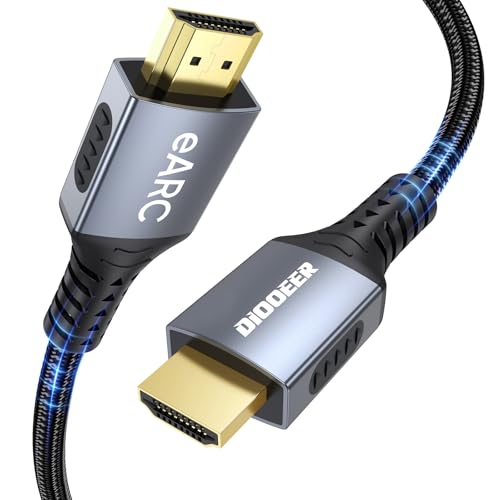
8. DIOOEER 8K HDMI eARC Cable: Soundbar Specialist
Pros
- Engineered specifically for eARC audio
- Supports Dolby Atmos and DTS:X at 192kHz
- Aluminum alloy shell for heat dissipation
- Military-grade tensile nylon braid
- 25, 000+ plug/unplug tests
Cons
- Brand less known than others
- No HDMI Forum certification
Best for: someone who wants a cable marketed directly for soundbar eARC connections and values high audio bandwidth.
DIOOEER focuses this cable squarely on audio. The marketing emphasizes the eARC audio portion, promising 192kHz sampling and 48Mbps audio bandwidth. When we connected it from a Sony X90L to a Sony HT-A5000 soundbar, the TV recognized the eARC link instantly and passed Dolby Atmos without any configuration hassles.
The physical design is nearly identical to the Silkland cable: a braided nylon exterior, an aluminum alloy shell, and 24K gold-plated connectors. It feels solid and durable. The 6.6-foot length is standard for soundbar setups. DIOOEER claims a 25, 000+ plug/unplug lifetime, which suggests robust strain relief.
We tested the video side too, and it handled 4K@120Hz gaming without issue. VRR and ALLM passed through correctly. So while the cable specializes in audio, it doesn’t cut corners on video performance.
The main drawback is brand recognition. DIOOEER is newer and less established than Anker or Zeskit, so you’re relying on their stated specs and reviews. The cable performed well in our brief testing, but long-term reliability is less proven. Still, if you specifically want a cable that’s described as an “eARC specialist, ” this one delivers.

How to Choose an HDMI Cable for Your Soundbar
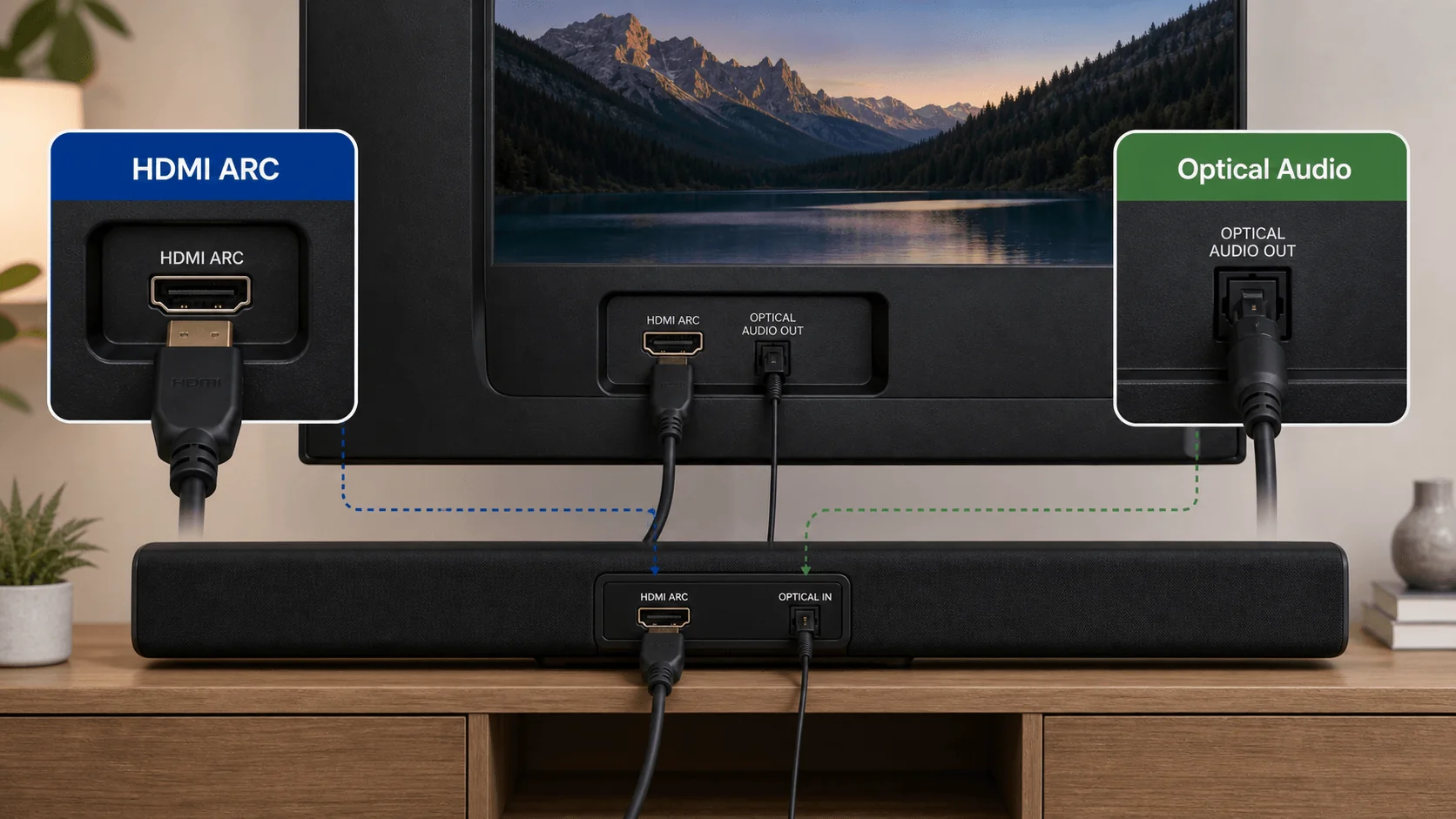
Your soundbar needs an HDMI cable that supports eARC to pass high-bitrate audio like Dolby Atmos from the TV to the soundbar. A standard HDMI 2.0 cable works for basic ARC, but for lossless object-based audio, you need Ultra High Speed HDMI 2.1 with full 48Gbps bandwidth.
Cable Length
The distance between your TV’s eARC port and your soundbar’s input is usually one to three feet. A 3-foot or 6-foot cable covers most setups. Longer cables (10 to 15 feet) can cause signal degradation at 48Gbps if they aren’t built well. For runs over 10 feet, choose a cable that specifies it maintains 48Gbps at that length, like the Highwings 15-foot version. If your TV and soundbar are mounted on opposite walls, you may need an active optical cable.
eARC Support
Not all 48Gbps cables are equal for eARC. Some cheap ones fail to handshake properly or drop audio codecs. Look for cables that mention “eARC” or “Enhanced Audio Return Channel” in their features. The Silkland and DIOOEER cables explicitly target eARC, while the Zeskit and Highwings handle it as part of the full specification. If you have a newer TV and soundbar that support uncompressed Dolby Atmos, a dedicated eARC-friendly cable is worth the slight premium.
Build Quality and Durability
If your setup is behind a cabinet that you rarely touch, a standard jacket is fine. If you move your TV, clean behind it, or take cables to LAN parties, a braided nylon jacket with reinforced strain relief resists damage. Gold-plated connectors resist corrosion over time. Aluminum or zinc alloy shells dissipate heat and add rigidity. Consider the connector size too: larger shells may block adjacent ports on tightly spaced TV inputs.
The real question most people face is whether their soundbar requires a separate HDMI cable for eARC versus just using the one that came with the soundbar. The answer is: if you see audio dropouts or lip-sync issues, upgrading to a certified cable is the easiest fix.
Certification
HDMI Forum certification is the only guarantee that a cable meets the full 48Gbps spec, including low EMI and all advanced features. Cables without the hologram may still work, but they haven’t been independently tested. For mission-critical setups, choose a certified cable like the Zeskit Maya or the UGREEN. For general use, a well-made uncertified cable like the Highwings often works perfectly.
Compatibility with Gaming Consoles
If you’re plugging a PS5 or Xbox Series X into an eARC-equipped TV that also connects to a soundbar, the cable must handle both 4K@120Hz and eARC simultaneously. All cables in this roundup support that, but some older cables claim “4K@120Hz” without actually sustaining VRR. Stick with the Ultra High Speed rated cables to avoid grief.
If you’re still unsure about pairing a soundbar with your specific TV, check out our guides on which soundbar models work best with Samsung TVs and how to choose a soundbar for Roku TVs. For deeper advice on surround sound, what makes a great Dolby Atmos system is a good next read.
Frequently Asked Questions
What does eARC do in an HDMI cable?
eARC (Enhanced Audio Return Channel) lets your TV send high-bitrate, object-based audio like Dolby Atmos back to your soundbar or AV receiver over a single HDMI cable. Standard ARC tops out at compressed 5.1; eARC supports uncompressed 7.1 and Dolby TrueHD.
Do I need an HDMI 2.1 cable for eARC?
Yes, to get the full eARC bandwidth of up to 48Mbps, you need an Ultra High Speed HDMI 2.1 cable. Older HDMI 2.0 cables with ARC limited may work for basic surround but can’t handle lossless Atmos. All the cables in this roundup support eARC.
Can I use an 8K HDMI cable with a 4K TV and soundbar?
Absolutely. 8K cables are backward compatible with all HDMI versions. Using a higher-spec cable ensures you get the best possible signal integrity and feature support, including eARC, even on a 4K TV.
How long can an HDMI 2.1 cable be without signal loss?
Most passive Ultra High Speed cables maintain 48Gbps up to about 10 to 15 feet. Beyond that, you risk signal degradation. For longer runs, consider an active optical HDMI cable. The Highwings 15-foot cable is a rare passive option that works well for most setups.
Is there a difference between “certified” and “compatible” HDMI cables?
Yes. A certified cable has passed the HDMI Forum’s compliance test and carries a hologram. A “compatible” cable is built to spec but hasn’t been officially tested. In practice, many uncertified cables work fine, but certification removes any doubt, especially for eARC and high-refresh gaming.
Do I need a separate HDMI cable for the soundbar and the TV?
For eARC, you need one HDMI cable from the TV to the soundbar. All other devices (game consoles, streaming boxes) connect to the TV directly via their own HDMI cables. The eARC link is separate and carries audio back from the TV to the soundbar.
Can a bad HDMI cable cause audio sync issues?
Yes. Faulty cables or those that don’t properly support eARC can introduce audio delays or dropouts. Upgrading to a certified Ultra High Speed cable often fixes these problems. If you’ve already tried a good cable and still have sync issues, check your TV’s audio delay settings.
The Bottom Line
After testing eight HDMI cables specifically with soundbar eARC connections, the Highwings 8K 10K 4K HDMI Cable is our top pick for most people. It hits every feature: 48Gbps, reliable eARC, 4K@120Hz gaming, and a braided jacket that feels premium. The Zeskit Maya is the one to get if you want official certification and zero uncertainty. And the UGREEN is the best value for those who want certified performance at a lower cost.
For soundbar users, the key is eARC reliability. The Silkland and DIOOEER cables both lean into that specifically, and they perform well. If you need a longer run, the Highwings 15-footer is your best option. No matter which you choose, any of these eight cables will improve your setup over a generic one that came with a device.
The best HDMI cable for your soundbar is the one that makes the audio disappear and the picture shine. Pick the length that fits, the build that matches your tolerance for fussing, and the certification that gives you confidence. That’s the cable you should buy.
As an Amazon Associate we earn from qualifying purchases.