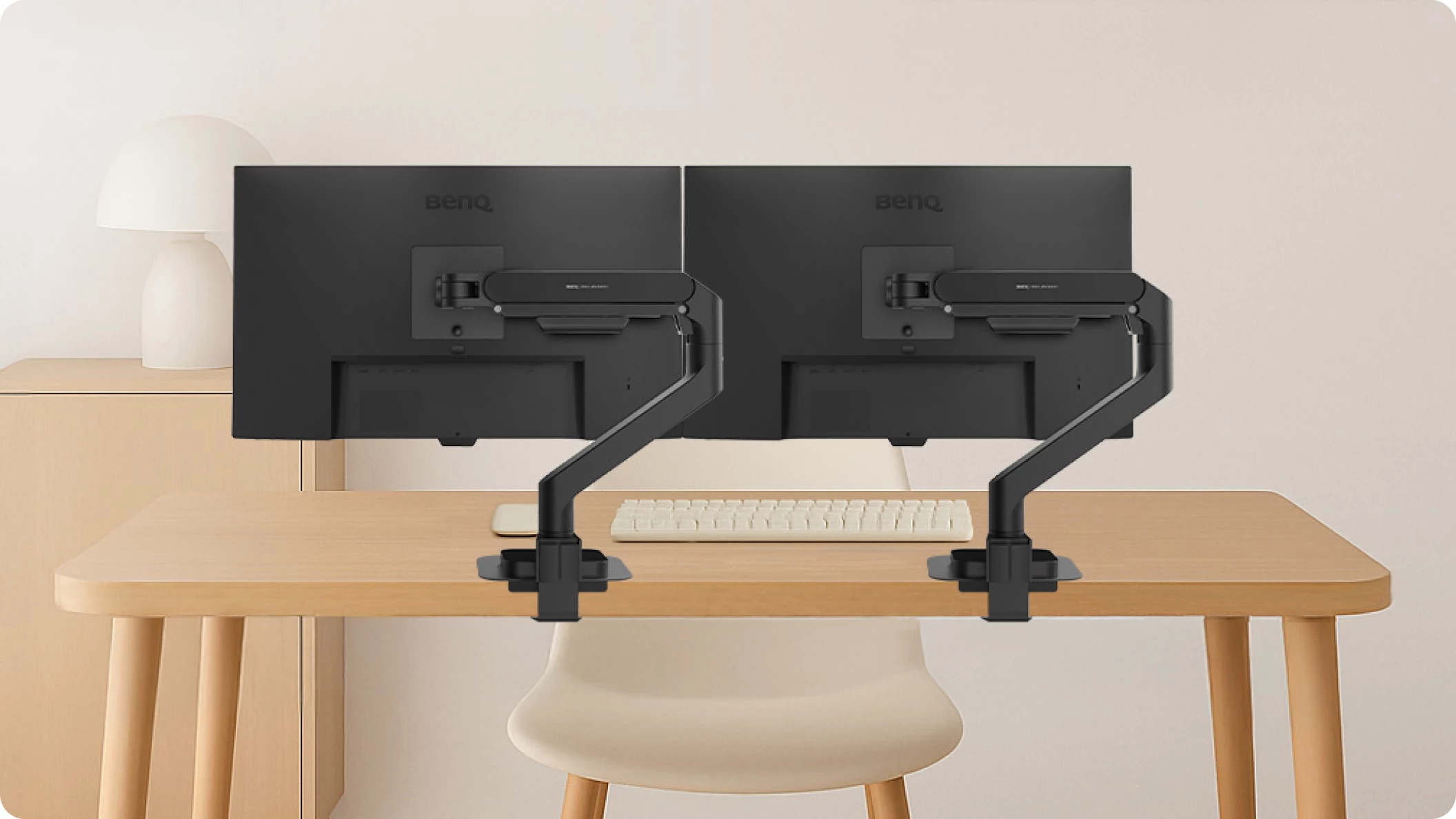

A dual monitor arm should clear the stands from your desk without replacing them with a shaky tower of metal. The real challenge is matching each arm's load range, reach, mounting method, and movement to the monitors you already own. The wrong fit can leave screens sagging, cramped together, or impossible to position comfortably.
Our Best dual monitor arms picks cover everything from compact 27-inch screens to heavy 49-inch ultrawides. HUANUO HNDS7 is the strongest all-around choice, while the other nine make more sense for vertical layouts, smaller monitors, tool-free installation, or unusually heavy displays.
Comparison table
| # | Product | Award | Screen range | Capacity per arm | Best for |
|---|---|---|---|---|---|
| 1 | HUANUO HNDS7 | Best overall | 13 to 40 inches | 26.4 lbs | Large and heavy monitors |
| 2 | HUANUO HNDS6 | Best for smooth adjustment | 13 to 32 inches | 4.4 to 19.8 lbs | Everyday office setups |
| 3 | VIVO STAND-V002O | Best mechanical arm | 17 to 32 inches | 4.4 to 19.8 lbs | Work and gaming desks |
| 4 | ErGear Dual Arm | Best for easy installation | 13 to 32 inches | 19.8 lbs | Fast monitor mounting |
| 5 | HUANUO Vertical Mount | Best vertical layout | 17 to 32 inches | 4.4 to 19.8 lbs | Stacked screens |
| 6 | WALI GSMP002N | Best for long reach | 13 to 32 inches | 22 lbs | Deep desks |
| 7 | ARES WING 49-inch Arm | Best for ultrawides | 17 to 49 inches | 44 lbs | Large curved monitors |
| 8 | Acer Dual Monitor Arm | Best layout flexibility | 17 to 32 inches | 4.4 to 19.8 lbs | Mixed screen orientations |
| 9 | HUANUO 22lb Dual Arm | Best for stable 32-inch screens | 17 to 32 inches | 22 lbs | Heavy standard monitors |
| 10 | HUANUO FlowLift Pro | Best for compact displays | 13 to 27 inches | 4.4 to 15.4 lbs | Small monitors and frequent adjustment |
1. HUANUO HNDS7: Best Overall

Pros
- Supports screens from 13 to 40 inches
- 26.4-pound capacity per arm
- Long 25.59-inch extension
- Clamp and grommet mounting
- Built-in USB ports
Cons
- Larger base needs desk space
- Heavy-duty design is more than small screens need
- The included USB connection is for charging, not display output
Best for: anyone mounting large or heavy monitors on a deep desk.
The HUANUO HNDS7 is the arm we'd choose when monitor size and weight make ordinary dual mounts questionable. Its 26.4-pound capacity per arm gives it the most breathing room among the conventional horizontal mounts here, and the 13 to 40-inch range covers everything from a modest office display to a broad ultrawide. The larger base and dual C-clamp design are purposeful rather than decorative. They give the mount a more planted feel on a solid desk.
Reach is another reason this model takes the top spot. Each arm can rise as high as 21.1 inches and extend to 25.59 inches, which matters on a deep desk or when two large screens need to sit farther apart. The screens swivel from -90 to +90 degrees, tilt from -30 to +85 degrees, and rotate 360 degrees. That is enough movement for side-by-side work, portrait mode, or pulling one display forward for a meeting.
The clamp supports desks up to 3.54 inches thick, while the grommet option works with surfaces in the same thickness range and a hole from 0.39 to 1.97 inches in diameter. Two built-in USB ports and a 5.25-foot cable add convenient charging at the edge of the desk. Cable management keeps the monitor leads routed along the arms, though the extra hardware makes this a more involved installation than the ErGear Dual Arm.
The weakness is scale. For two light 24-inch monitors, the HNDS7's larger footprint and heavy-duty structure may feel unnecessary. It also cannot solve a desk that flexes under load, so a sturdy wooden surface remains important. Choose it over the HUANUO 22lb Dual Arm when your displays are larger, heavier, or farther back. Pick the latter when you want a less imposing setup for standard 32-inch screens.
2. HUANUO HNDS6: Best for Smooth Adjustment

Pros
- Fits 13 to 32-inch screens
- Pneumatic spring arms
- Clamp and grommet mounting
- Full swivel, tilt, and rotation
- Integrated cable management
Cons
- 19.8-pound limit per arm
- Minimum supported weight is 4.4 pounds
- Not designed for large ultrawides
Best for: office users who regularly reposition two standard monitors.
The HUANUO HNDS6 has the broadest everyday compatibility of the conventional office picks. It accepts 13 to 32-inch screens, but each monitor must weigh between 4.4 and 19.8 pounds and use a 75 by 75 or 100 by 100mm VESA pattern. That lower weight threshold is important because spring arms need enough load to stay balanced.
Its pneumatic spring mechanism is the main appeal. Instead of treating screen positioning as a one-time setup task, this arm is built for regular adjustments. You can swivel, tilt, and rotate each screen independently, making it easy to face one display toward a colleague or move one into portrait orientation. The clamp and grommet mounting options also give it a sensible range of desk compatibility.
The design is more restrained than the HNDS7. It is aimed at standard office monitors rather than unusually large panels, and its listed dimensions are 10 inches long by 12 inches wide by 6.85 inches high. Cable routing helps keep the result tidy after installation. A careful check of monitor weight and VESA spacing is still essential before ordering.
The VIVO STAND-V002O offers similar screen support but has a mechanical spring design and a narrower 17 to 32-inch screen range. The HNDS6 is the more flexible choice for mixed-size office displays, while the VIVO is appealing when its open-top VESA plates and more explicit desk clamp limits fit your setup. Skip the HNDS6 if either monitor exceeds 19.8 pounds.
3. VIVO STAND-V002O: Best Mechanical Arm

Pros
- Mechanical spring adjustment
- Supports flat and curved screens
- Open-top VESA plates
- 180-degree swivel
- Optional grommet mounting
Cons
- Screen range starts at 17 inches
- Arms extend beyond the desk edge
- 19.8-pound capacity per arm
Best for: users who want a proven mechanical design for two medium-size screens.
The VIVO STAND-V002O is a straightforward dual arm that prioritizes usable movement over elaborate extras. It supports 17 to 32-inch flat or curved screens weighing 4.4 to 19.8 pounds each. The 75 by 75 and 100 by 100mm VESA patterns cover the common mounting standards, but smaller 13-inch displays fall outside its stated range.
The mechanical spring adjustment gives both arms independent positioning in every direction. The brackets tilt from +90 to -90 degrees, swivel 180 degrees, and rotate 360 degrees. That makes portrait mode practical and gives enough angle control to reduce reflections or turn a display toward another seat. The open-top VESA plates are particularly useful during installation because the monitor can slide onto the attached plate rather than being held in place while every screw is started.
The heavy-duty C-clamp fits desks up to 3.1 inches thick, and the optional bolt-through grommet mount fits tops up to 1.9 inches. VIVO warns that the rear of the arms extends beyond the desk edge, so desk depth and wall clearance deserve attention. This is not a tiny mount that disappears behind the screens.
Compared with the HUANUO HNDS6, the VIVO has a slightly more limited screen range but a useful open-top mounting detail. The ErGear Dual Arm is easier to recommend for someone who wants a quick installation, while the VIVO makes more sense for a stable, conventional workstation that will not be rearranged often.
4. ErGear Dual Arm: Best for Easy Installation

Pros
- Tool-free VESA mounting
- Quick-release style installation approach
- Supports 13 to 32-inch screens
- 20, 000-cycle testing claim
- Cable clips open without tools
Cons
- Recommended for wooden desks
- Arms extend only 18.1 inches
- Monitor capacity is 19.8 pounds per arm
Best for: buyers who want to mount two ordinary monitors with minimal fuss.
The ErGear Dual Arm stands out because installation is part of its design rather than an afterthought. Its tool-free VESA mounting system is intended to simplify attaching the screens, and the one-piece C-clamp fits desks from 0.39 to 2.56 inches thick. The optional grommet mount accepts desks from 0.39 to 2.95 inches thick.
Compatibility is broad enough for most home offices. It supports 13 to 32-inch flat or curved monitors up to 19.8 pounds, with 75 by 75 or 100 by 100mm VESA mounting. Each arm can raise a screen up to 17.5 inches and extend it up to 18.1 inches. Tilt ranges from +80 to -50 degrees, swivel is plus or minus 90 degrees, and rotation is 360 degrees.
The practical touches are good. Cable clips open without tools, and the VESA head uses a tighter-fitting panel with a smaller gap. The arm is claimed to have been tested for more than 20, 000 cycles, which speaks to repeated adjustment rather than a mount that only needs to hold a screen in one position.
The HNDS6 gives you a wider stated range of adjustment and a pneumatic spring design, while the ErGear answers a different problem: getting two compatible displays attached quickly. Its recommendation for wooden desks is a real limitation, and desks with an underside crossbeam may complicate the clamp. If your desk is suitable and installation is your priority, this is the easier pick.
5. HUANUO Vertical Mount: Best Vertical Layout

Pros
- Designed for stacked monitors
- Extra 17-inch extension
- Raises screens up to 25.19 inches
- 360-degree rotation
- Clamp and grommet options
Cons
- Each screen must be between 4.4 and 19.8 pounds
- Limited to screens up to 32 inches
- Vertical arrangement needs adequate desk height
Best for: coding, documents, and compact desks that suit a stacked display arrangement.
The HUANUO Vertical Mount is the clear specialist in this group. Its second arm adds a 17-inch extension and can raise the monitors as high as 25.19 inches, creating the vertical separation needed for a stacked setup. That layout saves horizontal space, but it only works well when the desk and chair leave enough vertical room for both screens.
Each monitor must be no larger than 32 inches, weigh from 4.4 to 19.8 pounds, and use a 75 by 75 or 100 by 100mm VESA pattern. The mount tilts 90 degrees, swivels 180 degrees, and rotates 360 degrees. Those movements help angle the upper display downward and let either screen switch between landscape and portrait orientation.
Both C-clamp and grommet mounting are supported on desks from 0.39 to 3.54 inches thick. The product is recommended for solid wood or metal desks, not glass. Its integrated cable management is useful in a stacked arrangement because cables otherwise hang visibly between the two displays.
The Acer Dual Monitor Arm can also handle dual vertical and mixed orientations, but it is more of a general-purpose layout mount. This HUANUO model is better if stacked screens are the reason you are shopping. Skip it if you want two side-by-side ultrawides or lack enough vertical clearance above the desktop.
6. WALI GSMP002N: Best for Long Reach

Pros
- 19.3-inch screen extension
- Raises arms 17.3 inches
- Supports up to 22 pounds per arm
- 20, 000-cycle testing claim
- Clamp and grommet mounting
Cons
- Limited to 32-inch screens
- Recommended for wooden desks
- No stated USB charging ports
Best for: deep desks where the monitors need to sit well away from the mounting point.
The WALI GSMP002N earns its place with useful reach and a capacity above the common 19.8-pound limit. It supports flat or curved screens up to 32 inches and up to 22 pounds per arm, provided they use 75 by 75 or 100 by 100mm VESA mounting holes. The difference is modest on paper, but it gives heavier standard monitors a little more headroom.
The arms extend the screens 19.3 inches and raise them 17.3 inches above the desk. That combination suits a deep desktop or a setup where the screens must move forward for comfortable viewing. Swivel runs from +90 to -90 degrees, tilt from +70 to -45 degrees, and rotation is 360 degrees.
WALI uses a wider VESA head and tighter-fitting panel to improve stability, and the durable core is claimed to have passed more than 20, 000 cycles. Cable guides run along the arms, while the C-clamp and grommet mounts both accommodate desks from 0.39 to 2.76 inches thick. The product recommends a wooden desk without an obstructing underside crossbeam.
The HUANUO 22lb Dual Arm matches the capacity but has a shorter 17.5-inch extension. The WALI is the better fit when screen distance matters more than compactness. It is less suitable for a very shallow desk, where the long arms may consume space rather than improve it.
7. ARES WING 49-inch Arm: Best for Ultrawides

Pros
- Supports screens up to 49 inches
- 44-pound capacity per arm
- 27.9-inch maximum height
- 22.4-inch extension
- Quick-release VESA panels
Cons
- Needs VESA holes or an adapter
- Mounting range is narrower than some options
- Very large design is excessive for small displays
Best for: two unusually large or heavy monitors, including compatible curved ultrawides.
The ARES WING 49-inch Arm is in a different class from most of the list. It supports 17 to 49-inch monitors and carries up to 44 pounds on each arm. That makes it the specialist to consider for large curved screens, including 1000R models, rather than a sensible default for two small office monitors.
The arm can rise as high as 27.9 inches and extend 22.4 inches. It tilts from +50 to -20 degrees, swivels plus or minus 90 degrees, and rotates 360 degrees. Those figures allow side-by-side or stacked arrangements, though two very large screens will still need considerable desk width and depth.
Construction combines steel and aluminum, with a gas spring tested through more than 20, 000 fatigue cycles. Quick-release VESA panels reduce the awkwardness of mounting heavy displays. The C-clamp accepts desks from 0.5 to 1.8 inches thick, while the grommet option supports tops from 0.5 to 2 inches. Both mounting choices use 75 by 75 or 100 by 100mm VESA patterns.
This mount's weakness is not capability but fit. A desk that works for the HUANUO HNDS7 may not have enough room for two 49-inch panels, and a display without VESA holes needs an adapter. Choose this one only when monitor size or weight demands it. For ordinary 27-inch screens, the WALI GSMP002N is a more proportionate design.
8. Acer Dual Monitor Arm: Best Layout Flexibility

Pros
- Gas spring adjustment
- Supports several screen arrangements
- 18.1-inch height adjustment
- 21.25-inch extension
- Clamp and grommet mounting
Cons
- Not suitable for glass or plastic desks
- Requires attention to desk depth
- 19.8-pound capacity per monitor
Best for: users who may switch between horizontal, vertical, and mixed layouts.
The Acer Dual Monitor Arm is the most adaptable choice for people who have not settled on one screen arrangement. It supports dual horizontal, horizontal and vertical, dual vertical, and cross-horizontal layouts. That is more useful than it sounds: a portrait display for documents can sit beside a landscape display for general work without requiring a second mount.
It accepts 17 to 32-inch screens weighing from 4.4 to 19.8 pounds each, with 75 by 75 or 100 by 100mm VESA patterns. The gas spring arms adjust up to 18.1 inches in height and extend 21.25 inches. Tilt ranges from +90 to -60 degrees, swivel is plus or minus 90 degrees, and rotation is 360 degrees.
Mounting is flexible, with a C-clamp and grommet option for desktops from 0.59 to 3.15 inches thick. A grommet hole must be larger than 10mm. Acer specifically warns against glass and plastic surfaces, and the reminder to check desk depth matters because the arms need room behind the screens.
The HUANUO Vertical Mount is more focused if stacked monitors are your fixed plan, while the Acer is better for experimentation. Its lower 4.4-pound limit also rules out unusually light displays. For someone building around a small desk, the screen arrangements that still work in tight spaces can be more important than maximum arm reach.
9. HUANUO 22lb Dual Arm: Best for Stable 32-inch Screens

Pros
- 22-pound capacity per arm
- Fits screens up to 32 inches
- 17.5-inch height and extension range
- Full rotation and tilt adjustment
- Ten-minute setup claim
Cons
- Smaller screen limit than the HNDS7
- Less reach than the WALI GSMP002N
- Desk must fit the mounting limits
Best for: two heavier 17 to 32-inch monitors in a conventional side-by-side setup.
The HUANUO 22lb Dual Arm is a sensible middle ground for monitors that are too heavy for a basic dual mount but do not need the HNDS7's 40-inch reach. It supports most 17 to 32-inch flat or curved screens, with up to 22 pounds per arm and standard 75 by 75 or 100 by 100mm VESA patterns.
The arms extend 17.5 inches and rise 17.5 inches above the desk. Each screen swivels plus or minus 90 degrees, tilts from +90 to -35 degrees, and rotates 360 degrees. That covers landscape and portrait use while giving you enough tilt control to deal with glare.
Installation uses a C-clamp for desks from 0.39 to 2.56 inches thick or a grommet mount for tops from 0.39 to 2.17 inches. The product describes a roughly ten-minute setup with included tools and instructions. Screens attach by fitting the VESA plates to the monitors, hanging them on the arms, and securing the tightening knobs.
The WALI GSMP002N offers the same 22-pound capacity with a longer 19.3-inch extension, so it is the better choice for a deep desk. The HUANUO 22lb Dual Arm is more comfortable when the monitors should stay closer to the mounting point. It is not the right option for a 40-inch ultrawide or a desk outside its clamp range.
10. HUANUO FlowLift Pro: Best for Compact Displays

Pros
- Fits 13 to 27-inch screens
- Tool-free InstaMount VESA plates
- Visible tension indicator
- MechaSpring arm design
- 360-degree rotation
Cons
- Lower 15.4-pound capacity per arm
- Recommended for wooden desks
- Not suitable for monitors over 27 inches
Best for: compact monitors and users who adjust their screens often.
The HUANUO FlowLift Pro is the compact specialist here. It supports 13 to 27-inch displays weighing between 4.4 and 15.4 pounds, so it is aimed at lighter screens rather than 32-inch panels. The lower capacity is a constraint, but it also makes the intended use clear: a tidy desk with smaller monitors that may be repositioned regularly.
Its MechaSpring design and LockSteady system are built around movement without screen sag. A PrecisionView window shows the tension adjustment through a yellow indicator, which is more informative than turning a screw and guessing whether the setting is correct. The tool-free InstaMount VESA plate is designed to let a monitor snap into place after the plate is attached.
The mount uses a dual C-clamp and is recommended for wood desks from 0.59 to 3.54 inches thick. It supports 75 by 75 and 100 by 100mm VESA patterns. The product also claims 90 percent professional-grade metal construction, TÜV Rheinland certification, and testing at three times its load. Those claims describe its intended durability, but they do not change the need to check the actual weight of each monitor.
The ErGear Dual Arm is a better fit for larger screens or a broader desk range, while the FlowLift Pro is more appealing when frequent adjustment and a compact footprint matter. If you are comparing mounting hardware with the monitors themselves, the VESA details that determine whether a screen can be mounted should be checked before anything else.
How to choose best dual monitor arms
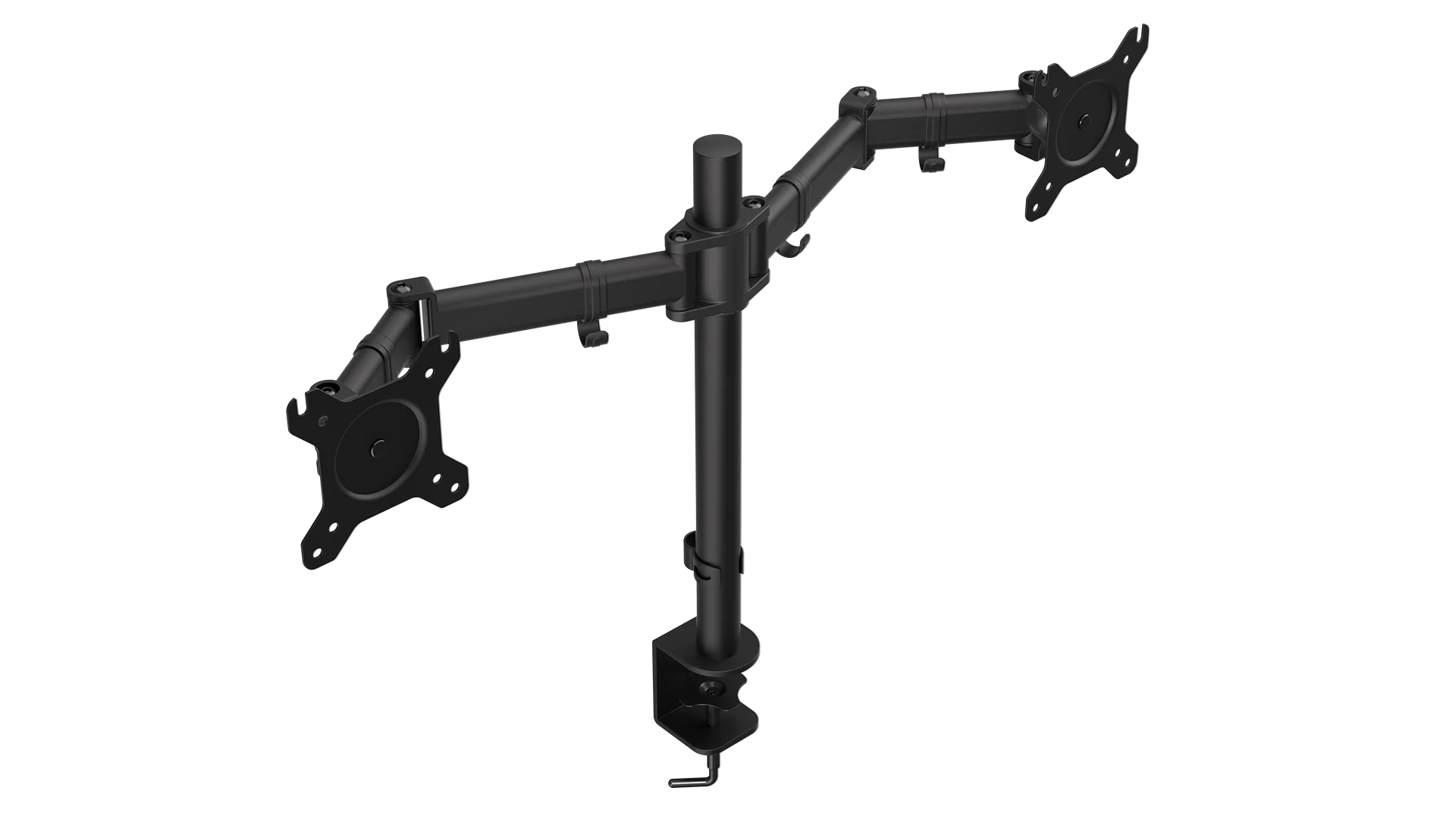
The best dual monitor arms are the ones that match the screens, desk, and layout before installation begins. These are the factors that matter most.
Monitor size and weight
Check both the screen diagonal and the actual monitor weight without its original stand. A mount rated for 32-inch screens may still fail if one display is too heavy, while a light 13-inch screen can fall below a spring arm's minimum load. The ARES WING 49-inch Arm is the clear choice for unusually large displays, while the FlowLift Pro is restricted to lighter screens up to 27 inches.
VESA pattern
Most products here accept 75 by 75mm or 100 by 100mm mounting patterns. These are the hole spacings on the back of the monitor, measured horizontally and vertically. If the screen has no VESA holes, an adapter may be needed, as the ARES WING listing specifically states.
Match the arm to the monitor's weight and VESA pattern first, then worry about reach and appearance.
Desk mounting
C-clamps are convenient when you do not want to drill, but the desk must fall within the stated thickness range and have enough clear space below. Grommet mounts can feel more secure when the desk has a suitable hole, though their thickness and hole-size limits differ. Glass and plastic desks are ruled out by several products, so never assume a clamp is safe on every surface.
Reach and height
Longer arms help on deep desks and make it easier to pull screens closer, but they also need more room behind or beside the mounting point. The HNDS7 reaches 25.59 inches, the ARES WING model reaches 22.4 inches, and the WALI reaches 19.3 inches. A shallow desk may be better served by a shorter arm that keeps the screens from projecting too far forward.
Movement and layout
Look for independent swivel, tilt, and rotation when one screen will be portrait, stacked, or angled toward another person. A 360-degree rotation range supports portrait mode, while tilt matters when the upper screen in a vertical arrangement needs to face downward. The Acer is the most flexible for changing layouts, while the vertical HUANUO mount is the more focused choice for stacked screens.
For a broader look at arm construction and mounting choices, the differences between fixed and moving monitor mounts can help clarify which style fits your workspace.
Frequently asked questions
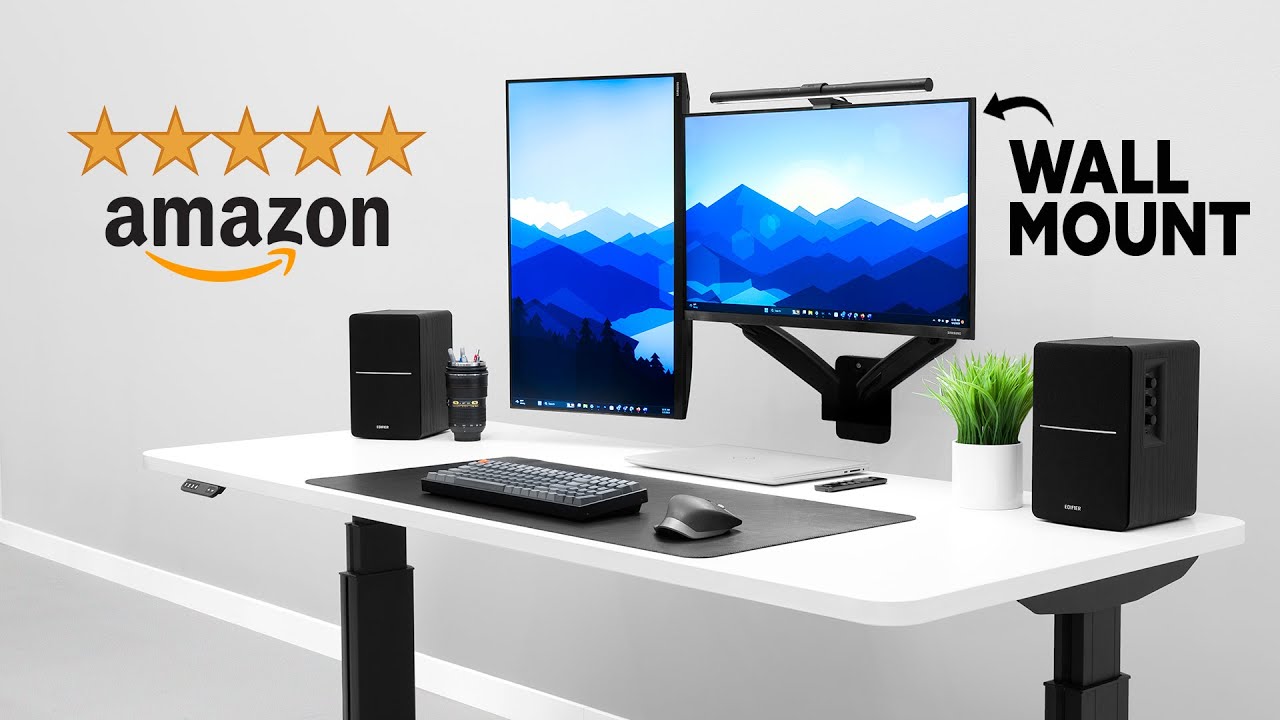
Do dual monitor arms fit every monitor?
No. Each monitor needs a compatible VESA pattern, suitable screen size, and a weight within the arm's stated range. Check those three details before choosing a mount.
Can these arms hold two curved monitors?
Several can support curved screens, including the HUANUO 22lb Dual Arm, WALI GSMP002N, ErGear Dual Arm, and ARES WING model. Curvature alone is not enough to confirm compatibility, so the monitor's weight and VESA mounting holes still need to match.
Is a C-clamp or grommet mount better?
A C-clamp is convenient when the desk edge is accessible and drilling is not an option. A grommet mount can provide a more direct attachment through the desktop, but it requires a suitable hole and may support a different desk thickness range.
Can a dual monitor arm hold screens vertically?
Yes, if the arm allows 360-degree rotation and has enough height. The HUANUO Vertical Mount is designed specifically for stacked screens, while the Acer Dual Monitor Arm supports dual vertical and mixed horizontal and vertical arrangements.
Are dual monitor arms safe on glass desks?
The products in this roundup should not be treated as suitable for glass by default. Acer and several HUANUO listings specify solid wood or metal desks, so follow the individual mounting guidance rather than relying on the clamp alone.
How much desk depth does a dual monitor arm need?
That depends on the arm's extension and the position of the clamp or grommet. Models such as the HNDS7 and WALI can extend more than 19 inches, which is useful on deep desks but may be awkward in a shallow setup.
The bottom line
The HUANUO HNDS7 is our top pick among the Best dual monitor arms because it supports the widest range of conventional screen sizes, carries 26.4 pounds per arm, and offers unusually generous height and extension. Its USB ports, clamp and grommet options, and broad movement range make it the most adaptable choice for large workstations.
For standard screens, the HUANUO HNDS6 is the better everyday alternative, while the ARES WING 49-inch Arm is the specialist to choose for very large or heavy monitors. The HUANUO Vertical Mount and Acer Dual Monitor Arm make more sense when layout flexibility matters more than raw capacity.
If you are undecided, measure the monitor weight, VESA holes, and desk thickness before choosing a mount.
As an Amazon Associate we earn from qualifying purchases.