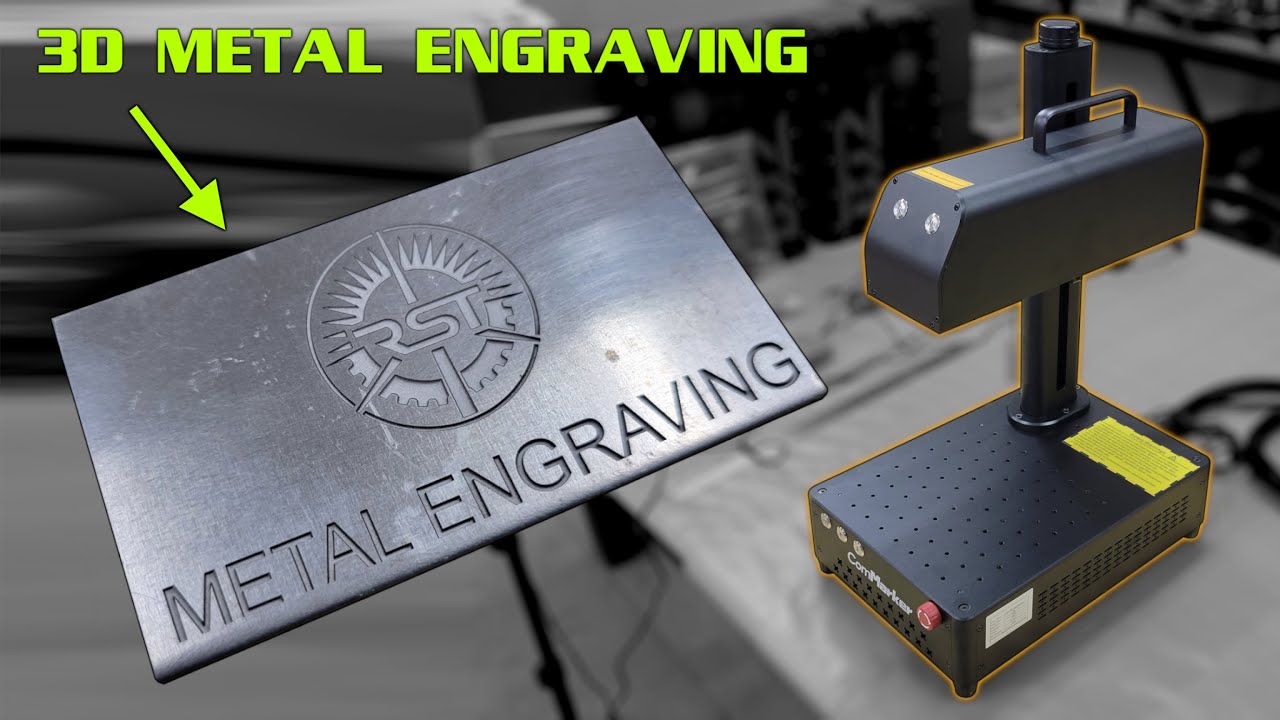

A small logo on stainless steel is easy. A clean deep mark on a curved dog tag, a repeatable color finish on titanium, or a batch of jewelry pieces is where the machine matters. The wrong fiber laser can leave you fighting a cramped work area, awkward focusing, or software limitations.
Our Best fiber laser engraving machines picks range from compact 20W desktop systems to powerful 60W MOPA machines, plus a handheld marker and two workshop safety accessories. The xTool F2 Ultra Dual is the single most capable option here, while the GWEIKE G2 Pro 30W 150x150mm is the more focused choice for metal marking without the extra diode-laser hardware.
Comparison table
| # | Product | Award | Laser or protection | Work area or coverage | Best for |
|---|---|---|---|---|---|
| 1 | xTool F2 Ultra Dual | Best overall | 60W MOPA plus 40W diode | 8.7 x 8.7 inches, expandable to 8.7 x 19.7 inches | Mixed-material production |
| 2 | GWEIKE G2 Pro 30W 150x150 | Best for metal versatility | 30W, 1064nm fiber | 150 x 150mm | Jewelry and general metal work |
| 3 | GWEIKE G2 Max 50W | Best for deeper engraving | 50W, 1064nm fiber | 150 x 150mm | Deep marks and 3D carving |
| 4 | xTool F2 Ultra Single | Best single-laser workstation | 60W MOPA fiber | 8.7 x 8.7 inches, expandable to 8.7 x 19.7 inches | High-volume metal production |
| 5 | GWEIKE G2 Pro 30W 110x110 | Best compact GWEIKE | 30W, 1064nm fiber | 110 x 110mm | Small detailed work |
| 6 | ComMarker B4 20W | Best flexible desktop design | 20W fiber | 110 x 110mm and 200 x 200mm lenses | Desktop or handheld use |
| 7 | VEVOR 30W Fiber Marker | Best straightforward marker | 30W fiber | 5.9 x 5.9 inches | Basic metal marking |
| 8 | XINCHENG 30W Handheld Marker | Best for large workpieces | 30W fiber | 100 x 100mm | Tires, plates, and awkward objects |
| 9 | xTool SafetyPro AP2 | Best smoke purifier | Six-layer filtration | Up to 150 m³/h extraction | Odor and dust control |
| 10 | BLUETIMES Laser Safety Glasses | Best supplemental eye protection | OD6+ across listed bands | 200 to 450nm and 800 to 2000nm | Extra workshop eye protection |
1. xTool F2 Ultra Dual: Best Overall

Pros
- Combines a 60W MOPA fiber laser with a 40W diode laser
- Handles metals, wood, acrylic, leather, glass, rubber, and fabric
- Dual 48MP AI cameras support 0.2mm positioning accuracy
- Supports color engraving, deep engraving, and cutting
Cons
- Class 4 equipment demands disciplined safety practices
- More machine than a metal-only workspace needs
- Conveyor expansion is separate
Best for: a workshop that needs one system for metal marking and broader material work.
The F2 Ultra Dual is the easiest recommendation when the job list keeps changing. Its 60W MOPA fiber laser is built for metal work, while the 40W diode laser opens the door to wood, acrylic, leather, glass, rubber, and fabric. That split matters more than raw laser power for a mixed workshop. You can mark a stainless-steel plate and then move to a wood sign without keeping separate machines on the bench.
The metal side is unusually ambitious. xTool says the MOPA laser can handle 3D embossing, deep engraving, color engraving, black marking on aluminum, laser cleaning, thin metal welding, and cutting up to 2mm metal. It also claims more than 100 consistent colors on metal. Those capabilities make the F2 Ultra Dual better suited to product development and repeat work than a simple fixed-focus marker.
The 8.7 by 8.7-inch work area is generous for a desktop fiber machine, and the optional conveyor can extend it to 8.7 by 19.7 inches for batch processing. Its dual 48MP AI cameras are designed to improve positioning accuracy to 0.2mm, detect materials, suggest settings, and assist with one-click focus and preview. In practice, those features target the tedious setup work that tends to slow a production queue.
The weakness is scope. If every job is a small metal tag, the diode laser adds hardware without improving the core fiber task, and the Class 4 rating means safety cannot be treated as an afterthought. The right enclosure and ventilation approach for a laser workshop deserves attention before installation, especially when the machine will process more than bare metal.
Choose the F2 Ultra Dual when mixed materials, camera-assisted positioning, and batch work are central. For metal-only production, the xTool F2 Ultra Single is a cleaner fit, while the GWEIKE G2 Pro 30W 150x150 is easier to justify for smaller metal-focused work.
2. GWEIKE G2 Pro 30W 150x150: Best for Metal Versatility

Pros
- 150 x 150mm work area
- 15, 000mm/s advertised engraving speed
- 3D embossing and deep engraving support
- Detachable handheld design
- Wi-Fi, USB, and LightBurn compatibility
Cons
- 30W output is less suited to the deepest cuts
- Larger footprint than the 110 x 110mm version
- Class 4 safety level requires careful setup
Best for: makers who want a broad metal-marking feature set and a useful 150 x 150mm field.
The G2 Pro 30W 150x150 gets the important balance right. It retains the compact fiber-laser format, but the 150 by 150mm field gives designs more breathing room than the smaller GWEIKE version. That difference shows up when marking plates, larger jewelry layouts, or several small pieces in one setup.
Its 30W, 1064nm fiber laser supports deep engraving and 3D embossing on metals, along with more than 90 color options on stainless steel and titanium. The advertised 15, 000mm/s speed is a strong fit for repeated marking, although the practical result will still depend on material, power, frequency, and the chosen pattern. The listed accuracy reaches 0.001mm, and dual red-light positioning helps with alignment.
An electric lift column handles focus adjustment at the push of a button. That is a more meaningful convenience than it sounds, since changing material thickness or moving between workpieces is a regular part of engraving. Wi-Fi and USB transfers add flexibility, and LightBurn support gives experienced users a familiar design and control environment. GWEIKE also lists support for plastic, leather, dark glass, colored ceramics, acrylic, and stone.
Compared with the GWEIKE G2 Pro 30W 110x110, this version wins whenever the artwork needs more room. The G2 Max 50W is the stronger option for deep engraving and metal cutting, while the ComMarker B4 20W has a more unusual desktop and handheld setup. The G2 Pro's limitation is its 30W output, so buyers focused on substantial depth should step up rather than expecting a compact machine to behave like a higher-power system.
This is the GWEIKE to choose for a jewelry bench, custom metal goods, or a small production workflow that benefits from color marking and a larger field. It is a capable middle ground, not the specialist choice for the deepest work.
3. GWEIKE G2 Max 50W: Best for Deeper Engraving

Pros
- 50W, 1064nm fiber laser
- 150 x 150mm engraving area
- Supports deep engraving, metal cutting, and 3D carving
- Electric lift column for focus adjustment
- More than 90 color engraving options
Cons
- Bigger output is unnecessary for light marking
- Class 4 safety requirements are significant
- Detachable design does not make it a pocket-size tool
Best for: metalworkers who need more depth and cutting capability than a 30W machine offers.
The G2 Max 50W is the pick for buyers who already know that shallow surface marking is not enough. Its 50W, 1064nm fiber laser is designed around deep engraving, metal cutting, and 3D carving. That makes it a more serious production tool than the G2 Pro 30W models, even though the working area remains the same 150 by 150mm size.
GWEIKE lists an engraving speed of up to 15, 000mm/s and accuracy of 0.001mm, with 8K engraving resolution. Those numbers point toward fine detail and fast movement, but the more important distinction is the extra headroom from the 50W source. It gives the machine a better case for recessed marks, relief work, and jobs where a 30W laser would need more passes.
The electric lift column makes focus changes quicker, and dual red-light positioning helps place designs on the material. The G2 Max can mark more than 90 colors on stainless steel and titanium, and it supports plastic, leather, dark glass, colored ceramics, acrylic, and stone according to the listed features. Wi-Fi and USB connections, GLaser support, and LightBurn compatibility cover both casual transfer and a more established design workflow.
The G2 Max beats the GWEIKE G2 Pro 30W 150x150 when depth is the deciding factor. It does not beat the xTool F2 Ultra Dual for material range, camera automation, or the ability to cut nonmetal materials with a second laser. It also carries the same fundamental Class 4 safety concern as the other open fiber systems. Skip it if your work consists only of names, serial numbers, and simple logos on flat metal.
For sign makers, jewelry businesses, and metal shops moving toward relief work, this is the most convincing GWEIKE in the list. Its 150 x 150mm field keeps it manageable, while the 50W source gives it room to grow into harder jobs.
4. xTool F2 Ultra Single: Best Single-Laser Workstation

Pros
- 60W MOPA fiber laser
- Up to 15, 000mm/s operating speed
- 8.7 x 8.7-inch work area
- Expandable to 8.7 x 19.7 inches with the conveyor
- AI-assisted positioning and material setup
Cons
- Fiber-only design cannot replace the Dual model for wood or acrylic
- Conveyor expansion is separate
- Class 4 laser safety is non-negotiable
Best for: high-volume metal work that does not need a diode laser.
The xTool F2 Ultra Single is the focused alternative to the Dual model. It removes the 40W diode laser and concentrates the machine around a 60W MOPA fiber laser. That makes sense for a business producing metal tags, tools, jewelry, and branded parts rather than a workshop that also cuts wood and acrylic.
Its capabilities are substantial. The listed metal tasks include 3D embossing, deep engraving, color engraving, cutting up to 2mm metal, black marking on aluminum, laser cleaning, and thin metal welding. xTool also claims more than 100 consistent metal colors, with preset color files intended to reduce repetitive material testing.
The 8.7 by 8.7-inch field is among the roomier desktop formats in this group. An auto conveyor can extend that to 8.7 by 19.7 inches for batch processing, but it is an added component rather than part of the base machine. Dual 48MP AI cameras assist with 0.2mm positioning accuracy, material detection, suggested settings, and one-click focus and preview.
The Single is more appropriate than the Dual when every job is metal, but the GWEIKE G2 Max 50W is a better fit for buyers who want a detachable design and a somewhat more compact metal-focused workflow. The Single's biggest weakness is also its definition: it has no diode laser for nonmetal work. A Class 4 system also needs serious attention to enclosure, access control, and ventilation.
Pick the F2 Ultra Single for a dedicated metal production station where speed, camera guidance, and a larger desktop field matter. If the machine needs to cover craft materials as well as metal, the Dual version earns its higher place.
5. GWEIKE G2 Pro 30W 110x110: Best Compact GWEIKE

Pros
- Compact 110 x 110mm work area
- 30W, 1064nm fiber laser
- 15, 000mm/s advertised speed
- Supports more than 90 metal colors
- Detachable handheld design
Cons
- Smaller field limits larger layouts
- Less power than the G2 Max 50W
- Class 4 operation requires robust safety habits
Best for: small-format jewelry, dog tags, and detailed metal personalization.
The compact G2 Pro is the sensible version for a bench where space matters more than maximum coverage. Its 110 by 110mm field is well suited to jewelry, dog tags, small plates, and logos. It is the same basic 30W G2 Pro concept as the 150x150 model, but the tighter work area makes positioning the machine in a crowded workspace easier.
The 1064nm fiber laser supports 3D embossing and deep engraving on metals, with more than 90 color options for materials such as stainless steel and titanium. GWEIKE lists up to 15, 000mm/s speed, 8K resolution, and accuracy up to 0.001mm. Those specifications favor crisp fine detail and quick marking, while the smaller field keeps the machine aimed at compact pieces.
Dual red lights provide preview and positioning help, and the detachable construction gives it some handheld flexibility. Wi-Fi and USB connectivity support transfers from a computer or smartphone, while LightBurn compatibility is useful for people who already have an established design workflow. The listed materials extend beyond metal to plastic, leather, colored ceramics, black acrylic, and stone.
The trade-off is obvious beside the GWEIKE G2 Pro 30W 150x150. The larger model is better for broad layouts and multiple pieces, and the G2 Max 50W is better for deep engraving and cutting. The compact unit also does not escape the Class 4 safety demands. Its advantage is simply that it is easier to fit around small projects and a limited work surface.
Choose this model when most workpieces fit within 110 by 110mm and portability matters. It is not the broadest pick here, but it has a coherent purpose and avoids paying for a larger field you may rarely use.
6. ComMarker B4 20W: Best Flexible Desktop Design

Pros
- Desktop and handheld operation
- Includes 110 x 110mm and 200 x 200mm lenses
- LightBurn and EzCad2 support
- Rotary support
- Compatible with many metals and painted products
Cons
- 20W output is the least powerful among the main engravers here
- Listed engraving depth is 0.3 to 0.5mm
- Windows and Mac support differs by software
Best for: makers who value two work areas and handheld flexibility over maximum power.
The ComMarker B4 has the most adaptable physical design in this roundup. It can work as a desktop fiber marker or be used in handheld mode, and its two included lenses cover 110 by 110mm and 200 by 200mm fields. That is a useful combination for someone moving between small jewelry and larger flat pieces.
Its 20W laser source is less powerful than the 30W, 50W, and 60W machines above, but it still supports marking stainless steel, aluminum, gold, silver, alloys, copper, jewelry, pens, tags, tumblers, painted products, and nontransparent plastics. The listed marking speed reaches 15, 000mm/s, with a minimum line width of 0.01mm and an engraving depth of 0.3 to 0.5mm.
Software support is broad. The B4 supports LightBurn and includes EzCad2, with Windows 7, 8, 10, and 11 listed for the system. LightBurn is also listed for Mac use. Rotary support adds another route for cylindrical items, and the supplied positioner, foot switch, and auxiliary holder make the physical setup more flexible than a fixed desktop marker.
The B4 gives up raw power to the GWEIKE G2 Pro 30W and does not match the xTool machines for camera-guided automation or mixed-material capability. Its lens arrangement is the reason to choose it, not the laser output. Buyers who need deep relief engraving should move up to the G2 Max 50W instead.
This is a good match for a maker who wants one compact system to handle flat parts, larger pieces, and occasional handheld marking. Before choosing it, decide whether your computer runs the software you intend to use and whether the 20W source is enough for the depth you need.
7. VEVOR 30W Fiber Marker: Best Straightforward Marker

Pros
- 30W fiber laser
- LightBurn compatibility
- 5.9 x 5.9-inch worktable
- Red-light focusing system
- Supports Windows and macOS
Cons
- Slower listed speed than the leading GWEIKE and xTool machines
- Listed precision is 0.01mm
- Less flexible than machines with handheld or dual-laser modes
Best for: straightforward marking on metal, plastic, and ceramics.
The VEVOR 30W is a conventional fiber marking machine with a clear brief. It uses a 30W source, a red-light focusing system, and a 5.9 by 5.9-inch worktable. The built-in grid and external laser locator are practical touches for placing repeat jobs without turning every setup into a measurement exercise.
VEVOR lists a maximum marking speed of 4, 000mm/s, 0.01mm precision, and a maximum marking depth of 1mm. Those figures place it behind the GWEIKE G2 Pro and the xTool F2 Ultra for speed and fine positioning, but the 1mm depth specification gives it a useful role for ordinary metal marking. It is aimed at aluminum, steel, jewelry, and gold rather than a broad range of nonmetal cutting tasks.
The software and file support are straightforward. It works with LightBurn and supports macOS and Windows 7, 8, 10, and 11. The listed file formats include BMP, JPG, JPEG, and GIF, which covers common raster artwork. Adjustable galvanometer height and red-light assistance should make focusing less frustrating for first-time users.
The VEVOR loses ground to the ComMarker B4 because it lacks the B4's two-lens desktop and handheld flexibility. It also lacks the high-speed, color-focused feature set of the GWEIKE machines. Its strength is simplicity, but buyers should not mistake a conventional marker for a deep-engraving or mixed-material workstation.
Choose it for routine logos, identification marks, and small metal pieces when LightBurn support and a defined worktable matter more than advanced automation. If you expect production volume or complex relief work, another pick will age better.
8. XINCHENG 30W Handheld Marker: Best for Large Workpieces

Pros
- Handheld marking gun
- 14-pound listed machine weight
- 100 x 100mm marking range
- 8-inch touchscreen with built-in EZCAD
- Infrared autofocus and dual red preview lines
Cons
- Smaller marking field than the desktop workstations
- Listed configuration is without a battery
- Handheld use still requires careful alignment and safety control
Best for: marking tires, large plates, and workpieces that cannot sit easily under a desktop head.
The XINCHENG 30W takes a different approach from the enclosed-looking desktop machines. Its marking gun is designed to move over the workpiece, which is useful for car tires, large nameplates, industrial parts, and objects that are inconvenient to carry to a fixed marking bed. The machine itself is listed at 14 pounds, while the marking gun is listed at 2.2 pounds.
The 30W fiber laser has a 100 by 100mm marking range, a 0.03mm line width, and repeat positioning accuracy of 0.01mm. It is intended for metal and nonmetal materials including gold, silver, copper, steel, paper, plastic, and leather. That combination favors logos, QR codes, serial numbers, text, and other durable identification marks.
A major distinction is the built-in control system. The 8-inch capacitive touchscreen runs a Linux-based EZCAD system, and the listing says the machine can operate without a PC. Infrared autofocus and dual red preview lines are intended to simplify alignment, while the display can handle file import, parameter changes, and starting a job directly.
The handheld arrangement is both its appeal and its limitation. The GWEIKE G2 Pro 30W 150x150 provides a larger fixed field and more explicit support for color engraving, while the ComMarker B4 offers handheld use with two lens sizes. The XINCHENG is the better choice when the workpiece itself is too large or awkward for a desktop setup, but it is less convenient for repeated small items that benefit from a stable jig.
Consider this machine for industrial marking and mobile work rather than jewelry production at a fixed bench. The listing also identifies the configuration as without a battery, so it should not be treated as a cordless marker.
9. xTool SafetyPro AP2: Best Smoke Purifier

Pros
- Six-layer filtration system
- SuperCyclone system with 36 cyclones
- Carbon mesh filter for odors and chemicals
- Automatic synchronization with xTool lasers
- Magnetic filter access
Cons
- It is an accessory, not an engraving machine
- Not compatible with the xTool P3 according to the listing
- Large and heavy for a small bench
Best for: workshops that need dedicated dust and odor filtration alongside a laser engraver.
The AP2 is the odd one out in a list of fiber laser machines, but it addresses a problem that becomes important as soon as a workshop processes anything beyond clean bare metal. It is a smoke purifier for laser engravers, diode systems, CO2 cutters, hybrid 3D printers with laser modules, and FFF 3D printers.
Its six-layer filtration system is listed as removing 99.99% of dust and odors. The SuperCyclone system uses 36 cyclones to capture large particles before they reach the filters, while an ultra-dense carbon mesh is intended to absorb odors and harmful chemicals. That combination is more relevant to mixed-material work than to simple metal marking alone.
The purifier supports extraction of 150 m³/h or less, and the listing says it can automatically synchronize with xTool lasers. Tailored settings for different materials, filter monitoring, and low-dB operation are aimed at reducing the amount of manual adjustment. A pull-out magnetic door makes filter removal, washing, and replacement easier, while cyclone technology is claimed to extend filter life.
The practical limitation is physical. The listed dimensions are roughly 26.4 inches high, 25.6 inches long, and 16.1 inches wide, with a listed weight of about 46 pounds. That is a substantial footprint beside a compact engraver. It is also not a substitute for following the laser manufacturer's safety instructions or for understanding the material being processed.
The AP2 makes the most sense beside the xTool F2 Ultra Dual, since that machine is designed for wood, acrylic, leather, and other materials that can create more smoke and odor. For a metal-only bench, it may be less central. If your workspace also includes a printer that handles larger physical projects, the broader compatibility becomes more useful.
Buy it as workshop infrastructure, not as an upgrade to marking precision. It earns a place here because clean air management is part of operating a laser responsibly.
10. BLUETIMES Laser Safety Glasses: Best Supplemental Eye Protection

Pros
- OD6+ protection across the listed wavelength bands
- Covers 1064nm and other infrared ranges
- Lightweight 0.8-ounce frame
- 2.5mm coated polycarbonate lens
- Includes case, cloth, and instructions
Cons
- Supplemental eyewear does not replace proper laser containment
- Small size may not suit every wearer
- The listing covers several laser bands, so buyers must confirm suitability for their equipment
Best for: an additional layer of eye protection for compatible laser work.
The BLUETIMES goggles are not an engraving machine, but they are directly relevant to a fiber laser workspace. The listing specifies OD6+ optical density across 200 to 450nm and 800 to 2000nm, including 808nm, 980nm, 1064nm, 1320nm, and 1470nm. Since fiber engravers commonly use a 1064nm wavelength, that stated coverage is the key detail to verify against the machine in use.
The frame is listed at 0.8 ounces, with nonslip temple tips intended to keep the glasses in place during longer jobs. The lenses are 2.5mm coated optical polycarbonate, and the listing says they passed a 150J impact test. Those features address comfort and workshop durability, although neither changes the need for a properly controlled laser environment.
BLUETIMES says the glasses meet CE standards and are suitable for industrial laser engraving, cutting, welding, and laser hair removal. The package includes a carrying case, cleaning cloth, and instruction manual. The listed size is small, which could be a good fit for some users but a problem for others.
These glasses should not be treated as the main safety system for a Class 4 machine. The xTool F2 Ultra models and GWEIKE machines still need the appropriate enclosure, interlocks, controlled access, and operating procedure. Even with eyewear, never assume that a pair of glasses makes an exposed beam safe.
Choose the BLUETIMES pair only after checking wavelength and optical-density requirements for your exact laser. It is a supplemental purchase for a workshop, not a substitute for engineering controls.

How to choose best fiber laser engraving machines
The right machine depends on the materials, marking depth, workpiece size, and workflow you expect to repeat. These are the capabilities that separate a useful fiber engraver from a frustrating one.
Laser source and power
Fiber lasers in this group range from 20W to 60W, while the xTool F2 Ultra Dual adds a separate 40W diode laser. Higher fiber power generally gives more headroom for deep engraving, relief work, and metal cutting, but it does not automatically make every surface finish better.
A 20W machine such as the ComMarker B4 is suited to marking and moderate engraving. The 30W GWEIKE and VEVOR models cover general metal personalization, while the 50W GWEIKE G2 Max and 60W xTool models are aimed at deeper or more demanding work. MOPA capability is especially relevant when color marking and fine control on metal are priorities.
Buy the power for the deepest job you will repeat, not the largest number on the product page.
Work area and lens options
The work area determines the physical size of a design and how many small pieces can be positioned at once. A 110 x 110mm field suits dog tags, jewelry, and compact logos. Moving to 150 x 150mm gives more room for plates and grouped layouts, while xTool's 8.7 x 8.7-inch field is generous for a desktop fiber machine.
The ComMarker B4 takes a different route with both 110 x 110mm and 200 x 200mm lenses. That flexibility is valuable if your projects vary substantially. A handheld system such as the XINCHENG marker can reach awkward workpieces, but its 100 x 100mm marking range remains smaller than the object itself.
Material range
A fiber laser is naturally suited to metals, including stainless steel, aluminum, copper, gold, silver, brass, and titanium. Some models also list plastics, leather, ceramics, acrylic, and stone. Read that distinction carefully because a metal-focused fiber machine is not automatically a replacement for a diode or CO2 laser.
The xTool F2 Ultra Dual is the broadest material system here because it combines a MOPA fiber laser with a diode laser. The single-laser xTool F2 Ultra and the GWEIKE machines make more sense when metal is the center of the workload.
Speed, depth, and detail
Advertised speed figures vary significantly. GWEIKE and xTool list speeds up to 15, 000mm/s, while the VEVOR lists up to 4, 000mm/s. Speed matters most when repeating logos, serial numbers, or batches, but the actual result depends on the design, material, frequency, power, and number of passes.
Depth specifications are equally important. The VEVOR lists a maximum marking depth of 1mm, the ComMarker lists 0.3 to 0.5mm engraving depth, and the GWEIKE G2 Max specifically emphasizes deep engraving and metal cutting. Buyers who need recessed lettering or 3D relief should prioritize power and depth capability over a headline speed figure.
Software and alignment
LightBurn support is useful for people who already have a design workflow, while EzCad2 and GLaser appear on selected machines. Check operating-system support before buying. The VEVOR lists Windows and macOS support, the ComMarker lists Windows for its system and Mac support through LightBurn, and the XINCHENG can run its built-in Linux-based EZCAD interface without a PC.
Red-light preview, electric lift columns, autofocus, and camera systems all reduce setup friction. The xTool F2 Ultra models add dual 48MP AI cameras and listed 0.2mm positioning accuracy. GWEIKE uses dual red-light positioning and an electric lift column on selected models.
Safety and ventilation
The listed machines include Class 4 systems, and fiber laser work should be approached as controlled industrial equipment. Enclosure, beam management, emergency stopping, access control, and appropriate eyewear matter more than convenience features. Smoke and fumes also depend heavily on the material being processed.
A purifier such as the xTool AP2 can help manage dust and odors when its extraction specification matches the machine. It is not a replacement for safe operating procedures, and eyewear such as the BLUETIMES goggles should be checked for wavelength and optical-density compatibility before use.

Frequently asked questions
What materials can a fiber laser engraver mark?
Fiber lasers are primarily designed for metals such as stainless steel, aluminum, copper, gold, silver, brass, and titanium. Several machines in this list also claim compatibility with plastics, leather, ceramics, acrylic, stone, or painted products. Results depend on the exact material and settings, so confirm the manufacturer's material guidance before processing an unfamiliar surface.
Is a 20W fiber laser enough for jewelry?
A 20W machine can be suitable for jewelry marking, names, logos, and other relatively shallow work. The ComMarker B4 is specifically listed for jewelry, gold, silver, and other metals. If you need deeper engraving, 3D relief, or faster repeated work, a 30W or higher machine gives you more operating headroom.
What is the advantage of a MOPA fiber laser?
MOPA fiber lasers are used for fine control over metal marking, including color effects and detailed finishes. The xTool F2 Ultra Single and Dual both list more than 100 consistent metal colors, along with deep engraving and embossing. Color results still depend on the metal, settings, and surface preparation.
Do fiber laser engravers cut metal?
Some higher-power models list metal cutting support. The xTool F2 Ultra models list cutting up to 2mm metal, and the GWEIKE G2 Max emphasizes metal cutting alongside deep engraving. Cutting ability depends on the metal type, thickness, laser settings, and number of passes, so do not assume every 30W marker is a cutting machine.
Can a fiber laser engrave wood and acrylic?
A fiber laser is not the ideal tool for every nonmetal material. The xTool F2 Ultra Dual combines a 60W MOPA fiber laser with a 40W diode laser and specifically lists wood and acrylic work, while several GWEIKE products list acrylic, leather, and other materials. A metal-only fiber machine should not be selected as a general craft cutter without confirming the material support.
Do I need ventilation for a fiber laser?
You need an appropriate plan for fumes and particles, especially when processing plastics, leather, acrylic, painted items, or other materials that can create smoke. The xTool SafetyPro AP2 is designed for dust and odor filtration, but its extraction limit and compatibility must match the engraver. Metal-only marking can produce less visible smoke, but it still requires responsible workspace control.
Are laser safety glasses enough for a Class 4 machine?
No. Safety glasses are only one possible layer of protection and must match the machine's wavelength and required optical density. Class 4 equipment also calls for suitable containment, controlled access, beam management, emergency controls, and careful operating procedures.
The bottom line
The Best fiber laser engraving machines pick starts with the xTool F2 Ultra Dual for workshops that need serious metal capability plus wood, acrylic, leather, glass, and other materials. Its 60W MOPA fiber laser, 40W diode laser, camera-assisted positioning, and expandable work area make it the most complete system here.
For a metal-focused bench, the GWEIKE G2 Pro 30W 150x150 is the more balanced choice, while the GWEIKE G2 Max 50W is the better fit for deeper engraving and 3D work. Choose the ComMarker B4 20W when two lens sizes and handheld operation matter more than maximum power.
If you are undecided, choose the material and deepest mark first, then select the smallest machine that handles that job with room to spare.
As an Amazon Associate we earn from qualifying purchases.