

A home printer can make a casual snapshot feel special, but the wrong one turns a simple photo into a calibration exercise. Some models are built only for 4 by 6 inch prints, while others handle scanning, copying, documents, stickers, and large artwork.
Our Best Home Photo Printer picks cover that whole range, from the tiny Liene M100 to the wide-format Epson EcoTank ET-8550. For most households, the Canon PIXMA G620 is the strongest fit because it combines six-color photo printing with scanning, copying, and a high-capacity ink tank.
Comparison table
| # | Product | Award | Print type | Largest stated photo size | Extra functions | Best for |
|---|---|---|---|---|---|---|
| 1 | Liene M100 | Best compact 4 by 6 printer | Thermal dye sublimation | 4 by 6 inches | Phone printing, app editing | Fast family snapshots |
| 2 | HP Envy 7975 | Best family all-in-one | Color inkjet | Borderless photos | Print, scan, copy, ADF | Mixed home tasks |
| 3 | Liene Amber M110 | Best for stickers | Thermal dye sublimation | 4 by 6 and 3 by 3 inches | Bluetooth, dual paper tray | Small creative prints |
| 4 | Canon PIXMA G620 | Best overall | Six-color dye ink tank | 4 by 6 inch photos | Print, scan, copy | Frequent photo printing |
| 5 | Canon PIXMA PRO-200S | Best for large prints | Eight-color dye inkjet | 13 by 19 inches | Wireless printing, LCD | Serious photo projects |
| 6 | Epson XP-8800 | Best fast all-in-one | Six-color inkjet | 8.5 by 11 inches | Scan, copy, touchscreen | Detailed everyday photos |
| 7 | Epson XP-7100 | Best for home media | Color inkjet | 8 by 10 inches | ADF, duplex, USB, SD | Photos and documents |
| 8 | Epson PictureMate PM-400 | Best simple portable printer | Color photo printer | 5 by 7 inches | Wireless phone printing | Occasional snapshots |
| 9 | Epson EcoTank ET-8550 | Best wide-format tank printer | Six-color ink tank | Wide-format photos | Print, scan, copy | High-volume creative work |
1. Canon PIXMA G620: Best Overall

Pros
- Six-color dye system adds red and gray inks
- Print, scan, and copy functions
- High stated capacity for 4 by 6 inch photos
- Compact design for an ink tank printer
Cons
- Limited to the stated 4 by 6 inch photo format in its headline features
- Larger and less portable than the Liene printers
- No touchscreen listed
Best for: households that print photos regularly and still need a scanner and copier.
The Canon PIXMA G620 is the printer to choose when photo printing is a recurring household habit rather than an occasional impulse. It has the physical presence of a full home printer, but its purpose is clear: the six-color dye-based system adds red and gray inks to the usual color mix, giving it more room to handle subtle tones and colorful scenes than a basic four-color document machine.
The MegaTank design is the practical advantage. Canon states that a full set of ink can print up to 3, 800 4 by 6 inch color photos, so the G620 is designed for sustained use instead of frequent cartridge changes. Its stated ink cost is about 2.5 cents per 4 by 6 color photo, though the actual result depends on the image, paper, and print settings. Canon also lists its ChromaLife 100 system for long-lasting photos.
This is an all-in-one, not a dedicated snapshot box. It can print, copy, and scan, and it works with Alexa for low-ink notifications and optional smart reordering. That makes it more useful around the house than the Liene M100 and Liene Amber M110, neither of which replaces a document scanner. The trade-off is size: at 19.1 inches wide, 17.6 inches deep, and 10.1 inches high, it needs a permanent home.
The G620 is not the right pick for large wall prints, and the data does not list a touchscreen or a wide-format mode. The Canon PIXMA PRO-200S and Epson EcoTank ET-8550 are better suited to larger paper and more ambitious work. For regular family photos, greeting cards, and routine scanning, though, the G620 has the most balanced feature set in this group.
If you want one machine for a household that prints often, the Canon PIXMA G620 is the one we'd keep. Readers comparing broader household duties may also want to consider how scanning and copying change a printer's role at home before choosing a dedicated photo model.
2. Epson EcoTank ET-8550: Best Wide-Format Tank Printer

Pros
- Wide-format printing for creative projects
- Six-color Claria ET Premium ink
- Cartridge-free ink bottles
- Print, scan, and copy functions
- High stated color-page capacity
Cons
- Large 29.8-inch depth
- Too much printer for basic snapshots
- Wide-format capability requires substantial desk space
Best for: photographers and crafters who need large prints plus everyday all-in-one functions.
The Epson EcoTank ET-8550 earns its place near the top by doing something the smaller printers cannot: it is built for wide-format creative work. This is the model for someone who wants to print photos, artwork, and projects at a larger scale without giving up the convenience of a scanner and copier.
Epson uses six-color Claria ET Premium inks in a cartridge-free system. The ink arrives in bottles, and the stated design is meant to reduce the interruptions associated with cartridge replacement. Epson says the printer can produce up to 6, 200 color pages and includes up to two years of ink in the box, though real usage varies by coverage and print settings. The company also compares a 4 by 6 photo cost of about four cents with traditional cartridge systems.
The headline feature is not just the tank. The ET-8550 is a wide-format all-in-one, so it has a much broader role than the Canon PIXMA G620. That extra flexibility is useful for photo enlargements and creative projects, while the six-color system is aimed at vibrant color and sharp text. It is a more natural choice than the Canon PIXMA PRO-200S if scanning and copying matter, since the PRO-200S is focused on photo output.
There is a serious space penalty. The ET-8550 measures 29.8 inches deep, 20.6 inches wide, and 16.9 inches high, with a listed weight of 24.5 pounds. It will dominate a shallow desk, and its wide-format strengths are wasted if every print is a small snapshot. For a compact room, the Liene M100 or Epson PictureMate PM-400 makes more sense.
The ET-8550 is the Best Home Photo Printer option for a home studio, scrapbook workspace, or creative desk where large prints justify the footprint. It is a capable general-purpose machine, but buyers should measure the workspace before making room for it.
3. Canon PIXMA PRO-200S: Best for Large Prints

Pros
- Eight-color dye-based ink system
- Borderless printing from 3.5 by 3.5 to 13 by 19 inches
- Built-in 3-inch color LCD monitor
- Wireless printing
- Stated 90-second bordered A3+ print time
Cons
- No scanner or copier listed
- 32-pound body needs a sturdy, dedicated location
- Large dimensions are excessive for casual snapshots
Best for: users who care more about large, vibrant photo prints than multifunction features.
The Canon PIXMA PRO-200S is a specialist. It is not trying to be the printer beside the family computer. Its job is to turn photo files into large, borderless prints, and the eight-color dye-based ink system gives it a more serious color palette than the compact printers in this roundup.
Canon lists borderless printing from 3.5 by 3.5 inches through 13 by 19 inches. That range covers small creative prints as well as substantial wall-worthy output. The stated speeds are also useful context: a bordered A3+ print is listed at 90 seconds, while a bordered 8 by 10 print is listed at 53 seconds. Those figures do not make it a snapshot party printer, but they show that the machine is designed for deliberate, larger jobs.
The 3-inch color LCD monitor provides a direct way to check ink levels, printer status, and settings. Wireless connectivity keeps it from being tied to a single computer, although its large 28.7-inch depth and 32-pound weight make this a printer to position carefully. It is far less convenient than the Epson XP-8800 for a small desk and offers none of the G620 or ET-8550's listed scan and copy functions.
The weakness is specialization. If the household needs school documents, scans, and copies, the HP Envy 7975 is a better fit. If the goal is high-volume photo printing with tank convenience, the Epson EcoTank ET-8550 is more versatile. The PRO-200S makes sense when large photo output is the main event and a separate document setup already exists.
For photographers, artists, and anyone preparing large prints, this is the clearest choice in the group. A reader deciding between these capabilities should start with the print sizes that make sense for serious photo work rather than treating every photo printer as interchangeable.
4. Epson XP-8800: Best Fast All-in-One

Pros
- Six-color Claria Photo HD ink
- Stated 10-second 4 by 6 borderless photo time
- Scanner and copier built in
- Separate plain and photo paper trays
- 4.3-inch touchscreen
Cons
- Uses Epson Genuine Cartridges
- Maximum stated borderless size is 8.5 by 11 inches
- Larger than a dedicated phone printer
Best for: home users who want detailed photos, fast small prints, and scanning in one unit.
The Epson XP-8800 is a polished middle ground. It has the photo-focused six-color Claria Photo HD ink system, but it remains a useful home all-in-one with a flatbed scanner and copier. That combination makes it easier to live with than a specialist printer when the same machine will handle photos one day and documents the next.
Epson lists 4 by 6 inch borderless photos in as fast as 10 seconds. Speed claims always depend on settings and paper, but the figure makes the XP-8800 appealing for batches of family snapshots. It can produce borderless prints up to 8.5 by 11 inches, which is enough for larger frames and creative pages without stepping into the 13 by 19 inch territory of the Canon PIXMA PRO-200S.
The physical design is well considered for mixed use. Separate trays keep plain paper and photo paper organized, while a rear feed handles specialty media. The flush 4.3-inch color touchscreen is easier to see than a tiny status display, and Epson's Smart Panel app supports setup and control from a mobile device. Wi-Fi Direct also allows router-free printing, which is useful in a room where the home network is not convenient.
This is still a cartridge printer, and Epson says its system is designed for Epson Genuine Cartridges. That constraint matters for anyone who prints frequently. The Canon PIXMA G620 and Epson EcoTank ET-8550 are better built around high-volume ink-tank use, while the XP-8800 is more attractive when a compact all-in-one footprint and quick photo output matter more.
The XP-8800 is a strong Best Home Photo Printer choice for families who want good photo tools without moving to a bulky wide-format machine. It is particularly easy to recommend when scanning, copying, and phone control all belong on the same desk.
5. HP Envy 7975: Best Family All-in-One

Pros
- Print, scan, and copy in one machine
- Automatic two-sided printing
- Separate photo tray
- Automatic document feeder
- Large color touchscreen
Cons
- Photo performance is paired with general office duties
- Listed dimensions are substantial
- The features do not include wide-format printing
Best for: families that need photos, documents, copying, and scanning from one wireless printer.
The HP Envy 7975 is the sensible household machine for people who do not want a dedicated photo printer taking up space beside a separate office printer. It handles print, scan, and copy jobs, supports automatic two-sided printing, and includes a separate photo tray so snapshots do not have to share the same paper path as everyday documents.
HP lists print speeds of up to 10 color pages per minute and 15 black pages per minute. Those numbers describe document work, not photo output, but they show where this model differs from the Liene M100 and Epson PictureMate PM-400. The HP is designed to be useful when a child needs a worksheet, someone needs a scan, and the family also wants borderless photos.
The large color touchscreen should make routine setup and job selection less dependent on a phone or computer. The automatic document feeder is another meaningful distinction, especially for copying or scanning several pages. HP also highlights mobile and wireless printing, while its AI-enabled formatting feature is intended to remove unwanted content from web pages and emails before printing.
The compromise is photo specialization. The XP-8800 has more explicitly photo-focused six-color ink, while the Canon PIXMA G620 is built around high-volume color photos. The HP Envy 7975 does not list a wide-format mode, and its 18.11-inch width, 15.08-inch depth, and 9.17-inch height still require a proper printer shelf.
Choose the HP when the printer has to serve the whole household. It is not the first choice for large art prints or a pocket-sized snapshot setup, but it is one of the more complete answers for a family that wants a single wireless machine.
6. Liene M100: Best Compact 4 by 6 Printer

Pros
- Thermal dye sublimation output
- Laminated prints resist water, scratches, fingerprints, and fading
- Built-in Wi-Fi hotspot
- Supports up to five simultaneous connections
- App includes editing and ID photo tools
Cons
- Prints only the stated 4 by 6 format
- No scanner, copier, or document features
- Small body is less suited to large print batches
Best for: phone-first households that want straightforward 4 by 6 snapshots.
The Liene M100 is refreshingly focused. It does not pretend to be an office center. It takes photos from a phone or computer and produces 4 by 6 inch prints, making it a natural fit for a kitchen shelf, a family gathering, or a drawer that needs a printer ready for occasional snapshots.
Its thermal dye sublimation process works differently from the inkjet models here. Liene says the dyes penetrate the paper and the finished surface is laminated against water, scratches, fingerprints, and fading. That is useful for prints handled by children or passed around at an event. The company also advises cleaning the print head if smudges appear, a reminder that even a simple photo printer needs basic care.
Connectivity is handled through a built-in hotspot, so the printer does not require another network to receive photos. Liene says up to five devices can connect at once, which gives it a social advantage over a printer that expects one person to manage every print. The companion app can add square borders, filters, brightness and contrast adjustments, and tools for ID and visa photos.
The limitation is just as clear. The M100 is not a replacement for the HP Envy 7975, Epson XP-8800, or Canon PIXMA G620 because it cannot scan, copy, or handle general documents. It also cannot compete with the Canon PIXMA PRO-200S or Epson EcoTank ET-8550 for larger creative prints. At approximately 9.84 inches wide, 7.48 inches deep, and 7.48 inches high, it is compact, but its real advantage is the narrow job it performs.
The Liene M100 is the right Best Home Photo Printer for someone who mostly lives in a phone camera roll and wants physical 4 by 6 memories without a complicated office machine. Skip it if your definition of home printing includes reports, scans, or enlargements.
7. Liene Amber M110: Best for Stickers

Pros
- Handles 4 by 6 and 3 by 3 inch media
- Dual paper tray
- Thermal dye sublimation output
- Bluetooth pairing is listed at 13 seconds
- App supports borders, filters, and adjustments
Cons
- No scan, copy, or document functions
- Smaller formats limit conventional framing options
- Connectivity is Bluetooth rather than the M100's stated hotspot design
Best for: families and creators who want snapshots plus small square sticker prints.
The Liene Amber M110 is the more playful of the two Liene printers. It keeps the familiar 4 by 6 snapshot format but adds a second 3 by 3 inch square sticker option. That makes it more interesting for journals, planners, scrapbooks, and small gifts than a printer built around one standard sheet size.
Its dual tray is the key hardware feature. The printer can hold the two media types and switch between them without making the user rebuild the paper setup every time. Liene says the thermal dye sublimation output has a laminated surface that resists water, scratches, fingerprints, and fading, so the small prints are intended to survive handling rather than stay hidden in an album.
Bluetooth pairing is listed at 13 seconds, and the printer supports multiple simultaneous connections. The Liene app provides a few ways to make the output feel less like a raw camera roll, including Polaroid-style borders, filters, brightness and contrast controls, and printing tools for 4 by 6 and 3 by 3 images. That makes the M110 a better fit for a group project than its tiny dimensions alone suggest.
The M110 gives up the M100's stated independent Wi-Fi hotspot approach, and neither model can scan, copy, or print regular documents. The Canon PIXMA G620 is much more practical for a household printer, while the M110 is more convenient when the output is meant to be a small physical keepsake. Its listed dimensions are unusually compact, but buyers should verify the available space and paper path around the machine.
Pick the Amber M110 when stickers and square prints are central to the idea. It is not the most capable Best Home Photo Printer here, but it is one of the few that offers a genuinely different kind of creative output.
8. Epson PictureMate PM-400: Best Simple Portable Printer

Pros
- Compact six-pound design
- Wireless printing from phones and tablets
- Borderless 4 by 6 and 5 by 7 photos
- Stated 36-second 4 by 6 print time
- No general-purpose office features to complicate it
Cons
- No scanner or copier
- Limited to small photo formats
- Epson Genuine Cartridges are required by the stated system
Best for: occasional photo printing when portability matters more than versatility.
The Epson PictureMate PM-400 takes a straightforward approach to photo printing. It is a compact wireless unit that prints borderless 4 by 6 and 5 by 7 inch photos, without the larger body and extra controls found on the all-in-one printers. At six pounds, it is also far easier to move than the 32-pound Canon PIXMA PRO-200S.
Epson lists a 4 by 6 borderless photo time of as fast as 36 seconds in its default mode. The company notes that actual times vary with system configuration, software, and page complexity, but the specification still places the PM-400 in the useful middle ground between a slow office printer and an instant pocket gadget.
Wireless printing works with iPad, iPhone, tablets, and smartphones. That is the whole appeal: choose a photo, send it to the printer, and keep the output focused on the sizes people most often frame or place in albums. Its 15.1-inch depth, 9.8-inch width, and 7.9-inch height are manageable on a shelf, though it is not as small as the Liene models.
The PM-400 has no scanner, copier, automatic document feeder, or wide-format capability. It is also an older design, and Epson specifies use of Genuine Cartridges, with non-genuine ink potentially causing damage not covered by the limited warranty. The Liene M100 offers a more modern thermal dye sublimation approach, while the XP-8800 does much more for a similar desktop role.
This is the Best Home Photo Printer pick for a reader who wants a simple wireless snapshot box and does not need office functions. It is easy to understand, easy to relocate, and limited in exactly the way a dedicated photo printer should be.
9. Epson XP-7100: Best for Home Media

Pros
- Automatic two-sided printing
- 30-page automatic document feeder
- Borderless photos up to 8 by 10 inches
- USB and SD card slots
- Ethernet, wireless, and Wi-Fi Direct
Cons
- Large 23.5-inch width
- Uses Epson Genuine Cartridges
- Older model than several alternatives here
Best for: homes that print photos, documents, specialty media, and two-sided pages.
The Epson XP-7100 remains appealing because it treats photo printing as one part of a busy home workflow. It can produce sharp text, graphics, and color photos, but its strongest case is the range of media and document features packed into one machine.
Borderless photo printing reaches 8 by 10 inches, which is enough for common frame sizes and larger family portraits. Epson also lists specialty-paper and DVD printing, along with a 30-page automatic document feeder and automatic two-sided printing. Those features are more useful to a household than a headline photo speed if the printer also handles forms, school pages, and multi-page copies.
The 4.3-inch touchscreen can edit and print photos directly from a USB drive or SD card. Wireless printing works from phones and tablets, Wi-Fi Direct supports network-free connections, and Ethernet gives the printer a wired option. That collection of inputs makes the XP-7100 less dependent on a single app or computer than the Liene M100 and Amber M110.
Its main weakness is physical size. The listed 23.5-inch width and 17.2-inch depth are substantial, and the 21.5-pound weight makes it a permanent desktop resident. Epson also says the system is designed exclusively for Genuine Cartridges. The newer XP-8800 has a more explicitly photo-focused presentation, while the HP Envy 7975 offers a similar family-first idea with a different feature balance.
Choose the XP-7100 if media flexibility matters as much as photo quality. It is a capable Best Home Photo Printer for a household that still uses physical documents, removable storage, and specialty paper.
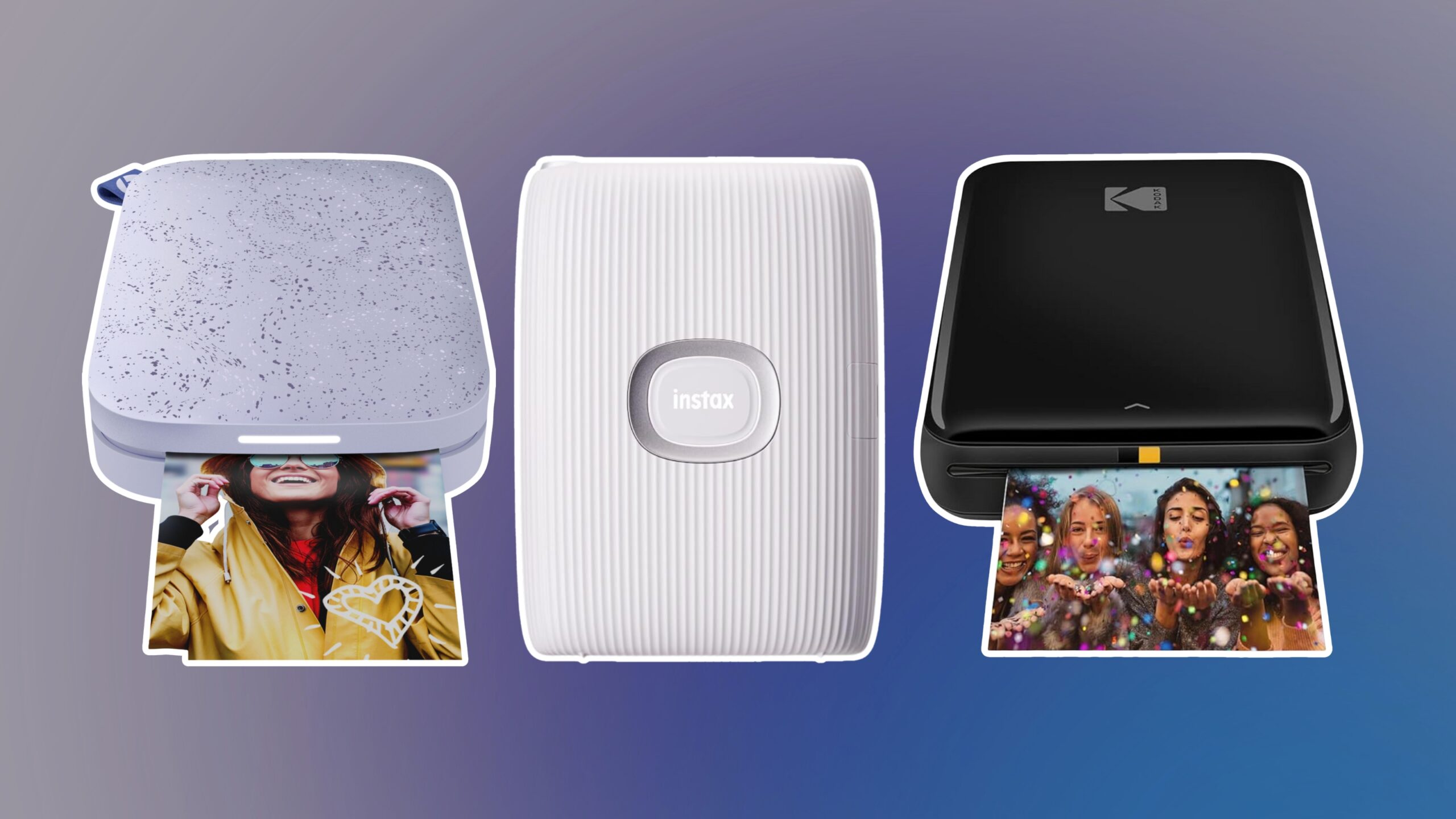
How to choose best home photo printer
The right printer depends on the kind of photo work that happens in your home, not just the color quality promised on the box. Start with the output size, then decide whether you need a dedicated snapshot machine or a true all-in-one.
Print technology
Thermal dye sublimation printers such as the Liene M100 and Liene Amber M110 are built around photo output. Their laminated prints are designed to resist water, scratches, fingerprints, and fading. Inkjet printers offer more flexibility, especially when you need documents, scans, specialty media, or larger sheets.
Photo size
A 4 by 6 inch printer is convenient for albums and everyday snapshots, but it cannot make a large wall print. The Epson XP-8800 reaches 8.5 by 11 inches, the XP-7100 reaches 8 by 10 inches, and the Canon PIXMA PRO-200S and Epson EcoTank ET-8550 move into wide-format work. Choose based on the largest print you will genuinely make.
A printer that handles every paper size you want is more useful than one that produces a format you never frame.
Ink system
Cartridge systems are common in compact and multifunction printers, while the Canon PIXMA G620 and Epson EcoTank ET-8550 use refillable ink tanks. Tank systems are designed for longer runs and fewer ink changes. Epson states that the ET-8550 can print up to 6, 200 color pages, while Canon states up to 3, 800 4 by 6 color photos for the G620. Treat those figures as use-case estimates, since coverage and settings change the result.
All-in-one features
A scanner and copier make a printer useful beyond photos. The HP Envy 7975, Canon PIXMA G620, Epson XP-8800, Epson XP-7100, and Epson EcoTank ET-8550 all list some combination of scanning and copying. Dedicated models such as the Liene printers, Canon PIXMA PRO-200S, and Epson PictureMate PM-400 are better when photo output is the only priority.
Connectivity and controls
Phone-first printers need simple wireless setup. The Liene M100 uses a built-in Wi-Fi hotspot, while the Amber M110 uses Bluetooth and lists pairing in 13 seconds. Epson models add options such as Wi-Fi Direct, USB, SD card access, Ethernet, and touchscreen controls. Think about where your photos live and choose a printer that reaches them without unnecessary transfers.

Frequently asked questions
What is the best home photo printer for phone photos?
The Liene M100 is the simplest choice for phone photos in the standard 4 by 6 inch format. Its built-in hotspot avoids the need for another network, and its app provides basic editing tools. Choose the Amber M110 instead if 3 by 3 inch sticker prints are important.
Do home photo printers also print documents?
Some do, but dedicated models usually do not. The HP Envy 7975, Canon PIXMA G620, Epson XP-8800, Epson XP-7100, and Epson EcoTank ET-8550 combine photo printing with document features. The Liene printers and Epson PictureMate PM-400 are focused mainly on photos.
Which printer is best for large photos?
The Canon PIXMA PRO-200S and Epson EcoTank ET-8550 are the strongest large-format choices in this group. The PRO-200S supports borderless printing up to 13 by 19 inches, while the ET-8550 is a wide-format all-in-one with a six-color tank system. Both need considerably more desk space than a snapshot printer.
Are dye sublimation prints different from inkjet prints?
Yes. Dye sublimation printers transfer dye into the paper and commonly apply a protective laminated surface. Liene says the M100 and Amber M110 prints resist water, scratches, fingerprints, and fading. Inkjet printers use liquid ink and generally offer more flexibility in paper sizes and document functions.
Should I choose an ink tank or a cartridge printer?
Choose an ink tank when you expect frequent photo or document printing and want fewer ink changes. The Canon PIXMA G620 and Epson EcoTank ET-8550 are the tank models here. Cartridge printers such as the Epson XP-8800 and HP Envy 7975 can be a better match for lighter use or a smaller multifunction setup.
Can these printers scan and copy?
The all-in-one models can. The HP Envy 7975, Canon PIXMA G620, Epson XP-8800, Epson XP-7100, and Epson EcoTank ET-8550 list scanning and copying functions. The Liene M100, Liene Amber M110, Canon PIXMA PRO-200S, and Epson PictureMate PM-400 do not list those features.
What should I check before buying a photo printer?
Check the largest paper size, the ink type, the available desk space, and the connection method first. If you print from a phone, wireless setup matters. If you print family documents too, an automatic document feeder, duplex printing, scanner, and copier can matter more than a dedicated snapshot feature.

The bottom line
The Canon PIXMA G620 is the Best Home Photo Printer for most households because its six-color dye system, tank design, scanner, and copier cover the widest mix of regular needs. For large creative work, the Epson EcoTank ET-8550 is the more capable choice, while the Canon PIXMA PRO-200S is the specialist pick for photographers who want borderless prints up to 13 by 19 inches.
Choose the Liene M100 for uncomplicated 4 by 6 phone snapshots, or the Liene Amber M110 when small square sticker prints are part of the plan. If you are undecided, choose the largest format and the fewest extra features you will actually use.
As an Amazon Associate we earn from qualifying purchases.