

A laser engraver can turn a plain piece of wood, leather, acrylic, or metal into a finished sign or personalized gift, but the wrong machine quickly becomes a lesson in smoke, alignment, software, and material limits. Working area and enclosure design matter just as much as laser power.
The Best laser machine for engraving depends on the projects you have in mind. Compact diode machines suit small crafts, while enclosed models are easier to place in a home and dual-laser systems open up more options for metal marking and batch work.
Our top pick is the xTool S1 40W, with the xTool M2, Twotrees TTS-10 Pro, and several capable 10W and 20W alternatives covering everything from beginner crafts to larger cutting projects.
Comparison table
| # | Product | Award | Laser and speed | Working area | Safety and standout feature | Best for |
|---|---|---|---|---|---|---|
| 1 | xTool S1 40W | Best overall | 40W, up to 600mm/s | 23.93 x 15.16 inches | Class 1 enclosure, rotary bundle | Large projects and serious cutting |
| 2 | xTool M2 10W | Best enclosed craft machine | 10W diode | Not stated | Class 1 enclosure, dual cameras | Home crafting and personalization |
| 3 | Twotrees TTS-10 Pro | Best open-frame cutter | 10W, up to 30, 000mm/min | 300 x 300mm | Magnetic laser filter hood, air assist nozzle | DIY cutting and mixed materials |
| 4 | LONGER Ray5 20W | Best for a large work area | 20W, up to 24, 000mm/min | 400 x 365mm | Touchscreen, enclosure, offline use | Studios and larger wood projects |
| 5 | LONGER Ray5 10W | Best flexible 10W machine | 10W, up to 10, 000mm/min | 400 x 400mm | Touchscreen, offline use | Large-format hobby work |
| 6 | CREALITY Falcon 10W | Best rotary bundle | 10W, up to 10, 000mm/min | Not stated | Air assist, rotary roller | Tumblers and cylindrical objects |
| 7 | xTool F2 Dual Laser | Best for metal personalization | 15W diode and 5W IR, up to 6, 000mm/s | Not stated | Enclosed design, 50MP camera | On-site and small-batch marking |
| 8 | Woxcker 10W Enclosed Engraver | Best enclosed 10W alternative | 10W, up to 20, 000mm/min | 300 x 300mm | Flame sensor, tilt stop, full enclosure | Safer home workshops |
| 9 | ACMER S1 2500mW | Best compact starter | 2500mW, up to 10, 000mm/min | 130 x 130mm | Compact aluminum frame | Small designs and first projects |
1. xTool S1 40W: Best Overall

Pros
- High cutting power for substantial wood projects
- Spacious 23.93 x 15.16-inch bed
- Enclosed Class 1 design
- Auto-focus and visual positioning features
- Rotary bundle supports more project types
Cons
- Large footprint for a desktop machine
- More capability than small craft projects require
- The listed specifications do not state a working speed in millimeters per minute
Best for: makers who want a substantial enclosed machine for large signs, cutting, and rotary work.
The xTool S1 40W is the machine to choose when engraving is only part of the plan. Its 23.93 x 15.16-inch bed gives you room for signs, batches of smaller items, and projects that feel cramped on a 300 x 300mm frame. The rotary bundle also makes it more adaptable than a basic flatbed engraver, especially for users who want to work on tumblers or other curved objects.
The headline specification is a 40W laser, with the manufacturer claiming the ability to cut 18mm cherry wood in a single pass. That is a serious step up from the 10W machines in this group. More power can mean fewer passes through thicker stock, less waiting between operations, and a better chance of keeping a cut consistent across a larger design. It is still important to use suitable materials and settings, but the S1 has the widest cutting headroom here.
Speed is listed at up to 600mm/s, while xTool also includes AutoPassthrough technology for projects up to 118 inches long. That combination makes the S1 a better fit for signs, panels, and repeated work than the ACMER S1 or the smaller craft-focused xTool M2. Pin-point Positioning and auto-focus are useful touches because they reduce the alignment work that often makes open-frame machines feel fiddly.
Safety is one of its strongest practical advantages. The protective cover filters 99% of laser light, and the Class 1 enclosed design is much easier to live with around a busy home workspace than an exposed Class 4 frame. The machine also includes five flame sensors, an emergency stop, and a lid-open stop. Those features do not remove the need for ventilation and careful material selection, but they make the S1 a more settled choice for a permanent workspace.
The weakness is scale. A 3mm aerospace-grade aluminum frame and a bed this large require a proper surface, and the S1 is unnecessary if your usual jobs are small labels or occasional leather tags. The xTool M2 is easier to justify for home crafts, while the Twotrees TTS-10 Pro offers a more open, hands-on route to cutting. Choose the S1 when the project list includes large woodwork, repeated production, and a machine you do not expect to outgrow soon.
2. xTool M2 10W: Best Enclosed Craft Machine

Pros
- Fully enclosed Class 1 design
- Dual cameras support accurate placement
- Beginner-friendly templates and software
- Works with wood, leather, felt, fabric, and paper
- Upgrade path for inkjet and IR modules
Cons
- Standard machine is limited to a 10W diode laser
- CMYK and IR modules are separate additions
- Rotary accessory is not included
Best for: home crafters who want a contained, camera-assisted machine for flat materials.
The xTool M2 10W is aimed at the person who wants engraving to feel more like a desktop craft process than a workshop project. Its fully enclosed Class 1 design keeps the laser contained, and the dual cameras give the work area a visual preview before you commit to a cut or engraving. That is valuable when placing designs on small pieces where a few millimeters of drift can ruin the result.
The standard laser is a 10W diode unit. That is enough for the materials xTool emphasizes, including cardstock, felt, leather, wood, fabric, and paper, but it does not put the M2 in the same cutting class as the 20W LONGER Ray5 or the 40W xTool S1. The M2 makes more sense for detailed craft work, personalized gifts, stickers, and home decor than for thick boards or large signs.
Its dual-camera setup is the feature that separates it from the open-frame machines. The cameras provide a real-time workspace preview and work with xTool's positioning system for a Place and Go workflow. That can make repeated placement more predictable, particularly when you are working with irregular scraps or several small pieces at once. The xTool Studio software adds templates and an AI image generator, so a new user has a gentler starting point than with a machine that expects every design to arrive fully prepared.
The M2 also has a more ambitious upgrade path than its basic specification suggests. A separately sold CMYK inkjet module can add full-color printing, and a 3W IR laser can extend the machine toward fine engraving on metal and plastic. Those options are not part of this standalone package, so buyers should treat them as future capabilities rather than included features. The same applies to the RA3 Lite rotary accessory.
Compared with the xTool F2 Dual Laser, the M2 is less specialized for metal marking and much slower for production work. Compared with the xTool S1 40W, it is more approachable and better suited to a craft room, but it gives up cutting power and bed scale. Skip it if your priority is thick wood or fast batch production. For a household that wants clean setup, camera guidance, and an enclosed machine for everyday craft materials, the M2 is the most comfortable fit.
3. Twotrees TTS-10 Pro: Best Open-Frame Cutter

Pros
- 10W laser with strong cutting claims
- 300 x 300mm working area
- Up to 30, 000mm/min engraving speed
- Supports computer, web, mobile, and TF card workflows
- Includes an air assist nozzle and magnetic filter hood
Cons
- Class IV open-frame machine needs careful placement
- The enclosure is not described as fully sealed
- More setup and safety responsibility than enclosed models
Best for: experienced DIY users who want fast cutting and several ways to control the machine.
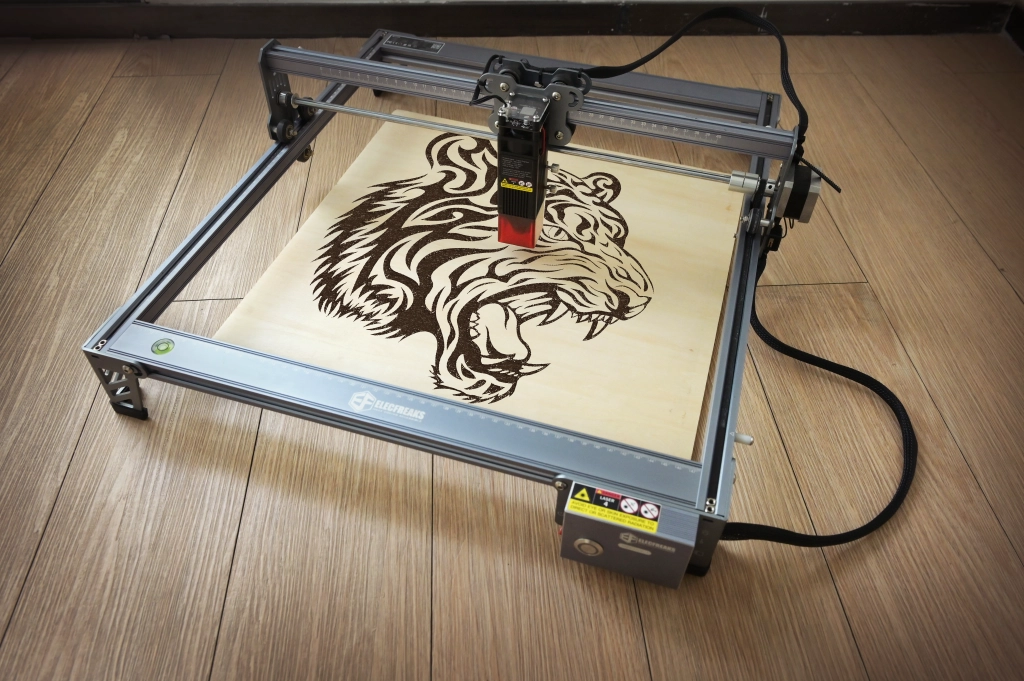
The Twotrees TTS-10 Pro is the most compelling open-frame option in this group. It pairs a 10W laser with a 300 x 300mm work area and a claimed maximum engraving speed of 30, 000mm/min. The attraction is not just raw speed. This is a machine built around flexibility, with desktop, web, mobile, and TF card control available depending on how you prefer to work.
Twotrees says the LD, FAC, and C-Lens compressed spot system can cut 8mm plywood in one pass and 5mm black acrylic in one pass. Those are meaningful claims for a 10W diode machine, though the real result will depend on material, focus, design density, and settings. The supplied metal air assist nozzle is a useful foundation for cutting because moving air clears smoke and dust from the cut line and helps limit scorching.
The 0.069mm laser spot is aimed at fine detail, while the 32-bit dual-core MCU should give the machine more responsive processing than older entry-level controllers. LightBurn and LaserGRBL are supported on computer, and the MKSLaser mobile app adds an easier route for users who do not want to stay at a desk. Offline TF card engraving is helpful when the machine is positioned away from the main computer.
The trade-off is the open-frame design. The TTS-10 Pro is listed as a Class IV laser, and the magnetic red laser filter hood is a useful protective measure, not a substitute for a properly controlled workspace. It needs a location where bystanders cannot wander into the beam path, along with sensible ventilation and material handling. Buyers looking for the least complicated home setup should look at the xTool M2 or Woxcker 10W Enclosed Engraver instead.
The TTS-10 Pro is more capable for cutting than the 10W LONGER Ray5, and its speed claim is higher, but the LONGER model offers a larger 400 x 400mm work area and a touchscreen. The xTool S1 40W goes much further for thick stock and enclosed operation. Pick Twotrees when you want an open platform, useful software choices, and a machine that rewards hands-on control.
4. LONGER Ray5 20W: Best for a Large Work Area

Pros
- 20W laser with a 400 x 365mm work area
- Up to 24, 000mm/min engraving speed
- 3.5-inch touchscreen and offline control
- Supports USB, TF card, Wi-Fi, and app connections
- Enclosure and several protection systems included
Cons
- Open machine footprint still needs careful placement
- The advertised material limits require multiple passes for thicker work
- The laser spot is not as small as the 10W Ray5 specification
Best for: makers who need more bed space and cutting power without moving to a 40W system.
The LONGER Ray5 20W is the practical middle ground between compact hobby engravers and the much larger xTool S1 40W. Its 400 x 365mm working area is generous for signs, panels, and batches of smaller pieces, while the 20W module gives it a clearer cutting advantage over 10W designs. It is the Ray5 to choose when the work area matters as much as the laser.
The manufacturer lists a maximum engraving speed of 24, 000mm/min and claims single-pass cutting of 15mm pine, 0.05mm stainless steel, and 8mm acrylic. It also states that multiple passes can reach 25mm wood and 35mm acrylic. Those figures show the intended role of the machine, which is heavier cutting and larger projects rather than only fine decorative engraving.
A 0.08 x 0.1mm laser spot and claimed 0.01mm engraving precision support detailed work, while the 256-color palette is designed for richer transitions on materials such as stainless steel, metal, wood, leather, glass, acrylic, and cotton fabric. The Ray5 20W is not simply a larger cutter. It is also positioned as a machine for more deliberate tonal and color engraving.
The 3.5-inch touchscreen is a small feature with a useful effect. It lets you monitor progress and adjust settings without keeping the main computer connected. USB, TF card, Wi-Fi, and app connections give the machine several operating modes, and support for LaserGRBL and LightBurn means advanced users are not forced into one software ecosystem. The ESP32 chipset is also described as supporting control of multiple engraving machines, which may appeal to a studio setup.
The Ray5 20W does not have the same polished enclosed experience as the xTool S1 40W, and its 20W output cannot match the S1's claimed ability with thick cherry wood. The smaller xTool M2 is easier to position in a home craft room, but it cannot match this bed size. Choose the Ray5 20W for larger flat projects, offline controls, and a meaningful jump in cutting ability without stepping all the way up to xTool's largest model.
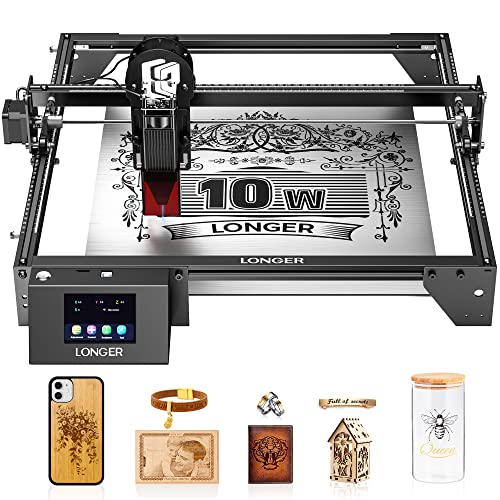
5. LONGER Ray5 10W: Best Flexible 10W Machine
Pros
- Very large 400 x 400mm working area
- 0.06 x 0.06mm laser point
- Touchscreen and offline operation
- USB, TF card, Wi-Fi, and app support
- Compatible with LightBurn and LaserGRBL
Cons
- 10W output has less cutting headroom than the 20W Ray5
- Open-frame operation needs a controlled workspace
- The title's 60W machine reference does not match the stated 10W laser output
Best for: hobbyists who want a large bed for signs and layouts while staying with a 10W diode platform.
The LONGER Ray5 10W makes a strong case for choosing work area over laser power. Its 400 x 400mm engraving space is larger than the 20W Ray5's stated area and gives you room for broad designs, multiple pieces, or material layouts that would need to be split on a smaller machine. For many hobby projects, that extra space is more useful than a faster module.
The 10W output is paired with dual-beam technology, a 0.06 x 0.06mm laser point, and claimed 0.01mm precision. LONGER says it can cut wood up to 20mm and acrylic up to 30mm, but those figures should be understood as material and pass dependent rather than a guarantee of one-pass cutting. The 20W Ray5 remains the stronger pick when cutting speed and thicker stock are central to the work.
Control is one of the Ray5 10W's better features. The 240MHz ESP32 chipset supports USB, TF card, Wi-Fi, and app connections, so you can work online or offline. A 3.5-inch touchscreen adds direct control at the machine, while LightBurn and LaserGRBL keep the workflow familiar for people coming from other diode engravers. The ability to control multiple machines from one processor may also matter in a small studio.
The machine supports engraving on stainless steel, cotton cloth, leather, metal, wood, glass, acrylic, and other materials listed by the manufacturer. That does not mean every surface behaves identically. Wood and leather are natural starting points, while glass and metal often need careful preparation, appropriate settings, or surface treatment. Material selection deserves the same attention as the advertised laser output. For wood specifically, choosing a clean, consistent surface for laser work can make detail and edge quality much easier to manage.
Safety features include an emergency stop, motion protection, heat protection, a protective cover, safety goggles, and hidden active cooling. It is still an open-frame style machine, so it demands more workspace discipline than the enclosed xTool M2 or Woxcker. Choose it over the ACMER S1 when you need a much larger bed. Choose the 20W Ray5 when cutting power matters more than maximum layout space.
6. CREALITY Falcon 10W: Best Rotary Bundle

Pros
- Rotary bundle supports cylindrical and ring-shaped objects
- Adjustable air assist pump
- 0.06mm laser spot
- Up to 10, 000mm/min engraving speed
- Works with LightBurn, LaserGRBL, and TF card workflows
Cons
- Assembly takes longer than the preassembled xTool machines
- Class 4 laser requires careful operation
- The working area is not stated in the product details
Best for: makers whose projects regularly include tumblers, cylinders, spheres, and other curved items.
The CREALITY Falcon 10W stands out because the rotary hardware is central to the package rather than an afterthought. The 4-in-1 Rotary Kit Pro is designed for several object shapes, including cylinders from 1 to 110mm in diameter, internal support for 25 to 75mm objects, spheres from 10 to 130mm, and ring-shaped pieces from 15 to 100mm. That range gives the Falcon a clear purpose for personalized drinkware and small product work.
Its 10W laser is rated at up to 10, 000mm/min, with a 0.06mm spot and claimed engraving accuracy within 0.004 inches. Creality says it can cut 12mm wood board or 3mm black acrylic in one pass at that speed. The combination is sensible for a mixed craft bench, though the Twotrees TTS-10 Pro offers a faster stated maximum and the xTool S1 40W is better suited to genuinely thick stock.
Air assist is another reason to consider the Falcon. The adjustable pump clears smoke and dust from the cut area, helps limit excessive burning, and can keep edges cleaner. That feature is especially useful when cutting wood or acrylic, where smoke residue can quickly spoil a surface. It also reduces the need to treat air assist as an immediate separate upgrade.
The Falcon is compatible with LightBurn and LaserGRBL on Windows and macOS, and TF card operation allows offline work. Assembly is listed at 10 to 20 minutes, so it is not as close to ready out of the box as the xTool S1 or xTool F2. The product notes also warn that the rotary connection cable may be hidden deep in the packaging, a small detail worth checking before assuming anything is missing.
This is a Class 4 machine with an anti-UV filter on the module, an emergency stop, tilt protection, and audible and visual alerts. Those protections are useful, but the Falcon still needs a controlled work area and responsible handling. Its weakness is specialization: if you only engrave flat wood, the rotary bundle adds complexity you may rarely use. Choose it when cylindrical objects are a regular part of the brief, not merely an occasional experiment.
7. xTool F2 Dual Laser: Best for Metal Personalization

Pros
- Combines a 15W diode laser with a 5W IR laser
- Built-in 50MP camera
- Up to 6, 000mm/s speed
- Enclosed portable design
- Designed for 3D embossing and color metal marking
Cons
- Laser class requires serious safety precautions
- Smaller desktop focus than large flatbed machines
- Base package does not include every expansion accessory
Best for: creators and small businesses marking metal items on site or in short production runs.
The xTool F2 Dual Laser is the specialist in this roundup. Rather than relying on one diode module, it combines a 15W diode laser with a 5W infrared laser. The diode handles cutting and 3D embossing, while the IR laser is intended for darker, vivid color marking on metal. That makes the F2 much more interesting for metal personalization than a conventional 10W wood-focused machine.
Its built-in 50MP camera is the other major differentiator. xTool says it can provide alignment accuracy up to 0.1mm on small pieces, with motion accuracy listed at 0.00199 inches. A camera view is especially helpful when engraving names, logos, or irregular designs onto finished items because it reduces the guesswork around placement. That is a different kind of advantage from raw cutting power.
The claimed speed reaches 6, 000mm/s, with a card engraving example taking three seconds. It is designed for batch processing too, with a Slide Extension available for items such as coasters and phone cases. Those features make the F2 more relevant to on-site customization, fairs, pop-ups, and small-batch work than the larger but slower open-frame machines.
The F2 is fully enclosed and described as leak-proof, with a built-in fan and optional purifier for fumes. It weighs 4.6kg according to the product description, making portability part of its identity. The machine arrives fully assembled, and built-in material presets are intended to shorten the setup process. Buyers should remember that the listed 15W diode and 5W IR outputs make this a Class 4 laser, so enclosure and ventilation do not remove the need for safe operating habits.
Compared with the xTool M2, the F2 is more capable on metal and more suited to mobile personalization, but it is less focused on broad home craft materials. The xTool S1 40W cuts thicker wood and offers a much larger bed. The F2 is the right choice when camera-assisted alignment, speed, metal marking, and portability matter more than large flat projects. For deeper information on machines designed specifically around metal work, the differences between metal engraving systems are worth understanding before you commit.
8. Woxcker 10W Enclosed Engraver: Best Enclosed 10W Alternative

Pros
- Fully enclosed design
- Flame sensor, emergency stop, and tilt protection
- 0.01mm compressed fixed focus
- Up to 20, 000mm/min speed
- Supports software, app, Wi-Fi, USB, and TF card workflows
Cons
- Heavier and larger than compact open-frame starters
- 300 x 300mm area is smaller than both LONGER Ray5 models
- Material and cutting specifications are less detailed than some rivals
Best for: home workshops that prioritize an enclosed 10W machine and multiple safety interlocks.
The Woxcker 10W Enclosed Engraver is a sensible alternative for anyone who wants the containment of the xTool M2 without moving to a compact specialist machine. Its 300 x 300mm engraving area is large enough for many signs, plaques, leather pieces, and craft layouts, while the full enclosure helps keep the laser and much of the dust contained.
The machine uses a 10W semiconductor laser with a claimed 0.01mm square fixed focus. Woxcker says the compressed point is intended to produce smoother and clearer text and patterns across metal, wood, leather, plastic, food, and other surfaces. The product also lists a maximum speed of 20, 000mm/min, which gives it a useful performance position between the 10W LONGER Ray5 and the faster Twotrees TTS-10 Pro.
Safety is the defining feature. The lid stops operation when opened, a flame sensor detects unusual heat or fire, and an emergency stop provides a direct shutdown. There is also a safety lock and a 15-degree tilt stop that pauses the machine if it moves beyond the stated safe angle. These interlocks are particularly reassuring in a home workshop, although no laser engraver should be left running without appropriate supervision and ventilation.
The control options are broad. The Woxcker supports LightBurn, LaserGRBL, and Cutlabx, along with Wi-Fi, USB, an app, and offline TF card use. It accepts common formats including JPEG, JPG, PNG, BMP, SVG, DXF, and AI. The modular assembly is split into five components, and the manufacturer says this avoids belt adjustment and can save 30 to 40 minutes during installation.
The compromise is that Woxcker provides less detail about cutting performance than Twotrees, LONGER, and xTool. Its 300 x 300mm bed also feels modest beside the 400 x 400mm Ray5 10W. The xTool M2 offers a more camera-led software experience, while the Woxcker counters with more explicit physical interlocks. Pick Woxcker when enclosure and safety controls are the deciding factors, especially for a home workspace handling routine 10W engraving jobs.
9. ACMER S1 2500mW: Best Compact Starter

Pros
- Very compact 130 x 130mm working area
- Lightweight 2kg aluminum-alloy build
- 99% preassembled
- Supports Acmerstudio, LightBurn, and LaserGRBL
- Works with macOS, Windows, and Linux
Cons
- Much less laser power than every other pick here
- Small work area limits project size
- Class 4 operation requires careful protection
Best for: beginners making small designs on wood, acrylic, leather, and similar materials.
The ACMER S1 is the smallest and least powerful machine in this lineup, but that is also its point. At 2kg with a 130 x 130mm work area and a compact 250 x 250 x 162mm machine footprint, it can fit where a full-size engraver cannot. It is a reasonable starting point for small tags, labels, jewelry components, and test pieces rather than a machine for signs or production panels.
The laser output is 2500mW, with a listed 24W machine output, a 455 plus or minus 5nm wavelength, and a 2mm focal length. ACMER claims up to 10, 000mm/min engraving speed and 0.01mm repeatable positioning accuracy. In practical terms, the S1 is aimed at fine small-scale engraving, while its lower laser output means cutting will be more limited than with the 10W, 20W, and 40W machines above it.
The machine supports engraving on wood, bamboo, leather, plastic, PCB, aluminum oxide, ceramics, and other listed materials. It can cut thin plywood, MDF, and acrylic, but the word thin matters here. The 130 x 130mm area also means a design that looks modest on screen can quickly consume the available workspace. Anyone expecting the broad layouts possible with the LONGER Ray5 10W should skip this model.
Setup is unusually simple. The S1 arrives 99% preassembled and requires only a one-minute laser-head installation according to the product description. Acmerstudio software is included, and the machine also supports LightBurn and LaserGRBL. Compatibility with macOS, Windows, and Linux gives it more flexibility than some inexpensive starter tools, while the aluminum-alloy frame keeps the machine easy to carry and store.
The S1 is listed as a Class 4 laser and includes IEC 60825-1 compliance, a 12-month warranty, and 24/7 customer support. Those details do not make it a casual toy. It still needs proper eye protection, ventilation, and a controlled work area. The xTool M2 is far easier to manage around a household, and the Woxcker provides much more enclosure protection. Choose ACMER when compact size and simple setup matter most, and when your designs will stay genuinely small.

How to choose best laser machine for engraving
The right machine comes down to the relationship between laser power, work area, enclosure, software, and the materials you plan to use most often.
Laser output
Laser output affects cutting depth, the number of passes required, and the materials a machine can handle effectively. The 2500mW ACMER S1 is intended for small engraving and thin cuts, while 10W models such as the Twotrees TTS-10 Pro, LONGER Ray5 10W, Woxcker, and CREALITY Falcon offer a broader craft range. A 20W or 40W machine is more suitable when thicker wood and repeated cutting are part of the plan.
Do not treat the power number as a complete performance measurement. Spot size, focus, air assist, material density, and motion control all affect the final cut.
Working area
A 130 x 130mm area is fine for jewelry pieces, tags, and small decorations, but it becomes restrictive for signs and batch layouts. The 300 x 300mm Twotrees and Woxcker machines are more adaptable, while the 400 x 365mm and 400 x 400mm LONGER beds are better for larger flat projects.
The xTool S1 has a 23.93 x 15.16-inch bed and adds AutoPassthrough for long work. That is a major advantage if you expect to make panels or signs instead of only individual small items.
A larger bed does not make the laser stronger, but it can save more setup time than a faster engraving speed.
Enclosure and laser safety
An enclosed Class 1 design is easier to place in a home because it reduces direct exposure to the beam. The xTool S1 and xTool M2 take this approach, while the Woxcker adds a full enclosure with a lid stop, flame sensor, and tilt protection. Open-frame and Class 4 machines require tighter control over access, eye protection, ventilation, and supervision.
A cover is only one part of a safe setup. Never assume that a laser can safely process an unknown material, and keep the manufacturer's safety instructions close at hand.
Software and controls
LightBurn and LaserGRBL are common choices for users who want more control over layers, speed, and power. The listed machines also vary in their offline options. LONGER Ray5 models, Twotrees, Woxcker, and CREALITY support TF card workflows, while several add Wi-Fi, apps, or touchscreens.
Beginners may prefer the guided templates and material presets offered by xTool. Experienced users may value the broader control options of the Twotrees or LONGER machines.
Rotary and camera features
A rotary accessory is important for tumblers, bottles, rings, and other curved objects. The CREALITY Falcon includes a 4-in-1 rotary kit, and the xTool S1 listing includes a rotary bundle. The F2 takes a different route with a 50MP camera for alignment and dual lasers for metal marking.
If your work involves finished products rather than flat sheets, prioritize the machine's positioning system and rotary compatibility instead of focusing only on diode wattage.
Frequently asked questions
What materials can these laser engravers handle?
The listed machines support combinations of wood, leather, acrylic, plastic, glass, metal, fabric, paper, and other materials. The exact result depends on the machine's laser, the material's finish and thickness, and the settings used. Always verify that a material is suitable before engraving it.
Is a 10W laser enough for beginners?
A 10W diode laser is enough for many beginner projects involving wood, leather, paper, acrylic, and similar craft materials. It offers more cutting ability than the ACMER S1 while remaining easier to learn than a high-power machine. Beginners should still decide whether they want an open-frame or enclosed design before choosing a model.
Which machine is best for cutting thick wood?
The xTool S1 40W has the strongest cutting specification in this group, with a stated ability to cut 18mm cherry wood in one pass. The LONGER Ray5 20W is the next stronger option for cutting, with claims covering 15mm pine in one pass and thicker material over multiple passes. Actual results vary with wood species, moisture, focus, and settings.
Do laser engravers need ventilation?
Laser engraving can produce smoke, dust, and fumes, so ventilation is important. Enclosures can help contain the output, and the xTool F2 includes a built-in fan with an optional purifier. An enclosure does not make every material safe to process, and the machine should be used according to its safety instructions.
Can these machines engrave metal?
Several models list metal among their supported materials, but diode lasers vary significantly in how they mark different metals. The xTool F2 is the clearest specialist here because its 5W IR laser is designed for color marking on metal. For more demanding metal work, the difference between diode and dedicated metal systems is an important distinction.
Do I need an air assist?
Air assist is most useful for cutting because it clears smoke and dust from the cut line and can reduce scorching. The Twotrees TTS-10 Pro includes an air assist nozzle, and the CREALITY Falcon includes an adjustable air pump. For engraving-only work, it may be less essential, but it can still improve cleanliness on some materials.
Are rotary attachments included?
They are included with the CREALITY Falcon bundle and the listed xTool S1 rotary bundle. The xTool M2 listing specifically says its RA3 Lite Rotary is not included, while the F2 supports expansion accessories separately. Check the package contents for the exact configuration before planning a curved-object workflow.
The bottom line
The Best laser machine for engraving in this group is the xTool S1 40W because it combines serious cutting power, a large bed, an enclosed Class 1 design, auto-focus, and a rotary bundle. It is the strongest all-round choice for makers who expect projects to grow beyond small gifts and labels.
The xTool M2 10W is the better home craft machine, with dual cameras, guided software, and a fully enclosed design. Choose the Twotrees TTS-10 Pro for open-frame control and strong 10W cutting, or the xTool F2 Dual Laser when metal marking, camera alignment, and portable small-batch work matter most.
If you are undecided, choose the machine whose work area and safety design match your actual workspace before chasing higher laser output.
As an Amazon Associate we earn from qualifying purchases.