

A Microsoft laptop can mean a lightweight Copilot+ PC with all-day battery life, a refurbished Surface with a sharp touchscreen, or a more basic Windows machine sold with office accessories. The difficult part is separating meaningful differences from repeated listing language.
Our Best Microsoft Laptop pick is the Microsoft Surface Laptop 13.8 Platinum, which combines the new Snapdragon X2 Elite platform, a 13.8-inch touchscreen, 16GB of memory, 512GB of storage, and a claimed 20-hour battery life. The rest of this guide covers larger 15-inch models, refurbished Surface alternatives, and one HP option for shoppers who want a different kind of Windows laptop.
Comparison
| # | Product | Award | Screen | Processor | Battery | Storage | Best for |
|---|---|---|---|---|---|---|---|
| 1 | Microsoft Surface Laptop 13.8 Platinum | Best overall | 13.8-inch touchscreen | Snapdragon X2 Elite, 12-core | Up to 20 hours | 512GB SSD | Most people |
| 2 | Microsoft Surface Laptop 13.8 Black | Best portable performance | 13.8-inch PixelSense touchscreen, 120Hz | Snapdragon X2 Elite | Up to 20 hours | 512GB SSD | Frequent travelers |
| 3 | Microsoft Surface Laptop 15 Elite | Best large-screen performance | 15-inch PixelSense touchscreen, 120Hz | Snapdragon X2 Elite | Up to 19 hours | 1TB SSD | Large spreadsheets and creative work |
| 4 | Microsoft Surface Laptop 5 13.5 Platinum | Best refurbished display | 13.5-inch touchscreen, 2256 x 1504 | Intel Core i7-1265U | Up to 8 hours | 512GB SSD | Surface value seekers |
| 5 | Microsoft Surface Laptop 15 Plus Platinum | Best bright large screen | 15-inch PixelSense touchscreen, 600 nits | Snapdragon X2 Plus, 10-core | Up to 19 hours | 512GB SSD | Bright rooms |
| 6 | Microsoft Surface Laptop 5 13.5 Black | Best refurbished Windows Pro option | 13.5-inch touchscreen, 2256 x 1504 | Intel Core i7-1265U | Not specified | 256GB SSD | Business basics |
| 7 | HP 14 Business Laptop | Best bundled office setup | 14-inch display | Intel N150, quad-core | Not specified | 128GB UFS plus 500GB external | Office and school bundles |
| 8 | Microsoft Surface Laptop 4 13.5 | Best refurbished storage | 13.5-inch touchscreen | Intel Core i7-1185G7 | Not specified | 512GB SSD | Everyday Surface use |
| 9 | Microsoft Surface Laptop 13.8 Jade | Best color choice | 13.8-inch PixelSense touchscreen | Snapdragon X2 Elite, 12-core | Up to 20 hours | 512GB SSD | Buyers who want Jade |
1. Microsoft Surface Laptop 13.8 Platinum: Best Overall

Pros
- Snapdragon X2 Elite performance with a 12-core processor
- Claimed 20-hour battery life
- Lightweight 2.97-pound aluminum design
- Two USB-C and USB4 ports
- 16GB memory and 512GB SSD
Cons
- No USB-A port is listed
- The 13.8-inch screen gives less workspace than the 15-inch models
- Battery figure is a manufacturer estimate
Best for: people who want the strongest balance of portability, performance, and battery life.
The Microsoft Surface Laptop 13.8 Platinum is the one that makes the most sense as a default recommendation. It has the familiar Surface shape, a touchscreen that suits Windows 11, and a weight of 2.97 pounds that should not make commuting feel like a chore. The Platinum finish is understated, while the recycled aluminum alloy chassis gives the laptop a more substantial feel than its weight suggests.
Its Snapdragon X2 Elite processor is built around 12 cores, and the configuration includes 16GB of memory and a 512GB SSD. That combination is well suited to a busy Windows routine involving documents, large collections of browser tabs, video calls, and AI-assisted tasks. The Copilot+ PC features are part of the Windows 11 experience rather than a separate accessory, so the machine is aimed at people who want newer AI capabilities without giving up a conventional laptop design.
Battery life is one of the major reasons to choose this model. Microsoft claims up to 20 hours, which is enough to frame the laptop as a full-day machine rather than one that needs to remain close to an outlet. The port selection is narrower than some older Surface designs, with two USB-C and USB4 ports listed for charging, data transfer, and desktop connections. Anyone with older USB-A accessories should plan around an adapter or hub.
Compared with the Microsoft Surface Laptop 5 13.5 Platinum, this model offers a newer processor platform, a longer claimed battery life, and a more modern Copilot+ focus. The Microsoft Surface Laptop 15 Elite gives you more display and storage, but it is heavier at 3.67 pounds. The weakness here is simple: the smaller panel and limited listed ports are not ideal for a desk-based setup packed with older peripherals. If you want a portable Microsoft laptop that does not feel compromised in everyday performance, this is the one to keep.
2. Microsoft Surface Laptop 13.8 Black: Best Portable Performance

Pros
- 120Hz PixelSense touchscreen
- Snapdragon X2 Elite platform
- Up to 20 hours of video playback
- Wi-Fi 7 and support for up to three 4K monitors
- Lightweight 2.97-pound build
Cons
- Two USB-C and USB4 ports may require a hub
- 512GB storage is less than the 15-inch Elite model
- Screen size is limiting for large spreadsheets
Best for: commuters and students who want a light laptop with a particularly complete modern feature set.
The Microsoft Surface Laptop 13.8 Black is very close to the Platinum model, but its listed features make the display and connectivity story clearer. The 13.8-inch PixelSense touchscreen has a 120Hz refresh rate, so scrolling through pages and moving around compatible interfaces should look smoother than on a conventional 60Hz panel. That is a useful distinction for daily work, not just a specification for gamers.
The Snapdragon X2 Elite processor is paired with 16GB of memory and a 512GB SSD. Microsoft positions this configuration for video calls, school and work applications, more than 20 browser tabs, and AI tools running together. The dedicated AI chip supports Copilot+ PC functions in Windows 11. Those features make the laptop a more forward-looking option than the refurbished Intel models in this list, though software compatibility can still matter for specialized Windows applications.
This version also lists Wi-Fi 7 and the ability to connect up to three 4K monitors. That gives the small Surface a surprising desktop role when it is connected to a suitable dock or monitor setup. Two USB-C and USB4 ports handle charging and data, but the absence of a listed USB-A port is a practical nuisance for users with older drives, mice, or presentation accessories.
The Microsoft Surface Laptop 13.8 Platinum is the more straightforward recommendation because its feature set is nearly the same, while the Microsoft Surface Laptop 15 Plus Platinum offers a brighter 600-nit panel. The Black model earns its place for shoppers who care about the 120Hz display and Wi-Fi 7 details. It is also a strong candidate for anyone comparing portable computers for regular business travel, provided their essential software runs comfortably on the Snapdragon platform.
Its real limitation is not performance. It is the physical size of the display. Large spreadsheets and side-by-side documents will feel tighter than they do on a 15-inch Surface. Choose it when carrying comfort matters more than workspace, and skip it if the laptop will spend most of its time open on a desk.
3. Microsoft Surface Laptop 15 Elite: Best Large-Screen Performance

Pros
- Snapdragon X2 Elite processor
- 1TB SSD
- 15-inch 120Hz PixelSense touchscreen
- MicroSD card reader
- Supports up to three 4K monitors
Cons
- Heavier than the 13.8-inch models
- Claimed battery life is up to 19 hours, not 20
- Two USB-C and USB4 ports are the main listed connections
Best for: users who want a large working area without giving up the newest Surface platform.
The Microsoft Surface Laptop 15 Elite is the practical choice when a 13.8-inch display feels cramped. Its 15-inch PixelSense touchscreen provides more room for spreadsheets, timelines, split-screen documents, and photo work. The 120Hz refresh rate should also make scrolling and window movement feel fluid. This is still a relatively clean, portable laptop, but its 3.67-pound weight makes it more of a desk-to-bag machine than a model you forget you are carrying.
The Snapdragon X2 Elite processor gives it the same 12-core performance class as the smaller Elite configuration. Here it is paired with 16GB of memory and a 1TB SSD, which leaves more room for large files and installed applications. Microsoft also lists two USB-C and USB4 ports, a microSD card reader, Wi-Fi 7, and support for up to three 4K monitors. The card reader is a welcome advantage for photographers and creators who do not want to carry another small adapter.
The claimed battery life reaches up to 19 hours of video playback. That is slightly below the 13.8-inch Elite models, but it remains a strong figure for a large touchscreen laptop. The larger chassis and screen make it better suited to long viewing sessions and desk work, while the Snapdragon platform keeps the design focused on low-power operation and built-in AI acceleration.
The Microsoft Surface Laptop 13.8 Black is easier to carry and has the same Elite family of processor, while the Microsoft Surface Laptop 15 Plus Platinum offers a brighter display but uses the less powerful X2 Plus processor. The 15 Elite wins when storage and processing headroom matter more than display brightness. It is also the better fit for readers deciding how much workspace a laptop needs for everyday multitasking.
There is no getting around the extra size. This is not the right Surface for a small tray table or a crowded commuter bag. It also remains dependent on USB-C and USB4 for many modern connections. Choose it for spreadsheets, media, and large files, especially if the 1TB SSD will save you from constant storage management.
4. Microsoft Surface Laptop 5 13.5 Platinum: Best Refurbished Display

Pros
- 2256 x 1504 touchscreen resolution
- Intel Core i7-1265U processor
- 16GB RAM and 512GB SSD
- Compact 2.8-pound weight
- Slim 0.57-inch listed height
Cons
- Claimed battery runtime is up to 8 hours
- Older Intel platform lacks the newer Copilot+ positioning
- Refurbished condition can vary
Best for: buyers who want a high-resolution Surface touchscreen and familiar Intel compatibility.
The Microsoft Surface Laptop 5 13.5 Platinum remains appealing because its screen has a precise 2256 x 1504 resolution. That gives the 13.5-inch panel a tall, detailed workspace for documents and web pages, while the touchscreen keeps Windows navigation intuitive. Its 2.8-pound listed weight is lighter than the newer 13.8-inch models, making this a comfortable older Surface design for daily carrying.
Inside is a 12th-generation Intel Core i7-1265U with 16GB of memory and a 512GB SSD. Intel compatibility is the central reason to consider this machine over a Snapdragon model. Many standard Windows applications have long been built around Intel systems, so this Surface makes a sensible choice for users who need a traditional Windows environment and do not need the newest AI acceleration features.
The trade-off is battery life. The listing gives an estimated eight-hour runtime, which is much less ambitious than the newer Surface Laptop models. That does not make it unsuitable for office work or classes, but it changes how you should use it. A charger in the bag is sensible for long days away from a desk, especially when streaming or running demanding applications.
The Microsoft Surface Laptop 13.8 Platinum is faster on paper, newer, and designed around Copilot+ PC features. The Surface Laptop 5 13.5 Platinum counters with a sharp display, familiar Intel architecture, and a compact body. Its refurbished status is the other point to consider. Buyers should be comfortable with a previously used machine and inspect the included condition and coverage details before ordering.
This is not the pick for someone who wants the longest battery life or the newest wireless features. It is a good fit for someone who values screen resolution and conventional Windows application support. For a broader look at machines built around Microsoft's operating system, software compatibility across different Windows laptops is the detail worth weighing before choosing a Snapdragon model.
5. Microsoft Surface Laptop 15 Plus Platinum: Best Bright Large Screen

Pros
- 15-inch PixelSense touchscreen
- 600-nit brightness and 262 pixels per inch
- Snapdragon X2 Plus 10-core processor
- Up to 19 hours of battery life
- Premium aluminum alloy chassis
Cons
- Less powerful processor than the 15-inch Elite
- 512GB SSD is smaller than the 15 Elite configuration
- Two USB-C and USB4 ports are listed
Best for: people who need a large, bright screen for work in changing light.
The Microsoft Surface Laptop 15 Plus Platinum has the most obvious display advantage in this group. Its 15-inch PixelSense touchscreen is listed at 600 nits and 262 pixels per inch, specifications that matter when a laptop has to work near windows, under bright office lighting, or in rooms where screen reflections are difficult to control. The larger panel also gives spreadsheets and side-by-side documents more breathing room.
Microsoft uses a 10-core Snapdragon X2 Plus processor here, with 16GB of memory and a 512GB SSD. That should be ample for ordinary productivity, web work, video calls, and many AI-assisted Windows tasks. The built-in AI acceleration supports Copilot on Windows 11, while the aluminum alloy chassis keeps the machine in the same premium Surface family as the Elite configurations.
Battery life is listed at up to 19 hours. That is a strong claim for a 15-inch touchscreen and puts this model close to the larger Surface Laptop 15 Elite in endurance. The port information is more restrained, with two USB-C and USB4 ports listed. That is enough for a modern desk setup, but older USB accessories will need a hub.
The Microsoft Surface Laptop 15 Elite is the better choice for demanding workloads and offers a 1TB SSD plus a microSD card reader. The Plus model is more compelling when display brightness matters more than maximum processor capability. It is also a better large-screen pick than the 13.8-inch models for readers who spend hours with wide documents open.
The weakness is positioning. It has the larger screen and bright panel, but it does not have the Elite processor or the larger SSD of the 15 Elite. Skip it if you regularly handle processor-heavy work or large media libraries. Choose it if a vivid, spacious screen and long unplugged sessions are the features you will notice every day.
6. Microsoft Surface Laptop 5 13.5 Black: Best Refurbished Windows Pro Option

Pros
- Intel Core i7-1265U processor
- 16GB RAM
- 13.5-inch touchscreen at 2256 x 1504
- Windows 11 Pro
- USB-C, USB-A, headphone jack, and Surface Connect
Cons
- 256GB SSD limits local storage
- Refurbished condition requires careful inspection
- Battery runtime is not specified
Best for: office users who need Windows 11 Pro and a traditional selection of ports.
The Microsoft Surface Laptop 5 13.5 Black is the most practical refurbished option for users who care about ports and Windows 11 Pro. Its 13.5-inch touchscreen has a 2256 x 1504 resolution, matching the sharper display on the Platinum Surface Laptop 5. The black finish gives it a more subdued office look, while the 3.4-pound listed weight keeps it manageable for regular travel.
The 12th-generation Intel Core i7-1265U and 16GB of memory provide a familiar foundation for office software, browser work, and multitasking. Storage is the clear compromise, with a 256GB SSD. That can work for documents and cloud-based workflows, but users who keep photos, videos, or many large applications locally will need to manage space more carefully than they would on the 512GB models.
Port selection is a strength. The listing includes one USB-C port, one USB-A port, a 3.5mm headphone jack, and a Surface Connect port. It also lists Wi-Fi 6, Bluetooth 5.0, Windows Hello sign-in, and integrated Intel UHD Graphics. Those details make this older Surface easier to fit into an existing office setup than the newer models that list USB-C and USB4 as their primary physical connections.
The Microsoft Surface Laptop 5 13.5 Platinum has twice the listed storage and is the better choice for a larger local file collection. The Microsoft Surface Laptop 13.8 Black is lighter, newer, and has a longer stated battery life, but it may require more planning around older accessories. This Black Surface Laptop 5 is a sensible alternative for working with established office peripherals, assuming the refurbished condition meets your expectations.
The missing battery figure makes it difficult to recommend for extended trips without a charger. The 256GB SSD is another real limitation. Choose it for office productivity, Windows 11 Pro features, and useful legacy ports, not for heavy media storage or the longest possible time away from an outlet.
7. HP 14 Business Laptop: Best Bundled Office Setup

Pros
- 14-inch display with a thin-bezel design
- Quad-core Intel N150 processor
- 16GB DDR4 RAM
- Windows 11 Pro
- Includes a USB-C hub and external storage
Cons
- Not a Microsoft Surface laptop
- 128GB UFS storage is paired with a separate external drive
- Battery runtime is not specified
Best for: students and office users who need a ready-made workstation bundle.
The HP 14 Business Laptop is the outlier in this roundup, but it is still relevant for someone searching for a Microsoft laptop and willing to consider a Windows alternative. Its 14-inch display has narrow bezels, and the built-in 720p camera with dual-array microphones is aimed at online classes, video calls, and remote work. The 3.24-pound body is close enough to the Surface models to remain portable.
Its Intel N150 processor has four cores and four threads, with a listed turbo speed of up to 3.6GHz and a 6MB L3 cache. The laptop also includes 16GB of DDR4 RAM. Those parts are aimed at web applications, office documents, school platforms, and light multitasking rather than demanding creative workloads. Windows 11 Pro adds business-oriented security and management features to the standard desktop experience.
The storage arrangement is unusual. The laptop has 128GB of UFS storage, and the bundle includes a 500GB external drive. That gives you additional capacity, but it is not the same as having a larger internal SSD. Files stored externally are less convenient when the drive is left behind, and the extra device occupies a port or part of your travel kit.
The package includes a six-in-one USB-C docking hub with USB 3.0, 4K HDMI, USB-C, and SD and TF card readers. It also lists an HDMI cable, USB extension cord, wireless mouse, mouse pad, and lifetime Microsoft Office 2024. Those extras are useful for a home office or student desk, though they make the package less streamlined than a Surface Laptop.
The Microsoft Surface Laptop 5 13.5 Black is a better fit for someone who wants a genuine Surface design, touchscreen resolution, and Intel Core i7 processor. The HP model makes more sense when the included hub, external drive, office software, and Windows 11 Pro matter more than premium construction. Skip it if you need a high-resolution display, a large internal SSD, or the newest Copilot+ hardware.
8. Microsoft Surface Laptop 4 13.5: Best Refurbished Storage

Pros
- Intel Core i7-1185G7 processor
- 16GB RAM
- 512GB SSD
- 13.5-inch touchscreen
- Lightweight Surface design
Cons
- Older processor generation
- Battery runtime is not specified
- Product information is limited
Best for: buyers who want a refurbished Surface with 512GB of internal storage.
The Microsoft Surface Laptop 4 13.5 is a straightforward older Surface for everyday Windows work. Its 13.5-inch touchscreen and sleek platinum design keep the formula familiar, while the 3.88-pound listed weight makes it heavier than the newer 13.8-inch Surface Laptop models. It is still shaped like a compact notebook, but it is not the lightest option here.
The hardware includes an Intel Core i7-1185G7, 16GB of RAM, and a 512GB SSD. That storage capacity is useful for users who want to keep documents, photos, applications, and media on the machine without immediately relying on external storage. The 16GB memory also gives it a reasonable base for ordinary multitasking, though the older processor will not match the Snapdragon X2 Elite systems.
The data for this listing is sparse compared with the newer models. The available features confirm the 16GB memory, while the title supplies the processor, SSD capacity, touchscreen, and Windows 11 details. Battery runtime, port selection, display resolution, and wireless standards are not specified here, so buyers should not assume that this listing has the same connections or endurance as a later Surface Laptop.
That uncertainty is the main reason it ranks below the refurbished Surface Laptop 5 models. The Microsoft Surface Laptop 5 13.5 Platinum has a stated 2256 x 1504 display and a newer Intel processor, while the Microsoft Surface Laptop 5 13.5 Black lists Windows 11 Pro and a fuller port selection. The Surface Laptop 4 counters with 512GB of storage and a familiar Core i7 configuration.
This is a reasonable choice for someone who wants a classic Surface body and more local storage than the 256GB Laptop 5 configuration. It is not the pick for buyers who need detailed port information, the latest processor platform, or a clearly documented battery figure. Treat the limited listing data as a reason to verify the configuration carefully before ordering.
9. Microsoft Surface Laptop 13.8 Jade: Best Color Choice

Pros
- Snapdragon X2 Elite 12-core processor
- Up to 20 hours of battery life
- 13.8-inch PixelSense touchscreen
- 16GB memory and 512GB SSD
- Recycled aluminum alloy chassis
Cons
- Two USB-C and USB4 ports are listed
- No USB-A port is listed
- The 13.8-inch screen is smaller than the 15-inch models
Best for: shoppers who want the newest compact Surface Laptop in Jade.
The Microsoft Surface Laptop 13.8 Jade is functionally a close match for the Platinum model, but the Jade finish gives it a more distinctive identity. The 13.8-inch PixelSense touchscreen is designed for work, school, streaming, and creative tasks, and the recycled aluminum alloy chassis keeps the design premium without making the laptop unusually heavy. Its listed weight is 2.97 pounds.
The Snapdragon X2 Elite processor has 12 cores and is paired with 16GB of memory and a 512GB SSD. That is the same useful combination found in the other compact Elite configurations, with enough headroom for common productivity workloads and many simultaneous applications. Windows 11 includes Copilot, and the machine is positioned as a Copilot+ PC with built-in AI acceleration.
Microsoft claims up to 20 hours of battery life. Even allowing for the difference between video playback and demanding real work, that makes the Jade model suited to long days moving between home, school, and office. The listing specifies two USB-C and USB4 ports for charging and data transfer. That is a clean modern setup, but users with USB-A accessories will need to add a hub or adapter.
The Microsoft Surface Laptop 13.8 Platinum remains our top pick because its understated finish suits more environments and the hardware is otherwise the same. The Microsoft Surface Laptop 13.8 Black lists a 120Hz touchscreen, Wi-Fi 7, and support for up to three 4K monitors, so it has a stronger documented connectivity story. The Jade model is for someone who wants the same compact Elite platform and prefers its color.
The limitation is shared across the 13.8-inch models: the screen is comfortable for portable work but not as spacious as the 15-inch versions. It also lacks the listed microSD reader found on the 15 Elite. Pick the Jade when appearance matters and you want a current Snapdragon Surface, but choose Black if the extra display and wireless details are more important.
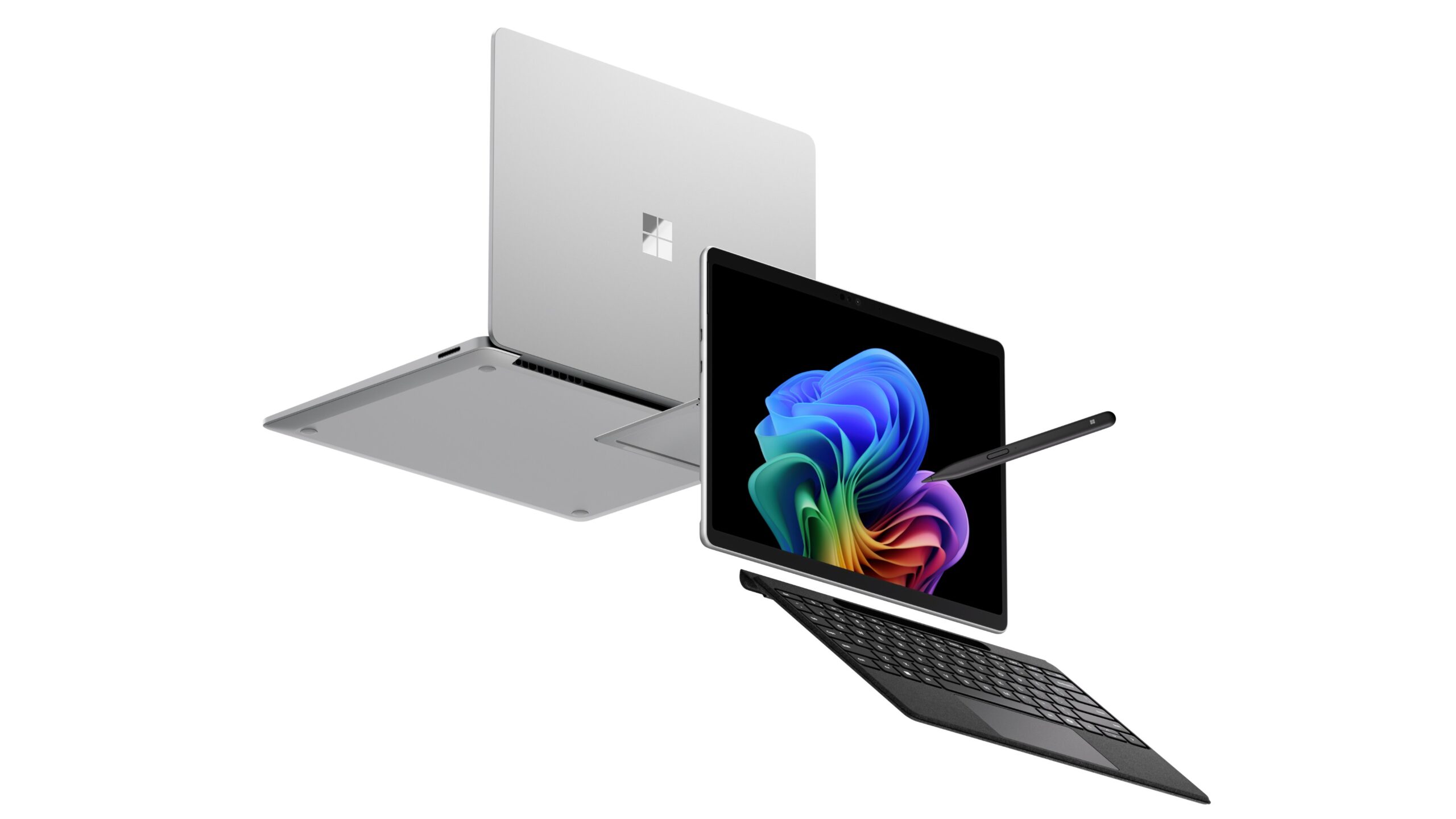
How to choose best microsoft laptop
The right Microsoft laptop depends on how much you carry, which Windows applications you use, and whether a bright touchscreen or long battery life matters most.
Processor platform
The new Surface Laptop configurations use Snapdragon X2 Elite or Snapdragon X2 Plus processors with built-in AI acceleration. The X2 Elite models list 12 cores, while the X2 Plus model lists 10 cores. These are the most modern options here for multitasking and Copilot+ features.
The refurbished Surface Laptop 4 and Laptop 5 models use Intel Core processors. That older platform may be preferable for software that has been developed and tested extensively on conventional Windows PCs. Buyers with specialized business, engineering, or accessory software should check compatibility before choosing Snapdragon.
Screen size and resolution
A 13.5-inch or 13.8-inch display keeps the laptop easier to carry, but a 15-inch screen gives spreadsheets, editing timelines, and side-by-side windows more room. The Surface Laptop 5 models list a 2256 x 1504 resolution, while the new 13.8-inch Black model lists a 120Hz touchscreen.
The 15-inch Plus model stands out for its listed 600-nit brightness and 262 pixels per inch. That is the strongest specification for working in a bright room. A smaller screen is not automatically sharper or easier to use, so consider the applications you run rather than choosing by size alone.
Memory and storage
Every new Surface configuration in this list includes 16GB of memory, which is a sensible starting point for modern Windows multitasking. The refurbished Surface models also list 16GB, while the HP includes 16GB of DDR4 RAM.
Storage ranges from 256GB on the Black Surface Laptop 5 to 1TB on the 15-inch Elite. A 512GB SSD is a more comfortable middle ground for documents, applications, photos, and offline media. The HP takes a different approach with 128GB of internal UFS storage plus a separate 500GB external drive.
Choose the processor for your applications, but choose the storage for the files you keep every day.
Battery and portability
The 13.8-inch new Surface Laptop models list up to 20 hours of battery life and weigh 2.97 pounds. The 15-inch models list up to 19 hours, but weigh 3.67 pounds. That difference is noticeable in a bag, even though the larger models are more comfortable for desk work.
The refurbished Surface Laptop 5 Platinum lists up to eight hours, while the older models do not provide a battery figure in the available information. If you regularly work away from a charger, the newer Snapdragon models have the clearer endurance advantage.
Ports and wireless connections
The new Surface models center on two USB-C and USB4 ports. The 13.8-inch Black model lists Wi-Fi 7 and support for up to three 4K monitors, while the 15-inch Elite adds a microSD card reader. These features suit modern docks and displays, but older USB-A devices may need an adapter.
The refurbished Surface Laptop 5 Black lists USB-C, USB-A, a 3.5mm headphone jack, and Surface Connect. That makes it easier to use with older accessories. The HP bundle goes further with a six-in-one USB-C hub, HDMI, card readers, and an external drive.

Frequently asked questions
Which Microsoft laptop is best for most people?
The Microsoft Surface Laptop 13.8 Platinum is the strongest all-around choice in this group. It combines a Snapdragon X2 Elite processor, 16GB of memory, 512GB of SSD storage, a touchscreen, and a claimed 20-hour battery life in a 2.97-pound design.
Is a 13.8-inch or 15-inch Surface Laptop better?
The 13.8-inch models are easier to carry and better suited to commuting. The 15-inch models provide more room for spreadsheets, creative applications, and side-by-side windows, but they weigh 3.67 pounds. Choose based on whether portability or workspace matters more.
Are the Snapdragon Surface Laptop models compatible with Windows software?
The Snapdragon models run Windows 11 and are designed as Copilot+ PCs. Standard applications should be checked individually when compatibility is critical, especially specialized business or older software. Intel-based Surface Laptop 4 and Laptop 5 models offer a more conventional Windows hardware platform.
Which model has the brightest display?
The Microsoft Surface Laptop 15 Plus Platinum lists a 600-nit display and 262 pixels per inch. That makes it the clearest choice for rooms with strong ambient light. The 13.8-inch Black model also lists a 120Hz touchscreen for smoother scrolling.
Is a refurbished Surface Laptop worth considering?
A refurbished model can make sense when you want a Surface design, touchscreen, or Intel compatibility and do not need the newest platform. The trade-offs include an older processor, shorter or unspecified battery life, and possible variation in cosmetic condition. Check the condition and coverage details carefully before ordering.
Which Surface Laptop has the most storage?
The Microsoft Surface Laptop 15 Elite has a 1TB SSD, the largest internal drive in this roundup. Several models have 512GB, while the Black Surface Laptop 5 lists 256GB. The HP includes a 500GB external drive, but that is separate from its 128GB internal storage.

The bottom line
The Best Microsoft Laptop for most readers is the Microsoft Surface Laptop 13.8 Platinum. Its Snapdragon X2 Elite processor, 16GB RAM, 512GB SSD, touchscreen, light 2.97-pound body, and claimed 20-hour battery life create the most balanced package. Choose the Microsoft Surface Laptop 15 Elite instead if a 15-inch display and 1TB SSD matter more than carrying weight.
For a sharper traditional Windows option, the Microsoft Surface Laptop 5 13.5 Platinum offers a 2256 x 1504 touchscreen and Intel Core i7 performance, while the HP 14 Business Laptop is the practical bundle pick for office accessories and included storage.
If you are undecided, choose the 13.8-inch Surface Laptop unless you already know you need a 15-inch workspace or Intel compatibility.
As an Amazon Associate we earn from qualifying purchases.