

A storage upgrade can make a fast computer feel new again, but choosing an NVMe drive is not as simple as finding the largest read-speed number. Your motherboard may limit the interface, your laptop may need low power draw, and a drive that looks quick on paper can be the wrong fit for sustained transfers.
Our Best NVMe SSD picks cover PCIe 4.0 and PCIe 5.0 drives, capacities from 500GB to 2TB, and options aimed at desktops, laptops, handhelds, gaming PCs, and PS5 storage expansion. Samsung's 990 PRO 2TB is our top pick, while the list ranges from compact 500GB storage to high-speed PCIe 5.0 hardware.
Best NVMe SSD comparison
| # | Product | Award | Interface | Capacity | Sequential read | Best for |
|---|---|---|---|---|---|---|
| 1 | Samsung 990 PRO 2TB | Best overall | PCIe 4.0 | 2TB | Up to 7, 450 MB/s | High-performance desktops and gaming PCs |
| 2 | Samsung 9100 PRO 2TB | Best PCIe 5.0 | PCIe 5.0x4 | 2TB | Up to 14, 700 MB/s | Heavy creative workloads |
| 3 | Kingston NV3 1TB | Best straightforward upgrade | PCIe 4.0 Gen 4x4 | 1TB | Up to 6, 000 MB/s | Everyday desktops and laptops |
| 4 | Samsung 990 PRO 1TB | Best compact performance | PCIe 4.0 | 1TB | Up to 7, 450 MB/s | Gaming systems with moderate storage needs |
| 5 | Samsung 9100 PRO 1TB | Best smaller PCIe 5.0 drive | PCIe 5.0x4 | 1TB | Up to 14, 700 MB/s | Newer PCIe 5.0 desktops |
| 6 | WD_Black SN7100 2TB | Best for handheld gaming | PCIe Gen4 | 2TB | Up to 7, 250 MB/s | Laptops and handheld gaming devices |
| 7 | Samsung 990 EVO Plus 1TB | Best dual-interface flexibility | PCIe 4.0x4 or 5.0x2 | 1TB | Up to 7, 150 MB/s | Systems with mixed PCIe support |
| 8 | SIX X7400 1TB | Best PS5-ready bundle | PCIe 4.0x4 | 1TB | Up to 7, 350 MB/s | PS5 and DIY installations |
| 9 | SANDISK Optimus 5100 500GB | Best smaller-capacity option | PCIe 4.0x4 | 500GB | Up to 6, 600 MB/s | Boot drives and compact builds |
| 10 | WD_Black SN7100 1TB | Best for portable gaming | PCIe Gen4 | 1TB | Up to 7, 250 MB/s | Laptops and handheld gaming devices |
1. Samsung 990 PRO 2TB: Best Overall

Pros
- Strong PCIe 4.0 performance
- 2TB capacity suits large game libraries
- Efficient controller and thermal management
- Samsung Magician software supports monitoring and updates
Cons
- PCIe 4.0 rather than PCIe 5.0
- No heatsink is listed with this drive
Best for: someone who wants a fast, spacious drive without moving to a PCIe 5.0 platform.
The Samsung 990 PRO 2TB is the drive we would put in a high-end gaming PC or general-purpose workstation when the system supports PCIe 4.0. It has the rare combination of speed, useful capacity, and mature software support. The 2TB size gives games, applications, and working files room to coexist without immediately forcing a second drive.
Its headline sequential speeds are up to 7, 450 MB/s read and 6, 900 MB/s write. Those numbers put it close to the practical ceiling of PCIe 4.0, and the benefit is most obvious when moving large files or loading projects rather than opening a small document. Samsung also cites random performance up to 1, 400K read IOPS and 1, 550K write IOPS. Random access is the part that helps a busy operating system feel responsive when many small files are being read at once.
The drive uses a slim M.2 2280 design measuring about 3.15 inches long and 0.87 inches wide. Its nickel-coated controller is intended to help with thermal control, while Samsung claims improved performance per watt compared with the older 980 PRO. That matters in a laptop, although desktop users should still use the motherboard's M.2 heatsink if one is available. Samsung Magician adds drive-health monitoring, firmware updates, data protection, and optimization controls.
The limitation is straightforward: the 990 PRO cannot make a PCIe 3.0 system behave like a PCIe 4.0 one, and it is not the raw-speed leader here. The Samsung 9100 PRO models are much quicker for workloads that can use PCIe 5.0, while the Kingston NV3 is a simpler choice for a basic upgrade. The 990 PRO 2TB remains the more balanced pick for most capable systems, especially when you want enough room for demanding games and creative files.
If you are deciding between internal and removable storage for a large media library, the way external storage handles a growing game and photo collection can help clarify which files belong on this drive. For a desktop, though, the Samsung 990 PRO 2TB is the one we'd keep.
2. Samsung 9100 PRO 2TB: Best PCIe 5.0

Pros
- Up to 14, 700 MB/s sequential read speed
- Up to 2, 600K random write IOPS
- 2TB capacity for demanding work
- 5nm controller and thermal-control features
- Magician software for maintenance
Cons
- Requires a compatible PCIe 5.0 platform
- High-end performance is unnecessary for many everyday tasks
Best for: creators and enthusiasts with a PCIe 5.0 system who regularly move very large files.
The Samsung 9100 PRO 2TB is the most ambitious drive in this group. It is aimed at a newer desktop or laptop with PCIe 5.0 support, and its appeal comes from reducing wait time in work that actually moves a lot of data. For ordinary browsing and application launches, it will not feel twice as quick as the Samsung 990 PRO 2TB. For video projects, large datasets, and repeated transfers, the extra bandwidth has a clearer purpose.
Samsung rates this model for sequential reads up to 14, 700 MB/s and writes up to 13, 400 MB/s. It also lists random read and write performance up to 1, 850K and 2, 600K IOPS. A high random-write figure is useful when an application is creating and updating many files at once, while the sequential figures matter when the workload is dominated by large, contiguous files. Those are demanding conditions, not a promise that every game will load twice as fast.
The 9100 PRO uses a PCIe 5.0x4 interface and a standard M.2 2280 shape. The drive is about 3.2 inches long, 0.9 inches wide, and 0.09 inches high. Samsung says its 5nm controller improves power efficiency compared with the 990 PRO and that advanced thermal control helps sustain performance. A compatible motherboard heatsink remains important because PCIe 5.0 drives can generate substantial heat during prolonged transfers.
This drive beats the 990 PRO 2TB on interface bandwidth and headline speed, but the 990 PRO is the easier recommendation for a PCIe 4.0 machine and remains plenty quick for gaming. The 1TB Samsung 9100 PRO has the same family of performance claims in a smaller capacity, while this 2TB version is better suited to a large project folder or sizeable game collection. Skip it if your motherboard only exposes PCIe 4.0 or if your workload rarely involves large transfers.
The 9100 PRO 2TB is the Best NVMe SSD here for a workstation built around PCIe 5.0. It makes sense for someone who has the supporting platform and can keep its bandwidth busy, not for someone chasing a specification without a matching workload.
3. Kingston NV3 1TB: Best Straightforward Upgrade

Pros
- PCIe 4.0 Gen 4x4 interface
- Up to 6, 000 MB/s read speed
- Includes Acronis cloning software
- Five-year limited warranty
- Compact M.2 2280 format
Cons
- Lower stated write speed than the Samsung drives
- 1TB leaves less room than the 2TB picks
Best for: a general computer upgrade where sensible speed and an uncomplicated installation matter most.
The Kingston NV3 1TB is the least complicated recommendation in this roundup. It is a compact PCIe 4.0 drive for someone replacing an older boot drive, adding faster application storage, or building a system that does not need workstation-class throughput. The 1TB capacity is enough for an operating system, applications, and a useful selection of games, though it will fill sooner than the 2TB models.
Kingston lists sequential read speed up to 6, 000 MB/s and write speed up to 4, 000 MB/s. That is a meaningful step above older SATA storage and a sensible match for a broad range of PCIe 4.0 systems. The lower write ceiling separates it from the Samsung 990 PRO and WD_Black SN7100, especially when a job involves sustained large-file writing, but normal startup, application loading, and game installation still fit its intended role.
The drive uses the common M.2 2280 format and PCIe Gen 4x4 connection. Its listed dimensions are about 3.15 inches long, 0.89 inches high, and 0.15 inches wide, with a weight of roughly 0.014 pounds. Kingston includes Acronis cloning software, which can make migrating an existing system less disruptive. A five-year limited warranty is another useful part of the ownership picture, though warranty terms should always be checked before installation.
Compared with the Samsung 990 PRO 1TB, the NV3 gives up top-end sequential and random performance. Compared with the SIX X7400 1TB, it does not include the same installation-focused bundle described in the listing. Its strength is that it avoids overcomplicating the upgrade. Choose something faster if your work involves constant transfers, or choose 2TB if your current drive is already cramped.
The Kingston NV3 1TB is a good fit for a reader who wants a modern internal drive with cloning software and a clear five-year warranty. It is not the fastest Best NVMe SSD pick, but it is an easy one to understand.
4. Samsung 990 PRO 1TB: Best Compact Performance

Pros
- Up to 7, 450 MB/s sequential read speed
- Up to 1, 400K random read IOPS
- Slim M.2 2280 design
- Thermal control for laptop and desktop use
- Samsung Magician support
Cons
- 1TB capacity can disappear quickly with large games
- PCIe 4.0 limits it on newer PCIe 5.0 systems
Best for: a fast boot and game drive when 1TB is enough.
The Samsung 990 PRO 1TB has the same core character as the 2TB model, but its smaller capacity changes who should buy it. It works well as a primary boot drive, application drive, or focused gaming drive in a desktop or laptop. If your system already has another drive for media and archives, this version keeps the high-performance part of the build compact.
Its rated sequential performance reaches 7, 450 MB/s for reads and 6, 900 MB/s for writes. Samsung also lists up to 1, 400K random read IOPS and 1, 550K random write IOPS. Those specifications point to a drive that handles both large transfers and the scattered reads generated by an operating system, game launcher, or editing application. The distinction from the Kingston NV3 is most visible in demanding storage work, not in every short desktop interaction.
Samsung gives the 990 PRO a nickel-coated controller for thermal control and claims up to 50 percent improved performance per watt over the 980 PRO. The drive measures about 3.16 inches by 0.87 inches, with a listed height of 0.09 inches. That slim profile suits many laptops and desktop M.2 slots, but physical fit and motherboard support still need checking. Magician software can monitor health, install firmware updates, and help protect data.
The weakness is capacity rather than speed. Modern games, raw video, and image libraries can consume 1TB surprisingly quickly, which makes the 990 PRO 2TB a more relaxed choice. It also cannot use PCIe 5.0 bandwidth, so the Samsung 9100 PRO 1TB is the more appropriate match for a new PCIe 5.0 build. Pick this model when you want flagship PCIe 4.0 behavior and already know that 1TB covers the workload.
For readers comparing storage for a console library, the storage expansion details that matter for a PS5 are more useful than a desktop speed chart. For a compact PC or laptop, the Samsung 990 PRO 1TB remains a polished option.
5. Samsung 9100 PRO 1TB: Best Smaller PCIe 5.0 Drive
Pros
- PCIe 5.0x4 interface
- Up to 14, 700 MB/s sequential reads
- Up to 2, 600K random write IOPS
- 5nm controller with thermal-control features
- Magician software support
Cons
- 1TB capacity is limiting for large libraries
- Needs PCIe 5.0 support to show its full ability
Best for: a newer PCIe 5.0 system that needs high throughput in a smaller capacity.
The Samsung 9100 PRO 1TB is for the buyer who wants the 9100 PRO family but does not need 2TB of internal space. It is a high-speed system drive for a recent desktop, and it makes the most sense when the motherboard, processor platform, and workload are all ready for PCIe 5.0. Installed in an older system, it loses the main reason to choose it.
The drive is rated for up to 14, 700 MB/s sequential reads and 13, 300 MB/s sequential writes. It also carries the same stated random read and write figures as the larger model, up to 1, 850K and 2, 600K IOPS. That combination suits large project files, demanding content creation, AI applications, and multitasking that keeps storage busy. Game loading can improve in some situations, but the interface alone does not turn every title into a dramatically different experience.
Its M.2 2280 dimensions are about 3.2 inches long, 0.9 inches wide, and 0.09 inches high. Samsung says the 5nm controller can improve power efficiency by up to 49 percent over the 990 PRO, while advanced thermal control helps maintain operation under pressure. Use the motherboard's heatsink or another compatible cooling solution when the system provides one. Samsung Magician handles monitoring, firmware, and extra encryption features.
The 1TB limit is the obvious trade-off. The Samsung 9100 PRO 2TB is a better fit for a large active project library, while the 990 PRO 1TB is a more sensible match for PCIe 4.0 hardware. The 9100 PRO 1TB is also a poor choice for someone who mostly browses, edits documents, and plays games from storage. Its performance is more compelling when the computer can keep several demanding tasks in motion.
This is the Best NVMe SSD pick for a PCIe 5.0 enthusiast who wants a fast primary drive without committing to the larger capacity. Everyone else should first confirm the interface and workload.
6. WD_Black SN7100 2TB: Best for Handheld Gaming

Pros
- 2TB capacity
- Up to 7, 250 MB/s read speed
- Up to 6, 900 MB/s write speed
- TLC 3D NAND
- Designed for laptops and handheld gaming devices
Cons
- The listing says it has been replaced by a newer generation
- WD_Black Dashboard is Windows only
Best for: a laptop or handheld gaming device that needs fast, roomy PCIe Gen4 storage.
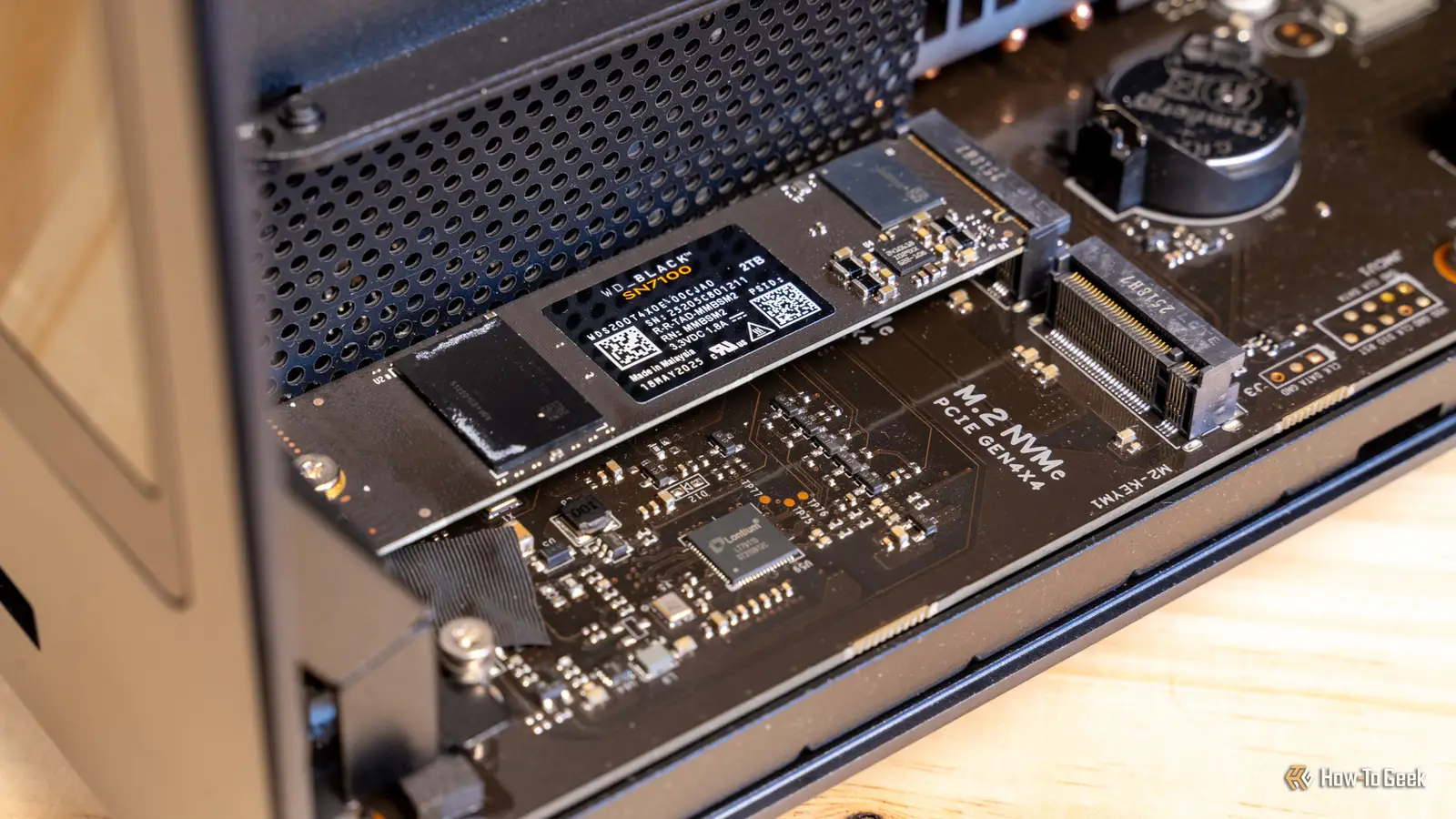
The WD_Black SN7100 2TB stands apart because its intended audience is not just the desktop builder. It is designed for laptops and handheld gaming devices, where capacity, power behavior, and a compact form factor matter alongside throughput. Two terabytes is especially useful for a portable game library, since repeatedly uninstalling large titles is an avoidable chore.
The drive uses a PCIe Gen4 interface and TLC 3D NAND. Its listed sequential read speed reaches 7, 250 MB/s, while sequential write speed reaches 6, 900 MB/s on the 1TB and 2TB models. Those figures put it close to the Samsung 990 PRO in large-file work, although the two products have different software ecosystems and positioning. The SN7100 is a stronger fit when the computer travels or when the slot sits inside a handheld rather than a large, well-cooled tower.
Its physical dimensions are about 3.14 inches long, 0.86 inches wide, and 0.044 inches high, with a listed weight of roughly 0.012 pounds. That very thin profile is helpful in constrained devices. The listing also describes up to 100 percent more power efficiency than the previous generation, and the WD_Black Dashboard can help optimize the drive and check status on Windows.
There is an important caveat in the product data: the listing says this drive has been replaced by the SANDISK Optimus GX 7100. That does not erase the SN7100's stated capabilities, but it makes the model's position less future-facing than the Samsung options. The 2TB capacity and portable focus still make it more interesting than the 1TB version for a large library, while the Samsung 990 PRO 2TB is the better all-purpose desktop recommendation.
For someone weighing portable and desktop libraries, how much faster removable storage needs to be for gaming is a useful question before opening the chassis. Choose the SN7100 2TB when the device supports the drive and portable capacity matters more than having the newest family.
7. Samsung 990 EVO Plus 1TB: Best Dual-Interface Flexibility

Pros
- Supports PCIe 4.0x4 and PCIe 5.0x2
- Up to 7, 150 MB/s read speed
- Intelligent TurboWrite 2.0
- Nickel-coated controller for thermal control
- Samsung Magician support
Cons
- 1TB capacity
- Not a full PCIe 5.0x4 drive
Best for: a system builder who wants broader interface flexibility than a conventional PCIe 4.0 drive.
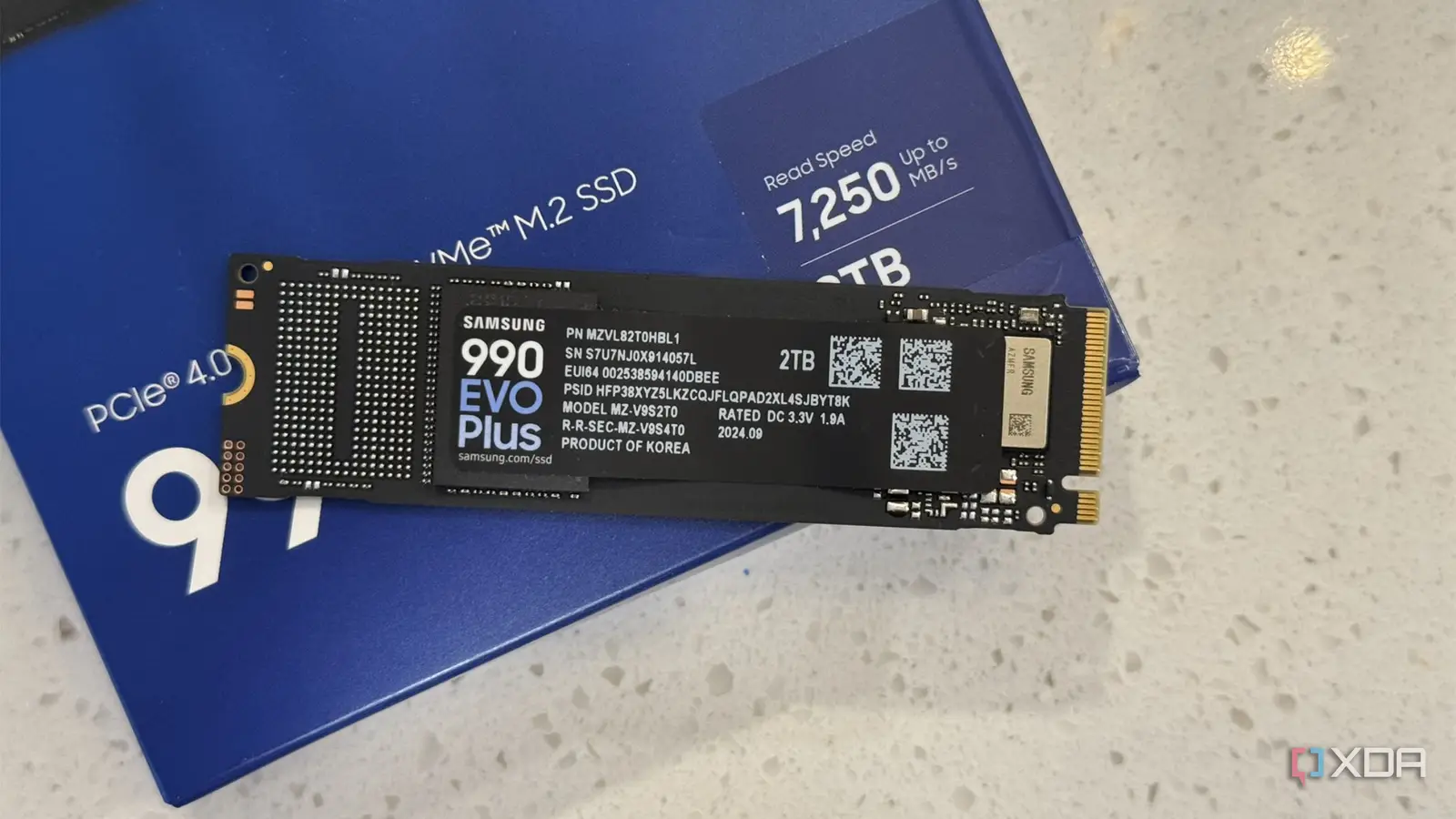
The Samsung 990 EVO Plus 1TB is the odd one out in Samsung's lineup because it can operate over PCIe 4.0x4 or PCIe 5.0x2. That gives it a useful degree of platform flexibility. It is not the same thing as a PCIe 5.0x4 drive, but it can make sense in a system where the available lane configuration favors the newer interface.
Samsung lists sequential read and write speeds up to 7, 150 MB/s and 6, 300 MB/s. Intelligent TurboWrite 2.0 is intended to improve large-file performance, which helps when copying projects or installing substantial applications. The read figure is close to the 990 PRO's 7, 450 MB/s claim, while the write figure sits below it. For general use, that gap may not matter. For repeated large writes, the higher-tier drive is the safer choice.
The 990 EVO Plus uses the M.2 2280 format and measures about 3.2 inches long, 0.9 inches wide, and 0.1 inches high. Samsung describes an efficiency-focused nickel-coated controller and support for thermal management. Magician software provides firmware updates, encryption features, and drive-health monitoring. Check the motherboard manual carefully, because the available PCIe lanes and supported modes determine how the drive will operate.
This is a more flexible alternative to the Samsung 990 PRO 1TB, but the 990 PRO remains the stronger conventional PCIe 4.0 performer. The 9100 PRO 1TB is the better choice when full PCIe 5.0x4 bandwidth is available and the workload can use it. Skip the EVO Plus if you want the simplest possible specification, or if you need more than 1TB for active storage.
The Samsung 990 EVO Plus is a thoughtful choice for a mixed-generation system. It earns a place among the Best NVMe SSD options because its interface support solves a real compatibility problem, even though its peak numbers do not lead this list.
8. SIX X7400 1TB: Best PS5-Ready Bundle

Pros
- PCIe Gen4x4 interface
- Up to 7, 350 MB/s read speed
- Listed for PS5, laptops, and desktops
- Heatsink and installation accessories included
- Five-year limited warranty
Cons
- Limited independent detail in the product information
- 1TB capacity may be tight for a large game collection
Best for: a PS5 or PC owner who wants a drive with installation hardware included.
The SIX X7400 1TB is built around convenience. The listing specifically describes it for PS5 storage expansion, laptops, and desktop PCs, and it includes a heatsink, screw, and screwdrivers. That bundle can remove a few small but irritating obstacles from an installation, especially for someone adding a drive to a console or building a first PC.
The X7400 uses a PCIe Gen4x4 interface and claims read speeds up to 7, 350 MB/s. That is close to the Samsung 990 PRO's stated 7, 450 MB/s ceiling and above the Kingston NV3's 6, 000 MB/s claim. The listing also says it can improve heavy-duty applications, content creation, data analytics, gaming, bootups, file transfers, and game loads. Those use-case claims are broad, so the headline read speed should be treated as the clearest concrete performance detail.
The drive follows the M.2 2280 format and measures about 3.15 inches long and 0.87 inches wide. Its listed height is 0.08 inches, and its weight is about 0.044 pounds. The included heatsink is relevant for a PS5 installation, but compatibility depends on the console's physical requirements and installation procedure. Confirm that the supplied hardware fits your device before attaching it.
The weakness is the thinner technical record compared with Samsung, Kingston, and WD_Black. There are no stated write-speed or random-IOPS figures in the supplied data, so it is harder to judge sustained transfers from the listing alone. The Samsung 990 PRO 1TB is the more established choice for a desktop where software monitoring matters, while the SIX X7400 is more appealing when the included installation kit and PS5 focus solve a practical problem.
The SIX X7400 1TB is a reasonable Best NVMe SSD candidate for a console expansion or DIY installation. Pick it for the bundle and compatibility focus, not because a single sequential-read number tells the whole storage story.
9. SANDISK Optimus 5100 500GB: Best Smaller-Capacity Option

Pros
- Compact M.2 2280 format
- PCIe 4.0x4 interface
- Up to 6, 600 MB/s read speed
- Power-efficient design
- SANDISK Dashboard software
Cons
- 500GB capacity
- The listing provides some performance figures only for larger capacities
Best for: a boot drive, office PC, or compact system where 500GB is sufficient.
The SANDISK Optimus 5100 500GB is the smallest-capacity drive here, and that is its defining feature. It can serve as a clean boot drive for a desktop or laptop, a replacement for an aging system drive, or a compact installation where a large game library is not part of the plan. It is less suitable as the only drive in a modern gaming computer.
The listing describes a PCIe 4.0x4 interface and read speeds up to 6, 600 MB/s for this model. It also mentions up to 7, 100 MB/s read speeds for 1TB and 2TB models, so the 500GB version should not be judged by those larger-capacity figures. The supplied information does not give a specific write-speed figure for the 500GB model. That makes it more appropriate for booting, applications, and lighter file work than for a creator's sustained transfer workload.
SANDISK describes an efficient design intended to provide high performance with lower power use. The drive uses an M.2 2280 format and is listed at roughly 3.15 inches long, with a height of about 0.09 inches. SANDISK Dashboard can monitor performance and check for updates. The product information also identifies 8th generation SANDISK BiCS QLC 3D CBA NAND across the family, which helps explain its capacity and positioning.
The 500GB limit is the reason to be cautious. Operating-system files, applications, temporary project files, and a few games can consume that space quickly. The Kingston NV3 1TB gives twice the stated capacity, while the Samsung 990 PRO 1TB offers stronger top-end performance. Choose the Optimus 5100 only when the smaller capacity genuinely fits the machine or when it will serve as one drive among several.
For an older desktop that needs a responsive system drive, the SANDISK Optimus 5100 500GB can be sensible. It is not the Best NVMe SSD for a large library, but its compact capacity and PCIe 4.0 interface suit focused upgrades.
10. WD_Black SN7100 1TB: Best for Portable Gaming
Pros
- Up to 7, 250 MB/s read speed
- Up to 6, 900 MB/s write speed
- TLC 3D NAND
- Thin design for laptops and handhelds
- WD_Black Dashboard support on Windows
Cons
- The listing says it has been replaced by a newer generation
- 1TB capacity is less comfortable for a large portable library
Best for: a handheld or laptop that needs a thin, fast PCIe Gen4 drive.
The WD_Black SN7100 1TB is the smaller counterpart to the 2TB model above. Its focus is portable gaming, not maximum desktop expansion. The thin M.2 drive can make sense in a laptop or handheld that supports PCIe Gen4 and has enough room for a 2280 device. The 1TB capacity is workable for a selected game collection, though the 2TB version is less restrictive.
Its stated read speed is up to 7, 250 MB/s and its write speed is up to 6, 900 MB/s for the 1TB and 2TB models. The drive uses TLC 3D NAND and a PCIe Gen4 interface. These figures put it close to the Samsung 990 PRO 1TB for sequential work, but the SN7100 is specifically framed around portable devices and improved power efficiency over the previous generation.
The drive measures about 3.14 inches long, 0.86 inches wide, and 0.044 inches high. That 0.044-inch height is particularly useful when a handheld or laptop has limited clearance. WD_Black Dashboard is available for Windows, giving compatible users a way to check and optimize the drive. Devices running another operating system will not get the same listed software support.
The key drawback is the same one attached to the 2TB model: the listing says the SN7100 has been replaced by the SANDISK Optimus GX 7100. That makes availability and long-term model continuity worth checking. The Samsung 990 PRO 1TB is a stronger all-purpose drive, while the SN7100's thin design and portable focus are the reasons to choose it.
The WD_Black SN7100 1TB suits someone upgrading a compatible handheld or laptop without needing 2TB. If the device can accept the larger drive, the 2TB model is the more comfortable portable choice.
How to choose best nvme ssd
The right NVMe drive is determined by the slot in your computer, the storage capacity you need, and the kind of work that keeps the drive busy.
PCIe interface
PCIe 4.0 drives such as the Samsung 990 PRO and Kingston NV3 are compatible with a wide range of current systems and offer high throughput. PCIe 5.0 drives such as the Samsung 9100 PRO need a compatible motherboard or laptop to reach their rated performance. A PCIe 5.0 drive can operate in an older slot, but the older interface will limit it.
The Samsung 990 EVO Plus is unusual because it supports PCIe 4.0x4 and PCIe 5.0x2. That can help with mixed-generation systems, but check the lane configuration in the motherboard manual rather than assuming the newer interface always means more bandwidth.
Match the drive to the slot first. A faster SSD cannot outrun the PCIe connection beneath it.
Sequential speed
Sequential read and write figures describe large, continuous transfers. They matter when you move video files, disk images, project folders, or large game installations. They matter less for short documents and many everyday application launches, where small random reads and system behavior have more influence.
The 9100 PRO leads this list with a stated read speed up to 14, 700 MB/s, while the 990 PRO reaches up to 7, 450 MB/s. The difference is meaningful only when the rest of the system and workload can use that bandwidth. Do not select a drive solely because its sequential-read figure is higher.
Capacity
Capacity affects how often you need to move files and uninstall games. A 500GB drive can be a good boot drive, but it leaves little space for a large application set. A 1TB drive is a practical starting point for many desktops and laptops. A 2TB drive is more comfortable for game libraries, video projects, and machines that will serve as the main storage location.
The Samsung 990 PRO 2TB, Samsung 9100 PRO 2TB, and WD_Black SN7100 2TB are the most suitable choices when active files need to stay on the internal drive. Capacity should be planned around current files and future growth, not just today's installation.
Thermal management
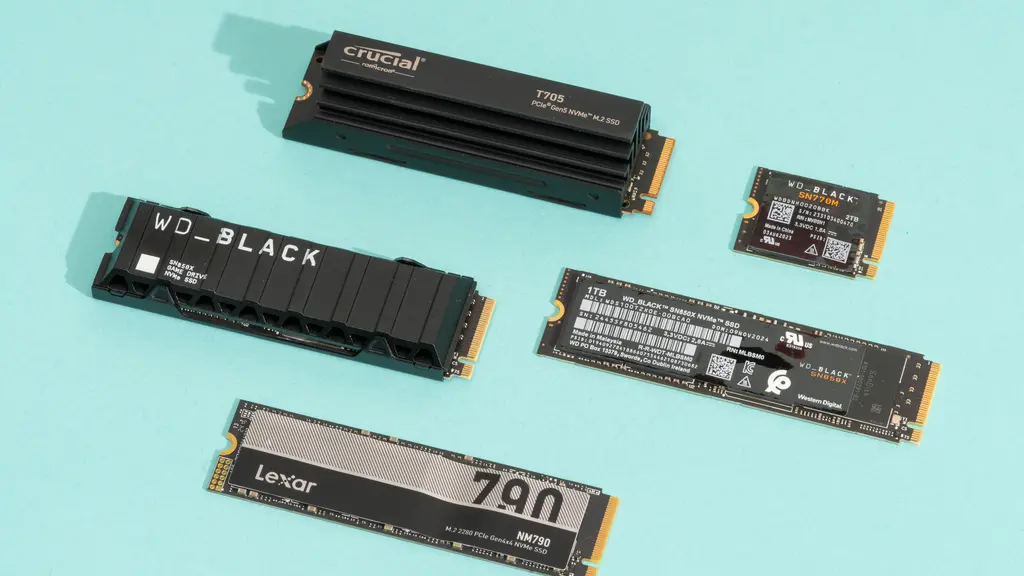
Fast NVMe drives can become warm during sustained transfers. Desktop motherboards often include M.2 heatsinks, while laptops and handhelds have tighter physical and thermal limits. The Samsung models describe controller thermal management, and the SIX X7400 listing includes a heatsink and installation accessories.
A heatsink must fit the device and leave room for its cover or enclosure. In a laptop or handheld, do not add hardware unless the manufacturer or installation instructions support it. Thin drives such as the WD_Black SN7100 are designed with constrained devices in mind, but the host system still controls cooling.
Software and migration
Drive-management software can make ownership easier. Samsung Magician supports firmware updates, health monitoring, encryption features, and optimization. WD_Black Dashboard provides monitoring and optimization on Windows. Kingston includes Acronis cloning software, which can simplify moving an existing installation.
Software does not change the underlying interface or NAND, but it can make a drive easier to maintain. If you are replacing a boot drive, check whether the cloning tool supports your operating system and whether you have a way to connect both drives during migration.
Frequently asked questions
What is the fastest drive in this roundup?
The Samsung 9100 PRO 2TB and Samsung 9100 PRO 1TB have the highest stated sequential read speed, up to 14, 700 MB/s. They use PCIe 5.0x4, so a compatible system is required to reach that level. The 2TB model is the better fit for large active projects.
Is PCIe 5.0 necessary for gaming?
No. A strong PCIe 4.0 drive such as the Samsung 990 PRO can provide excellent game and system performance. PCIe 5.0 is more useful for heavy file transfers and workloads that can keep the extra bandwidth occupied.
Can these drives work in a laptop?
Several are listed in the M.2 2280 format and are intended for laptops, but the laptop must support the same physical size and PCIe interface. The WD_Black SN7100 models are specifically described for laptops and handheld gaming devices. Check the laptop's service manual before buying.
Which drive is suitable for PS5 expansion?
The SIX X7400 1TB is specifically listed for PS5 storage expansion and includes a heatsink and installation accessories. Compatibility still depends on following the console's requirements and ensuring the supplied heatsink fits correctly. The other drives should not be assumed to meet every console installation requirement without checking.
Is 500GB enough for an NVMe boot drive?
It can be enough for an operating system and applications when games and media live elsewhere. The SANDISK Optimus 5100 500GB is better suited to that focused role than to a single-drive gaming PC. Leave free space for updates and temporary files.
Do NVMe drives need a heatsink?
Not every system needs an aftermarket heatsink, but thermal control matters during sustained transfers. A motherboard M.2 heatsink is often sufficient in a desktop. Laptops and handhelds require more careful attention because an added heatsink may not fit.
Should I choose 1TB or 2TB?
Choose 1TB for a boot drive, a focused game collection, or a computer with another storage device. Choose 2TB when the drive will hold a large library, creative projects, or most of your active files. The Samsung 990 PRO 2TB and WD_Black SN7100 2TB are the more comfortable options for those workloads.
The bottom line
The Best NVMe SSD for most capable PCIe 4.0 desktops is the Samsung 990 PRO 2TB. It combines near-ceiling PCIe 4.0 speed, useful capacity, thermal features, and mature management software. The Samsung 9100 PRO 2TB is the better specialist pick for a PCIe 5.0 workstation that can take advantage of its much higher sequential bandwidth.
For a simpler upgrade, the Kingston NV3 1TB keeps installation straightforward with cloning software and a five-year limited warranty. Laptop and handheld owners should look closely at the WD_Black SN7100 2TB, while PS5 owners may prefer the installation-focused bundle of the SIX X7400 1TB.
If you are undecided, buy the Samsung 990 PRO 2TB for PCIe 4.0 or the Samsung 9100 PRO 2TB only when your system and workload genuinely support PCIe 5.0.
As an Amazon Associate we earn from qualifying purchases.