

A mouse can make a fast computer feel sluggish when the shape is wrong, the receiver gets in the way, or the sensor demands more movement than your desk allows. The right model should suit your hand, your connection preferences, and the work or games you actually do.
Our picks for the Best PC Mouse range from compact plug-and-play models to feature-heavy gaming mice with programmable controls. The Logitech G305 Lightspeed Wireless is the one we'd keep for most people, while the rest cover specific needs such as multi-device work, large hands, RGB lighting, and wired reliability.
Comparison table
| # | Product | Award | Connection | Sensor or DPI | Best for |
|---|---|---|---|---|---|
| 1 | Logitech G305 Lightspeed | Best overall | LIGHTSPEED wireless | HERO, up to 12, 000 DPI | Gaming and everyday use |
| 2 | Logitech M185 | Best compact | 2.4 GHz wireless | Optical sensor | Small hands and travel |
| 3 | Logitech M510 | Best full-size office mouse | 2.4 GHz wireless | Optical sensor | Long work sessions |
| 4 | Acer Wireless Mouse | Best adjustable sensitivity | 2.4 GHz wireless | 800, 1, 200, or 1, 600 DPI | Home and office tasks |
| 5 | Logitech G502 Hero | Best wired customization | Wired USB | HERO, up to 25, 600 DPI | Button-heavy gaming |
| 6 | Razer Basilisk V3 | Best ergonomic gaming mouse | Wired USB | Focus Plus, up to 26, 000 DPI | Right-handed gaming |
| 7 | Logitech G305 Lightspeed White | Best white wireless gaming mouse | LIGHTSPEED wireless | HERO, up to 12, 000 DPI | Wireless gaming setups |
| 8 | Redragon M810 Pro | Best wireless button control | 2.4 GHz wireless | PAW3325, up to 10, 000 DPI | Macros and RGB |
| 9 | HP X3000 G3 | Best travel office mouse | 2.4 GHz wireless | Optical, 1, 600 DPI | Portable workstations |
| 10 | Logitech M720 Triathlon | Best multi-device mouse | Bluetooth or 2.4 GHz | Optical sensor | Switching between computers |
1. Logitech G305 Lightspeed: Best Overall
Pros
- Very responsive LIGHTSPEED wireless connection
- HERO sensor reaches 12, 000 DPI
- Compact 3.4-ounce design
- Receiver stores inside the mouse
- Up to 250 hours from one AA battery
Cons
- Compact shape may not suit large hands
- Uses a replaceable AA battery
- No Bluetooth connection
Best for: someone who wants one responsive wireless mouse for gaming, work, and travel.
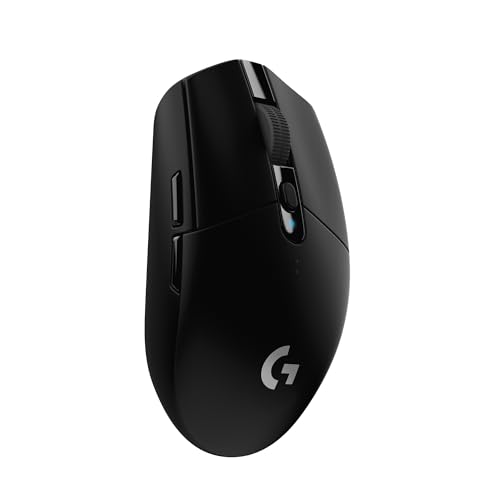
The Logitech G305 Lightspeed gets the fundamentals right without making the mouse feel like a specialist tool. Its compact shell is easy to carry, the clicks feel purposeful, and the wireless connection removes the cable without introducing a distracting delay. It is the sort of mouse that works naturally on a laptop during the day and a gaming desktop at night.
The HERO optical sensor tracks at up to 12, 000 DPI and can handle movement up to 400 IPS. Those numbers matter most to players who use a low sensitivity setting or a high-resolution display, since the sensor can follow broad, quick sweeps without losing precision. LIGHTSPEED reports at 1 ms, which puts its responsiveness in the same conversation as wired gaming mice. For general Windows work, the sensor also gives plenty of room to tune pointer speed without relying on extreme software acceleration.
Weight is a major reason this model stands out. At 3.4 ounces, the G305 feels nimble when lifting and repositioning it, yet it does not have the hollow feel of some ultra-light designs. A single AA battery provides up to 250 hours of continuous gameplay, and Logitech says Endurance mode can extend use to as much as nine months through G HUB. The small receiver has a built-in storage spot, so it is much harder to lose when the mouse goes into a laptop bag.
Compared with the Logitech G502 Hero and Razer Basilisk V3, the G305 offers fewer buttons and no RGB lighting. Those wired models are stronger for players who need a thumb full of macros or a pronounced ergonomic shape. The Logitech M720 Triathlon is more versatile across several computers, but its focus is office productivity rather than low-latency play. For a broader look at the wired and wireless trade-off, the connection compromises that matter when choosing a mouse are useful to keep in mind.
The main weakness is the shape. It is compact and fairly simple, so people with large hands or a strong preference for a palm-filling mouse may find the Logitech M510 or M720 more comfortable. The G305 is our top pick for anyone who wants speed, portability, and a clean wireless setup without committing to a gaming-only design.
2. Logitech M185: Best Compact

Pros
- Ambidextrous contoured shape
- Simple plug-and-play setup
- Up to one year from an AA battery
- Nano receiver reaches up to 33 feet
- Works with Windows and Mac computers
Cons
- Small body is not ideal for large hands
- Basic three-button layout
- No sensitivity adjustment listed
Best for: laptop users and small to medium hands that want a straightforward wireless pointer.
The Logitech M185 is deliberately uncomplicated. Plug its nano receiver into a USB-A port, and it is ready to use without software or a setup routine. The small, contoured body is comfortable in either hand, which makes it a sensible shared-office mouse or a compact replacement for a laptop touchpad.
Its 2.4 GHz wireless connection reaches up to 33 feet, more than enough for an ordinary desk or a presentation setup. Logitech lists up to one year of battery life from the included AA battery, with smart sleep mode helping conserve power. The scroll wheel and two main buttons cover ordinary browsing, documents, and file management without asking the user to configure anything.
The M185 is also unusually easy to pack. Its small size fits beside a laptop charger, and the receiver is designed to stay in the computer or travel with the mouse. The dimensions listed for this model are 3.89 inches wide, 2.36 inches high, and 1.54 inches deep, with a weight of 0.3 pounds. That compact footprint is an advantage in a cramped workspace, though it leaves less room for a full palm than the M510.
The trade-off becomes clear beside the Acer Wireless Mouse and HP X3000 G3. Both offer more sensitivity information, while the Acer adds three DPI levels and the HP lists a 1, 600 DPI optical sensor. The M185 instead prioritizes instant operation. For users comparing several office models, the hand-size and desk-space questions that shape a mouse choice deserve more attention than a long feature list.
Large-handed users should skip this one. The low, compact body can encourage a fingertip grip when a relaxed palm grip would be more comfortable. For travel, shared desks, classroom laptops, and basic home use, though, the M185 remains a refreshingly direct answer.
3. Logitech M510: Best Full-Size Office Mouse

Pros
- Broad palm support and soft rubber grips
- Back and forward buttons
- Side-to-side scrolling and zoom
- Up to two years of battery life
- Unifying receiver can support compatible devices
Cons
- Some features require Logitech software
- More desk space than compact models
- Shape favors right-handed use for extra controls
Best for: long office sessions where a larger, more supportive shape matters.
The Logitech M510 feels like a proper desk mouse rather than a travel accessory. Its broad palm area, curved sides, and soft rubber grips give the hand somewhere to settle during long stretches of browsing, spreadsheets, and document work. The body is described as ambidextrous, although the side controls are naturally more useful to right-handed users.
There are five useful inputs beyond the basic left and right clicks: back and forward buttons, side-to-side scrolling, and zoom functions. Those controls can be programmed for tasks such as switching applications or going full screen, but Logitech SetPoint on Windows or Logitech Control Center on Mac is required for that customization. The result is a more efficient office workflow than the simpler M185 can provide.
Battery maintenance is one of its strongest practical features. Logitech lists up to two years of battery life, supported by an on/off switch, smart sleep mode, and an indicator light. The small Unifying receiver can remain in a laptop, and compatible Logitech mice and keyboards can share that receiver. That is useful in a desk setup where every occupied USB port matters.
The M510 is not the choice for fast competitive gaming. The dataset does not list a gaming sensor specification or a low-latency gaming wireless mode, and its fuller body feels less agile than the 3.4-ounce Logitech G305 Lightspeed. It is also larger than the M185, so people with small hands or limited desk space may prefer the compact model. The Logitech M720 Triathlon beats it when switching among several computers is a priority.
Choose the M510 when comfort and office controls matter more than gaming performance. It is especially well suited to a right-handed desk user who wants a reassuring palm rest and enough buttons to reduce repetitive trips to the keyboard.
4. Acer Wireless Mouse: Best Adjustable Sensitivity

Pros
- Three selectable DPI levels
- Forward and backward buttons
- USB receiver stores in the battery compartment
- Sleep mode activates after 10 minutes
- Buttons and wheel tested for 10 million clicks
Cons
- AAA batteries are not included
- Side button does not work on Mac
- Uses USB-A wireless connectivity
Best for: home and office users who want simple sensitivity changes without installing drivers.
The Acer Wireless Mouse has a useful feature for a general-purpose mouse: a physical way to change pointer sensitivity. Its three settings are 800, 1, 200, and 1, 600 DPI, so the same mouse can feel slower for careful selection and faster for moving across a wide desktop. A small indicator flashes once, twice, or three times to show the selected level.
Its 2.4 GHz connection is rated for up to 32 feet, and the USB-A receiver pairs without drivers. Forward and backward buttons make web browsing and file navigation quicker, though Acer specifically notes that the side button does not work on Mac. The receiver stores in the battery compartment, which keeps it from being separated from the mouse when it is packed away.
The mouse enters standby after 10 minutes without activity and wakes with two or three clicks. Acer says the buttons and scroll wheel have been tested for 10 million clicks. The body is intended for medium to large hands, and its listed dimensions are 5.1 by 3.2 inches, with a listed weight of about 0.187 pounds. The unusually light listed weight should appeal to people who move a mouse frequently across a desk.
The Acer is more configurable than the Logitech M185, but less refined in platform support. The M185 works with Windows and Mac without software, while Acer's side button limitation makes it a weaker Mac recommendation. The HP X3000 G3 is a better fit for someone who wants a documented 1, 600 DPI optical sensor and multi-surface tracking, while the Acer makes more sense for someone who will actually use the three sensitivity steps.
The biggest omission is the batteries. The mouse requires AAA batteries, and they are not included. That is easy to solve, but it means the box is not immediately ready for use. Pick this model for a medium or large hand and a desk where adjustable sensitivity is more useful than advanced gaming controls.
5. Logitech G502 Hero: Best Wired Customization
Pros
- HERO sensor reaches 25, 600 DPI
- Eleven programmable buttons
- Adjustable weight system
- Dual-mode scroll wheel
- Customizable LIGHTSYNC RGB
Cons
- Wired design limits desk movement
- Many features require Logitech software
- Adjustable weights add complexity
Best for: gamers who want extensive button mapping and a highly tunable control layout.
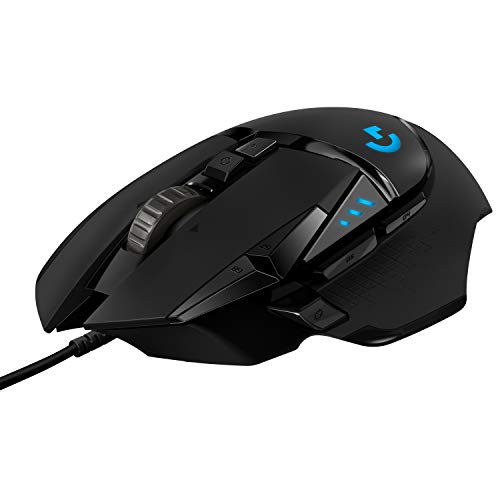
The Logitech G502 Hero is built around control. Eleven programmable buttons give it a far broader command set than the Logitech G305 Lightspeed, and the layout is suited to games where abilities, items, or macros need to stay close to the thumb. It also makes sense for software-heavy work if you are willing to configure the buttons.
Its HERO sensor tracks up to 25, 600 DPI without smoothing, filtering, or acceleration. That level is far beyond what most users need, but the important point is the sensor's tuning range and precise tracking at ordinary settings. A crisp click feel comes from mechanical button tensioning with a metal spring system and metal pivot hinges.
The scroll wheel has two modes. It can provide tactile, click-to-click movement for controlled browsing or spin freely for quickly moving through long pages. Five removable 3.6-gram weights let users adjust the mouse's total weight and balance. That is a rare advantage in this group, although it also means there are more choices to make before the mouse feels right.
The G502 Hero is the wired alternative to the wireless G305. It offers much more control, a higher-resolution sensor, RGB lighting, and weight adjustment, but the G305 is lighter and easier to move around a laptop or small desk. The Razer Basilisk V3 matches the G502's button count and pushes further on RGB and scroll-wheel behavior, while its optical switches and 26, 000 DPI sensor make it the more modern rival on paper.
A cable is the obvious limitation, and the G502's feature-rich body is not especially subtle. People who prefer a light, uncomplicated shape should choose the G305 instead. Players who want a planted, customizable mouse with a large number of commands will find the G502 Hero much easier to tailor.
6. Razer Basilisk V3: Best Ergonomic Gaming Mouse

Pros
- Ergonomic right-handed shape with thumb rest
- Eleven programmable buttons
- HyperScroll tilt wheel
- Eleven RGB lighting zones
- Focus Plus sensor reaches 26, 000 DPI
Cons
- Wired connection only
- Thumb-rest shape is not ambidextrous
- Razer Synapse is needed for deeper customization
Best for: right-handed players who want comfort, macros, and highly configurable lighting.
The Razer Basilisk V3 is the most obviously ergonomic gaming mouse in this group. Its thumb rest supports a right-handed grip, and the buttons are positioned for quick access without forcing the hand to flatten across the shell. That shape is a strong reason to choose it over the compact G305, especially for long sessions.
Like the G502 Hero, it has eleven programmable buttons. Razer's HyperScroll tilt wheel adds a useful split personality: free-spinning movement for long pages and tactile scrolling when each notch needs to land precisely. That makes it as interesting for documents and web research as it is for changing weapons or activating abilities in a game.
The Focus Plus optical sensor reaches 26, 000 DPI and is described as tracking with zero smoothing. Most players will use a much lower setting, but a broad range makes it easier to match the mouse to different games, displays, and personal sensitivity preferences. The second-generation optical switches are listed with a 0.2 ms actuation speed and a rated life of up to 70 million clicks.
Lighting is a major part of the Basilisk V3's identity. Eleven Chroma RGB zones can be set to colors and effects, and the lighting can react to more than 150 integrated games. That level of control requires Razer Synapse, just as the G502's deeper button and lighting controls require Logitech software. If you are building around a gaming setup, the button layouts that make gaming mice easier to control can help separate useful controls from decoration.
The Basilisk V3's weakness is also its defining trait. Its right-handed thumb-rest design does not work for left-handed users or anyone who prefers a neutral shape. The cable also rules it out for people who want a clean wireless desk. For a right-handed gamer who wants comfort and a deep control set, this is the more ergonomic pick over the G502 Hero.
7. Logitech G305 Lightspeed White: Best White Wireless Gaming Mouse
Pros
- 1 ms LIGHTSPEED wireless response
- HERO sensor reaches 12, 000 DPI
- Up to 250 hours from one AA battery
- Lightweight 3.4-ounce design
- Receiver storage inside the mouse
Cons
- Compact shape may feel small for large hands
- No Bluetooth connection
- Fewer controls than wired gaming models
Best for: someone building a light-colored wireless gaming setup with a compact mouse.
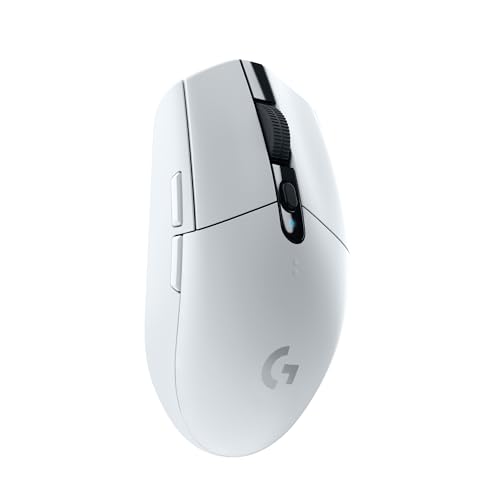
The Logitech G305 Lightspeed White is functionally the same kind of mouse as the black G305, but its white finish gives it a distinct place in a coordinated desk setup. The shape remains compact and portable, with a built-in compartment for the USB receiver. It is a sensible choice when appearance matters but wireless responsiveness cannot be compromised.
The HERO optical sensor reaches 12, 000 DPI, while LIGHTSPEED wireless provides a 1 ms response time. This is enough headroom for competitive play, and it also makes ordinary pointer movement feel immediate. The classic shape is neutral enough for a range of grips, though it does not offer the thumb support or extra controls found on the Razer Basilisk V3.
A single AA battery is rated for up to 250 hours of continuous gaming. The 3.4-ounce body is easy to lift during low-sensitivity play, and the compact dimensions make it practical beside a laptop. The white version is therefore more than a cosmetic alternative for some buyers. It suits a portable setup where the mouse needs to move between rooms or computers.
The black G305 is the better choice if color is irrelevant, because the two models share the same core feature set. The Redragon M810 Pro offers eight programmable buttons, RGB, and rechargeable power, but its listed battery life reaches up to 45 hours in eco mode, far below the G305's stated continuous-use figure. The white Logitech is simpler, lighter, and more focused.
Large hands should look at the Logitech M510, Logitech M720 Triathlon, or one of the larger gaming designs instead. Choose this model when you want the G305 experience and a white mouse is an important part of the desk.
8. Redragon M810 Pro: Best Wireless Button Control

Pros
- Eight programmable buttons
- Five onboard DPI levels
- 2.4 GHz wireless connection
- Rechargeable battery
- Customizable RGB lighting
Cons
- Maximum battery life is up to 45 hours in eco mode
- Software is needed for deeper remapping
- Listed dimensions are unusually large and may not suit every desk
Best for: gamers and power users who want wireless macros, RGB, and multiple sensitivity presets.
The Redragon M810 Pro takes a different path from the minimalist G305. It is designed for users who want wireless freedom without giving up a generous collection of buttons. Eight programmable controls can be assigned to game commands or work shortcuts, including a rapid-fire function and two side macro buttons.
Its PAW3325 optical sensor supports five onboard DPI levels: 500, 1, 000, 2, 000, 3, 000, and 10, 000 DPI. Those presets make quick changes possible in a game, while software can be used to customize the levels further. A 1, 000 Hz polling rate is listed in dual mode, which is the sort of detail that will matter more to competitive players than to someone using the mouse for spreadsheets.
The rechargeable battery is rated for up to 45 hours at maximum use in eco mode. That is a practical advantage over disposable batteries, but it does require a charging routine. By comparison, both G305 versions are rated for up to 250 hours of continuous gameplay from one AA battery. The Redragon instead gives you more controls, lighting, and an onboard rechargeable design.
RGB lighting can be customized through the Redragon Pro driver, with effects such as dynamic, breathing, and waving modes. The lighting adds visual personality, while the remapping gives the mouse a genuine functional reason to exist beside the Logitech G305. The G502 Hero and Razer Basilisk V3 remain more compelling for users who want a more established wired control system and extra weight or scroll-wheel features.
The M810 Pro is not the safest choice for someone who wants a mouse that needs no software attention. Its strength is customization, and that means spending time configuring the buttons, DPI levels, and lighting. Choose it for wireless gaming or shortcut-heavy work when eight remappable buttons matter more than a minimalist design.
9. HP X3000 G3: Best Travel Office Mouse

Pros
- Up to 15 months from one AA battery
- 1, 600 DPI optical sensor
- Nano receiver stores inside the mouse
- Designed for use on multiple surfaces
- Works with PC, Mac, and Chromebook
Cons
- Three-button layout is basic
- USB-A receiver limits some modern devices
- No listed DPI switching
Best for: commuters and laptop users who need a dependable travel mouse with long battery life.
The HP X3000 G3 is a practical travel mouse with enough shape and grip to avoid feeling disposable. Its contoured body has side grips, and the three-button layout keeps the top surface familiar. It works with either hand, making it a reasonable choice for a household or office where different people may pick it up.
A 2.4 GHz USB-A connection reaches up to 30 feet, and the nano receiver stores inside the mouse. HP lists a 1, 600 DPI optical sensor with LED multi-surface technology, intended to keep movement smooth across a range of surfaces. That does not make it a gaming mouse, but it is useful when working away from a dedicated mouse mat.
Battery life is rated for up to 15 months from one AA battery. That is shorter than the M510's two-year claim and the M720 Triathlon's 24-month claim, but still long enough that battery changes should not become a regular part of a travel routine. The 3.73-inch length and 2.24-inch width give it a middle ground between the tiny M185 and the fuller M510.
The HP is simpler than the Acer Wireless Mouse, which has three selectable DPI levels and forward and backward buttons. It is also less configurable than the M720, which can connect over Bluetooth or a Unifying receiver and switch among three computers. The HP's advantage is a clear feature set and support for Windows, Mac, and Chromebook systems.
Skip it if you need side buttons, multi-device switching, or gaming-grade response. For a work bag, school laptop, or spare office computer, the X3000 G3 is a sensible, portable companion that emphasizes battery life and broad surface compatibility.
10. Logitech M720 Triathlon: Best Multi-Device Mouse

Pros
- Switches among up to three computers
- Bluetooth and Unifying receiver support
- Logitech FLOW moves work across computers
- Six customizable buttons
- Up to 24 months of battery life
Cons
- Right-handed full-size shape
- Multi-device features require compatible software
- Not designed for competitive gaming
Best for: people who regularly work across a desktop, laptop, and tablet.
The Logitech M720 Triathlon earns its place by solving a problem the other office mice largely ignore: moving between computers. A button lets it switch among up to three computers or laptops, while Logitech FLOW can move the cursor, text, and files across compatible systems. For a home office with a desktop and laptop side by side, that is more useful than adding another ordinary side button.
It connects through Bluetooth or Logitech's Unifying receiver. The receiver can support up to six compatible Logitech peripherals, which helps keep a desk from filling with USB adapters. Compatibility covers Windows, macOS, Chrome OS, Linux, and iPadOS, giving the M720 unusually broad reach for a traditional full-size mouse.
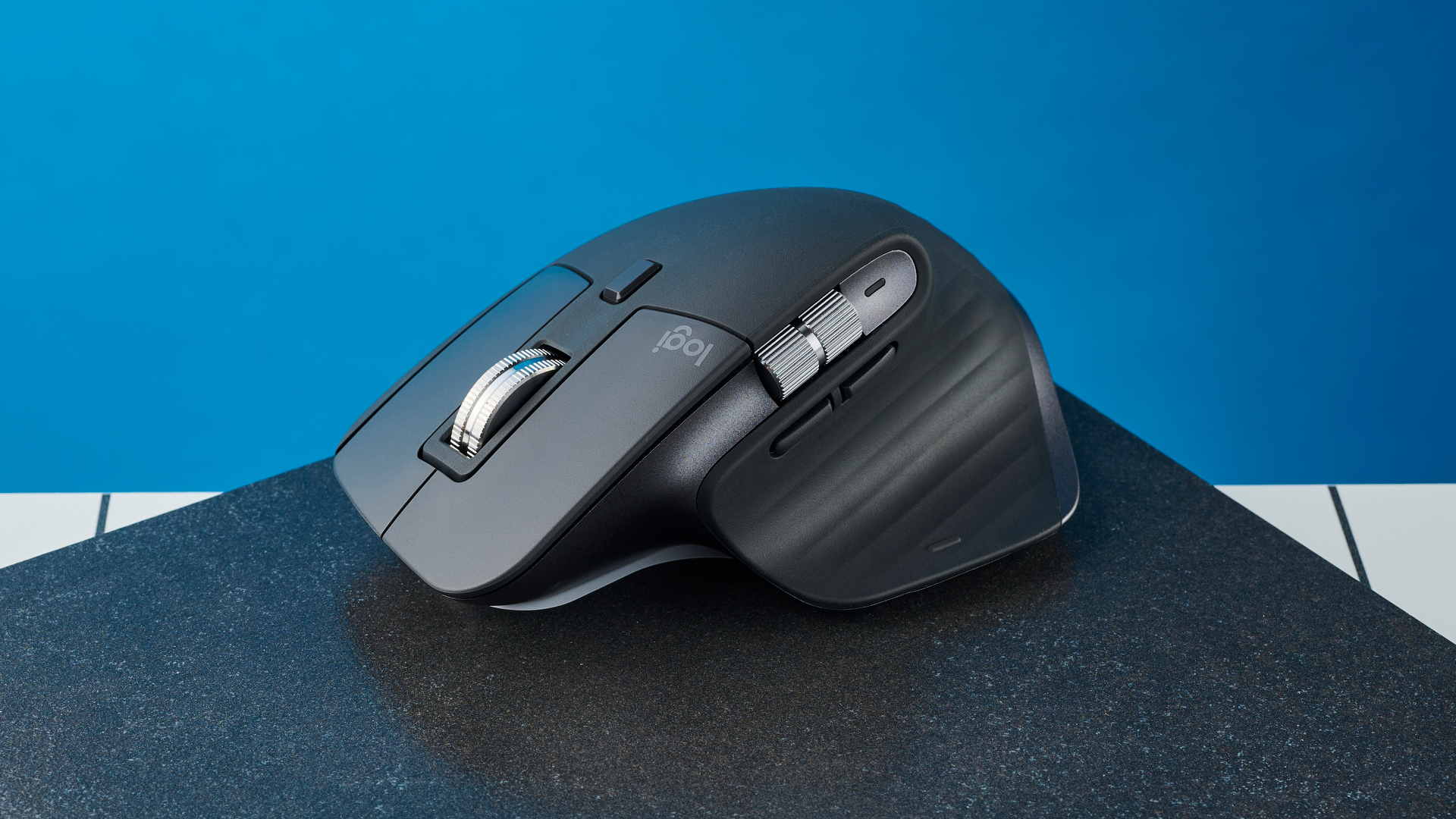
The body is sculpted for the right hand, with a rubber exterior and a palm-rest shape that supports longer sessions. Its scroll wheel can spin quickly through long documents or switch back to click-to-click movement when precision matters. Six customizable buttons provide shortcuts through Logitech software, while a 24-month battery claim makes maintenance pleasantly infrequent.
The M720 is a better office tool than the Logitech M510 when multiple computers are part of the daily routine. The M510 has a similarly comfort-focused shape and useful side controls, but it does not offer the M720's three-device switching and FLOW support. The Logitech G305 is much more responsive for gaming and lighter to move, while the M720 is quieter in its priorities: comfort, switching, and long work sessions.
Left-handed users should skip it because the sculpted body is designed for the right hand. It is also too feature-specific for a person who owns only one computer. Choose the M720 when one keyboard and mouse need to serve several machines without repeatedly unplugging a receiver.

How to choose best pc mouse
The right mouse is determined less by a long feature list than by the shape of your hand, the way you connect it, and how much control your work or games require.
Shape and hand fit
Compact mice such as the Logitech M185 and Logitech G305 are easier to carry and can suit small to medium hands. Full-size models such as the Logitech M510 and Logitech M720 provide more palm support, but they occupy more desk space. The Razer Basilisk V3 is specifically shaped for right-handed use, while an ambidextrous design gives a shared workspace more flexibility.
Grip style matters too. A palm grip benefits from a taller body and broad rear support. Claw and fingertip grips often feel better with a shorter or lighter mouse. If your fingers hang over the front or your wrist stays tense, a different shape will help more than a higher DPI setting.
Connection type
A 2.4 GHz receiver is common among these models and usually provides a direct desktop connection. The Logitech G305 adds LIGHTSPEED wireless with a listed 1 ms report rate, while wired models such as the G502 Hero and Basilisk V3 avoid battery changes entirely.
Bluetooth is useful when USB-A ports are scarce. The M720 supports Bluetooth as well as a Unifying receiver, but not every mouse in this roundup offers that choice. Check the ports on the computer you use most often before choosing a receiver-based model.
A wireless mouse is only convenient if its receiver has somewhere safe to live.
Sensor and sensitivity
DPI describes how far the pointer moves for a given physical movement. Higher numbers are not automatically better. The Acer's 800, 1, 200, and 1, 600 DPI choices are useful because they make adjustment simple, while the G305, G502, Basilisk V3, and M810 Pro offer much wider ranges for gaming preferences.
A gaming sensor with a high tracking limit is most useful for low-sensitivity play, large displays, or fast arm movements. Office users should focus on predictable tracking and a comfortable speed rather than chasing the highest number.
Buttons and software
The M185 and HP X3000 G3 keep controls simple with a traditional layout. The M510 adds navigation and scrolling controls, while the M720 offers six customizable buttons. Gaming models go much further: the G502 Hero and Basilisk V3 have eleven programmable buttons, and the M810 Pro has eight.
Extra buttons only help when they are easy to reach and can be assigned to tasks you actually perform. Customization usually requires Logitech G HUB, Logitech software, Razer Synapse, or the Redragon driver. If you want plug-and-play simplicity, a basic office model is the better fit.
Battery and weight
Battery design affects both convenience and handling. The G305 weighs 3.4 ounces and uses one AA battery, while the Redragon M810 Pro has a rechargeable battery rated for up to 45 hours in eco mode. The M185, HP X3000 G3, M510, and M720 use replaceable batteries with stated lifespans ranging from up to one year to up to 24 months.
A lighter mouse is easier to lift and reposition, especially at low sensitivity. A heavier or adjustable mouse can feel steadier for users who prefer a planted hand. Neither approach is universally correct, so consider whether you make broad gaming sweeps or mostly small office movements.
Frequently asked questions
Is a wireless mouse good for PC gaming?
Yes. The Logitech G305 Lightspeed models list a 1 ms wireless report rate, and their HERO sensor reaches 12, 000 DPI. They are designed for responsive play, while wired models remain appealing if you never want to manage batteries or wireless receivers.
What is the best PC mouse for small hands?
The Logitech M185 is the most compact option here and is intended for small to medium hands. The Logitech G305 is another strong option if gaming responsiveness matters, though its compact body may not suit every grip.
Which mouse is best for large hands?
The Logitech M510 and Logitech M720 Triathlon have fuller bodies with broad palm support. The Acer Wireless Mouse is also described as suitable for medium to large hands. The right choice depends on whether you prefer an ambidextrous shape or the M720's right-handed sculpting.
Can these mice work with a Mac?
Several support Mac computers. The Logitech M185 is listed for Windows and Mac, the HP X3000 G3 supports Mac, and the M720 works with macOS. The Acer Wireless Mouse has a specific limitation: its side button does not work on Mac.
Do gaming mice need software?
Basic pointer movement usually works without special software when the mouse connects through its receiver or cable. Software is needed for deeper features such as button remapping, RGB lighting, macros, and custom DPI profiles on models including the G502 Hero, Basilisk V3, and Redragon M810 Pro.
Is a higher DPI mouse more accurate?
Not by itself. A high DPI ceiling gives you more sensitivity choices, but accuracy also depends on sensor tracking, your chosen setting, grip, and control. For ordinary office work, a comfortable shape and predictable movement matter more than the maximum DPI number.
Which mouse is best for switching between computers?
The Logitech M720 Triathlon is the clear fit because it can switch among up to three computers and supports Bluetooth as well as a Unifying receiver. Logitech FLOW can also move the cursor, text, and files across compatible computers.

The bottom line
The Best PC Mouse for most people here is the Logitech G305 Lightspeed. It combines a light 3.4-ounce body, a responsive 1 ms wireless connection, a 12, 000 DPI HERO sensor, and long stated battery life without becoming difficult to use for ordinary work. The Logitech G502 Hero and Razer Basilisk V3 are better for players who need many programmable buttons, with the Basilisk offering the stronger ergonomic shape for right-handed users.
For office work, the Logitech M510 is the comfortable full-size choice, while the Logitech M720 Triathlon is the one to buy when three computers share one desk. The Logitech M185 and HP X3000 G3 make more sense for compact travel, and the Acer Wireless Mouse is useful when three simple DPI levels are enough.
If you are undecided, choose the G305 for mixed gaming and everyday use, or the M720 when moving between computers is your main concern.
As an Amazon Associate we earn from qualifying purchases.