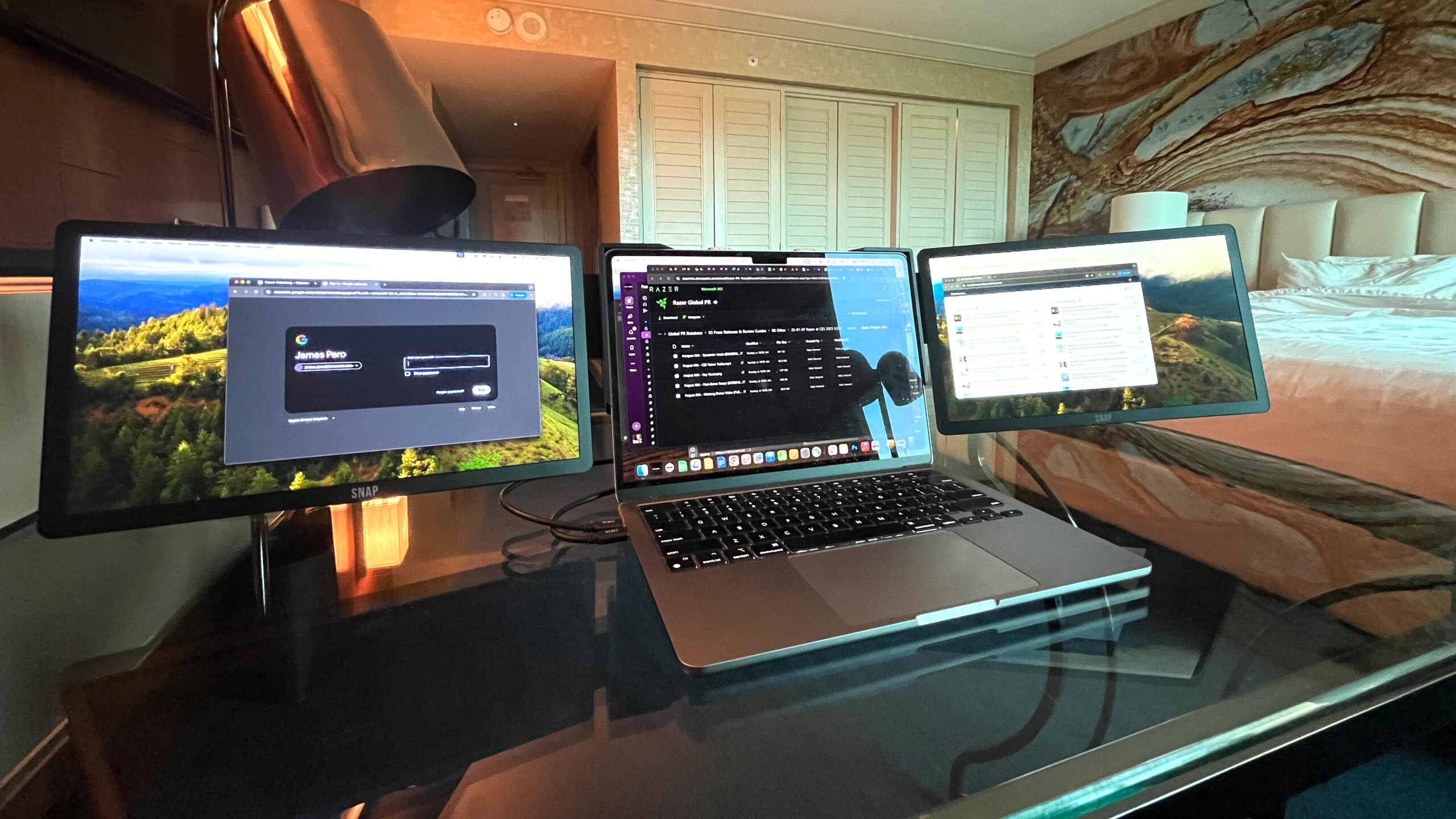

A second screen can turn a cramped laptop setup into a workable desk, but the wrong one creates a new problem: another heavy panel, another awkward stand, and another cable to troubleshoot. The Best portable monitors for workstations need to balance screen quality with the realities of temporary desks, travel bags, and limited power.
This list includes conventional 15.6-inch displays, a triple-screen extender, and rolling computer carts for readers who mean “workstation” literally. The MNN 15.6-inch FHD Monitor is our top pick, while the other choices cover multi-screen work, tripod mounting, standing work, and mobile presentations.
Comparison table
| # | Product | Award | Display / setup | Connectivity / range | Best for |
|---|---|---|---|---|---|
| 1 | MNN 15.6-inch FHD Monitor | Best overall | 15.6-inch, 1920 x 1080 IPS, 60Hz, landscape or portrait | 2 full-featured USB-C ports, cover stand | Most laptop workstations |
| 2 | KYY Triple Screen Extender | Best for maximum multitasking | 15.6-inch 1080p IPS, 60Hz, up to four screens | One USB-C connection, 400 nits, 12 to 17.3-inch laptops | Data-heavy workflows |
| 3 | KYY 15.6-inch Monitor | Best lightweight travel display | 15.6-inch 1920 x 1080 IPS, HDR | 2 USB-C, Mini HDMI, 3.5mm audio | Portable dual-screen setups |
| 4 | VILVA 15.6-inch Monitor | Best complete cable bundle | 15.6-inch 1920 x 1080 IPS | USB-C, HDMI, dual speakers, cover | Simple plug-in workstations |
| 5 | BONTEC Mobile Standing Desk | Best compact standing cart | 25.6 x 17.7-inch desktop, 28.3 to 44-inch height | Keyboard tray, 4 lockable casters | Laptop and monitor mobility |
| 6 | Mount-It! 53-inch Computer Cart | Best monitor cart | Monitor support up to 32 inches, 37.25 to 53.75-inch height | Keyboard tray, storage, 15-degree tilt | Full-size mobile workstations |
| 7 | MSI Pro MP165 E6 | Best mountable display | 15.6-inch 1920 x 1080 IPS, 60Hz | USB-C, HDMI, tripod and VESA support | Permanent or temporary setups |
| 8 | Anyuse 15.6-inch Monitor | Best straightforward second screen | 15.6-inch 1920 x 1080, 60Hz, 16:9 | 2 USB-C, Mini HDMI | Basic office expansion |
| 9 | WGK 15.6-inch Monitor | Best built-in stand | 15.6-inch 1920 x 1080 IPS, HDR | 2 USB-C, Mini HDMI, VESA, speakers | Flexible desk and gaming use |
| 10 | Mount-It! Silver Computer Cart | Best classroom cart | Monitor support up to 32 inches, 37.25 to 53.75-inch height | Keyboard tray, storage, 15-degree tilt | Clinics, classrooms, and offices |
1. MNN 15.6-inch FHD Monitor: Best Overall

Pros
- Sharp 1920 x 1080 IPS image
- Two full-featured USB-C ports
- Landscape and portrait modes
- Cover doubles as a stand
- Lightweight 1.53-pound design
Cons
- USB-C video requires DP Alt Mode support
- HDR is a mode rather than a high-end HDR experience
- No dedicated full-size HDMI port
Best for: laptop users who want a dependable second screen that packs away easily.
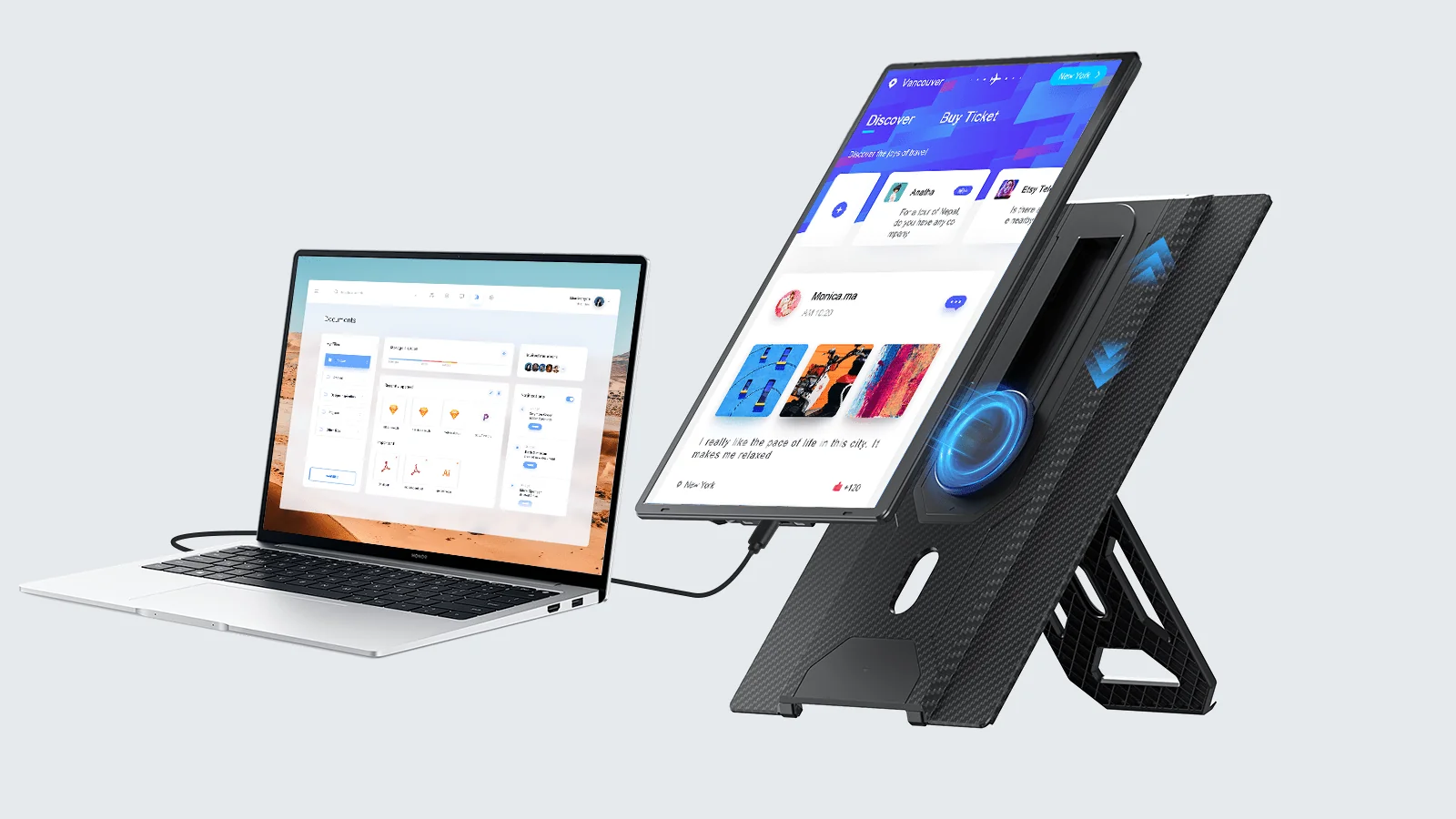
The MNN 15.6-inch FHD Monitor gets the basic portable workstation idea right. It is large enough to show a document, browser window, or messaging app at a useful scale, yet its 1.53-pound weight does not turn a laptop bag into a mobile filing cabinet. The PU leather cover protects the panel and folds into a stand, so there is no separate support to remember.
The 1920 x 1080 resolution is a sensible match for a 15.6-inch screen. Text and spreadsheet cells have enough definition for office work, while the IPS panel keeps the image consistent when the display sits beside a laptop rather than directly in front of you. Its 178-degree viewing angle also helps when two people need to look at a presentation. The 60Hz refresh rate is appropriate for documents, email, video, and ordinary desktop movement.
Connectivity is the main reason this model rises above the more generic entries. It has two full-featured USB-C ports, and one USB-C cable can carry both power and display signal when the host device supports Thunderbolt 3 or USB 3.1 Type-C DP Alt Mode. That requirement matters. A USB-C port that handles charging alone will not provide video, so HDMI equipment may need a different display. The MNN can also work with phones, game consoles, Macs, and PCs when the connection supports it.
The panel supports copy, extended, second-screen, and portrait modes. Portrait orientation is particularly useful for long documents, chat feeds, and code. The low-blue-light and flicker-reduction features are welcome for long sessions, though they do not replace sensible brightness and room-light adjustments. HDR mode can add stronger highlights and richer color in compatible material, but shoppers should not treat it like a substitute for a dedicated high-end HDR monitor.
Compared with the KYY 15.6-inch Monitor, the MNN is similarly travel-friendly but puts more emphasis on flexible display modes and a lighter body. The MSI Pro MP165 E6 is the better choice if tripod or VESA mounting is central to the setup. The MNN remains the easier recommendation for a laptop user who wants a cover, dual USB-C, and a second screen without committing to a more specialized mounting system. Skip it if your laptop lacks USB-C video and you specifically need a built-in HDMI socket.
2. KYY Triple Screen Extender: Best for Maximum Multitasking

Pros
- Creates a multi-screen laptop workstation
- Supports laptops from 12 to 17.3 inches
- 400 nits brightness
- Integrated aluminum alloy support
- Adjustable screens with automatic rotation
Cons
- Much more involved than a single portable monitor
- Android use requires a driver
- Adds considerable width and setup complexity
Best for: programmers, analysts, and other users who genuinely need several applications visible at once.
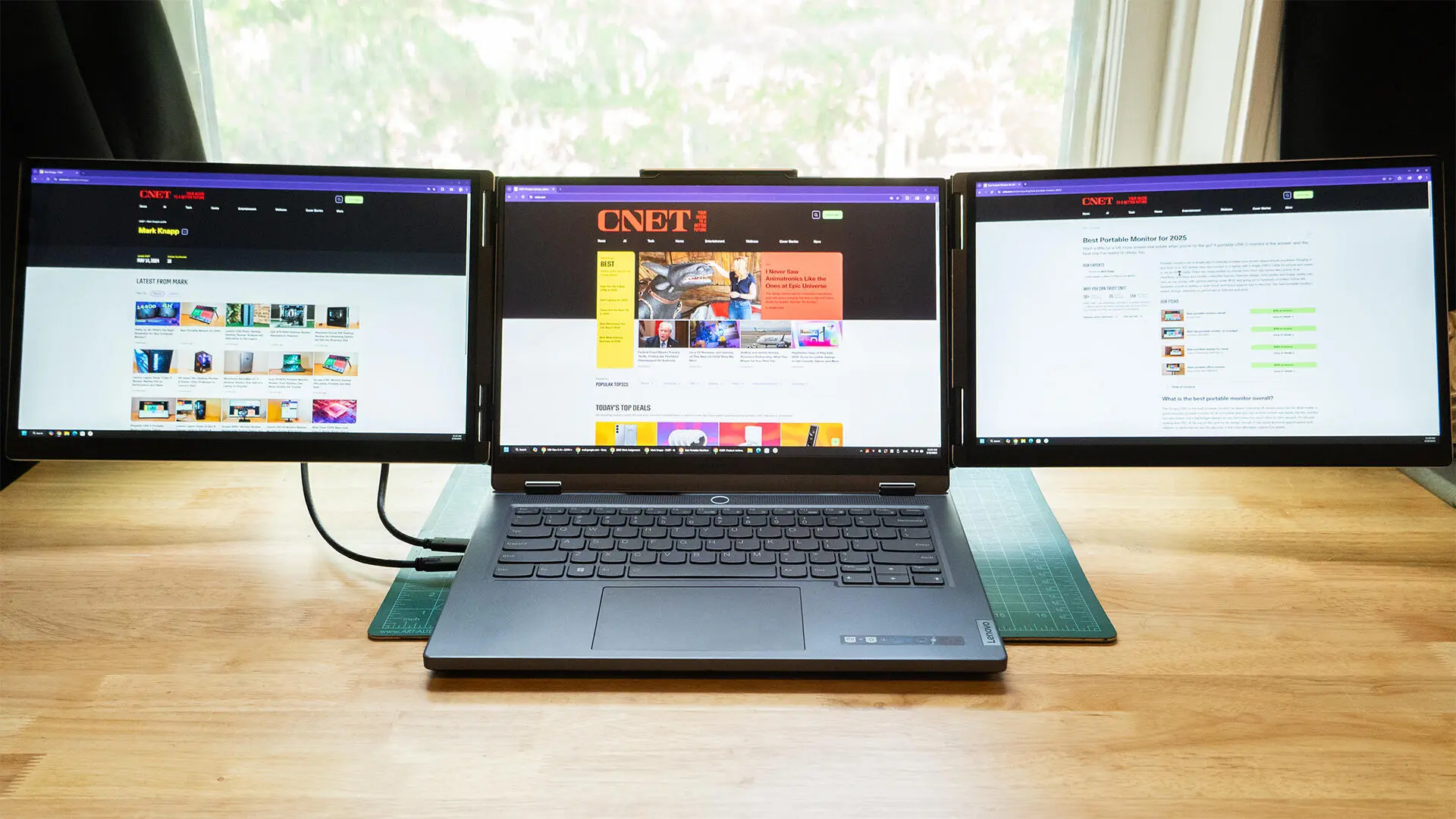
The KYY Triple Screen Extender is not a normal second monitor. It is a portable multi-screen workstation designed for people who constantly switch among dashboards, code, spreadsheets, documents, and communication tools. The appeal is obvious: instead of hiding one application behind another, you can keep several workflows visible at the same time.
Its 15.6-inch 1080p IPS display runs at 60Hz, which suits professional software better than fast competitive gaming. Sharp text and clear charts matter more here than extreme motion handling. The stated 400 nits brightness gives it more headroom than many basic portable displays in a bright office or near a window, although room lighting and the laptop's own screen still affect the final result.
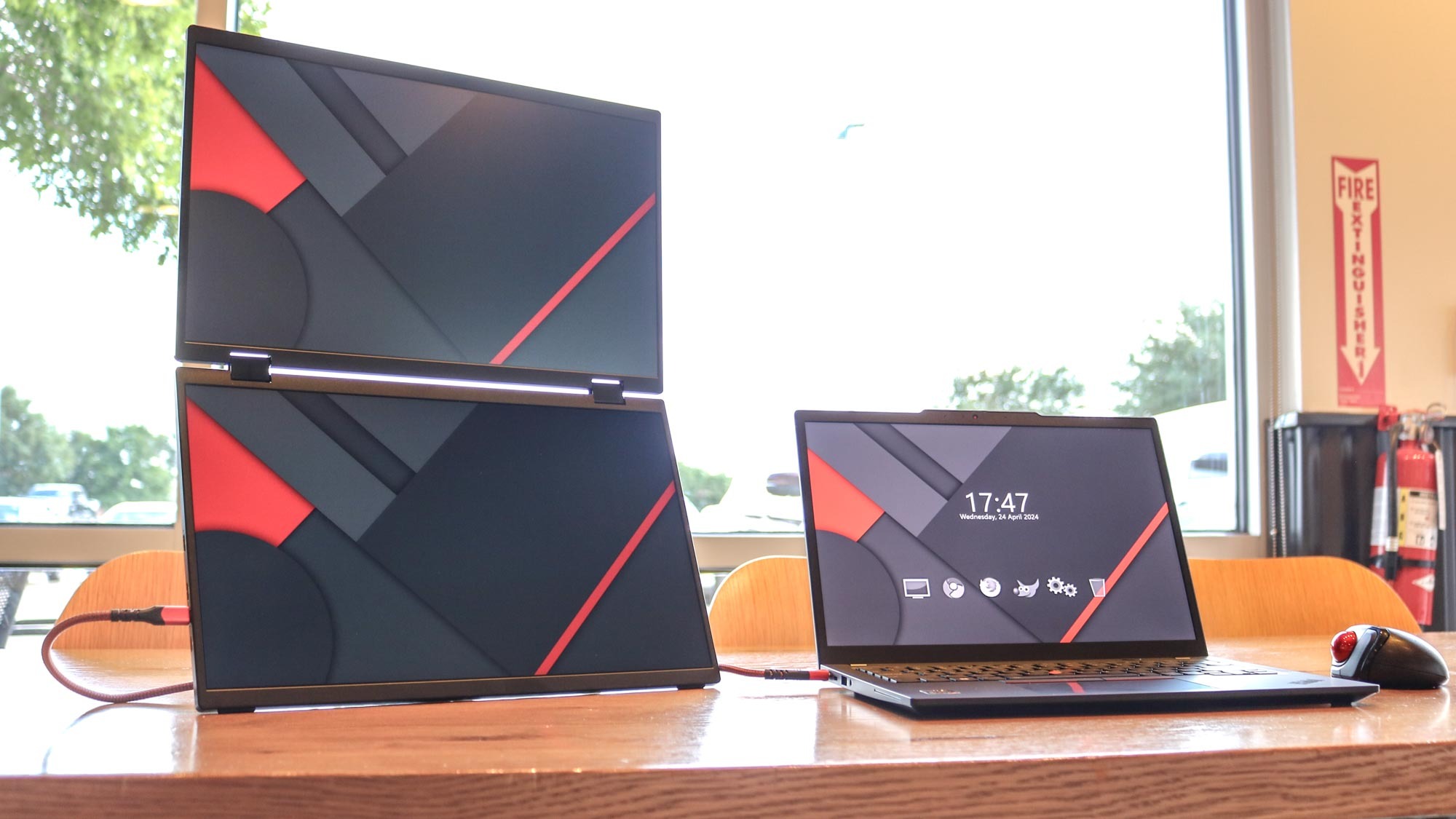
The extender is designed for modern laptops from 12 to 17.3 inches and can connect four screens through one USB-C cable when the computer supports the required display functions. It supports extended and mirrored modes, so you can use it as a true workspace or show the same information to another person. The top screen automatically rotates when folded backward, and the panels can adjust through 360 degrees for different viewing arrangements.
The integrated aluminum alloy stand is a meaningful design choice. Clip-on extenders can place stress on a laptop lid, while this design provides its own base. That makes the KYY more stable when a laptop is open on a desk, though the stability does not make the assembly small. The product's listed dimensions are about 15.2 inches wide and 8.93 inches deep, with a height of 1.46 inches, so it needs more desk space than a single panel.
For readers deciding between a portable screen and a more elaborate setup, how many displays your desk can actually support is a useful question to settle before buying. The KYY wins decisively for simultaneous information, but the MNN 15.6-inch FHD Monitor is easier to carry and faster to deploy. The KYY also asks more of the host computer and operating system. Android requires a driver, and compatibility should be checked carefully before relying on it for a work trip.
Choose this model when the extra screens solve a daily problem rather than simply looking impressive. If your work mostly involves one browser window and one document, the larger footprint and more complicated connection are unnecessary. For analysts, developers, traders, and project managers who keep multiple live views open, it is the most capable item in this group.
3. KYY 15.6-inch Monitor: Best Lightweight Travel Display

Pros
- 1.7-pound portable design
- 1920 x 1080 IPS panel with HDR
- Two USB-C ports and Mini HDMI
- Cover protects the screen and supports it
- Built-in speakers and 3.5mm audio
Cons
- USB-C video depends on DP Alt Mode
- Cover offers limited viewing-angle choices
- Single-screen setup cannot match the KYY extender
Best for: travelers who want a conventional second screen with useful connections and a protective cover.
The KYY 15.6-inch Monitor is the straightforward travel companion in this lineup. It gives a laptop a second 15.6-inch canvas without trying to become a complete workstation on its own. At 1.7 pounds and 0.3 inches thick, it is slim enough for a backpack and light enough that carrying it alongside a laptop is not a daily annoyance.
Its 1920 x 1080 IPS panel provides the right working resolution for a display this size. Documents remain readable without demanding unusual scaling, and the 178-degree viewing angle is useful when the screen is positioned off to one side. HDR support can improve compatible video and games, while the low-blue-light and flicker-reduction features are intended to make longer viewing sessions more comfortable.
The connection selection is practical. Two full-function USB-C ports support one-cable setups on compatible laptops, while Mini HDMI provides a fallback for devices that do not send video over USB-C. The monitor also has a 3.5mm audio input and two built-in stereo speakers. Those speakers are convenient for a meeting or a video, but a user who cares about music or detailed audio will still want headphones or a separate speaker.
The magnetic PU leather cover protects the panel and folds into a stand. Two grooves at the base give some choice of viewing angle, and the screen can be used in landscape or portrait orientation. That flexibility helps with long web pages and documents, but the cover stand is not as adaptable as the tripod support on the MSI Pro MP165 E6. The KYY is also not the lightest option here, with the MNN coming in slightly below it.
The main limitation is compatibility rather than image quality. USB-C must support Thunderbolt 3 or USB 3.1 Type-C DP Alt Mode for video, and the monitor may need additional power depending on the host device. Readers comparing travel displays should also consider the cable choices that prevent a portable setup from becoming a tangle. Pick the KYY if you want a familiar, self-contained second screen with speakers and a cover. It is a safe fit for remote workers, students, and anyone who moves between offices regularly.
4. VILVA 15.6-inch Monitor: Best Complete Cable Bundle

Pros
- Full HD IPS image
- USB-C and HDMI connectivity
- Dual stereo speakers
- Metal construction
- Magnetic protective cover
- Includes USB-C and Mini HDMI cables
Cons
- Listed weight is 3.84 pounds
- No stated refresh rate
- Less travel-friendly than the lightest choices
Best for: users who want the essential cables included and prefer a sturdy portable panel.
The VILVA 15.6-inch Monitor is built around convenience. It is a conventional portable display with a metal body, magnetic cover, speakers, and the two cables most people are likely to need. That makes it a sensible option for an office drawer, a home desk, or a travel kit where hunting for the correct Mini HDMI cable is not appealing.
The screen uses a 15.6-inch IPS panel at 1920 x 1080. That resolution gives office applications a comfortable working area, while IPS viewing characteristics help keep colors consistent when the panel sits beside a laptop. The product information does not state a refresh rate, so it is better understood as an office and general-media display rather than a monitor chosen for a specific motion-performance target.
VILVA lists USB-C and HDMI compatibility across laptops, Macs, tablets, phones, consoles, and other devices. It includes a USB-C to USB-C cable and a Mini HDMI to HDMI cable, which reduces the number of accessories needed at the start. The dual stereo speakers are useful for calls and casual viewing. As with other portable monitors, the exact one-cable behavior depends on the host device and whether its USB-C port supports display output.
The metal material gives the monitor a more substantial feel than a very thin plastic panel, but portability is not only about thickness. The listed weight is 3.84045260404 pounds, substantially more than the MNN, KYY, MSI, Anyuse, or WGK displays. That is the VILVA's important trade-off. It may feel reassuring on a desk, yet frequent travelers will notice it in a bag.
The magnetic cover protects the screen and acts as a stand, so the basic setup remains simple. Still, the KYY 15.6-inch Monitor is the better travel pick, and the MSI Pro MP165 E6 offers more unusual mounting flexibility. The VILVA makes more sense for a user who values included cables and a metal build over minimum carrying weight. Skip it if every ounce matters or if you need a confirmed high refresh rate.
5. BONTEC Mobile Standing Desk: Best Compact Standing Cart

Pros
- Height adjusts from 28.3 to 44 inches
- 25.6 x 17.7-inch desktop
- Retractable keyboard tray
- Four lockable casters
- H-shaped steel base
- Water-resistant, scratch-resistant MDF surface
Cons
- It is furniture, not a portable display
- Keyboard tray adds to the footprint
- No monitor arm or screen mount
Best for: laptop users who need a movable sit-stand surface rather than a screen that travels in a bag.
The BONTEC Mobile Standing Desk belongs in this roundup for a different reason from the first four products. It does not add pixels. It gives those pixels a place to work. For someone turning a laptop and portable monitor into a workstation in several rooms, the rolling desk can be more useful than another display accessory.
Its gas-spring height adjustment runs from 28.3 to 44 inches. That range supports seated use and a standing position, though the right setting depends on the user's height and the equipment placed on the surface. A hand lever controls the adjustment, and gentle pressure lowers the desktop. The ability to change position without moving to a separate table is the central ergonomic benefit.
The 25.6 x 17.7-inch MDF desktop leaves enough room for a laptop and a portable monitor, while the 23.6 x 11.8-inch retractable keyboard tray accommodates a full-size keyboard and mouse. A slot holds a phone or tablet, and a hook provides a place for an accessory. The waterproof and scratch-resistant surface should also be easier to wipe clean than an unprotected wood surface.
The H-shaped steel base is designed to keep the cart stable at maximum extension. Four casters let it move between rooms, and their locking function helps stop the desk from drifting once it is positioned. The listed weight is 25 pounds, so this is mobile furniture rather than something to carry up stairs like the MNN 15.6-inch FHD Monitor.
The weakness is obvious: a portable monitor still needs to sit on the desktop, and there is no integrated monitor mount. That can be an advantage if you want to choose the screen position yourself, but it also means more equipment on the surface. Readers considering a standing arrangement should think about the desk depth needed for a comfortable viewing distance, especially when a keyboard tray is extended.
The BONTEC is the more compact furniture choice compared with both Mount-It! carts. It suits a bedroom, living room, classroom, or office where the user wants a laptop workstation that can roll away. Choose it when mobility and sit-stand adjustment matter more than mounting a large screen.
6. Mount-It! 53-inch Computer Cart: Best Monitor Cart

Pros
- Supports screens up to 32 inches
- Height range reaches 53.75 inches
- Two-tier workstation design
- Bottom storage area
- Locking casters
- Monitor mount tilts 15 degrees
Cons
- Much larger than a portable monitor
- Dimensions and setup suit rooms, not travel
- Product data lists an unreliable weight figure
Best for: offices, classrooms, and clinics that need a rolling full-size monitor station.
The Mount-It! 53-inch Computer Cart is the clearest choice for readers who use “workstation” to mean a complete rolling station. Its monitor mount supports a screen up to 32 inches, while the lower tray provides space for a keyboard and mouse. A bottom storage area can hold a computer, printer, or presentation materials, turning the cart into something closer to a mobile office than a laptop stand.
Height adjustment runs from 37.25 to 53.75 inches. That makes it suitable for seated work, standing work, teaching, and presentations. The tall upper position can place a screen at a more natural height than a laptop resting on a tabletop, but the cart's physical size means it needs a clear path and enough room to turn.
The two-tier arrangement separates the display from the input devices. That is a useful ergonomic distinction from the BONTEC, where a portable display simply shares one desktop with a laptop. The Mount-It! monitor mount also tilts 15 degrees, allowing the screen to be aimed toward a seated user, standing presenter, or nearby audience.
Mobility comes from smooth-rolling casters, while locking mechanisms hold the cart in place during focused work or presentations. The design is intended for offices, classrooms, warehouses, churches, and similar spaces. It is not a substitute for the KYY Triple Screen Extender, which creates more visible applications from a laptop, but it can support a much larger conventional monitor.
The product data lists physical dimensions of 37.3 inches high, 30.4 inches wide, and 4.6 inches deep, along with a weight figure that is not credible for a cart of this type. The dimensions themselves make the important point: this is room-scale mobile equipment. Buyers should measure doorways, desk clearances, and storage locations before ordering.
This Mount-It! is the stronger pick when the screen should be mounted and the keyboard should have its own tray. It is overbuilt for a home user who only needs a second 15.6-inch display, but well matched to an office or classroom that moves a workstation between people and rooms.
7. MSI Pro MP165 E6: Best Mountable Display

Pros
- 15.6-inch 1920 x 1080 IPS panel
- 60Hz refresh rate
- Tripod mount and VESA compatibility
- 0.78-kilogram weight
- 1.38-centimeter slim profile
- Built-in speakers
Cons
- USB-C requires DisplayPort Alt Mode
- No cover or stand detail is specified
- Mounting hardware may be needed separately
Best for: users who want one display that can move from a travel bag to a tripod or fixed monitor arm.
The MSI Pro MP165 E6 is the most flexible display here once the workstation is not limited to a tabletop. Its built-in 1/4-inch tripod mount lets you put the panel on a camera tripod or flexible mount, while VESA compatibility allows a more permanent arm, wall bracket, or desk installation. That gives it a wider range of useful positions than a cover stand alone.
The 15.6-inch IPS panel has a 1920 x 1080 resolution and 60Hz refresh rate. Those are familiar, sensible specifications for a portable office screen. The 178-degree horizontal and vertical viewing angles help when the panel sits beside a laptop or faces a small group. MSI also lists TÜV Rheinland low-blue-light certification and flicker-free operation, features aimed at extended work sessions.
At 0.78 kilograms, the monitor weighs roughly 1.72 pounds, and its listed slim profile is 1.38 centimeters. That puts it close to the lighter travel displays while adding mounting options. HDMI and USB Type-C inputs support PCs, Macs, phones, consoles, and other compatible devices. USB-C video requires DisplayPort 1.2a Alt Mode, so the port specification on the host remains important.
The integrated speakers remove the need for a separate audio accessory during a presentation or casual video. L-shaped cable plugs keep connections closer to the monitor body, which is a small but useful touch when the screen is packed into a bag or mounted close to another surface. The display supports different orientations and viewing scenarios, though the supplied stand arrangement is not described in the product data.
The MSI is more versatile than the VILVA 15.6-inch Monitor for installations, and it is a better mounting choice than the MNN. The KYY monitor remains a more conventional cover-based travel product, while the MSI makes sense for photographers, presenters, remote workers, and anyone building a compact workstation around a tripod or monitor arm. Skip it if you want a protective cover included or have no use for mounting hardware.
8. Anyuse 15.6-inch Monitor: Best Straightforward Second Screen

Pros
- Full HD 1920 x 1080 resolution
- 60Hz refresh rate
- Two full-featured USB-C ports
- Mini HDMI input
- 1.42-pound listed weight
- 16:9 aspect ratio
Cons
- No cover, speakers, or stand is specified
- USB-C video needs DP Alt Mode
- Product data gives no useful response-time figure
Best for: users who want a basic 1080p second display and already have a way to support it.
The Anyuse 15.6-inch Monitor is a stripped-back option that focuses on the panel and its inputs. It is a good fit for a home office where a bookstand, monitor riser, or existing arm can provide support. The product information does not specify a cover, built-in stand, or speakers, so buyers should not assume those conveniences are included.
The display is a 15.6-inch 16:9 panel with 1920 x 1080 resolution and a 60Hz refresh rate. That combination is well suited to email, documents, spreadsheets, browser tabs, and video calls. The listed 178-degree horizontal and vertical viewing figures suggest the screen should remain usable when placed at an angle beside a laptop.
Two full-featured Type-C ports and one Mini HDMI port cover the most common connection paths. A compatible USB-C cable can carry display output, but the laptop or phone must support Thunderbolt 3, Thunderbolt 4, or USB 3.1 Type-C DP Alt Mode. Mini HDMI provides a route for systems that have HDMI output, although it requires the correct cable.
The listed dimensions and weight information are inconsistent, with the product data showing a 1.42-pound weight and dimensions that include 11.4 inches, 16.9 inches, and 1.96 inches without a clear orientation. The screen is still described as a 15.6-inch portable display, but shoppers should treat the dimensional listing cautiously. The feature data also lists a response time of 0.0 milliseconds, which is not a useful performance claim and should not guide a buying decision.
The WGK 15.6-inch Monitor adds a built-in stand, speakers, and VESA support, while the KYY 15.6-inch Monitor adds a cover and audio connections. Anyuse is the simpler tool for a buyer who already has a stable support method and only needs a second 1080p panel. It is not the right choice for someone expecting a complete travel kit straight from the box.
9. WGK 15.6-inch Monitor: Best Built-in Stand

Pros
- Built-in adjustable stand
- 1920 x 1080 IPS display
- HDR and low-blue-light features
- Two USB-C ports and Mini HDMI
- Built-in speakers
- VESA mountable
Cons
- Listed weight is 2.7 pounds
- Requires an external 5V 2A supply if the computer cannot provide enough power
- No refresh rate is stated
Best for: users who want a self-supporting portable screen with more placement options than a cover stand.
The WGK 15.6-inch Monitor stands out because its support is built into the monitor rather than folded into a cover. That makes it easier to position on a desk, shelf, or temporary workstation without relying on a magnetic flap. The stand can adjust to the user's preferred viewing angle, and VESA compatibility offers another route when a desk mount is available.
Its 1920 x 1080 IPS panel uses a 16:9 layout and a stated 178-degree full viewing angle. HDR support is intended to improve compatible images, while low-blue-light technology targets long viewing sessions. The screen is a natural fit for documents and a second desktop, with enough resolution for ordinary office text at 15.6 inches.
Two USB-C ports support plug-and-play connections on compatible devices, and Mini HDMI provides another input. The manufacturer specifically warns that a laptop with a low battery may not supply enough power to keep the display on. In that situation, a 5V 2A charger is needed. That caveat is important for mobile work because a second panel can draw more power than a laptop expects.
Two built-in speakers make the WGK useful for presentations, casual video, and console use without another audio device. It supports copy, extended, and second-screen modes, plus horizontal and vertical orientations. The listed weight is 2.7 pounds, heavier than the MNN, MSI, and Anyuse, so the built-in stand adds useful stability at the expense of carrying weight.
The MSI Pro MP165 E6 is thinner and lighter while offering tripod and VESA support, but the WGK is more self-contained for a desk. The KYY 15.6-inch Monitor is easier to slip into a bag, thanks to its lighter body and cover. Choose WGK when stand convenience and integrated speakers matter more than minimum weight. Avoid it for power-sensitive travel unless you are prepared to carry a suitable charger.
10. Mount-It! Silver Computer Cart: Best Classroom Cart

Pros
- Supports monitors up to 32 inches
- Height adjusts from 37.25 to 53.75 inches
- Keyboard tray and lower storage
- Locking casters
- 15-degree monitor tilt
- Suitable for offices, clinics, and classrooms
Cons
- Not a portable monitor
- Large rolling footprint
- Product data lists an unreliable weight figure
Best for: institutions that need a mobile monitor and computer station for teaching, presentations, or patient-facing work.
The Mount-It! Silver Computer Cart is the second version of the Mount-It! rolling station in this list, and its role is nearly identical. It is aimed at classrooms, medical offices, clinics, businesses, warehouses, and churches that need to move a display and computer between locations. The silver finish distinguishes it from the black version, but the practical design is the more important similarity.
The cart supports a monitor up to 32 inches on its upper mount. Its height adjusts from 37.25 to 53.75 inches, covering seated work and a tall standing presentation position. A separate middle tray holds a keyboard and mouse, while the lower storage area can carry a computer, printer, or other work materials.
The monitor mount tilts 15 degrees. That is useful when the screen must face a seated operator one moment and a group of students or visitors the next. Locking casters help keep the cart steady once it reaches its destination, while the rolling base allows the entire setup to move through an office or classroom.
The two Mount-It! carts are functionally close. The Mount-It! 53-inch Computer Cart is the clearer pick if you prefer its black finish, while this model is the better fit when the silver appearance suits the room. Neither is a replacement for a lightweight screen such as the WGK 15.6-inch Monitor. These carts are large, room-based workstation platforms, not items intended for a laptop bag.
The listed product dimensions are 37.25 inches high, 27.5 inches long, and 28 inches wide. The supplied weight figure is not credible, so it should not be used for planning transport. Measure the route, doorway clearance, and storage area instead. Pick this cart when the requirement is a stable mobile station for a group or institution, particularly where a full-size monitor and keyboard tray are more useful than a compact portable display.
How to choose best portable monitors for workstations
The right choice depends on whether you need a display that travels with a laptop or a workstation that rolls through a room. These are the factors that separate the useful options from the awkward ones.
Screen resolution and size
A 15.6-inch 1920 x 1080 panel is the common format here because it provides a useful amount of desktop space without becoming difficult to carry. Full HD is adequate for email, documents, spreadsheets, and general web work. A larger monitor can be more comfortable for a fixed cart, while a smaller display is easier to pack but gives applications less room.
USB-C video support
USB-C is convenient only when the computer sends video through the port. Look for Thunderbolt support or USB-C DP Alt Mode on the laptop, tablet, or phone. A charging-only USB-C port will not create a one-cable display connection. Mini HDMI is useful as a fallback, but it requires the correct cable and usually a separate power arrangement.
Stand and mounting
A cover stand is compact and protective, but it normally gives fewer angle choices. The WGK includes a built-in stand, while the MSI supports both a 1/4-inch tripod mount and VESA installation. A fixed workstation may benefit more from VESA support than from the lightest possible body.
A portable screen is only practical when its power, cable, and support requirements fit the laptop you already carry.
Weight and thickness
Weight matters every time the display leaves the desk. The MNN lists 1.53 pounds, the Anyuse lists 1.42 pounds, and the MSI lists 0.78 kilograms. The VILVA's listed 3.84045260404 pounds is a very different travel proposition. Thickness helps with packing, but a thin panel without a useful stand may be less convenient than a slightly heavier one that sets up securely.
Workstation mobility
A rolling cart solves a different problem from a travel monitor. The BONTEC moves a laptop and monitor between rooms and adjusts from 28.3 to 44 inches. The Mount-It! carts support monitors up to 32 inches and rise to 53.75 inches, with keyboard trays and storage. Choose furniture when the workstation stays in a building, not when it needs to fit in luggage.
Frequently asked questions
Can a portable monitor create a second workstation screen?
Yes, provided the computer can send video through USB-C or HDMI and the display receives enough power. USB-C video usually requires DP Alt Mode or a compatible Thunderbolt connection. A monitor with Mini HDMI can work with computers that do not support USB-C display output.
Are all 15.6-inch portable monitors the same size?
No. The panels have similar diagonal measurements, but their listed weight, thickness, stands, covers, and dimensions differ. The MNN and KYY are designed for easy carrying, while the VILVA has a much heavier listed weight and the WGK adds a built-in stand.
Is 1920 x 1080 enough for office work?
For a 15.6-inch portable screen, 1920 x 1080 is a sensible resolution for documents, browsers, spreadsheets, and video. It provides a useful second desktop without creating unusual scaling demands. Users who need very fine design detail may prefer a larger or higher-resolution fixed monitor, but that is not represented in this group.
Can these displays work in portrait orientation?
The MNN, KYY 15.6-inch Monitor, and WGK list landscape and portrait use. Portrait mode can help with long documents, web pages, chat feeds, and code. The physical stand or cover must still hold the monitor securely in that orientation.
Do portable monitors need their own charger?
It depends on the host device and connection. Some USB-C laptops can provide both video and power through one cable, while other setups require a second power connection. WGK specifically notes that a low-battery computer may not provide enough power and may need a 5V 2A charger.
Are rolling carts a substitute for portable monitors?
No. A rolling cart provides a mobile work surface or monitor mount, while a portable monitor provides an additional display. The BONTEC and Mount-It! products are better for moving a workstation around a room or building. The MNN, KYY, MSI, Anyuse, and WGK are better for travel and compact desks.
The bottom line
The MNN 15.6-inch FHD Monitor is the Best portable monitors for workstations pick for most laptop users because it combines a sharp Full HD IPS panel, two full-featured USB-C ports, portrait support, and a protective cover in a reasonably light design. The MSI Pro MP165 E6 is the better specialist choice when a tripod, VESA arm, or flexible fixed installation matters.
For serious multitasking, the KYY Triple Screen Extender is in another class, giving developers and analysts several applications at once. For room-based work, the BONTEC Mobile Standing Desk is the compact standing option, while the two Mount-It! carts make more sense for classrooms, clinics, and offices.
If you are undecided, choose the MNN for a normal laptop, the KYY extender for multi-application work, and a Mount-It! cart only when the workstation needs to roll through a building.
As an Amazon Associate we earn from qualifying purchases.