

A portable SSD should make moving large files feel routine, not turn a backup into a waiting exercise. The tricky part is that similar-looking drives can differ sharply in transfer speed, physical protection, capacity, and compatibility with phones, cameras, and game consoles. The Best portable SSD options here cover those trade-offs without pretending every drive suits every job.
Our top pick is the Sandisk Extreme 2TB, thanks to its combination of capacity, protection, encryption, and useful carry loop. The list also includes faster USB 3.2 Gen 2x2 models, compact everyday drives, and smaller SSK options for lighter workloads.
Comparison table
| # | Product | Award | Capacity | Top speed | Protection or build | Best for |
|---|---|---|---|---|---|---|
| 1 | Sandisk Extreme 2TB | Best overall | 2TB | Up to 1, 050MB/s read | IP65, 3-meter drop protection | Travel, backups, large media libraries |
| 2 | Samsung T7 1TB | Best everyday drive | 1TB | Up to 1, 050MB/s read | Aluminum body, 6-foot fall protection | General file storage |
| 3 | Sandisk Extreme 1TB | Best high-speed compact drive | 1TB | Up to 2, 000MB/s | IP65, 3-meter drop protection | Fast photo and video transfers |
| 4 | Sandisk Portable 1TB | Best simple Sandisk drive | 1TB | Up to 800MB/s read | 2-meter drop protection | Everyday portable backups |
| 5 | SSK Portable 500GB | Best compact half-terabyte drive | 500GB | Up to 1, 050MB/s read | Aluminum alloy case | Phones and small file libraries |
| 6 | Samsung T9 2TB | Best sustained speed | 2TB | Up to 2, 000MB/s | Dynamic thermal control | Large creative projects |
| 7 | SSK Portable 1TB | Best tiny 1TB drive | 1TB | Up to 1, 050MB/s read | Aluminum alloy case | Lightweight everyday carry |
| 8 | Samsung T9 1TB | Best fast 1TB drive | 1TB | Up to 2, 000MB/s | Dynamic thermal control | Fast transfers on compatible hardware |
| 9 | Crucial X9 1TB | Best broad compatibility | 1TB | Up to 1, 050MB/s | IP55, 2-meter drop protection | PCs, Macs, tablets, and consoles |
| 10 | SSK Portable 250GB | Best small-capacity option | 250GB | Up to 1, 050MB/s read | Aluminum alloy case | Documents and modest backups |
1. Sandisk Extreme 2TB: Best Overall
Pros
- 2TB capacity suits large photo and video libraries
- IP65 water and dust resistance
- Up to 3-meter drop protection
- 256-bit AES hardware encryption
- Carabiner loop makes it easy to secure
Cons
- Read speed is below the newest 2, 000MB/s drives
- Larger than the smallest SSK models
- The listed model is the older Extreme generation
Best for: travelers, photographers, and anyone wanting one protected drive for a large working library.
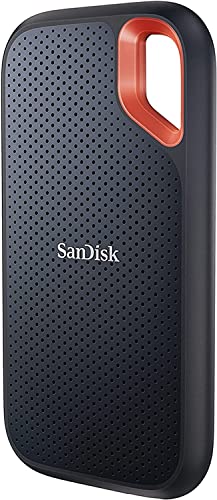
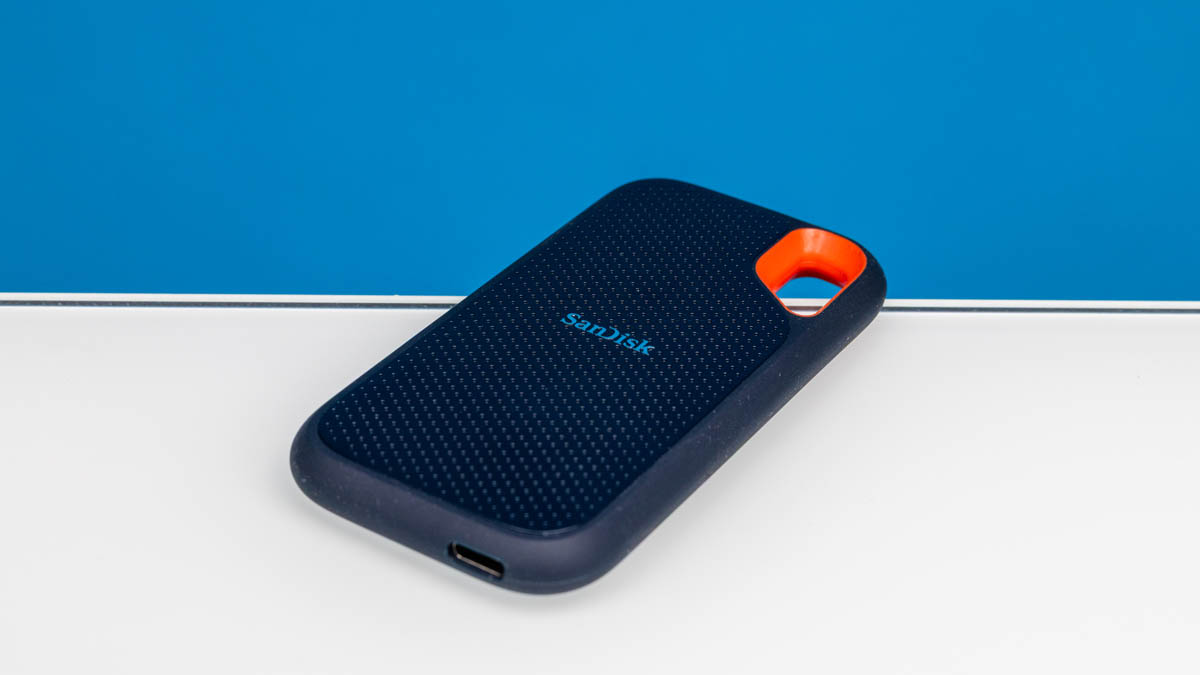
The Sandisk Extreme 2TB is the drive we'd hand to someone who wants fewer compromises. Its 2TB capacity gives a working collection of photos, video clips, games, and backups room to grow, while the rubberized portable design feels made for being carried rather than left beside a desktop. The carabiner loop is a small but genuinely useful touch. It gives the drive a defined place on a bag instead of letting it disappear into a pocket.
Its rated read speed reaches 1, 050MB/s, with write speeds up to 1, 000MB/s. That is the familiar ceiling for USB 3.2 Gen 2 drives, and it is plenty for routine backups, moving project folders, or opening large media files. It also includes password protection with 256-bit AES hardware encryption, so the drive has a meaningful privacy feature rather than relying only on the operating system.
Protection is the reason this model leads the group. The drive is rated IP65 for water and dust resistance and can withstand drops of up to 3 meters. Those ratings do not make it waterproof or indestructible, but they are reassuring for a drive that may travel between a camera bag, a desk, and a hotel room. SanDisk's Memory Zone app can help manage files and automatically free space, which is more useful for people moving content from mobile devices than for a desktop-only user.
The weakness is its generation. The Sandisk Extreme 1TB is much faster on compatible hardware, and the Samsung T9 2TB is built for sustained high-speed work. This older Extreme model also measures 3.97 by 2.07 by 0.38 inches, so it is not the most discreet option here. Choose it for capacity and protection first, not for chasing the highest transfer number.
For a wider look at how ruggedness, capacity, and connection standards affect a purchase, the practical differences between portable drives are useful to settle before choosing.
2. Samsung T7 1TB: Best Everyday Drive

Pros
- Consistent 1, 050MB/s class performance
- Compact aluminum unibody construction
- Up to 6-foot fall protection
- Works with computers and mobile devices
- Supports direct 4K 60fps recording on compatible devices
Cons
- No stated water or dust rating
- 1TB capacity may be limiting for large libraries
- Requires suitable hardware to reach its top speed
Best for: everyday users who want a polished, compact drive for files, photos, and general backups.
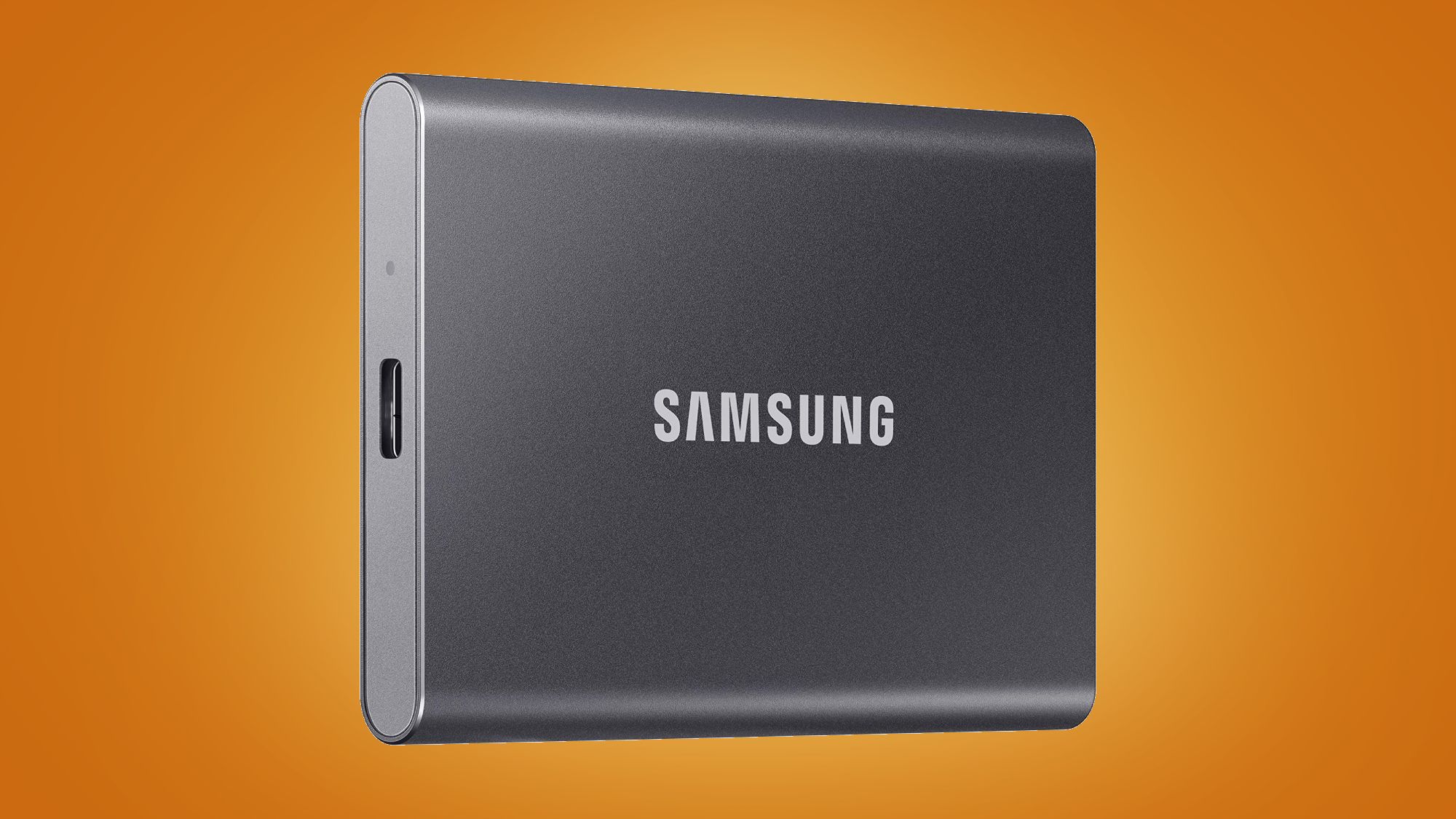
The Samsung T7 1TB remains an easy drive to live with because it avoids drama. Its aluminum unibody measures 3.3 by 2.2 by 0.3 inches and weighs 0.13 pounds, making it slim enough to share a laptop sleeve without taking over the pocket. The Titan Gray finish is not important to performance, but the solid construction gives the drive a more finished feel than many basic external storage devices.
Samsung rates it for read speeds up to 1, 050MB/s and write speeds up to 1, 000MB/s through PCIe NVMe technology. In practical terms, that makes routine file transfers and backups feel immediate compared with a mechanical external drive. The T7 can also record 4K 60fps video directly on compatible cameras and mobile devices, including iPhone 15 ProRes 4K at 60fps according to the supplied information.
Its broad device support is a strong part of the appeal. The drive is intended for PCs and mobile phones, and Samsung positions it for working files, game data, photography, and video. Shock resistance and fall protection up to 6 feet provide some protection in a bag, though there is no stated IP water or dust rating. That distinction matters if the drive will spend time outdoors.
The Sandisk Extreme 2TB is the better pick for capacity and weather resistance, while the Sandisk Portable 1TB is a simpler alternative with a lower rated read speed. The T7's main limitation is that it is a conventional 10Gbps-class drive, so the faster Samsung T9 1TB can pull ahead on a computer with the right USB 3.2 Gen 2x2 connection. For a laptop owner who wants a dependable general-purpose companion, the T7 is the calmer choice.
3. Sandisk Extreme 1TB: Best High-Speed Compact Drive

Pros
- Up to 2, 000MB/s transfer speed
- IP65 water and dust resistance
- Up to 3-meter drop protection
- Compact 1TB design
- 256-bit AES encryption
Cons
- Full speed depends on the host connection
- 1TB capacity is less flexible than the 2TB Extreme
- Speed advantage is smaller on ordinary USB ports
Best for: creators who move large photo or video files on compatible high-speed hardware.
The Sandisk Extreme 1TB changes the conversation from ordinary portable storage to fast working storage. Its headline figure is up to 2, 000MB/s, nearly twice the previous generation's stated transfer speed. That matters when a folder contains high-resolution photos, video rushes, or other files large enough for the difference to show. The drive is also pocket-sized, so the performance does not require carrying a bulky enclosure.
Its physical design is reassuring for field work. The drive has IP65 water and dust resistance and up to 3-meter drop protection. The supplied information also specifies 256-bit AES encryption with password protection. Together, those features make it more suitable for carrying active projects away from a desk than a bare, unprotected storage device.
The important catch is the connection. A 2, 000MB/s rating only becomes meaningful when the computer, cable, and port can support the necessary throughput. On a standard 10Gbps connection, it will not show the same advantage over the Samsung T7 1TB or Crucial X9 1TB. The drive's 1TB capacity is enough for a focused project library, but the Sandisk Extreme 2TB is more comfortable for a large archive.
This is the more interesting Sandisk if speed is central to the workflow. The Samsung T9 1TB offers the same headline speed and emphasizes sustained performance, while this Extreme model counters with a smaller, rugged design and a stronger stated water and dust rating. Skip it if your main device has only ordinary USB connections or if you mainly move documents, where the extra speed will not change much.
If the drive is headed toward a console, it helps to think about how game storage differs from ordinary backup storage before selecting a high-speed model.
4. Sandisk Portable 1TB: Best Simple Sandisk Drive

Pros
- Compact 1TB capacity
- USB-C and USB 3.2 Gen 2 connectivity
- Up to 800MB/s read speed
- Up to 2-meter drop protection
- Handy rubber hook
Cons
- Slower than the other 1TB Sandisk models
- No stated water or dust rating
- No encryption feature listed in the supplied details
Best for: people who need straightforward portable storage for documents, photos, and routine backups.
The Sandisk Portable 1TB is the uncomplicated option in Sandisk's lineup. It is designed to fit into a mobile routine, with a rubber hook that can attach to a belt loop or backpack. Measuring 3.81 by 1.85 by 0.39 inches and weighing 0.09 pounds, it is light enough to keep with a laptop without being noticeable.
The rated read speed is up to 800MB/s. That is below the 1, 050MB/s class drives and far below the 2, 000MB/s models, but it still represents a substantial step up from traditional portable hard drives for general file handling. USB-C and USB 3.2 Gen 2 support keep it relevant for current computers and phones, provided the right cable and compatible port are used.
Sandisk lists up to 2-meter drop protection, which is useful for a drive that may live in a backpack. The supplied details do not list an IP water or dust rating, so it should not be treated like the Sandisk Extreme 2TB in wet or dusty conditions. It is a better fit for an office, home, classroom, or commute than for a rough outdoor shoot.
The main question is speed. The Samsung T7 1TB and Crucial X9 1TB offer up to 1, 050MB/s, while the Sandisk Extreme 1TB is built for much faster transfers. The Portable 1TB makes sense when the workflow is ordinary and the extra protection features of the Extreme are not needed. It is the Sandisk to choose when simplicity matters more than headline performance.
5. SSK Portable 500GB: Best Compact Half-Terabyte Drive

Pros
- Up to 1, 050MB/s read speed
- Includes USB-C and USB-A cables
- Very small aluminum alloy enclosure
- S.M.A.R.T. diagnostics and adaptive TRIM
- Supports mobile use and iPhone ProRes capture
Cons
- 500GB leaves less room for large media libraries
- SLC cache is limited to 25 percent of available capacity
- No water or dust rating is listed
Best for: mobile users who want a small, fast drive for a focused set of files or recordings.
The SSK Portable 500GB is unusually small. Its listed dimensions are 2.5 by 1.31 by 0.43 inches, and its weight is about 36.6 grams. That makes it a natural fit for a phone or tablet bag, especially when the goal is to carry a working folder rather than an entire media archive.
SSK rates the drive for read speeds up to 1, 050MB/s and write speeds up to 1, 000MB/s. It includes both USB-C and USB-A cables, which removes one common annoyance when moving between a newer laptop and an older computer. The drive also supports iPhone 4K60 ProRes HDR capture according to the listed features, though the connected phone and recording setup still need to support that workflow.
The internal management features are more specific than the enclosure suggests. S.M.A.R.T. health diagnostics can report drive condition, while adaptive TRIM manages data blocks to help maintain write behavior over time. SSK also assigns 25 percent of the currently available capacity to SLC caching. That can help keep transfers brisk within the cache, but a 500GB drive is not the same as a large scratch disk for long, heavy workloads.
The SSK Portable 1TB has the same stated speed and design language while giving large folders more room. The Samsung T7 1TB has a more established aluminum unibody design, and the Crucial X9 1TB adds a stated IP55 rating. Pick this SSK when the small footprint and dual cable setup matter more than outdoor protection or maximum capacity.
6. Samsung T9 2TB: Best Sustained Speed

Pros
- Up to 2, 000MB/s read and write speeds
- 2TB capacity for demanding projects
- Dynamic Thermal Guard for heavy use
- Magician software supports firmware and health monitoring
- Compatible with desktops, cameras, and consoles
Cons
- Heavier and thicker than most drives here
- Needs USB 3.2 Gen 2x2 hardware for its top speed
- No IP water or dust rating is listed
Best for: creators who need high throughput and enough room for large active projects.
The Samsung T9 2TB is the specialist for large, sustained transfers. Its up to 2, 000MB/s read and write rating is not just a fast burst figure in the product description. Samsung says the drive is designed to maintain high speeds during longer processes, which is the distinction that matters when a project folder is much larger than a quick photo batch.
The 2TB capacity gives the T9 room to function as active workspace instead of merely a shuttle drive. It is aimed at desktop, camera, and gaming-console use, and Samsung says it supports iPhone 15 ProRes 4K at 60fps with the recommended included cable. Those capabilities make it more versatile than a drive intended only for laptop backups.
Heat is a major concern at this performance level, and the T9 addresses it with Dynamic Thermal Guard. The enclosure measures approximately 3.46 by 2.36 by 0.55 inches and weighs about 0.27 pounds, so it is noticeably thicker and heavier than the Sandisk Extreme 1TB. That extra bulk is the physical trade-off for choosing a drive designed around demanding sustained use.
Samsung's Magician software handles firmware updates, extra encryption, and drive health monitoring. Still, the T9's full speed depends on a USB 3.2 Gen 2x2 host connection. On ordinary USB ports, it behaves more like a fast 10Gbps-class drive, making the Samsung T7 1TB or Crucial X9 1TB more sensible for routine tasks. Buy this one for large projects, capacity, and compatible hardware, not because every computer can exploit its ceiling.
7. SSK Portable 1TB: Best Tiny 1TB Drive

Pros
- 1TB capacity in a very small enclosure
- Up to 1, 050MB/s read speed
- USB-C and USB-A cables included
- S.M.A.R.T. diagnostics and adaptive TRIM
- Supports mobile devices and iPhone ProRes workflows
Cons
- No stated water or dust protection
- 10Gbps-class speed trails the T9 models
- SLC cache behavior matters during very large transfers
Best for: commuters and mobile creators who want 1TB without a larger rugged enclosure.
The SSK Portable 1TB makes capacity disappear into a surprisingly small body. It measures 2.7 by 1.48 by 0.49 inches and weighs about 36.6 grams, according to the supplied information. That is notably smaller than the Samsung T7 1TB, so it works well for a minimalist laptop kit or a phone-focused recording setup.
Its rated read speed reaches 1, 050MB/s, with write speeds up to 1, 000MB/s. Both USB-C and USB-A cables are included, giving it a useful bridge between current and older equipment. SSK also lists support for 4K60 ProRes HDR capture on iPhone and power consumption below 2.4 watts, which should help it fit into mobile workflows that cannot spare much power.
The drive uses a 2mm aluminum alloy case for heat dissipation, and SSK states that case temperature peaks at 105.58 degrees Fahrenheit. It also includes S.M.A.R.T. health diagnostics and adaptive TRIM. The supplied details describe an SLC cache using 25 percent of the currently available capacity, so extremely long transfers may not behave like the first section of a smaller copy.
The SSK Portable 500GB is physically similar but gives up half the capacity, while the Crucial X9 1TB is a stronger choice if water and dust resistance are important. The T7 feels more established, and the T9 is much faster on the right connection. This SSK earns its place through its tiny body and broad cable support.
For people moving a lot of game installations, the storage capacity games actually consume is a more useful question than the drive's maximum transfer figure alone.
8. Samsung T9 1TB: Best Fast 1TB Drive
Pros
- Up to 2, 000MB/s read and write speeds
- Dynamic thermal control
- Magician software for updates and monitoring
- Works with computers, cameras, consoles, and compatible iPhones
- Strong fit for active project files
Cons
- Less capacity than the T9 2TB
- Full performance needs USB 3.2 Gen 2x2
- Thicker and heavier than 10Gbps-class alternatives
Best for: users who want T9 performance but do not need a 2TB working library.
The Samsung T9 1TB is the compact-capacity version of Samsung's fastest portable line. It is built for people who notice the difference between moving a project quickly and leaving a transfer running in the background. The drive supports up to 2, 000MB/s read and write speeds, and Samsung describes that performance as sustained during longer processes.
The 1TB capacity is enough for a current video project, a sizeable photo collection, or a rotating set of game and work files. Its compatibility extends across desktops, cameras, gaming consoles, and compatible iPhones. That range makes the T9 more than a computer accessory, although actual device support and transfer speed still depend on the connected hardware.
Thermal control is central here. Samsung's Dynamic Thermal Guard is intended to manage heat during heavy use, while Magician software provides firmware updates, extra encryption, and drive health monitoring. The enclosure is approximately 3.46 by 2.36 by 0.55 inches and weighs about 0.27 pounds, giving it a denser, more substantial feel than the SSK Portable 1TB.
The Samsung T9 2TB is the better long-session drive when the project library is large, while the Sandisk Extreme 1TB is more attractive for users who need IP65 protection and a lighter pocket companion. The T9 1TB is not the right answer for a basic backup routine on a standard USB port. It is the sharper choice for a high-speed 1TB workspace connected to hardware that can use USB 3.2 Gen 2x2.
9. Crucial X9 1TB: Best Broad Compatibility

Pros
- Up to 1, 050MB/s read speed
- IP55 water and dust resistance
- Up to 2-meter drop resistance
- Supports Windows, Mac, Android, Linux, and consoles
- USB-C and USB-A compatibility
Cons
- Not as fast as the T9 or newer Extreme
- No 2TB version in this listing
- Some software extras require registration
Best for: households that move one drive among computers, tablets, phones, and consoles.
The Crucial X9 1TB is the flexible generalist. It supports Windows, Mac, iPad Pro, Chromebooks, Android, Linux, PS4, PS5, and Xbox through USB-C and USB-A, making it an unusually practical choice for a mixed-device household. The 1TB capacity is enough for photos, documents, backups, and a useful selection of games.
Its rated read speed is up to 1, 050MB/s. That puts it alongside the Samsung T7 1TB and the 1TB SSK models rather than the 2, 000MB/s T9 and Sandisk Extreme drives. For ordinary backups and file transfers, that distinction is less important than getting reliable connection support across the devices already on the desk.
The X9 has IP55 water and dust resistance and drop resistance up to 7.5 feet, or 2 meters. That is meaningful protection for travel, though the Sandisk Extreme 2TB and Sandisk Extreme 1TB carry the stronger IP65 rating and higher stated drop distance. The X9 measures approximately 2.56 by 1.97 by 0.39 inches and weighs about 0.07 pounds, so it remains easy to carry.
Crucial also lists three months of Mylio Photos Plus and Acronis True Image after purchase and registration. Those extras may appeal to someone building a photo or backup routine, but the drive's main reason to buy is its compatibility spread. Choose it over the T7 when consoles and tablets are part of the plan. Choose the Sandisk Extreme when outdoor protection matters more, and choose the T9 when high-speed editing is the priority.
10. SSK Portable 250GB: Best Small-Capacity Option
Pros
- Up to 1, 050MB/s read speed
- Extremely small aluminum alloy design
- Includes USB-C and USB-A cables
- S.M.A.R.T. diagnostics and adaptive TRIM
- Supports mobile file transfers
Cons
- Limited room for video and game libraries
- No water or dust rating is listed
- SLC cache is smaller in absolute capacity
Best for: people who need a fast, compact drive for documents, photos, and a small backup set.
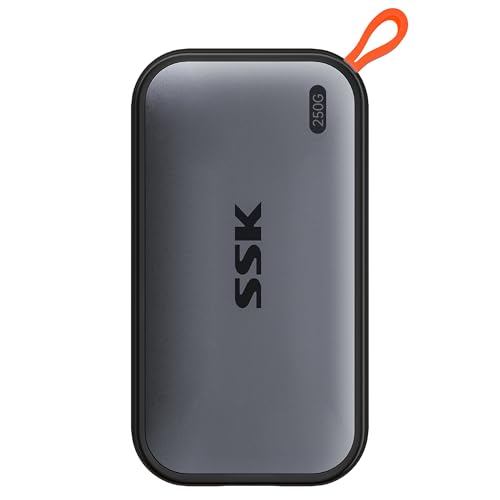
The SSK Portable 250GB is for a narrow but legitimate need: a small drive that is faster and more convenient than a traditional hard disk. Its enclosure measures about 2.7 by 1.48 by 0.5 inches and weighs about 36.6 grams. That makes it easy to keep in a laptop pouch, camera case, or phone accessory bag.
SSK lists read speeds up to 1, 050MB/s and write speeds up to 1, 000MB/s. Both USB-C and USB-A cables are included, and the drive can connect to computers, smartphones, tablets, and iPhones. The supplied features also mention 4K60 ProRes HDR capture on iPhone, so the drive is not restricted to simple document storage.
The 2mm aluminum alloy case is intended to dissipate heat, while S.M.A.R.T. diagnostics and adaptive TRIM handle drive monitoring and block management. SSK assigns 25 percent of available capacity to SLC caching. On this model, that means the cache's absolute room is more limited than on the 500GB or 1TB versions, so it is better suited to smaller batches than long video transfers.
The SSK Portable 500GB is the natural step up when photos and videos are involved, and the Crucial X9 1TB is a stronger all-purpose choice for multiple devices and consoles. The 250GB SSK is not a long-term media archive. It is a small, quick shuttle drive for a specific set of files, and it makes sense when that is all the job requires.
How to choose best portable ssd
The right portable SSD comes down to the connection your devices can use, the amount of data you carry, and how much abuse the drive must tolerate.
Capacity
Capacity determines whether a drive remains useful after the first large project. A 250GB model suits documents and modest photo collections, while 500GB is more comfortable for a focused media set. A 1TB drive is a better default for mixed use, and 2TB makes more sense for video libraries, game installations, and active creative projects.
Remember that a computer may show slightly less usable space than the label suggests. The SSK models specifically note that a 500GB drive can appear as about 465GB on Windows, while a 1TB model can appear as about 931GB. That is a display convention, not missing physical storage.
Connection speed
The listed maximum speed is useful only when the host device and cable can support it. USB 3.2 Gen 2 drives such as the Samsung T7, Crucial X9, and SSK models top out around 1, 050MB/s read speed. USB 3.2 Gen 2x2 models such as the Samsung T9 can reach 2, 000MB/s, but only with compatible hardware.
For documents and ordinary backups, 800MB/s to 1, 050MB/s is already a substantial improvement over a mechanical drive. For large video projects, the higher ceiling can shorten transfers and make a portable drive more useful as active workspace.
A 2, 000MB/s SSD on a slower USB port is still a slower-port SSD.
Durability
Look for a stated drop rating when the drive will travel. The Sandisk Extreme models list up to 3-meter drop protection, the Crucial X9 lists up to 2 meters, and the Sandisk Portable 1TB lists up to 2 meters. Water and dust ratings are separate. IP65 provides stronger stated protection than IP55, while no listed IP rating means you should keep the drive away from moisture and dust.
A carabiner loop or rubber hook also matters more than it first appears. It gives the drive a predictable attachment point and reduces the chance of it sliding loose in a bag.
Device compatibility
USB-C describes the connector shape, not the full performance level. Check the computer, phone, camera, or console port and confirm that the cable supports the intended use. Drives with USB-C and USB-A cables, including the SSK models and Crucial X9, are easier to move between newer and older equipment.
For phone video recording, the phone must support external recording and have enough power available. The listed SSK, Samsung, and Sandisk features mention compatible iPhone ProRes workflows, but that does not make every phone and camera combination interchangeable.
Sustained workloads
Short transfers can look impressive even when a drive slows during a long copy. SLC caching can help early performance, but cache behavior matters when writing large folders. The SSK drives specify that 25 percent of currently available capacity is used as high-speed cache. Samsung's T9 models instead emphasize sustained speed and Dynamic Thermal Guard for longer processes.
If the drive will hold an editing project or repeatedly receive large video files, prioritize sustained performance and thermal management. For occasional backups, ordinary 10Gbps-class storage is usually the more sensible capability.
Frequently asked questions
Is a portable SSD better than a portable hard drive?
A portable SSD is generally faster, quieter, and more resistant to movement because it has no spinning platters. A traditional hard drive can still be useful for large stationary archives, but the SSD models here are better suited to travel, active projects, and quick backups.
Which portable SSD is fastest in this roundup?
The Sandisk Extreme 1TB and both Samsung T9 models list speeds up to 2, 000MB/s. The Samsung T9 models specifically emphasize sustained read and write performance, while the Sandisk Extreme 1TB combines its higher speed with IP65 protection and a compact design.
Do all of these drives work with USB-C devices?
The listed drives use USB-C connectivity, but the available speed depends on the device's port and the cable. The SSK models and Crucial X9 specifically list both USB-C and USB-A cable support, which helps when moving between different computers.
How much capacity should a photographer choose?
A 1TB drive is a practical starting point for a working photo library, while 2TB is more comfortable for raw files, exports, and backups kept together. The Sandisk Extreme 2TB is the strongest fit here when capacity and outdoor protection matter at the same time.
Can these SSDs be used with a PS5 or Xbox?
The Crucial X9 explicitly lists compatibility with PS4, PS5, and Xbox. The Samsung T9 lists gaming-console compatibility as part of its supported use. Console formatting and game storage rules still apply, so check the console's requirements before moving an existing library.
Does a higher rated speed always mean faster transfers?
No. The host port, cable, file size, thermal behavior, and workload all affect actual performance. A USB 3.2 Gen 2x2 SSD cannot reach its full 2, 000MB/s rating through a slower connection.
The bottom line
The Best portable SSD for most people is the Sandisk Extreme 2TB. It combines generous capacity with IP65 protection, a 3-meter drop rating, encryption, and a useful carry loop. It is not the fastest drive here, but it is the most complete option for travel, backups, and large personal libraries.
For demanding editing work, the Samsung T9 2TB is the stronger specialist. Its 2, 000MB/s read and write rating, thermal management, and 2TB capacity make it better suited to sustained transfers on compatible hardware. The Crucial X9 1TB is the sensible alternative for mixed households that need broad computer, mobile, and console compatibility.
If you are undecided, choose the Sandisk Extreme 2TB for protection and capacity, or the Samsung T9 2TB when sustained speed is the job.
As an Amazon Associate we earn from qualifying purchases.