

A router can have plenty of bandwidth and still make a game feel sluggish when several people are streaming, video calling, or downloading at once. The important distinction is how well it handles competing traffic, how many fast wired ports it offers, and whether its wireless bands leave room for a gaming PC or console.
The Best router for gaming depends on the rest of your network. WiFi 7 is useful for newer devices, 6 GHz can provide a cleaner short-range connection, and a capable WiFi 6 router can still be the smarter fit for older hardware. We ranked these ten models from the high-end ASUS ROG Rapture GT-BE98 Pro to compact Netgear and TP-Link choices.
Our top pick is the ASUS ROG Rapture GT-BE98 Pro, with the TP-Link Archer AXE75 as the more practical choice for many homes.
Comparison table
| # | Product | Award | Wireless class | Wired connectivity | Best for |
|---|---|---|---|---|---|
| 1 | ASUS ROG Rapture GT-BE98 Pro | Best overall | Quad-band WiFi 7, up to 30 Gbps | 2 x 10G, 4 x 2.5G | Serious multi-gig gaming networks |
| 2 | TP-Link Archer AXE75 | Best for 6 GHz access | Tri-band WiFi 6E, up to 5, 400 Mbps | 2.5G WAN | Gaming with newer 6 GHz devices |
| 3 | TP-Link Archer BE400 | Best compact WiFi 7 | Dual-band WiFi 7, up to 6.5 Gbps | 2 x 2.5G, 3 x 1G | Newer devices and easy expansion |
| 4 | TP-Link Archer GE650 | Best dedicated gaming band | Tri-band WiFi 7, up to 11 Gbps | 2 x 5G, 3 x 2.5G | Gaming separated from household traffic |
| 5 | TP-Link Archer GE400 | Best gaming controls | Dual-band WiFi 7, up to 6.5 Gbps | 2 x 2.5G, 3 x 1G | Game prioritization without 6 GHz |
| 6 | GL.iNet Flint 2 | Best for VPN users | WiFi 6, up to 6 Gbps | Dual 2.5G ports | Custom networks and VPN routing |
| 7 | ASUS TUF Gaming BE6500 | Best wired WiFi 7 option | Dual-band WiFi 7, up to 6.5 Gbps | 4 x 2.5G | Several wired gaming devices |
| 8 | Netgear Nighthawk RS90 | Best simple WiFi 7 setup | Dual-band WiFi 7, up to 3.6 Gbps | 2.5G WAN, 4 x 1G LAN | Smaller homes and straightforward setup |
| 9 | ASUS ROG Rapture GT-AX11000 Pro | Best renewed ROG router | Tri-band WiFi 6 | 10G and 2.5G ports | Existing ASUS gaming networks |
| 10 | Netgear Nighthawk RS140 | Best wider Nighthawk coverage | Dual-band WiFi 7, up to 5.0 Gbps | 2.5G WAN, 3 x 1G LAN | Larger open-plan homes |
1. ASUS ROG Rapture GT-BE98 Pro: Best Overall

Pros
- Quad-band WiFi 7 with up to 30 Gbps total wireless capacity
- Two 10G ports and four 2.5G ports
- Multi-Link Operation and 320 MHz 6 GHz channels
- Triple-level game traffic acceleration
- External dual-feeding antennas
Cons
- Physically large
- Its capabilities exceed what many ordinary broadband connections can use
- High-end features require compatible client devices
Best for: serious gamers building a multi-gig home network with several fast wired and wireless devices.
The ASUS ROG Rapture GT-BE98 Pro is the router for a home where networking is part of the gaming setup, not a hidden box that simply provides internet. It is large, heavily equipped, and unapologetically specialized. The useful part is not just its headline wireless figure. Its four bands give the network more room to separate clients, while its game acceleration system is designed to prioritize gaming traffic from the gaming device through to the server.
WiFi 7 is the main reason to consider it. The router supports 320 MHz channels in the 6 GHz band and 4096-QAM, two features that can increase throughput when paired with compatible devices. Multi-Link Operation can use multiple bands at the same time, which is aimed at improving connection stability and transfer efficiency. Those capabilities matter most in a busy home with newer laptops, phones, and gaming hardware. Older devices will still connect, but they cannot make full use of the newest features.
The wired layout is unusually strong. Two 10G ports can serve a high-speed modem, network storage, or a powerful desktop, while four 2.5G ports give consoles, PCs, and other devices more room than ordinary gigabit Ethernet. That makes the GT-BE98 Pro more flexible than the TP-Link Archer GE650, whose wired layout has more 5G capacity but fewer total high-speed ports. The ASUS also uses external dual-feeding antennas intended to improve signal strength and coverage efficiency.
The weakness is easy to identify: this is a substantial piece of hardware. Its 13.7-inch length and height and 8.6-inch width require a real shelf or desk space, and many households will not have enough compatible devices or internet capacity to justify every feature. The TP-Link Archer AXE75 is easier to live with if the goal is simply a clean 6 GHz connection. Skip the ASUS if your network is mostly gigabit wired devices and older WiFi clients.
For a demanding household with multi-gig equipment, the GT-BE98 Pro is the most complete choice here. It gives wired gaming a strong foundation and has the wireless architecture to remain useful as more WiFi 7 clients arrive.
2. TP-Link Archer AXE75: Best for 6 GHz Access

Pros
- Tri-band WiFi 6E with a dedicated 6 GHz band
- 160 MHz channel support
- 2.5G WAN port
- EasyMesh compatibility
- VPN client and server support
Cons
- WiFi 6E rather than WiFi 7
- Only one 2.5G port
- 6 GHz range is more limited through walls
Best for: gamers who want a clean 6 GHz connection without moving to a large, high-end WiFi 7 router.
The TP-Link Archer AXE75 is the sensible specialist in this group. Its defining feature is not flashy game styling, but the third 6 GHz band. A compatible gaming laptop or phone can use that band away from much of the congestion found on 2.4 GHz and 5 GHz. That can make a connection feel more responsive at short range, particularly when other household devices are busy.
The three bands are rated at 2, 402 Mbps on 6 GHz, 2, 402 Mbps on 5 GHz, and 574 Mbps on 2.4 GHz, for a combined AXE5400 class. Those are link-rate figures rather than a promise of a single device speed, but the arrangement gives the router room to serve different clients simultaneously. The 1.0 GHz dual-core CPU and 512 MB of memory are intended to keep routing and network management steady, while OFDMA helps coordinate multiple connected devices.
The Archer AXE75 has one 2.5G WAN port, which is the important limitation for a modern wired gaming setup. A desktop or console can use a gigabit LAN connection, but the router does not offer the multi-gig LAN flexibility of the ASUS TUF Gaming BE6500 or the GT-BE98 Pro. EasyMesh compatibility helps with coverage, and the VPN client and server support give it more network-control options than a basic home router.
Its 6 GHz band is also a short-range tool. It is most useful in the same room or across a relatively open layout, not as a way to push a fast signal through several walls. The TP-Link Archer BE400 has newer WiFi 7 features and more stated coverage, but it lacks 6 GHz entirely. For more context on choosing equipment around a larger household connection, the network layout that makes sense for a fiber connection is worth considering before buying.
The AXE75 is the pick for a gamer with a compatible 6 GHz device, a busy home, and no need for several multi-gig wired ports. It is less future-facing than the WiFi 7 models, but its tri-band design remains highly practical.
3. TP-Link Archer BE400: Best Compact WiFi 7

Pros
- WiFi 7 with Multi-Link Operation and 4K-QAM
- Up to 6.5 Gbps across two bands
- 2.5G WAN/LAN and 2.5G LAN ports
- EasyMesh expansion
- VPN client and server support
Cons
- No 6 GHz band
- Dual-band design gives less separation than tri-band routers
- Only two multi-gig ports
Best for: a household adding WiFi 7 devices that wants a small router with useful wired flexibility.
The TP-Link Archer BE400 is easy to overlook because its two-band design sounds less ambitious than the larger gaming routers. That is precisely why it makes sense for many homes. It brings WiFi 7 features, a 2.5G connection on both the WAN/LAN side and a separate LAN port, and a straightforward Tether app without taking over the room.
Its six-stream wireless system is rated for 5, 764 Mbps on 5 GHz and 688 Mbps on 2.4 GHz, adding up to 6.5 Gbps of claimed capacity. Multi-Link Operation can transfer data over two frequency bands at once, while Multi-RUs and 4K-QAM are part of its WiFi 7 feature set. These features benefit compatible clients, but the router remains backward compatible with the older devices already in a typical home.
The port arrangement is more useful than the modest physical footprint suggests. One 2.5G port can act as WAN or LAN, and another 2.5G LAN port can connect a gaming PC, console, or network switch. Three gigabit LAN ports cover the remaining wired devices. TP-Link also states coverage up to 2, 400 square feet for up to 90 devices, though walls and layout will affect the result. EasyMesh gives you an upgrade route if one unit cannot cover the house.
The missing 6 GHz band is the important catch. The Archer AXE75 can give a compatible nearby device a separate 6 GHz lane, while the BE400 has to divide its capacity between 5 GHz and 2.4 GHz. It also lacks the dedicated gaming dashboard and game-specific controls found on the Archer GE400. The BE400 is better suited to someone who wants broad network capability than someone who wants to tune every game connection.
If your newer laptop or phone supports WiFi 7 and your gaming setup needs one fast wired link, the Archer BE400 is a clean fit. It is a particularly good match for a smaller home where a tri-band or quad-band router would add complexity without solving a real problem.
4. TP-Link Archer GE650: Best Dedicated Gaming Band

Pros
- Tri-band WiFi 7 with up to 11 Gbps capacity
- Dedicated 5 GHz gaming band
- Two 5G ports and three 2.5G LAN ports
- Game panel with traffic controls and RGB settings
- 6 GHz support with 320 MHz channels
Cons
- Large gaming-focused design
- Some features are more useful to enthusiasts than casual players
- No stated coverage figure in the supplied specifications
Best for: a busy gaming household that wants a separate wireless band for games and several multi-gig wired ports.
The TP-Link Archer GE650 takes a direct approach to household congestion: give gaming its own 5 GHz band. A family member can stream 4K video on another band while a console or gaming PC uses the dedicated lane. That separation is more meaningful than RGB lighting, although the GE650 includes customizable lighting and a volcano-inspired enclosure for people who want the router to look like part of a gaming setup.
Its tri-band WiFi 7 design combines up to 5, 764 Mbps on 6 GHz, 4, 320 Mbps on 5 GHz, and 574 Mbps on 2.4 GHz. The 6 GHz band adds three 320 MHz channels and up to 1, 200 MHz of extra spectrum according to the supplied features. Multi-Link Operation can use all three frequency bands together for improved stability and transfer efficiency. Those capabilities make the GE650 more versatile than the dual-band Archer GE400, particularly in a home with many newer wireless clients.
Wired connectivity is another strength. There is one 5G WAN port, one 5G LAN port, and three 2.5G LAN ports. That is enough to connect a multi-gig modem, a fast gaming desktop, a console, and other high-speed equipment without immediately reaching for a switch. The game panel can show network and router information, prioritize game traffic, and identify accelerated devices. WTFast support is included for optimizing traffic associated with games and services such as Steam, Twitch, and Origin.
The downside is that it is a lot of router for a quiet household with one console. The Archer AXE75 offers a cleaner 6 GHz experience in a less gaming-specific package, while the ASUS GT-BE98 Pro provides even more ports and four-band capacity for extreme setups. The GE650 also needs to be placed where its sizeable body and distinctive styling will not be a nuisance.
Choose it when gaming traffic genuinely competes with the rest of the home network. Its dedicated band and fast port selection make it the strongest TP-Link option here for a household where several people are online at the same time.
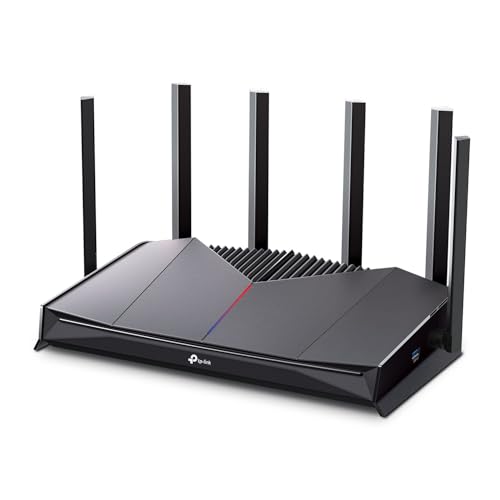
5. TP-Link Archer GE400: Best Gaming Controls
Pros
- Game acceleration and a dedicated gaming port
- Up to 6.5 Gbps dual-band WiFi 7
- Two 2.5G ports and three gigabit LAN ports
- EasyMesh compatibility
- Game panel and customizable RGB lighting
Cons
- No 6 GHz band
- Dual-band design cannot separate gaming onto a third band
- EasyMesh is not compatible with Deco systems
Best for: gamers who want game-specific controls and a dedicated port but do not need 6 GHz.
The TP-Link Archer GE400 is built around control rather than maximum wireless variety. Plug a gaming device into its dedicated multi-gig gaming port, use the game panel to prioritize traffic, and let the router's QoS and WTFast features focus on game-related connections. That is a more hands-on approach than the simple Smart Connect behavior on the Netgear Nighthawk RS90.
The router is a six-stream BE6500 model with up to 5, 765 Mbps on 5 GHz and 688 Mbps on 2.4 GHz. Multi-Link Operation uses both bands simultaneously to improve stability and transfer performance. The headline capacity is similar to the Archer BE400, but the GE400 is explicitly organized around gaming controls. There is no 6 GHz band, so a compatible WiFi 6E or WiFi 7 device cannot use that cleaner frequency range.
Its wired ports include one 2.5G WAN/LAN port, one 2.5G LAN port, and three 1G LAN ports. That is enough for a multi-gig internet connection and one fast wired gaming device. The router also states coverage up to 2, 600 square feet for up to 90 devices, with six antennas and beamforming intended to focus signals toward harder-to-reach areas. Real homes with thick walls or multiple floors can still need an EasyMesh-compatible extension.
The principal weakness is the missing third band. The Archer GE650 can give gaming its own 5 GHz band, and the Archer AXE75 can provide 6 GHz access. The GE400 instead relies on prioritization and port selection while all wireless clients share the two available bands. Its EasyMesh support also excludes Deco systems, so owners of that separate TP-Link mesh family should not assume the products will combine.
The GE400 makes sense when the game panel and dedicated port matter more than 6 GHz. It is a focused choice for someone who wants to manage game traffic directly without moving into the larger tri-band models.
6. GL.iNet Flint 2: Best for VPN Users

Pros
- WiFi 6 with up to 6 Gbps and eight streams
- Dual 2.5G ports
- WireGuard and OpenVPN support
- AdGuard Home support
- 1 GB DDR4 memory and 8 GB eMMC storage
Cons
- WiFi 6 rather than WiFi 7
- Initial setup may require more involvement
- Firmware update is specifically recommended at setup
Best for: technically minded gamers who want VPN routing, DNS filtering, and more control over the network.
The GL.iNet Flint 2 is the outlier in this roundup. It is less interested in gaming aesthetics and more interested in giving the owner control over what the network does. That makes it compelling for people who use a VPN, want local ad and tracker blocking, or plan to install additional plugins. It is also one of the few models here whose supplied features specify substantial internal storage and memory.
The Flint 2 uses eight-stream WiFi 6 with claimed speeds up to 6 Gbps. That is enough wireless capacity for gaming, streaming, and video calls, though it does not have WiFi 7's Multi-Link Operation or 6 GHz access. Its two 2.5G ports can support a multi-gig wired connection on the appropriate side of the network. The router is also stated to handle more than a hundred devices, which suits a home with a dense collection of smart and connected hardware.
VPN performance is the reason to choose it. The supplied specifications list WireGuard speeds up to 900 Mbps and OpenVPN speeds up to 880 Mbps, with the usual dependence on the ISP, network conditions, VPN server, and service provider. Those figures make the Flint 2 more attractive than a router that merely offers a basic VPN toggle. AdGuard Home support adds DNS-based filtering through a web interface, letting the owner decide which advertising and tracking domains to block.
It is not the easiest option for someone who wants a polished gaming dashboard. The listing specifically recommends updating firmware during initial setup, and the setup instructions point users toward connecting to a computer by Ethernet to access the administration panel. The ASUS TUF Gaming BE6500 is a cleaner choice for dedicated gaming features, while the Flint 2 is stronger for network experimentation. Readers weighing the wired side of a gaming setup should also consider how a direct Ethernet connection changes consistency during play.
Choose the Flint 2 if VPN routing and customization are part of the brief. If all you need is a simple wireless connection for a console, its extra control may feel like work rather than a benefit.
7. ASUS TUF Gaming BE6500: Best Wired WiFi 7 Option

Pros
- WiFi 7 with up to 6.5 Gbps wireless capacity
- Four 2.5G Ethernet ports
- Dedicated Gaming Port
- Multi-Link Operation
- Open NAT and subscription-free network security
Cons
- No 6 GHz band
- Dual-band design offers less wireless separation
- Game acceleration features are most useful with compatible setups
Best for: gamers with several wired devices who want WiFi 7 and ASUS gaming controls.
The ASUS TUF Gaming BE6500 is the wired specialist among the newer ASUS options. Four 2.5G Ethernet ports are the standout feature. A gaming PC, console, access point, and network storage device can all use fast wired connections without consuming the router's only multi-gig LAN port. For a desk-based gaming setup, that can matter more than chasing a higher wireless class.
Wireless capacity is rated up to 6, 500 Mbps, and 4096-QAM is intended to raise transmission speed on a single frequency band. Multi-Link Operation can link multiple bands to improve connection stability and efficiency. It remains a dual-band router, however, and has no 6 GHz band. The TP-Link Archer AXE75 is the better choice for a nearby 6 GHz client, while the TP-Link Archer GE650 has more wireless separation for a crowded household.
ASUS adds several gaming-specific controls. The dedicated Gaming Port gives a selected wired device priority, and one-tap mobile game packet prioritization is aimed at phones. Open NAT simplifies multiplayer setup and port forwarding in three steps according to the supplied feature list. The router is also compatible with mesh and VPN use, and its network security is described as subscription-free. That combination makes it more flexible than a router that only prioritizes a single console.
The limitation is the dual-band layout. If several people are streaming while two players use WiFi, the router cannot place gaming traffic on a separate third band as the Archer GE650 can. It also lacks the extreme port and wireless headroom of the GT-BE98 Pro. The TUF's verified durability claims are reassuring, but they do not change the need to place any router in a reasonably open location.
This is the ASUS to buy when four 2.5G ports solve a real wiring problem. It is less compelling for a mostly wireless home, where the Archer AXE75's 6 GHz band or the GE650's dedicated gaming band has a clearer advantage.
8. Netgear Nighthawk RS90: Best Simple WiFi 7 Setup

Pros
- WiFi 7 with up to 3.6 Gbps wireless capacity
- Quad-core 2.0 GHz processor
- 2.5G WAN port
- Four gigabit LAN ports
- Guided setup through the Nighthawk app
Cons
- No multi-gig LAN port for a gaming device
- Modem or ISP gateway is required
- NETGEAR Armor protection has a 30-day trial period
Best for: smaller homes that want a straightforward WiFi 7 router with a simple app-based setup.
The Netgear Nighthawk RS90 is the least intimidating WiFi 7 option here. It is a router only, not a modem, but once connected to an existing cable, fiber, DSL, or satellite modem with an Ethernet port, its setup is designed to be guided through the Nighthawk app or a web browser. That makes it a good fit for someone who wants WiFi 7 without a dense gaming interface.
Its dual-band wireless capacity is rated up to 3.6 Gbps across 2.4 GHz and 5 GHz. A quad-core 2.0 GHz processor handles the router's stated mix of gaming, 4K streaming, video conferencing, and smart-home devices. Smart Connect automatically selects a band for each device, while a separate guest network keeps visitors away from the main network. Netgear states coverage up to 2, 000 square feet in open layouts and support for up to 50 devices.
The 2.5G port is WAN only, so it connects to the modem rather than serving as a multi-gig connection for a desktop or console. Four gigabit LAN ports are available for wired devices. That is a meaningful difference from the ASUS TUF Gaming BE6500 and TP-Link Archer BE400, both of which provide 2.5G LAN capacity. For a gaming PC connected by Ethernet, the RS90 is therefore better suited to a gigabit network than a multi-gig one.
Security includes WPA3, a SPI firewall, and automatic firmware updates. NETGEAR Armor is listed with a 30-day trial, so buyers should distinguish the built-in protections from the additional service. The router's stated coverage also assumes an open layout. Multi-story homes and homes with dense walls may need a mesh system rather than a single unit.
The RS90 is a straightforward choice for a smaller home with one main gaming area and ordinary wired requirements. It is not the router for a multi-gig lab or a household that wants separate gaming bands, but its setup experience and sensible core features make it easy to recommend for uncomplicated networks.
9. ASUS ROG Rapture GT-AX11000 Pro: Best Renewed ROG Router

Pros
- Tri-band WiFi 6 design
- 10G and 2.5G ports
- ASUS RangeBoost Plus
- Triple-level game acceleration
- Extendable gaming router design
Cons
- Renewed condition
- Older WiFi 6 generation
- Supplied listing details are limited
Best for: buyers who specifically want ASUS ROG networking features and can accept a renewed router with an older wireless standard.
The ASUS ROG Rapture GT-AX11000 Pro remains an interesting option because its core design is aimed directly at gaming networks. The supplied listing identifies it as a tri-band WiFi 6 router with ASUS RangeBoost Plus, triple-level game acceleration, and 10G and 2.5G ports. Those are the features that separate it from an ordinary home router, even though its wireless generation is no longer the newest in this group.
Tri-band operation gives the network more room to spread clients across bands. That can help when gaming, streaming, and general household traffic happen together. The 10G and 2.5G ports are also more useful for a fast wired setup than the gigabit LAN ports on the Netgear RS90. ASUS's triple-level game acceleration is intended to prioritize traffic through multiple stages, though the supplied data does not provide a deeper breakdown of how the system operates.
The main caveat is the listing itself. This product is marked as renewed, and the supplied feature information is much thinner than the descriptions for the other routers. It identifies WPS, WiFi connectivity, and the included GT-AX11000 Pro router, but it does not provide a detailed port layout, wireless rate breakdown, processor specification, or security feature list. We will not fill those gaps with assumptions. The physical unit is also substantial at 13.94 inches long and wide and 7.6 inches high, with a listed weight of 4.81 pounds.
The newer ASUS TUF Gaming BE6500 adds WiFi 7 and four specified 2.5G ports, while the GT-BE98 Pro goes far beyond it with quad-band WiFi 7 and dual 10G ports. The renewed GT-AX11000 Pro makes more sense when a buyer specifically wants the older ROG feature set or is extending an existing ASUS network. It is not the safe default for someone who wants the clearest current specification sheet.
Choose this model only if the renewed condition is acceptable and the ROG software and gaming controls are the reason for buying. For everyone else, one of the newer, more fully documented routers is easier to match to a real network.
10. Netgear Nighthawk RS140: Best Wider Nighthawk Coverage

Pros
- WiFi 7 with up to 5.0 Gbps wireless capacity
- Stated coverage up to 2, 250 square feet
- Automatic firmware updates
- Nighthawk app management
- Compatible with cable, fiber, DSL, and satellite connections
Cons
- No multi-gig LAN port
- No 6 GHz band
- Armor protection requires a subscription after its trial
Best for: a larger open-layout home that wants simple WiFi 7 coverage and mostly gigabit wired connections.
The Netgear Nighthawk RS140 is the roomier counterpart to the RS90. It keeps the same basic dual-band, router-only approach but raises the stated wireless capacity to 5.0 Gbps and the open-layout coverage figure to 2, 250 square feet. That makes it the more suitable Netgear choice for a larger single-floor home, assuming the layout does not contain unusually thick walls or heavy interference.
The router supports WiFi 7 across 2.4 GHz and 5 GHz, with backward compatibility for WiFi 6 and earlier devices. Netgear emphasizes streaming, gaming, video calls, and smart-home use, so the RS140 is designed as a general home router rather than a specialist gaming appliance. The free Nighthawk app handles setup and management, and browser setup is also available. A separate modem or ISP gateway with an RJ45 Ethernet port is required.
Wired connectivity is more limited than the wireless headline suggests. The 2.5G port is the WAN input only, while three 1G Ethernet ports connect computers, consoles, televisions, or storage devices. That is fine for a gigabit wired gaming setup, but the ASUS TUF Gaming BE6500 is a better match for several 2.5G devices. The TP-Link Archer GE650 is stronger for a household that needs a dedicated wireless gaming band and multiple multi-gig LAN connections.
Netgear includes automatic firmware updates and built-in router protection features. NETGEAR Armor adds more protection against malware and identity theft, but the supplied details specify a 30-day free trial followed by a separate subscription. The RS140 also lacks a 6 GHz band, so the TP-Link Archer AXE75 is preferable for a nearby device that can use that frequency.
The RS140 is the sensible Nighthawk for a larger open-plan home where easy setup matters more than detailed gaming controls. Choose it over the RS90 when the extra wireless capacity and coverage claim better match the space, but choose a different model if your gaming setup needs multi-gig Ethernet on the LAN side.
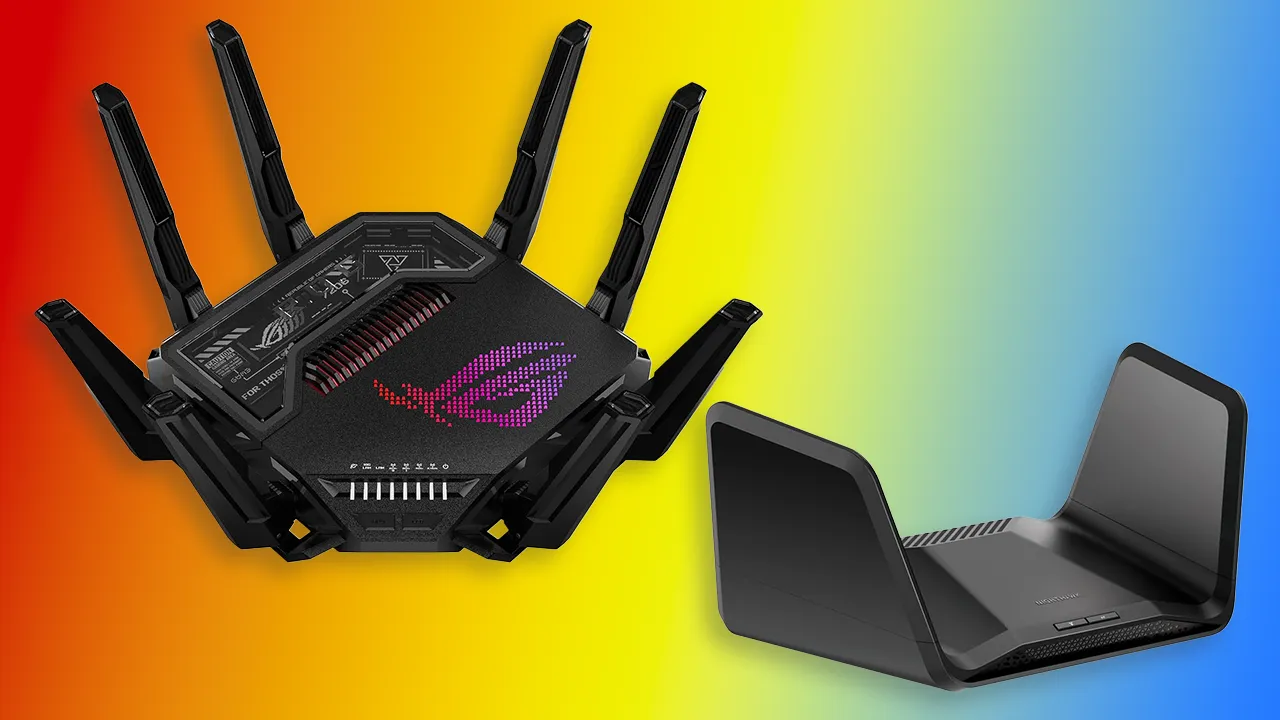
How to choose best router for gaming
The right router depends on the devices you own, the speed of the wired network, and how much competing traffic the household creates.
Wireless generation
WiFi 6 remains capable for gaming, but WiFi 6E adds a separate 6 GHz band and WiFi 7 adds features such as Multi-Link Operation, wider 320 MHz channels, and higher-order modulation on compatible hardware. A newer standard does not automatically make an older console faster. Check the wireless standard supported by the gaming PC, handheld, phone, and access points that will actually use the network.
WiFi 7 is most useful when several newer devices are active or when the network is being built for longer-term use. WiFi 6E can be attractive when the main gaming device is nearby and supports 6 GHz.
Band layout
Dual-band routers share wireless capacity between 2.4 GHz and 5 GHz. Tri-band models add either another 5 GHz band or 6 GHz, while the ASUS ROG Rapture GT-BE98 Pro adds a fourth band. More bands can reduce contention, but they do not erase walls or extend a high-frequency signal indefinitely.
The Archer GE650's dedicated 5 GHz gaming band is especially useful when household streaming competes with play. The Archer AXE75's 6 GHz band is better for a compatible device in a nearby room.
A separate band can prevent household traffic from crowding a game, but it cannot repair a weak signal or a poor internet connection.
Wired ports
Ethernet remains the most predictable connection for a desktop or console. Look beyond the WAN port and count the faster LAN ports. The Netgear RS90 and RS140 have 2.5G WAN ports, but their listed LAN ports are gigabit. The ASUS TUF Gaming BE6500 has four 2.5G ports, while the GT-BE98 Pro combines two 10G ports with four 2.5G ports.
A router with only one fast LAN port may still be enough for one gaming PC. It becomes restrictive when a home has several wired gaming devices, a network switch, or fast storage.
Traffic management
Game acceleration, QoS, dedicated gaming ports, and game panels can help a router decide which traffic gets priority. They are most useful when someone else is uploading, streaming, or downloading at the same time. The TP-Link Archer GE400 and GE650 provide especially visible gaming controls, while ASUS includes dedicated gaming ports and Open NAT on the TUF model.
These tools cannot lower the base latency created by a distant game server, and they cannot fix a congested ISP connection. Treat them as traffic-management features, not magic latency switches.
Coverage and mesh support
Coverage claims are based on layouts that may not resemble your home. Floors, masonry, appliances, and neighboring networks can reduce range. A router that supports EasyMesh or another compatible mesh system gives you a way to add coverage later, but a mesh satellite still needs a good location and a clear backhaul path.
For a broader look at choosing a router for a household with many non-gaming devices, the features that matter for everyday home networking are useful to compare alongside gaming controls.

Frequently asked questions
Does WiFi 7 reduce gaming latency?
WiFi 7 can improve reliability and throughput with compatible devices through features such as Multi-Link Operation and wider channels. It does not guarantee lower latency in every game, because the internet connection, wireless signal, and game server distance still matter. A strong wired connection can remain the most consistent option.
Is 6 GHz better for gaming than 5 GHz?
6 GHz can be better when the gaming device is nearby and compatible because it provides additional spectrum and can face less congestion. Its signal generally has less ability to pass through walls than lower-frequency bands. The TP-Link Archer AXE75 uses WiFi 6E to provide 6 GHz, while the Archer GE400 does not support that band.
Do I need a gaming router for online games?
No. A standard modern router can handle online gaming if it has stable coverage, suitable capacity, and sensible traffic management. Gaming-focused routers become more useful when the household has competing traffic, several wired devices, or a need for features such as a dedicated gaming port and Open NAT.
Is Ethernet better than WiFi for a gaming console?
Ethernet usually provides a steadier connection with less wireless interference. The benefit is most noticeable when the console is near the router or a wired access point. Check the router's LAN port speeds if the home internet connection or local network is faster than gigabit.
Can a router improve a slow internet connection?
A router can prevent local congestion and make better use of the connection you already have. It cannot increase the service speed supplied by the ISP or remove latency caused by a distant server. A new router is most likely to help when the old one has weak coverage, overloaded wireless bands, or inadequate wired ports.
Does a faster wireless number mean faster game downloads?
Not necessarily. The advertised wireless capacity is shared across bands and devices, and actual throughput depends on the client, distance, interference, and internet service. A router with good wired ports may provide faster local transfers even when its wireless headline is lower.
Do these routers include a modem?
The products in this roundup are routers, not cable modems. The Netgear Nighthawk RS90 and RS140 specifically require an existing modem or ISP gateway with an Ethernet connection. Check the connection supplied by your ISP before replacing networking equipment.
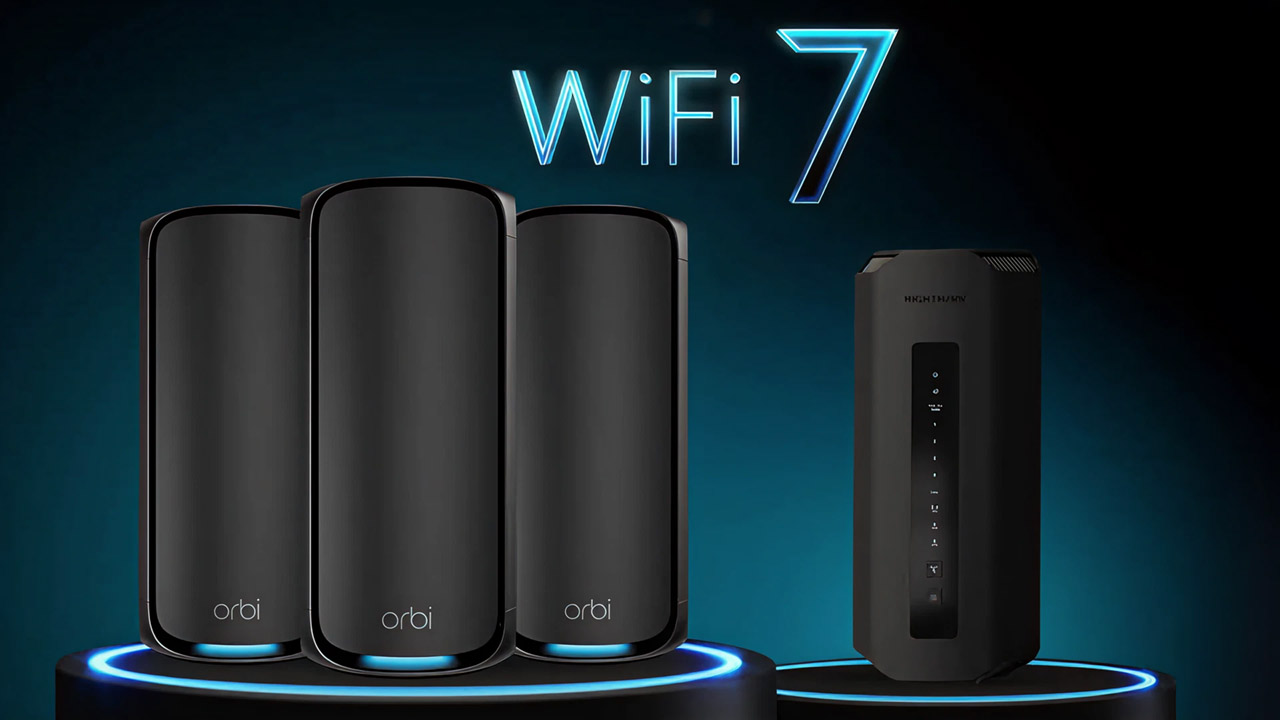
The bottom line
The ASUS ROG Rapture GT-BE98 Pro is the most capable pick for a serious multi-gig setup, with quad-band WiFi 7, two 10G ports, four 2.5G ports, and layered gaming traffic acceleration. For a less extreme network, the TP-Link Archer AXE75 is easier to justify because its tri-band layout and 6 GHz access address the congestion that many homes actually experience.
The TP-Link Archer GE650 is the better specialist choice when gaming needs its own wireless band, while the ASUS TUF Gaming BE6500 is the one to choose when four 2.5G wired ports matter most. The GL.iNet Flint 2 stands apart for VPN and network customization, and the Netgear models suit buyers who want a simpler app-led setup.
For anyone still comparing the Best router for gaming, choose the model that fixes your specific bottleneck: congestion, weak coverage, missing multi-gig ports, or limited network control.
As an Amazon Associate we earn from qualifying purchases.