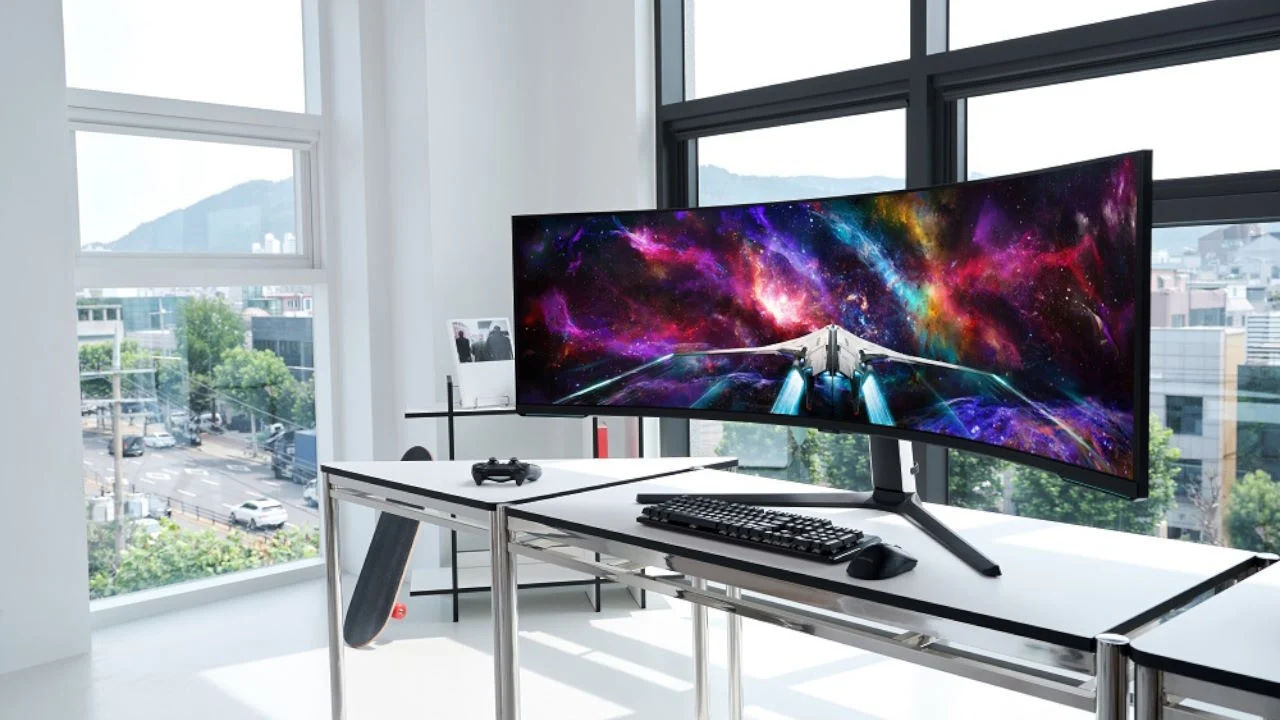

A flat screen can make a wide game world feel strangely cramped, while an oversized curved display can dominate a desk before you have checked its resolution or connection requirements. The right curve, refresh rate, and screen size matter more than the Odyssey name alone.
Our Best Samsung Curved Gaming Monitor picks range from compact Full HD screens to huge dual UHD displays. Samsung 40-inch Odyssey G7 is the top pick for its sharp WUHD image, 1000R curve, 180Hz refresh rate, and useful HDR support, while the other choices suit tighter desks, OLED fans, and players who want a two-monitor replacement.
Comparison table
| # | Product | Award | Resolution | Refresh rate | Curve | Best for |
|---|---|---|---|---|---|---|
| 1 | Samsung 40-inch Odyssey G7 | Best overall | WUHD | 180Hz | 1000R | Immersive ultrawide gaming |
| 2 | Samsung 49-inch Odyssey G93SC | Best OLED ultrawide | QD-OLED | 240Hz | 1800R | High-end contrast and speed |
| 3 | Samsung 57-inch Odyssey Neo G9 | Best dual UHD | Dual UHD | 240Hz | 1000R | Replacing two 4K screens |
| 4 | Samsung 49-inch Odyssey G91F | Best super ultrawide | DQHD | 144Hz | 1000R | Wide multitasking and gaming |
| 5 | Samsung 37-inch Odyssey G7 | Best 4K desktop scale | 4K UHD | 165Hz | 1000R | Detailed single-screen gaming |
| 6 | Samsung 34-inch Odyssey G5 | Best ultrawide starter | WQHD | 165Hz | 1000R | Racing and cinematic games |
| 7 | Samsung 27-inch Odyssey G55C | Best compact gaming pick | QHD | 165Hz | 1000R | Smaller gaming desks |
| 8 | Samsung 32-inch S3 | Best with built-in sound | FHD | 100Hz | Curved | Casual gaming and media |
| 9 | Samsung 27-inch Essential S3 | Best compact everyday screen | FHD | 100Hz | 1800R | General use with light gaming |
1. Samsung 40-inch Odyssey G7: Best Overall

Pros
- WUHD resolution gives an expansive, detailed view
- 1000R curve feels properly immersive at a desk
- 180Hz refresh rate suits fast games
- DisplayHDR 600 improves bright and dark scene separation
Cons
- Large footprint needs a deep, wide desk
- High resolution demands a capable graphics card
- No built-in speakers are listed
Best for: players who want one dramatic ultrawide screen without moving all the way to a 49-inch display.
The Samsung 40-inch Odyssey G7 is the easiest recommendation in this group because it gets the important balance right. Its 40-inch panel is big enough to make a racing cockpit or open-world landscape feel enveloping, but it is not quite as physically overwhelming as Samsung's 49-inch and 57-inch models. The 1000R curve pulls the outer edges toward you, so the wide image feels more coherent than a large flat panel.
Samsung pairs that shape with WUHD resolution on a 21:9 display. That gives games and desktop windows more horizontal room while retaining the fine detail expected from an ultrawide 4K-class screen. Text, distant scenery, and interface elements should look substantially more refined than they do on the Full HD Samsung S3 models. The catch is predictable: pushing a WUHD image at high settings requires a powerful gaming PC, especially when the screen is running at its full 180Hz refresh rate.
The 180Hz refresh rate and near-instant 1ms response time listed for this model give it the speed to match its scale. Fast camera movement should look cleaner, and competitive games have more room to show motion without the softness associated with slower panels. VESA DisplayHDR 600 adds stronger contrast between deep shadows and bright highlights. It is a meaningful step above the HDR10 support on the Odyssey G5, though it is not the same type of pixel-level black control offered by the QD-OLED G93SC.
This monitor's weakness is its physical and graphical demand. At 36.56 inches wide and 24.9 pounds, it is not a casual desk accessory, and the 1000R shape needs enough viewing distance to feel comfortable. The Samsung 37-inch Odyssey G7 is a better fit for someone who wants 4K detail in a more conventional footprint, while the 49-inch G93SC wins for OLED contrast and 240Hz speed. Choose the 40-inch Odyssey G7 when an expansive view, high refresh rate, and detailed image matter more than compactness.
2. Samsung 49-inch Odyssey G93SC: Best OLED Ultrawide

Pros
- QD-OLED produces deep blacks and vivid contrast
- 240Hz refresh rate is excellent for competitive play
- 0.03ms GTG response time is exceptionally quick
- HDMI 2.1, DisplayPort, and USB hub expand connectivity
- Picture-by-picture supports two inputs
Cons
- 49-inch width demands substantial desk space
- OLED requires more care around static content
- 1800R curve is less enveloping than the 1000R models
Best for: PC gamers who want OLED contrast, extreme speed, and a two-screen workspace in one panel.
The Samsung 49-inch Odyssey G93SC is the most immediately impressive screen here when image contrast is the priority. Its QD-OLED panel can show true-looking dark scenes without the gray lift common to conventional LCD monitors, while bright colors remain punchy. Horror games, space games, and any title with dramatic lighting benefit from that contrast more than from a specification sheet alone.
The 49-inch ultrawide layout is equivalent to two 16:9 screens placed side by side, and the two-quads-wide resolution keeps that enormous canvas useful for work as well as play. Picture-by-picture can split the display between two sources at their native resolution, so a gaming PC and another device can share the same panel. Auto Source Switch Plus detects active connected devices and changes inputs without making you dig through menus.
Speed is where this model pulls away from most of the list. Samsung specifies a 0.03ms GTG response time and a 240Hz refresh rate, with HDMI 2.1 and DisplayPort connections available to feed it. G-Sync compatibility helps keep the graphics card and panel synchronized, reducing tearing and choppiness when frame delivery varies. The DisplayHDR True Black 400 designation is particularly relevant to the OLED panel because it focuses on preserving dark detail rather than simply making the whole image brighter.
The weakness is the same feature that makes it special: 49 inches is a lot of screen. At 47.1 inches wide and 27.8 pounds, it needs careful placement, and anyone using static desktop windows for long periods should think about OLED care habits. The Samsung 40-inch Odyssey G7 is easier to accommodate and reaches 180Hz, while the G93SC is the better choice for those who specifically want OLED blacks and 240Hz play. Before committing to a screen this wide, consider how far back you should sit from a panel this size.
3. Samsung 57-inch Odyssey Neo G9: Best Dual UHD

Pros
- Dual UHD resolution offers exceptional workspace
- 1000R curve wraps around the field of view
- Mini LED local dimming supports strong HDR contrast
- 240Hz and 1ms GTG suit demanding games
- DisplayPort 2.1, HDMI 2.1, and USB hub
- Adjustable stand and picture-by-picture support
Cons
- Enormous 57-inch footprint
- Requires powerful hardware and a suitable connection
- Heavy display needs careful installation
Best for: enthusiasts who want the horizontal workspace of two UHD monitors without a center bezel.
The Samsung 57-inch Odyssey Neo G9 is not simply a larger version of the 40-inch Odyssey G7. It is a dual UHD display designed to replace two 4K monitors while keeping the image continuous across the middle. That makes it especially compelling for simulation games, strategy titles, editing timelines, and any workflow where a second screen normally sits beside the main one.
The 1000R curve is essential at this size. Without it, the far edges would sit at an awkward angle, but the tight curve brings more of the image into the viewer's natural field of vision. Samsung lists a dual UHD resolution, 240Hz refresh rate, and 1ms GTG response time. DisplayPort 2.1 is included for high-bandwidth operation, alongside HDMI 2.1 and a USB hub, so the monitor has the connections needed for a demanding modern setup.
Its Quantum Mini LED backlight is more sophisticated than the standard HDR implementation on the 34-inch Odyssey G5. Samsung lists 2, 392 local dimming zones, VESA DisplayHDR 1000, a 1, 000 nit peak brightness, and a 1, 000, 000:1 contrast ratio. Those figures point to a display that can make bright effects stand apart from dark scenes with far more force than a basic LCD. FreeSync Premium Pro helps maintain fluidity when a game cannot hold a fixed frame rate.
There is no disguising the installation challenge. The monitor is 52.3 inches wide, 41.9 pounds, and nearly 20 inches deep according to the listed dimensions. It can swivel, tilt, and adjust in height, and it supports VESA-standard monitor arms, but the desk still has to handle its scale. The G93SC is the more convincing OLED option, and the 40-inch Odyssey G7 is easier to live with. Pick the Neo G9 when maximum workspace and HDR impact are the point, not subtlety or simplicity.
4. Samsung 49-inch Odyssey G91F: Best Super Ultrawide

Pros
- 32:9 screen replaces a pair of 16:9 monitors
- 1000R curve keeps the wide view cohesive
- 144Hz refresh rate and 1ms response time
- DisplayHDR 600 improves scene contrast
- FreeSync Premium Pro and VRR support
- Picture-in-picture and picture-by-picture modes
Cons
- Very wide stand and chassis
- 144Hz is slower than the G93SC and Neo G9
- Some games may not support the full 32:9 view
Best for: multitaskers who want a broad gaming and work canvas with a more manageable specification load than dual UHD.
The Samsung 49-inch Odyssey G91F is the practical super ultrawide in this lineup. Its 32:9 screen gives you the horizontal span of two 16:9 monitors, but the single panel avoids the bezel and cable clutter of a dual-screen setup. For a game with proper ultrawide support, that extra peripheral view can make movement and positioning feel more natural.
The 1000R curve does much of the ergonomic work. At 45.18 inches wide, the outer sections would otherwise sit far from the center, but the curve turns the display toward the user. Its DQHD resolution provides substantially more workspace than Full HD and is a sensible match for the wide aspect ratio. DisplayHDR 600 adds brighter highlights and deeper blacks than the simpler Samsung S3 screens, although the G93SC's OLED panel remains the stronger choice for dark-room contrast.
A 144Hz refresh rate and 1ms response time keep the G91F firmly in gaming territory. Variable refresh rate and AMD FreeSync Premium Pro help reduce tearing and stutter when the graphics card output changes. Picture-by-picture lets two inputs share the screen, while picture-in-picture can place a chat, video, or guide over the main image. Auto Source Switch Plus makes a multi-device desk less tedious to operate.
The compromise is that this is a wide productivity screen rather than the sharpest or fastest model in the group. The G93SC runs at 240Hz and uses QD-OLED, while the Neo G9 combines a similar aspect ratio with dual UHD detail and much stronger HDR hardware. The G91F is the better fit for someone who wants a single-screen command center without stepping up to the most demanding resolutions. If your desk is limited, the sizes that still work in tight spaces is a useful question to settle first.
5. Samsung 37-inch Odyssey G7: Best 4K Desktop Scale

Pros
- 4K UHD resolution provides sharp game detail
- 1000R curve adds immersion without a super ultrawide chassis
- 165Hz refresh rate supports fast gameplay
- DisplayHDR 600 improves contrast
- 1ms GTG response time minimizes visible delay
Cons
- Still a large and heavy desktop monitor
- 4K at 165Hz needs a capable graphics card
- Less horizontal workspace than the ultrawide G7
Best for: gamers who want high pixel density and a strong curve without a 49-inch aspect ratio.
The Samsung 37-inch Odyssey G7 takes a different path from the 40-inch model above. Rather than stretching the desktop to 21:9, it keeps a more familiar screen shape and concentrates on 4K UHD detail. That makes it a natural choice for games where fine texture, distant objects, and clean interface text matter more than an extra-wide field of view.
Its 1000R curve is aggressive enough to be noticeable, but the 37-inch size makes it easier to take in than Samsung's super ultrawides. The 4K UHD resolution gives the image a crisp, dense appearance, particularly in single-player games and detailed environments. VESA DisplayHDR 600 adds contrast between bright and dark areas, so sunsets, explosions, and shadowed interiors have more separation than they would on the FHD S3 monitors.
Samsung lists a 165Hz refresh rate and near-instant 1ms GTG response time. That combination is well suited to shooters and racing games, provided the graphics card can sustain high frame rates at 4K. It is slightly slower than the 40-inch Odyssey G7 and notably slower than the 240Hz OLED and Neo G9 models, but the difference is less important for someone who values resolution first.
This is still a substantial monitor, measuring 32.1 inches wide and weighing 24.7 pounds. It does not offer the broad desktop replacement effect of the G91F, and it asks more from a PC than the QHD G55C. The 37-inch Odyssey G7 is the right middle ground for a player who wants 4K clarity, HDR, and a pronounced curve in a single-screen format. It is also a strong fit for someone whose games do not handle 32:9 properly.
6. Samsung 34-inch Odyssey G5: Best Ultrawide Starter

Pros
- WQHD resolution suits a 34-inch ultrawide
- 1000R curve creates a focused field of view
- 165Hz refresh rate and 1ms MPRT
- FreeSync Premium reduces tearing and stutter
- HDR10 support adds broader image range
Cons
- VA panel may not match OLED for dark-scene control
- Older design than the newer Odyssey G7 models
- Large width still needs a capable desk
Best for: players who want a cinematic 21:9 screen for racing, adventure, and immersive games.
The Samsung 34-inch Odyssey G5 remains an appealing way into ultrawide gaming because its proportions make an immediate difference without reaching the physical extremes of a 49-inch screen. The 21:9 layout expands the view in supported games and gives side-by-side windows more breathing room. Racing games and cinematic adventures benefit most, while some competitive titles may crop or limit the extra width.
This is a VA monitor with WQHD resolution and a 1000R curve. WQHD is a sensible match for 34 inches because it gives the desktop more detail than Full HD without imposing the same rendering burden as the 4K-class G7 displays. The curve reaches into the peripheral view and can make long horizontal scenes feel more immersive. Samsung also lists HDR10 support for richer color and more visible detail in bright and dark areas.
The gaming features are solid. A 165Hz refresh rate keeps motion fluid, and the 1ms MPRT response specification targets blur during fast movement. AMD FreeSync Premium coordinates the panel and graphics card, with low frame rate compensation intended to keep uneven performance from becoming distracting. Those features give the G5 a stronger gaming foundation than the 100Hz Samsung S3 models.
The limitation is refinement. The G93SC has dramatically better OLED contrast and a 240Hz ceiling, while the 40-inch Odyssey G7 adds WUHD detail and DisplayHDR 600. The G5's 31.75-inch width is also large enough to require deliberate placement. Choose it for the 21:9 shape and 1000R immersion, especially if your game library favors broad scenic views. For fast competitive play at a smaller size, the QHD G55C is easier to position.
7. Samsung 27-inch Odyssey G55C: Best Compact Gaming Pick

Pros
- QHD resolution is sharp on a 27-inch panel
- 165Hz refresh rate supports responsive play
- 1000R curve feels immersive at a compact size
- FreeSync helps reduce tearing
- HDR10 and eye comfort modes included
Cons
- No ultrawide workspace
- HDR impact is below the Neo G9 and OLED model
- 1000R curve may feel strong for desktop work
Best for: desk-based PC gamers who want high refresh performance and QHD detail without a large chassis.
The Samsung 27-inch Odyssey G55C is the compact gaming monitor to choose when the desk cannot accommodate an ultrawide. Its 27-inch size is familiar, but the 1000R curve makes the screen feel more involving than a typical flat panel. It is especially easy to center in a small gaming setup without giving up the visual impact of a curved display.
QHD resolution is one of this monitor's strongest traits. Samsung says it provides 1.7 times the pixel density of Full HD, and that difference is visible in fine edges, distant targets, and game text. It gives the 27-inch panel room to show more detail without the heavy rendering demand of 4K. HDR10 adds a broader range of shades, though it should not be confused with the deeper local-dimming performance of the Neo G9's DisplayHDR 1000 system.
A 165Hz refresh rate and 1ms MPRT response time are well matched to shooters and other quick games. AMD Radeon FreeSync keeps the display and graphics card in step to reduce tearing, while the high refresh ceiling allows fluid motion when the PC can supply it. Eye Saver Mode reduces blue light, and Samsung says the monitor also reduces irritating flicker for longer sessions.
The 1000R curve is not universally comfortable for office work, particularly if you spend much of the day reading documents with straight lines. It also lacks the extra horizontal room of the 34-inch G5 and the more advanced HDR hardware of the 37-inch G7. Still, the G55C is the focused choice for a small desk and a player who wants QHD and 165Hz in a manageable size. If you are weighing this against a second display, how a second screen changes the desk space you actually need can clarify the trade-off.
8. Samsung 32-inch S3: Best With Built-In Sound

Pros
- Large 32-inch curved viewing area
- Built-in speakers save desk space
- 100Hz refresh rate is smoother than standard 60Hz
- Eye comfort technology reduces blue light and flicker
- Game settings adjust color and contrast
Cons
- FHD resolution is modest for 32 inches
- 100Hz is slower than every Odyssey gaming pick here
- Less suitable for serious competitive gaming
Best for: casual players who also want a large screen for media, study, and everyday computing.
The Samsung 32-inch S3 is aimed at the person who wants one uncomplicated screen for games, streaming, and general desktop use. Its curve gives a broad panel a little more visual focus, and the 32-inch size is comfortable for a living-room-style desk or a setup where the monitor also handles video content. It is not built around the same level of speed as the Odyssey G5 and G7 models.
The main compromise is Full HD resolution on a 32-inch panel. Games will be easy to drive, but fine details and text will not look as crisp as they do on the QHD G55C or the 4K G7 screens. The 100Hz refresh rate is a worthwhile step above basic 60Hz displays, reducing some blur and making cursor movement and supported games feel smoother. It is still clearly below the 165Hz and faster choices for competitive play.
This model has one feature the gaming-focused displays do not list: built-in speakers. That can keep a desk cleaner and reduce the need for another audio device when watching videos or playing casual games. Samsung also includes game settings for adjusting color and contrast, plus TÜV-certified eye comfort technology intended to minimize blue light and irritating screen flicker.
The 32-inch S3 is not the one to buy for high-resolution PC gaming. The 27-inch G55C is sharper and faster, while the 34-inch G5 offers a much wider view. Its appeal is convenience: a large curved screen with integrated sound and straightforward everyday features. Choose it for mixed-use computing, and skip it if competitive response or crisp 4K detail is your priority.
9. Samsung 27-inch Essential S3: Best Compact Everyday Screen
Pros
- Compact 27-inch size fits many desks
- 100Hz refresh rate improves everyday motion
- 1800R curve is gentler for mixed use
- Game Mode adjusts contrast and color
- TÜV-certified eye comfort features
Cons
- FHD resolution is behind the QHD gaming options
- No built-in speakers are listed
- Less responsive than the Odyssey gaming models
Best for: everyday users who want a curved screen and occasional gaming in a compact setup.
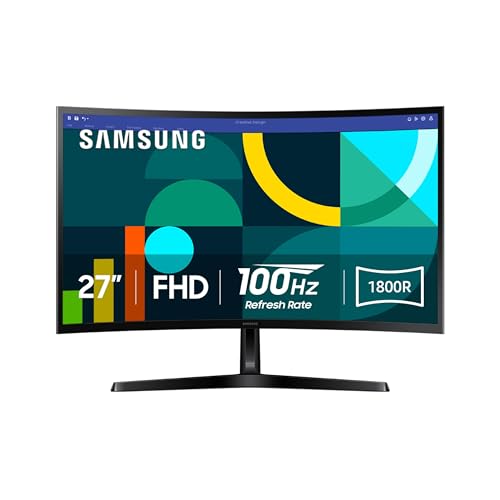
The Samsung 27-inch Essential S3 is the least demanding option in this group, and that is precisely its role. It fits a conventional desk more easily than the ultrawide screens, while the 1800R curve adds a mild sense of depth without the pronounced wraparound effect of the 1000R Odyssey monitors. For work, browsing, video, and occasional games, that gentler shape is easy to live with.
Its Full HD resolution is straightforward to drive and adequate for a 27-inch general-purpose display, but it leaves the screen behind the QHD G55C in sharpness. The 100Hz refresh rate helps reduce lag and motion blur compared with a basic 60Hz panel. Game Mode can adjust color and contrast so dark areas are easier to read, which is useful when a game hides detail in shadows.
Samsung includes advanced eye comfort technology certified by TÜV. The feature minimizes blue light and reduces screen flicker, giving long work or gaming sessions a more comfortable baseline. The display can also connect directly to devices for a more flexible setup, although the available data does not specify individual port types.
The Essential S3 is clearly not a match for the 40-inch Odyssey G7, the QHD G55C, or any of Samsung's super ultrawides when gaming performance comes first. Its 8.4-pound listed weight and 24.5-inch width make it much easier to place, though, and its moderate curve works well for mixed use. Pick it when compact everyday usability matters more than high resolution, HDR, or competitive speed.
How to choose best samsung curved gaming monitor
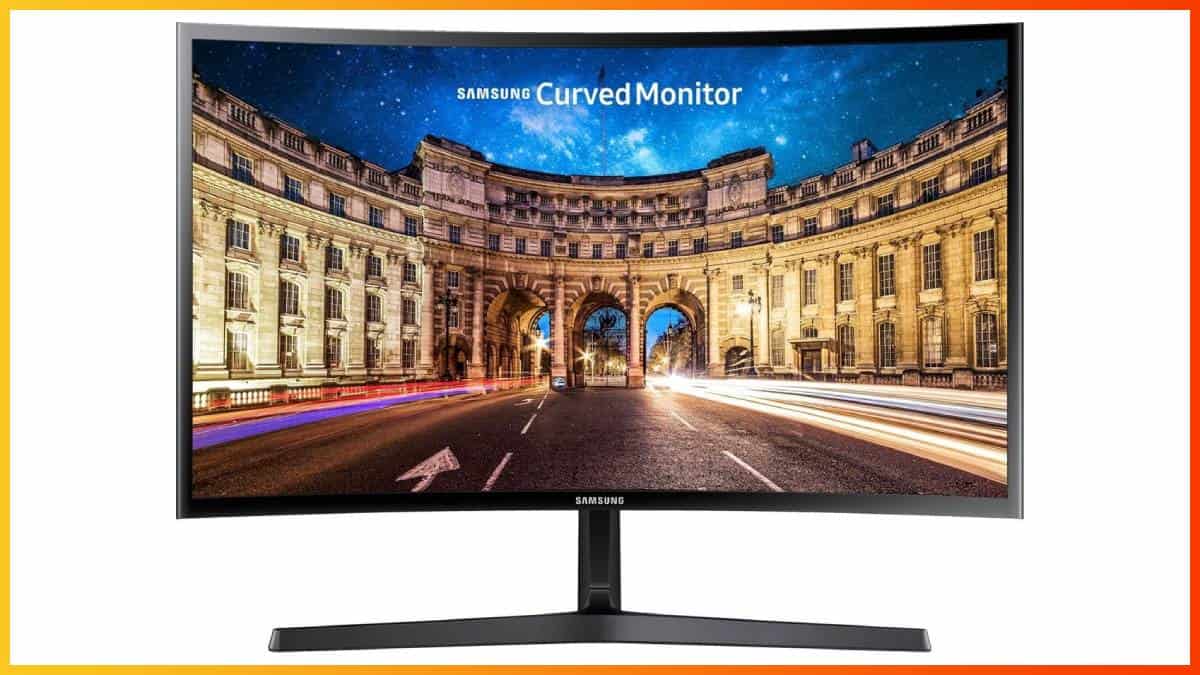
The right Samsung curved display depends on the games you play, the graphics card driving it, and the amount of desk space you can give it. These are the factors that separate the models in this list.
Resolution and screen size
Resolution determines how much detail the panel can show, while size determines how far that detail is spread. Full HD works more comfortably on the 27-inch and 32-inch S3 models, but it looks less refined on a large screen. QHD suits the 27-inch G55C and 34-inch G5, while 4K UHD, WUHD, and dual UHD require more graphics power but offer a sharper, more expansive workspace.
Refresh rate and response time
A higher refresh rate makes movement appear smoother and reduces the time between visible frames. The 100Hz S3 models are suitable for casual play, while 165Hz and 180Hz screens are better for quick shooters and racing games. The 240Hz G93SC and Neo G9 make sense only when the computer can generate enough frames to use them.
Curve and aspect ratio
A 1800R curve is relatively gentle and works well for mixed desktop use. Samsung's 1000R displays wrap much more tightly around the viewer, which helps a 34-inch, 40-inch, 49-inch, or 57-inch screen feel coherent. A 21:9 ultrawide adds room on the sides, while a 32:9 model can replace two conventional monitors, provided your games support the format.
A bigger curve is not automatically more immersive if your desk leaves you sitting too close to the panel.
HDR and panel technology
HDR support varies widely here. HDR10 on the G55C and G5 can add richer highlights, while DisplayHDR 600 on the G7 models raises the contrast further. The Neo G9 uses Quantum Mini LED with local dimming and DisplayHDR 1000, while the G93SC uses QD-OLED and DisplayHDR True Black 400 for deep blacks. OLED is especially compelling for dark games, but a Mini LED display can produce a brighter HDR presentation.
Desk space and connections
Measure the desk before choosing a large curved display. The 49-inch and 57-inch models need substantial width and depth, and their weight makes installation more involved. A high-resolution, high-refresh screen also needs a suitable graphics connection. The G93SC and Neo G9 list HDMI 2.1, while the Neo G9 also lists DisplayPort 2.1. Features such as picture-by-picture, picture-in-picture, USB hubs, and Auto Source Switch Plus matter most in multi-device setups.
Frequently asked questions
Is a curved monitor good for gaming?
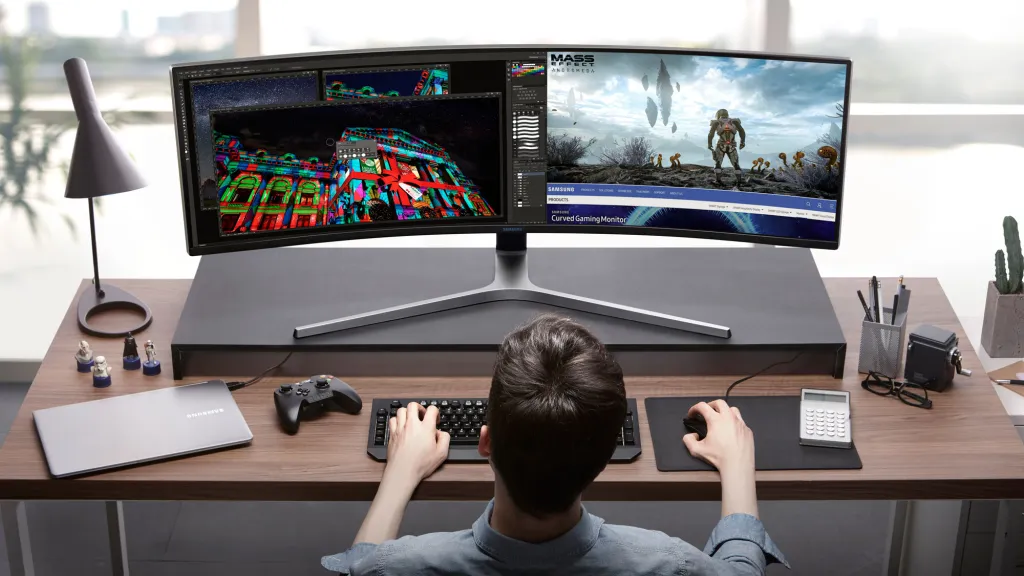
Yes, a curve can keep the edges of a wide display closer to the viewer's natural field of vision. It is most useful on the 34-inch, 40-inch, 49-inch, and 57-inch models, where a flat panel would stretch much farther to either side. A gentle 1800R curve is easier for mixed use, while 1000R creates a more focused gaming view.
Which Samsung curved monitor is best for fast games?
The Samsung 49-inch Odyssey G93SC and Samsung 57-inch Odyssey Neo G9 have the highest listed refresh rate at 240Hz. The G93SC adds a 0.03ms GTG response time, while the Neo G9 lists 1ms GTG and stronger Mini LED HDR hardware. The Samsung 40-inch Odyssey G7 is the more balanced choice if you want 180Hz without a 49-inch or 57-inch chassis.
Is 4K better than ultrawide resolution for gaming?
Neither is automatically better. 4K UHD gives a conventional screen very fine detail, while an ultrawide format provides more horizontal view and room for side-by-side windows. Your choice should follow the games you play and whether your graphics card can drive the selected resolution at a high refresh rate.
Do all of these monitors support HDR?
No. The supplied features list HDR10 for the Samsung 34-inch Odyssey G5 and Samsung 27-inch Odyssey G55C, while the 37-inch and 40-inch Odyssey G7 models list DisplayHDR 600. The Neo G9 lists DisplayHDR 1000, and the G93SC lists DisplayHDR True Black 400. The S3 models do not list an HDR standard in the supplied information.
Can a super ultrawide monitor replace two monitors?
The Samsung 49-inch Odyssey G91F and Samsung 49-inch Odyssey G93SC are designed around the width of two 16:9 screens. Both list picture-by-picture functionality, so two input sources can share one panel. The 57-inch Neo G9 goes further with dual UHD resolution, but it requires considerably more desk space and graphics bandwidth.
Is 1000R too curved for office work?
It can feel unusual at first, especially for documents, spreadsheets, and other content with straight lines. Some users prefer the focused viewing distance, while others find the gentler 1800R curve on the S3 models more natural for mixed use. If work takes up most of your day, consider how close you sit and whether the screen will be centered directly in front of you.
The bottom line
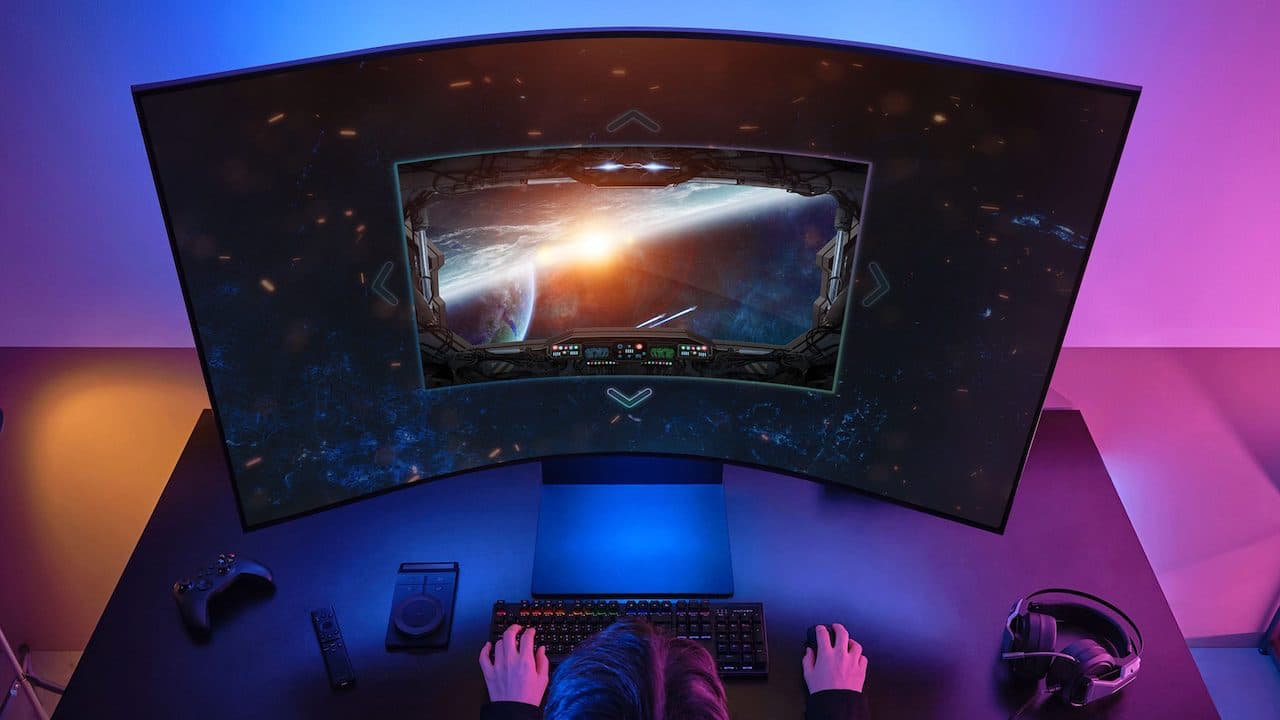
For most buyers, the Samsung 40-inch Odyssey G7 is the Best Samsung Curved Gaming Monitor because its WUHD detail, 1000R curve, 180Hz refresh rate, and DisplayHDR 600 support form a convincing middle ground. The Samsung 49-inch Odyssey G93SC is the more exciting choice for OLED contrast, 240Hz play, and a two-screen workspace.
Choose the Samsung 27-inch Odyssey G55C if you have a smaller desk but still want QHD and 165Hz. Choose the Samsung 57-inch Odyssey Neo G9 only when dual UHD workspace and high-end HDR justify its enormous footprint. For an undecided reader, start with the screen size your desk can comfortably support, then choose the fastest resolution your graphics card can drive.
As an Amazon Associate we earn from qualifying purchases.