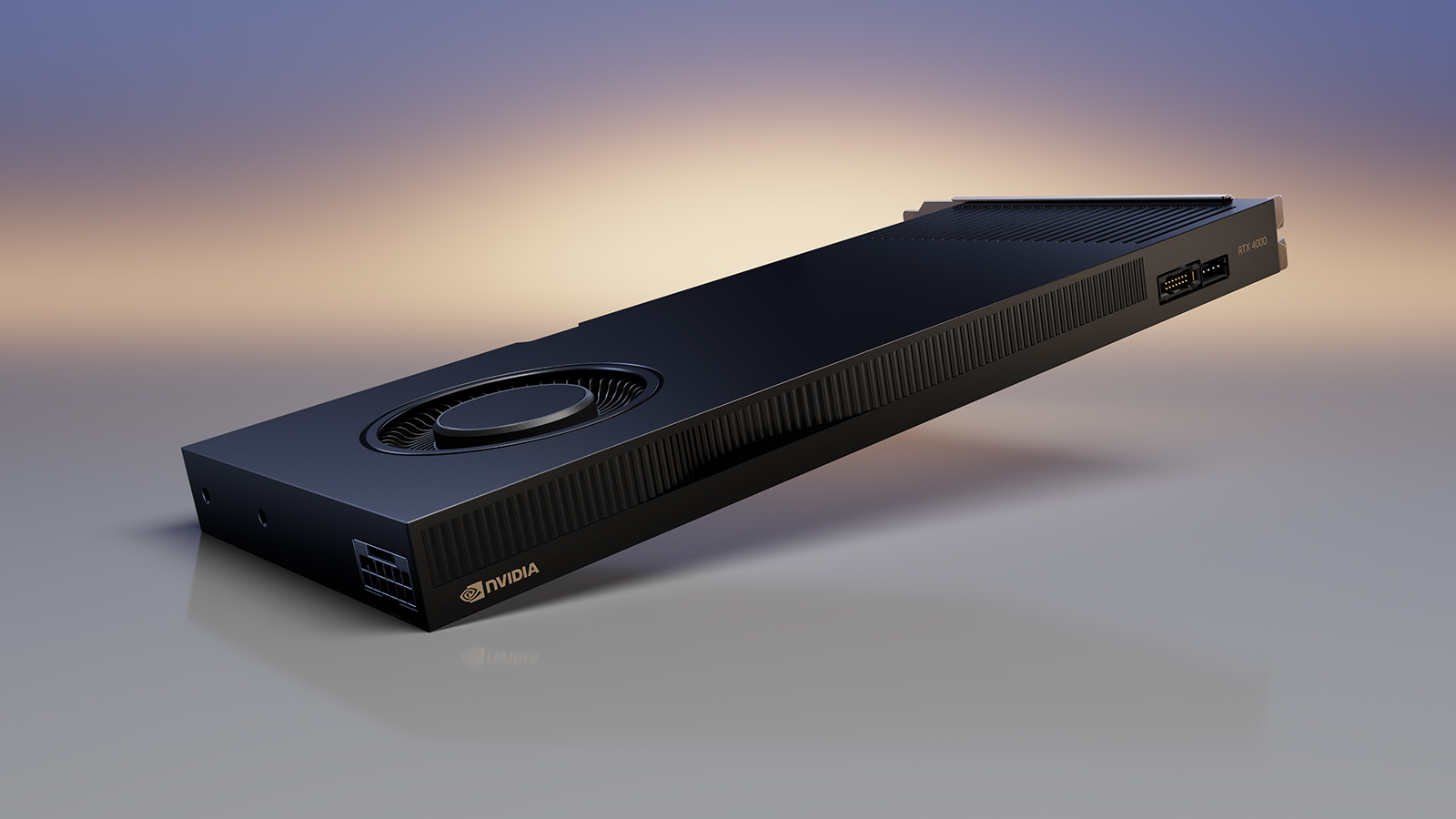

A graphics card can fit the expansion slot and still ruin a compact build. The trouble usually comes from a cooler that occupies two slots, a bracket that does not match the case, or a power requirement the small system cannot meet. The Best single slot GPU options solve that problem in very different ways, from low-profile office cards to serious workstation hardware.
This list includes compact gaming and media cards, professional visualization boards, and simple multi-monitor upgrades. The Sparkle Intel Arc A310 ECO is our top pick for most buyers because it combines a genuinely single-slot, low-profile design with modern video features and modest power demands. The remaining picks cover workstation performance, four-display productivity, older systems, and specialized professional workloads.
Comparison table
| # | Product | Award | Memory | Interface | Outputs | Best for |
|---|---|---|---|---|---|---|
| 1 | Sparkle A310 ECO | Best overall | 4GB GDDR6, 64-bit | PCIe | HDMI 2.0, 2x mini-DP | Compact modern PCs |
| 2 | NVIDIA RTX PRO 4000 Blackwell | Best workstation power | 24GB GDDR7 ECC | PCIe 5.0 x16 | 4x DisplayPort 2.1b | AI and professional rendering |
| 3 | PNY RTX A400 | Best low-profile workstation card | 4GB GDDR6 | PCIe 4.0 | 4x mini-DP 1.4a | Compact professional systems |
| 4 | ASRock Arc A380 Challenger | Best media and gaming option | 6GB GDDR6, 96-bit | PCIe 4.0 | 3x DP 2.0, HDMI 2.0b | Small gaming and media PCs |
| 5 | PNY T1000 | Best quiet professional card | GDDR6 | PCIe 3.0 x16 | 4x mini-DP | Quiet design workstations |
| 6 | PNY Quadro P4000 | Best legacy workstation card | Not specified | Not specified | Not specified | Older professional systems |
| 7 | NVIDIA RTX 4000 Ada | Best Ada workstation card | Capacity not specified | Not specified | Not specified | 3D, simulation, and AI |
| 8 | ARDIYES GT 730 | Best four-HDMI upgrade | 4GB DDR3, 64-bit | PCIe | 4x HDMI | Basic four-screen desktops |
| 9 | AMD Radeon Pro WX 3100 | Best half-length professional card | 4GB GDDR5 | Not specified | Supports 3 monitors | Older CAD and office systems |
1. Sparkle A310 ECO: Best Overall

Pros
- Genuine single-slot, low-profile design
- 50W TBP and no listed external power connector
- Modern Xe HPG features, ray tracing, and XeSS
- Includes an additional short bracket
- HDMI plus two mini DisplayPort outputs
Cons
- Only 4GB of memory
- Just three display outputs
- Single-fan cooling has less headroom than larger cards
Best for: compact desktop owners who want modern graphics features without a large cooler or high power requirement.
The Sparkle A310 ECO is the easiest card here to recommend because it respects the physical constraints that make someone search for a single-slot GPU in the first place. It is low-profile, single-slot, and uses a single fan, while the included short bracket gives it a better chance of fitting a small case without hunting for an accessory. At 6.14 inches long and roughly 0.45 pounds, it is also less awkward to handle than the longer workstation boards in this roundup.
Its Intel Arc A310 chipset uses 4GB of 64-bit GDDR6 memory running at 15.5 Gbps. That is not a deep memory pool for demanding modern games or large creative projects, but it is a sensible specification for a compact media PC, light gaming build, or desktop that needs more graphics capability than integrated video. The card also supports DirectX 12 Ultimate, Vulkan 1.3, real-time ray tracing, and Intel XeSS upscaling. XeSS can help compatible games maintain smoother output by rendering internally at a lower resolution and reconstructing the image.
Connectivity is practical rather than excessive. One HDMI 2.0 output handles a conventional television or monitor, and two mini DisplayPort outputs cover additional screens with the right cables or adapters. The card's 50W TBP design is a meaningful advantage in older or tightly enclosed systems, where heat and power delivery matter more than peak benchmark figures. Sparkle also lists a 75W TDP in the feature data, so buyers should distinguish the advertised 50W board power design from the separate TDP reference.
The weakness is clear: 4GB of memory and the modest A310 GPU limit its usefulness for demanding games, heavy 3D work, and large GPU-accelerated projects. The ASRock Arc A380 has more memory and stronger hardware, but it is a two-slot ITX card with an 8-pin power connection, so it is not a true substitute for a cramped one-slot chassis. For a broader look at compact graphics hardware, the clearance details that matter in a small PC are just as important as the chipset.
Choose the Sparkle A310 ECO when fit, power draw, and current software features all matter. It is the card we would keep for a compact general-purpose PC, provided the system does not need high-end gaming or professional rendering.
2. NVIDIA RTX PRO 4000 Blackwell: Best Workstation Power

Pros
- 24GB of GDDR7 ECC memory
- Blackwell architecture
- PCIe 5.0 x16 interface
- Four DisplayPort 2.1b outputs
- Built for AI workstation workloads
Cons
- Full-height design is unsuitable for many small cases
- Physical dimensions are substantial for a single-slot card
- Professional features are excessive for basic display output
Best for: professional users who need substantial memory and workstation-oriented compute in a single-slot full-height board.
The NVIDIA RTX PRO 4000 Blackwell is the outlier in this group. It is a single-slot card, but it is not a small-form-factor card in the usual sense. The listing identifies it as full height, and the supplied dimensions are 9.5 inches long by 4.4 inches wide. That makes case clearance and bracket height the first questions to answer. If your chassis needs a low-profile board, the PNY RTX A400 is a much more appropriate direction.
What makes this card compelling is its 24GB of GDDR7 ECC memory. That capacity gives large datasets, complex scenes, and AI workloads far more room before they have to move information back and forth through system memory. ECC memory is also aimed at professional reliability, where an unnoticed memory error can matter more than a small difference in gaming frame rate. The Blackwell architecture and listed ray-tracing capability position it for current workstation tasks rather than legacy office graphics.
The PCIe 5.0 x16 interface gives it a modern host connection, though the card's benefits depend on the motherboard and workload. Four DisplayPort 2.1b outputs are a better fit for a multi-monitor workstation than the single HDMI and two mini DisplayPort connections on the Sparkle card. That output arrangement also avoids a collection of dongles when the desk uses several DisplayPort panels.
Its real limitation is not compute capability but compatibility. A single-slot thickness does not make a full-height, 9.5-inch card suitable for every compact workstation, and the listing does not provide a low-profile option. The NVIDIA RTX 4000 Ada is another serious professional option, but the Blackwell card stands out when memory capacity and the newer PCIe 5.0 connection are central. It is a poor choice for a basic home theater PC or a small office desktop that only needs additional displays.
Buy this one for a professional chassis with room for its full-height dimensions and a workload that can use 24GB of ECC GDDR7. It is the most capable specialist here, not the most universally compatible.
3. PNY RTX A400: Best Low-Profile Workstation Card

Pros
- Single-slot, low-profile form factor
- 50W power consumption
- Four mini DisplayPort 1.4a outputs
- 768 CUDA cores and Ampere architecture
- Supports four high-resolution displays
Cons
- 4GB memory limits large projects
- Mini DisplayPort requires adapters or suitable cables
- Professional features are not aimed at high-end gaming
Best for: compact business workstations that need four displays and certified-style professional graphics capability.
The PNY RTX A400 is a purpose-built answer to the small professional workstation problem. It is single-slot and low-profile, with a listed 50W power consumption that suits compact business systems better than cards needing an auxiliary connector. Its physical design is the key distinction from the NVIDIA RTX PRO 4000 Blackwell. The NVIDIA board targets a full-height workstation, while the A400 is built around the restricted space found in small business desktops.
PNY lists 768 CUDA cores and Nvidia's Ampere architecture. That combination gives the card a clear professional identity for modeling, video production, AI tasks, and ray-tracing work, though its 4GB of GDDR6 memory places a ceiling on the size of scenes and datasets it can handle comfortably. For office visualization, multiple application windows, and moderate professional workloads, the memory is more manageable than it sounds. For complex rendering, the 24GB Blackwell card is in another class.
Four mini DisplayPort 1.4a outputs are the strongest practical feature. The card is specified to support four displays at up to 5120 by 2880 at 60Hz, subject to the rest of the system and the display connections. That makes it a much better fit for a compact trading, design, or monitoring workstation than the Sparkle A310 ECO, which has three outputs and a more general-purpose feature set. Remember that mini DisplayPort is not the same connector as full-size DisplayPort, so cable planning matters.
The weakness is the limited 4GB memory and the narrow use case. This is not the card to choose for modern high-resolution gaming, and buyers who only need one monitor will not benefit much from the four-output layout. Its PCIe 4.0 interface is current enough for modern compact workstations, but the card's performance is still governed by the A400 class of GPU rather than the interface label.
The PNY RTX A400 makes sense when four screens, low-profile clearance, and professional application support are all requirements. If the goal is broader media and gaming flexibility, the ASRock Arc A380 has more memory and AV1 encoding, but its two-slot body makes it a different kind of compact card.
4. ASRock Arc A380 Challenger: Best Media and Gaming Option

Pros
- 6GB GDDR6 on a 96-bit bus
- 2250MHz listed GPU clock
- AV1 hardware encoding and XeSS
- Three DisplayPort 2.0 outputs plus HDMI 2.0b
- Fan-stop mode for low-temperature silence
Cons
- Two-slot design, not a true one-slot card
- Requires a single 8-pin power connector
- Case clearance must be checked carefully
Best for: small gaming, media, and creative PCs where two-slot clearance and auxiliary power are available.
The ASRock Arc A380 Challenger deserves a place here because shoppers often use “single slot” to mean “compact.” This card is compact in ITX terms, but ASRock explicitly identifies it as a two-slot card measuring 169.9 by 123.5 by 39.2mm. It also needs a single 8-pin power connector and a recommended 500W power supply. Those details disqualify it from a strict one-slot build, yet they make it one of the more capable options for a small case that has the necessary room.
Its 6GB of GDDR6 memory on a 96-bit bus gives it more breathing space than the 4GB Sparkle A310 ECO. The listed 2250MHz GPU clock and Intel Xe architecture are aimed at compact gaming and everyday creative work, while XeSS can help supported games improve performance. The Arc A380 also includes AV1 hardware encoding, a useful feature for creators and streamers who want modern video compression without pushing all the work onto the CPU.
The output selection is excellent for a small media or multi-display build. Three DisplayPort 2.0 connections and one HDMI 2.0b output can drive up to four displays, with support for resolutions up to 8K listed in the product features. Its single axial fan can stop at low temperatures through the 0dB Silent feature, so the card should not need to make noise during light desktop work. That is a more flexible setup than the four mini DisplayPort outputs on the PNY RTX A400, especially when the displays already use HDMI or full-size DisplayPort.
The catch is physical rather than technical. A 39.2mm thickness occupies two slots, and the 8-pin connector adds another compatibility check. It is therefore the wrong recommendation for a workstation where every adjacent slot is occupied or for a slim case with only a single opening. For a wider look at gaming-focused hardware, the balance between graphics performance and case compatibility is the decision to make before choosing an ITX board.
Choose the ASRock Arc A380 Challenger when a compact case has two-slot clearance and a suitable power supply. It is the most appealing card here for casual gaming, modern media encoding, and general graphics work, but it should not be mistaken for a true single-slot GPU.
5. PNY T1000: Best Quiet Professional Card

Pros
- Single-slot professional design
- Ultra-quiet active fan
- Four mini DisplayPort outputs
- 896 CUDA cores
- Supports 8K output
Cons
- PCIe 3.0 interface is older
- Memory capacity is inconsistently specified in the supplied details
- Mini DisplayPort connections need planning
Best for: quiet professional desktops that need several high-resolution displays without a large cooler.
The PNY T1000 is a restrained professional card for a system where noise and slot space matter more than gaming performance. It uses a single-slot design and an ultra-quiet active fan, so it is better suited to an office, studio, or workstation where a constant loud cooler would be distracting. Its stated dimensions are 10 inches long, 2 inches wide, and 2.7 inches high, which is slim across the slot but longer than the Sparkle A310 ECO and PNY RTX A400.
The feature data lists the T1000 GPU, 896 CUDA cores, GDDR6 memory, and a PCI Express 3.0 x16 interface. The product title identifies an 8GB version, while the supplied feature list says 4GB GDDR6. That conflict is important enough to verify before ordering, particularly if a project depends on a specific memory capacity. Either way, it is an older professional platform than the RTX A400, and PCIe 3.0 is not as current as the A400's PCIe 4.0 connection.
Four mini DisplayPort outputs make the T1000 useful for a multi-screen desk, and the listing includes four mini DisplayPort to DisplayPort adapters. Its 8K support is also relevant to visualization and high-resolution desktop work. Compared with the ARDIYES GT 730, the T1000 is the more credible professional choice, but it does not offer the GT 730's direct four-HDMI layout. Compared with the PNY RTX A400, it trades newer interface technology for the T1000's quiet active cooling and established professional positioning.
The card's age and unclear memory specification are the main reasons to pause. It is not an obvious choice for a new gaming PC, and the long 10-inch body can be a problem in some short-depth systems even though the card is single-slot. A buyer who needs four monitors should also confirm whether the included adapters match the intended resolutions and refresh rates.
The PNY T1000 is a sensible upgrade for a quiet workstation with a long enough chassis and a confirmed need for four DisplayPort displays. Verify the memory version and physical clearance first, then choose it for low-noise professional work rather than current gaming.
6. PNY Quadro P4000: Best Legacy Workstation Card

Pros
- Single-slot professional graphics design
- Pascal GPU architecture
- Simultaneous Multi-Projection support
- Pascal Dynamic Load Balancing
Cons
- Supplied details omit memory, outputs, and interface information
- Older Pascal generation
- Compatibility needs careful checking
Best for: owners of an older professional workstation who specifically need a Quadro P4000 replacement or matching card.
The PNY Quadro P4000 is a legacy workstation pick, and that distinction matters. Its supplied information confirms Pascal architecture, Simultaneous Multi-Projection, and Pascal Dynamic Load Balancing, but it does not provide the memory capacity, video outputs, or host interface. Those omissions make it difficult to recommend as a general-purpose purchase without first checking the exact requirements of the target workstation.
The Pascal features point to a card designed around professional visualization rather than current consumer gaming. Simultaneous Multi-Projection can help with certain multi-view rendering workloads, while Dynamic Load Balancing is intended to keep available GPU resources working efficiently. Those capabilities may still be relevant in an existing professional workflow, particularly when software and system hardware were selected around the Quadro platform.
It is a different proposition from the PNY T1000 and PNY RTX A400. Both of those cards have clearer modern connectivity information, while the P4000's main argument is continuity with an older Quadro-based machine. The NVIDIA RTX 4000 Ada is vastly more current for new AI, simulation, and rendering work, but it does not solve the same compatibility problem for a workstation built around older drivers or established software.
The weakness is the lack of useful specification detail in the supplied listing. We cannot responsibly infer its memory size, connector layout, or power requirements from the model name alone. Buyers should confirm the exact board, bracket, output arrangement, and operating system support before placing it into a compact chassis.
Choose the Quadro P4000 only when its legacy professional ecosystem is the reason for the purchase. For a fresh build, the Sparkle A310 ECO, PNY RTX A400, or a newer workstation card gives a clearer path.
7. NVIDIA RTX 4000 Ada: Best Ada Workstation Card

Pros
- Ada Lovelace workstation architecture
- Single-slot professional board
- Improved FP32 performance over the previous generation
- Stronger AI throughput claims
- Designed for rendering, simulation, and data-heavy work
Cons
- Supplied details omit memory capacity and outputs
- Professional workload focus makes it excessive for ordinary display use
- Chassis and power compatibility require verification
Best for: professional users running 3D rendering, architectural design, simulation, or AI workloads in a single-slot workstation.
The NVIDIA RTX 4000 Ada is aimed at buyers who already know they need a workstation GPU. Its single-slot professional board design is attractive where expansion space is limited, but the supplied listing does not provide enough physical information to treat it as a universal small-case recommendation. Before buying, confirm the board dimensions, bracket, connectors, and power requirements against the workstation.
The feature data describes Ada Lovelace architecture and says FP32 calculation speed is 1.5 times that of the previous generation. It also claims up to twice the throughput for workloads such as video rendering, architectural design assessments, and virtual product prototypes. These are the kinds of tasks where a professional GPU's driver and compute characteristics matter more than simple desktop output.
AI is another major part of its identity. The listing claims up to three times better AI performance than previous generations and support for FP8 precision. That can matter when software is optimized for mixed-precision workloads, but it does not automatically make the card the right answer for every machine-learning project. The NVIDIA RTX PRO 4000 Blackwell offers a clearly stated 24GB of GDDR7 ECC memory, giving it a stronger argument for very large datasets.
The biggest problem for a careful buyer is incomplete data. The listing says the card has a large memory capacity but does not state the capacity in the supplied features or product information. It also does not specify the display outputs. That makes the RTX 4000 Ada difficult to compare for a monitor-heavy desktop, even though its compute credentials are strong.
This is the right choice for a known professional application and a compatible workstation, not for someone simply seeking an extra display output. If you need modern workstation compute in a single-slot design and can verify the missing specifications, the Ada card is a serious option. For ordinary compact desktop use, the Sparkle A310 ECO is easier to fit and easier to understand.
8. ARDIYES GT 730: Best Four-HDMI Upgrade

Pros
- Four independent HDMI outputs
- 4GB DDR3 memory
- Draws power from the PCIe slot
- Active cooling
- Simple option for standard desktop cases
Cons
- Older GT 730 platform
- Not suitable for small-form-factor cases
- DDR3 memory is slower than the GDDR6 used by newer picks
Best for: standard desktop users who need four HDMI displays for office, signage, monitoring, or basic multitasking.
The ARDIYES GT 730 solves a very specific problem: adding four HDMI screens to a conventional desktop without using multiple adapters or another graphics card. Its four independent HDMI ports are far more convenient for a desk built around televisions, signage panels, trading screens, or office monitors than the mini DisplayPort layouts found on several professional cards.
The card has 4GB of 64-bit DDR3 memory and active cooling. That is enough context to understand its role. DDR3 is an older memory technology, and the GT 730 is not a modern gaming or rendering platform. The memory capacity helps with multi-screen desktop work, but it should not be confused with the faster GDDR6 used by the Sparkle A310 ECO, ASRock Arc A380, PNY RTX A400, and PNY T1000.
Installation is straightforward in a standard desktop because the card draws its power directly from the PCIe slot and does not need an external power connector. The product features describe a standard-profile design and specifically say it is not suitable for an SFF case. That limitation is easy to miss when shopping for a single-slot GPU, so measure the case and check the bracket before ordering.
The ARDIYES card is also a poor fit for anyone expecting modern graphics features. It does not offer the Arc A310's ray tracing and XeSS, the A380's AV1 encoding, or the professional compute features of the NVIDIA and PNY workstation cards. Its strength is direct HDMI connectivity, not raw graphics performance. Readers comparing more current consumer hardware may also want to consider the graphics features that matter for modern games before settling on an older display-only solution.
Pick the GT 730 when four HDMI connections are the priority and the computer is a standard tower. It is a practical multi-monitor adapter in graphics-card form, but it is not the right foundation for gaming, 3D work, or a genuinely small PC.
9. AMD Radeon Pro WX 3100: Best Half-Length Professional Card

Pros
- Half-length, single-slot design
- 4GB GDDR5 memory
- Supports up to three monitors
- OpenCL, OpenGL, and Vulkan support
- Professional Radeon Pro positioning
Cons
- Supplied details omit display connectors and interface
- Older graphics platform
- Less display capacity than four-output alternatives
Best for: older compact professional systems that need a half-length card and support for up to three monitors.
The AMD Radeon Pro WX 3100 is a compact professional card built around a half-length, single-slot format. That shape can be more useful than headline performance when the target machine has limited depth and only one expansion slot available. The listing says it supports three monitors, which puts it between the two-display office cards and the four-output workstation options in this roundup.
Its 4GB of GDDR5 memory is older than the GDDR6 used by the Sparkle A310 ECO and PNY RTX A400, but it is still a meaningful amount for a professional desktop handling moderate scenes, application windows, or multi-monitor work. The card supports OpenCL 2.0, OpenGL 4.5, and Vulkan. Those APIs give software several ways to use the GPU, though compatibility still depends on the application and driver environment.
The limitation is the missing connection information. The supplied details do not state whether the card uses DisplayPort, mini DisplayPort, or another arrangement, so buyers should not assume it will connect directly to their monitors. The PNY RTX A400 is a more transparent choice for four high-resolution screens because its four mini DisplayPort 1.4a outputs are clearly listed. The AMD card's advantage is its half-length form factor and established Radeon Pro identity.
This is not a modern gaming recommendation. The Arc A380 has more current media features and more memory, while the Sparkle A310 ECO offers a newer low-power design in a more clearly documented compact package. The WX 3100 is better understood as a fit-sensitive professional replacement or a modest upgrade for a compatible older system.
Choose it when half-length clearance and three-monitor support match an existing workstation. Confirm the outputs and driver requirements first, since the supplied listing leaves those details unresolved.

How to choose best single slot gpu
The right card depends on more than the number of metal slots it covers. Check the case dimensions, bracket type, power path, display connectors, and workload before comparing GPU generations.
Slot thickness and case clearance
A true single-slot card should leave the adjacent expansion slot usable, but listings can use “single slot” loosely. The Sparkle A310 ECO, PNY RTX A400, PNY T1000, Quadro P4000, NVIDIA RTX 4000 Ada, and AMD Radeon Pro WX 3100 are presented as single-slot designs. The ASRock Arc A380 is explicitly a two-slot ITX card, despite its compact length.
Low-profile and half-length are separate measurements. A card can be single-slot but full height, as with the NVIDIA RTX PRO 4000 Blackwell, or short enough for a compact case but too thick, as with the ASRock card. Measure the opening, internal depth, and neighboring slot clearance rather than relying on the word compact.
Power requirements
Power draw matters in office desktops and small workstations with limited power supplies. The Sparkle A310 ECO uses a listed 50W TBP design, while the PNY RTX A400 also lists 50W consumption. The ARDIYES GT 730 draws power from the PCIe slot, making installation simpler in a standard system.
The ASRock Arc A380 needs a single 8-pin connector and a recommended 500W power supply. That requirement immediately separates it from the low-power professional cards. Never assume a card will work just because it physically fits.
A one-slot cooler does not guarantee a one-slot installation. Check the bracket, board thickness, and power connector separately.
Memory capacity and type
GPU memory affects how much data a card can handle without relying on system memory. The Sparkle A310 ECO has 4GB of 64-bit GDDR6, the ASRock Arc A380 has 6GB of GDDR6 on a 96-bit bus, and the PNY RTX A400 has 4GB of GDDR6. Those cards are more current in memory technology than the ARDIYES GT 730's 4GB of DDR3 or the AMD WX 3100's 4GB of GDDR5.
Professional workloads can need much more memory. The NVIDIA RTX PRO 4000 Blackwell lists 24GB of GDDR7 ECC memory. The PNY T1000 listing is inconsistent, identifying an 8GB version in the title and 4GB in the feature data, so verify that detail before ordering. The NVIDIA RTX 4000 Ada listing describes large memory capacity without stating a number.
Display outputs
Count the connector types, not just the number of screens. The PNY RTX A400 has four mini DisplayPort 1.4a outputs and is specified for four displays at up to 5120 by 2880 at 60Hz. The PNY T1000 also uses four mini DisplayPort outputs and includes adapters. These are strong choices for a professional multi-monitor desk if the cables are suitable.
The ARDIYES GT 730 has four direct HDMI outputs, which is more convenient for common televisions and HDMI monitors. The Sparkle A310 ECO uses one HDMI 2.0 and two mini DisplayPort connections. The AMD WX 3100 listing says it supports three monitors but does not specify the connector layout, so confirm that information before buying.
Workload and software
Choose a modern consumer GPU when gaming, media playback, AV1 encoding, or general creative work is the priority. The Arc A380 supports AV1 hardware encoding and XeSS, while the A310 adds ray tracing and XeSS in a smaller, lower-power design. Those features matter more than professional branding for a compact home PC.
Workstation cards make more sense for professional visualization, modeling, simulation, AI, and application-specific workflows. The RTX PRO 4000 Blackwell, RTX 4000 Ada, RTX A400, T1000, Quadro P4000, and Radeon Pro WX 3100 are all positioned around that type of use. For a gaming-focused system, the difference between gaming and workstation graphics is a useful distinction before you choose.
Frequently asked questions
What is a single-slot GPU?
A single-slot GPU is designed to occupy one expansion slot in thickness, leaving the adjacent slot available. That does not automatically mean the card is low-profile, half-length, or suitable for a small case. Height, length, bracket type, and power connectors still need to match the computer.
Is the ASRock Arc A380 a single-slot GPU?
No. The supplied product features identify the ASRock Arc A380 Challenger as a two-slot ITX card. It is compact in length, but it needs two slots of clearance and a single 8-pin power connector.
Which card is best for four monitors?
The PNY RTX A400 and PNY T1000 both offer four mini DisplayPort outputs. The ARDIYES GT 730 offers four HDMI outputs, which may be more convenient for standard HDMI screens. Your choice should follow the connectors and resolutions on the displays.
Can a single-slot GPU be used for gaming?
Yes, but gaming performance varies widely between models. The Sparkle A310 ECO and ASRock Arc A380 have modern Intel graphics features, while the older professional and GT 730 cards are better suited to display output or workstation applications than current games.
Do low-profile and single-slot mean the same thing?
No. Low-profile describes the card's height, while single-slot describes its thickness. The PNY RTX A400 is both low-profile and single-slot, but a full-height card can also be single-slot.
How much GPU memory is enough for a compact PC?
For basic desktop work and multiple displays, 4GB can be adequate. Gaming, video work, and 3D applications can benefit from more memory, such as the 6GB on the ASRock Arc A380 or the 24GB listed for the NVIDIA RTX PRO 4000 Blackwell. Application requirements matter more than the number alone.

The bottom line
The Best single slot GPU for most compact general-purpose PCs is the Sparkle A310 ECO. Its low-profile single-slot design, 50W TBP, modern Intel features, and included short bracket make it easier to install than the more powerful but physically larger alternatives. The PNY RTX A400 is the better specialist choice when four professional displays and low-profile workstation compatibility matter most.
For serious compute, the NVIDIA RTX PRO 4000 Blackwell is the standout, provided the full-height card fits the chassis and the workload can use its 24GB of ECC GDDR7 memory. The ASRock Arc A380 is the more capable media and gaming option, but its two-slot thickness means it belongs in a different class of compact build.
If you are undecided, measure the case and count the display connectors first, then choose the Best single slot GPU that satisfies those limits without requiring hardware your system does not have.
As an Amazon Associate we earn from qualifying purchases.