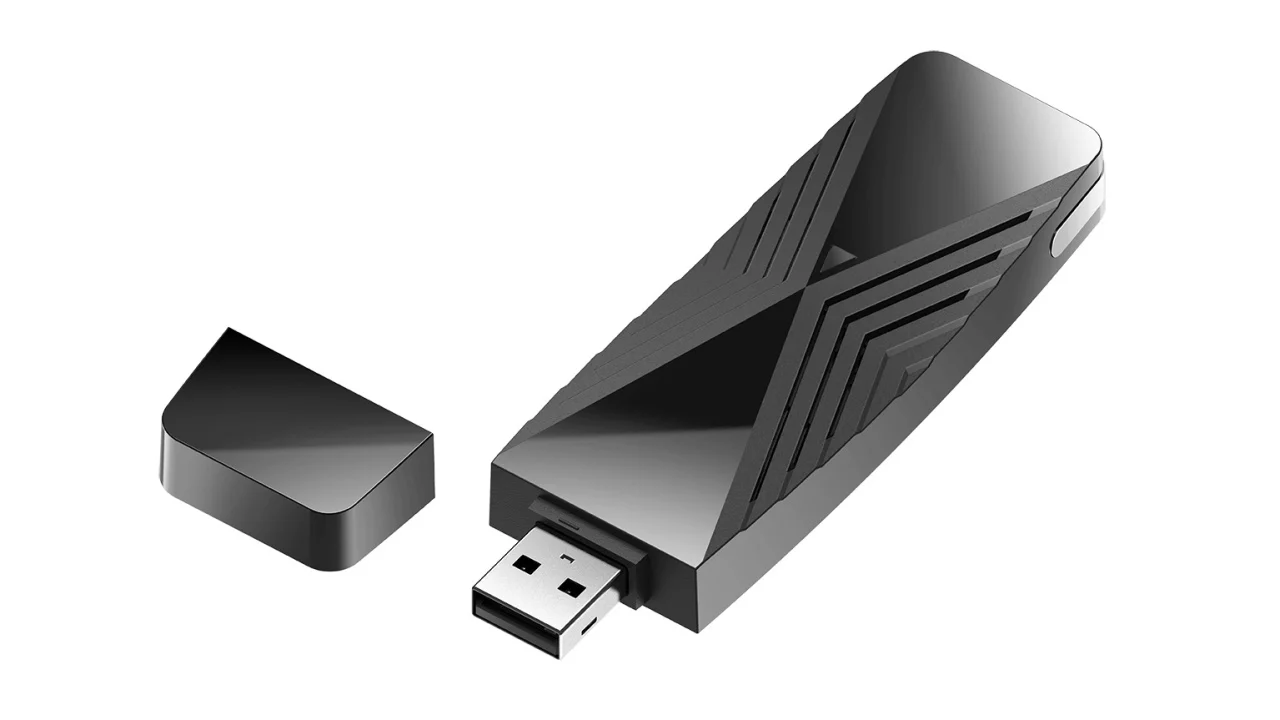

A desktop PC can sit only a room away from the router and still suffer from a weak internal wireless card, a badly placed antenna, or a crowded 2.4 GHz connection. A USB adapter is the quickest way to change that without opening the case.
We compared the Best usb wifi adapter options across older WiFi 5 dongles, WiFi 6 models, a WiFi 6E adapter, compact nano designs, and units with adjustable or high gain antennas. The right choice depends as much on your operating system and router as it does on the headline speed.
For most Windows users, the TP-Link TX20U Plus is the best all-around pick. The list also includes long-range antennas, tiny travel-friendly adapters, a Bluetooth combo model, and choices for older PCs.
| # | Product | Award | WiFi standard | Antenna design | Best for |
|---|---|---|---|---|---|
| 1 | TP-Link AC600 High Gain | Best overall | WiFi 5, AC600 | Adjustable 5 dBi antenna | Simple Windows upgrades |
| 2 | TP-Link TX20U Plus | Best WiFi 6 performance | WiFi 6, AX1800 | Dual adjustable high gain antennas | Streaming and gaming PCs |
| 3 | TP-Link AC1300 Mini | Best compact WiFi 5 | WiFi 5, AC1300 | Internal compact design | Laptops and small PCs |
| 4 | NETGEAR A7500 | Best Windows 11 upgrade | WiFi 6, AX1800 | Flexible antenna | Older Windows PCs |
| 5 | NETGEAR A8000 | Best WiFi 6E adapter | WiFi 6E, AXE3000 | Flippable antenna and cradle | 6 GHz networks |
| 6 | Nineplus AC1300 Dual Antenna | Best long-range AC adapter | WiFi 5, AC1300 | Two 5 dBi antennas | Distant desktop PCs |
| 7 | TP-Link TX30U Plus | Best easy-install WiFi 6 | WiFi 6, AX1800 | Dual high gain antennas | Windows 10 and 11 |
| 8 | TP-Link TX10UB Nano | Best WiFi and Bluetooth combo | WiFi 6, AX900 | Nano internal antenna | PCs needing Bluetooth |
| 9 | Nineplus AX1800 Nano | Best tiny WiFi 6 adapter | WiFi 6, AX1800 | High gain internal antenna | Compact Windows setups |
| 10 | TP-Link AC600 Nano | Best leave-in adapter | WiFi 5, AC600 | Nano internal antenna | Basic everyday connectivity |
1. TP-Link AC600 High Gain: Best Overall

Pros
- Adjustable 5 dBi antenna helps recover weak signals
- Supports both 2.4 GHz and 5 GHz networks
- Compact design with straightforward Windows setup
- Works with Windows 11, 10, 8.1, 8, 7, and XP
Cons
- Slower than the WiFi 6 and AC1300 choices
- Windows only
- Requires a driver download
Best for: anyone replacing an unreliable PC wireless card without needing the newest WiFi standard.
The TP-Link AC600 High Gain is the adapter we'd hand to someone who wants the least complicated fix. It has the familiar shape of a small desktop accessory rather than a fragile thumb drive, and its adjustable antenna gives you a way to aim reception toward the router. That matters when the PC is under a desk, tucked behind a cabinet, or positioned on the opposite side of a wall.
Its AC600 rating divides into up to 200 Mbps on 2.4 GHz and up to 433 Mbps on 5 GHz. Those are theoretical wireless link speeds, not a promise of internet throughput, but the split tells you how to use it. The 5 GHz band is the better option for nearby streaming and downloads, while 2.4 GHz generally has more reach through walls. The 5 dBi antenna is the useful part when a tiny nano adapter loses signal in a poor location.
This model supports 802.11ac WiFi 5 and the older wireless security modes listed by TP-Link, including WEP and WPA/WPA2. It is compatible with Windows 11, 10, 8.1, 8, 7, and XP, though setup may require downloading the current driver. That broad Windows support gives it an advantage over the newer TP-Link TX20U Plus and TP-Link TX30U Plus, both of which are limited to Windows 10 and 11.
The obvious limitation is speed. If your router is WiFi 6, the AC600 High Gain cannot use the newer standard's efficiency features, and its maximum wireless link rate is well below the AX1800 models. It also does not support Mac, Linux, or ChromeOS. Choose the right wireless hardware for a desktop PC if your computer uses an operating system outside the listed Windows versions.
This is still the sensible starting point for an older Windows desktop, a media PC, or a machine that only needs stable browsing, video calls, and ordinary streaming. Its antenna gives it more placement flexibility than the TP-Link AC600 Nano, while its older standard keeps the setup simple.
2. TP-Link TX20U Plus: Best WiFi 6 Performance

Pros
- AX1800 dual-band performance
- Dual adjustable high gain antennas
- One-meter USB 3.0 cable helps with placement
- WPA3, MU-MIMO, and OFDMA support
Cons
- Windows 10 and 11 only
- Needs a WiFi 6 router to reach its full potential
- Larger than a nano adapter
Best for: Windows 10 or 11 desktops that need a strong WiFi 6 connection for demanding everyday use.
The TP-Link TX20U Plus is the most balanced choice in this group because it combines modern wireless capability with useful physical flexibility. Instead of forcing the adapter to live directly beside the back of a desktop, its one-meter USB 3.0 cable lets you move the antennas into a clearer position. That can matter more than a theoretical speed increase when the computer is boxed into a corner.
The AX1800 rating means up to 1, 201 Mbps on 5 GHz and up to 574 Mbps on 2.4 GHz. Those figures are link-rate ceilings, but the arrangement makes sense for a WiFi 6 router. Use 5 GHz for high-bandwidth work such as streaming and downloads, then move to 2.4 GHz when range matters more. USB 3.0 also gives the adapter a faster connection to the computer than USB 2.0.
TP-Link includes dual high gain antennas with beamforming, plus MU-MIMO and OFDMA support. These features are designed to improve how the adapter communicates in a busy network, especially when several devices are active at once. WPA3 support is a meaningful security upgrade over the older TP-Link AC600 High Gain, and the adjustable desktop design is more practical than a fixed nano dongle.
The catch is compatibility. This adapter supports Windows 11 and 10 only, and TP-Link specifically recommends a USB 3.0 port for optimal performance. It is not a Mac or Linux solution. You also need a WiFi 6 router to make the most of its capabilities. A WiFi 5 router can still connect, but the purchase makes less sense if the rest of the network cannot use WiFi 6 features.
Compared with the newer TP-Link TX30U Plus, the TX20U Plus offers the same AX1800 class and a very similar antenna-first design. The TX30U Plus emphasizes preloaded drivers and folding storage, while the TX20U Plus gives you a clearly specified one-meter cable. We'd choose this model for a desktop that sits in an awkward location and needs a strong, adjustable connection.
3. TP-Link AC1300 Mini: Best Compact WiFi 5

Pros
- Small 0.02-pound design
- USB 3.0 connection
- Dual-band AC1300 wireless
- Supports Windows and older Mac OS X versions
Cons
- No external antenna for repositioning
- Older WiFi 5 standard
- The listed Mac support stops at OS X 10.14
Best for: laptops and small desktop PCs that need a compact dual-band adapter.
The TP-Link AC1300 Mini is the uncomplicated compact option. It weighs 0.02 pounds and measures 1.59 inches long, so it is easy to leave plugged into a laptop or carry as a spare. It does not offer the signal-aiming flexibility of the larger TP-Link AC600 High Gain, but it avoids the cable and antenna clutter that some desktop adapters create.
Its AC1300 dual-band design is built around 2.4 GHz and 5 GHz connections, with the product identified as an 802.11ac adapter. TP-Link pairs it with MU-MIMO and beamforming support, which can help the adapter work more efficiently with a compatible router. USB 3.0 is also important here because it prevents the computer interface from becoming an unnecessary bottleneck for a faster AC-class connection.
This is one of the more flexible adapters for operating systems in the group. It supports Windows 11, 10, 8.1, 8, 7, and XP, along with Mac OS X 10.9 through 10.14. That gives it a clear advantage over every Windows-only WiFi 6 model in this roundup. Driver installation may still be required, so it is not quite as effortless as a genuinely plug-and-play accessory.
The main weakness is the internal antenna. If the PC is far from the router or hidden behind metal and furniture, the TP-Link AC1300 Mini cannot be moved independently from the computer. In that situation, the TP-Link TX20U Plus or Nineplus AC1300 Dual Antenna is a better fit. It also lacks WiFi 6, so a newer router will not be able to use the latest efficiency and security features through this adapter.
Pick it when small size and broad compatibility matter more than maximum range. It is a particularly good match for a laptop with a failing wireless card, a compact desktop, or a second computer that needs reliable dual-band access without an antenna standing above it.
4. NETGEAR A7500: Best Windows 11 Upgrade

Pros
- AX1800 WiFi 6 performance
- Flexible antenna helps locate a stronger signal
- Works with WiFi 6 and WiFi 5 routers
- USB 3.0 interface
Cons
- Requires Windows 10 or 11
- Larger than compact dongles
- No support for the 6 GHz band
Best for: a Windows 10 or 11 desktop that needs a modern WiFi 6 connection without moving to WiFi 6E.
The NETGEAR A7500 feels purpose-built for an older Windows PC that has outgrown its original wireless hardware. Its flexible antenna is the key feature. Rather than accepting whatever signal reaches a dongle behind the case, you can adjust the antenna to search for a stronger position. That makes it a more serious desktop upgrade than a tiny adapter designed mainly for portability.
The adapter uses WiFi 6 with an AX1800 rating and a stated maximum speed of up to 1.8 Gbps. It is intended for HD streaming, video conferences, gaming, and work, though real throughput depends on the router, distance, walls, and network traffic. Its compatibility with both WiFi 6 and WiFi 5 routers is useful if your network has not been upgraded yet.
NETGEAR lists Microsoft Windows 10 and 11 in both 32-bit and 64-bit versions as the required operating systems. That narrower support is the price of moving to a current wireless standard. Unlike the TP-Link AC1300 Mini, it is not a sensible choice for older Windows versions or the Mac systems listed with that adapter. The USB 3.0 connection is appropriate for its higher wireless capacity.
The A7500 gives up the 6 GHz band found on the NETGEAR A8000, so it cannot take advantage of the cleanest spectrum available on a WiFi 6E network. It is also not the smallest option here. The body measures 6.1 inches long and weighs 0.24 pounds, which is manageable on a desk but excessive for a laptop bag.
Choose the A7500 when your router is WiFi 5 or WiFi 6 and your Windows computer needs a stronger connection than its built-in card can provide. The TP-Link TX20U Plus is a close alternative with dual antennas and a one-meter cable, while the A7500 makes the simpler case for a flexible antenna and broad router compatibility.
5. NETGEAR A8000: Best WiFi 6E Adapter

Pros
- Adds access to the 6 GHz band
- AXE3000 tri-band wireless
- Flippable antenna
- Compact cradle allows flexible placement
Cons
- Needs a WiFi 6E router for 6 GHz
- Windows compatibility is not specified in the listing
- Limited benefit on WiFi 5 networks
Best for: Windows PC users who already have a WiFi 6E router and want access to its 6 GHz network.
The NETGEAR A8000 is the specialist pick. Its reason for existing is simple: it can bring WiFi 6E's 6 GHz band to a compatible computer over USB. That newer band can provide a cleaner connection in a busy wireless environment, but only when the router and adapter are both WiFi 6E capable. Without that matching router, the A8000 becomes a fast dual-band adapter rather than a full 6E upgrade.
NETGEAR rates it AXE3000 with wireless speeds up to 3 Gbps and describes it as tri-band. The 6 GHz band is the headline feature, while WiFi 6 and WiFi 5 compatibility keeps it usable with older networks. The flippable antenna lets you change its orientation, and the compact cradle gives you a practical place to position it instead of leaving the adapter wedged behind the PC.
That placement flexibility is important because high wireless link speeds are easy to undermine with a poor antenna position. The cradle can move the adapter away from the computer chassis and help it find a clearer path to the router. The product is also lighter and smaller than the NETGEAR A7500, though it still makes more sense as a desktop accessory than a travel dongle.
The A8000's weakness is not the hardware. It is the dependency on the rest of the network. A WiFi 6E router is required to access 6 GHz, and the listing does not provide the broad operating system detail offered by several TP-Link models. If you are still using WiFi 5, the TP-Link AC1300 Mini or NETGEAR A7500 is easier to justify. The router features that affect wireless congestion are also worth checking before choosing a 6E adapter.
This is the one to buy for a newer wireless network where 6 GHz access is the point, not merely a side benefit. It is overqualified for a basic router, but it gives a compatible Windows PC the widest wireless path in this group.
6. Nineplus AC1300 Dual Antenna: Best Long-Range AC Adapter

Pros
- Two adjustable 5 dBi antennas
- AC1300 dual-band wireless
- USB 3.0 connection
- Supports a wide range of Windows versions
Cons
- Does not support Mac, Linux, or Chromebook
- Older WiFi 5 standard
- Larger desktop-oriented design
Best for: Windows desktop users dealing with distance, walls, or a weak signal from a fixed internal card.
The Nineplus AC1300 Dual Antenna is built around reception rather than stealth. Its two 5 dBi high gain antennas stand out from the small dongles in this roundup, and that is exactly what makes it interesting for a desktop in a difficult room. You can position the antennas to capture a signal that a flat nano adapter might miss.
Nineplus lists speeds up to 867 Mbps on 5 GHz and 400 Mbps on 2.4 GHz, placing it in the AC1300 class. The 5 GHz band is the faster choice when the PC is relatively close to the router, while 2.4 GHz can be more useful across longer distances and through obstacles. USB 3.0 supports the adapter's higher wireless capacity and is backward compatible with USB 2.0 ports.
The broad compatibility list includes Windows 11, 10, 8.1, 8, 7, and XP. Nineplus says most Windows 10 and 11 systems automatically detect the adapter, while Windows 7 may require a manual driver installation. It does not support Mac OS, Linux, or Chromebook, which makes the operating system check essential before buying.
This adapter's main weakness is its age and size. It uses WiFi 5 rather than WiFi 6, so it lacks the newer standard's efficiency features and WPA3 support listed on several newer models. Its external antennas also take up more visual and physical space than the TP-Link AC1300 Mini or Nineplus AX1800 Nano. If the computer is already close to the router, that extra hardware is unnecessary.
For a Windows desktop in a bedroom, office, or basement where signal strength is the first problem, the two antennas are more useful than a higher headline number. The TP-Link TX20U Plus is the stronger modern alternative, but this Nineplus model remains the more direct answer when you want an AC adapter designed around reach.
7. TP-Link TX30U Plus: Best Easy-Install WiFi 6

Pros
- AX1800 dual-band WiFi 6
- Preloaded internal driver
- Two high gain antennas with beamforming
- Folding design and USB 3.0
Cons
- Windows 10 and 11 only
- No Mac or Linux support
- Requires a WiFi 6 router for full capability
Best for: Windows 10 and 11 users who want a current WiFi 6 adapter with quick installation and adjustable antennas.
The TP-Link TX30U Plus takes the same general route as the TX20U Plus but places more emphasis on getting started quickly. Its internal driver is preloaded, so installation is designed to be straightforward. The two high gain antennas fold for storage and adjust for positioning, giving it a practical shape for a desktop without making it as bulky as an old-style external wireless card.
The AX1800 WiFi 6 design supports dual-band connections, with 5 GHz intended for streaming and gaming and 2.4 GHz offering longer-range everyday access. TP-Link also cites beamforming, MU-MIMO, and OFDMA. Those are not magic range boosters, but they can improve network efficiency when the router supports them and multiple devices are competing for airtime.
USB 3.0 is the correct interface for this class of adapter, and TP-Link says it can provide faster data transfer and response than USB 2.0. WPA3 support adds stronger wireless security than the older AC600 and AC1300 models. The product is limited to Windows 11 and 10, however, so the preloaded driver does not make it a universal solution.
Compared with the TP-Link TX20U Plus, the TX30U Plus is the better pick when a quick setup and folding antennas are more important than a specified one-meter cable. The TX20U Plus may be easier to position when the desktop is trapped under furniture because its cable gives the whole antenna assembly more reach. Neither is suitable for a Mac or Linux PC.
The TX30U Plus is a good fit for a recent Windows desktop that needs a wireless upgrade and should be usable with minimal fuss. Skip it if the router is still WiFi 5 and the computer sits close enough for a smaller AC adapter, or if your main goal is 6 GHz access.
8. TP-Link TX10UB Nano: Best WiFi and Bluetooth Combo

Pros
- WiFi 6 and Bluetooth 5.3 in one adapter
- Tiny leave-in design
- WPA3, MU-MIMO, and OFDMA support
- Preloaded drivers for Windows 10 and 11
Cons
- Lower AX900 class than AX1800 adapters
- Bluetooth function has specific operating system limits
- Internal antennas cannot be repositioned
Best for: a Windows PC that needs both wireless networking and Bluetooth without two separate accessories.
The TP-Link TX10UB Nano earns its place by doing two jobs in one tiny package. It adds WiFi and Bluetooth 5.3 through a single USB adapter, which is useful for a desktop that has neither capability or for a machine whose built-in Bluetooth has become unreliable. Its nearly invisible design can stay plugged in without the external antenna hardware of the larger TP-Link models.
The WiFi side is an AX900 dual-band adapter, with up to 600 Mbps on 5 GHz and up to 287 Mbps on 2.4 GHz. That is below the AX1800 TP-Link TX20U Plus and TP-Link TX30U Plus, but it is still a current WiFi 6 connection for ordinary streaming, browsing, and peripheral use. OFDMA and MU-MIMO are included to help the adapter share a busy network more efficiently.
Bluetooth 5.3 extends the usefulness beyond internet access. TP-Link specifically mentions controllers, headphones, keyboards, and mice, making this a sensible choice for a desktop that needs wireless peripherals as well as WiFi. WPA3 support handles current wireless security, and the preloaded drivers are intended to make installation easier on Windows 11 and 10.
The compact design creates the obvious compromise. There is no external antenna to move if reception is poor, and the lower AX900 rating gives it less headroom than the larger WiFi 6 adapters. Bluetooth also has its own restrictions: the listing says its Bluetooth function is not compatible with Mac, Linux, TV, or Windows Vista, 8, or 7. Existing internal Bluetooth or WiFi may need to be disabled depending on the computer configuration.
Choose this adapter when Bluetooth is part of the problem. If you only need stronger WiFi across several rooms, the Nineplus AX1800 Nano or TP-Link TX30U Plus is a more focused tool. For a clean desktop that needs a wireless mouse, headphones, and network access from one small accessory, the TX10UB Nano is unusually convenient.
9. Nineplus AX1800 Nano: Best Tiny WiFi 6 Adapter

Pros
- AX1800 WiFi 6 wireless
- Small design that avoids blocking nearby ports
- USB 3.0 interface
- WPA3 support
Cons
- Windows 10 and 11 only
- Internal antenna cannot be aimed
- No Bluetooth function
Best for: Windows users who want WiFi 6 performance in a small adapter that can remain plugged in.
The Nineplus AX1800 Nano is the compact alternative to the desktop adapters with adjustable antennas. It is designed to avoid blocking adjacent USB ports, which is a small but important detail on crowded laptops and compact desktops. The adapter measures about 1.89 inches long and weighs roughly 0.01 pounds, so it is easy to leave in place or carry between computers.
Its WiFi 6 connection is rated AX1800, with up to 1, 201 Mbps on 5 GHz and 574 Mbps on 2.4 GHz. Those figures put it in the same wireless class as the TP-Link TX20U Plus and NETGEAR A7500. It also uses USB 3.0 and supports WPA3, so the basic platform is modern rather than a small version of an older AC adapter.
Nineplus says the adapter supports Windows 11 and 10 only, with automatic driver detection on those systems. It does not support Windows 7 or Mac, and the listing describes it as a WiFi receiver rather than a data plan. That last distinction is obvious to experienced buyers but useful for anyone expecting the adapter itself to provide internet service.
The internal high gain antenna is the reason to be cautious. A nano design cannot be moved away from the back of a desktop or rotated toward the router. If signal strength is the issue, the external dual antennas on the TP-Link TX20U Plus or Nineplus AC1300 Dual Antenna give you more practical control. The small body is an advantage only when the existing signal is already reasonably strong.
This is the right choice for a neat, portable Windows setup where the router is not far away. It offers more wireless capability than the TP-Link AC1300 Mini while taking up little space, but it should not be your first choice for a computer hidden behind a desk or several walls.
10. TP-Link AC600 Nano: Best Leave-In Adapter

Pros
- Very small design
- Dual-band WiFi 5
- Supports Windows and older Mac OS X versions
- Can stay plugged into a laptop or desktop
Cons
- AC600 is the slowest class in this roundup
- No adjustable antenna
- Driver installation may be required
Best for: basic dual-band connectivity where a small, unobtrusive adapter matters most.
The TP-Link AC600 Nano is the smallest and simplest option here. Its miniature body is designed to stay plugged in, making it suitable for a laptop bag, a compact desktop, or a spare computer that needs wireless access without a visible antenna. It is a practical replacement for a dead internal adapter when the network does not demand high throughput.
The AC600 dual-band design provides access to both 2.4 GHz and 5 GHz networks. TP-Link describes the connection as suitable for fast everyday wireless use, with the 5 GHz band generally the better choice for nearby devices and 2.4 GHz useful when the signal has farther to travel. It does not list the separate band speeds in the product information, so there is no reason to treat it like a higher-capacity AC1300 adapter.
Compatibility is one of its strongest points. The AC600 Nano supports Windows 11, 10, 8.1, 8, 7, and XP, as well as Mac OS X 10.9 through 10.14. TP-Link notes that driver installation may be required, so buyers should be prepared to download software rather than assume every computer will recognize it instantly. The broad operating system range makes it more versatile than the Windows-only WiFi 6 nano models.
Its limitation is the same one shared by almost every tiny adapter: no external antenna means no way to improve reception by changing the adapter's position. The TP-Link AC600 High Gain is the better choice when a desktop is far from the router, and the TP-Link AC1300 Mini offers more wireless capacity while remaining compact. The AC600 Nano is about convenience, not maximum speed or range.
Pick it for ordinary browsing, email, office work, and streaming on a nearby network. If you are unsure which wireless band will work best in your room, the practical differences between 2.4 GHz and 5 GHz can help you decide before choosing a small adapter.
How to choose best usb wifi adapter
The right USB WiFi adapter should match the computer's operating system, the router's wireless generation, and the physical layout of the room.
WiFi standard
WiFi 5 adapters such as the TP-Link AC600 High Gain and TP-Link AC1300 Mini remain useful for older routers and ordinary connections. WiFi 6 models can handle newer networks more efficiently, particularly when many devices are active. WiFi 6E adds the 6 GHz band, but only a WiFi 6E router can provide that band.
Do not choose by the AX or AC label alone. A high theoretical link rate cannot exceed what the router, USB port, internet connection, and surrounding wireless conditions can support.
Dual-band and tri-band access
A dual-band adapter connects over 2.4 GHz and 5 GHz. The 2.4 GHz band usually travels farther and handles obstacles better, while 5 GHz tends to provide more capacity at shorter range. The NETGEAR A8000 adds 6 GHz, which can reduce congestion on compatible WiFi 6E networks.
A tri-band adapter is not automatically better in every home. If the router has no 6 GHz network, the extra band cannot be used.
Antenna placement
External antennas are valuable when the computer sits beneath a desk, beside a wall, or inside a cabinet. The TP-Link TX20U Plus uses a one-meter USB cable, while the Nineplus AC1300 Dual Antenna has two 5 dBi antennas. Flexible and flippable designs let you search for a clearer signal.
Nano adapters are neater, but their internal antennas stay next to the computer. They work best when the existing wireless signal is already reasonably strong.
A faster adapter cannot fix a signal that the antenna cannot reliably receive.
USB connection
USB 3.0 is the sensible match for AC1300 and AX1800 adapters because it provides more interface capacity than USB 2.0. The TP-Link TX20U Plus, TP-Link TX30U Plus, Nineplus AC1300 Dual Antenna, and Nineplus AX1800 Nano all specify USB 3.0.
A USB 2.0 port may still allow an adapter to connect, but it can limit performance. Check the port location as carefully as the wireless specification, especially on a desktop with rear-mounted connections.
Operating system support
Compatibility varies sharply. The TP-Link AC600 High Gain, TP-Link AC1300 Mini, and TP-Link AC600 Nano support several older Windows versions, while the WiFi 6 TP-Link TX20U Plus, TP-Link TX30U Plus, and Nineplus AX1800 Nano are limited to Windows 10 and 11.
Mac, Linux, and ChromeOS users need to check the individual listing rather than assume a USB adapter is universal. The Nineplus AC1300 Dual Antenna does not support Mac, Linux, or Chromebook, and the TP-Link TX10UB Nano has separate restrictions for its Bluetooth function.
Bluetooth needs
The TP-Link TX10UB Nano is the only model here that combines WiFi with Bluetooth 5.3. That makes it useful for a desktop that also needs a wireless keyboard, mouse, headphones, or controller. A regular WiFi adapter will not add Bluetooth just because it uses USB.
Check whether the computer's existing wireless hardware needs to be disabled. TP-Link notes that the external WiFi or Bluetooth function can conflict with internal adapters on some configurations.
Frequently asked questions
Are USB WiFi adapters good for desktop PCs?
Yes. A USB adapter can replace a failing internal wireless card or add WiFi to a desktop that has no wireless hardware. Models with external antennas are especially useful when the computer is far from the router or positioned behind furniture.
Is WiFi 6 better than WiFi 5 for a USB adapter?
WiFi 6 can be more efficient on a busy network and works with newer security and traffic-management features. The improvement is most useful when the router also supports WiFi 6. A WiFi 5 adapter can still be the sensible choice for an older router or a computer running an older operating system.
Do USB WiFi adapters work with Mac computers?
Some do, but compatibility is model-specific. The TP-Link AC1300 Mini and TP-Link AC600 Nano list support for older Mac OS X versions, while several newer WiFi 6 models in this roundup are Windows only. Check the operating system requirements before ordering.
Should I choose a nano adapter or an external antenna?
Choose a nano adapter when the computer already receives a good signal and you want something that can remain plugged in. Choose an external antenna model when range and placement are the main problems. An antenna you can move away from the PC often helps more than a higher theoretical speed.
Can a USB WiFi adapter provide internet without a router?
No. The adapter connects the computer to an existing wireless network. It does not provide an internet plan or create an internet connection by itself.
Do I need a WiFi 6E router for the NETGEAR A8000?
Yes. NETGEAR states that a WiFi 6E router or mesh system is required to access the 6 GHz band. The adapter can still work with WiFi 6 networks, but the 6 GHz feature will not be available.
Can one adapter add both WiFi and Bluetooth?
The TP-Link TX10UB Nano is designed to provide both WiFi and Bluetooth 5.3 through one USB device. Its Bluetooth function has separate operating system restrictions, and some computers may need their internal WiFi or Bluetooth disabled to avoid conflicts.
The bottom line
The Best usb wifi adapter for most Windows desktops is the TP-Link TX20U Plus. Its AX1800 WiFi 6 connection, dual adjustable antennas, USB 3.0 cable, WPA3 support, and flexible placement make it more useful than a tiny dongle when the computer's wireless connection is genuinely weak.
The TP-Link AC600 High Gain is the easier recommendation for older Windows computers, while the NETGEAR A8000 is the specialist choice for a PC connected to a WiFi 6E router. Buyers who need a clean, nearly invisible accessory should consider the TP-Link TX10UB Nano or Nineplus AX1800 Nano.
If you are undecided, choose an external antenna model for range problems and a nano model only when compact size is the priority.
As an Amazon Associate we earn from qualifying purchases.