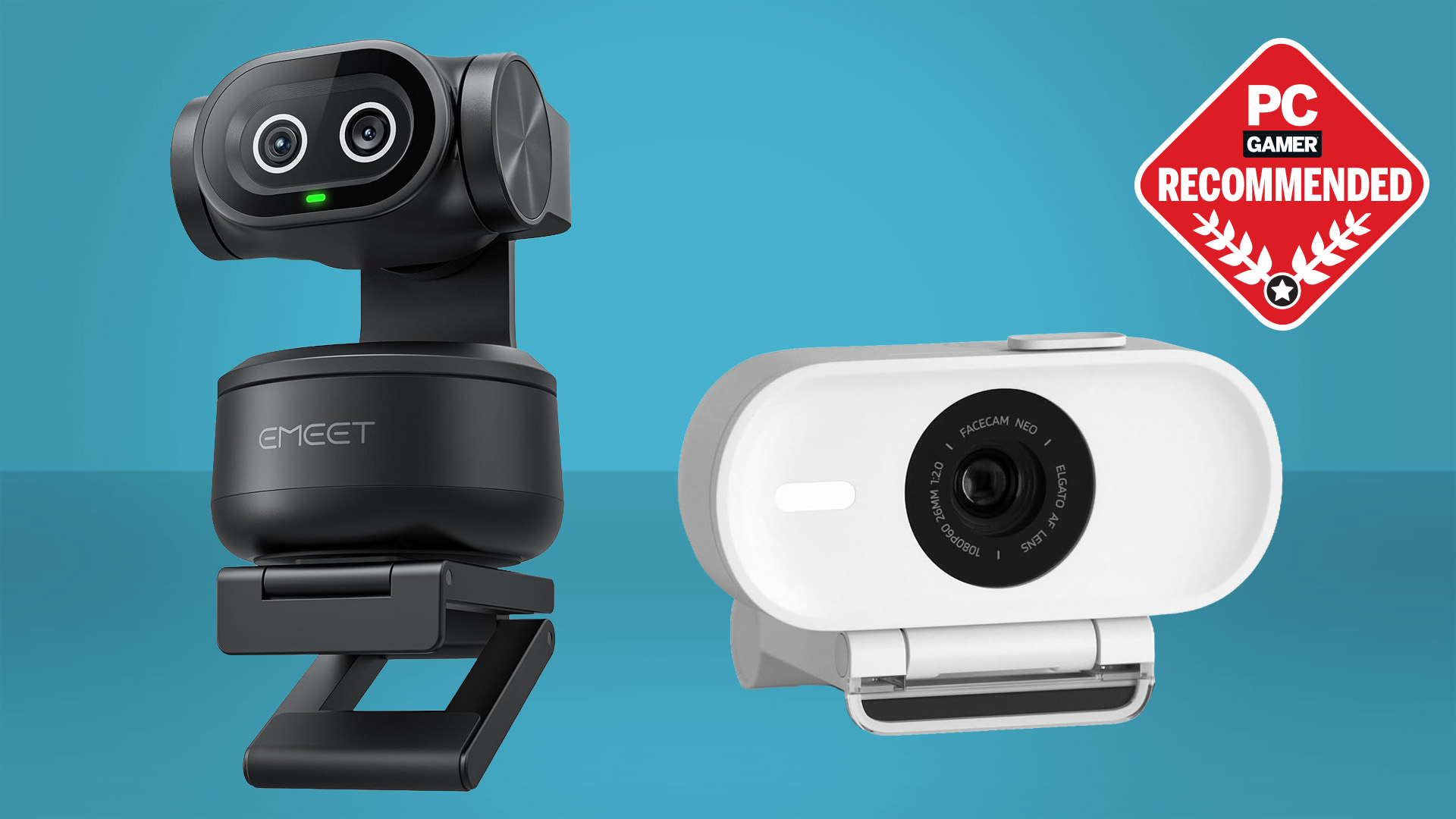

A laptop camera can make a clear desk look dim, soften your face into a blur, and leave everyone asking you to repeat yourself. The right USB model fixes those problems without forcing you to rebuild your workspace. The Best web cam choices below cover simple 1080p calls, wide-angle group meetings, and detailed 4K streaming.
The range is broad. Logitech has the strongest software and privacy features, while EMEET offers several cameras with 4K sensors, PDAF autofocus, and adjustable framing. The best pick for most people is the Logitech MX Brio, with capable 1080p alternatives and more specialized options below.
Comparison table
| # | Product | Award | Resolution | Focus or FOV | Best for |
|---|---|---|---|---|---|
| 1 | Logitech MX Brio | Best overall | 4K at 30fps, 1080p at 60fps | Autofocus | Premium meetings and streaming |
| 2 | Logitech Brio 101 | Best simple 1080p cam | 1080p | Autofocus and auto light balance | Everyday calls |
| 3 | Logitech C920x | Best established design | 1080p at 30fps | Autofocus | Home offices |
| 4 | EMEET S600 | Best for creators | 4K at 30fps, 1080p at 60fps | PDAF, 40 to 73 degree FOV | Streaming and recording |
| 5 | EMEET NOVA 4K | Best flexible mount | 4K at 30fps | PDAF, 73 degree FOV | Presentations and meetings |
| 6 | Logitech Brio 4K | Best for Windows Hello | 4K at 30fps | Autofocus, 65 to 90 degree FOV | Windows users |
| 7 | EMEET C960 4K | Best focused 4K view | 4K | PDAF, 73 degree FOV | Solo calls |
| 8 | EMEET C960 1080p | Best wide-angle 1080p cam | 1080p | Fixed focus, 90 degree FOV | Group calls |
| 9 | NexiGo N60 | Best plug-and-play option | 1080p at 30fps | Fixed focus | Basic video calls |
| 10 | Shcngqio TWC29 | Best compact basic cam | 1080p at 30fps | Wide-angle lens | Casual calls and classes |
1. Logitech MX Brio: Best Overall

Pros
- 4K at 30fps and 1080p at 60fps
- Strong automatic exposure, white balance, and autofocus
- Dual beamforming microphones reduce background noise
- Show Mode tilts the camera toward a desk
- Built-in rotating privacy cover
Cons
- Larger and heavier than basic webcams
- The most useful controls require Logitech software
- 4K is unnecessary for many ordinary calls
Best for: people who want one webcam for polished meetings, streaming, and desk presentations.
The Logitech MX Brio is the webcam we would keep for a mixed work and creator setup. It produces a more detailed image than a standard 1080p camera, but its real advantage is control. You can leave the automatic settings alone for quick calls, then adjust ISO, shutter speed, tint, vibrance, lighting, and white balance when the image needs more care.
Its 4K mode runs at 30fps, which suits presentations and recorded video where facial detail matters. Switch to 1080p and it can reach 60fps, giving movement a smoother appearance for streams and demonstrations. Logitech also includes autofocus, automatic exposure, automatic white balance, and noise reduction, so the camera can handle a changing room better than a basic fixed-focus model.
The two beamforming microphones use noise reduction to keep speech clearer around ordinary background sound. Show Mode is a particularly useful touch: tilt the camera down to show notes or sketches on the desk instead of trying to hold them in front of the lens. The rotating privacy cover blocks the camera physically between meetings, and compatibility extends across Windows, macOS, Chrome OS, and Linux.
The weakness is physical. At 0.84 pounds, this is a substantial webcam compared with the 0.22-pound EMEET S600 or the 0.31-pound Brio 101. It also makes more sense for someone who will use its higher-resolution modes and manual controls than for someone who only joins occasional calls. If your priority is polished, adaptable video and you want to understand how much detail a streaming webcam really needs, the MX Brio is the most complete pick here.
2. Logitech Brio 101: Best Simple 1080p Cam

Pros
- Full HD video for calls and recording
- RightLight auto-light balance reduces shadows
- Integrated slide privacy cover
- Built-in microphone
- USB-A plug-and-play connection
Cons
- Does not offer 4K or 60fps video
- Fixed USB-A cable limits connection options
- Basic microphone compared with more advanced models
Best for: everyday meetings, classes, and calls where simplicity matters more than advanced video control.
The Logitech Brio 101 gets the fundamentals right without making the camera feel like another device to manage. Connect its built-in USB-A cable, select it in your calling app, and the webcam is ready for meetings on platforms such as Teams, Zoom, and Google Meet. Its small body weighs 0.31 pounds, so it sits comfortably on a laptop or monitor.
This is a 1080p webcam, and that is the limit. There is no 4K mode or high-frame-rate option, but Full HD is enough for a face-and-shoulders call and leaves more room for a stable image on typical video services. Logitech’s RightLight feature boosts brightness and reduces shadows compared with earlier generations of its webcams, which helps when the room light is not perfectly placed.
The built-in microphone handles basic speech, while the integrated slide cover provides a reassuring physical barrier when the camera is idle. The Logi Options+ app allows adjustments to zoom, framing, and camera settings, giving the Brio 101 more flexibility than its uncomplicated design suggests. It is also made with a minimum of 77% post-consumer recycled plastic.
The Brio 101 gives up the sharper image and deeper control of the MX Brio, and the EMEET C960 1080p offers a wider 90-degree view for groups. Its fixed USB-A cable is another limitation if your computer has only USB-C ports. Still, for a single person who wants a recognizable brand, automatic lighting, and a cover without setup fuss, it is the cleanest straightforward choice.
3. Logitech C920x: Best Established Design

Pros
- 1080p video at 30fps
- Autofocus and automatic lighting adjustment
- Stereo audio from dual microphones
- Broad use across meetings and recording
- Background effects support through XSplit VCam
Cons
- No privacy shutter
- No 4K or 60fps mode
- Older design than the MX Brio
Best for: home-office users who want dependable Full HD video and stereo microphones.
The Logitech C920x remains a sensible home-office webcam because it concentrates on the parts people notice during a call. Its 1080p video runs at 30fps, and autofocus keeps the image sharp when you lean toward the camera or shift in your chair. Automatic lighting adjustment helps preserve a readable face when the room is not evenly lit.
Dual microphones record stereo audio and are a step up from the single basic microphone found on simpler cameras. The C920x is aimed at calls, recordings, and desktop use rather than cinematic production, but that focus makes it easy to understand. It also works with Windows 11 and supports background removal, replacement, and blur through the included three-month XSplit VCam license.
Its dimensions are 3.7 inches high, 2.8 inches long, and 1.7 inches wide, with a weight of 0.35625 pounds. Those figures make it a little more substantial than the Brio 101, though still easy to mount on a display. The camera remains compatible with Nintendo Switch 2’s GameChat mode, adding a use outside the usual office setup.
The missing privacy shutter is the issue to consider before buying. The Brio 101 and NexiGo N60 can physically cover their lenses, while the C920x cannot do that without an additional accessory. It also cannot match the MX Brio’s 4K detail or 1080p at 60fps. Choose the C920x when dependable 1080p, autofocus, and stereo microphones matter more than newer privacy and creator features.
4. EMEET S600: Best for Creators

Pros
- Sony 1/2.55-inch sensor
- 4K at 30fps and 1080p at 60fps
- PDAF autofocus
- Adjustable FOV in 1080p
- Built-in privacy cover and noise-canceling microphones
Cons
- 4K FOV is fixed at 73 degrees
- Advanced adjustments require EMEETLINK
- More specialized than a basic meeting camera
Best for: streamers and content creators who need detailed video with flexible framing.
The EMEET S600 is the most creator-oriented camera in this group after the MX Brio. Its Sony 1/2.55-inch sensor gives the camera a stronger foundation for detailed video, and it can record or stream at 4K and 30fps. At 1080p, the frame rate rises to 60fps, a useful setting for movement, demonstrations, and game streaming.
PDAF autofocus is more responsive than the fixed-focus systems used by the NexiGo N60 and EMEET C960 1080p. The camera can keep a subject sharp as they move within its stated range, and automatic light adjustment works to balance shadows and highlights. In 1080p, the field of view can be adjusted from 40 to 73 degrees, letting a solo streamer choose a tighter face shot or include more of the room.
The microphones use a noise-canceling algorithm, and EMEETLINK lets you turn that processing off when you prefer a more natural signal. The integrated privacy cover stays attached to the camera, while the rugged clip and adjustable rotation make positioning easier. Plug-and-play operation works without the software, so EMEETLINK is an optional control layer rather than a setup requirement.
The trade-off is that 4K locks the field of view at 73 degrees. That is a sensible solo framing, but it is less flexible than the older Logitech Brio 4K, which offers 65, 78, and 90-degree presets. The S600 is the better fit for a creator who wants 60fps at Full HD and fast autofocus, not for a buyer seeking the simplest possible meeting camera.
5. EMEET NOVA 4K: Best Flexible Mount

Pros
- 4K video at 30fps
- PDAF autofocus
- 360-degree horizontal rotation
- 15-degree vertical adjustment and 180-degree adjustable stand
- Dual microphones and privacy cover
Cons
- Defaults to 1080p
- No manual focus or adjustable FOV
- USB 2.0 connection
Best for: presenters and home-office users who need a camera that can be aimed precisely.
The EMEET NOVA 4K stands out because its mount is unusually accommodating. The webcam rotates 360 degrees horizontally, adjusts 15 degrees vertically, and uses a stand that can open through 180 degrees. That makes it easier to position for a monitor, laptop, desk presentation, or tripod without twisting the screen itself.
The camera uses a CMOS sensor and supports 4K at 30fps, but it defaults to 1080p. You need the built-in camera software or an application such as PotPlayer or OBS to switch to 4K. PDAF autofocus works within a stated range of 7.9 to 118 inches, and the fixed 73-degree FOV keeps the view centered on a solo speaker without showing an excessive amount of background.
Two microphones are designed to capture voices from up to 8 feet away, although the product recommends keeping them unobstructed and using the camera in a quiet environment. EMEETLINK provides brightness, contrast, saturation, and backlight compensation controls. A physical privacy cover blocks the lens, and the USB 2.0 Type-A connection avoids wireless setup or cloud features.
The NOVA 4K is less convenient than the S600 for users who want 1080p at 60fps, and its FOV cannot be changed. Its value is the flexible physical design. If your camera must move between a monitor and a desk presentation, the NOVA’s 360-degree rotation and tripod support are more useful than the narrower range of the Brio 101.
6. Logitech Brio 4K: Best for Windows Hello

Pros
- 4K video at 30fps
- Three adjustable field-of-view presets
- RightLight 3 handles glare and backlighting
- Dual omnidirectional microphones
- Windows Hello support
Cons
- Privacy shutter is attachable rather than integrated
- No 1080p 60fps mode listed
- Larger footprint than the Brio 101
Best for: Windows users who want 4K video and facial recognition login support.
The Logitech Brio 4K is the practical alternative to the newer MX Brio when Windows Hello matters. Its optical and infrared sensors support facial recognition for Windows login, a feature none of the EMEET cameras in this roundup provide. It also works with Windows, Mac, and ChromeOS, so the camera is not locked to one platform.
Video reaches 4K at 30fps, with autofocus and 5x digital zoom. Logitech’s RightLight 3 adjusts exposure and contrast to compensate for glare and backlighting, which is useful when a bright window sits behind you. The three diagonal FOV presets are more flexible than the fixed views on the NOVA 4K and C960 4K: 65 degrees frames a head-and-shoulders view, while 78 and 90 degrees include more of the room.
Dual omnidirectional microphones use noise-canceling technology and are designed to capture sound from up to 1.2 meters away. The Logi Options+ app adds zoom, color presets, color adjustment, manual focus, and firmware updates. An attachable privacy shade flips over the lens when needed, though it is not as integrated as the covers on the MX Brio or Brio 101.
The Brio 4K is not the newest design, and the MX Brio offers 1080p at 60fps, a rotating cover, Show Mode, and more advanced image controls. The older Brio remains the better pick for a Windows computer where Hello login is important. It is also a strong choice for anyone who needs several framing options rather than a fixed 73-degree view.
7. EMEET C960 4K: Best Focused 4K View

Pros
- True 4K CMOS sensor
- PDAF autofocus and automatic light adjustment
- Dual omnidirectional microphones
- 73-degree FOV suits solo speakers
- Privacy cover and tripod thread
Cons
- Defaults to 1080p
- No wider framing option
- Requires software or a compatible app to switch to 4K
Best for: solo presenters who want a centered 4K image without a broad room view.
The EMEET C960 4K is built around a simple idea: keep one speaker clearly framed and add enough resolution for a more detailed image. Its true 4K CMOS sensor avoids relying on false upscaling, while PDAF autofocus helps keep the subject sharp during a lecture, meeting, or presentation.
The 73-degree FOV is narrower than the 90-degree view of the EMEET C960 1080p. That is an advantage for a solo worker who wants less of the room behind them, but it is not the right shape for a group call. Automatic light adjustment helps in both low-light and overexposed conditions, though good room lighting still matters.
Two omnidirectional microphones capture speech directly from the camera. The plug-and-play USB-A design works across Windows, macOS, Android TV, and Linux, and EMEETLINK offers personal control over video settings. The camera includes a privacy cover, 360-degree horizontal adjustment, 15-degree vertical adjustment, and a quarter-inch tripod thread.
Like the NOVA 4K, the C960 4K defaults to 1080p, so the user has to switch modes through camera software or a compatible application. The S600 is the stronger creator camera because it adds 1080p at 60fps and adjustable 1080p framing. The C960 4K makes more sense for meetings where a fixed, centered view and straightforward autofocus are the priorities.
8. EMEET C960 1080p: Best Wide-Angle 1080p Cam

Pros
- 1080p video with a 90-degree FOV
- Dual omnidirectional microphones
- Physical privacy cover
- Automatic light adjustment
- USB-A connection with A-to-C adapter
Cons
- Fixed focus
- Needs decent lighting for the clearest image
- Not compatible with Windows Hello or game consoles
Best for: group calls and shared desks where a narrow solo frame is not enough.
The EMEET C960 1080p is the group-call specialist. Its 90-degree wide-angle lens captures more people without requiring everyone to sit directly in front of the camera. That makes it a better fit for a small conference table or a home office where another person may occasionally join the call.
Its 1920 by 1080 video uses fixed focus across a stated range of 11.8 to 118.1 inches. Fixed focus is less adaptable than the PDAF systems in the C960 4K and NOVA 4K, but it avoids autofocus hunting when the room stays arranged. A five-layer anti-glare lens and automatic exposure, color, and lighting adjustment help produce a stable image in normal or well-lit rooms.
Two omnidirectional microphones pick up voices from the camera, and the product asks users to select the C960 as the default microphone in Zoom or Teams. The foldable body is easy to carry, while the universal clip is tripod-ready. USB Type-A and an A-to-C adapter expand connection options, although direct connection to the computer is recommended over a hub.
The wide frame is its biggest strength and its main limitation. A 90-degree view shows more background and can make a solo speaker look less prominent than the 73-degree C960 4K. It also does not support Windows Hello, TVs, tablets, or game consoles. Pick it for shared calls, not for a tightly controlled solo stream.
9. NexiGo N60: Best Plug-and-Play Option

Pros
- 1080p video at 30fps
- Plug-and-play USB 2.0 and 3.0 support
- Built-in noise-canceling microphone
- Privacy cover
- Software control
Cons
- Fixed-focus lens
- Not compatible with Xbox or PlayStation consoles
- Audio delays may require firmware support
Best for: uncomplicated computer calls, online school, and casual streaming.
The NexiGo N60 is the webcam to choose when the goal is to connect it and start a call quickly. Its 1080p sensor records at 30fps, and the fixed-focus lens is optimized for distances from 19.6 inches to 13 feet. That broad stated range suits an ordinary desk, provided the user does not move dramatically toward and away from the camera.
A 3.6mm glass lens produces the image, while the built-in noise-canceling microphone reduces ambient sound. The camera works with USB 2.0 and 3.0 and does not require additional drivers. Compatibility includes Windows, macOS, Android, Linux, Chrome OS, and Ubuntu, though the product specifically excludes Xbox, PS4, and PS5.
The N60 also includes software control and a physical privacy cover. Its dimensions are 1.96 inches high, 3.22 inches long, and 2.08 inches wide, making it compact enough for a laptop or monitor. The camera is ready in about a minute or less on a compatible device, which is exactly the kind of low-friction setup many home users want.
The fixed focus and ordinary 30fps ceiling separate it from the EMEET S600 and Logitech MX Brio. NexiGo also notes that some users with audio delays should contact support for a firmware update. For anyone comparing the connection options that matter on a laptop webcam, this is a straightforward USB choice, but not a camera for serious 4K production.
10. Shcngqio TWC29: Best Compact Basic Cam

Pros
- 1080p video at 30fps
- Wide-angle lens
- Noise-reducing microphone
- Automatic light correction
- Sliding privacy cover
Cons
- Limited published detail about focus behavior
- No advanced software controls listed
- Basic design for casual use
Best for: simple laptop, desktop, school, and casual streaming calls.
The Shcngqio TWC29 covers the basic webcam checklist without adding much complexity. It records 1080p video at 30fps through a wide-angle lens, so it can show more of a desk or room than a tightly framed camera. Automatic light correction adjusts brightness and color across dim, bright, and uneven settings.
Its built-in microphone is designed to reduce background noise during calls, webinars, and streams. The product does not publish a specific microphone pickup distance or a focus range, so buyers should treat it as a conventional casual-use camera rather than assume it has the subject tracking or focus control of the EMEET models.
Setup is simple. The camera supports USB 2.0, 3.0, and 3.1 interfaces as well as OTG, and its 5-foot USB cable does not require additional drivers. A sliding privacy cover blocks the lens when the camera is not in use. That is a useful everyday feature, particularly on a computer shared by several people.
The TWC29 cannot compete with the Brio 101 for software control or with the NexiGo N60 for the amount of published compatibility detail. It is also less clearly specified than the other cameras here. Choose it when the priority is a basic 1080p wide-angle camera with automatic lighting, a privacy cover, and a simple connection.
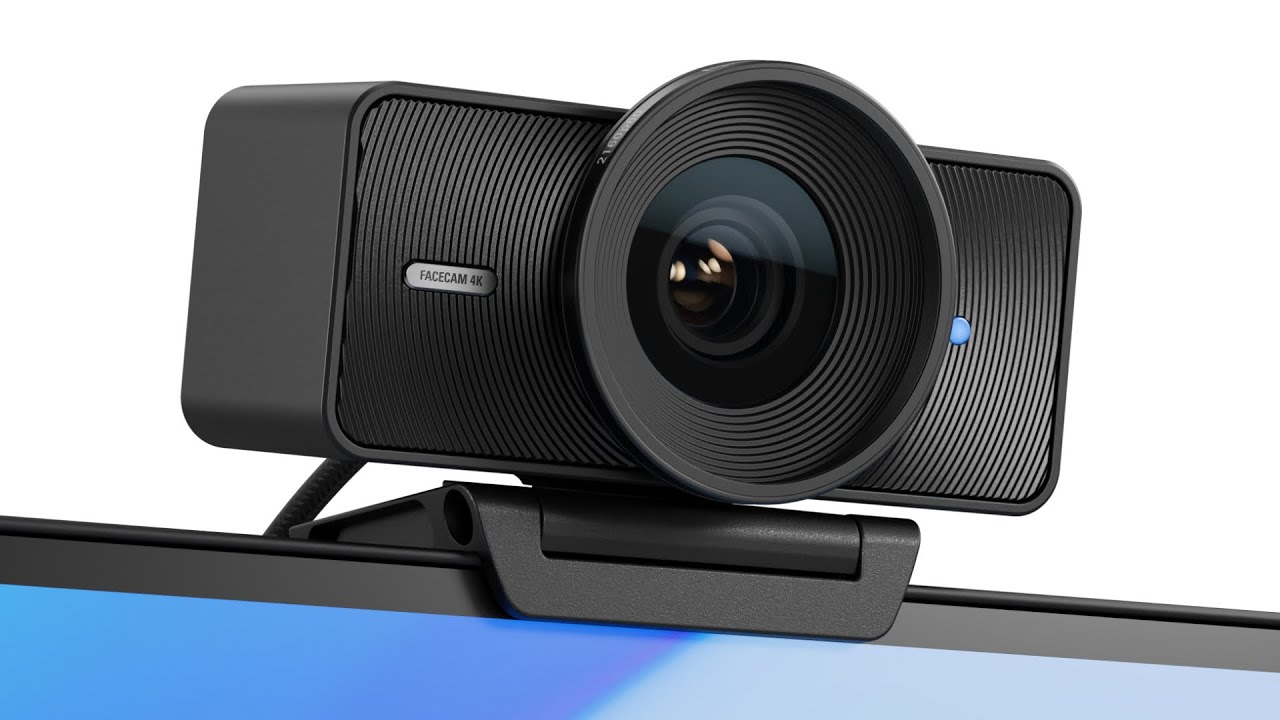
How to choose best web cam
The right webcam depends less on the biggest resolution label than on how you sit, how much of the room needs to appear, and whether the built-in microphone will actually be useful.
Resolution and frame rate
1080p is enough for most meetings, classes, and calls because common video platforms compress the image. A 4K camera can preserve more detail for recording, cropping, and close presentation work, but it may default to 1080p and require software to enable the higher mode.
Frame rate changes how movement looks. The Logitech MX Brio and EMEET S600 can reach 60fps at 1080p, while the listed 4K modes generally run at 30fps. Choose 60fps for smoother hand movement and streaming, and choose 4K when fine detail and cropping matter more.
Autofocus and focus range
PDAF autofocus, found on the EMEET NOVA 4K, S600, and C960 4K, is useful when the speaker moves or holds something close to the camera. Autofocus can be less important for a fixed desk position, where a fixed-focus camera such as the EMEET C960 1080p or NexiGo N60 can stay consistent.
Look for a stated focus range when possible. A camera that is sharp only at one desk distance is less forgiving than one designed for a wider working area.
Field of view
A 65 to 73-degree view usually keeps a solo speaker prominent and avoids showing too much background. The Logitech Brio 4K gives users 65, 78, and 90-degree presets, while the EMEET C960 4K uses a fixed 73-degree view.
A 90-degree lens is more helpful for two or more people or a shared table. It also reveals more of the room, so it demands more attention to the background. The C960 1080p is the clearest group-call choice in this set.
A wide view solves a seating problem, not a lighting problem. Fix the room light before widening the lens.
Microphones
Built-in microphones are convenient, but their performance depends on distance, room noise, and whether the camera is selected as the input device in the calling app. Dual microphones appear on the Logitech C920x, MX Brio, Brio 4K, and the EMEET models listed here.
Noise reduction can make speech easier to understand, but aggressive processing may not sound as natural. If clear voice is central to your work, compare microphone pickup claims carefully and remember that a separate microphone can still be a better long-term solution.
Privacy and mounting
A physical cover is preferable to relying only on software mute or a camera indicator. The Brio 101, MX Brio, EMEET NOVA 4K, EMEET S600, EMEET C960 models, NexiGo N60, and Shcngqio TWC29 include a cover or shutter.
Mount flexibility matters when the camera moves between a monitor, laptop, and desk. The NOVA 4K and C960 4K support 360-degree horizontal rotation, 15-degree vertical adjustment, and a quarter-inch tripod thread. A foldable clip is more convenient for travel, but it offers less control over a dedicated presentation setup.

Frequently asked questions
Is 1080p enough for a webcam?
Yes. A 1080p camera is sufficient for most video meetings, online classes, and ordinary calls. Move to 4K if you record video, crop the frame, or want extra facial and object detail.
Is autofocus important on a webcam?
Autofocus helps when you move around, hold objects toward the lens, or change your seating distance. It matters less when you remain at a fixed desk position and can use a fixed-focus camera that is designed for that distance.
What field of view should a webcam have?
A 65 to 73-degree field of view works well for one person. Choose around 90 degrees when two or more people need to fit in the frame, but expect more of the background to appear.
Do these webcams work with Zoom and Teams?
The product information lists Zoom and Teams compatibility for the Logitech, EMEET, NexiGo, and Shcngqio models where specified. You still need to select the camera and microphone in the application and allow camera permissions in the operating system.
Do these webcams include privacy covers?
Most of the models here include a physical cover. The Logitech C920x is the notable exception, while the Logitech Brio 4K uses an attachable privacy shade rather than an integrated cover.
Can a webcam replace a separate microphone?
It can for ordinary calls, especially when the camera has dual microphones and noise reduction. A separate microphone remains preferable for professional recording, loud rooms, or streaming where voice quality matters as much as the picture.

The bottom line
The Best web cam in this group is the Logitech MX Brio because it combines 4K at 30fps, 1080p at 60fps, useful automatic image processing, strong software controls, a privacy cover, and Show Mode. It is more camera than most meeting users need, but it is the most adaptable choice for someone who works and streams from the same desk.
For a simpler 1080p setup, the Logitech Brio 101 is the easiest recommendation. Choose the EMEET S600 when 4K detail, 1080p at 60fps, and adjustable framing matter more than a simple office setup. The Logitech Brio 4K remains the specialist pick for Windows Hello and multiple FOV presets.
If you are undecided, buy the Brio 101 for ordinary calls or the MX Brio if you expect to record, stream, or keep the camera for several types of work.
As an Amazon Associate we earn from qualifying purchases.