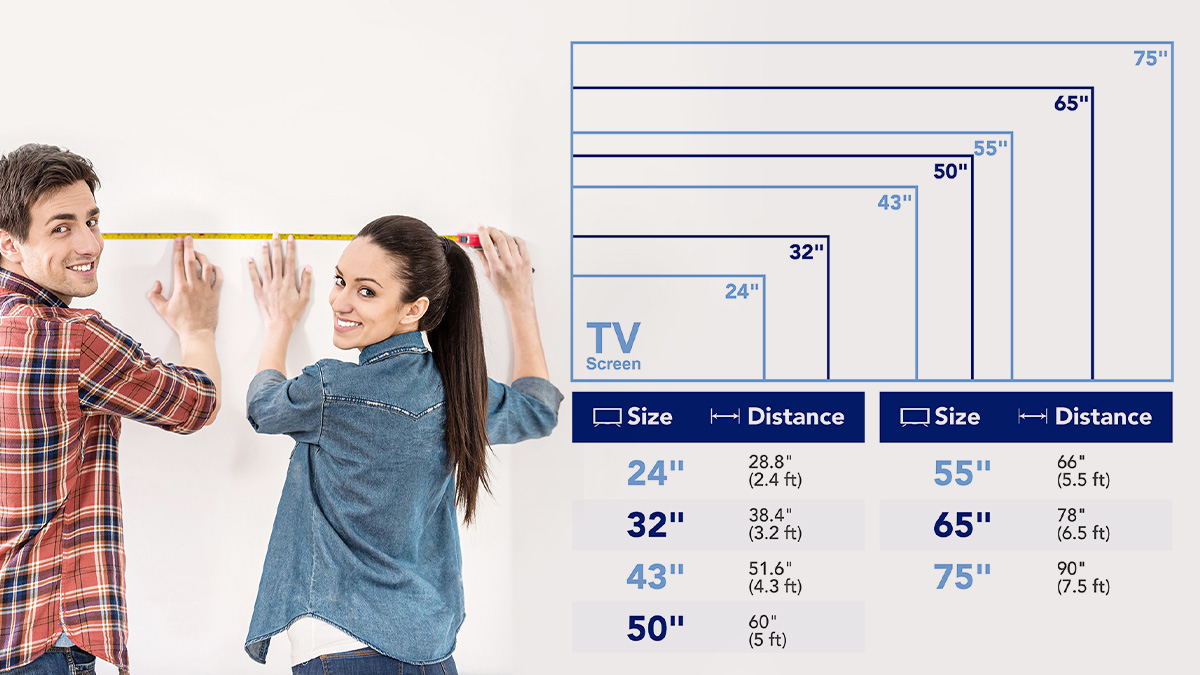

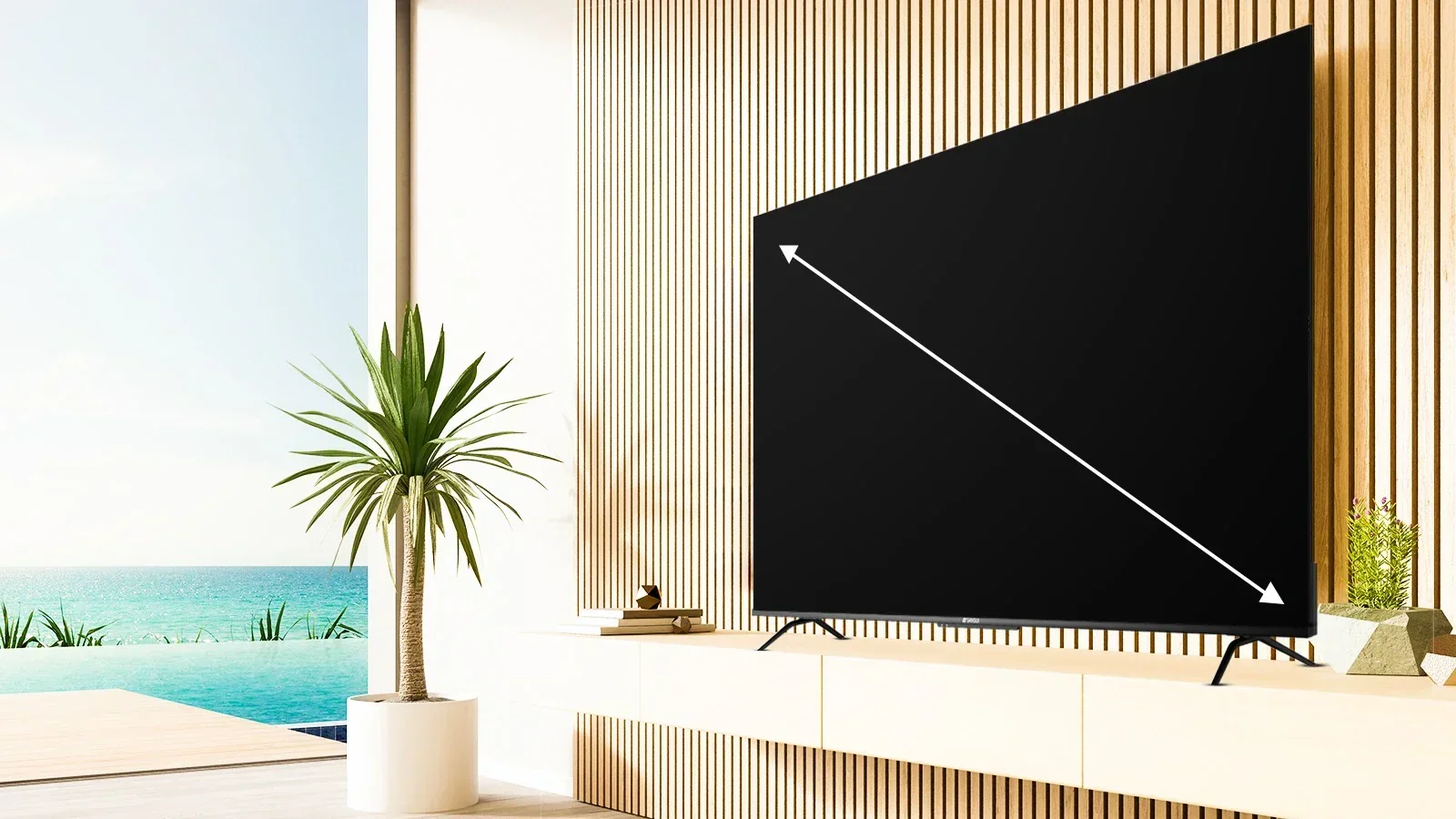
TV screen sizes are the diagonal measurement of the display panel in inches, from one corner to the opposite corner. But that number alone doesn't tell you how big the picture will look or whether it suits your room. The right size depends on where you sit, the resolution you choose, and the space you have.
Every TV sold today lists its size by this diagonal measure. A 55-inch TV is not 55 inches wide. It is roughly 48 inches wide and 27 inches tall for a 16:9 aspect ratio. Understanding that distinction is the first step toward picking a screen that fits your home without surprises.
How TV Screen Size Is Measured
Manufacturers measure a TV's screen diagonally because it is the single largest number they can quote, and it scales uniformly across aspect ratios. The measurement is taken from one corner of the actual display area to the opposite corner, not including the bezel or frame. So a 55-inch screen has a display area that measures 55 inches corner to corner.
This standard exists because early CRT televisions had curved glass that made width and height vary significantly between models. The diagonal was the only consistent figure. That legacy continues today, even though flat panels have uniform geometry.
To verify the diagonal yourself, measure from the top-left corner of the visible screen to the bottom-right corner (or vice versa). Do not include the plastic bezel. If you measure a 55-inch TV and get 54.5 inches, that is normal. Manufacturers round to the nearest inch, and bezels are not part of the screen spec.
Why Diagonal Measurement Matters
The diagonal number lets you compare TVs of different aspect ratios on the same scale. A 55-inch 16:9 TV and a 55-inch 21:9 ultrawide monitor have the same diagonal but very different widths and heights. For television, nearly all consumer models are 16:9, so the diagonal directly translates to a predictable width and height.
You can estimate the width of any 16:9 TV by multiplying the diagonal by 0.87. For height, multiply the diagonal by 0.49. A 65-inch TV is roughly 56.5 inches wide and 32 inches tall. That table or stand needs to be at least as wide as the TV, and ideally a few inches wider on each side.
Screen Size vs. Viewing Distance
The most common mistake buyers make is picking a size based on a showroom display or a neighbor's recommendation without considering their own viewing distance. The ideal screen size is directly tied to how far away you sit. Sit too far from a modest screen and you lose immersion. Sit too close to a large one and you see individual pixels.
A simple rule: measure the distance from your seating position to the TV in inches, then divide by two. The result is a reasonable screen size for 1080p content. For 4K, you can sit closer without seeing pixels, so divide the distance by 1.5. For 8K, divide by about 1.2, though 8K content is still rare.
So for a 10-foot (120-inch) viewing distance: 120 / 2 = 60 inches for 1080p; 120 / 1.5 = 80 inches for 4K. That means a 65-inch 4K TV at 10 feet is a solid fit. A 55-inch at the same distance will feel small for movies and sports.
If you cannot rearrange your room, deciding which size and type fits your setup involves several factors beyond just the diagonal.
What Most People Get Wrong
Marketing photos often show a giant screen in a living room shot with a wide-angle lens. In reality, a 75-inch TV dominates a typical 12- by 15-foot room. It can feel overwhelming if you are accustomed to a 50-inch set.
Buyers also forget that moving from a 55-inch to a 65-inch is not a small step. The screen area increases by roughly 40 percent. That is a lot of extra visual real estate. It changes how the room feels and may require a new TV stand or wall mount.
Resolution and Screen Size: The Trade-Off
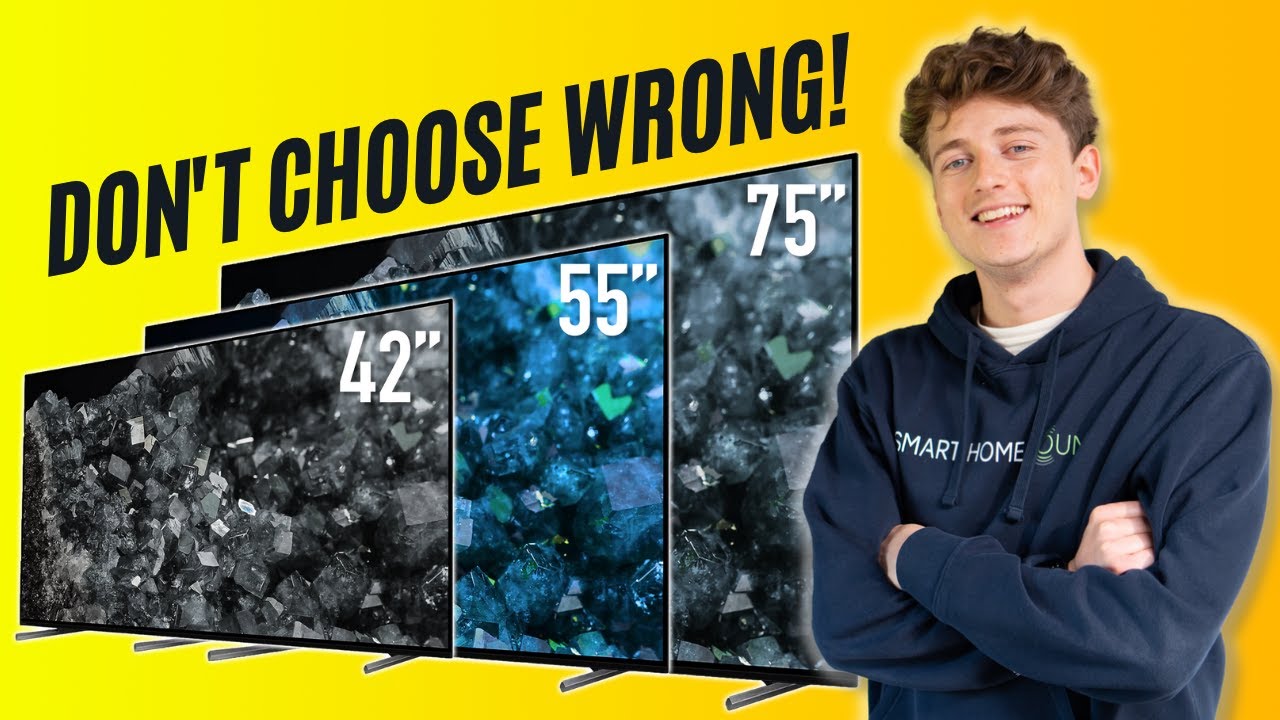
Screen size and resolution work together. A larger screen at the same resolution has lower pixel density, which means you can see individual pixels more easily at close distances. That is why early large 1080p TVs looked soft compared to smaller sets. With 4K becoming standard on all but the smallest TVs, pixel visibility is less of a problem for most people.
A 43-inch 4K TV has a pixel density of about 103 pixels per inch (PPI). A 65-inch 4K TV has about 68 PPI. The lower PPI on the larger screen is still sufficient because you typically sit farther away. If you moved that 65-inch set to the same distance you would use for a 43-inch, the image would look less sharp.
For practical purposes, any 4K TV larger than 43 inches looks sharp at normal viewing distances. The real issue is that 1080p content on a large 4K screen softens the picture. If you watch a lot of older broadcasts or DVD quality material, a 55-inch or 65-inch 4K TV will require good upscaling to avoid making that content look worse than it did on an older set.
When Size Overwhelms Resolution
There is a limit to how large a screen should be for a given room, regardless of resolution. Once the screen fills more than about 40 degrees of your field of view, you have to move your head to see the edges. That is the point where a cinema-like experience becomes uncomfortable for everyday viewing.
For a typical living room, a 65-inch or 75-inch screen at 8 to 10 feet is the sweet spot. Anything larger than 85 inches usually requires a dedicated media room or a very deep lounge layout. If you are considering an 85-inch or larger set, the sizes that still work in compact spaces are not relevant, but the principles of fit and distance still apply.
Common Misconceptions About TV Sizes
Several myths persist around TV screen sizes. Clearing them up helps you avoid an expensive mistake.
Myth: A bigger TV is always better.
False. A screen that is too large for the room causes eye strain, makes it hard to see the entire image at once, and dominates the space aesthetically. The best size is the one that matches your distance and personal comfort.
Myth: Screen size equals overall TV size.
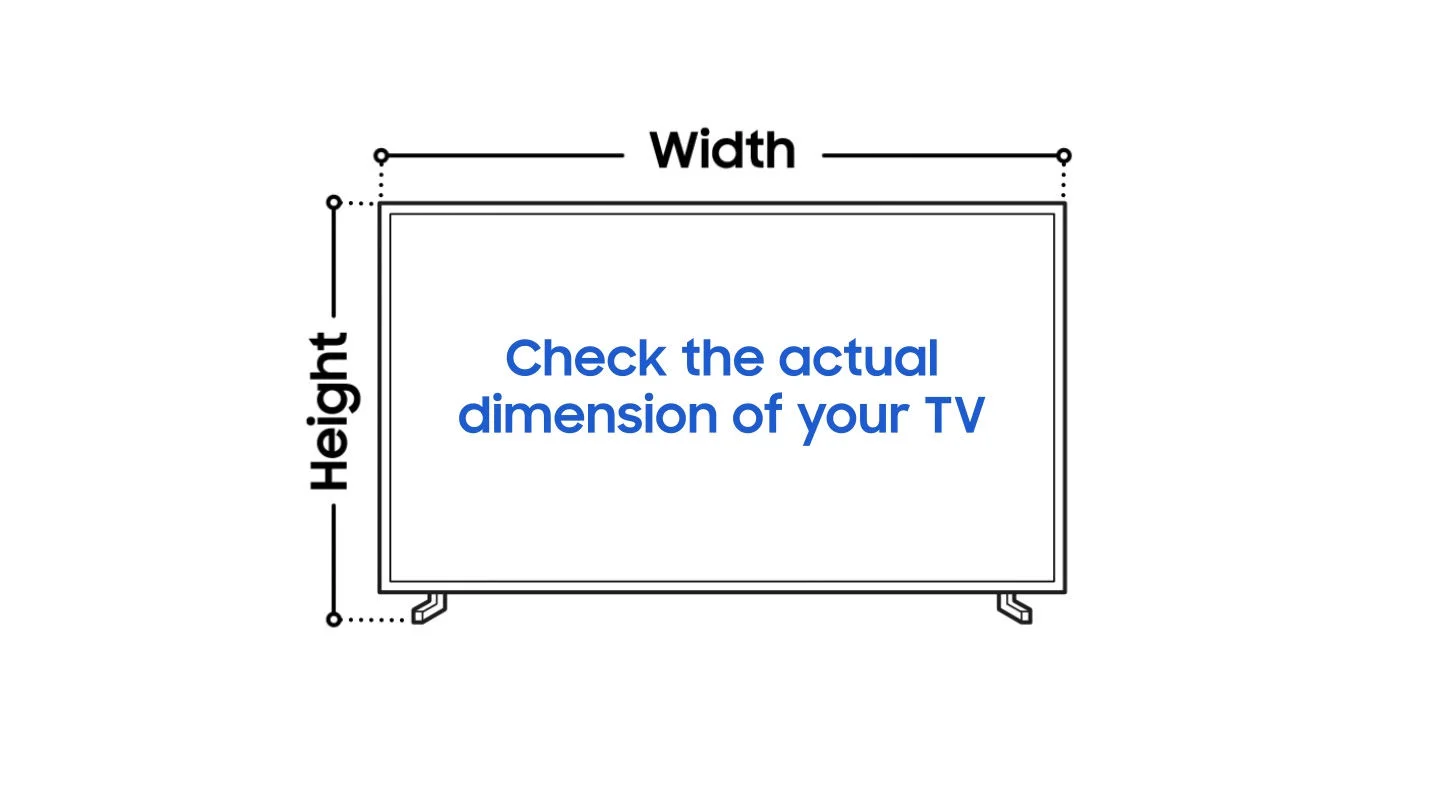
False. The diagonal measurement is only the display area. The actual TV is larger due to the bezel, stand, and rear casing. Always check the product's width and depth specifications, especially when fitting into an entertainment center or between shelves.
Myth: You need a 4K TV to sit close.
Partly true. 4K allows closer viewing without seeing pixels, but resolution alone does not determine comfortable distance. Screen brightness, content quality, and your own eyesight matter too.
Myth: Wall mounting lets you use a larger TV.
True in some ways, but not an unlimited pass. A wall-mounted TV can be placed at the ideal height and distance, but the same viewing distance rules apply. Mounting a 75-inch TV in a small bedroom that is only 6 feet from the foot of the bed is going to feel excessive.
Myth: OLED and QLED TVs look the same at every size.
Not exactly. OLED's superior black levels and contrast are more apparent on larger screens, where you can see the difference between a dark scene with local dimming versus true pixel-level off states. On a 43-inch screen, that gap narrows.
How to Measure Your Room for a TV
A practical way to decide the size is to use painter's tape. Mark the outline of the TV candidate (width and height) on the wall or the space where the TV will sit. Live with that tape for a day. If it feels too big or too small, adjust.
Measure the width of your TV stand or the cabinet opening. A TV should be no wider than the stand; ideally it is 2 to 4 inches narrower on each side. If you are wall mounting, consider the distance from the wall to your seating, and make sure the TV's height leaves the center of the screen at eye level when you are seated.
Most people hang TVs too high. The center of the screen should be at or slightly below your seated eye level, not above it. A large screen mounted above a fireplace forces you to tilt your neck upward, which causes fatigue during long movies.
Small TVs Still Have a Place
Not everyone needs a massive screen. Bedroom, kitchen, and office TVs are often smaller because of space constraints and the viewing distance in those rooms. A 32-inch or 43-inch TV works well at 4 to 6 feet. If you are choosing a compact set for a secondary room, what you give up in screen size is offset by fitting the furniture and not overwhelming the space.
Beyond Size: What Else Changes With Screen Size
As you move up in screen size, the technology inside the TV often changes. Larger models from the same brand tend to have better backlight dimming zones, higher peak brightness, and sometimes superior processors. Not because the brand is generous, but because larger screens need more sophisticated engineering to look good.
A 55-inch entry-level 4K TV might have edge-lit LED backlighting with limited local dimming. The 75-inch version of the same model line often has full-array local dimming with more zones. That affects contrast, black levels, and HDR performance. So if you are deciding between a 55-inch premium model and a 65-inch budget model, the trade-off is picture quality versus size.
Most new TVs also come with smart platforms built in. That functionality is independent of screen size. For details on what a smart TV adds beyond a tuner and an app interface, our explainer on what they offer covers the capabilities and the limitations.
When Screen Size Does Not Matter
There are situations where the diagonal measurement becomes secondary. If you use a TV primarily for background noise or casual daytime viewing, size matters less than brightness and viewing angle. A smaller screen with a matte finish may be more practical in a bright room than a larger glossy panel.
Also, if you watch mostly standard-definition or low-bitrate streaming, a very large screen will make the compression artifacts obvious. In that case, a moderate size like 50 to 55 inches hides flaws better than a 75-inch panel.
Gamers have their own priorities. A 65-inch TV might be ideal for single-player story games, but competitive players often prefer a 42- to 48-inch screen for faster eye movement across the display. Response time and input lag matter more than size after a certain point.
FAQ
Is a 55-inch TV too small for a living room?
It depends on your seating distance. At 8 feet or closer, 55 inches is fine for mixed use. At 10 feet or more, it will feel small for movies. For a larger living room, 65 inches is usually a better minimum.
How do I know if a TV will fit on my stand?
Check the product's width specification, not the diagonal. Measure your stand or cabinet opening, and leave at least 2 inches of clearance on each side for ventilation and stability. The TV's feet or base must sit entirely on the stand surface.
What does screen size have to do with picture quality?
Screen size influences how you perceive resolution and detail. A larger screen at the same resolution has lower pixel density, but if you sit farther away, that difference vanishes. The bigger factor is that larger models often include better picture processing and backlighting.
Is a 43-inch TV too small for 4K?
No. A 43-inch 4K TV has very high pixel density and looks sharp even at close distances. It is a good size for a bedroom or office. For a main living room, the immersion factor of a larger screen usually outweighs the pixel density advantage.
Can I use a 75-inch TV in a 10 by 12 foot room?
It will fill most of your field of view and feel cinematic. Make sure your seating is at least 8 feet from the screen, and consider a wall mount so the TV does not dominate the floor space. Some people find it too intense for casual watching.