
A monitor can make a carefully edited image look wrong before it ever reaches a client. A narrow color gamut hides tones, poor viewing angles shift shadows, and a glossy screen can turn a dark room into a mirror. The right display should show dependable color while giving you enough resolution and workspace to judge fine detail.
Our Best monitor for photo editing picks include calibrated ASUS ProArt displays, large 4K Dell and BenQ screens, and one portable panel for location work. Resolution matters, but so do gamut coverage, panel behavior, connection options, and the stand you will stare at for hours.
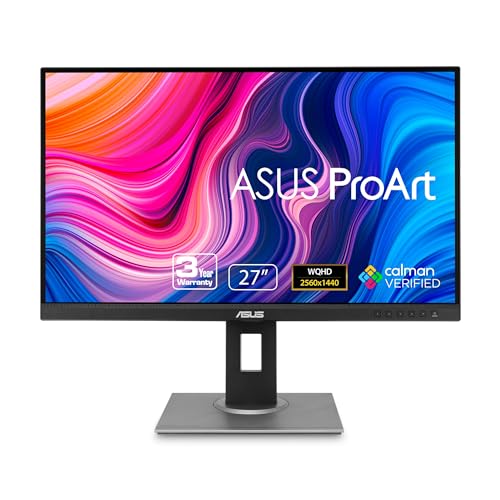
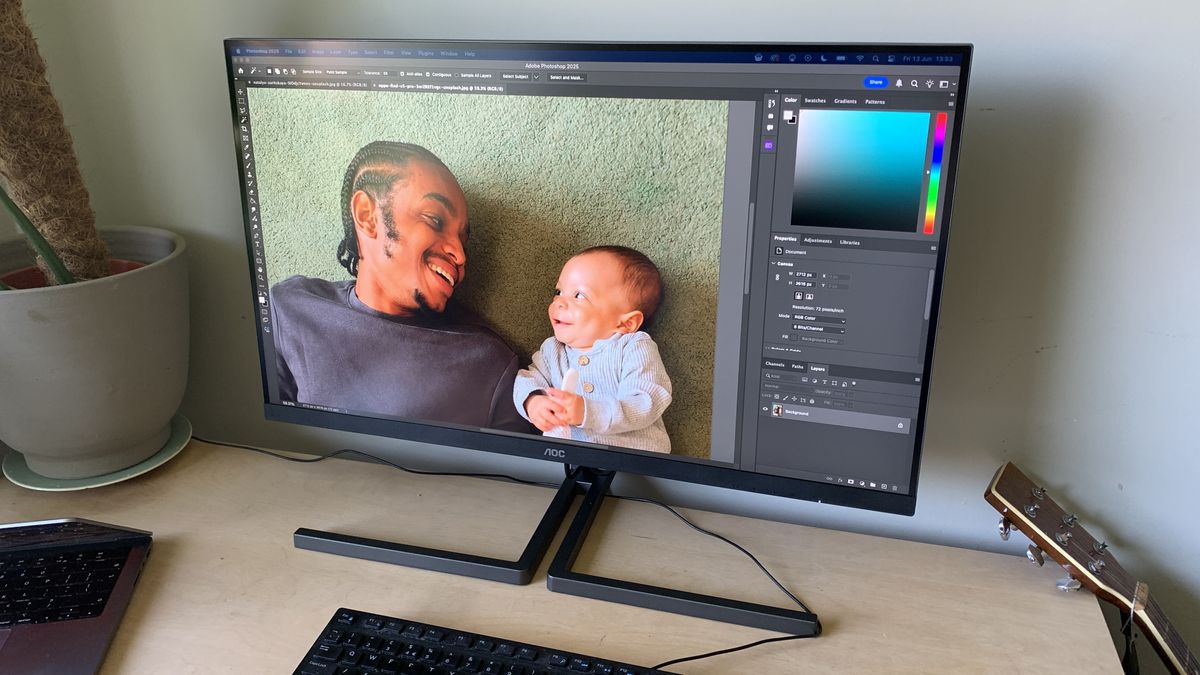
The ASUS ProArt PA278QV is our top pick, with an unusually well-rounded mix of color accuracy, useful QHD workspace, connectivity, and ergonomic adjustment.
Comparison table
| # | Product | Award | Resolution | Color coverage | USB-C | Best for |
|---|---|---|---|---|---|---|
| 1 | ASUS ProArt PA278QV | Best overall | 2560 x 1440 IPS | 100% sRGB, 100% Rec. 709 | Not listed | Most photo editors |
| 2 | ASUS ProArt PA279CRV | Best 4K color range | 3840 x 2160 IPS | 99% DCI-P3, 99% Adobe RGB | 96W power delivery | Wide-gamut creative work |
| 3 | ASUS ProArt PA248QV | Best 16:10 workspace | 1920 x 1200 IPS | 100% sRGB, 100% Rec. 709 | Not listed | Compact editing desks |
| 4 | BenQ PV3200U | Best large screen | 3840 x 2160 | 95% DCI-P3, 100% Rec. 709, 100% sRGB | 65W power delivery | Photo and video studios |
| 5 | Dell S2725QS | Best general-purpose 4K | 4K UHD IPS | 99% sRGB | Not listed | Editing and everyday work |
| 6 | ASUS ProArt PA247CV | Best USB-C compact display | 1920 x 1080 IPS | 100% sRGB, 100% Rec. 709 | 65W power delivery | Laptop-based editing |
| 7 | ASUS ProArt PA279CV | Best 4K USB-C display | 3840 x 2160 | 100% sRGB, 100% Rec. 709 | 65W power delivery | Mac and laptop desks |
| 8 | ViewSonic VP2756A-2K | Best ergonomic QHD display | 2560 x 1440 IPS | 100% sRGB, EBU, SMPTE-C | 90W power delivery | Long editing sessions |
| 9 | Dell S3225QS | Best large contrast | 4K UHD VA | 99% sRGB, 95% DCI-P3 | Not listed | Large-screen editing |
| 10 | Yodoit 4K Portable Monitor | Best portable display | 3840 x 2400 IPS | 145% sRGB | USB-C display connection | Outdoor and travel editing |
1. ASUS ProArt PA278QV: Best Overall
Pros
- Calman Verified color accuracy with Delta E under 2
- Full sRGB and Rec. 709 coverage
- QHD resolution gives a comfortable editing canvas
- Broad video input selection and USB hub
- Fully adjustable stand
Cons
- QHD is less detailed than the 4K ASUS models
- USB-C is not listed
- Larger than a compact 24-inch setup
Best for: photographers who want dependable color and a practical desktop workspace.
The ASUS ProArt PA278QV is the monitor we would put in front of the widest range of photographers. Its 27-inch IPS panel gives editing software enough room to breathe, while the 2560 x 1440 resolution keeps text and interface controls comfortable rather than forcing everything into a tiny scale. It feels like a sensible working tool, not a display designed around one impressive number.
Color is the reason it leads this group. ASUS lists 100% sRGB and 100% Rec. 709 coverage, along with Calman Verification and Delta E under 2. Those standards matter when an image moves between your editing software, a web gallery, and a client device. The PA278QV also includes ProArt Preset and Palette controls for adjusting color, brightness, and black levels without relying only on operating system settings.
The connectivity is unusually flexible. DisplayPort, HDMI, DVI-D, and Mini DisplayPort give it a better chance of fitting into an older desktop or a mixed-device workspace, and the integrated USB hub can keep peripherals closer at hand. The stand tilts, swivels, pivots, and adjusts in height, which is far more useful than a premium-looking panel with a fixed neck. Flicker-free backlighting, an eye-care mode, and an anti-glare coating support long sessions.
The limitation is clear beside the ASUS ProArt PA279CRV and ASUS ProArt PA279CV. They offer 4K detail and USB-C, while this model stays at QHD and does not list USB-C. Photographers working with very high-resolution files or a one-cable laptop setup should move up the list. For everyone else, this is the balanced pick that avoids sacrificing the basics. It is the Best monitor for photo editing for a photographer who wants reliable color, an adjustable position, and a useful screen size without chasing specialized features.
2. ASUS ProArt PA279CRV: Best 4K Color Range

Pros
- 4K detail on a 27-inch IPS panel
- 99% Adobe RGB and 99% DCI-P3 coverage
- Factory calibrated with Delta E under 2
- 96W USB-C power delivery
- Daisy-chain support
Cons
- More capability than a basic sRGB workflow needs
- Large color spaces require careful color management
- Heavier than the smaller ProArt models
Best for: photographers who work in wide-gamut spaces and use a USB-C laptop.
The ASUS ProArt PA279CRV is the more ambitious 27-inch ASUS display. Its 3840 x 2160 resolution makes fine texture, hair, and small retouching marks easier to inspect than on a QHD screen. At this size, 4K also gives a crisp desktop without requiring a huge physical panel, though some users will need to adjust display scaling to keep menus readable.
Its color coverage separates it from most of the list. The panel covers 99% of Adobe RGB and 99% of DCI-P3, while factory calibration and Calman Verification target Delta E under 2. That gives photographers working for print, commercial clients, or wide-gamut delivery more room than the sRGB-focused ASUS ProArt PA278QV. It is not simply a sharper version of that monitor. It is built for workflows where the chosen color space matters.
The USB-C connection carries DisplayPort, data, and up to 96 watts of power. A compatible laptop can therefore use one cable for the screen and charging, with the monitor's USB hub handling connected devices. DisplayPort and HDMI remain available, and DisplayPort daisy chaining can simplify a multi-screen arrangement. The stand tilts, swivels, pivots, and adjusts for height, so the high-resolution panel can be positioned properly rather than left facing a window.
The catch is that broad gamut does not automatically make every workflow better. Images intended only for ordinary sRGB web delivery still need a managed application and a sensible working profile. The BenQ PV3200U offers a larger canvas and strong video-oriented controls, while the PA279CRV wins for a smaller desk and Adobe RGB coverage. Choose this ASUS when detail, wide color, and laptop integration matter more than maximum physical size.
3. ASUS ProArt PA248QV: Best 16:10 Workspace

Pros
- Taller 1920 x 1200 canvas
- Full sRGB and Rec. 709 coverage
- Calman Verified with Delta E under 2
- Flexible ergonomic stand
- DisplayPort, HDMI, and D-Sub inputs
Cons
- Lower resolution than every 4K pick
- No USB-C listed
- Smaller working area than 27-inch panels
Best for: editors who need a compact monitor with extra vertical workspace.
The ASUS ProArt PA248QV makes a good case for the unfashionable 16:10 format. Its 24-inch display uses 1920 x 1200 rather than the more common 1920 x 1080, adding useful vertical room for a photo, layers panel, or toolbar. That extra space will not turn it into a large studio display, but it makes a compact desk feel less cramped.
The IPS panel covers 100% of sRGB and 100% of Rec. 709. ASUS also lists Calman Verification and Delta E under 2, so the PA248QV is aimed at color-conscious work rather than generic office use. Those figures match the color coverage of the ASUS ProArt PA278QV, but the smaller model gives up physical size and pixel count. Fine detail is not as easy to inspect, especially when a high-resolution image is shown at a larger working scale.
Its stand tilts, swivels, pivots, and adjusts in height. That flexibility is valuable on a shallow desk or when the monitor needs to rotate for portrait-oriented images. DisplayPort, HDMI, and D-Sub provide broad compatibility, and the anti-glare surface is useful in rooms with overhead lighting. A blue light filter and flicker-free design address comfort, though they should not be mistaken for color-management features.
The main reason to skip it is not color. It is resolution and scale. The ASUS ProArt PA247CV adds USB-C and 65W power delivery, while the ASUS ProArt PA278QV provides a larger QHD workspace. The PA248QV makes more sense when vertical pixels, physical compactness, and a conventional desktop connection are the priorities. It is a tidy choice for a photographer working from a small home office.
4. BenQ PV3200U: Best Large Screen

Pros
- Spacious 32-inch 4K canvas
- Full sRGB and Rec. 709 coverage
- 95% DCI-P3 coverage
- Factory calibrated to Delta E 2 or less
- 65W USB-C and built-in 2.1-channel audio
Cons
- Needs substantial desk depth
- Designed with video work in mind as well as photography
- Smaller displays are easier to fit into a dual-monitor setup
Best for: creators who want one large screen for photography, video, and audio previews.
The BenQ PV3200U changes the working rhythm of an editing desk. A 32-inch 4K panel gives a photograph enough physical size to inspect comfortably while leaving room for panels and timelines around it. That is especially appealing to people who move between stills and video rather than treating the monitor as a single-purpose photo tool.
Its listed coverage is 100% sRGB, 100% Rec. 709, and 95% DCI-P3, with factory calibration at Delta E 2 or less. The Rec. 709 and sRGB modes suit many delivery workflows, while DCI-P3 coverage gives video creators more latitude. BenQ also includes ICCsync and mobile color preview features, which are aimed at keeping profiles and device previews aligned. Those controls make it a more specialized alternative to the simpler Dell S3225QS.
The single-cable USB-C connection supplies video, data, and up to 65W of power. A Wireless Hotkey Puck and Display Pilot 2 provide physical and software controls for color mode, brightness, and audio, avoiding repeated trips through an on-screen menu. The stand supports tilt, swivel, pivot, and height adjustment. Built-in 2.1-channel speakers with a dedicated woofer are a genuine convenience for video previews, though they do not replace dedicated monitoring speakers for serious audio work.
Its size is both the attraction and the weakness. A 32-inch display can dominate a shallow desk, and photographers who prefer a tighter pixel density or a two-monitor arrangement may find the 27-inch ASUS ProArt PA279CRV easier to place. This is the screen for someone who wants to see more at once and values the video-specific controls. If your work is almost entirely still photography, it may be more monitor than you need, but it is a powerful studio centerpiece.
5. Dell S2725QS: Best General-Purpose 4K

Pros
- Sharp 4K IPS image
- 99% sRGB coverage
- 120Hz refresh rate
- FreeSync Premium support
- ComfortView Plus and integrated sound
Cons
- No wide-gamut coverage listed
- USB-C is not listed
- Less color-focused than the ProArt displays
Best for: photographers who also want a smooth everyday and entertainment display.
The Dell S2725QS is the least specialized display near the top of this list, and that is precisely why it will suit some desks. Its 27-inch 4K IPS panel gives photos clean detail and wide viewing behavior, while 99% sRGB coverage is a sensible match for web publishing and general creative work. It does not present itself as a dedicated color-production monitor, but it avoids the common mistake of pairing a sharp image with limited basic color coverage.
The 120Hz refresh rate and FreeSync Premium support have little to do with still-image color accuracy, yet they make the screen feel more fluid when scrolling through a catalog, moving windows, or playing games after work. Dell also lists a 0.03ms response time in its feature material. The panel is HDR ready and has a 1500:1 contrast ratio, although those claims do not substitute for a full professional HDR workflow.
ComfortView Plus reduces blue light emissions to 35% or less without the usual suggestion that color must be sacrificed. Integrated sound is useful for tutorials, calls, and casual video. The slim bezel and ash white finish give the display a cleaner appearance than the black ProArt models, though appearance should not decide a color-critical purchase.
The S2725QS loses to the ASUS ProArt PA278QV on calibration-focused controls and to the ASUS ProArt PA279CRV on wide-gamut coverage. It wins as an all-rounder for a photographer who edits, browses, plays games, and wants one screen to do all of it. If the monitor's primary job is print proofing, choose a ProArt model instead. If it shares time with everything else on your desk, Dell's combination is more convincing.
6. ASUS ProArt PA247CV: Best USB-C Compact Display

Pros
- Calman Verified Delta E under 2
- Full sRGB and Rec. 709 coverage
- 65W USB-C power delivery
- USB hub and daisy-chain support
- Suits small laptop desks
Cons
- Full HD limits fine-detail inspection
- 24-inch working area is modest
- No 4K option at this size
Best for: laptop photographers who want one-cable connectivity in a small workspace.
The ASUS ProArt PA247CV is built around a simple desktop problem: how to add a color-conscious screen to a laptop without filling the desk or adding a tangle of cables. Its 24-inch IPS panel is compact, and the USB-C connection carries DisplayPort, data, and up to 65W of power. With a compatible laptop, one cable can handle the display and charging.
Color performance is stronger than the Full HD resolution suggests. The panel covers 100% of sRGB and 100% of Rec. 709, and factory calibration is Calman Verified with Delta E under 2. That gives it the same core color targets as the ASUS ProArt PA248QV, but the PA247CV uses a conventional 16:9 1920 x 1080 canvas and adds modern laptop connectivity.
DisplayPort, HDMI, and a USB 3.1 hub make it practical as a permanent laptop station. DisplayPort daisy chaining can also help when a second display enters the setup. The feature set is sensible rather than extravagant, and the monitor's smaller footprint may matter more than a bigger panel if you are working from a narrow table or shared room. It is also a natural companion for a MacBook setup, where a single USB-C lead reduces daily friction. For more ideas on arranging an Apple laptop desk, see how to keep an external screen useful beside a laptop.
The compromise is visible as soon as you zoom into a high-resolution photograph. Full HD offers less room for a large image and editing controls than the QHD ASUS ProArt PA278QV, and it is far less detailed than the 4K ASUS ProArt PA279CV. Choose the PA247CV when the desk and cable setup are more important than maximum canvas size. It is a well-targeted compact monitor, not a high-resolution studio reference.
7. ASUS ProArt PA279CV: Best 4K USB-C Display
Pros
- 27-inch 4K workspace
- Full sRGB and Rec. 709 coverage
- Factory calibrated Delta E under 2
- 65W USB-C power delivery
- USB hub and daisy-chain support
Cons
- Less wide-gamut coverage than the PA279CRV
- No DCI-P3 or Adobe RGB figure listed
- 4K scaling may be needed on some laptops
Best for: Mac and laptop users who want sharp detail with simple USB-C docking.
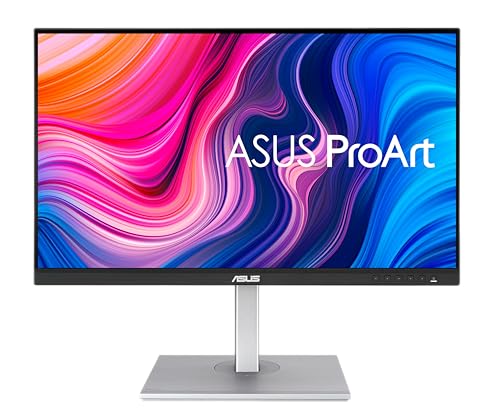
The ASUS ProArt PA279CV is the practical 4K member of the ProArt range. Its 27-inch UHD panel provides 3840 x 2160 pixels, which is useful when retouching fine edges, checking texture, or keeping a large image visible alongside editing controls. The screen is physically manageable, unlike the 32-inch BenQ, but still gives a much more detailed canvas than the QHD models.
It covers 100% of sRGB and 100% of Rec. 709, with factory calibration and Calman Verification targeting Delta E under 2. That makes it a strong fit for photographers delivering to web, general digital media, and Rec. 709-oriented projects. The ASUS ProArt PA279CRV is the better choice for Adobe RGB and DCI-P3 work, but the PA279CV is easier to understand if your color workflow stays in the standard spaces.
USB-C provides DisplayPort connectivity, data, and up to 65W power delivery. HDMI, DisplayPort, and a USB 3.1 hub cover other devices, while daisy-chain support can expand the workspace. This is the kind of monitor that can remain connected to a laptop all week without becoming a daily cable exercise. If your desk is built around a Mac mini rather than a laptop, the practical connection choices for a compact desktop can help you decide how much hub functionality you need.
The PA279CV's weakness is specialization. It has the detail and convenience for serious editing, but its listed gamut is narrower than the PA279CRV's. It also lacks the BenQ's physical control puck and video preview features. Pick it when a sharp 27-inch image, standard color coverage, and 65W USB-C are the priority. It is the cleanest fit for a laptop-centered editing station that does not need wide-gamut production.
8. ViewSonic VP2756A-2K: Best Ergonomic QHD Display

Pros
- 27-inch QHD IPS panel
- 100% sRGB with Delta E under 2
- Pantone Validated color reproduction
- 90W USB-C power delivery
- Excellent stand adjustment
Cons
- QHD has less detail than 4K
- Wide-gamut coverage is not listed
- Newer feature set has less track record than established ProArt models
Best for: editors who need a comfortable, flexible USB-C monitor for long days.
The ViewSonic VP2756A-2K takes a strong middle position between a basic office display and a dedicated 4K color monitor. Its 27-inch QHD IPS panel gives enough room for a photograph and the surrounding editing interface, without the scaling decisions that sometimes accompany 4K on a laptop. The 120Hz refresh rate also makes cursor movement and scrolling feel smoother, although still-image work does not require it.
ViewSonic lists 100% sRGB, EBU, and SMPTE-C coverage, along with Delta E under 2 accuracy. Pantone Validation adds a useful external reference for color reproduction. These credentials put it close to the ASUS ProArt PA278QV for a standard-gamut workflow. It does not list Adobe RGB or DCI-P3 coverage, so photographers working in those spaces should choose the PA279CRV or the BenQ instead.
USB-C supplies up to 90W of charging, more than the 65W offered by the ASUS PA247CV and PA279CV. HDMI, DisplayPort, and USB connections make it suitable for a laptop, desktop, or Mac setup. The stand tilts, swivels, pivots, and adjusts in height, and flicker-free technology plus a blue light filter address comfort. For a screen that may be used all day, proper positioning is not a minor extra.
Its trade-off is the familiar one: QHD is easier to live with than Full HD, but 4K exposes more detail. The ASUS ProArt PA279CV is the sharper choice for high-resolution files, while the VP2756A-2K offers stronger USB-C power and equally useful ergonomic movement. Choose ViewSonic when comfort and laptop integration are central. It is a particularly sensible pick for an editor who spends longer at the desk than in the print room.
9. Dell S3225QS: Best Large Contrast

Pros
- Large 32-inch 4K canvas
- 99% sRGB and 95% DCI-P3 coverage
- VA contrast ratio of 1500:1
- 120Hz refresh rate and FreeSync Premium
- Integrated sound and ComfortView Plus
Cons
- VA panel behavior is less predictable for some color-critical angles
- USB-C is not listed
- Large footprint needs careful placement
Best for: photographers who prefer a big immersive screen with deeper listed contrast.
The Dell S3225QS is the display for photographers who want the image to feel physically substantial. Its 32-inch 4K panel leaves plenty of room for a large preview, layers, and a browser or reference image. The 3840 x 2160 resolution keeps that broad canvas detailed instead of merely oversized.
This Dell uses a VA panel rather than the IPS panels found on the Dell S2725QS and most ProArt choices. Dell lists 99% sRGB, 95% DCI-P3, and a 1500:1 contrast ratio, so photographs can show convincing separation between dark and light areas. VA technology can be a less predictable fit for color-critical work when viewed from off-center angles, however. For a solo editor sitting directly in front of the screen, that concern is less significant than it would be in a group review.
The 120Hz refresh rate, FreeSync Premium, and listed 0.03ms response time make the screen responsive for general computing and games. ComfortView Plus reduces blue light emissions to 35% or less, and Dell has included improved sound for video and calls. The ash white exterior and thin bezel keep the large enclosure from looking too imposing, though the physical footprint still demands a deep, stable desk.
Compared with the BenQ PV3200U, the S3225QS offers a similar screen size and 4K workspace but less creator-specific calibration and control software. Compared with the ASUS ProArt PA279CRV, it gives up compactness and Adobe RGB coverage in exchange for a larger viewing area and stronger listed contrast. Pick it for direct-view editing, mixed work, and entertainment. Skip it if multiple people need to judge color from different positions.
10. Yodoit 4K Portable Monitor: Best Portable Display

Pros
- 3840 x 2400 resolution in a 16-inch format
- Claimed 1200 nit sunlight-readable brightness
- IPS panel with 178-degree viewing angle
- USB-C and Mini HDMI connectivity
- Magnetic cover doubles as a stand
Cons
- Small screen for a primary editing station
- High brightness and broad gamut need careful calibration
- Power requirements can vary by connected device
Best for: photographers who edit or review images outdoors and on location.
The Yodoit 4K Portable Monitor is the outlier here, and it earns its place by solving a problem none of the desktop displays can address. It is a 16-inch travel screen designed to accompany a laptop, camera bag, or field workstation. The 16:10 shape gives a little more vertical room than a conventional 16:9 portable panel, while the 3840 x 2400 resolution keeps a full-resolution image remarkably dense.
Yodoit claims peak brightness of 1200 nits and includes a matte anti-glare coating for daylight use. That combination is the central attraction for outdoor photographers and anyone reviewing images on location. The product also claims 145% sRGB coverage and a 2000:1 contrast ratio. Those figures suggest vivid color and strong shadow separation, but an extremely broad gamut is not automatically accurate. A managed workflow and calibration remain important when the final image must match another display or a print.
USB-C handles compatible laptop connections, while Mini HDMI expands compatibility to devices such as cameras and consoles. The listing explains that Mini HDMI carries video and audio only, so a separate USB-C power connection may be needed. It includes a USB-C to USB-C cable, USB-C to USB-A cable, power adapter, Mini HDMI cable, and USB-C power cable. Dual speakers and a magnetic folio cover that doubles as a multi-angle stand make it easier to use away from a desk. If your travel setup needs a second screen more than a permanent reference panel, the trade-offs of portable workstation displays are worth considering.
The obvious weakness is size. A 16-inch panel is excellent as a companion display but tiring as the only place to inspect a large batch of images. Power behavior also needs attention because the listing says some USB-C laptops may require the included adapter for stable 4K output at full brightness. The ASUS ProArt PA279CV is a much better fixed-desk choice, while Yodoit is the one to pack when sunlight, mobility, and camera connectivity matter more than a generous editing canvas.
How to choose best monitor for photo editing
Start with the kind of files you edit and where those images will be viewed. A photographer making sRGB web images has different requirements from someone preparing wide-gamut commercial work or moving between a laptop and a camera bag.
Color gamut and accuracy
Color gamut describes the range of colors a panel can display, while accuracy describes how closely those colors match the intended values. Full sRGB coverage is a sensible baseline for web photography and general digital work. Adobe RGB and DCI-P3 coverage matter when your camera, software, delivery requirements, and color-managed workflow use those spaces.
Look for factory calibration, Calman Verification, Pantone Validation, or a stated Delta E figure. The ASUS ProArt models, BenQ PV3200U, and ViewSonic VP2756A-2K provide concrete accuracy claims. A large gamut without dependable calibration can simply produce vivid wrong colors.
A wider gamut helps only when your software and output workflow know how to use it.
Resolution and screen size
QHD at 2560 x 1440 is a strong middle ground on a 27-inch panel. It leaves room for editing controls while keeping interface text reasonably comfortable. 4K at 3840 x 2160 shows finer detail and gives more usable space, especially when working with high-resolution photographs, but operating system scaling may be necessary.
A 24-inch Full HD display can be perfectly workable for a compact desk, though it gives less room for a large image and tool panels. A 32-inch 4K display is more immersive, but it needs a deeper desk and a comfortable viewing distance. Screen size should follow the way you sit and work, not just the largest number on the box.
Panel type and viewing behavior
IPS panels are common in this category because they generally provide consistent color across wide viewing angles. That is helpful when you shift in your chair or show an image to another person. The Dell S3225QS uses VA technology and lists higher contrast characteristics, which can make dark scenes look more separated when viewed directly.
Do not treat panel type as a complete verdict. Calibration, gamut, viewing position, ambient light, and the software's color management all affect the result. An accurate IPS screen is usually the easier recommendation for a color-critical desk, while a VA display can suit a user who works straight on and values contrast.
USB-C and power delivery
USB-C can carry video, data, and power through one cable, which is especially useful with laptops. The ASUS PA279CRV supplies up to 96W, the ViewSonic VP2756A-2K supplies up to 90W, and the ASUS PA247CV and PA279CV supply up to 65W. Check your laptop's charging requirement before assuming the monitor can replace its charger.
A USB hub can keep a keyboard, drive, or other accessory connected to the display rather than the laptop. Daisy-chain support may help build a second-screen setup, but it is not available on every model. If you are planning two displays, the connection and spacing decisions behind a dual-screen desk should be settled before choosing ports.
Ergonomics and room light
A stand with height, tilt, swivel, and pivot adjustment lets you put the center of the image at a comfortable angle. That matters during long retouching sessions and can reduce reflections from overhead lights. Anti-glare coatings, flicker-free backlighting, and blue light modes can improve comfort, but blue light settings should be checked against your color workflow before critical work.
Room brightness matters too. A portable monitor claiming 1200 nits is aimed at daylight, while a conventional desktop display may be more comfortable in a controlled room. If your desk changes from a dim studio to a bright window seat, how much screen brightness a room really demands is a useful question to answer.
Frequently asked questions
Is 4K necessary for photo editing?
No. A QHD 27-inch monitor can provide a comfortable editing canvas and enough detail for many photographers. 4K is more useful when you inspect fine texture closely, work with large files, or want more room for an image and editing panels at once.
Is IPS better than VA for photo editing?
IPS is generally the safer starting point because it offers consistent viewing behavior across a wide angle. The Dell S3225QS uses VA and may appeal to someone who works directly in front of the display and values contrast. Calibration and color coverage matter more than the panel label alone.
How much sRGB coverage should a photo editing monitor have?
Full 100% sRGB coverage is a sensible baseline for web photography and general digital delivery. The ASUS ProArt PA278QV, ASUS ProArt PA248QV, ASUS ProArt PA247CV, ASUS ProArt PA279CV, and ViewSonic VP2756A-2K list 100% sRGB coverage. Wide-gamut work may call for Adobe RGB or DCI-P3 coverage instead.
Does USB-C replace a laptop charger?
It can, if the monitor supplies enough power for the laptop. The displays in this roundup list power delivery from 65W to 96W, but the right choice depends on the computer's charging requirement. A compatible USB-C cable and a laptop that supports charging through that port are also necessary.
Should a photo editing monitor have HDR?
HDR can improve supported images and video, but it is not the first feature to prioritize for ordinary photo editing. Accurate gamut coverage, calibration, resolution, and sensible room lighting have a more direct effect on dependable edits. Treat HDR readiness as a secondary feature unless your workflow is specifically HDR-focused.
Is a portable monitor suitable as a primary editing screen?
It can work for travel, but its smaller physical area is less comfortable for a full-time editing station. The Yodoit monitor offers unusually high resolution and claimed brightness in a compact format, making it useful for field review. A 27-inch desktop monitor remains easier for long sessions and large batches.
The bottom line
The ASUS ProArt PA278QV is the Best monitor for photo editing for most people because it combines a comfortable 27-inch QHD canvas, full sRGB and Rec. 709 coverage, Calman Verification, useful connections, and a genuinely adjustable stand. It is the straightforward pick for a standard color-managed workflow.
Choose the ASUS ProArt PA279CRV when 4K detail, Adobe RGB, DCI-P3, and high-power USB-C are central to your work. The BenQ PV3200U is the stronger studio centerpiece for photographers who also edit video and want a large screen with creator-focused controls. For outdoor work, the Yodoit is the only product here that is designed around portability and intense daylight.
If you are undecided, buy the ASUS ProArt PA278QV unless your workflow clearly calls for wide-gamut 4K or a portable display.
As an Amazon Associate we earn from qualifying purchases.