

A DTF printer can turn a finished design into a wearable transfer, but the machine is only one part of the workflow. Film feeding, white ink circulation, curing, cleaning, and software support can determine whether a small apparel setup feels manageable or constantly needs attention. The right choice depends on the size of your designs and how much of the print-to-cure process you want in one station.
We compared ten machines and bundles, including fast F1080 models, A3 and A3+ systems, compact A4 equipment, and one conventional photo printer that is not a true DTF machine. The best dtf printer for most growing apparel setups is the Lancelot M1630 Pro Auto-Cut, while the other picks serve different workspace and production needs.
Comparison table
| # | Product | Award | Print width | Maintenance | Best for |
|---|---|---|---|---|---|
| 1 | Lancelot M1630 Pro Auto-Cut | Best overall | A3 Plus | Holiday Mode, white ink circulation | Flexible small apparel production |
| 2 | Lancelot M1630 Pro Shaker Bundle | Best complete workstation | A3+ | Auto-cleaning, white ink circulation | Print, powder, and curing in one station |
| 3 | DXZ A4 XP600 | Best compact setup | 8.27 inches | Semi-automatic cleaning, white stirring | Smaller designs and tighter rooms |
| 4 | INKSONIC R1390 Laptop Bundle | Best guided starter bundle | 13 inches | Circulation, mixing, filtration, moisturizing | Beginners wanting a ready computer |
| 5 | MZK A3 Pro F1080 | Best high-speed controls | 33cm A3+ | Timed anti-clog cleaning, circulation | Frequent A3 production |
| 6 | DSV A3 F1080 | Best touch-screen workflow | 13 inches | Timed cleaning, white circulation | Hands-on maintenance control |
| 7 | InkSonic A3 R1390 Oven | Best R1390 with oven | 13 inches | Circulation, mixing, filtration, auto-clean | Side businesses needing curing equipment |
| 8 | Epson ET-8550 | Best conventional photo printer | Wide-format | Cartridge-free tank system | Photo and creative printing, not DTF |
| 9 | B btransfer M1630 Pro | Best portable bundle | A3 | Holiday Mode, circulation, nozzle cleaning | A bundled printer and dryer setup |
| 10 | INKSONIC H13 F1080 | Best low-maintenance F1080 | A3+ | Vacation Mode, CISS circulation | Smaller shops wanting a laptop bundle |
1. Lancelot M1630 Pro Auto-Cut: Best Overall

Pros
- Handles both single sheets and rolls
- Automatic film cutting adds workflow flexibility
- Holiday Mode helps during idle periods
- Includes a compatible Windows laptop
- A3 Plus format suits larger apparel designs
Cons
- Large, heavy installation
- Windows only, with no Mac support
- Does not include the integrated shaker and dryer found on some rivals
Best for: small apparel businesses that want flexible film handling and built-in maintenance features.
The Lancelot M1630 Pro Auto-Cut is the one we'd keep for a mixed workload. It is not the smallest machine here, but its ability to accept A3 and A4 sheets as well as rolls makes it less restrictive than the DXZ A4 XP600. The automatic film cutter is a practical touch when designs vary, since you are not committed to one feeding method.
Lancelot specifies an A3 Plus format and a 35 by 29.6 by 14 inch footprint, with a listed weight of about 167.6 pounds. That is a substantial piece of equipment, so a stable permanent work area is essential. The included laptop arrives with drivers and software, which removes one setup hurdle, though the Windows 7, 10, and 11 compatibility means Mac users should skip it.
Maintenance is the stronger reason to choose this model. Holiday Mode combines automatic cleaning with white ink circulation while the printer is idle, and the listing says the circulation system is intended to extend printhead life. Waste ink alerts are also designed to warn before overflow becomes a workspace problem. Those features do not eliminate routine care, but they make occasional printing less intimidating.
The Lancelot M1630 Pro Shaker Bundle is a better choice if you want powdering and drying organized beside the printer. The M1630 Auto-Cut is more adaptable for sheet and roll work and takes up less space than that complete station. For people learning the process, the setup decisions that matter for first-time apparel printing are worth settling before buying.
Its weakness is physical scale and platform limitation. There is no integrated shaker and dryer in this package, and the machine is far too heavy to treat as a casual desktop accessory. Choose it for a dedicated workspace, flexible film use, and a buyer who will appreciate automated idle maintenance.
2. Lancelot M1630 Pro Shaker Bundle: Best Complete Workstation

Pros
- Combines printer, shaker, dryer, stand, and laptop
- A3+ format supports larger transfers
- XP600 printhead supports up to 720 x 1440 dpi
- Accepts both rolls and sheets
- White ink circulation and auto-cleaning aid restarts
Cons
- Requires a very large installation area
- Considerably heavier than compact options
- More equipment than occasional makers need
Best for: a small apparel operation that wants one organized print-to-cure station.
This is the most complete production station in the list. The bundle pairs the A3+ printer with a powder shaker, dryer, mobile workstation, and Windows laptop, so the print-to-cure workflow does not depend on assembling unrelated equipment around the machine. That organization matters when a workroom is handling several steps in sequence.
The XP600 printhead is specified for up to 720 x 1440 dpi. That resolution is useful for fine details and gradients, though a number alone does not guarantee a perfect transfer. Film quality, powder application, curing, and file preparation still affect the finished shirt. The roll and sheet support gives this model more flexibility than the smaller DXZ A4 XP600.
The footprint is the catch. At 48.43 inches long, 42.52 inches wide, and 31 inches high, it needs a real workstation rather than a spare corner. The listed six-item package is also a reminder that this is a system, not simply a printer. Plan power, ventilation, access around the dryer, and storage for film and powder before ordering.
Compared with the Lancelot M1630 Pro Auto-Cut, this bundle adds the shaker and dryer while giving up some compactness. The MZK A3 Pro F1080 emphasizes faster operation and touchscreen controls, but it does not present the same all-in-one workstation package in its listed features. If your orders regularly move from printing into powdering and curing, the Lancelot is the more coherent setup.
White ink circulation, auto-cleaning, and Holiday Mode are intended to make restarts easier after breaks. They are useful safeguards, not permission to ignore cleaning or ink handling. Skip this model if you only make occasional transfers or lack a dedicated production area.
3. DXZ A4 XP600: Best Compact Setup

Pros
- Supports rolls and sheets up to 8.27 inches wide
- Built-in cutter reduces film waste
- XP600 six-color printhead
- Includes an oven
- White ink stirring system helps pigment flow
Cons
- Smaller print width limits large designs
- Listed weight is 151 pounds despite the compact footprint
- Cleaning is semi-automatic rather than fully automated
Best for: makers who mostly produce smaller transfers and need a narrower machine.
The DXZ A4 XP600 is the obvious space-conscious pick, but “compact” needs context. Its listed dimensions are 14.96 by 15.76 by 5.91 inches, yet the machine weighs 151 pounds. It may occupy less floor space than the larger A3+ systems, but it is not something most people will casually move between projects.
Its 8.27-inch print width is the central trade-off. That size works for smaller shirt graphics, labels, bags, and other limited-width transfers, but it cannot match the 13-inch or A3+ machines for broad chest designs. The roller feeder is designed to reduce feeding problems, while the built-in cutter can help avoid wasting film between jobs.
DXZ lists a six-color XP600 printhead, 2800 by 1400 dpi resolution, and a claimed speed twice that of L1800 and L805 printheads. Those specifications point to sharp, saturated output, but the narrower working area remains the practical limit. The included oven makes the bundle more complete than a printer-only setup.
The white ink mixing system and semi-automatic cleaning are aimed at the main maintenance concern in DTF printing: keeping white pigment moving and the nozzles usable. DXZ also lists a one-year warranty for non-consumable parts and six months for the printhead. That support detail is important because the printhead is a consumable-sensitive component.
The InkSonic A3 R1390 Oven gives you a much wider 13-inch work area, while the DXZ is easier to fit in a constrained room. Choose DXZ when design dimensions matter less than footprint and roll-or-sheet flexibility. It is a poor match for buyers who expect large front graphics or want fully automated maintenance.
4. INKSONIC R1390 Laptop Bundle: Best Guided Starter Bundle

Pros
- 13-inch print width
- Includes a pre-installed laptop and oven
- White ink circulation, mixing, and filtration
- Printhead moisturizing unit supports idle periods
- Matched ink, film, powder, and maintenance supplies
Cons
- Large footprint for a printer bundle
- R1390 platform is not the fastest option here
- Requires ongoing maintenance despite its protection systems
Best for: first-time apparel makers who want equipment, computer, and supplies together.
The strongest feature of the INKSONIC R1390 Laptop Bundle is not a single speed claim. It is the attempt to remove several setup decisions at once. The package includes the printer, oven, laptop, matched consumables, and maintenance supplies, making it easier for a beginner to get from design file to transfer without sourcing every component separately.
The 13-inch print width is more useful for apparel than the DXZ's 8.27-inch limit. It accommodates larger shirt graphics and gives tote bags, hoodies, hats, uniforms, and sportswear more room. InkSonic lists up to 2880 dpi and adjustable air suction, with the latter intended to keep film feeding smoothly.
White ink receives unusually detailed protection here. Circulation, mixing, and filtration work together to reduce settling, while the printhead moisturizing unit is intended to help during longer idle periods. That is a good fit for a home studio or side business that may not print every day. It still does not make the system maintenance-free.
The listed dimensions are 31.5 by 9.4 by 13 inches, a relatively narrow shape compared with the complete Lancelot workstation. The pre-installed laptop should simplify software setup, and InkSonic lists phone help, installation videos, manuals, and a California-based service center. Those support resources may matter as much as the hardware for a first DTF setup.
Compared with the InkSonic A3 R1390 Oven, this version adds the laptop and has the same general 13-inch class, while the other package is the simpler printer-and-oven arrangement. The INKSONIC H13 F1080 is the more speed-focused alternative, but it is still a more involved purchase for someone who wants the traditional R1390 workflow. Buyers seeking a printer workflow that fits a small home workspace should measure carefully before choosing either.
The weakness is that the bundle's convenience comes with a large equipment footprint and a platform that is not the speed leader in this group. Pick it when guided setup and a wider work area matter more than maximum throughput.
5. MZK A3 Pro F1080: Best High-Speed Controls

Pros
- 33cm A3+ print width
- F1080 printhead with up to 2880 x 1440 dpi
- Five-inch LED touchscreen
- Timed anti-clog cleaning and white ink circulation
- Includes shaker and purifier
Cons
- Windows only
- Large and heavy
- Printhead warranty is limited to six months
Best for: busy small workshops that want direct access to maintenance controls.
The MZK A3 Pro F1080 is built around reducing trips back to the computer. Its five-inch touchscreen handles nozzle checks, printhead cleaning, one-click ink filling, and layout adjustments. That makes routine work more immediate than on a printer where every maintenance task starts in software.
MZK lists a 33cm A3+ film width, a maximum resolution of 2880 by 1440 dpi, ICC calibration curves, and Variable Sized Droplet Technology. The claimed output is one A3 film in four minutes, or up to 15 sheets per hour. These figures position it ahead of the R1390 models for production pace, though actual results depend on the selected print mode and workflow.
The ink system continuously circulates, mixes, and filters white ink. Timed Holiday Mode cleaning is adjustable, which is a sensible feature for businesses with predictable shutdown periods. Dual ink monitoring adds low-ink alerts and a waste-ink warning, reducing the chance of discovering a problem only after a job has stopped.
At roughly 29 inches wide, 13 inches deep, and 13 inches high, with a listed weight of 151 pounds, it needs a sturdy station. The shaker and purifier add to the workflow rather than leaving curing as a separate purchase. MZK lists compatibility with Windows 7, 10, and 11 and specifically excludes macOS.
The DSV A3 F1080 is the closest rival. It also offers a 13-inch class working area, touch controls, white ink circulation, and a claimed A3 print time of three minutes, but its listed output is up to 10 prints per hour. MZK's higher stated hourly figure and adjustable cleaning intervals make it appealing for sustained work, while DSV's larger integrated station may suit a different room layout.
MZK's main weakness is that its productivity features do not make it small or platform-neutral. The six-month printhead warranty is also shorter than many buyers might expect from a production machine. It is best for a Windows-based workshop that will use the touchscreen and maintenance automation regularly.
6. DSV A3 F1080: Best Touch-Screen Workflow

Pros
- Five-inch LED touch panel
- Claimed three-minute A3 printing
- 13-inch print area
- Includes shaker, dryer, and purifier
- Low-ink and waste-ink alarms
Cons
- Very large overall footprint
- Six-month printhead warranty
- No laptop listed in the bundle features
Best for: apparel makers who want a complete station with hands-on maintenance controls.
The DSV A3 F1080 makes maintenance visible. The five-inch LED panel lets you schedule timed cleaning, check key functions, and manage printer tasks without relying entirely on a computer. The electric roller is another practical detail, since pressing the film into place with one button should make loading more repeatable.
DSV claims an A3 print in three minutes and up to 10 prints per hour. Its 13-inch print area and stated 2880 by 1440 dpi resolution give it the width and detail expected from a small apparel production machine. The F1080 printhead and upgraded mainboard are presented as the basis for stable long-hour operation.
White ink circulation and timed self-cleaning target the most troublesome part of DTF ownership. Dual alarms cover low ink and waste-ink overflow, with color-coded indicators intended to show which tank needs attention. These safeguards are valuable, but they do not replace nozzle checks, cleaning supplies, or careful film and powder handling.
The package includes a shaker, dryer, and purifier, so the machine is closer to a production station than a bare printer. Its listed dimensions are approximately 46.26 by 39.37 by 22.64 inches and its weight is 160 pounds. That is a major installation, larger than the MZK A3 Pro F1080, so the room must accommodate access around the equipment.
The Lancelot M1630 Pro Shaker Bundle has a similarly complete workflow and includes a laptop, while DSV focuses more directly on the touch panel and 13-inch output area. The MZK model is the stronger alternative if a higher stated hourly figure matters, but DSV's electric roller and alarm system make daily operation approachable.
The real limitation is scale. DSV is not a spare-bedroom desktop printer, and its printhead warranty is listed at six months. Choose it for a dedicated workshop where the touch controls and integrated curing path will get regular use.
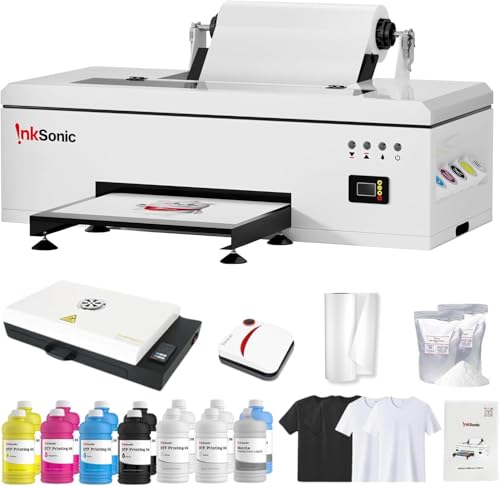
7. InkSonic A3 R1390 Oven: Best R1390 With Oven
Pros
- 13-inch print width
- Oven included
- White ink circulation, mixing, and filtration
- Matched ink, film, powder, and supplies
- One-on-one technical guidance
Cons
- Laptop is not listed as included
- R1390 platform is slower than F1080 options
- Wide-format setup still needs dedicated space
Best for: small apparel sellers who want an oven without a full workstation bundle.
This InkSonic package occupies a useful middle ground. It offers the 13-inch working width of the larger apparel machines and adds an oven, but it does not include the larger workstation arrangement of the Lancelot bundle. For a side business, that can make the workflow easier to understand without committing to a full production station.
The printer supports up to 2880 dpi, CISS continuous ink supply, and adjustable air suction. The 13-inch area is a meaningful step above the DXZ A4 XP600 for shirts, hoodies, and tote bags. InkSonic also lists compatibility with cotton, polyester, denim, canvas, leather, athletic mesh, and blended fabrics, although each material still requires suitable transfer settings.
The white ink system circulates, mixes, and filters pigment. A printhead moisturizing unit helps protect the head during longer idle periods, making this a sensible design for a seller whose orders fluctuate. Auto-cleaning is listed as part of the package, but buyers should not confuse that with a machine that never needs hands-on care.
InkSonic includes matched ink, transfer film, hot melt powder, and maintenance supplies. That reduces early experimentation with incompatible consumables. The listing also describes phone assistance, installation videos, manuals, and one-on-one technical guidance, which can be reassuring when the printer, oven, and software are all new.
The INKSONIC R1390 Laptop Bundle is the more beginner-oriented package because its laptop is included. This model is the cleaner choice if you already have a suitable computer and primarily want the printer plus oven. The INKSONIC H13 F1080 is faster on paper, but the R1390 arrangement may be enough for lower-volume custom work.
Its weakness is the lack of a listed laptop and the older, slower R1390 platform compared with the F1080 machines. It is a good fit for a small apparel seller who already has computing sorted and wants a straightforward 13-inch printer-and-oven workflow.
8. Epson ET-8550: Best Conventional Photo Printer

Pros
- Six-color Claria ET Premium ink system
- Wireless all-in-one design
- Prints, scans, and copies
- Cartridge-free tank system
- Supports wide-format creative printing
Cons
- Not a dedicated DTF printer
- No DTF film, powder, shaker, or curing oven listed
- Conventional photo workflow does not replace a transfer system
Best for: households and studios that need photo and document printing rather than direct-to-film production.
The Epson ET-8550 is the outlier here, and that distinction matters more than its familiar brand name. It is a wireless wide-format all-in-one tank printer for photos, graphics, text, scanning, and copying. It is not a DTF printer bundle and does not include the film, powder, white ink circulation, or curing equipment described by the other products.
For ordinary creative printing, its six-color Claria ET Premium ink system is the central attraction. Epson describes lab-quality photos, vibrant graphics, and sharp text, while the tank design avoids disposable cartridges. The printer is also dramatically lighter than the DTF machines, with a listed weight of 24.5 pounds and dimensions of 20.6 by 29.8 by 16.9 inches.
The included ink is intended to last for extended printing, and Epson states that the printer can produce up to 6, 200 color pages. Those claims belong to its conventional inkjet workflow, not to DTF transfer production. There is no listed XP600 or F1080 printhead, white ink system, film cutter, shaker, dryer, or DTF RIP setup.
That makes the ET-8550 a poor substitute for every dedicated machine above it. The DXZ A4 XP600 is much more appropriate for transfer work in a tight area, while the Lancelot M1630 Pro Auto-Cut is designed around roll and sheet film. The Epson is the one to choose only when the real need is a photo printer that can also handle scanning and copying.
It belongs in this comparison as a warning against buying by the word “printer” alone. If your studio also needs ordinary photos, graphics, or documents, the ET-8550 could complement a DTF system. If the goal is apparel transfers, skip it and consider how photo-focused printing differs from transfer equipment before ordering.
9. B btransfer M1630 Pro: Best Portable Bundle

Pros
- Includes printer, dryer, stand, laptop, and consumables
- Automatic and manual film cutting
- Holiday Mode supports idle periods
- Touch-screen shaker and dryer
- One-on-one technical assistance
Cons
- Large package despite the portable description
- Pink finish may not suit every workspace
- Core printhead specifications are not listed
Best for: buyers who want a bundled M1630 Pro setup with a stand and dryer.
The B btransfer M1630 Pro is a bundle-first purchase. It combines the printer with an A3 shaker and dryer, portable stand, laptop, and consumables. That makes it more immediately complete than a printer-only listing, and the stand is intended to keep the components together for indoor or outdoor work.
Film cutting is a standout feature. The printer supports both automatic and manual cutting, giving you a choice between convenience and direct control. The product information identifies the machine as an A3 package, but the listing does not provide the printhead resolution or speed figures found on the MZK, DSV, and DXZ models.
Holiday Mode circulates ink and cleans nozzles during breaks, which is useful for occasional creators. The shaker and dryer have a touch display with English and Spanish language switching. That should make the curing side of the process easier to operate, although the machine still needs appropriate film, powder, ventilation, and routine upkeep.
The listed dimensions are 35 by 14 by 29.6 inches. It is more substantial than the word “portable” suggests, and buyers should treat the stand as a way to organize the system rather than an invitation to move a heavy printer frequently. The included laptop and lifetime software updates are practical additions for a new setup.
Compared with the Lancelot M1630 Pro Auto-Cut, this package offers a similar M1630 Pro concept but adds the shaker, dryer, stand, and laptop in the listed bundle. The Lancelot model provides clearer information about roll and sheet feeding and A3 Plus sizing. Choose B btransfer when the bundled stand and bilingual touch controls matter more than documented print specifications.
The weakness is uncertainty around unlisted core performance details. It is best for buyers who prioritize a complete package and support over comparing printhead numbers.
10. INKSONIC H13 F1080: Best Low-Maintenance F1080

Pros
- Claimed three-minute A3 printing
- A3+ format with film cutter
- Includes oven and pre-configured laptop
- CISS white ink circulation
- Printhead inspection station and Vacation Mode
Cons
- Laptop software is Windows-oriented
- Core output claims are manufacturer specifications
- Smaller setup lacks the complete shaker station of some rivals
Best for: small shops that want a fast A3+ printer with a laptop and oven included.
The H13 is InkSonic's speed-focused entry in this group. Its listing claims a full A3 print in three minutes, with print data transfer taking about 20 seconds. That combination should reduce the waiting between preparing a design and starting a job, although real throughput will vary with print mode, image coverage, and curing steps.
The A3+ format, film cutter, oven, and pre-configured laptop make this more complete than a bare printer. InkSonic also includes step-by-step guides and video tutorials, which are useful for first-time owners. The listed dimensions are 29.5 by 11 by 12.2 inches, making it narrower than the large shaker-and-dryer stations.
White ink protection is the heart of the design. A siphon-based one-click filling system works with CISS circulation, while an anti-sedimentation module is intended to limit bubbles and pigment buildup. Vacation Mode is aimed at users who may leave the machine idle for extended periods, and the printhead inspection station gives maintenance a more deliberate place in the workflow.
The H13 is a better fit for a small shop than the DSV A3 F1080 when floor space and a laptop matter. DSV offers a larger complete station with shaker, dryer, and purifier, while the H13 provides an oven and a more compact printer package. The MZK A3 Pro F1080 has more prominent touchscreen controls and a higher stated hourly output, so frequent production teams may prefer it.
Support is a major part of the package. InkSonic lists phone and chat help, remote assistance from more than 20 engineers, and a California-based repair center. That cannot compensate for poor setup, but it can shorten the learning curve when a printhead or ink system needs attention.
The H13's weakness is that it is still a specialized Windows-centered system, and its speed claims are not independently established in the listing. Choose it for A3+ transfers, a compact footprint, included laptop and oven, and a buyer who values maintenance safeguards.
How to choose the best dtf printer
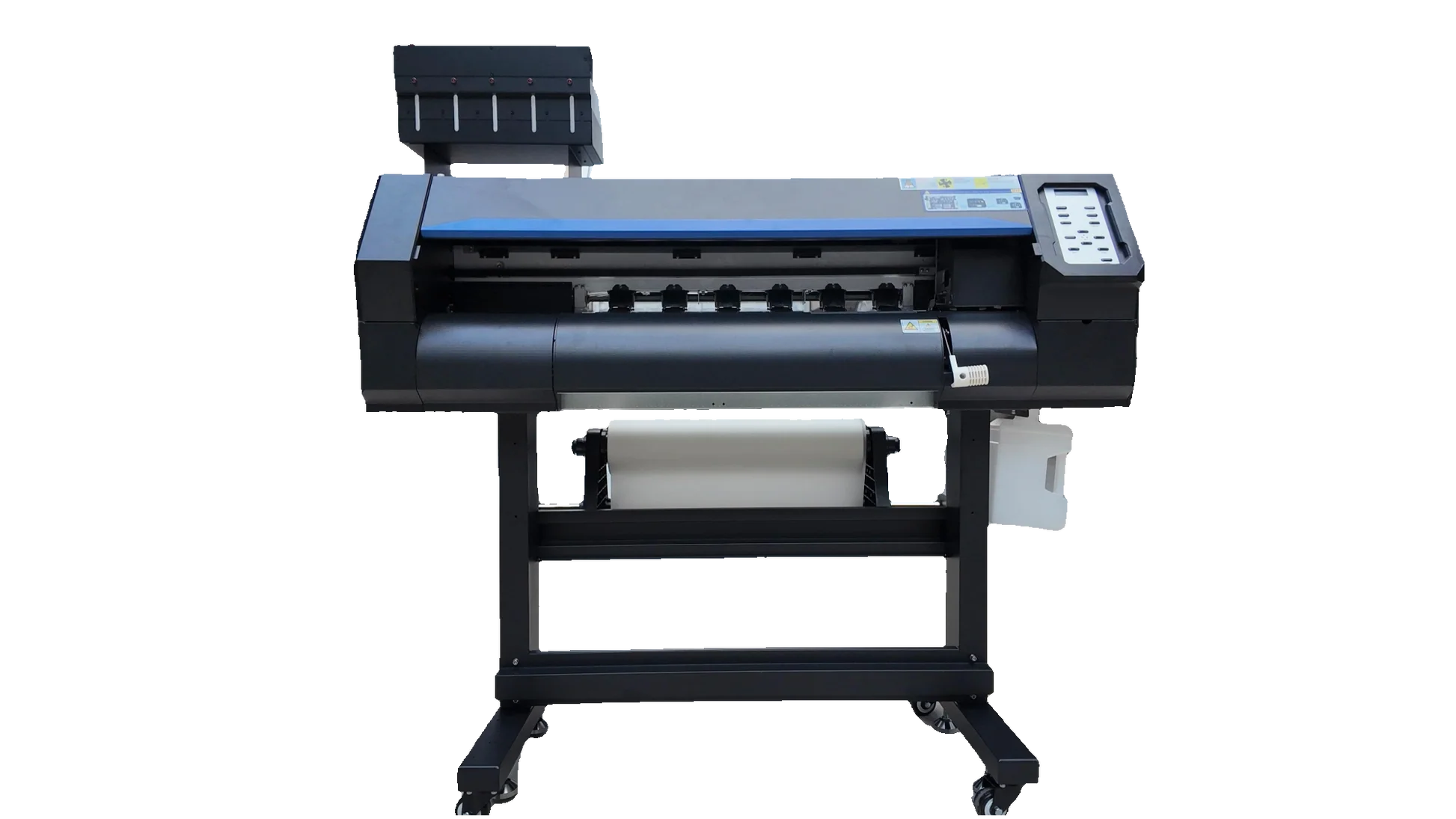
The right DTF machine is defined by the complete workflow, not by print speed alone. Look closely at width, white ink handling, curing equipment, maintenance controls, and the space required around the printer.
Print width
Print width determines the largest transfer you can produce in one pass. An 8.27-inch A4-class machine such as the DXZ A4 XP600 is suited to smaller graphics, while 13-inch and A3+ machines provide more room for shirt fronts, hoodies, and larger bags.
White ink management
White ink can settle and cause inconsistent underbases or nozzle problems. Circulation, mixing, filtration, moisturizing systems, and timed cleaning all help, but they do not remove the need for regular checks. A weak system with no circulation is a poor fit for occasional printing.
Printhead and resolution
The printhead affects speed, detail, and the way the machine handles repeated production. XP600 and F1080 models in this list advertise different resolution and speed figures. Treat those numbers as part of the decision, then consider whether your actual jobs are small graphics, detailed gradients, or repeated A3 sheets.
A faster printhead does not shorten the workflow if powdering and curing still happen one transfer at a time.
Curing equipment
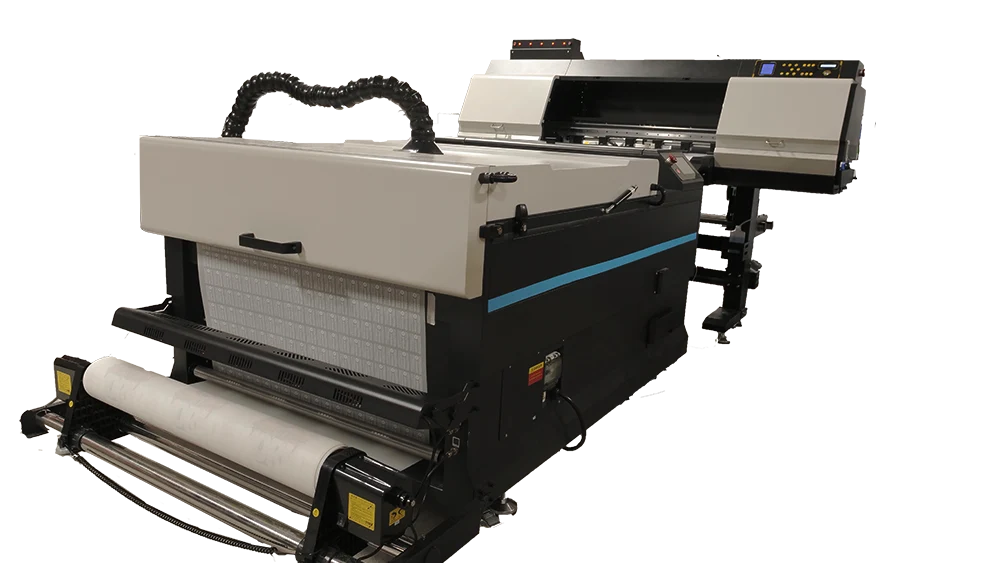
A printer that creates the film is only one stage of DTF production. Ovens, shakers, dryers, and purifiers can reduce manual handling and make powder application more consistent. The Lancelot M1630 Pro Shaker Bundle and DSV A3 F1080 are organized around this complete path, while some printer bundles leave more of the station to the buyer.
Maintenance and support
Holiday Mode, Vacation Mode, auto-cleaning, waste-ink alerts, and printhead inspection stations are useful for businesses that pause between jobs. Check operating-system compatibility as well. Several products specify Windows support and no Mac support, which can rule out a machine before its print specifications matter.
Frequently asked questions
Can the Epson ET-8550 print DTF transfers?
The Epson ET-8550 is presented as a wireless wide-format photo and all-in-one tank printer, not as a DTF printer. Its listed features do not include DTF film handling, white ink circulation, transfer powder, or curing equipment. It should not be treated as a direct substitute for the dedicated machines in this roundup.
Is an A4 DTF printer enough for shirts?
An A4 machine can handle smaller logos, pocket designs, labels, and compact graphics. Its 8.27-inch width limits large front and back artwork, so buyers producing oversized designs should move to a 13-inch or A3+ model.
Why is white ink circulation important?
White pigment can settle when it sits still. Circulation, mixing, and filtration help keep the ink more consistent and can reduce some clogging risks, especially during periods of low use. Regular cleaning and correct storage remain necessary.
Do these printers work with a Mac?
The Lancelot M1630 Pro Auto-Cut and MZK A3 Pro F1080 listings specify Windows 7, 10, and 11 compatibility and say macOS is not supported. The other listings do not provide enough operating-system detail to confirm Mac support. Buyers should verify this before ordering.
Do I need a shaker or dryer?
You need a reliable way to apply powder and cure the transfer, but that does not always mean the equipment must be integrated. A shaker and dryer can make repeated production more consistent and less manual, while a printer-and-oven bundle may suit smaller operations.
Are F1080 printers faster than R1390 models?
The F1080 products in this list advertise faster A3 production than the R1390 models. MZK claims four minutes per A3 film and DSV and InkSonic H13 claim three minutes under their stated conditions. Actual results depend on print settings, design coverage, film handling, and the curing stage.
The bottom line
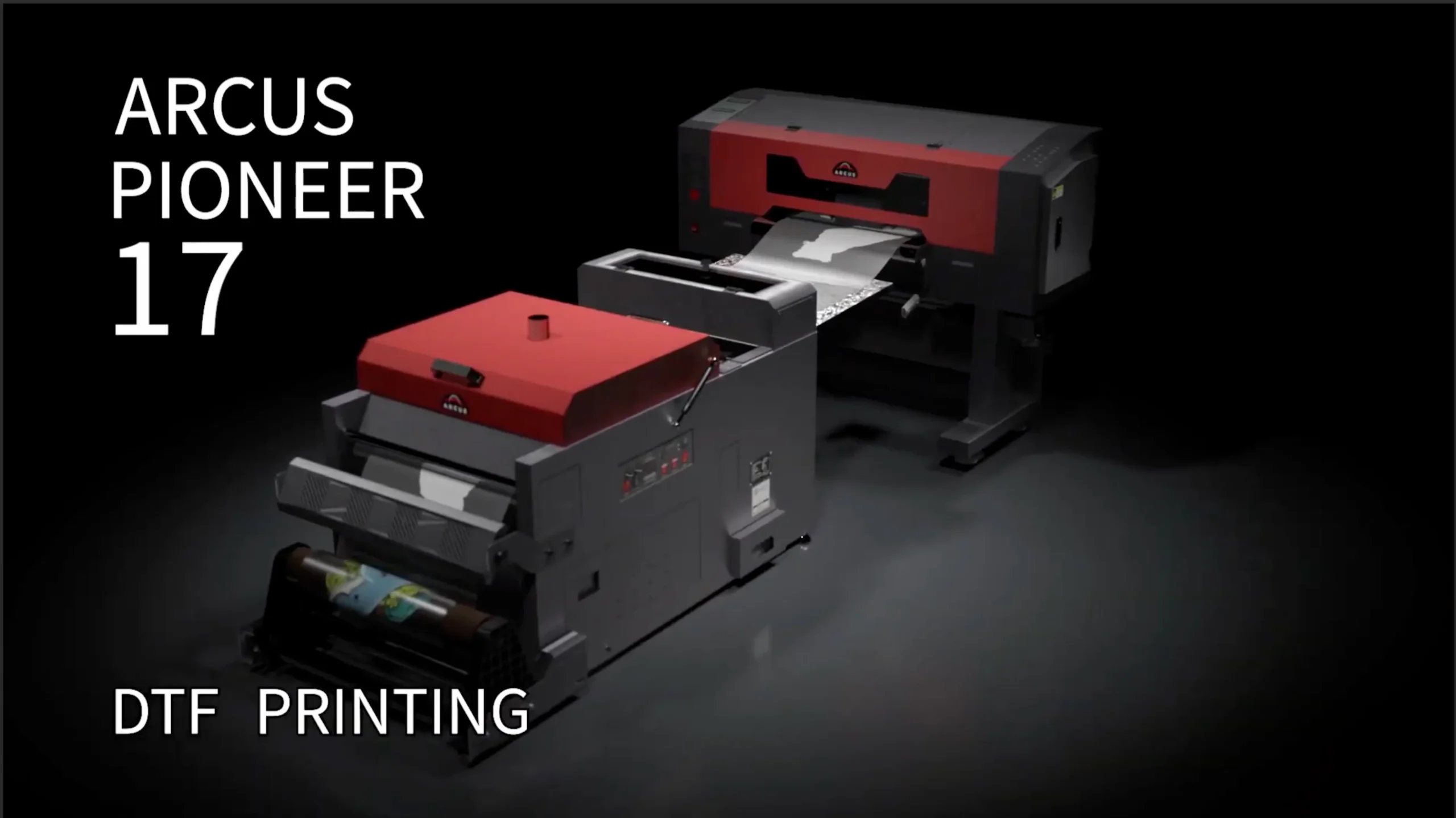
The Lancelot M1630 Pro Auto-Cut is the Best DTF printer for buyers who want A3 Plus flexibility, roll and sheet feeding, automatic cutting, and maintenance features without committing to the largest complete workstation. The Lancelot M1630 Pro Shaker Bundle is the stronger choice for a small apparel business that wants printing, powdering, drying, a stand, and a laptop organized together.
The MZK A3 Pro F1080 and DSV A3 F1080 make more sense for production-focused workshops, while the DXZ A4 XP600 is the sensible fit for smaller designs and tighter rooms. The Epson ET-8550 belongs in a different category entirely, since it is a conventional photo all-in-one rather than a DTF system.
If you are undecided, choose the machine whose width and maintenance workflow match the designs you will actually produce.
As an Amazon Associate we earn from qualifying purchases.