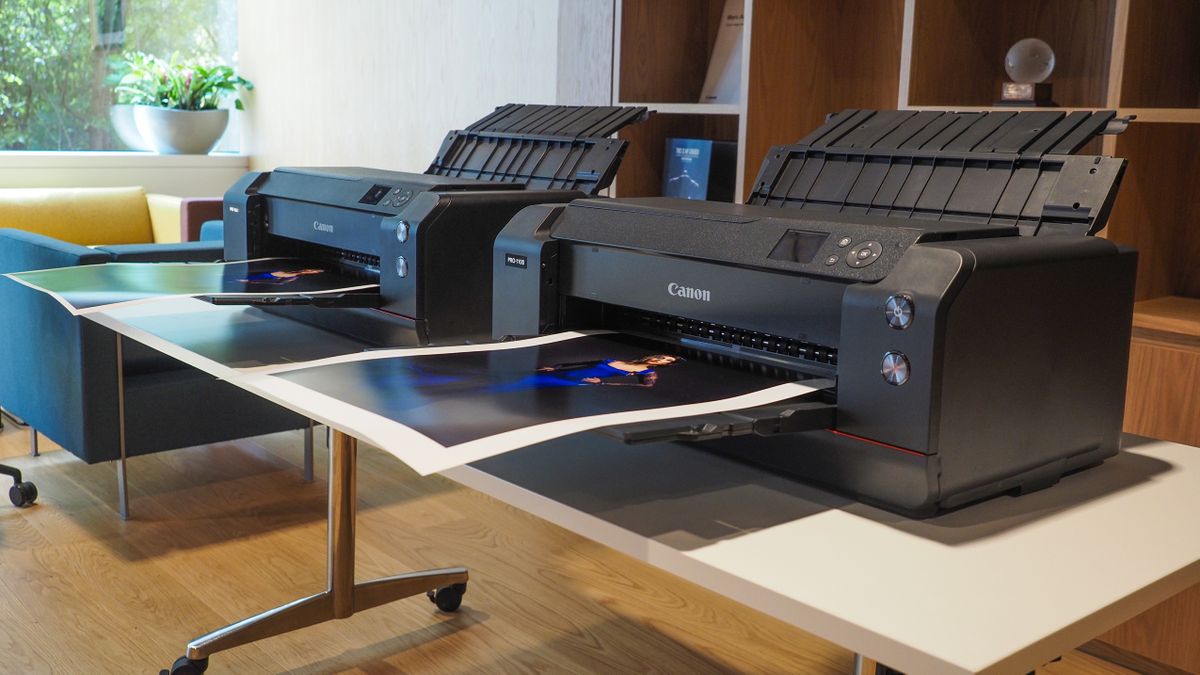

Phone photos are easy to take and surprisingly awkward to print well. Some printers are built for sharp documents first, while others handle glossy snapshots, square stickers, or large gallery-style prints with much more confidence. The challenge is finding one that matches the kind of photos you actually make.
Our Best best printer for photos picks include full all-in-one home printers, refillable tank models, dedicated dye-sublimation machines, and a serious 13-inch Canon made for photographers. The HP Envy Photo 7975 is the best all-rounder, while the range below covers everything from compact phone printing to wide-format work.
Comparison
| # | Product | Award | Photo format | Ink or print system | Best for |
|---|---|---|---|---|---|
| 1 | HP Envy Photo 7975 | Best overall | Borderless photos, up to 8.5 x 11 inches | Inkjet, separate photo tray | Families and home offices |
| 2 | Epson EcoTank Photo ET-8550 | Best tank printer | Wide-format photo and creative prints | Six-color Claria ET Premium ink | Frequent photo printing |
| 3 | Liene M100 | Best 4 x 6 phone printer | 4 x 6 inches | Thermal dye sublimation | Phone snapshots and sharing |
| 4 | Canon PIXMA TS6520 | Best compact all-in-one | Photos up to 8.5 x 11 inches | Two-cartridge hybrid ink | Small workspaces |
| 5 | Epson Expression Premium XP-7100 | Best creative home printer | Borderless photos up to 8 x 10 inches | Inkjet | Photos, crafts, and documents |
| 6 | Canon PIXMA PRO-200S | Best for large prints | Borderless prints from 3.5 x 3.5 to 13 x 19 inches | Eight-color dye-based ink | Photographers and exhibits |
| 7 | Epson EcoTank ET-2800 | Best refillable home printer | Document and photo printing | Refillable ink tank | Mixed household printing |
| 8 | Epson PictureMate PM-400 | Best simple snapshot printer | Borderless 4 x 6 and 5 x 7 inches | Dedicated photo inkjet | Straightforward physical photos |
| 9 | Liene Amber M110 | Best square photo printer | 4 x 6 and 3 x 3 inches | Thermal dye sublimation | Stickers and small prints |
| 10 | HP OfficeJet Pro 8139 | Best home-office multifunction printer | Color photos and documents | Inkjet | Fax, scanning, and office work |
1. HP Envy Photo 7975: Best Overall

Pros
- Handles photos, documents, scans, and copies
- Separate photo tray keeps snapshot paper ready
- Automatic two-sided printing and an auto document feeder
- Large color touchscreen
- Wireless and mobile printing
Cons
- Larger than a dedicated snapshot printer
- Inkjet design is less specialized than the Canon PIXMA PRO-200S
- Print speeds favor documents over photo output
Best for: families that want one wireless machine for photos, schoolwork, and everyday home tasks.
The HP Envy Photo 7975 is the printer we'd put in the average busy home. It does not force you to choose between photos and practical chores. The separate photo tray is a small but meaningful convenience, since glossy paper can stay loaded while the main tray handles ordinary sheets. Its ability to print, scan, copy, and feed a stack of pages makes it much more useful than a dedicated 4 x 6 machine.
HP lists color output at up to 10 pages per minute and black output at up to 15 pages per minute. Those figures describe document work, not photo production, but they explain the Envy's personality. It is built to move between a color worksheet, a borderless photo, and a scanned document without making the user change devices. The automatic two-sided function also helps when the printer is serving as a household document station.
The large color touchscreen is more pleasant for direct operation than a row of cryptic buttons. Wireless printing and mobile support make it easy to send a photo from a phone, while HP's AI-enabled formatting tools are aimed at cleaning up web pages and emails before they use paper. That feature is more relevant to mixed home printing than to careful photo editing, but it adds to the Envy's sensible all-purpose design. For a broader look at machines aimed at family spaces, the features that matter in a home photo printer are useful to compare.
The weakness is specialization. The Epson EcoTank Photo ET-8550 offers a six-color ink system and a much stronger route to wide-format creative work. The Canon PIXMA PRO-200S goes further still for large photographic prints. The Envy also measures 18.11 inches wide, 15.08 inches deep, and 9.17 inches high, so it is not a tiny countertop accessory. Choose it when one reliable all-in-one matters more than the last degree of photographic control.
2. Epson EcoTank Photo ET-8550: Best Tank Printer

Pros
- Six-color Claria ET Premium ink
- Wide-format output for creative projects
- Refillable tank avoids conventional cartridges
- Scanner and copier included
- Ink supply is designed for long intervals between refills
Cons
- Large footprint
- Less convenient to move than the compact photo printers
- Better suited to a dedicated work area
Best for: people who print photos and creative projects often enough to need a refillable wide-format system.
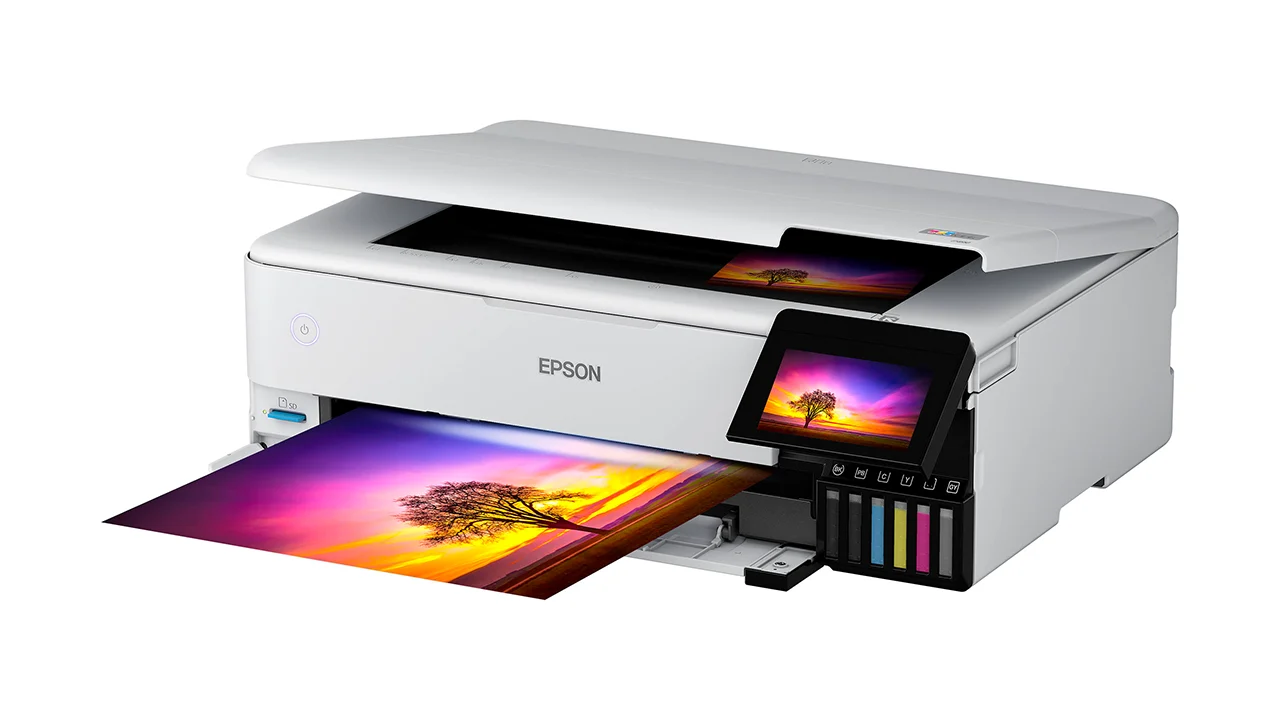
The Epson EcoTank Photo ET-8550 is the most versatile photo-focused machine here before you move to a professional printer. Its defining advantage is not a single headline feature. It is the combination of wide-format support, a six-color ink set, and a tank system that makes regular printing feel less interrupted. The result is a printer for someone who wants to make more than occasional small snapshots.
Epson's Claria ET Premium system uses six colors, which gives the printer more room to shape subtle tones than the two-cartridge Canon PIXMA TS6520. That matters in skies, skin tones, foliage, and other areas where a basic color system can look abrupt. The ET-8550 is also designed for graphics and creative projects, so it fits photo books, art prints, and larger personal projects better than the HP OfficeJet Pro 8139.
This is a substantial piece of equipment. It measures 20.6 inches wide, 29.8 inches deep, and 16.9 inches high, with a listed weight of 24.5 pounds. Those dimensions need a proper surface and some planning around paper handling. In return, Epson says the included ink can last for up to two years and that the printer can produce up to 6, 200 color pages. Those claims are not a promise about every photo project, but they show why this design suits a high-volume home studio.
The ET-8550 is not the pick for someone who prints a few phone snapshots and then puts the printer away. The Liene M100 is far easier for that job, and the Epson PictureMate PM-400 takes up less space for standard-size photos. The Canon PIXMA PRO-200S is the more serious choice for photographers who need prints up to 13 x 19 inches and want an eight-color system. Pick the Epson when wide creative range and refillable operation matter more than compactness.
3. Liene M100: Best 4 x 6 Phone Printer

Pros
- Dedicated 4 x 6 dye-sublimation output
- Includes 100 sheets and three cartridges
- Water, scratch, fingerprint, and fade-resistant laminated surface
- Built-in Wi-Fi hotspot
- Supports up to five simultaneous connections
Cons
- Does not replace a document all-in-one
- Limited to 4 x 6 photos
- Requires correct cartridge installation
Best for: families and groups that want to print phone photos without setting up a full-size office printer.
The Liene M100 understands the appeal of physical photos better than a general-purpose printer does. It is a dedicated 4 x 6 machine, so there is no scanner, document feeder, or office interface competing for attention. Load the paper and cartridge, connect a phone to the printer's own Wi-Fi hotspot, and the job stays focused on making small, shareable pictures.
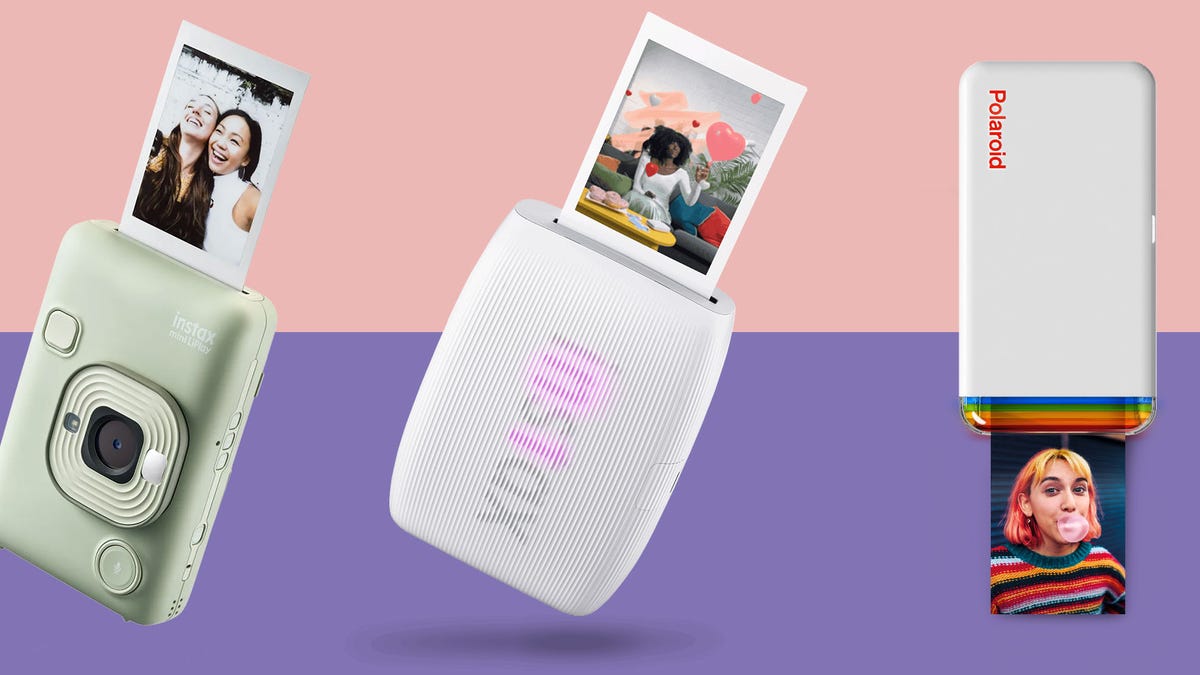
Its thermal dye-sublimation system transfers color into the paper rather than relying on a conventional inkjet nozzle pattern. Liene says the finished surface is laminated and resistant to water, scratches, fingerprints, and fading. That is a useful trait for prints that will be handled at a party, placed in a scrapbook, or passed around among friends. It also gives the M100 a different feel from the more general HP Envy Photo 7975.
The bundled setup includes 100 sheets and three color cartridges, with the contents divided between the printer package and an additional box. The printer can accept connections from up to five devices at once, which makes it unusually well suited to a group event. Its built-in hotspot avoids reliance on an existing home network, and the Liene app can add borders, filters, contrast, brightness changes, and identity-photo layouts.
The trade-off is obvious and important: this is not a household all-in-one. You will still need another machine for school pages, scans, and copies. The M100 is also much less flexible than the Liene Amber M110, which supports both 4 x 6 photos and 3 x 3 sticker paper. If you want the simplest path from a phone gallery to a durable standard snapshot, though, the M100 is the Liene model we'd choose.
4. Canon PIXMA TS6520: Best Compact All-in-One

Pros
- Compact 14.8-inch depth and 14-inch width
- Automatic two-sided printing
- Scanner and copier built in
- Dual-band Wi-Fi
- Simple 1.42-inch OLED display
Cons
- Two-cartridge ink system is less photo-focused
- No automatic document feeder
- Not designed for large-format work
Best for: small desks that need a printer, scanner, copier, and occasional photo output.
The Canon PIXMA TS6520 is the least intimidating all-in-one in this group. At 14.8 inches deep and 14 inches wide, it fits spaces where the broader HP and Epson machines may feel intrusive. The 6.7-inch height also makes it relatively easy to place under a shelf or on a shallow desk, provided there is room for paper movement.
Canon uses a two-cartridge hybrid ink system, with one cartridge handling color and another handling black. The company positions it for crisp text and vivid color photos, and it can print photos up to 8.5 x 11 inches with or without borders. That is enough flexibility for family pictures and creative pages, but it does not provide the tonal separation of the Epson EcoTank Photo ET-8550 or the eight-color Canon PIXMA PRO-200S.
The controls are unusually clear for a compact printer. A 1.42-inch monochrome OLED display shows ink levels and printer status, while the control panel handles the basic setup without requiring a phone for every task. Dual-band Wi-Fi supports both 2.4GHz and 5GHz connections, and Canon lists support for its own app, Apple AirPrint, and Mopria. Automatic two-sided printing keeps it useful for ordinary documents.
Canon has left out an automatic document feeder, so this is not the right machine for scanning a stack of pages. The HP Envy Photo 7975 is more capable for a busy household, while the Epson Expression Premium XP-7100 offers more direct photo handling and creative media options. The TS6520 wins through size and simplicity. It makes sense for someone who wants photos as part of a small home setup rather than a printer devoted to them.
5. Epson Expression Premium XP-7100: Best Creative Home Printer

Pros
- Borderless photos up to 8 x 10 inches
- 30-page automatic document feeder
- Automatic two-sided printing
- USB and SD card photo printing
- 4.3-inch touchscreen
- Supports specialty paper and DVDs
Cons
- Uses Epson genuine cartridges exclusively
- Larger and heavier than the Canon TS6520
- Older design than several alternatives
Best for: home users who want direct photo controls and creative media support alongside everyday printing.
The Epson Expression Premium XP-7100 is a more creative machine than its plain all-in-one shape suggests. Its useful distinction is the way it lets photos enter the workflow. You can print from a phone or computer, but the 4.3-inch touchscreen also supports direct photo handling from a USB drive or SD card. That is handy when a camera card is already holding the images you want.
It prints borderless photos up to 8 x 10 inches, putting it ahead of the Canon PIXMA TS6520 for larger standard photo paper. Epson also lists support for specialty paper and DVDs, so the XP-7100 makes more sense for craft projects, labels, and older media habits than the simpler HP OfficeJet Pro 8139. Automatic two-sided printing and a 30-page automatic document feeder stop it from becoming a photo-only curiosity.
The wireless feature set is broad. Wi-Fi, Wi-Fi Direct, and Ethernet give it several ways to join a home setup, and mobile printing covers tablets and smartphones. Its 23.5-inch width and 21.5-pound weight do make it a substantial desktop object. Before choosing it, the space and connection trade-offs for a home printer deserve a quick check, especially if the printer will sit in a narrow study.
The main limitation is the ink arrangement. Epson states that the system is designed for use exclusively with Epson genuine cartridges and warns that non-genuine ink can cause damage outside the printer's warranty coverage. That may be acceptable for a user who wants predictable operation, but it reduces flexibility. The ET-8550 is the stronger long-term photo platform, and the TS6520 is easier to fit. Choose the XP-7100 for its hands-on photo workflow and specialty media support.
6. Canon PIXMA PRO-200S: Best for Large Prints

Pros
- Eight-color dye-based ink system
- Borderless sizes from 3.5 x 3.5 to 13 x 19 inches
- 3-inch color LCD monitor
- Fast listed output for 8 x 10 and A3+ prints
- Built for serious photographic output
Cons
- Large and heavy
- Photo-focused rather than an all-in-one
- Requires dedicated space and a more deliberate workflow
Best for: photographers who need large, vivid prints and do not need scanning or copying.
The Canon PIXMA PRO-200S is the specialist in this roundup. It is not trying to be the printer beside the family computer. It is designed around the final print, with an eight-color dye-based ink system and support for borderless images from 3.5 x 3.5 inches all the way to 13 x 19 inches. That range makes it the clear choice when a standard snapshot is only the beginning.
The extra ink colors matter most in images with nuanced gradients and saturated subjects. The PRO-200S has more room to render a landscape, portrait, or artwork than a two-cartridge home printer. Canon lists a bordered 8 x 10 print in 53 seconds and a bordered A3+ print in 90 seconds. Those figures give a useful sense of its intended pace, although the source image, paper, and settings still affect the finished job.
A 3-inch color LCD monitor displays ink levels, printer status, and settings without making the user reach for a computer. The printer measures 28.7 inches deep, 18.6 inches wide, and 14.04 inches high, and it weighs 32 pounds. That is too much machine for a casual corner, but reasonable for a dedicated photo workstation. The Epson EcoTank Photo ET-8550 is more flexible because it includes scanning and copying, while the PRO-200S is more focused on large photographic output.
The weakness is not hidden. There is no scanner or copier, and its scale demands a permanent home. It also asks more of the person operating it, since large prints benefit from careful image preparation and paper selection. For photographers who need to compare the print sizes and workflow demands of serious photo printers, this is the model to examine first. For everyone else, the ET-8550 is easier to live with.
7. Epson EcoTank ET-2800: Best Refillable Home Printer

Pros
- Refillable cartridge-free tank system
- Scanner and copier included
- Up to 7, 500 color pages listed
- Up to two years of ink included
- Compact 11.4-pound design
Cons
- Less photo-specialized than the ET-8550
- Slower document output
- Epson recommends genuine ink
Best for: households that print documents regularly and want photo capability without frequent cartridge changes.
The Epson EcoTank ET-2800 is a practical tank printer with photo ability, not a photo printer disguised as an office machine. That distinction matters. It is a good fit for a home that prints forms, worksheets, and ordinary color pages every week, then occasionally turns out family photos. The refillable design keeps the focus on long stretches of use rather than small cartridge changes.
Epson says the included ink can last for up to two years and that the system can print up to 4, 500 black pages or 7, 500 color pages. Those figures vary with coverage, and a full-page photo uses ink differently from a text document, but they communicate the ET-2800's strong endurance for mixed printing. Its Micro Piezo Heat-Free Technology is intended to produce vivid, detailed prints and documents.
The ET-2800 is smaller and lighter than the ET-8550, measuring about 16 inches wide, 17 inches deep, and 9.3 inches high, with a listed weight of 11.4 pounds. It includes a scanner and copier, so it is more useful around the house than the Liene M100 or Canon PIXMA PRO-200S. Epson lists a document speed of up to 10 ISO pages per minute, which is adequate for home jobs but not especially quick for a busy office.
The compromise is photo refinement. The ET-8550's six-color Claria ET Premium system is a much more deliberate choice for photo work, and the HP Envy Photo 7975 has a separate photo tray plus a broader family-oriented interface. The ET-2800 suits the household that wants fewer interruptions and sensible all-in-one coverage. It is not the model we'd pick for exhibition prints, but it is a capable foundation for routine home printing.
8. Epson PictureMate PM-400: Best Simple Snapshot Printer

Pros
- Dedicated borderless 4 x 6 and 5 x 7 photo output
- Compact six-pound design
- Wireless printing from phones and tablets
- Listed 4 x 6 output as fast as 36 seconds
- Straightforward photo-focused operation
Cons
- No scanner, copier, or document printing focus
- Uses Epson genuine cartridges
- Limited to smaller photo formats
Best for: people who want a compact wireless printer dedicated to 4 x 6 and 5 x 7 photos.
The Epson PictureMate PM-400 has a clear job and sticks to it. It prints borderless 4 x 6 and 5 x 7 photos, connects wirelessly to phones and tablets, and avoids the extra hardware that makes a general all-in-one larger. If a printer is mainly used to turn a camera roll into physical snapshots, that focus is appealing.
Epson lists a 4 x 6 borderless photo in as fast as 36 seconds under its stated default conditions. Actual time depends on the system, software, paper, and image complexity, but the figure suggests a printer made for batches of small photos rather than one large print at a time. The PM-400 is also just 6 pounds, with dimensions of 9.8 inches wide, 15.1 inches deep, and 7.9 inches high.
This is a more traditional photo inkjet than the Liene M100's dye-sublimation system. The Liene produces laminated prints that are resistant to water, scratches, fingerprints, and fading, while the PM-400's appeal is its familiar Epson photo workflow and support for two standard snapshot sizes. The HP Envy Photo 7975 is more capable when documents and scans enter the picture, but it takes up more room and asks you to manage a fuller printer setup.
The PM-400's limitation is exactly its simplicity. It cannot replace an all-in-one, and it does not stretch into large creative formats. Epson also states that it is designed for genuine Epson cartridges. Choose it when small borderless photos are the point, not an occasional extra. For a closer look at dedicated snapshot trade-offs, the differences between small photo printing formats can help clarify whether 4 x 6 and 5 x 7 are enough.
9. Liene Amber M110: Best Square Photo Printer

Pros
- Supports both 4 x 6 and 3 x 3 prints
- Includes sticker paper for square photos
- Thermal dye-sublimation output
- Bluetooth pairing is listed at 13 seconds
- App supports borders, filters, contrast, and brightness changes
Cons
- Not a document printer
- Small print sizes only
- Bluetooth workflow is narrower than the M100's Wi-Fi hotspot
Best for: phone users who want standard snapshots and small square stickers from one compact device.
The Liene Amber M110 is the playful alternative to the M100. It prints ordinary 4 x 6 photos, but its second paper path handles 3 x 3 square sticker paper. That makes it a natural fit for journals, scrapbooks, planners, and small gifts. The dual-tray arrangement also means there is less need to swap paper every time the desired format changes.
Like the M100, the M110 uses thermal dye sublimation. Liene describes a laminated surface resistant to water, scratches, fingerprints, and fading. It includes 60 sheets of 4 x 6 paper, 20 sheets of 3-inch square sticker paper, and two cartridges. The app can add a Polaroid-style border, apply filters, adjust contrast and brightness, and prepare identity or visa photos.
Bluetooth pairing is listed at 13 seconds, which is a useful detail for a printer likely to be used spontaneously. The M110's listed dimensions are remarkably small, although the product information gives a compact set of measurements that should be checked against the available tray and paper clearance before placing it on a crowded surface. It supports multiple simultaneous connections, so it can work as a shared party printer.
The M100 remains the better choice for a group that wants a straightforward 4 x 6 Wi-Fi printer and a larger included paper bundle. The M110 wins when square stickers are central to the experience. It cannot scan, copy, or print ordinary documents, and neither Liene model is a substitute for the HP Envy Photo 7975. Buy the Amber M110 for its formats, not for general printer duty.
10. HP OfficeJet Pro 8139: Best Home-Office Multifunction Printer

Pros
- Print, scan, copy, and fax functions
- Automatic document feeder
- Automatic two-sided printing
- 225-sheet input tray
- 2.7-inch color touchscreen
- Dual-band wireless printing
Cons
- Office-focused rather than photo-focused
- Original HP cartridge requirement
- Larger than the Canon PIXMA TS6520
Best for: home offices that need photos alongside fast documents, scans, copies, and faxing.
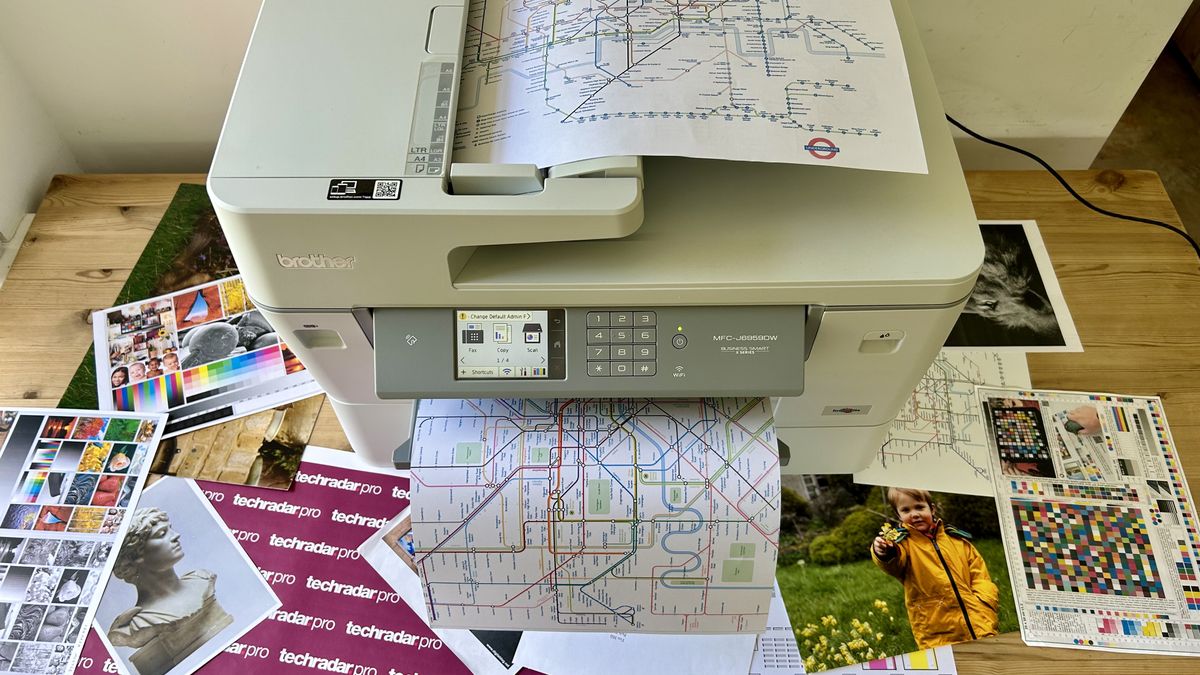
The HP OfficeJet Pro 8139 is the most office-minded printer here. It can print, scan, copy, and fax, and its automatic document feeder means it is ready for multipage work in a way the Canon PIXMA TS6520 is not. Photos are part of its repertoire, but the machine's real priority is keeping a home office moving.
HP lists speeds of up to 20 pages per minute in black and 10 pages per minute in color. It also includes a 225-sheet input tray, automatic two-sided printing, and a 2.7-inch color touchscreen. Those features matter more when the printer handles reports, forms, and presentations than when it prints one glossy snapshot, but they make the 8139 a strong companion for a work-from-home setup. Readers comparing office-focused equipment may also want to consider the features that help a printer handle a busy home office.
Dual-band Wi-Fi is designed to maintain a dependable connection, and HP's app supports printing, scanning, copying, and faxing from a phone. HP also lists AI formatting tools for cleaning up web pages and emails, plus HP Wolf Essential Security for network protection. The printer measures 18.12 inches wide, 13.29 inches deep, and 9.17 inches high, with a listed weight of 17.6 pounds.
The OfficeJet Pro 8139 is beaten by the Envy Photo 7975 for a photo-first home. The Envy has a separate photo tray and is framed more directly around borderless images, while the Canon PIXMA PRO-200S is in another class for large prints. The 8139 is the right pick when faxing, document feeding, and office throughput come first, with family photos handled on the side. HP says it works with original HP cartridges and that firmware updates maintain this restriction, so that ownership detail should be understood before choosing it.
How to choose best printer for photos
The right photo printer depends on the size of the finished image, how often you print, and whether the printer must also handle documents.
Photo size and paper handling
Start with the largest print you expect to make. Dedicated models such as the Liene M100 and Epson PictureMate PM-400 focus on small snapshots, while the HP Envy Photo 7975 and Canon PIXMA TS6520 reach standard letter-size photo output. The Epson EcoTank Photo ET-8550 and Canon PIXMA PRO-200S are the meaningful choices when creative work extends beyond ordinary snapshots.
Borderless support matters when you want an image to reach the edge of the sheet. Check whether the printer supports the exact paper size you use, not just a broad claim about photo printing.
Ink system
Inkjet printers use cartridges or refillable tanks, while the Liene models use thermal dye sublimation. Dye sublimation is attractive for small photos because the laminated result is designed to resist handling damage. Cartridge inkjets are more flexible for mixed media, and tank printers are built around longer intervals between refills.
The number of ink colors can matter for subtle photographic transitions. The ET-8550 uses six-color Claria ET Premium ink, and the PRO-200S uses eight-color dye-based ink. Those systems are more photo-focused than the two-cartridge system in the Canon PIXMA TS6520.
A printer should match the photo you want to keep, not the feature list you want to admire.
All-in-one functions
A scanner, copier, and automatic document feeder can be more useful than a small improvement in photo output if the machine will serve a whole household. The HP Envy Photo 7975 combines a separate photo tray with an auto document feeder, while the HP OfficeJet Pro 8139 adds faxing and a 225-sheet input tray.
Dedicated photo printers do not provide those functions. The Liene M100, Liene Amber M110, Epson PictureMate PM-400, and Canon PIXMA PRO-200S are focused on printing rather than paperwork.
Wireless connections
Phone printing is central to many photo workflows. The Liene M100 creates its own Wi-Fi hotspot and supports up to five simultaneous connections. The Amber M110 uses Bluetooth and lists pairing in 13 seconds. Full-size printers typically use home Wi-Fi, while some models also support Wi-Fi Direct, Ethernet, AirPrint, or Mopria.
A stable connection matters more than having every wireless standard. If several people will print at once, look for a model designed around multiple devices rather than a printer that expects one computer at a time.
Size and workspace
Photo printers vary from compact units to machines that need a dedicated table. The six-pound Epson PictureMate PM-400 is easy to place, while the Canon PIXMA PRO-200S weighs 32 pounds and measures 28.7 inches deep. The ET-8550 is also large because its wide-format paper path and tank system need room.
Leave space for paper trays to open and for large sheets to exit without hitting a wall. A printer that technically fits on a shelf may still be frustrating if the paper path cannot operate freely.
Frequently asked questions
Are dedicated photo printers better than all-in-one printers?
Dedicated photo printers usually make the photo workflow simpler and focus their hardware on one output type. All-in-one models are more useful when you also need scanning, copying, automatic document feeding, or ordinary document printing. The best choice depends on whether photos are the main job or one of several regular jobs.
Which printer is best for phone photos?
The Liene M100 is the strongest simple choice for standard 4 x 6 phone photos. Its built-in Wi-Fi hotspot supports up to five simultaneous connections, and its dye-sublimation prints have a laminated surface. The Liene Amber M110 is more suitable if you also want 3 x 3 square sticker paper.
Which printers support large photo prints?
The Canon PIXMA PRO-200S supports borderless output from 3.5 x 3.5 inches up to 13 x 19 inches. The Epson EcoTank Photo ET-8550 is another wide-format choice for photos and creative projects. The other models in this roundup are better suited to small or standard home photo sizes.
Is a refillable tank useful for photo printing?
A refillable tank can be useful if you print photos and color documents frequently. The Epson EcoTank ET-8550 is the photo-focused option, while the Epson EcoTank ET-2800 is aimed more at mixed household printing. Tank printers still require careful handling during refills and should be used with the recommended ink.
Do photo printers also scan and copy?
Some do, but dedicated photo printers generally do not. The HP Envy Photo 7975, Epson EcoTank ET-8550, Canon PIXMA TS6520, Epson Expression Premium XP-7100, Epson EcoTank ET-2800, and HP OfficeJet Pro 8139 include scanning and copying functions. The Liene models, Epson PictureMate PM-400, and Canon PIXMA PRO-200S are print-focused.
What is dye-sublimation printing?
Dye sublimation uses heat to transfer color into specially coated paper. The Liene M100 and Liene Amber M110 use this method, and both describe a laminated surface designed to resist water, scratches, fingerprints, and fading. It is especially common in compact snapshot printers.
Do I need a printer with more than four ink colors?
Not necessarily. A four-color or two-cartridge printer can be perfectly suitable for family snapshots and documents. More colors give a printer more control over subtle shades, which becomes more important for large prints, portraits, landscapes, and carefully edited photography. The ET-8550 and PRO-200S are the strongest examples here.
The bottom line
The HP Envy Photo 7975 is our top choice for most homes because it combines a separate photo tray, borderless photo support, scanning, copying, automatic two-sided printing, and an automatic document feeder. It is more useful day to day than a dedicated snapshot unit, while still taking photos seriously. The Epson EcoTank Photo ET-8550 is the better choice for frequent creative printing, especially when wide-format output and six-color ink matter.
For a phone-first setup, choose the Liene M100 for standard 4 x 6 prints or the Liene Amber M110 when square stickers are part of the plan. Photographers who need large finished images should move straight to the Canon PIXMA PRO-200S. Those are the clearest paths through the Best best printer for photos choices.
If you are undecided, buy the HP Envy Photo 7975 for mixed home use, the ET-8550 for regular creative work, and the Liene M100 for simple phone snapshots.
As an Amazon Associate we earn from qualifying purchases.